audio PEUGEOT 2008 2016 Owner's Manual
[x] Cancel search | Manufacturer: PEUGEOT, Model Year: 2016, Model line: 2008, Model: PEUGEOT 2008 2016Pages: 450, PDF Size: 14.16 MB
Page 265 of 450
263
2008_en_Chap12b_SMEGplus_ed01-2016
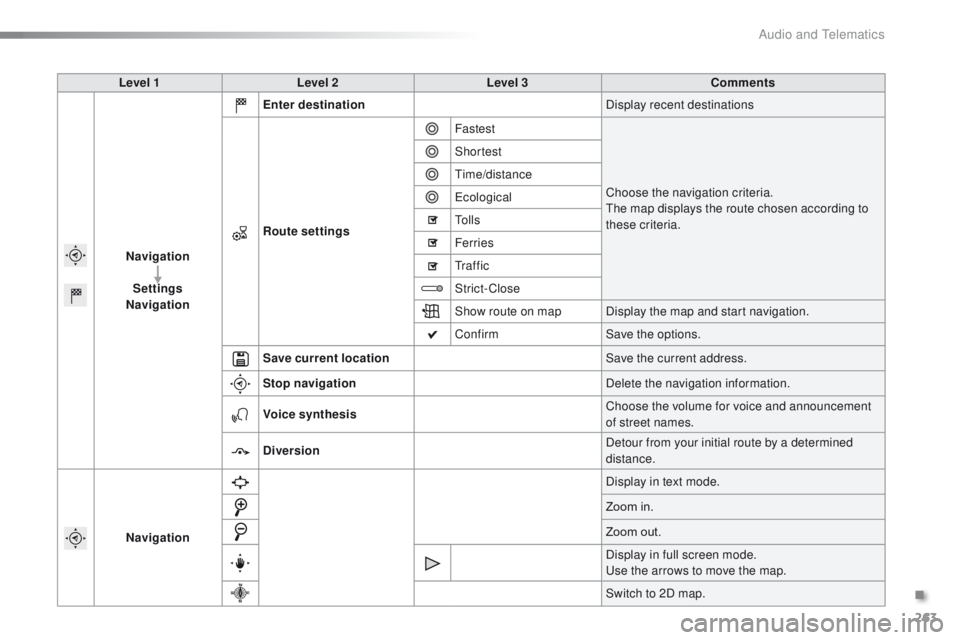
Level 1Level 2 Level 3 Comments
Navigation Settings
Navigation Enter destination
Display recent destinations
Route settings Fastest
Choose the navigation criteria.
The map displays the route chosen according to
these criteria.
Shortest
Time/distance
Ecological
To l l s
Ferries
Tr a f f i c
Strict-Close
Show route on map
Display the map and start navigation.
Confirm Save the options.
Save current location Save the current address.
Stop navigation Delete the navigation information.
Voice synthesis Choose the volume for voice and announcement
of street names.
Diversion Detour from your initial route by a determined
distance.
Navigation Display in text mode.
Zoom in.
Zoom out.
Display in full screen mode.
Use the arrows to move the map.
Switch to 2D map.
.
Audio and Telematics
Page 266 of 450
264
2008_en_Chap12b_SMEGplus_ed01-2016
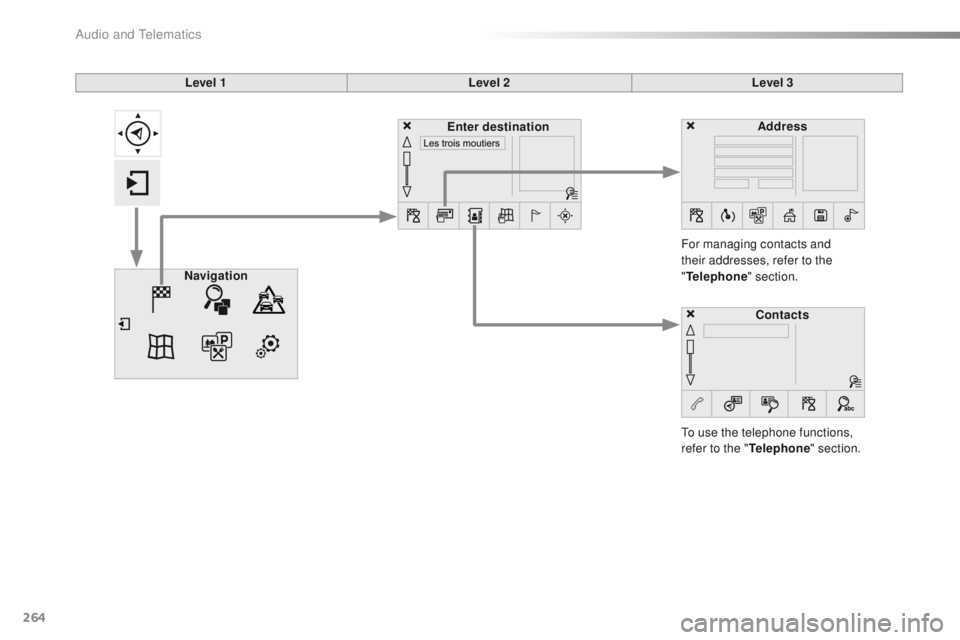
Level 1Level 2Level 3
To use the telephone functions,
refer to the " Telephone" section.
For managing contacts and
their addresses, refer to the
"
Telephone " section.
Navigation Address
Enter destination
Contacts
Audio and Telematics
Page 267 of 450
265
2008_en_Chap12b_SMEGplus_ed01-2016
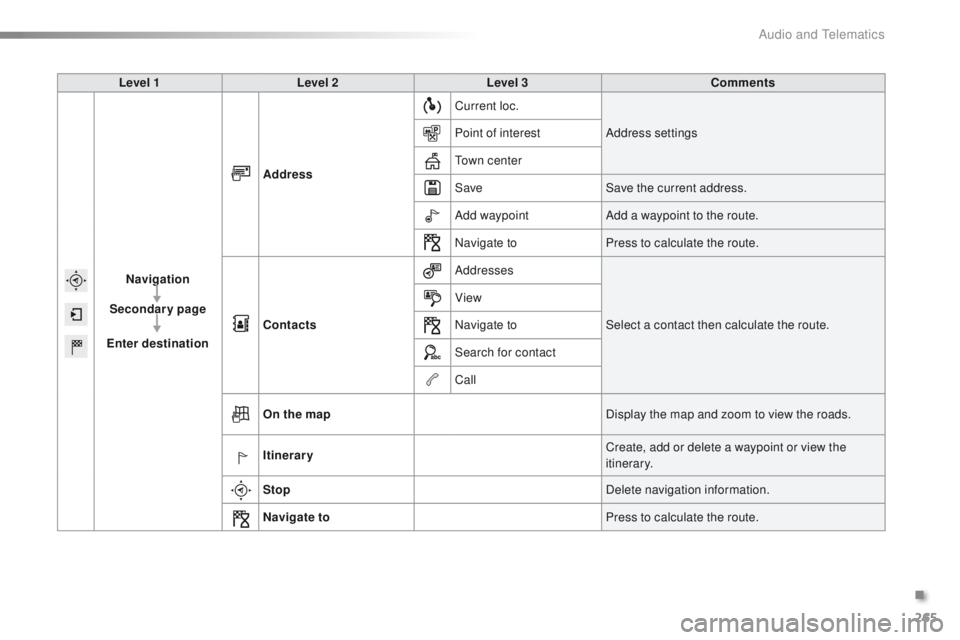
Level 1Level 2 Level 3 Comments
Navigation
Secondary page
Enter destination Address
Current loc.
Address settings
Point of interest
Town center
Save Save the current address.
Add waypoint Add a waypoint to the route.
Navigate to Press to calculate the route.
Contacts Addresses
Select a contact then calculate the route.
View
Navigate to
Search for contact
Call
On the map Display the map and zoom to view the roads.
Itinerary Create, add or delete a waypoint or view the
itinerary.
Stop Delete navigation information.
Navigate to Press to calculate the route.
.
Audio and Telematics
Page 268 of 450
266
2008_en_Chap12b_SMEGplus_ed01-2016
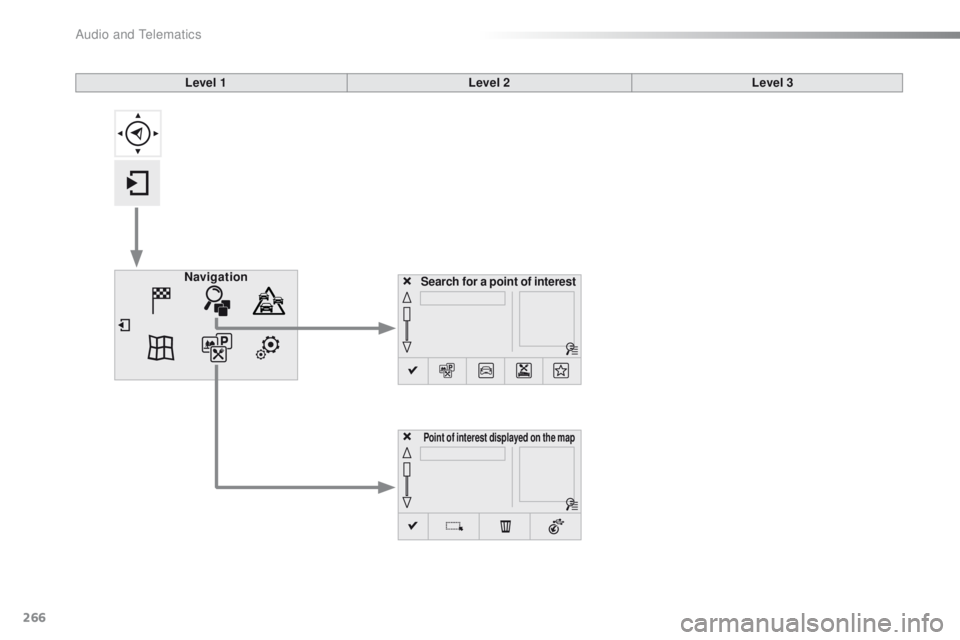
Search for a point of interestNavigation
Point of interest displayed on the map
Level 1Level 2Level 3
Audio and Telematics
Page 269 of 450
267
2008_en_Chap12b_SMEGplus_ed01-2016
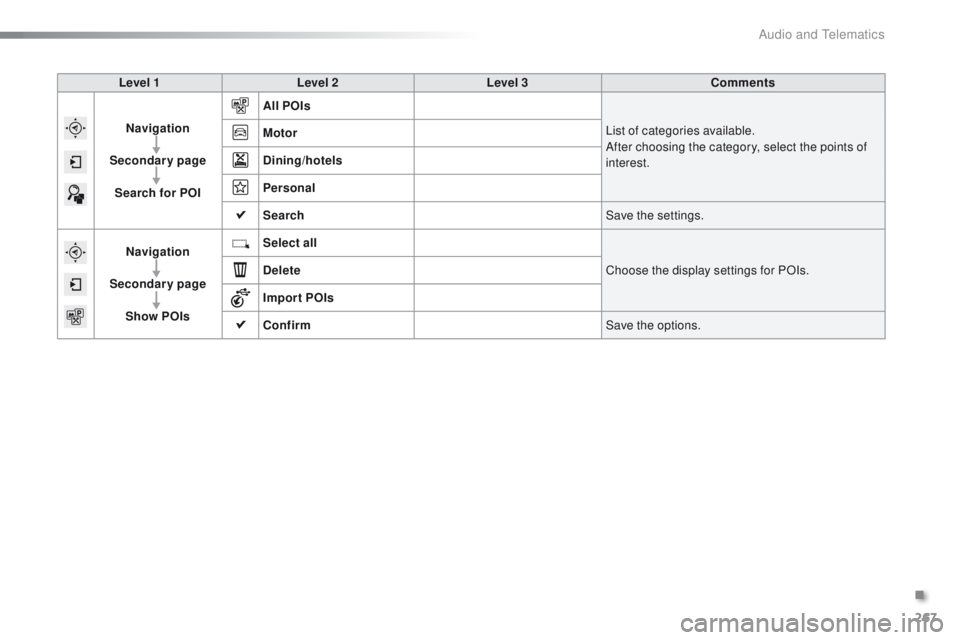
Level 1Level 2 Level 3 Comments
Navigation
Secondary page Search for POI All POIs
List of categories available.
After choosing the category, select the points of
interest.
Motor
Dining/hotels
Personal
Search
Save the settings.
Navigation
Secondary page Show POIs Select all
Choose the display settings for POIs.
Delete
Import POIs
Confirm Save the options.
.
Audio and Telematics
Page 270 of 450
268
2008_en_Chap12b_SMEGplus_ed01-2016
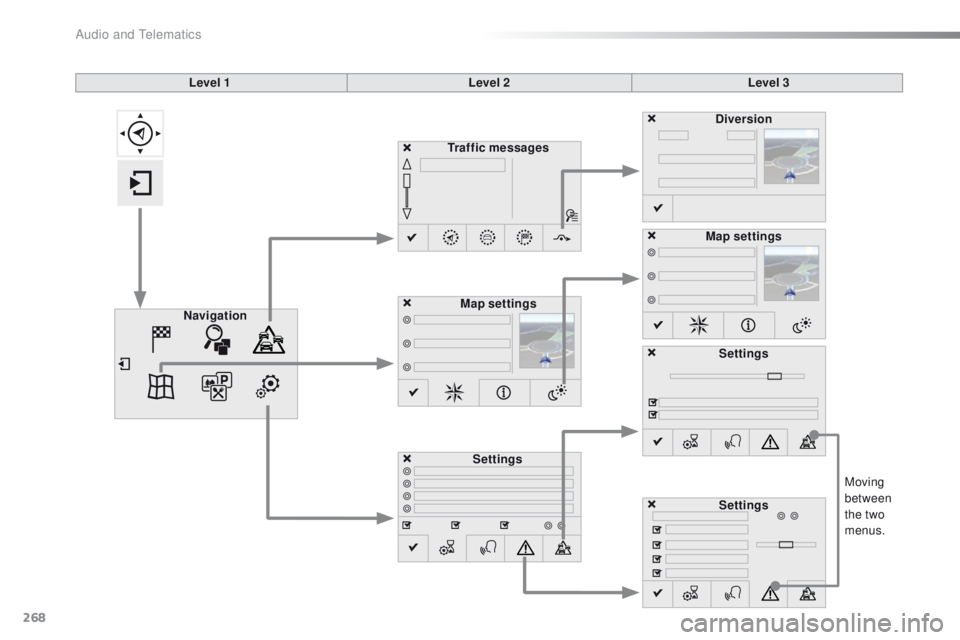
Moving
between
the two
menus.
Level 1
Level 2Level 3
Traffic messages
Settings Diversion
Map settings
Navigation Map settings
Settings
Settings
Audio and Telematics
Page 271 of 450
269
2008_en_Chap12b_SMEGplus_ed01-2016
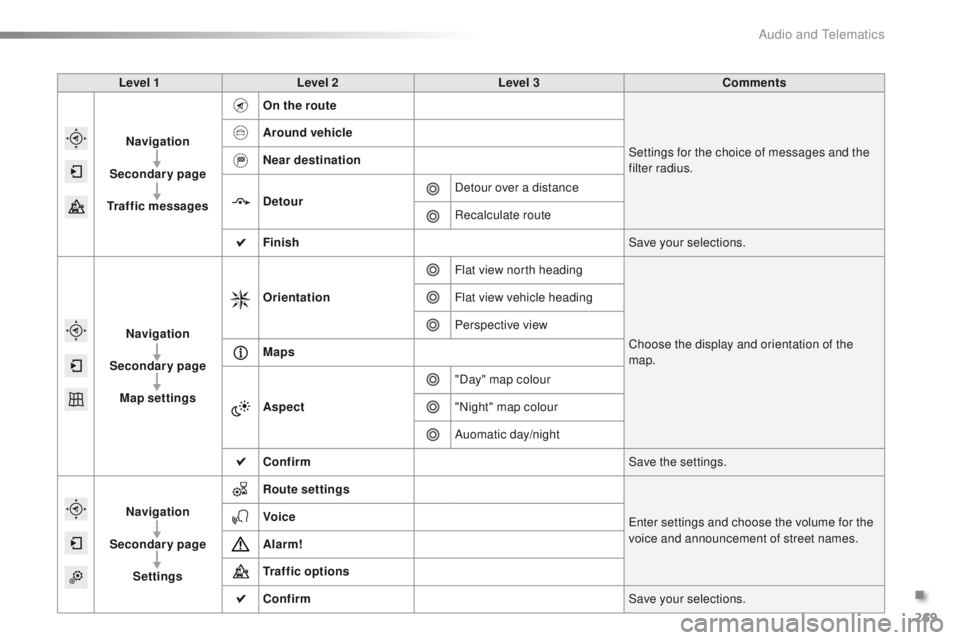
Level 1Level 2 Level 3 Comments
Navigation
Secondary page
Traffic messages On the route
Settings for the choice of messages and the
filter radius.
Around vehicle
Near destination
Detour
Detour over a distance
Recalculate route
Finish Save your selections.
Navigation
Secondary page Map settings Orientation
Flat view north heading
Choose the display and orientation of the
map.
Flat view vehicle heading
Perspective view
Maps
Aspect "Day" map colour
"Night" map colour
Auomatic day/night
Confirm Save the settings.
Navigation
Secondary page Settings Route settings
Enter settings and choose the volume for the
voice and announcement of street names.
Voice
Alarm!
Traffic options
Confirm
Save your selections.
.
Audio and Telematics
Page 272 of 450
270
2008_en_Chap12b_SMEGplus_ed01-2016
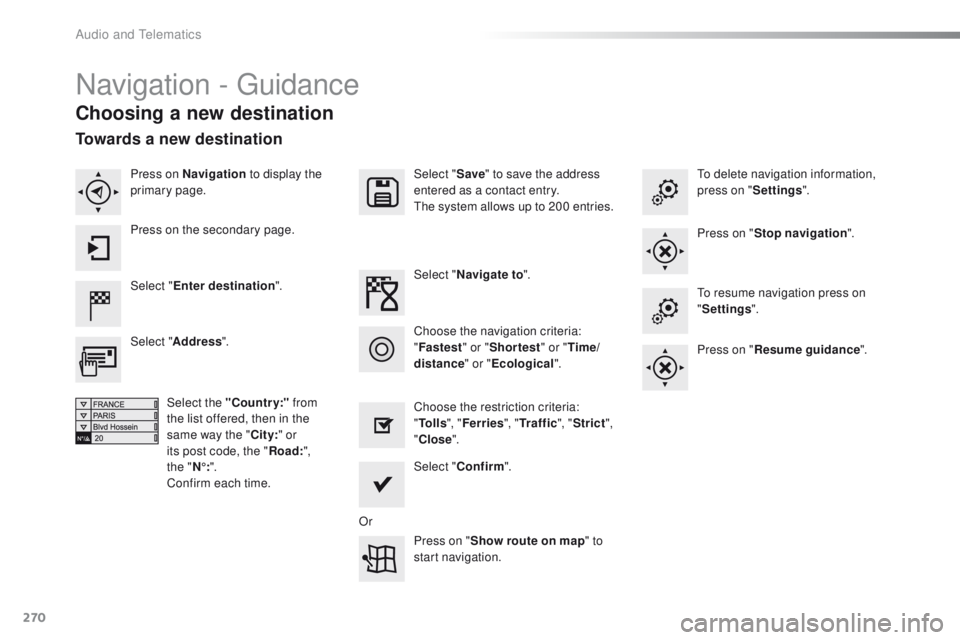
Navigation - Guidance
Choosing a new destination
Select "Enter destination ". Select "
Save" to save the address
entered as a contact entry.
The system allows up to 200 entries.
Select " Confirm ".
Press on " Show route on map " to
start navigation.
Select "
Address ".
Select the "Country:" from
the list offered, then in the
same way the " City:" or
its post code, the " Road:",
the
"N°: ".
Confirm each time. Select "
Navigate to ".
Choose the restriction criteria:
" To l l s ", "Ferries ", "Tr a f f i c ", "Strict ",
" Close ".
Choose the navigation criteria:
"
Fastest " or "Shortest " or "Time/
distance " or "Ecological". To delete navigation information,
press on "
Settings".
Press on " Stop navigation ".
To resume navigation press on
" Settings ".
Press on " Resume guidance ".
Press on Navigation
to display the
primary page.
Press on the secondary page.
Towards a new destination
Or
Audio and Telematics
Page 273 of 450
271
2008_en_Chap12b_SMEGplus_ed01-2016
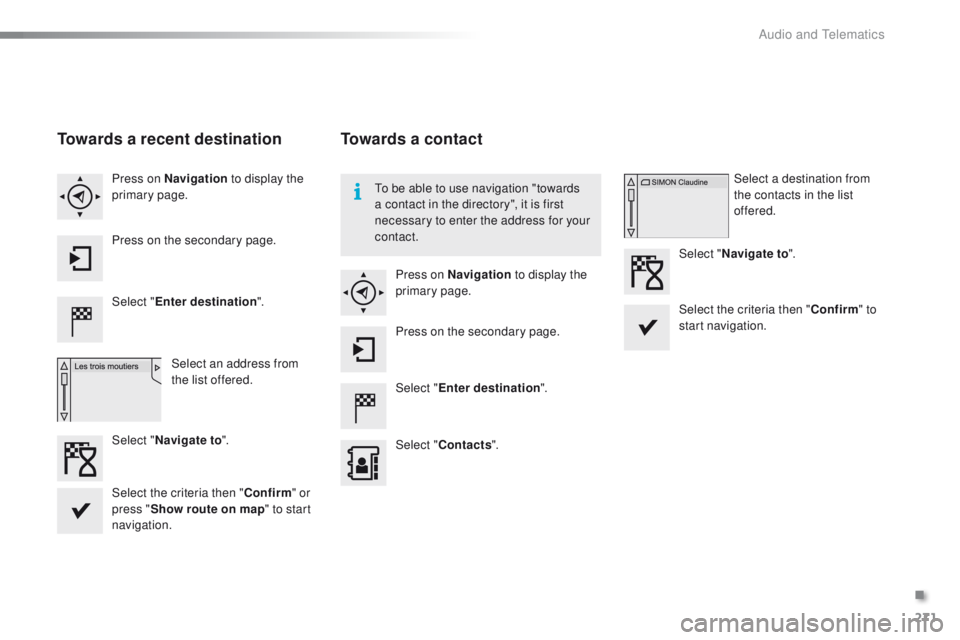
Towards a recent destination
Select "Enter destination ".
Select an address from
the list offered.
Press on Navigation
to display the
primary page.
Press on the secondary page.
Select " Navigate to ".
Towards a contact
Select "Enter destination ".
Select " Contacts ".
Press on Navigation
to display the
primary page.
Press on the secondary page. Select a destination from
the contacts in the list
offered.
Select " Navigate to ".
Select the criteria then " Confirm" to
start navigation.
To be able to use navigation "towards
a contact in the directory", it is first
necessary to enter the address for your
contact.
Select the criteria then " Confirm" or
press " Show route on map " to start
navigation.
.
Audio and Telematics
Page 274 of 450

272
2008_en_Chap12b_SMEGplus_ed01-2016
Towards GPS coordinates
Select "Enter destination ".
Select " Address ".
Enter the " Longitude: "
then the " Latitude: ".
Select " Navigate to ".
Select the criteria then " Confirm" or
press " Show route on map " to start
navigation. Press on Navigation to display the
primary page.
Press on the secondary page.
Towards a point on the map
Select " Enter destination ".
Select " On the map ".
Press on Navigation
to display the
primary page.
Press on the secondary page.
Zooming in on the map shows points with
information.
A long press on a point opens its content.
Towards points of interest (POI)
Points of Interest (POI) are listed in different
categories. Press on Navigation to display the
primary page.
Press on the secondary page.
Select " Search for POI ".
Select " All POIs ",
Or "Motor ",
Or "Dining/hotels ".
Audio and Telematics