light PEUGEOT 207 2008 User Guide
[x] Cancel search | Manufacturer: PEUGEOT, Model Year: 2008, Model line: 207, Model: PEUGEOT 207 2008Pages: 255, PDF Size: 13.06 MB
Page 20 of 255
i
23
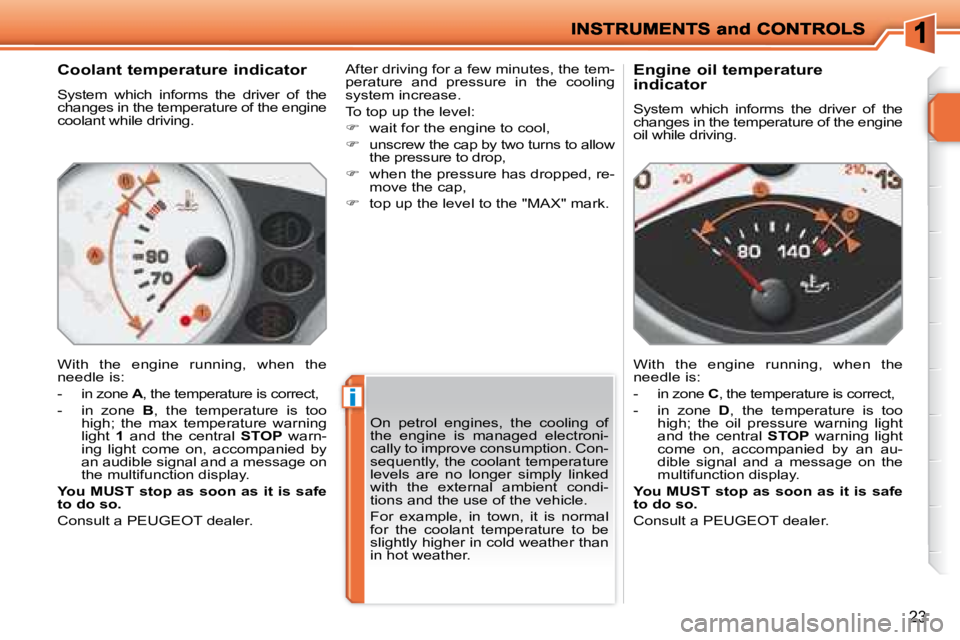
Coolant temperature indicator
System which informs the driver of the
changes in the temperature of the engine
coolant while driving.
With the engine running, when the
needle is:
- in zone A , the temperature is correct,
- in zone B , the temperature is too
high; the max temperature warning
light 1 and the central STOP warn-
ing light come on, accompanied by
an audible signal and a message on
the multifunction display.
You MUST stop as soon as it is safe
to do so.
Consult a PEUGEOT dealer. After driving for a few minutes, the tem-
perature and pressure in the cooling
system increase.
To top up the level:
wait for the engine to cool,
unscrew the cap by two turns to allow
the pressure to drop,
when the pressure has dropped, re-
move the cap,
top up the level to the "MAX" mark. Engine oil temperature
indicator
System which informs the driver of the
changes in the temperature of the engine
oil while driving.
With the engine running, when the
needle is:
- in zone
C , the temperature is correct,
- in zone D , the temperature is too
high; the oil pressure warning light
and the central STOP warning light
come on, accompanied by an au-
dible signal and a message on the
multifunction display.
You MUST stop as soon as it is safe
to do so.
Consult a PEUGEOT dealer.
On petrol engines, the cooling of
the engine is managed electroni-
cally to improve consumption. Con-
sequently, the coolant temperature
levels are no longer simply linked
with the external ambient condi-
tions and the use of the vehicle.
For example, in town, it is normal
for the coolant temperature to be
slightly higher in cold weather than
in hot weather.
Page 23 of 255
i
26
The level read will only be correct if
the vehicle is on level ground and
the engine has been off for more
than 15 minutes.
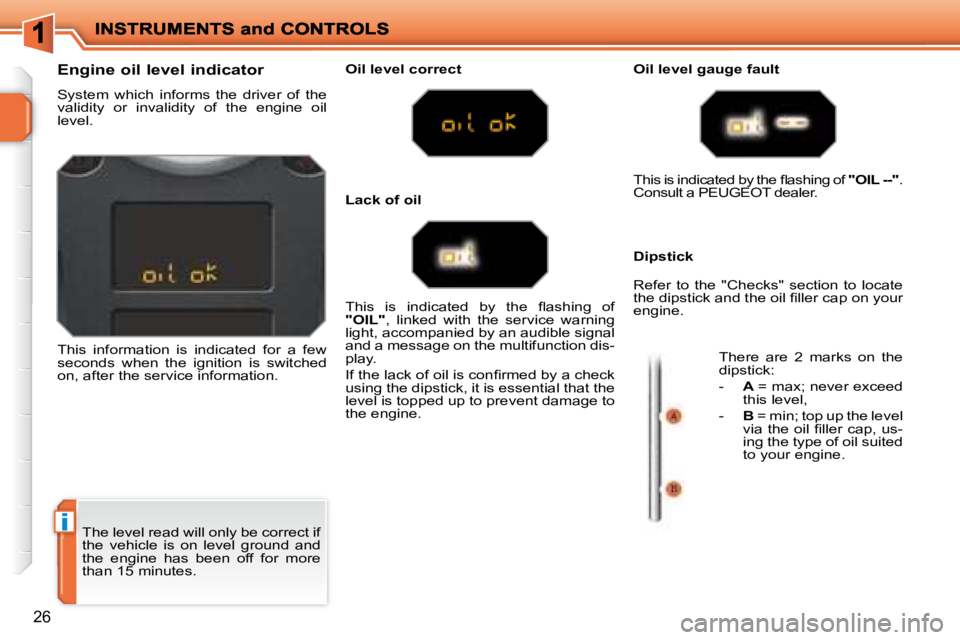
Engine oil level indicator
System which informs the driver of the
validity or invalidity of the engine oil
level.
This information is indicated for a few
seconds when the ignition is switched
on, after the service information.
Oil level correct Oil level gauge fault
Dipstick
This is indicated by the fl ashing of
"OIL" , linked with the service warning
light, accompanied by an audible signal
and a message on the multifunction dis-
play.
If the lack of oil is confi rmed by a check
using the dipstick, it is essential that the
level is topped up to prevent damage to
the engine. This is indicated by the fl ashing of
"OIL --" .
Consult a PEUGEOT dealer.
Refer to the "Checks" section to locate
the dipstick and the oil fi ller cap on your
engine.
There are 2 marks on the
dipstick:
- A = max; never exceed
this level,
- B = min; top up the level
via the oil fi ller cap, us-
ing the type of oil suited
to your engine.
Lack of oil
Page 24 of 255
27
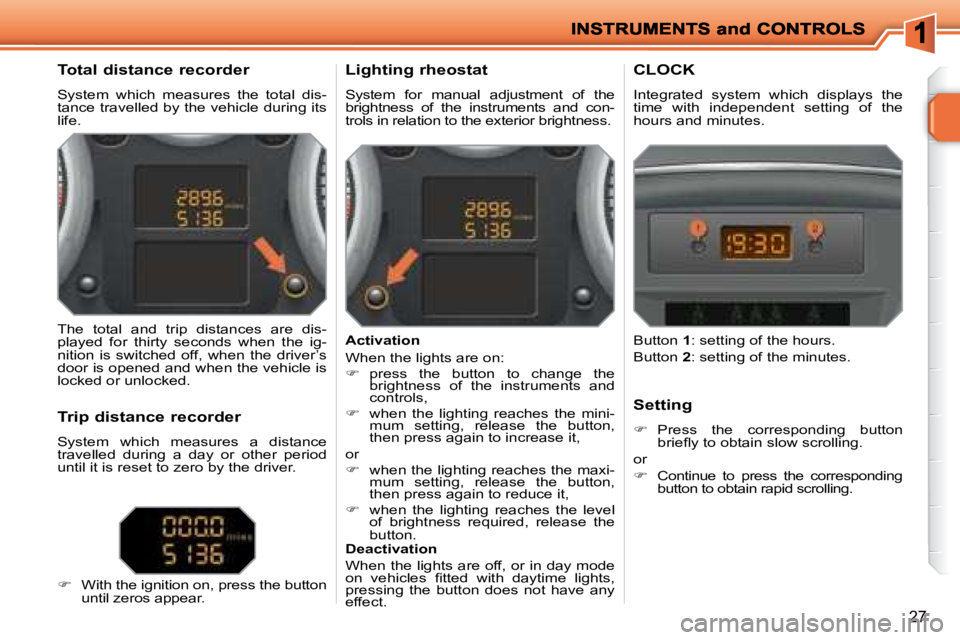
Total distance recorder
System which measures the total dis-
tance travelled by the vehicle during its
life. Lighting rheostat
System for manual adjustment of the
brightness of the instruments and con-
trols in relation to the exterior brightness. CLOCK
Integrated system which displays the
time with independent setting of the
hours and minutes.
The total and trip distances are dis-
played for thirty seconds when the ig-
nition is switched off, when the driver’s
door is opened and when the vehicle is
locked or unlocked.
Trip distance recorder
System which measures a distance
travelled during a day or other period
until it is reset to zero by the driver.
With the ignition on, press the button
until zeros appear. Activation
When the lights are on:
press the button to change the
brightness of the instruments and
controls,
when the lighting reaches the mini-
mum setting, release the button,
then press again to increase it,
or
when the lighting reaches the maxi-
mum setting, release the button,
then press again to reduce it,
when the lighting reaches the level
of brightness required, release the
button.
Deactivation
When the lights are off, or in day mode
on vehicles fi tted with daytime lights,
pressing the button does not have any
effect. Setting
Press the corresponding button
briefl y to obtain slow scrolling.
or
Continue to press the corresponding
button to obtain rapid scrolling.
Button
1 : setting of the hours.
Button 2 : setting of the minutes.
Page 26 of 255
!
29
Options
Once the "Options" menu has been se-
lected, you can start diagnostics of the
status of the equipment (active, not active,
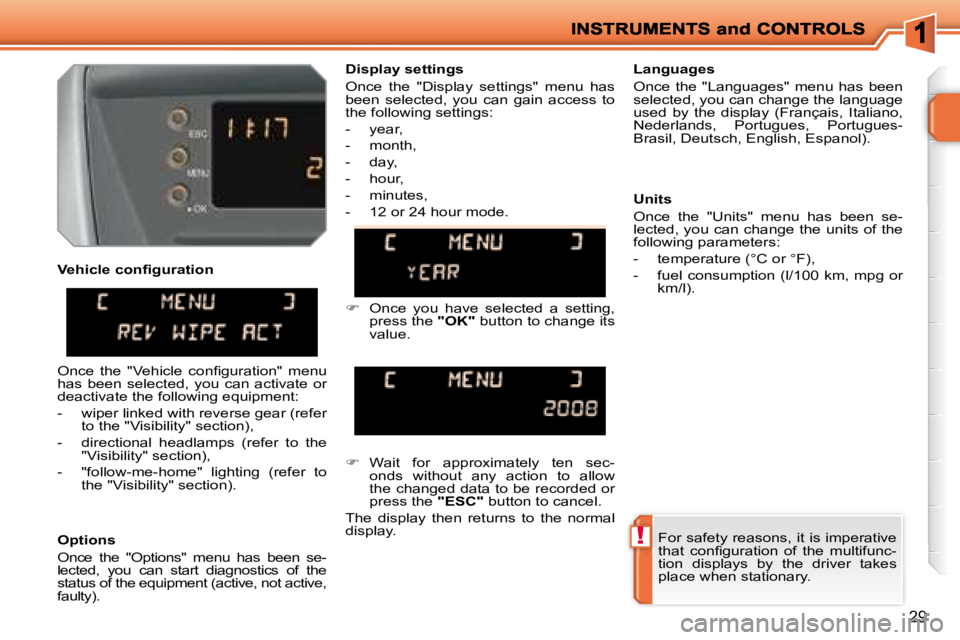
faulty). Languages
Once the "Languages" menu has been
selected, you can change the language
used by the display (Français, Italiano,
Nederlands, Portugues, Portugues-
Brasil, Deutsch, English, Espanol).
Display settings
Once the "Display settings" menu has
been selected, you can gain access to
the following settings:
- year,
- month,
- day,
- hour,
- minutes,
- 12 or 24 hour mode.
Wait for approximately ten sec-
onds without any action to allow
the changed data to be recorded or
press the "ESC" button to cancel.
The display then returns to the normal
display.
Once the "Vehicle confi guration" menu
has been selected, you can activate or
deactivate the following equipment:
- wiper linked with reverse gear (refer to the "Visibility" section),
- directional headlamps (refer to the "Visibility" section),
- "follow-me-home" lighting (refer to the "Visibility" section).
For safety reasons, it is imperative
that confi guration of the multifunc-
tion displays by the driver takes
place when stationary.
Units
Once the "Units" menu has been se-
lected, you can change the units of the
following parameters:
- temperature (°C or °F),
- fuel consumption (l/100 km, mpg or
km/l).
Vehicle confi guration
Once you have selected a setting,
press the "OK" button to change its
value.
Page 28 of 255
!
31
For safety reasons, it is imperative
that confi guration of the multifunc-
tion displays by the driver takes
place when stationary.
Display settings
Once the "Display settings" menu has
been selected, you can gain access to
the following settings:
- year,
- month,
- day,
- hour,
- minutes,
- 12 or 24 hour mode.
Languages
Once the "Languages" menu has been
selected, you can change the language
used by the display (Français, Italiano,
Nederlands, Portugues, Portugues-
Brasil, Deutsch, English, Espanol).
Units
Once the "Units" menu has been se-
lected, you can change the units of the
following parameters:
- temperature (°C or °F),
- fuel consumption (l/100 km, mpg or
km/l).
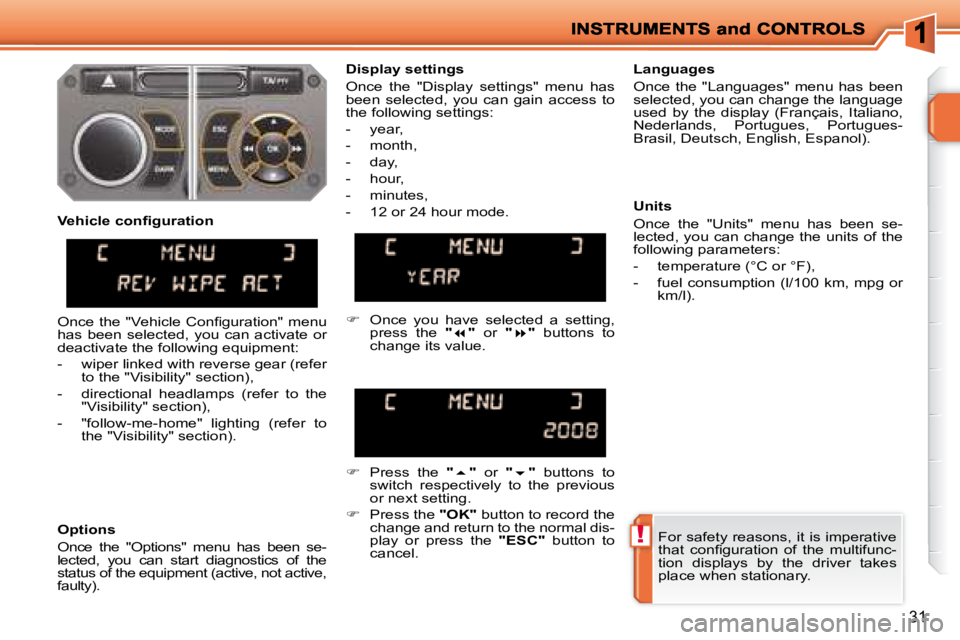
Once you have selected a setting,
press the " " or " " buttons to
change its value.
Press the " " or " " buttons to
switch respectively to the previous
or next setting.
Press the "OK" button to record the
change and return to the normal dis-
play or press the "ESC" button to
cancel.
Vehicle confi guration
Options
Once the "Options" menu has been se-
lected, you can start diagnostics of the
status of the equipment (active, not active,
faulty).
Once the "Vehicle Confi guration" menu
has been selected, you can activate or
deactivate the following equipment:
- wiper linked with reverse gear (refer
to the "Visibility" section),
- directional headlamps (refer to the "Visibility" section),
- "follow-me-home" lighting (refer to the "Visibility" section).
Page 31 of 255
!
34
Defi ne the vehicle parameters
Once this menu has been selected, you
can activate or deactivate the following
equipment:
- wiper linked with reverse gear (refer to the "Visibility" section),
- directional headlamps (refer to the "Visibility" section),
- "follow-me-home" lighting (refer to the "Visibility" section). Selection of the language
Once this menu has been selected, you
can change the screen display language
(Deutsch, English, Espanol, Français,
Italiano, Nederlands, Portugues,
Portugues-Brasil).
"Telephone" menu
With the RD4 audio equipment switched
on, once this menu has been select-
ed you can confi gure your Bluetooth
hands-free kit (matching), consult the
various telephone directories (calls log,
services, ...) and manage your commu-
nications (pick up, hang up, call waiting,
secret mode, ...).
For further details concerning the "Tele-
phone" application, refer to the RD4 part
of the "Audio and Telematics" section.
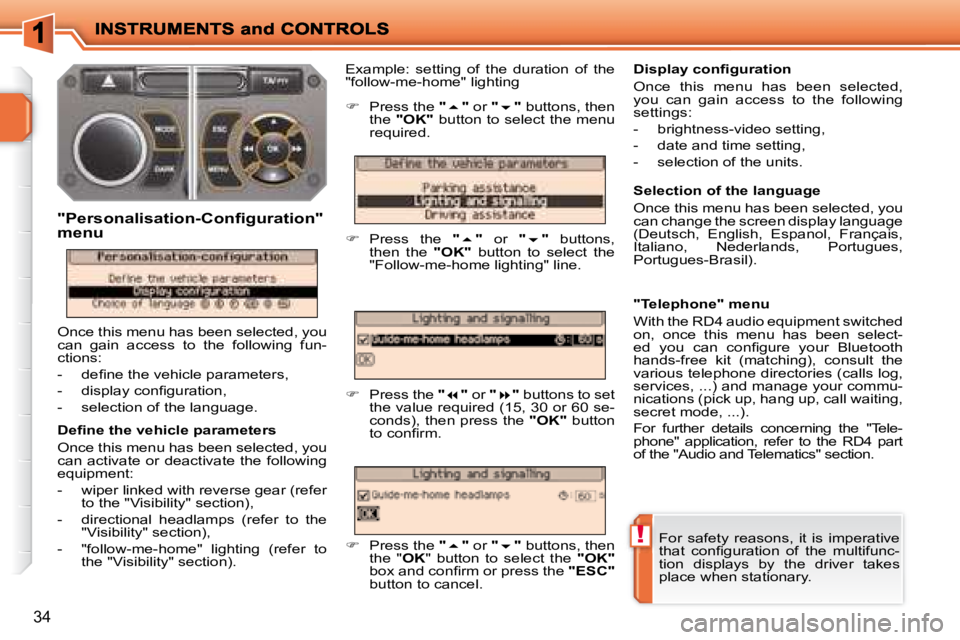
Example: setting of the duration of the
"follow-me-home" lighting
"Personalisation-Configuration"
menu
Once this menu has been selected, you
can gain access to the following fun-
ctions:
- defi ne the vehicle parameters,
- display confi guration,
- selection of the language.
Press the " " or " " buttons, then
the "
OK" button to select the menu
required.
Press the " " or " " buttons,
then the "
OK
" button to select the
"Follow-me-home lighting" line.
Press the " " or " " buttons to set
the value required (15, 30 or 60 se-
conds), then press the "
OK
" button
to confi rm.
Press the " " or " " buttons, then
the " OK " button to select the "OK"
box and confi rm or press the "ESC"
button to cancel.
Display confi guration
Once this menu has been selected,
you can gain access to the following
settings:
- brightness-video setting,
- date and time setting,
- selection of the units.
For safety reasons, it is imperative
that confi guration of the multifunc-
tion displays by the driver takes
place when stationary.
Page 33 of 255
36
Defi ne the vehicle parameters
Once the "Defi ne the vehicle parame-
ters" menu has been selected, you can
activate or deactivate certain driving
and comfort equipment:
- wiper linked with reverse gear (refer to the "Visibility" section),
- directional headlamps (refer to the "Visibility" section),
- "follow-me-home" lighting and duration (refer to the "Visibility" section).
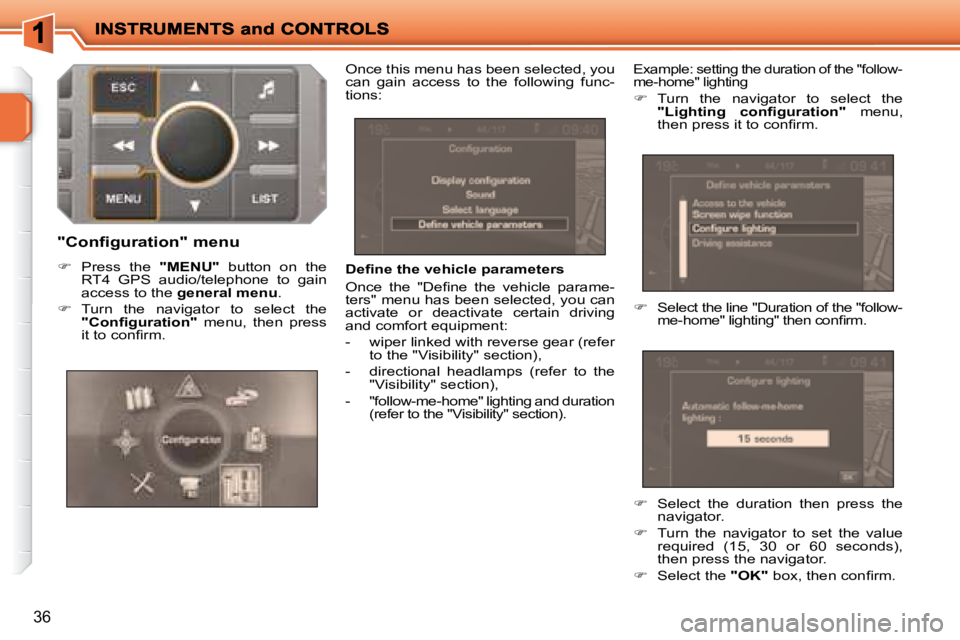
Example: setting the duration of the "follow-
me-home" lighting
Turn the navigator to select the
"Lighting confi guration" menu,
then press it to confi rm.
Select the line "Duration of the "follow-
me-home" lighting" then confi rm.
"Configuration" menu
Press the "MENU" button on the
RT4 GPS audio/telephone to gain
access to the general menu .
Turn the navigator to select the
"Confi guration" menu, then press
it to confi rm. Once this menu has been selected, you
can gain access to the following func-
tions:
Select the duration then press the
navigator.
Turn the navigator to set the value
required (15, 30 or 60 seconds),
then press the navigator.
Select the "OK" box, then confi rm.
Page 46 of 255
i
46
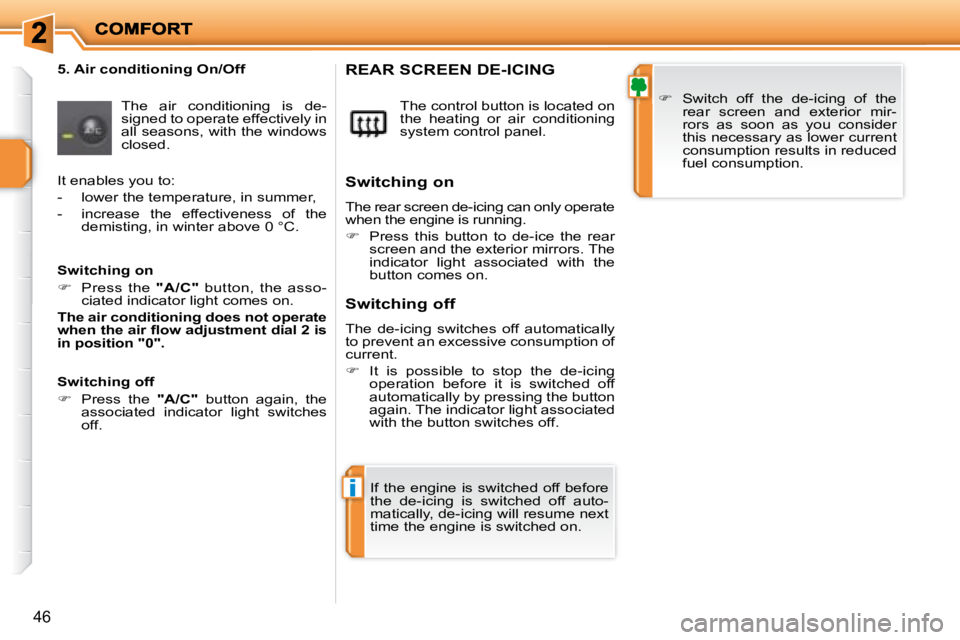
5. Air conditioning On/Off The air conditioning is de-
signed to operate effectively in
all seasons, with the windows
closed. The control button is located on
the heating or air conditioning
system control panel. REAR SCREEN DE-ICING
Switch off the de-icing of the
rear screen and exterior mir-
rors as soon as you consider
this necessary as lower current
consumption results in reduced
fuel consumption.
If the engine is switched off before
the de-icing is switched off auto-
matically, de-icing will resume next
time the engine is switched on.
Switching on
The rear screen de-icing can only operate
when the engine is running.
Press this button to de-ice the rear
screen and the exterior mirrors. The
indicator light associated with the
button comes on.
Switching off
The de-icing switches off automatically
to prevent an excessive consumption of
current.
It is possible to stop the de-icing
operation before it is switched off
automatically by pressing the button
again. The indicator light associated
with the button switches off.
It enables you to:
- lower the temperature, in summer,
- increase the effectiveness of the
demisting, in winter above 0 °C.
Switching on
Press the "A/C" button, the asso-
ciated indicator light comes on.
The air conditioning does not operate
when the air fl ow adjustment dial 2 is
in position "0".
Switching off
Press the "A/C" button again, the
associated indicator light switches
off.
Page 47 of 255
i
46
5. Air conditioning On/Off The air conditioning is de-
signed to operate effectively in
all seasons, with the windows
closed. The control button is located on
the heating or air conditioning
system control panel. REAR SCREEN DE-ICING
Switch off the de-icing of the
rear screen and exterior mir-
rors as soon as you consider
this necessary as lower current
consumption results in reduced
fuel consumption.
If the engine is switched off before
the de-icing is switched off auto-
matically, de-icing will resume next
time the engine is switched on.
Switching on
The rear screen de-icing can only operate
when the engine is running.
Press this button to de-ice the rear
screen and the exterior mirrors. The
indicator light associated with the
button comes on.
Switching off
The de-icing switches off automatically
to prevent an excessive consumption of
current.
It is possible to stop the de-icing
operation before it is switched off
automatically by pressing the button
again. The indicator light associated
with the button switches off.
It enables you to:
- lower the temperature, in summer,
- increase the effectiveness of the
demisting, in winter above 0 °C.
Switching on
Press the "A/C" button, the asso-
ciated indicator light comes on.
The air conditioning does not operate
when the air fl ow adjustment dial 2 is
in position "0".
Switching off
Press the "A/C" button again, the
associated indicator light switches
off.
Page 49 of 255
!
!
i
48
To exit this programme, press the
"visibility" button again or the "AUTO" button, the indicator light on the button
switches off and "AUTO" is displayed.
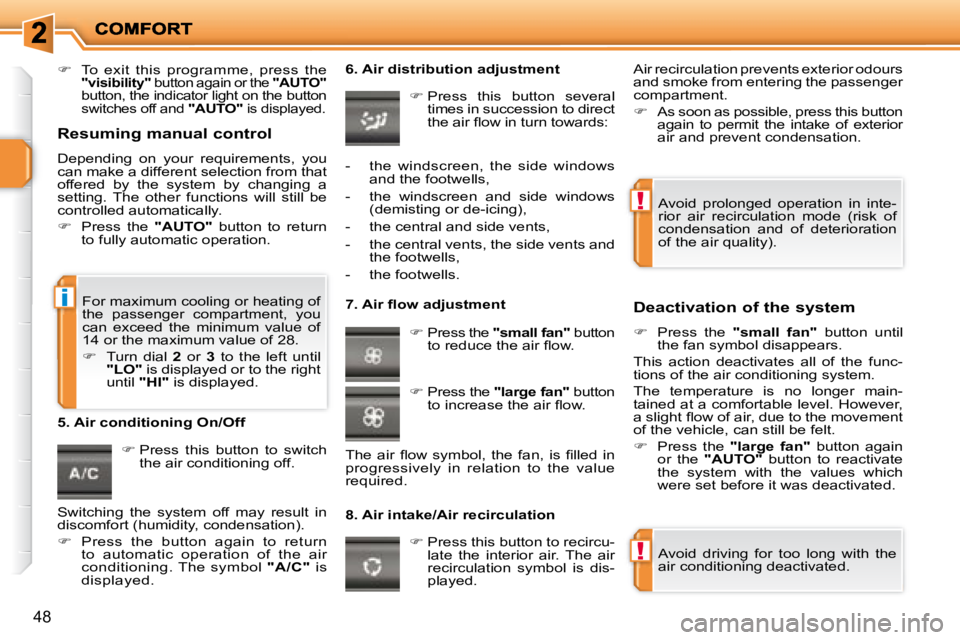
Press this button to switch
the air conditioning off. 6. Air distribution adjustment
Press this button several
times in succession to direct
the air fl ow in turn towards:
7. Air fl ow adjustment
Press the "small fan" button
to reduce the air fl ow.
8. Air intake/Air recirculation Deactivation of the system
Press the "small fan" button until
the fan symbol disappears.
This action deactivates all of the func-
tions of the air conditioning system.
The temperature is no longer main-
tained at a comfortable level. However,
a slight fl ow of air, due to the movement
of the vehicle, can still be felt.
Press the "large fan" button again
or the "AUTO" button to reactivate
the system with the values which
were set before it was deactivated.
Press this button to recircu-
late the interior air. The air
recirculation symbol is dis-
played.
5. Air conditioning On/Off
Avoid driving for too long with the
air conditioning deactivated.
Avoid prolonged operation in inte-
rior air recirculation mode (risk of
condensation and of deterioration
of the air quality).
- the windscreen, the side windows
and the footwells,
- the windscreen and side windows (demisting or de-icing),
- the central and side vents,
- the central vents, the side vents and the footwells,
- the footwells.
Press the "large fan" button
to increase the air fl ow.
The air fl ow symbol, the fan, is fi lled in
progressively in relation to the value
required. Air recirculation prevents exterior odours
and smoke from entering the passenger
compartment.
As soon as possible, press this button
again to permit the intake of exterior
air and prevent condensation.
For maximum cooling or heating of
the passenger compartment, you
can exceed the minimum value of
14 or the maximum value of 28 .
Turn dial 2 or 3 to the left until
"LO" is displayed or to the right
until "HI" is displayed.
Resuming manual control
Depending on your requirements, you
can make a different selection from that
offered by the system by changing a
setting. The other functions will still be
controlled automatically.
Press the "AUTO" button to return
to fully automatic operation.
Switching the system off may result in
discomfort (humidity, condensation).
Press the button again to return
to automatic operation of the air
conditioning. The symbol "A/C" is
displayed.