key PEUGEOT 207 2008 Owner's Guide
[x] Cancel search | Manufacturer: PEUGEOT, Model Year: 2008, Model line: 207, Model: PEUGEOT 207 2008Pages: 255, PDF Size: 13.06 MB
Page 189 of 255
176
9
1111
1212
1414
10101313
ESC
MENU LIST
2
abc
5
jkl
8
tuv 3
def
6
mno
9
wxyz
1 4
ghi
r
7
pq s
0
#
ESC
MENU LIST
ESC
MENU LIST
ESC
MENU LIST
ESC
MENU LIST
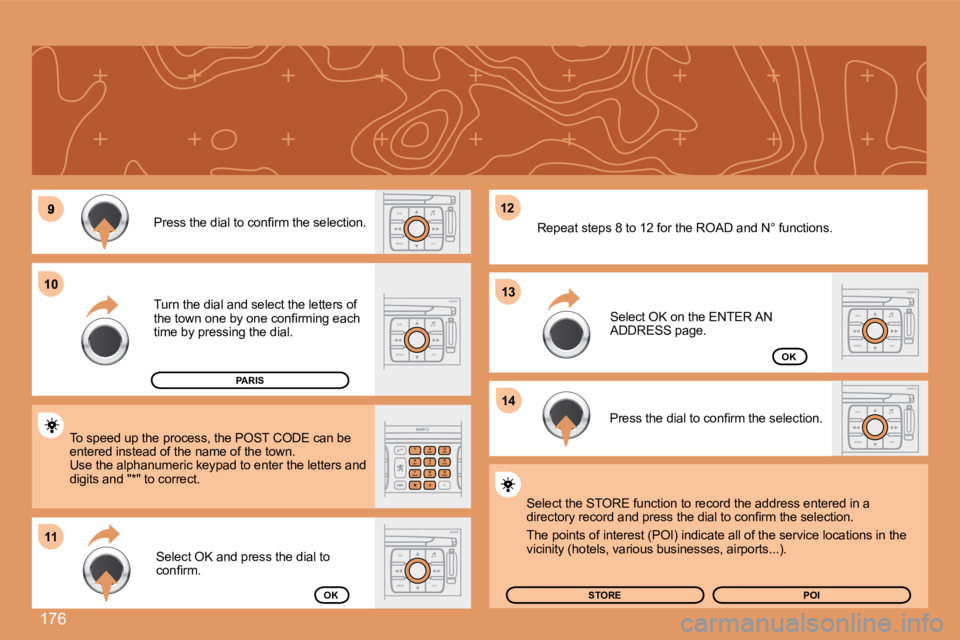
Press the dial to confi rm the selection.
Turn the dial and select the letters of the town one by one confi rming each time by pressing the dial.
Select OK and press the dial to confi rm.
To speed up the process, the POST CODE can be entered instead of the name of the town. Use the alphanumeric keypad to enter the letters a nd digits and "*" to correct.
Press the dial to confi rm the selection.
Select OK on the ENTER AN ADDRESS page.
Repeat steps 8 to 12 for the ROAD and N° functions .
OK
OK
Select the STORE function to record the address entered in a directory record and press the dial to confi rm the selection.
The points of interest (POI) indicate all of the service locations in the vicinity (hotels, various businesses, airports...).
STORE
PARIS
POI
Page 202 of 255
189
ESC
MENU LIST
ESC
MENU LIST
66
77
55
ESC
LIST
MENU
MENU
ESC
MENU LIST
22
33
44
11
ESC
MENU LIST
ESC
MENU LIST
ESC
MENU LIST
ESC
MENU LIST
JUKEBOX
RENAME
JUKEBOX MANAGEMENT
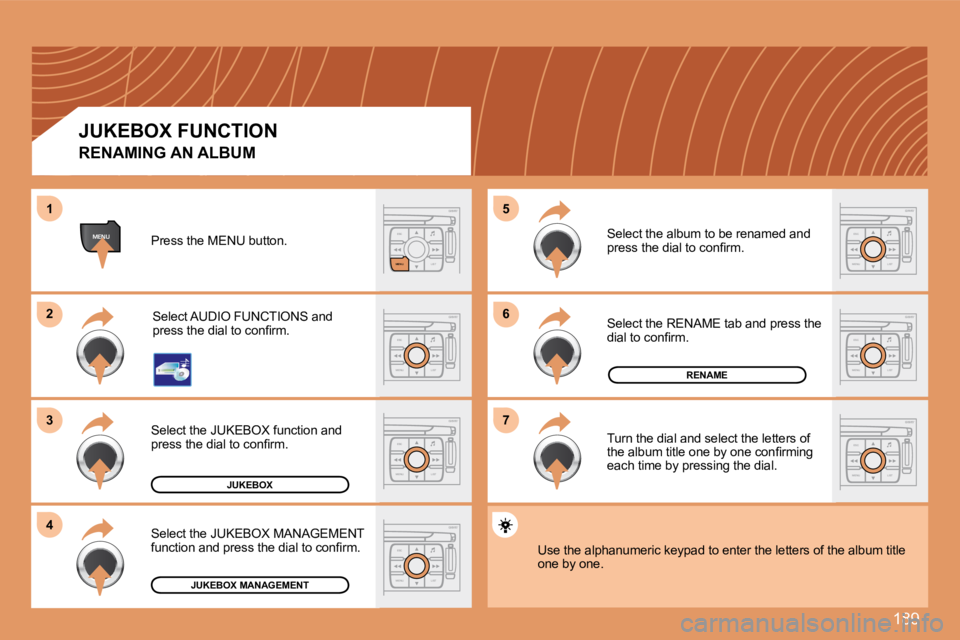
RENAMING AN ALBUM
Press the MENU button.
Select AUDIO FUNCTIONS and press the dial to confi rm.
Select the JUKEBOX function and press the dial to confi rm.
Select the JUKEBOX MANAGEMENT function and press the dial to confi rm.
Select the album to be renamed and press the dial to confi rm.
Select the RENAME tab and press the dial to confi rm.
Turn the dial and select the letters of the album title one by one confi rming each time by pressing the dial.
Use the alphanumeric keypad to enter the letters o f the album title one by one.
JUKEBOX FUNCTION
Page 204 of 255
191
11
SOURCE
22
S
O S SOURCE
MODE BAND TPT
A Y
DARKSOURCE
2
abc
5
jkl
8
tuv 3
def
6
mno
9
wxyz
1 4
ghi
7
pqrs
0 #
2
abc
5
jkl
8
tuv
3
def
6
mno
9
wxyz
1 4
ghi
r
7
pq s0 #
S
O S SOURCE
MODE BAND TPT
A Y
DARKSOURCESOURCE
ESC
MENU LIST
11
33
22
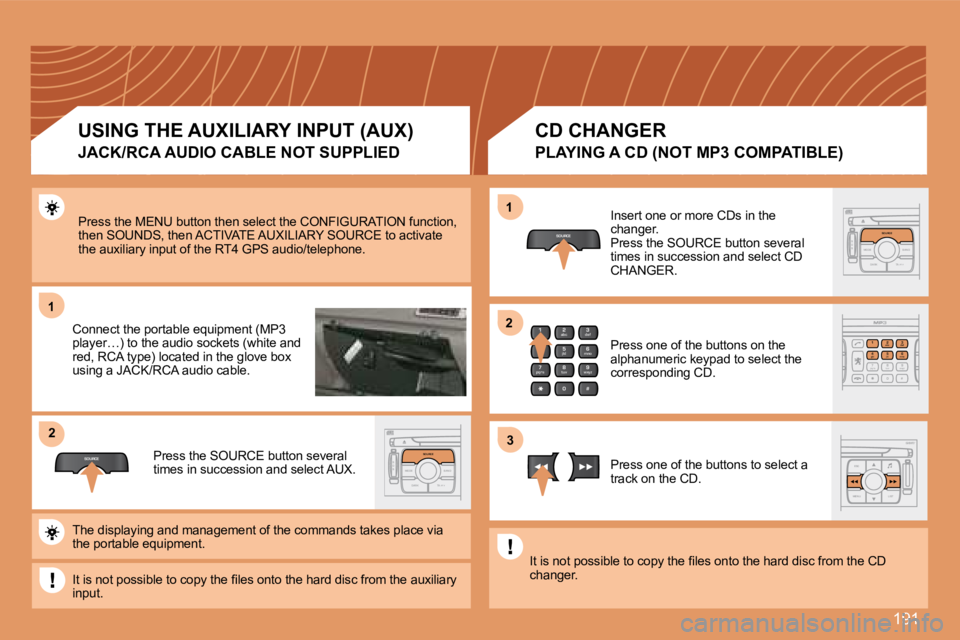
Press the MENU button then select the CONFIGURATIO N function, then SOUNDS, then ACTIVATE AUXILIARY SOURCE to acti vate the auxiliary input of the RT4 GPS audio/telephone.
Connect the portable equipment (MP3 player…) to the audio sockets (white and red, RCA type) located in the glove box using a JACK/RCA audio cable.
Press the SOURCE button several times in succession and select AUX.
Insert one or more CDs in the changer. Press the SOURCE button several times in succession and select CD CHANGER.
Press one of the buttons on the alphanumeric keypad to select the corresponding CD.
Press one of the buttons to select a track on the CD.
The displaying and management of the commands take s place via the portable equipment.
It is not possible to copy the fi les onto the hard disc from the auxiliary input.
It is not possible to copy the fi les onto the hard disc from the CD changer.
USING THE AUXILIARY INPUT (AUX)
JACK/RCA AUDIO CABLE NOT SUPPLIED
CD CHANGER
PLAYING A CD (NOT MP3 COMPATIBLE)
Page 205 of 255
192
2
abc
5
jkl
8
tuv 3
def
6
mno
9
wxyz
1 4
ghi
7
pqrs
0 #
ESC
MENU LIST
ESC
MENU LIST
ESC
MENU LIST
2
abc
5
jkl
8
tuv 3
def
6
mno
9
wxyz
1 4
ghi
7
pqrs
0 #
2
abc
5
jkl
8
tuv 3
def
6
mno
9
wxyz
1 4
ghi
r
7
pq s
0
#
2
abc
5
jkl
8
tuv 3
def
6
mno
9
wxyz
1 4
ghi
r
7
pq s
0
#
11
22
33
11
22
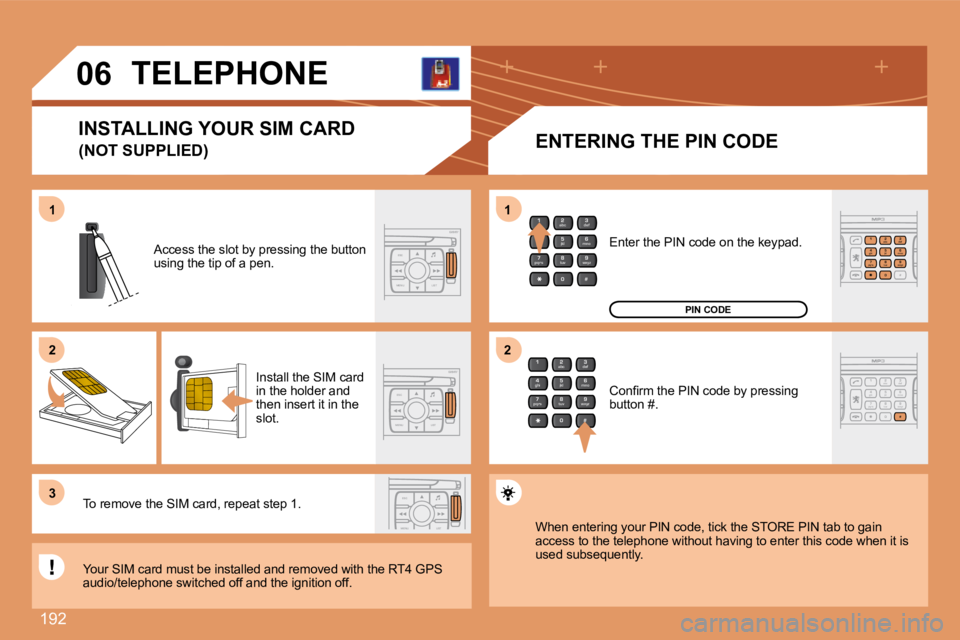
06 TELEPHONE
INSTALLING YOUR SIM CARD ENTERING THE PIN CODE
Access the slot by pressing the button using the tip of a pen.
Install the SIM card in the holder and then insert it in the slot.
To remove the SIM card, repeat step 1.
Your SIM card must be installed and removed with t he RT4 GPS audio/telephone switched off and the ignition off.
Enter the PIN code on the keypad.
Confi rm the PIN code by pressing button #.
PIN CODE
When entering your PIN code, tick the STORE PIN ta b to gain access to the telephone without having to enter this code when it is used subsequently.
(NOT SUPPLIED)
Page 206 of 255

193
2
abc
5
jkl
8
tuv 3
def
6
mno
9
wxyz
1 4
ghi
7
pqrs
0 #
ESC
MENU LIST
ESC
MENU LIST
2
abc
5
jkl
8
tuv 3
def
6
mno
9
wxyz
1 4
ghi
r
7
pq s
0
#
2
abc
5
jkl
8
tuv 3
def
6
mno
9
wxyz
1 4
ghi
r
7
pq s
2
abc
5
jkl
8
tuv 3
def
6
mno
9
wxyz
1 4
ghi
r
7
pq s
0 #
11
22
33
44
55
66
2
abc
5
jkl
8
tuv 3
def
6
mno
9
wxyz
1 4
ghi
r
7
pq s2
abc
5
jkl
8
tuv 3
def
6
mno
9
wxyz
1 4
ghi
r
7
pq s
2
abc
5
jkl
8
tuv 3
def
6
mno
9
wxyz
1 4
ghi
r
7
pq s
0 #
06 TELEPHONE
CALLING A CONTACT
Turn the dial and select the DIAL function.
Press the PICK UP button to display the superimposed telephone menu.
Press the dial to confi rm the selection.
Dial the telephone number of your contact using the alphanumeric keypad.
Press the PICK UP button to call the number dialled.
Press the HANG UP button to end the call.
ACCEPTING OR REFUSING A CALL
Press the PICK UP button to accept a call.
Press the HANG UP button to refuse a call.
DIAL
Press the end of the steering wheel stalk for more than 2 seconds to access the telephone menu: calls log, directory, voice mailbox.
Page 222 of 255
206
11
22
33
11
22
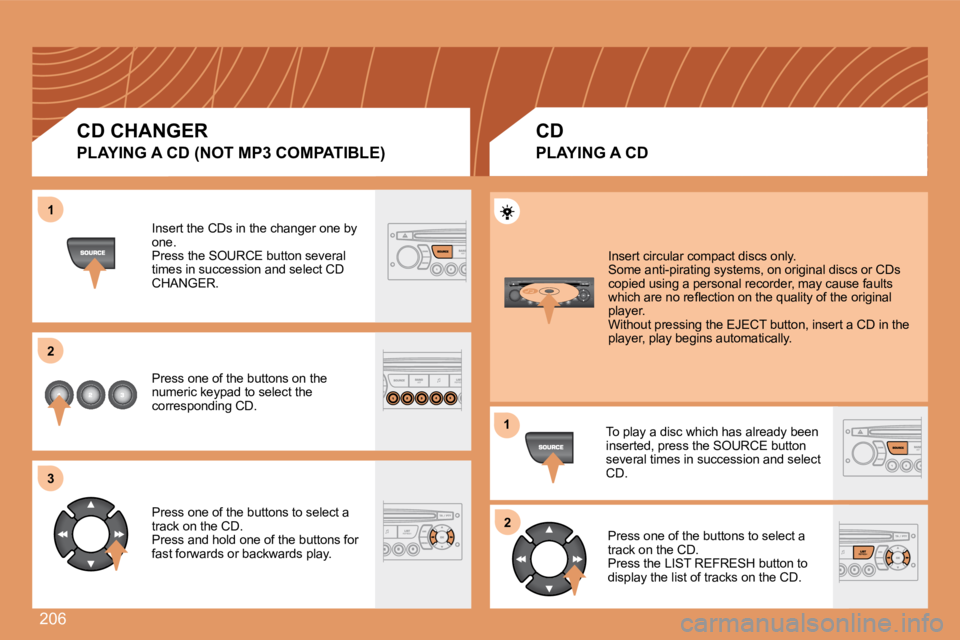
Insert the CDs in the changer one by one. Press the SOURCE button several times in succession and select CD CHANGER.
Press one of the buttons on the numeric keypad to select the corresponding CD.
Press one of the buttons to select a track on the CD. Press and hold one of the buttons for fast forwards or backwards play.
Insert circular compact discs only. Some anti-pirating systems, on original discs or CDs copied using a personal recorder, may cause faults which are no refl ection on the quality of the original player. Without pressing the EJECT button, insert a CD in the player, play begins automatically.
To play a disc which has already been inserted, press the SOURCE button several times in succession and select CD.
Press one of the buttons to select a track on the CD. Press the LIST REFRESH button to display the list of tracks on the CD.
CD CHANGER
PLAYING A CD (NOT MP3 COMPATIBLE)
CD
PLAYING A CD
Page 224 of 255
208
11
22
33
11
22
4411
04 HANDS-FREE KIT
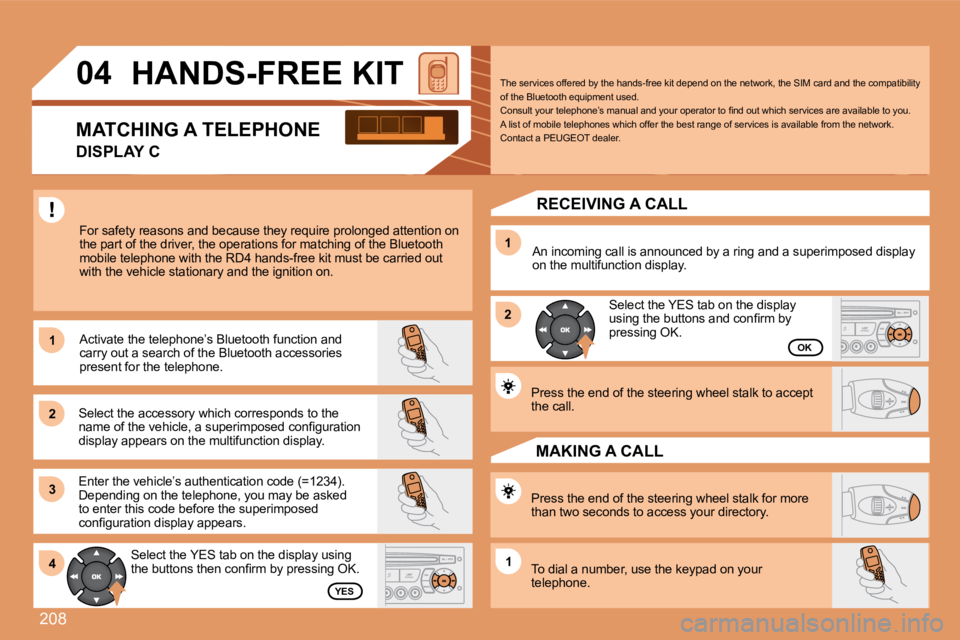
For safety reasons and because they require prolonged attention on the part of the driver, the operations for matching of the Bluetooth mobile telephone with the RD4 hands-free kit must b e carried out with the vehicle stationary and the ignition on.
Select the accessory which corresponds to the name of the vehicle, a superimposed confi guration display appears on the multifunction display.
Activate the telephone’s Bluetooth function and carry out a search of the Bluetooth accessories present for the telephone.
Select the YES tab on the display using the buttons then confi rm by pressing OK.
Enter the vehicle’s authentication code (=1234). Depending on the telephone, you may be asked to enter this code before the superimposed confi guration display appears.
YES
OK
The services offered by the hands-free kit depend on the network, the SIM card and the compatibility of the Bluetooth equipment used. Consult your telephone’s manual and your operator to fi nd out which services are available to you. A list of mobile telephones which offer the best range of services is available from the network. Contact a PEUGEOT dealer.
RECEIVING A CALL
An incoming call is announced by a ring and a supe rimposed display on the multifunction display.
Select the YES tab on the display using the buttons and confi rm by pressing OK.
Press the end of the steering wheel stalk to accept the call.
Press the end of the steering wheel stalk for more than two seconds to access your directory.
To dial a number, use the keypad on your telephone.
MAKING A CALL
MATCHING A TELEPHONE
DISPLAY C
Page 233 of 255
5
03
1
2
3
6
5
4
NAVIGATION - GUIDANCE
SELECTING A DESTINATION
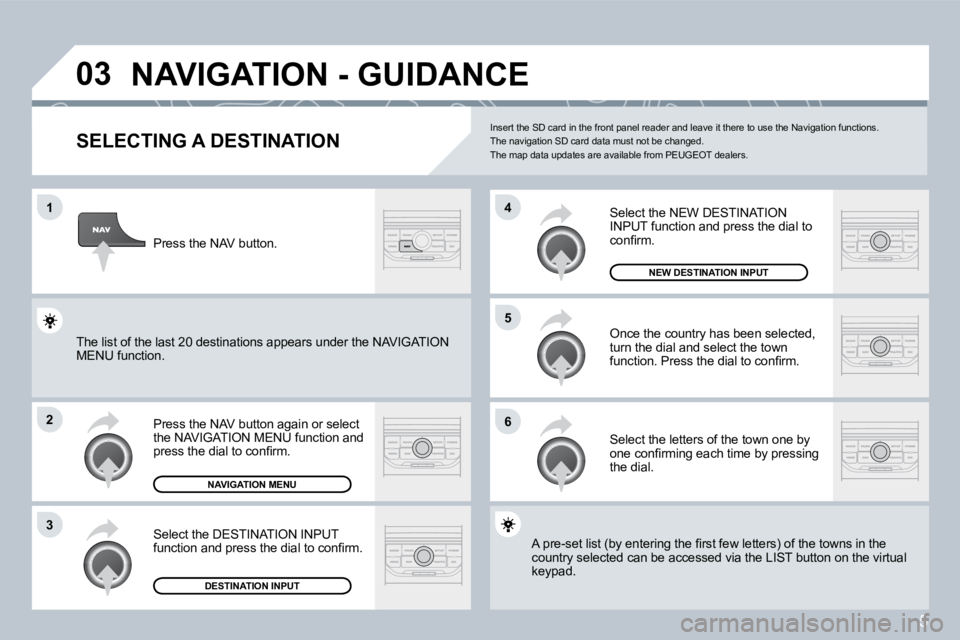
Press the NAV button again or select the NAVIGATION MENU function and press the dial to confi rm.
Select the DESTINATION INPUT function and press the dial to confi rm.
Press the NAV button.
Select the letters of the town one by one confi rming each time by pressing the dial.
Once the country has been selected, turn the dial and select the town function. Press the dial to confi rm.
NAVIGATION MENU
DESTINATION INPUT
Insert the SD card in the front panel reader and leave it there to use the Navigation functions. The navigation SD card data must not be changed. The map data updates are available from PEUGEOT dealers.
A pre-set list (by entering the fi rst few letters) of the towns in the A pre-set list (by entering the fi rst few letters) of the towns in the country selected can be accessed via the LIST butto n ontton on the virtual keypad.
Select the NEW DESTINATION INPUT function and press the dial to confi rm.
NEW DESTINATION INPUT
The list of the last 20 destinations appears under the NAthe NAVIGATION MENU function.
Page 237 of 255
9
03
1
2
3
4
7
85
6
NAVIGATION - GUIDANCE
SEARCHING FOR POINTS OF INTEREST
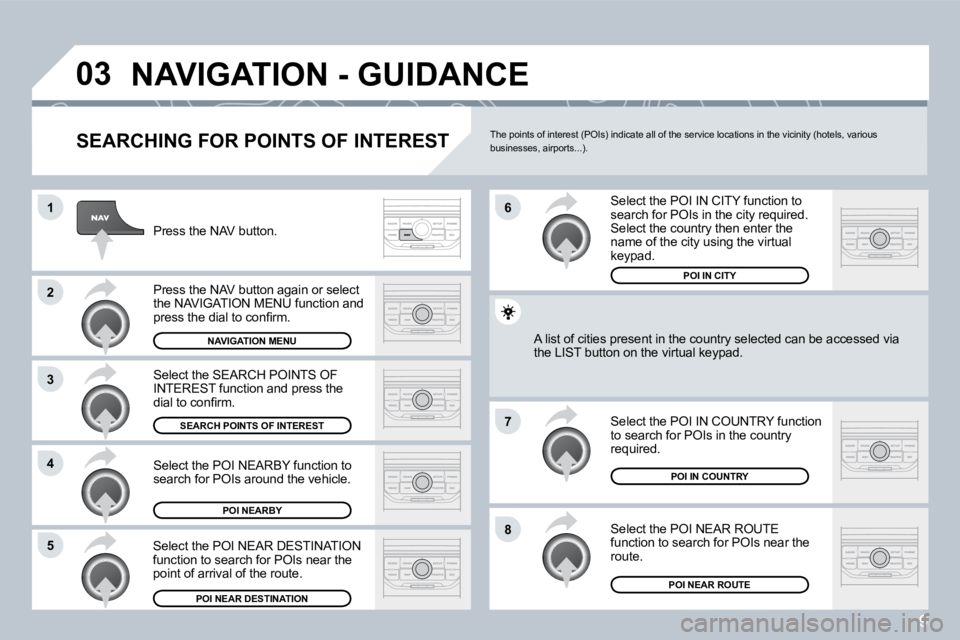
Press the NAV button.
Press the NAV button again or select the NAVIGATION MENU function and press the dial to confi rm.
Select the POI NEARBY function to search for POIs around the vehicle.
Select the SEARCH POINTS OF INTEREST function and press the dial to confi rm.
NAVIGATION MENU
SEARCH POINTS OF INTEREST
POI NEARBY
Select the POI IN CITY function to search for POIs in the city required. Select the country then enter the name of the city using the virtual keypad.
Select the POI NEAR ROUTE function to search for POIs near the route.
Select the POI IN COUNTRY function to search for POIs in the country required.
Select the POI NEAR DESTINATION function to search for POIs near the point of arrival of the route.
POI NEAR DESTINATION
POI IN COUNTRY
POI NEAR ROUTE
A list of cities present in the country selected can be accbe accessed via the LIST button on the virtual keypad.
POI IN CITY
The points of interest (POIs) indicate all of the service locations in the vicinity (hotels, various businesses, airports...).
Page 241 of 255
13
11
2
3
05
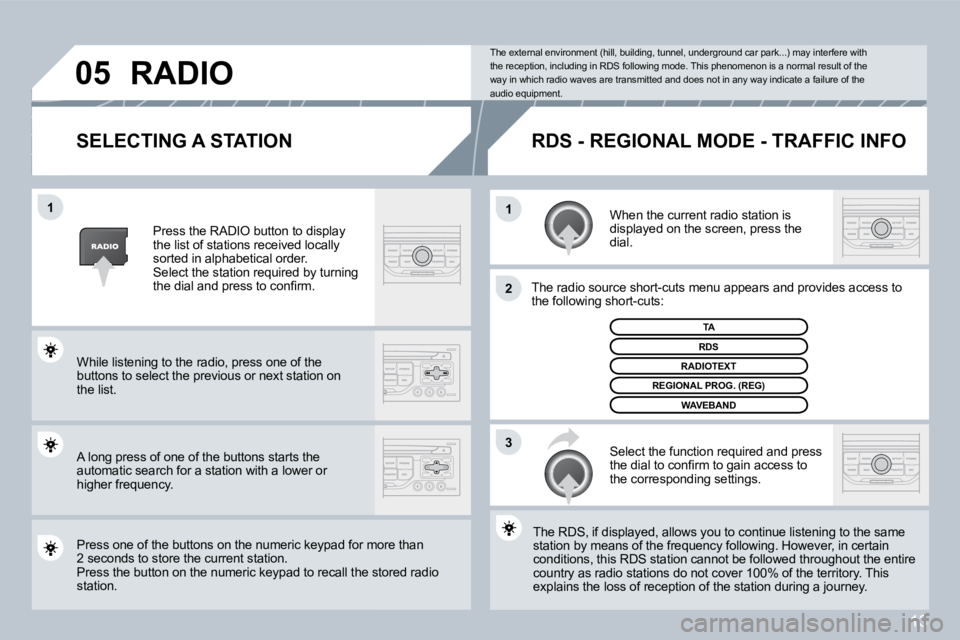
SELECTING A STATION
When the current radio station is displayed on the screen, press the dial.
The radio source short-cuts menu appears and providesovides access to the following short-cuts:
Select the function required and press the dial to confi rm to gain access to the corresponding settings.
TA
The RDS, if displayed, allows you to continue listening to the same The RDS, if displayed, allows you to continue listening to the same station by means of the frequency following. Howeve r, in certain station by means of the frequency following. However, in certain conditions, this RDS station cannot be followed throughout the entire conditions, this RDS station cannot be followed throughout the entire country as radio stations do not cover 100% of the territ territory. This explains the loss of reception of the station during a journey. explains the loss of reception of the station during a journey.
The external environment (hill, building, tunnel, underground car park...) may interfere with the reception, including in RDS following mode. Thi s phenomenon is a normal result of the way in which radio waves are transmitted and does n ot in any way indicate a failure of the audio equipment.
RDS - REGIONAL MODE - TRAFFIC INFO
Press the RADIO button to display the list of stations received locally sorted in alphabetical order. Select the station required by turning the dial and press to confi rm.
While listening to the radio, press one of the buttons to select the previous or next station on the list.
Press one of the buttons on the numeric keypad for moor more than 2 seconds to store the current station. Press the button on the numeric keypad to recall the stothe stored radio station.
RDS
RADIOTEXT
REGIONAL PROG. (REG)
WAVEBAND
RADIO
A long press of one of the buttons starts the automatic search for a station with a lower or higher frequency.