warning PEUGEOT 207 2009 User Guide
[x] Cancel search | Manufacturer: PEUGEOT, Model Year: 2009, Model line: 207, Model: PEUGEOT 207 2009Pages: 279, PDF Size: 19.5 MB
Page 28 of 279
31
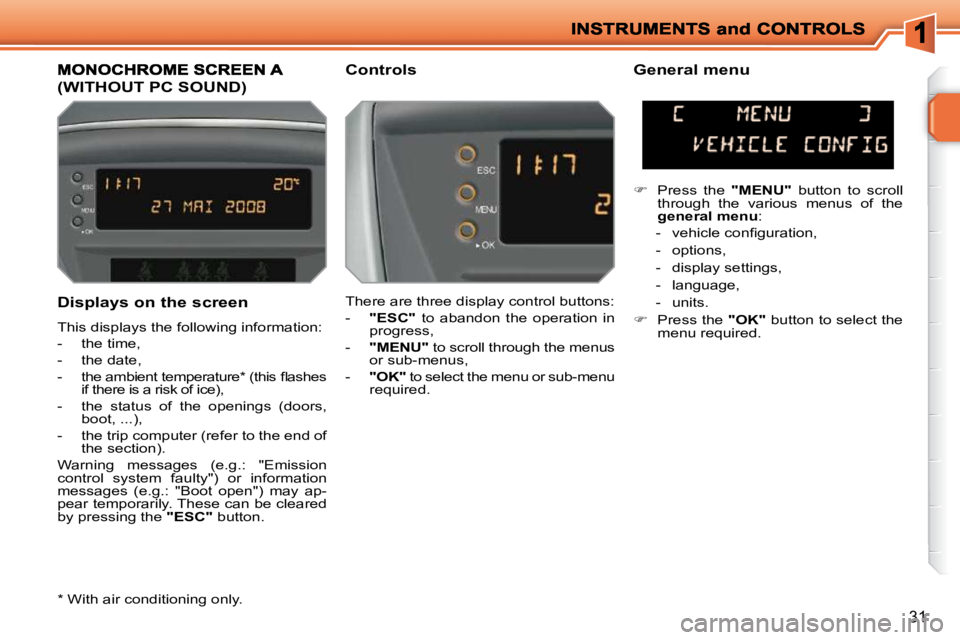
Displays on the screen
This displays the following information:
- the time,
- the date,
- the ambient temperature * (this fl ashes if there is a risk of ice),
- the status of the openings (doors, boot, ...),
- the trip computer (refer to the end of the section).
Warning messages (e.g.: "Emission
control system faulty") or information
messages (e.g.: "Boot open") may ap-
pear temporarily. These can be cleared
by pressing the "ESC" button.
(WITHOUT PC SOUND)
Controls General menu
There are three display control buttons:
- "ESC" to abandon the operation in
progress,
- "MENU" to scroll through the menus
or sub-menus,
- "OK" to select the menu or sub-menu
required.
Press the "MENU" button to scroll
through the various menus of the
general menu :
- vehicle confi guration,
- options,
- display settings,
- language,
- units.
Press the "OK" button to select the
menu required.
* With air conditioning only.
Page 30 of 279
33
MONOCHROME SCREEN A
(WITH PC SOUND)
Controls
Displays on the screen
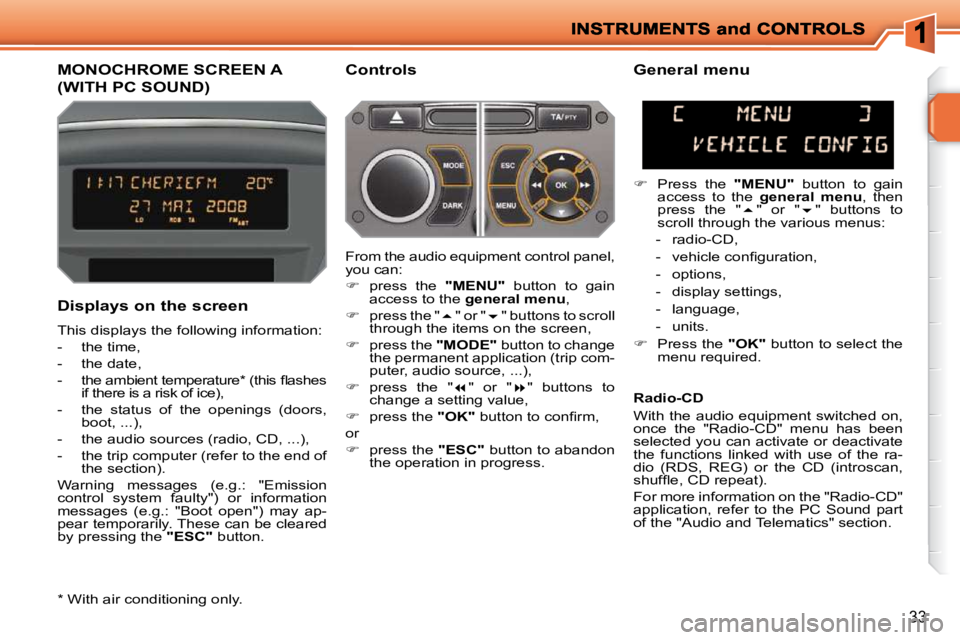
This displays the following information:
- the time,
- the date,
- the ambient temperature * (this fl ashes if there is a risk of ice),
- the status of the openings (doors, boot, ...),
- the audio sources (radio, CD, ...),
- the trip computer (refer to the end of the section).
Warning messages (e.g.: "Emission
control system faulty") or information
messages (e.g.: "Boot open") may ap-
pear temporarily. These can be cleared
by pressing the "ESC" button. General menu
Press the "MENU" button to gain
access to the general menu , then
press the " " or " " buttons to
scroll through the various menus:
- radio-CD,
- vehicle confi guration,
- options,
- display settings,
- language,
- units.
Press the "OK" button to select the
menu required.
From the audio equipment control panel,
you can:
press the "MENU" button to gain
access to the general menu ,
press the " " or " " buttons to scroll
through the items on the screen,
press the "MODE" button to change
the permanent application (trip com-
puter, audio source, ...),
press the " " or " " buttons to
change a setting value,
press the "OK" button to confi rm,
or
press the "ESC" button to abandon
the operation in progress. Radio-CD
With the audio equipment switched on,
once the "Radio-CD" menu has been
selected you can activate or deactivate
the functions linked with use of the ra-
dio (RDS, REG) or the CD (introscan,
shuffl e, CD repeat).
For more information on the "Radio-CD"
application, refer to the PC Sound part
of the "Audio and Telematics" section.
* With air conditioning only.
Page 32 of 279
35
MONOCHROME SCREEN C
(WITH PC SOUND)
General menu
Displays on the screen
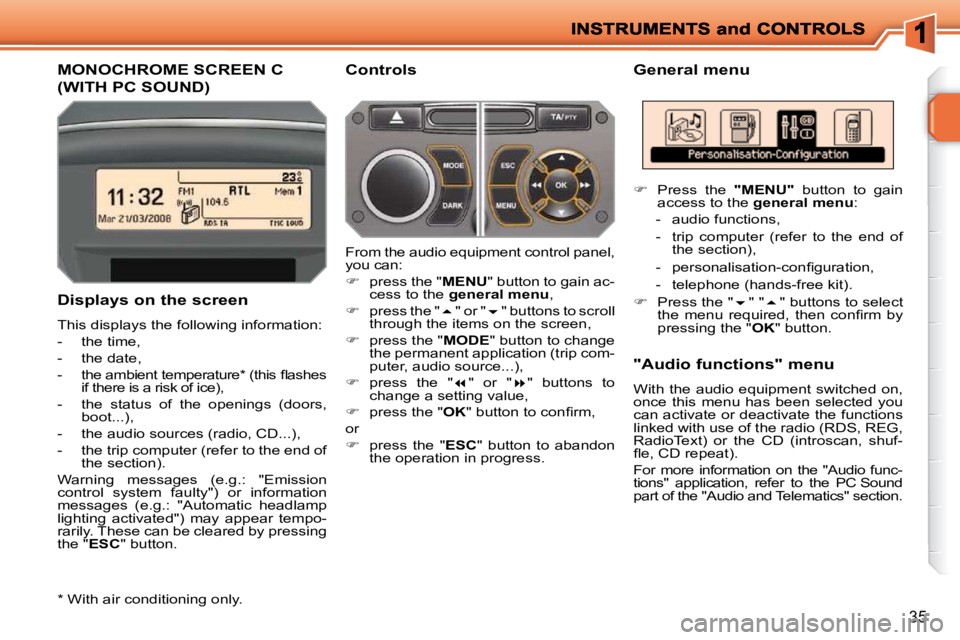
This displays the following information:
- the time,
- the date,
- the ambient temperature * (this fl ashes if there is a risk of ice),
- the status of the openings (doors, boot...),
- the audio sources (radio, CD...),
- the trip computer (refer to the end of the section).
Warning messages (e.g.: "Emission
control system faulty") or information
messages (e.g.: "Automatic headlamp
lighting activated") may appear tempo-
rarily. These can be cleared by pressing
the " ESC " button. Controls
From the audio equipment control panel,
you can:
press the " MENU " button to gain ac-
cess to the general menu ,
press the " " or " " buttons to scroll
through the items on the screen,
press the " MODE " button to change
the permanent application (trip com-
puter, audio source...),
press the " " or " " buttons to
change a setting value,
press the " OK " button to confi rm,
or
press the " ESC " button to abandon
the operation in progress. "Audio functions" menu
With the audio equipment switched on,
once this menu has been selected you
can activate or deactivate the functions
linked with use of the radio (RDS, REG,
RadioText) or the CD (introscan, shuf-
fl e, CD repeat).
For more information on the "Audio func-
tions" application, refer to the PC Sound
part of the "Audio and Telematics" section.
* With air conditioning only.
Press the " MENU " button to gain
access to the general menu :
- audio functions,
- trip computer (refer to the end of the section),
- personalisation-confi guration,
- telephone (hands-free kit).
Press the "
" " " buttons to select
the menu required, then confi rm by
pressing the " OK " button.
Page 33 of 279
36
"Trip computer" menu
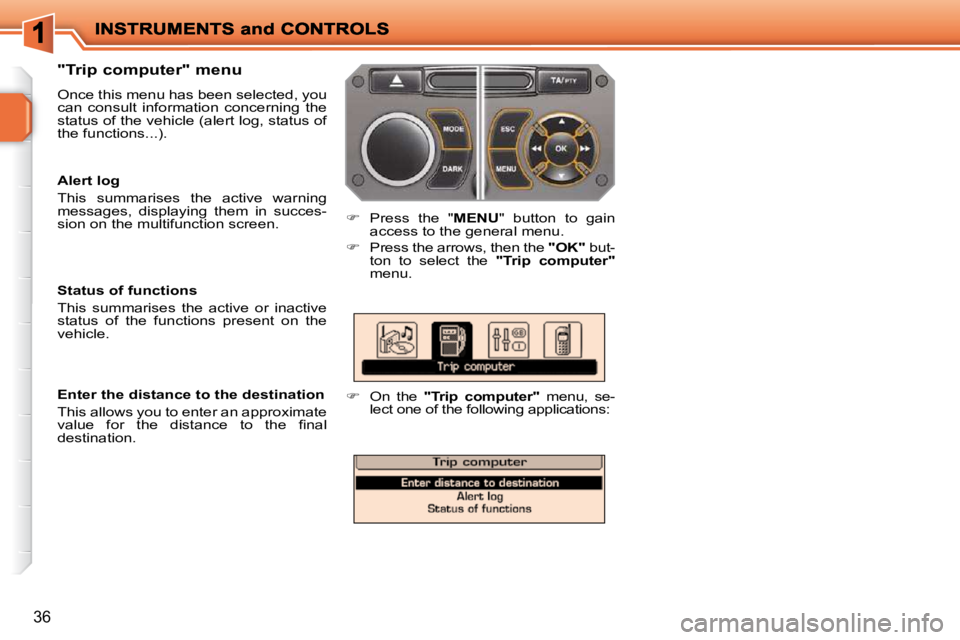
Once this menu has been selected, you
can consult information concerning the
status of the vehicle (alert log, status of
the functions...).
Press the " MENU" button to gain
access to the general menu.
Press the arrows, then the "OK" but-
ton to select the "Trip computer"
menu.
On the "Trip computer" menu, se-
lect one of the following applications:
Enter the distance to the destination
This allows you to enter an approximate
value for the distance to the fi nal
destination.
Status of functions
This summarises the active or inactive
status of the functions present on the
vehicle.
Alert log
This summarises the active warning
messages, displaying them in succes-
sion on the multifunction screen.
Page 35 of 279
38
16/9 COLOUR SCREEN
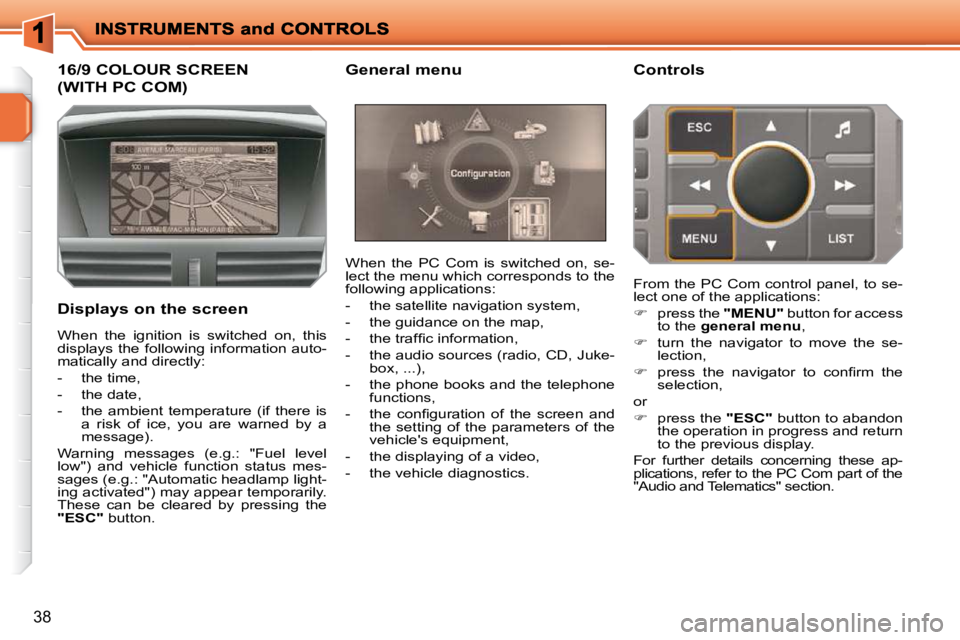
(WITH PC COM)
Displays on the screen When the PC Com is switched on, se-
lect the menu which corresponds to the
following applications:
- the satellite navigation system,
- the guidance on the map,
- the traffi c information,
- the audio sources (radio, CD, Juke-
box, ...),
- the phone books and the telephone functions,
- the confi guration of the screen and the setting of the parameters of the
vehicle's equipment,
- the displaying of a video,
- the vehicle diagnostics. Controls
When the ignition is switched on, this
displays the following information auto-
matically and directly:
- the time,
- the date,
- the ambient temperature (if there is a risk of ice, you are warned by a
message).
Warning messages (e.g.: "Fuel level
low") and vehicle function status mes-
sages (e.g.: "Automatic headlamp light-
ing activated") may appear temporarily.
These can be cleared by pressing the
"ESC" button. From the PC Com control panel, to se-
lect one of the applications:
press the "MENU" button for access
to the general menu ,
turn the navigator to move the se-
lection,
press the navigator to confi rm the
selection,
or
press the "ESC" button to abandon
the operation in progress and return
to the previous display.
For further details concerning these ap-
plications, refer to the PC Com part of the
"Audio and Telematics" section.
General menu
Page 38 of 279
41
"Vehicle Diagnosis" menu
Once this menu has been selected, you
can consult information concerning the
status of the vehicle, such as the warnings
log or the status of the functions.
Alerts log
This summarises the active warning
messages, displaying them in succes-
sion on the multifunction screen.
Status of the functions
This summarises the active or inactive
status of the functions present on the
vehicle.
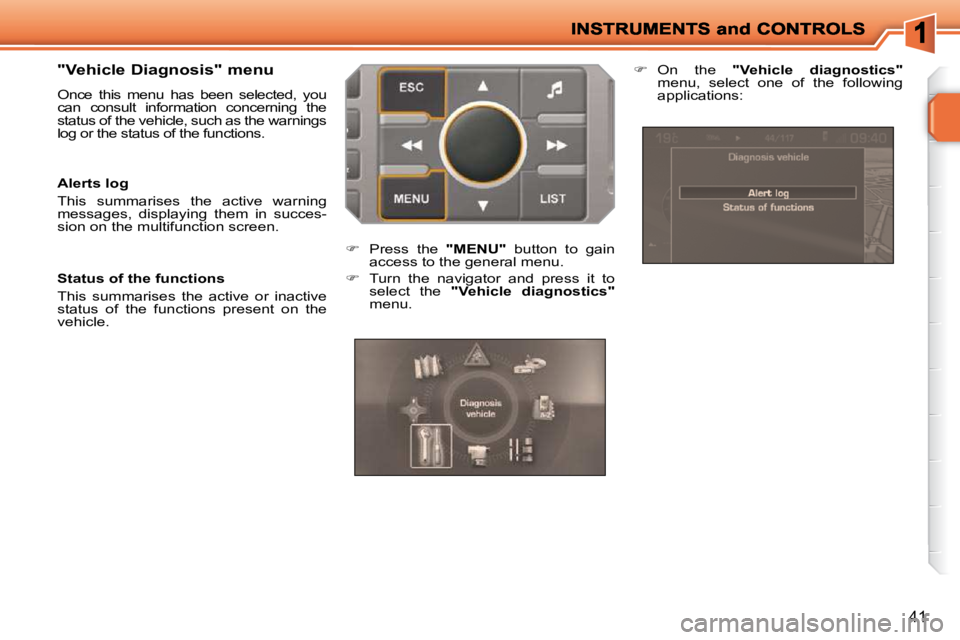
Press the "MENU" button to gain
access to the general menu.
Turn the navigator and press it to
select the "Vehicle diagnostics"
menu.
On the "Vehicle diagnostics"
menu, select one of the following
applications:
Page 39 of 279
i
42
16/9 COLOUR SCREEN
(WITH WIP NAV)
For more information on these ap-
plications, refer to the "Audio and
Telematics" section or to the spe-
cifi c user guide given to you with
the other owner’s documents.
Displays on the screen
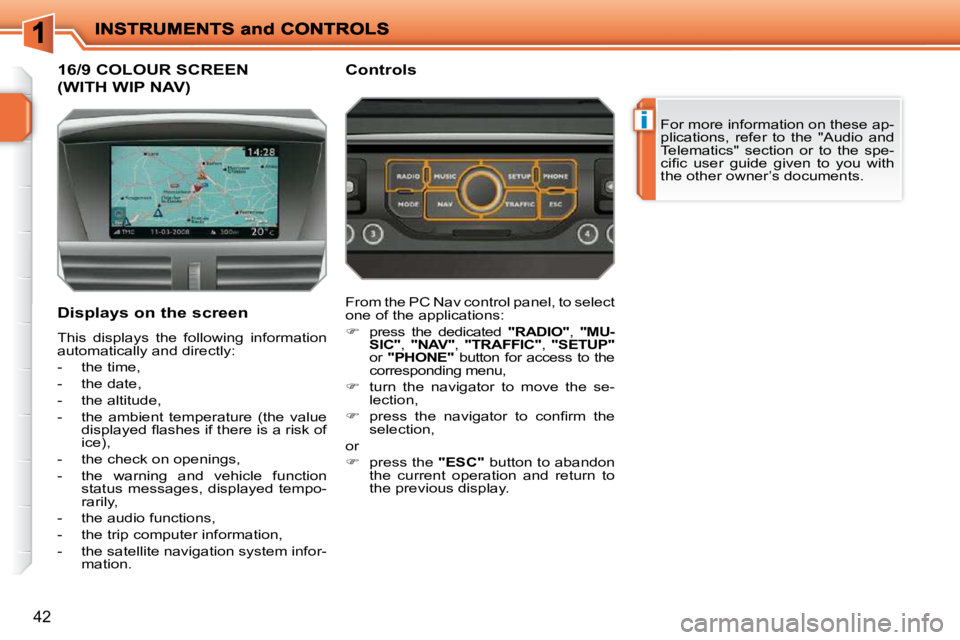
This displays the following information
automatically and directly:
- the time,
- the date,
- the altitude,
- the ambient temperature (the value displayed fl ashes if there is a risk of
ice),
- the check on openings,
- the warning and vehicle function status messages, displayed tempo-
rarily,
- the audio functions,
- the trip computer information,
- the satellite navigation system infor- mation. Controls
From the PC Nav control panel, to select
one of the applications:
press the dedicated "RADIO" , "MU-
SIC" , "NAV" , "TRAFFIC" , "SETUP"
or "PHONE" button for access to the
corresponding menu,
turn the navigator to move the se-
lection,
press the navigator to confi rm the
selection,
or
press the "ESC" button to abandon
the current operation and return to
the previous display.
Page 74 of 279
!i
i
71
Deadlocking renders the exterior
and interior door controls inoperative.
It also deactivates the manual cen-
tralised control button.
Therefore, do not leave anyone
inside the vehicle when it is dead-
locked.
Deadlocking using the remote
control
Press the closed padlock to lock the
vehicle.
Press the closed padlock again
within fi ve seconds to deadlock the
vehicle.
Deadlocking using the key
Turn the key to the right in the driver's
door lock to lock the vehicle.
Turn the key to the right again within
fi ve seconds to deadlock the vehicle.
Deadlocking is confi rmed by fi xed lighting
of the direction indicators for approximately
two seconds.
According to version, the exterior mirrors
fold at the same time.
The vehicle will relock automati-
cally after thirty seconds unless a
door is opened. This system pre-
vents unintentional unlocking.
The folding and unfolding of the
exterior mirrors can be deactivated
by a PEUGEOT dealer.
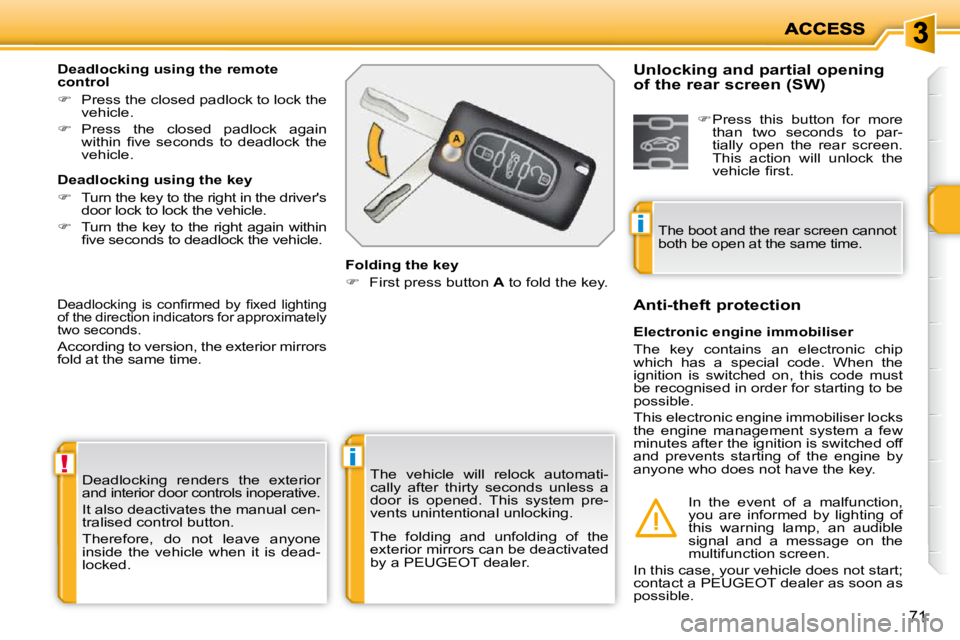
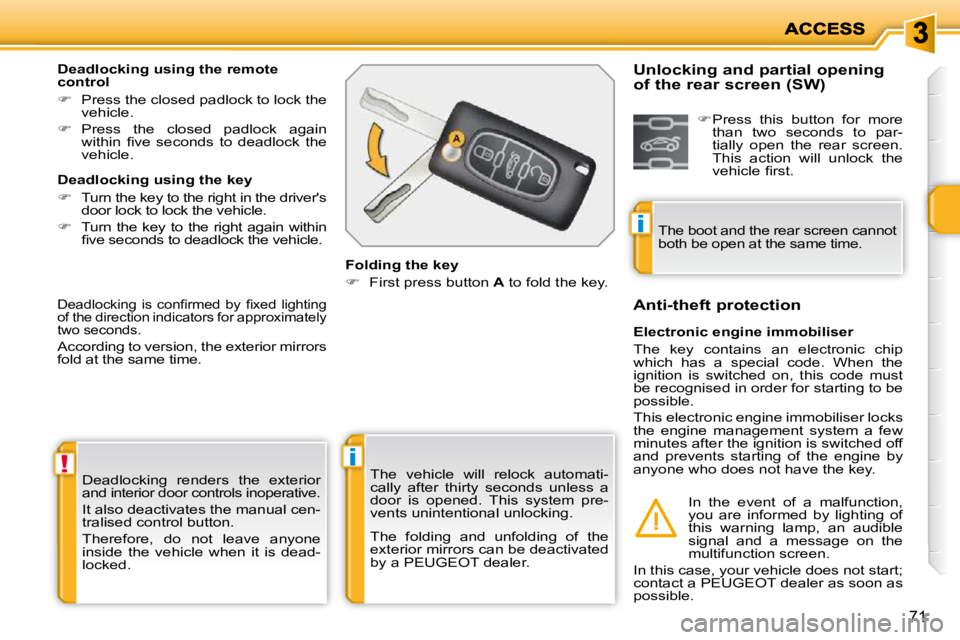
Folding the key
First press button A to fold the key.
Electronic engine immobiliser
The key contains an electronic chip
which has a special code. When the
ignition is switched on, this code must
be recognised in order for starting to be
possible.
This electronic engine immobiliser locks
the engine management system a few
minutes after the ignition is switched off
and prevents starting of the engine by
anyone who does not have the key.
Anti-theft protection
In the event of a malfunction,
you are informed by lighting of
this warning lamp, an audible
signal and a message on the
multifunction screen.
In this case, your vehicle does not start;
contact a PEUGEOT dealer as soon as
possible.
Unlocking and partial opening
of the rear screen (SW)
Press this button for more
than two seconds to par-
tially open the rear screen.
This action will unlock the
vehicle fi rst.
The boot and the rear screen cannot
both be open at the same time.
Page 75 of 279
!i
i
71
Deadlocking renders the exterior
and interior door controls inoperative.
It also deactivates the manual cen-
tralised control button.
Therefore, do not leave anyone
inside the vehicle when it is dead-
locked.
Deadlocking using the remote
control
Press the closed padlock to lock the
vehicle.
Press the closed padlock again
within fi ve seconds to deadlock the
vehicle.
Deadlocking using the key
Turn the key to the right in the driver's
door lock to lock the vehicle.
Turn the key to the right again within
fi ve seconds to deadlock the vehicle.
Deadlocking is confi rmed by fi xed lighting
of the direction indicators for approximately
two seconds.
According to version, the exterior mirrors
fold at the same time.
The vehicle will relock automati-
cally after thirty seconds unless a
door is opened. This system pre-
vents unintentional unlocking.
The folding and unfolding of the
exterior mirrors can be deactivated
by a PEUGEOT dealer.
Folding the key
First press button A to fold the key.
Electronic engine immobiliser
The key contains an electronic chip
which has a special code. When the
ignition is switched on, this code must
be recognised in order for starting to be
possible.
This electronic engine immobiliser locks
the engine management system a few
minutes after the ignition is switched off
and prevents starting of the engine by
anyone who does not have the key.
Anti-theft protection
In the event of a malfunction,
you are informed by lighting of
this warning lamp, an audible
signal and a message on the
multifunction screen.
In this case, your vehicle does not start;
contact a PEUGEOT dealer as soon as
possible.
Unlocking and partial opening
of the rear screen (SW)
Press this button for more
than two seconds to par-
tially open the rear screen.
This action will unlock the
vehicle fi rst.
The boot and the rear screen cannot
both be open at the same time.
Page 83 of 279
!
ACCESS
78
DOORS
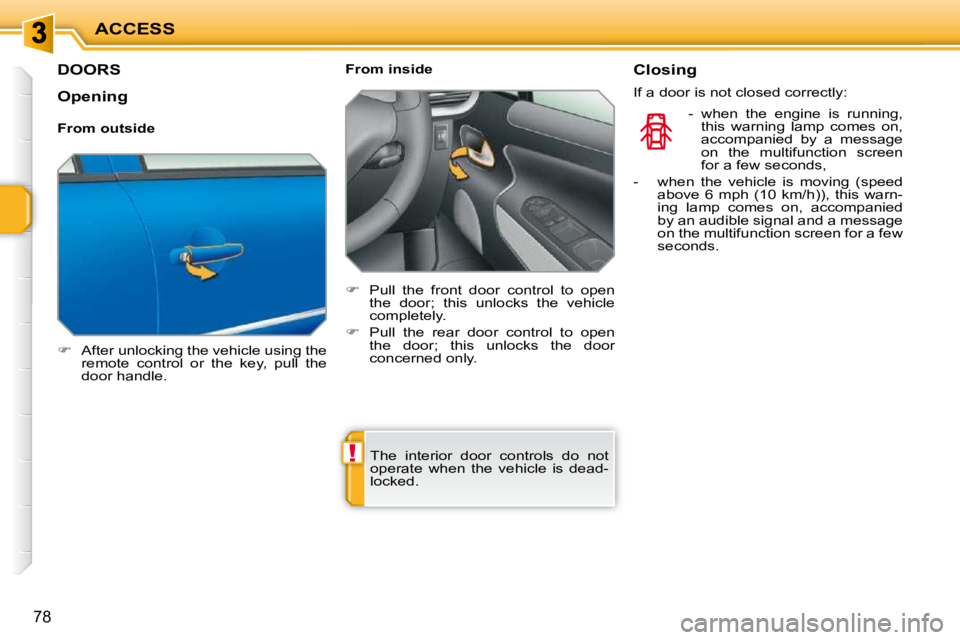
After unlocking the vehicle using the
remote control or the key, pull the
door handle. From inside
Pull the front door control to open
the door; this unlocks the vehicle
completely.
Pull the rear door control to open
the door; this unlocks the door
concerned only.
The interior door controls do not
operate when the vehicle is dead-
locked. Closing
If a door is not closed correctly:
- when the engine is running , this warning lamp comes on,
accompanied by a message
on the multifunction screen
for a few seconds,
- when the vehicle is moving (speed above 6 mph (10 km/h)), this warn-
ing lamp comes on, accompanied
by an audible signal and a message
on the multifunction screen for a few
seconds.
Opening
From outside