audio PEUGEOT 207 2009 Owner's Guide
[x] Cancel search | Manufacturer: PEUGEOT, Model Year: 2009, Model line: 207, Model: PEUGEOT 207 2009Pages: 279, PDF Size: 19.5 MB
Page 249 of 279
240
06MUSIC MEDIA PLAYERS
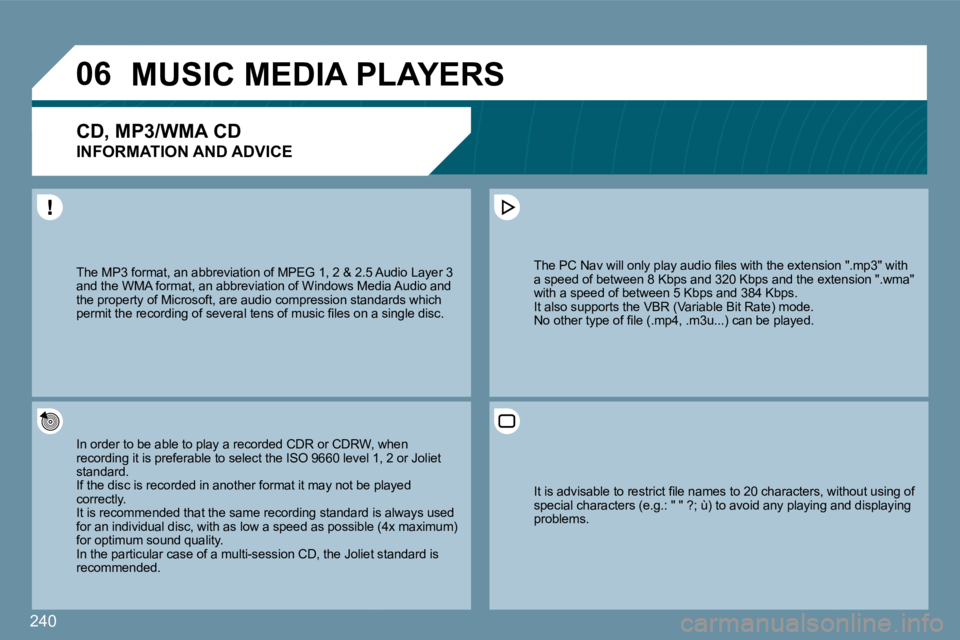
CD, MP3/WMA CD
INFORMATION AND ADVICE
In order to be able to play a recorded CDR or CDRW, when In order to be able to play a recorded CDR or CDRW, when recording it is preferable to select the ISO 9660 level 1, 2 or Joliet recording it is preferable to select the ISO 9660 level 1, 2 or Joliet standard. If the disc is recorded in another format it may not be plat be played correctly. It is recommended that the same recording standard is ard is always used for an individual disc, with as low a speed as possible (4x maximum) for an individual disc, with as low a speed as possible (4x maximum) for optimum sound quality. In the particular case of a multi-session CD, the Joliet standard is In the particular case of a multi-session CD, the Joliet standard is recommended.
The PC Nav will only play audio fi les with the ext ension ".mp3" with The PC Nav will only play audio fi les with the extension ".mp3" with a speed of between 8 Kbps and 320 Kbps and the extee extension ".wma" with a speed of between 5 Kbps and 384 Kbps. It also supports the VBR (Variable Bit Rate) mode. No other type of fi le (.mp4, .m3u...) can be played.
The MP3 format, an abbreviation of MPEG 1, 2 & 2.5 A 2.5 Audio Layer 3 and the WMA format, an abbreviation of Windows Medi Media Audio and the property of Microsoft, are audio compression standastandards which permit the recording of several tens of music fi les on a single disc. permit the recording of several tens of music fi les on a single disc.
It is advisable to restrict fi le names to 20 characters, without using of It is advisable to restrict fi le names to 20 characters, without using of special characters (e.g.: " " ?; ù) to avoid any pl aying and displaying special characters (e.g.: " " ?; ù) to avoid any playing and displaying problems.
Page 251 of 279
242
06
43
12
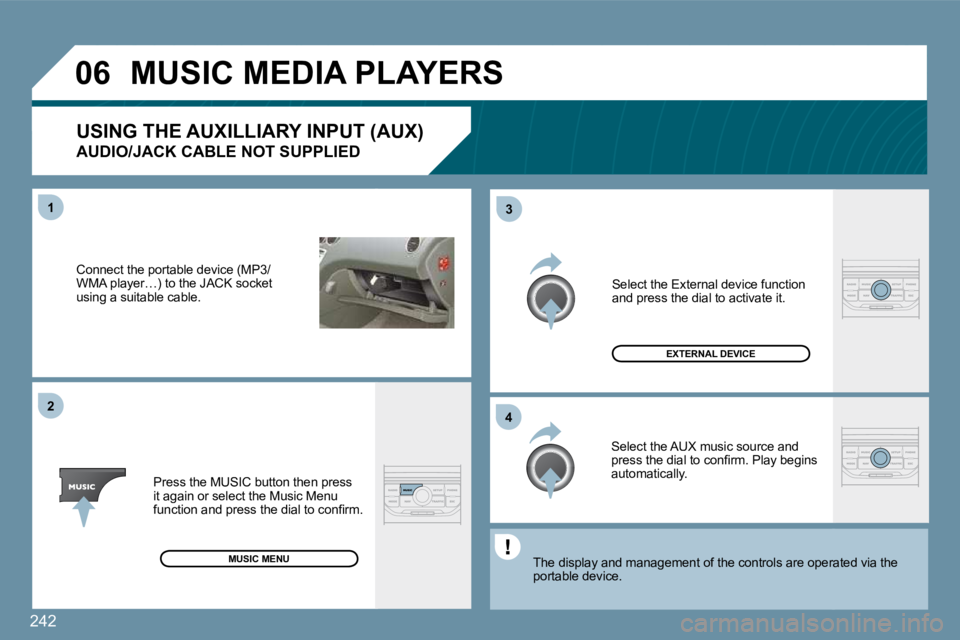
Connect the portable device (MP3/WMA player…) to the JACK socket using a suitable cable.
Press the MUSIC button then press it again or select the Music Menu function and press the dial to confi rm.
Select the AUX music source and press the dial to confi rm. Play begins automatically.
Select the External device function and press the dial to activate it.
EXTERNAL DEVICE
The display and management of the controls are ope
ratoperated via the portable device.
USING THE AUXILLIARY INPUT (AUX)
AUDIO/JACK CABLE NOT SUPPLIED
MUSIC MEDIA PLAYERS
MUSIC MENU
Page 259 of 279
250
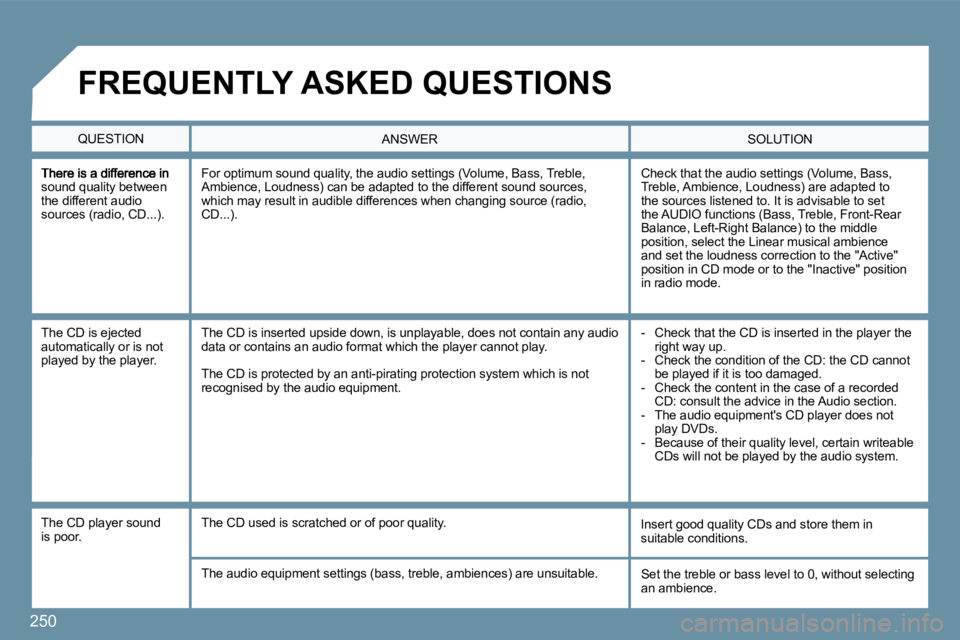
sound quality between the different audio sources (radio, CD...).
Check that the audio settings (Volume, Bass, Treble, Ambience, Loudness) are adapted to the sources listened to. It is advisable to set the AUDIO functions (Bass, Treble, Front-Rear Balance, Left-Right Balance) to the middle position, select the Linear musical ambience and set the loudness correction to the "Active" position in CD mode or to the "Inactive" position in radio mode.
For optimum sound quality, the audio settings (Volume, Bass, Treble, Ambience, Loudness) can be adapted to the different sound sources, which may result in audible differences when changing source (radio, CD...).
The CD is ejected automatically or is not played by the player.
- Check that the CD is inserted in the player the right way up. - Check the condition of the CD: the CD cannot be played if it is too damaged. - Check the content in the case of a recorded CD: consult the advice in the Audio section. - The audio equipment's CD player does not play DVDs. - Because of their quality level, certain writeable CDs will not be played by the audio system.
The CD is inserted upside down, is unplayable, doe s not contain any audio data or contains an audio format which the player cannot play.
The CD is protected by an anti-pirating protection system which is not recognised by the audio equipment.
The CD player sound is poor. Insert good quality CDs and store them in suitable conditions. The CD used is scratched or of poor quality.
The audio equipment settings (bass, treble, ambien ces) are unsuitable. Set the treble or bass level to 0, without selecting an ambience.
QUESTION SOLUTION ANSWER
FREQUENTLY ASKED QUESTIONS
Page 260 of 279
251
SOLUTION ANSWER
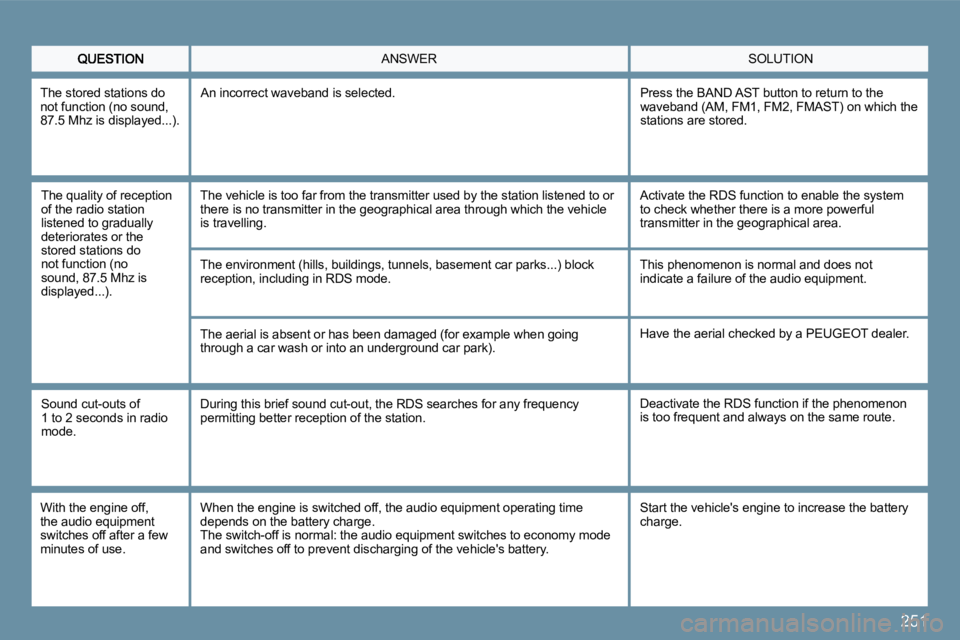
The quality of reception of the radio station listened to gradually deteriorates or the stored stations do not function (no sound, 87.5 Mhz is displayed...).
The vehicle is too far from the transmitter used by the station listened to or there is no transmitter in the geographical area th rough which the vehicle is travelling.
The environment (hills, buildings, tunnels, baseme nt car parks...) block reception, including in RDS mode.
The aerial is absent or has been damaged (for exam ple when going through a car wash or into an underground car park).
Activate the RDS function to enable the system to check whether there is a more powerful transmitter in the geographical area.
This phenomenon is normal and does not indicate a failure of the audio equipment.
Have the aerial checked by a PEUGEOT dealer.
Sound cut-outs of 1 to 2 seconds in radio mode.
During this brief sound cut-out, the RDS searches for any frequency permitting better reception of the station. Deactivate the RDS function if the phenomenon is too frequent and always on the same route.
With the engine off, the audio equipment switches off after a few minutes of use.
When the engine is switched off, the audio equipme nt operating time depends on the battery charge. The switch-off is normal: the audio equipment switches to economy mode and switches off to prevent discharging of the vehicle's battery.
Start the vehicle's engine to increase the battery charge.
The stored stations do not function (no sound, 87.5 Mhz is displayed...).
An incorrect waveband is selected. Press the BAND AST button to return to the waveband (AM, FM1, FM2, FMAST) on which the stations are stored.
Page 265 of 279
256
22
33
44
11
22
44
33
11
03 AUDIO
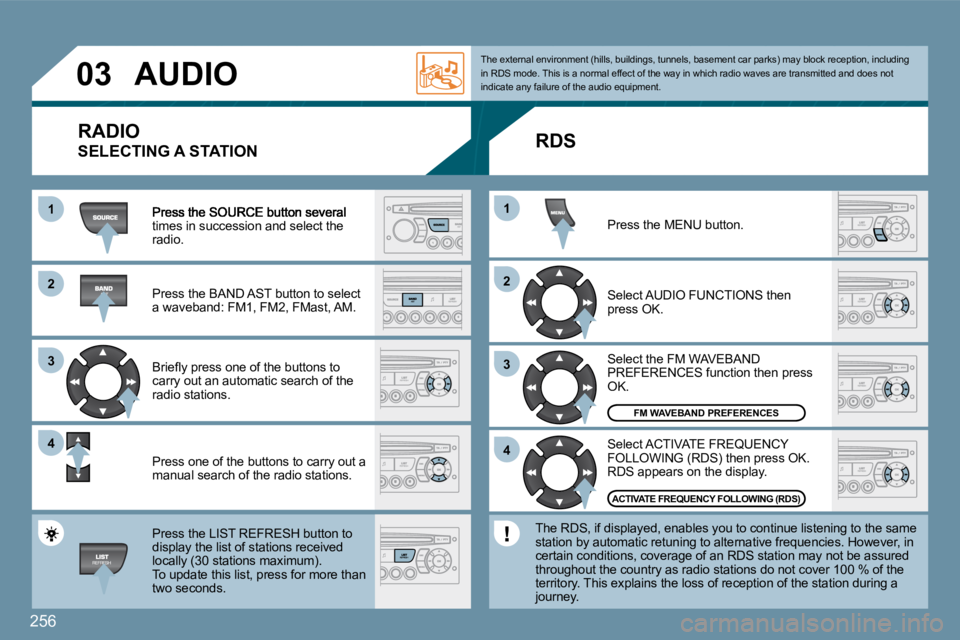
times in succession and select the radio.
Press the BAND AST button to select a waveband: FM1, FM2, FMast, AM.
Briefl y press one of the buttons to carry out an automatic search of the radio stations.
Press one of the buttons to carry out a manual search of the radio stations.
Press the LIST REFRESH button to display the list of stations received locally (30 stations maximum). To update this list, press for more than
two seconds.
Select ACTIVATE FREQUENCY FOLLOWING (RDS) then press OK. RDS appears on the display.
Select the FM WAVEBAND PREFERENCES function then press OK.
Select AUDIO FUNCTIONS then press OK.
Press the MENU button.
FM WAVEBAND PREFERENCES
ACTIVATE FREQUENCY FOLLOWING (RDS)
The external environment (hills, buildings, tunnel
s, basement car parks) may block reception, includi ng in RDS mode. This is a normal effect of the way in which radio waves are transmitted and does not indicate any failure of the audio equipment.
RDS
The RDS, if displayed, enables you to continue lis tening to the same station by automatic retuning to alternative frequencies. However, in certain conditions, coverage of an RDS station may not be assured throughout the country as radio stations do not cover 100 % of the territory. This explains the loss of reception of the station during a journey.
RADIO
SELECTING A STATION
Page 266 of 279
257
11
22
11
22
Insert circular compact discs only. Some anti-pirating systems, on original discs or CDs
copied using a personal recorder, may cause faults
which are no refl ection on the quality of the origi nal
player.
Without pressing the EJECT button, insert a CD in the
player, play begins automatically.
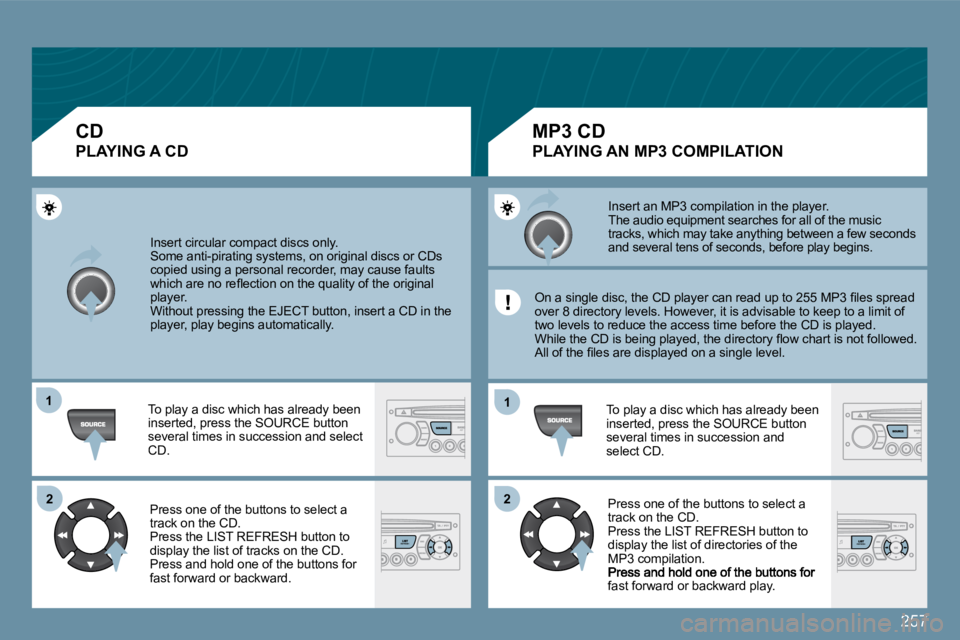
To play a disc which has already been inserted, press the SOURCE button several times in succession and select CD.
Press one of the buttons to select a
track on the CD.
Press the LIST REFRESH button to
display the list of tracks on the CD.
Press and hold one of the buttons for fast forward or backward.
Insert an MP3 compilation in the player. The audio equipment searches for all of the music
tracks, which may take anything between a few secon ds
and several tens of seconds, before play begins.
On a single disc, the CD player can read up to 255 MP3 fi les spread
over 8 directory levels. However, it is advisable t o keep to a limit of
two levels to reduce the access time before the CD is played.
While the CD is being played, the directory fl ow c hart is not followed.
All of the fi les are displayed on a single level.
To play a disc which has already been
inserted, press the SOURCE button
several times in succession and
select CD. Press one of the buttons to select a
track on the CD.
Press the LIST REFRESH button to
display the list of directories of the
MP3 compilation.
fast forward or backward play.
CD
PLAYING A CD
MP3 CD
PLAYING AN MP3 COMPILATION
Page 267 of 279
258
03
The MP3 format, an abbreviation of MPEG 1.2 & 2.5 Au2.5 Audio Layer 3, is an audio compression standard which permits the recthe recording of several tens of music fi les on a single disc. In order to be able to play a recorded CDR or CDRW , when In order to be able to play a recorded CDR or CDRW, when recording it is preferable to select standards ISO 9660 l9660 level 1.2 or Joliet.
If the disc is recorded in another format, it may not be pt be played correctly. It is recommended that the same recording standard is ard is always used for an individual disc, with as low a speed as possible (4x maximum) for an individual disc, with as low a speed as possible (4x maximum) for optimum sound quality. In the particular case of a multi-session CD, the Joliet standard is In the particular case of a multi-session CD, the Joliet standard is recommended.
The audio equipment will only play fi les with the extension ".mp3" The audio equipment will only play fi les with the extension ".mp3" with a sampling rate of 22.05 KHz or 44.1 KHz. No o ther type of fi le with a sampling rate of 22.05 KHz or 44.1 KHz. No other type of fi le (.wma, .mp4, .m3u...) can be played.
It is advisable to restrict fi le names to 20 characters without using It is advisable to restrict fi le names to 20 characters without using special characters (e.g. " " ?; ù) to avoid any pla ying or displaying special characters (e.g. " " ?; ù) to avoid any playing or displaying problems.
MP3 CD
INFORMATION AND ADVICE
AUDIO
Page 268 of 279
259
1
04
11
22
33
USB PLAYER - PLUG
The system puts together playlists (temporary memory) created over a period which depends on the capacity of the USB e quipment. The other sources are available during this time. The playlists are updated each time the ignition is switched off or each time a USB memory stick is connected. When connecting for the fi rst time, the classifi cation suggested is by folder. When you reconnect, the classifi cation sele cted previously is retained.
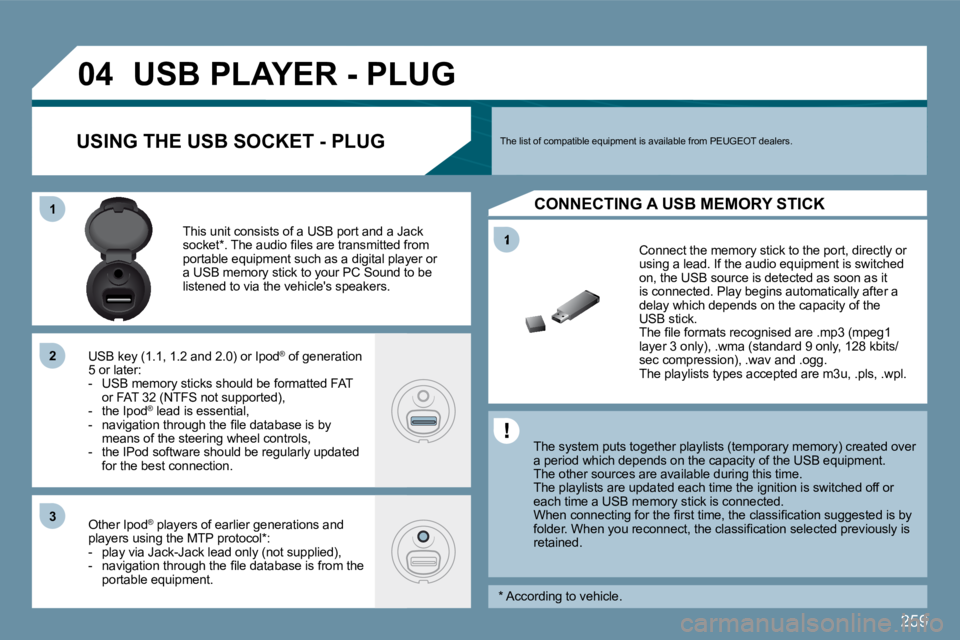
Connect the memory stick to the port, directly or using a lead. If the audio equipment is switched on, the USB source is detected as soon as it is connected. Play begins automatically after a delay which depends on the capacity of the USB stick. The fi le formats recognised are .mp3 (mpeg1 layer 3 only), .wma (standard 9 only, 128 kbits/sec compression), .wav and .ogg. The playlists types accepted are m3u, .pls, .wpl.
This unit consists of a USB port and a Jack socket * . The audio fi les are transmitted from portable equipment such as a digital player or a USB memory stick to your PC Sound to be listened to via the vehicle's speakers.
USB key (1.1, 1.2 and 2.0) or Ipod ® of generation ®
5 or later: - USB memory sticks should be formatted FAT or FAT 32 (NTFS not supported), - the Ipod ® lead is essential, ®
- navigation through the fi le database is by means of the steering wheel controls, - the IPod software should be regularly updated for the best connection.
Other Ipod ® players of earlier generations and ®
players using the MTP protocol * : - play via Jack-Jack lead only (not supplied), - navigation through the fi le database is from the portable equipment.
The list of compatible equipment is available from PEUGEOT dealers. USING THE USB SOCKET - PLUG
CONNECTING A USB MEMORY STICK
* According to vehicle.
Page 270 of 279
261
11
22
22
11
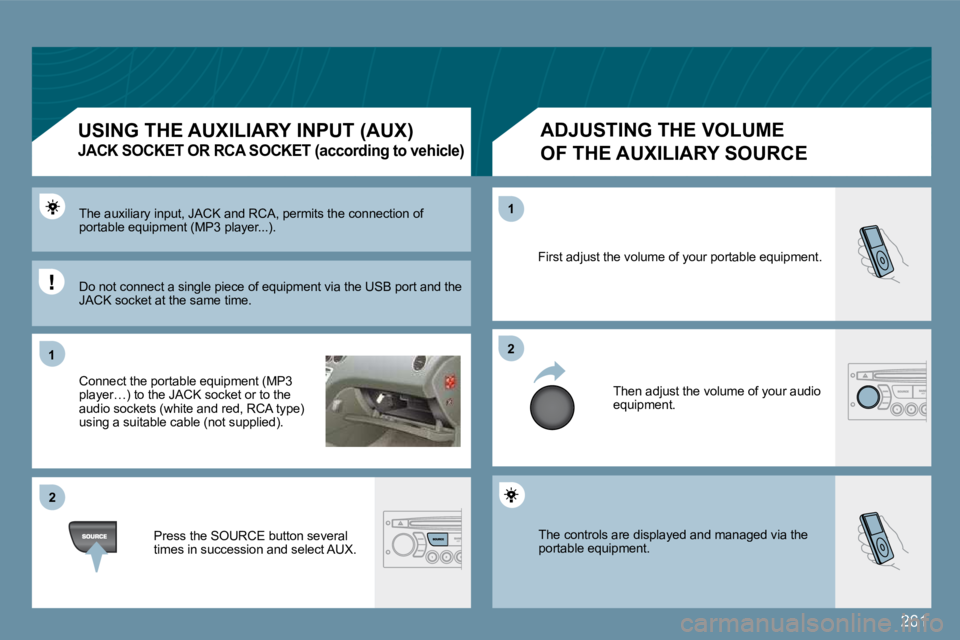
The controls are displayed and managed via the portable equipment.
First adjust the volume of your portable equipment.
Then adjust the volume of your audio equipment.
The auxiliary input, JACK and RCA, permits the con nection of portable equipment (MP3 player...).
Connect the portable equipment (MP3 player…) to the JACK socket or to the audio sockets (white and red, RCA type) using a suitable cable (not supplied).
Press the SOURCE button several times in succession and select AUX.
USING THE AUXILIARY INPUT (AUX)
JACK SOCKET OR RCA SOCKET (according to vehicle)
ADJUSTING THE VOLUME
OF THE AUXILIARY SOURCE
Do not connect a single piece of equipment via the USB port and the JACK socket at the same time.
Page 272 of 279
263
11
22
11
11
22
33
22
YES
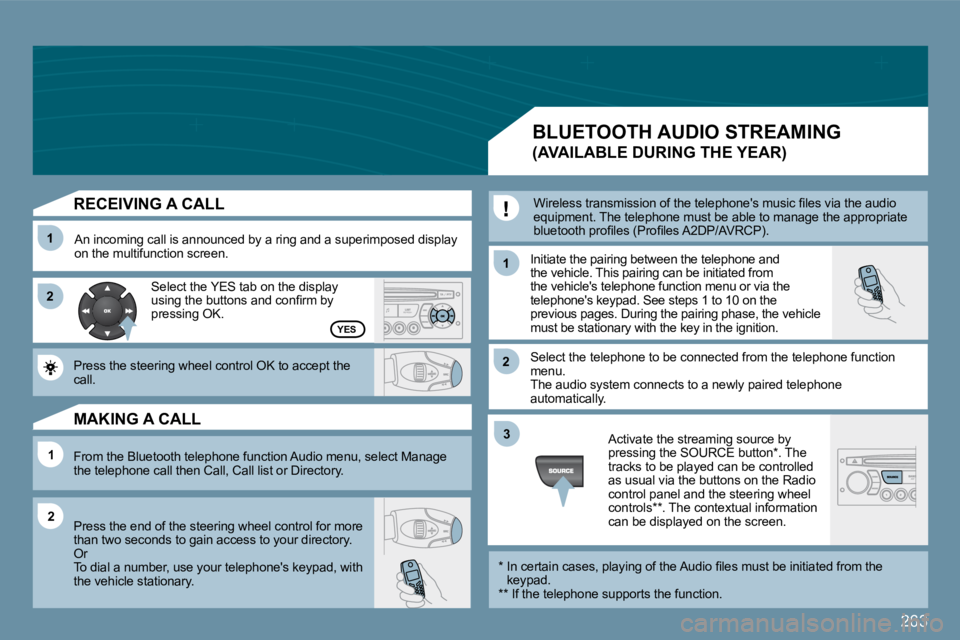
RECEIVING A CALL
An incoming call is announced by a ring and a superimposed display on the multifunction screen. Initiate the pairing between the telephone and the vehicle. This pairing can be initiated from the vehicle's telephone function menu or via the telephone's keypad. See steps 1 to 10 on the previous pages. During the pairing phase, the vehicle must be stationary with the key in the ignition.
Select the telephone to be connected from the tele phone function menu. The audio system connects to a newly paired teleph one automatically.
Select the YES tab on the display using the buttons and confi rm by pressing OK.
Press the steering wheel control OK to accept the call.
From the Bluetooth telephone function Audio menu, select Manage the telephone call then Call, Call list or Directory.
Press the end of the steering wheel control for mo re than two seconds to gain access to your directory. Or To dial a number, use your telephone's keypad, wit h the vehicle stationary.
MAKING A CALL
BLUETOOTH AUDIO STREAMING
(AVAILABLE DURING THE YEAR)
Wireless transmission of the telephone's music fi les via the audio equipment. The telephone must be able to manage the appropriate bluetooth profi les (Profi les A2DP/AVRCP).
* In certain cases, playing of the Audio fi les must be initiated from the keypad. ** If the telephone supports the function.
Activate the streaming source by pressing the SOURCE button * . The tracks to be played can be controlled as usual via the buttons on the Radio control panel and the steering wheel controls ** . The contextual information can be displayed on the screen.