instrument panel PEUGEOT 3008 2017 User Guide
[x] Cancel search | Manufacturer: PEUGEOT, Model Year: 2017, Model line: 3008, Model: PEUGEOT 3008 2017Pages: 566, PDF Size: 16.05 MB
Page 25 of 566
23
3008-2_en_Chap01_instruments-de-bord_ed01-2016
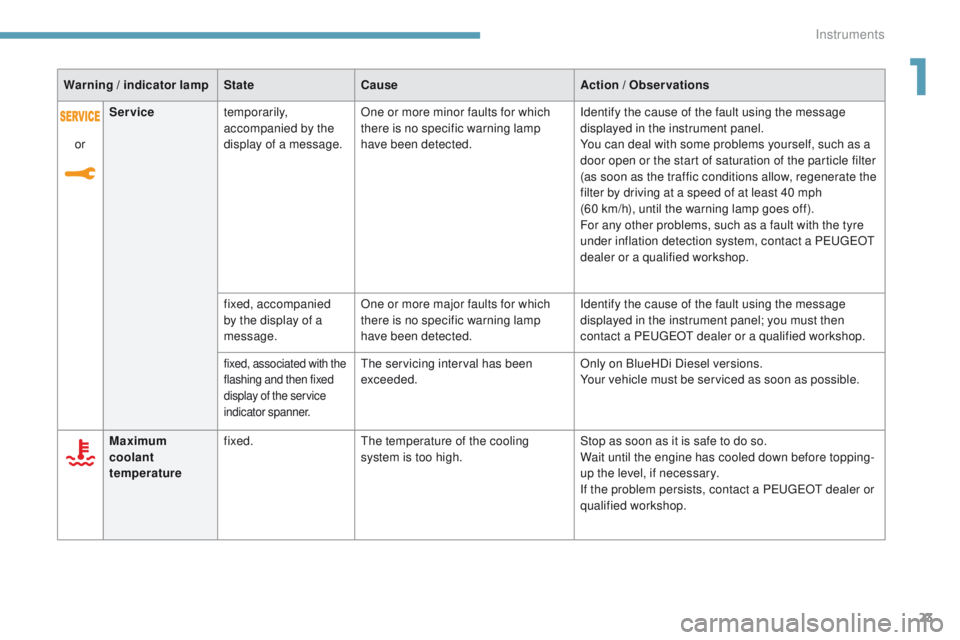
Warning / indicator lampStateCause Action / Observations
Maximum
coolant
temperature fixed.
The temperature of the cooling
system is too high. Stop as soon as it is safe to do so.
Wait until the engine has cooled down before topping-
up the level, if necessary.
If the problem persists, contact a PEUGEOT dealer or
qualified workshop.
or
Service
temporarily,
accompanied by the
display of a message. One or more minor faults for which
there is no specific warning lamp
have been detected. Identify the cause of the fault using the message
displayed in the instrument panel.
You can deal with some problems yourself, such as a
door open or the start of saturation of the particle filter
(as soon as the traffic conditions allow, regenerate the
filter by driving at a speed of at least 40 mph
(60 km/h), until the warning lamp goes off).
For any other problems, such as a fault with the tyre
under inflation detection system, contact a PEUGEOT
dealer or a qualified workshop.
fixed, accompanied
by the display of a
message. One or more major faults for which
there is no specific warning lamp
have been detected. Identify the cause of the fault using the message
displayed in the instrument panel; you must then
contact a PEUGEOT dealer or a qualified workshop.
fixed, associated with the
flashing and then fixed
display of the service
indicator spanner.The servicing interval has been
exceeded.
Only on BlueHDi Diesel versions.
Your vehicle must be serviced as soon as possible.
1
Instruments
Page 35 of 566
33
3008-2_en_Chap01_instruments-de-bord_ed01-2016
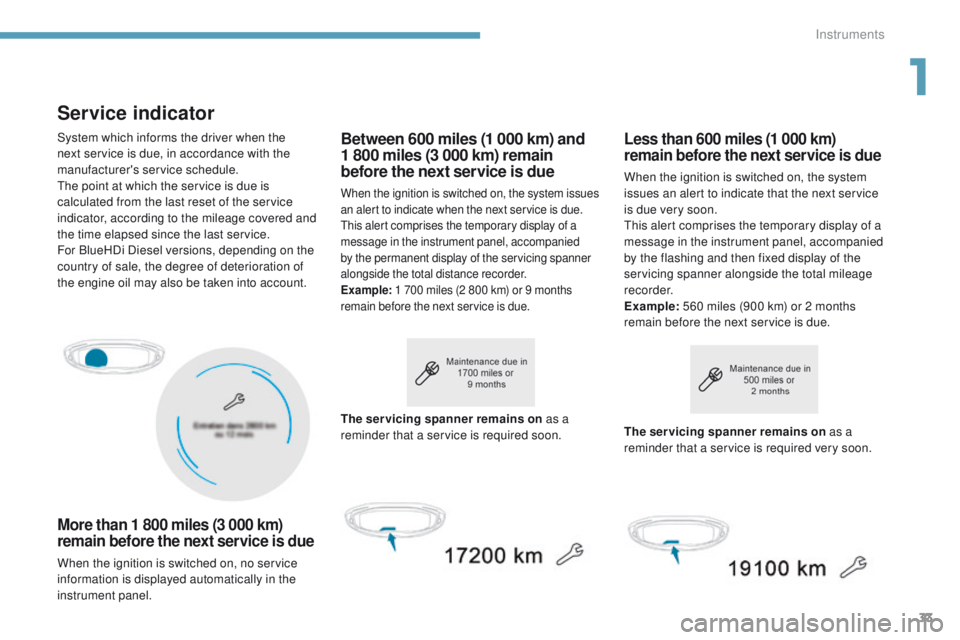
Service indicator
More than 1 800 miles (3 000 km)
remain before the next service is due
When the ignition is switched on, no service
information is displayed automatically in the
instrument panel.
Between 600 miles (1 000 km) and
1 800 miles (3 000 km) remain
before the next service is due
When the ignition is switched on, the system issues
an alert to indicate when the next service is due.
This alert comprises the temporary display of a
message in the instrument panel, accompanied
by the permanent display of the servicing spanner
alongside the total distance recorder.
Example: 1 700 miles (2 800 km) or 9 months
remain before the next service is due.
Less than 600 miles (1 000 km)
remain before the next service is due
When the ignition is switched on, the system
issues an alert to indicate that the next service
is due very soon.
This alert comprises the temporary display of a
message in the instrument panel, accompanied
by the flashing and then fixed display of the
servicing spanner alongside the total mileage
recorder.
Example: 560 miles (900 km) or 2 months
remain before the next service is due.
The servicing spanner remains on as a
reminder that a service is required soon. The servicing spanner remains on
as a
reminder that a service is required very soon.
System which informs the driver when the
next service is due, in accordance with the
manufacturer's service schedule.
The point at which the service is due is
calculated from the last reset of the service
indicator, according to the mileage covered and
the time elapsed since the last service.
For BlueHDi Diesel versions, depending on the
country of sale, the degree of deterioration of
the engine oil may also be taken into account.
1
Instruments
Page 36 of 566
34
3008-2_en_Chap01_instruments-de-bord_ed01-2016
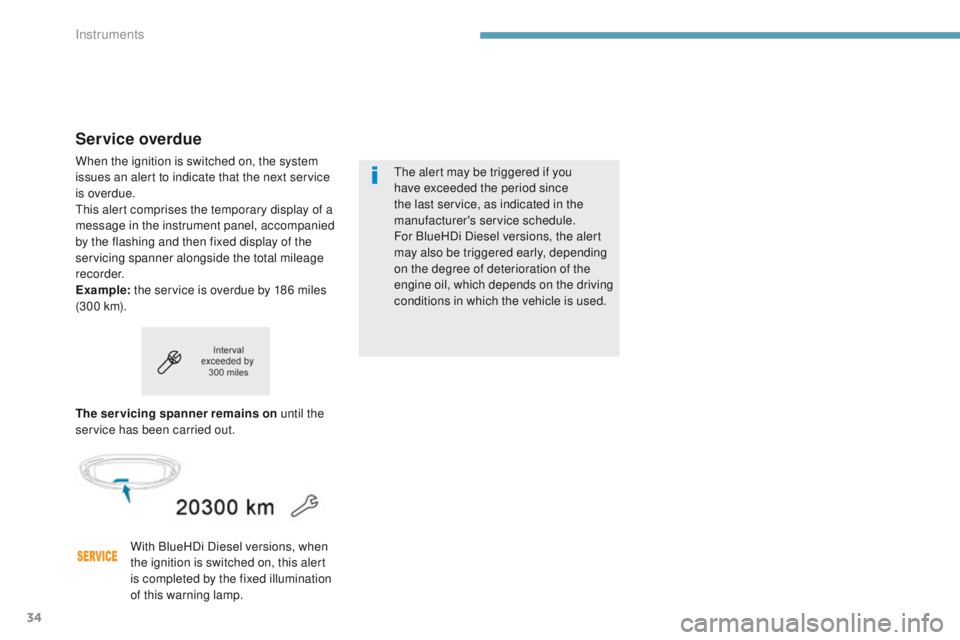
Service overdue
When the ignition is switched on, the system
issues an alert to indicate that the next service
is overdue.
This alert comprises the temporary display of a
message in the instrument panel, accompanied
by the flashing and then fixed display of the
servicing spanner alongside the total mileage
recorder.
Example: the service is overdue by 186 miles
(3 0 0 k m).
The servicing spanner remains on until the
service has been carried out.
With BlueHDi Diesel versions, when
the ignition is switched on, this alert
is completed by the fixed illumination
of this warning lamp. The alert may be triggered if you
have exceeded the period since
the last service, as indicated in the
manufacturer's service schedule.
For BlueHDi Diesel versions, the alert
may also be triggered early, depending
on the degree of deterioration of the
engine oil, which depends on the driving
conditions in which the vehicle is used.
Instruments
Page 38 of 566
36
3008-2_en_Chap01_instruments-de-bord_ed01-2016
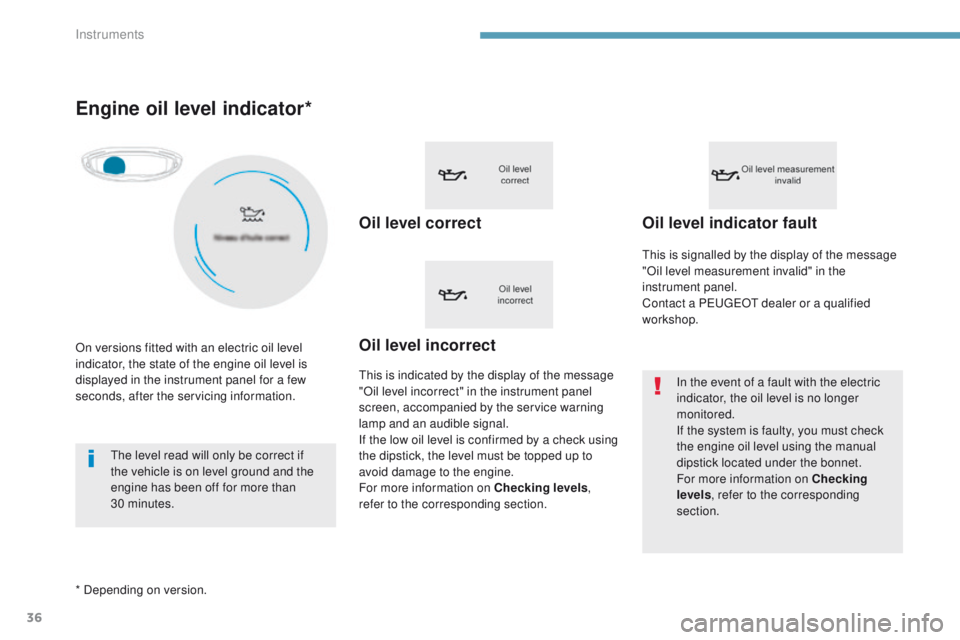
Engine oil level indicator*
Oil level correct
This is indicated by the display of the message
"Oil level incorrect" in the instrument panel
screen, accompanied by the service warning
lamp and an audible signal.
If the low oil level is confirmed by a check using
the dipstick, the level must be topped up to
avoid damage to the engine.
For more information on Checking levels,
refer to the corresponding section.
Oil level indicator fault
In the event of a fault with the electric
indicator, the oil level is no longer
monitored.
If the system is faulty, you must check
the engine oil level using the manual
dipstick located under the bonnet.
For more information on Checking
levels , refer to the corresponding
section.
Oil level incorrect
This is signalled by the display of the message
"Oil level measurement invalid" in the
instrument panel.
Contact a PEUGEOT dealer or a qualified
workshop.
On versions fitted with an electric oil level
indicator, the state of the engine oil level is
displayed in the instrument panel for a few
seconds, after the servicing information.
* Depending on version. The level read will only be correct if
the vehicle is on level ground and the
engine has been off for more than
30
minutes.
Instruments
Page 39 of 566
37
3008-2_en_Chap01_instruments-de-bord_ed01-2016
AdBlue® range indicators
These range indicators are present only on
BlueHDi Diesel versions.
Once the AdBlue
® tank is on reserve or after
detection of a fault with the SCR emissions
control system, when the ignition is switched
on, an indicator displays an estimate of the
distance that can be covered, the range, before
engine starting is prevented.
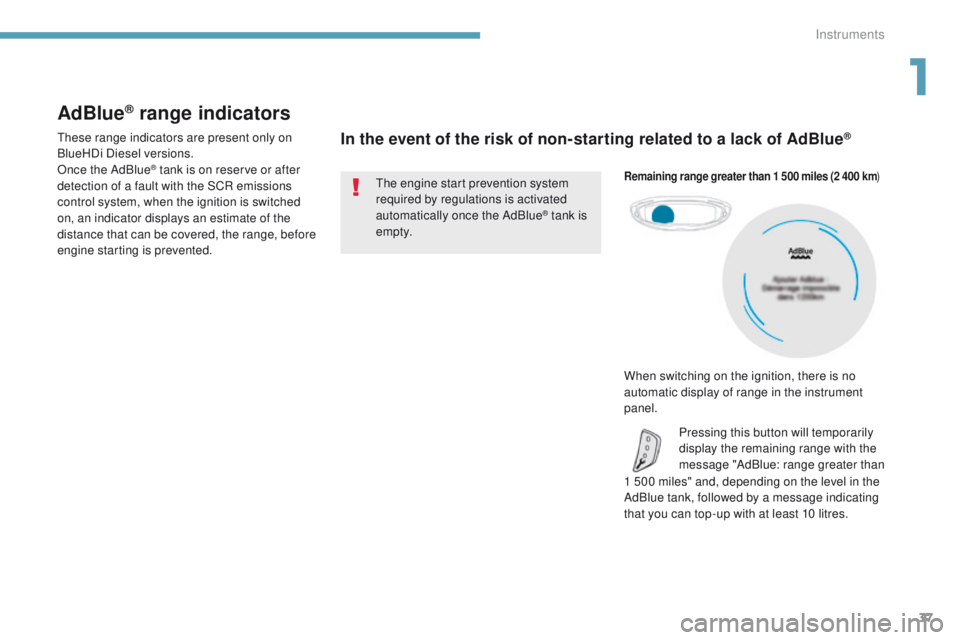
In the event of the risk of non-starting related to a lack of AdBlue®
1 500 miles" and, depending on the level in the
AdBlue tank, followed by a message indicating
that you can top-up with at least 10 litres.
Remaining range greater than 1 500 miles (2 400 km )
Pressing this button will temporarily
display the remaining range with the
message "AdBlue: range greater than
The engine start prevention system
required by regulations is activated
automatically once the AdBlue
® tank is
e m pt y.
When switching on the ignition, there is no
automatic display of range in the instrument
panel.
1
Instruments
Page 42 of 566
40
3008-2_en_Chap01_instruments-de-bord_ed01-2016
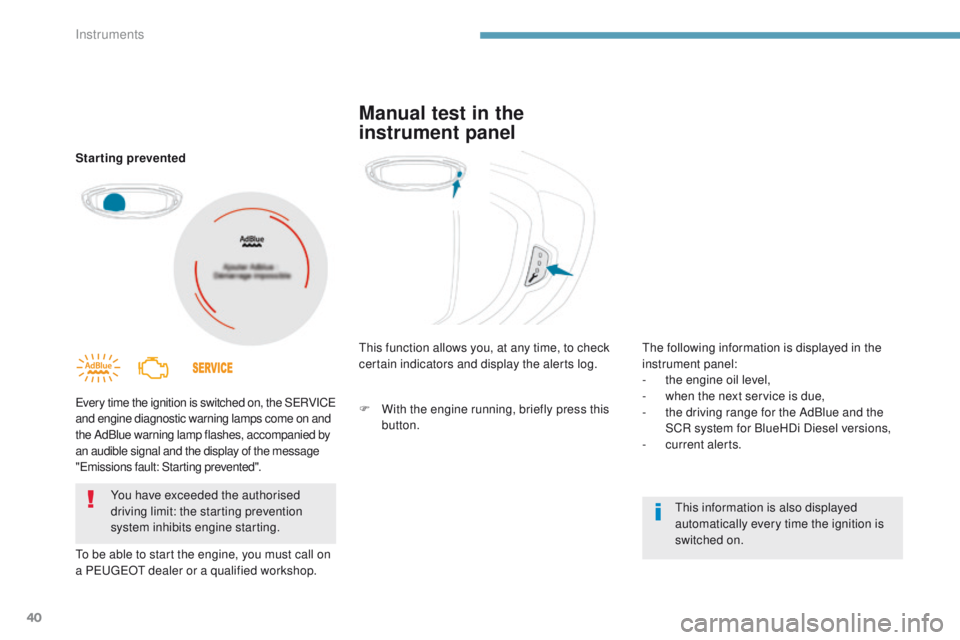
Starting prevented
Every time the ignition is switched on, the SERVICE
and engine diagnostic warning lamps come on and
the AdBlue warning lamp flashes, accompanied by
an audible signal and the display of the message
"Emissions fault: Starting prevented".
To be able to start the engine, you must call on
a PEUGEOT dealer or a qualified workshop.You have exceeded the authorised
driving limit: the starting prevention
system inhibits engine starting. This function allows you, at any time, to check
certain indicators and display the alerts log.
This information is also displayed
automatically every time the ignition is
switched on.
Manual test in the
instrument panel
The following information is displayed in the
instrument panel:
-
t
he engine oil level,
-
w
hen the next service is due,
-
t
he driving range for the AdBlue and the
SCR system for BlueHDi Diesel versions,
-
c
urrent alerts.
F
W
ith the engine running, briefly press this
button.
Instruments
Page 44 of 566
42
3008-2_en_Chap01_instruments-de-bord_ed01-2016
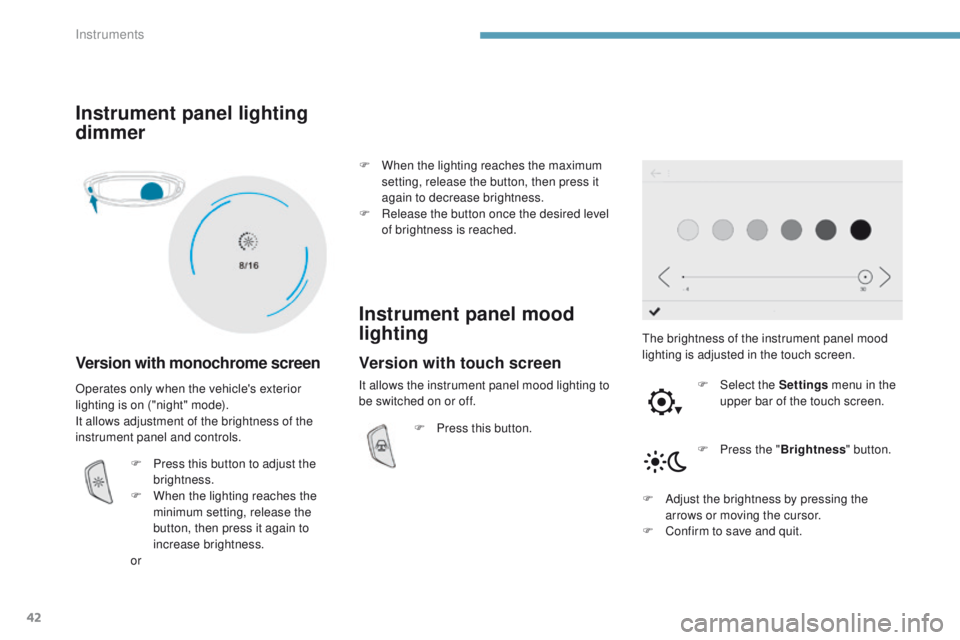
Instrument panel lighting
dimmer
Version with monochrome screen
The brightness of the instrument panel mood
lighting is adjusted in the touch screen.F
Sel
ect the Settings menu in the
upper bar of the touch screen.
Operates only when the vehicle's exterior
lighting is on ("night" mode).
It allows adjustment of the brightness of the
instrument panel and controls.
F
P
ress this button to adjust the
brightness.
F
W
hen the lighting reaches the
minimum setting, release the
button, then press it again to
increase brightness.
or F
W
hen the lighting reaches the maximum
setting, release the button, then press it
again to decrease brightness.
F
R
elease the button once the desired level
of brightness is reached.
Instrument panel mood
lighting
F Press this button.
F
P
ress the "Brightness " button.
F
A
djust the brightness by pressing the
arrows or moving the cursor.
F
C
onfirm to save and quit.
Version with touch screen
It allows the instrument panel mood lighting to
be switched on or off.
Instruments
Page 45 of 566
43
3008-2_en_Chap01_instruments-de-bord_ed01-2016
Tr i p c o m p u t e r
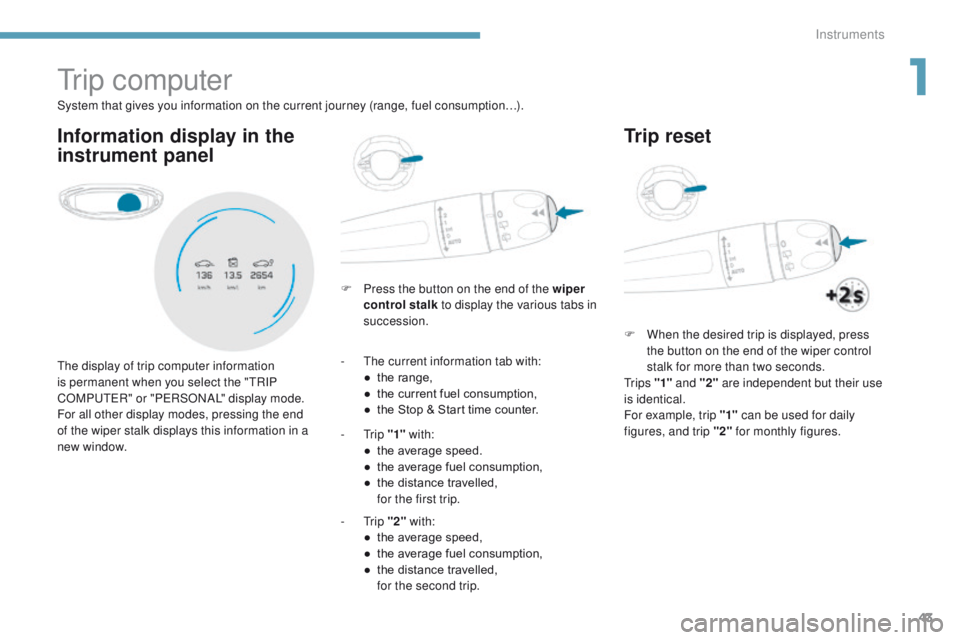
Information display in the
instrument panel
F Press the button on the end of the wiper control stalk to display the various tabs in
succession.
The display of trip computer information
is permanent when you select the "TRIP
COMPUTER" or "PERSONAL" display mode.
For all other display modes, pressing the end
of the wiper stalk displays this information in a
new window. System that gives you information on the current journey (range, fuel consumption…).
-
T
he current information tab with:
●
t
he range,
●
t
he current fuel consumption,
●
t
he Stop & Start time counter.
-
Trip "1" with:
●
t
he average speed.
●
t
he average fuel consumption,
●
t
he distance travelled,
f
or the first trip.
-
Trip "2" with:
●
t
he average speed,
●
t
he average fuel consumption,
●
t
he distance travelled,
f
or the second trip.
Trip reset
F When the desired trip is displayed, press the button on the end of the wiper control
stalk for more than two seconds.
Tr i p s "1" and "2" are independent but their use
is identical.
For example, trip "1" can be used for daily
figures, and trip "2" for monthly figures.
1
Instruments
Page 47 of 566
45
3008-2_en_Chap01_instruments-de-bord_ed01-2016
Monochrome screen C
Displays in the screenControlsMain menu
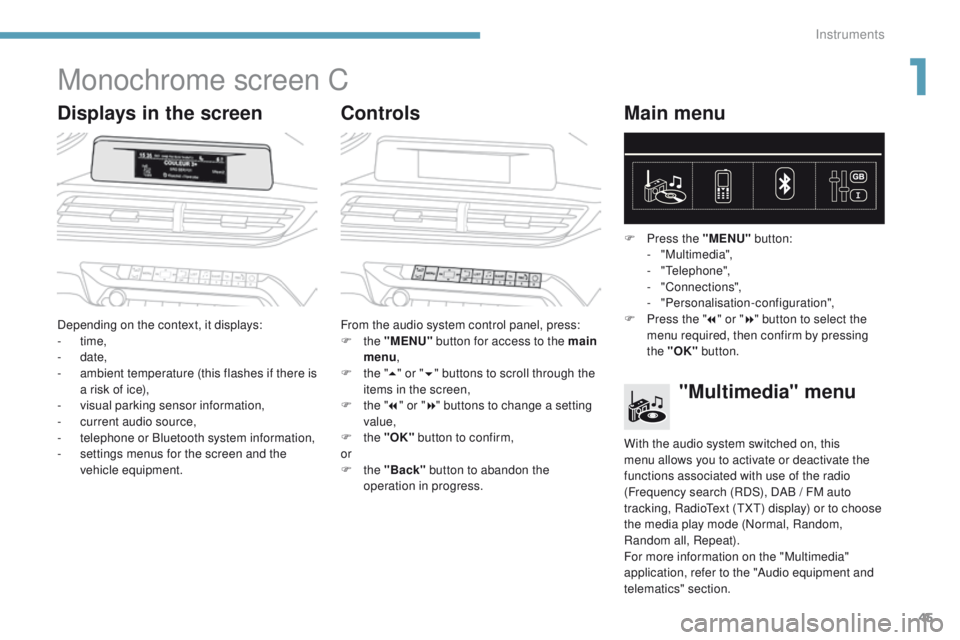
Depending on the context, it displays:
-
time,
-
date,
-
a
mbient temperature (this flashes if there is
a risk of ice),
-
v
isual parking sensor information,
-
c
urrent audio source,
-
t
elephone or Bluetooth system information,
-
s
ettings menus for the screen and the
vehicle equipment. From the audio system control panel, press:
F
the "MENU" button for access to the main
menu ,
F
t
he "5" or " 6" buttons to scroll through the
items in the screen,
F
t
he "7" or " 8" buttons to change a setting
value,
F
the "OK" button to confirm,
or
F
the "Back" button to abandon the
operation in progress. F
P
ress the "MENU"
button:
- "Multimedia",
-
"Telephone",
-
"Connections",
-
"Personalisation-configuration",
F P ress the "
7" or " 8" button to select the
menu required, then confirm by pressing
the "OK" button.
"Multimedia" menu
With the audio system switched on, this
menu allows you to activate or deactivate the
functions associated with use of the radio
(Frequency search (RDS), DAB
/ FM auto
tracking, RadioText (TXT) display) or to choose
the media play mode (Normal, Random,
Random all, Repeat).
For more information on the "Multimedia"
application, refer to the "Audio equipment and
telematics" section.
1
Instruments
Page 49 of 566
47
3008-2_en_Chap01_instruments-de-bord_ed01-2016
Choice of language
This menu allows selection of the language
used by the screen and the instrument" panel.
Display configuration
This menu gives access to the following
settings:
-
"
Choice of units",
-
"
Date and time adjustment",
-
"
Display parameters",
-
"Brightness". Adjusting the date and time
F
P
ress the "
7" or " 8" button to display
the "Display configuration" menu, then
press "OK"
.
F
P
ress the "
5" or " 6" button to select the
"Date and time adjustment" button, then
press "OK" .
F P ress the "
7" or " 8" button to select
the setting to modify. Confirm by
pressing
"OK", then modify the setting and
confirm again to save the modification.
F
A
djust the settings one by one, confirming
with the "OK" button.
F
P
ress the "5" or " 6" button, then the
"OK"
button to select the "OK" box and
confirm or the "Back" button to cancel.
As a safety measure, the driver must
only carry out operations that require
sustained attention when stationary.
1
Instruments