instrument panel PEUGEOT 3008 2017 Owner's Manual
[x] Cancel search | Manufacturer: PEUGEOT, Model Year: 2017, Model line: 3008, Model: PEUGEOT 3008 2017Pages: 566, PDF Size: 16.05 MB
Page 51 of 566
49
3008-2_en_Chap01_instruments-de-bord_ed01-2016
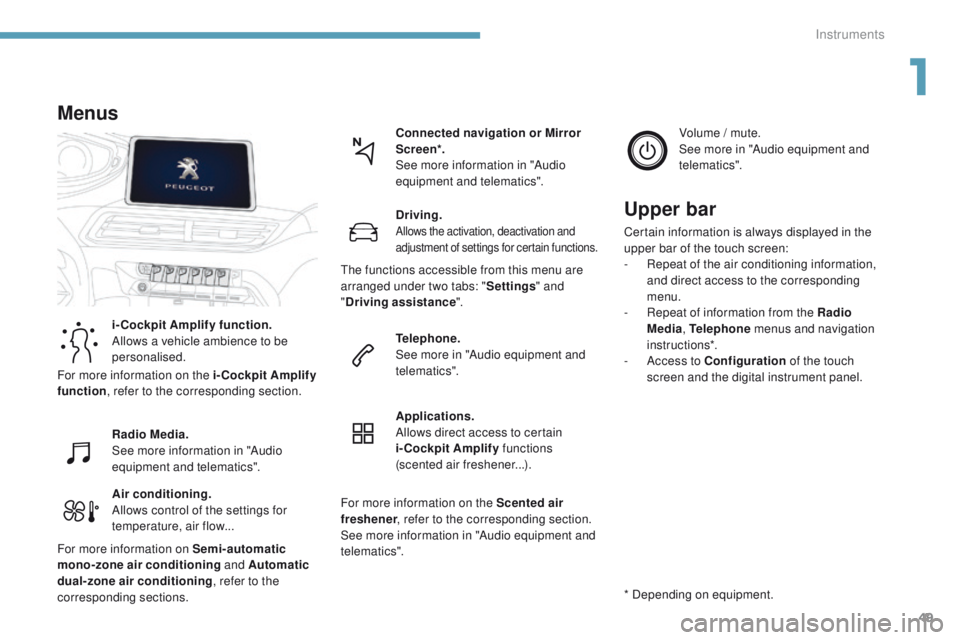
Air conditioning.
Allows control of the settings for
temperature, air flow...Connected navigation or Mirror
Scre en*.
See more information in "Audio
equipment and telematics".
Menus
i-Cockpit Amplify function.
Allows a vehicle ambience to be
personalised.
Radio Media.
See more information in "Audio
equipment and telematics".
Driving.
Allows the activation, deactivation and
adjustment of settings for certain functions.
Telephone.
See more in "Audio equipment and
telematics".
Applications.
Allows direct access to certain
i-Cockpit Amplify
functions
(scented air freshener...). Volume / mute.
See more in "Audio equipment and
telematics".
* Depending on equipment.
Upper bar
Certain information is always displayed in the
upper bar of the touch screen:
-
R
epeat of the air conditioning information,
and direct access to the corresponding
menu.
-
R
epeat of information from the Radio
Media , Telephone menus and navigation
instructions*.
-
A
ccess to Configuration of the touch
screen and the digital instrument panel.
For more information on the i-Cockpit Amplify
function , refer to the corresponding section.
For more information on Semi-automatic
mono-zone air conditioning and Automatic
dual-zone air conditioning , refer to the
corresponding sections. The functions accessible from this menu are
arranged under two tabs: "
Settings" and
" Driving assistance ".
For more information on the Scented air
freshener , refer to the corresponding section.
See more information in "Audio equipment and
telematics".
1
Instruments
Page 54 of 566
52
3008-2_en_Chap01_instruments-de-bord_ed01-2016
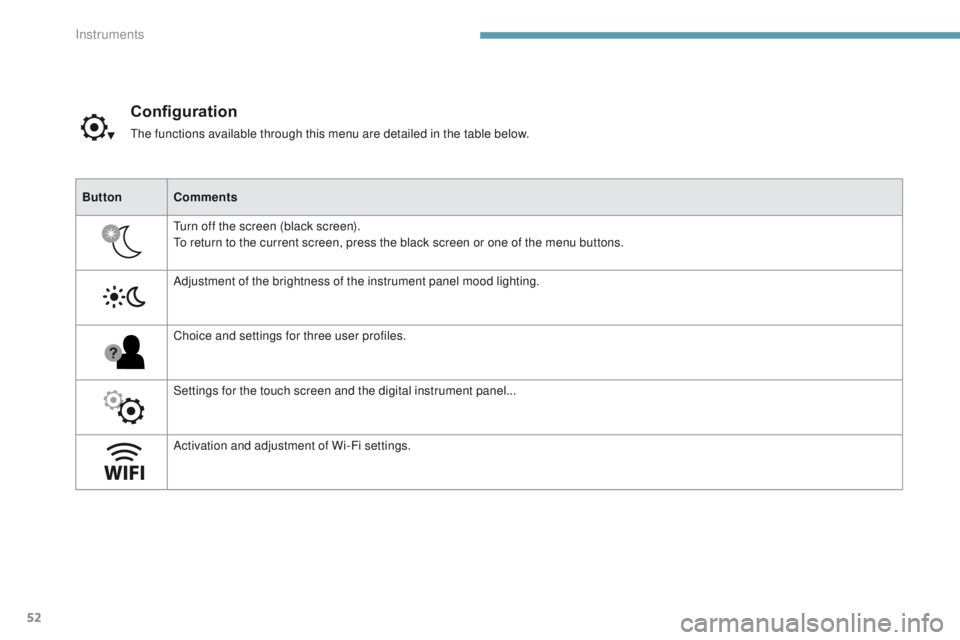
Configuration
The functions available through this menu are detailed in the table below.
Button Comments
Turn off the screen (black screen).
To return to the current screen, press the black screen or one of the menu buttons.
Adjustment of the brightness of the instrument panel mood lighting.
Choice and settings for three user profiles.
Settings for the touch screen and the digital instrument panel...
Activation and adjustment of Wi-Fi settings.
Instruments
Page 55 of 566
53
3008-2_en_Chap01_instruments-de-bord_ed01-2016
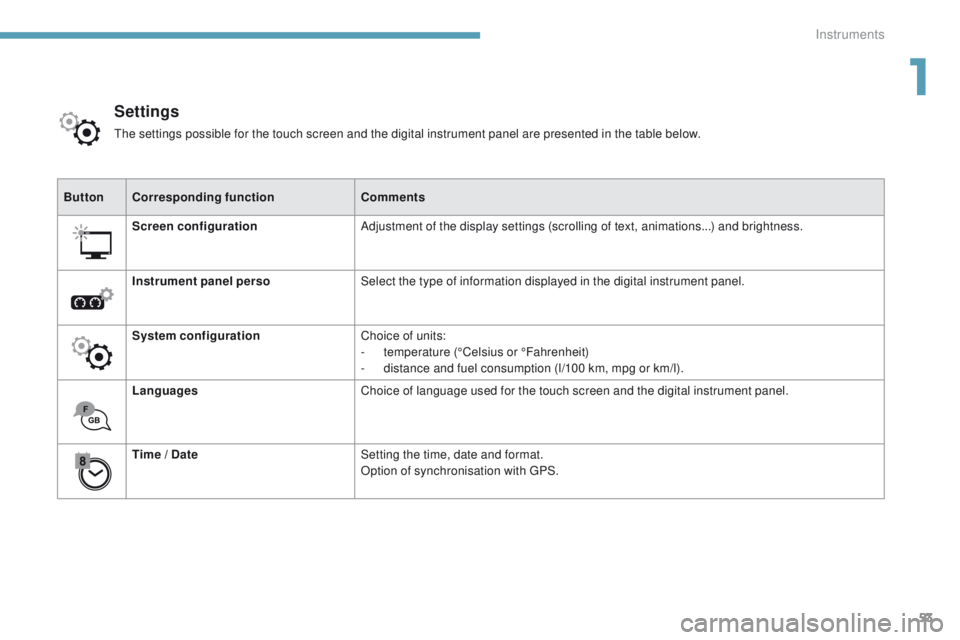
ButtonCorresponding function Comments
Screen configuration Adjustment of the display settings (scrolling of text, animations...) and brightness.
Instrument panel perso Select the type of information displayed in the digital instrument panel.
System configuration Choice of units:
-
t
emperature (°Celsius or °Fahrenheit)
-
d
istance and fuel consumption (l/100 km, mpg or km/l).
Languages Choice of language used for the touch screen and the digital instrument panel.
Time / Date Setting the time, date and format.
Option of synchronisation with GPS.
Settings
The settings possible for the touch screen and the digital instrument panel are presented in the table below.
1
Instruments
Page 68 of 566
66
3008-2_en_Chap02_ouvertures_ed01-2016
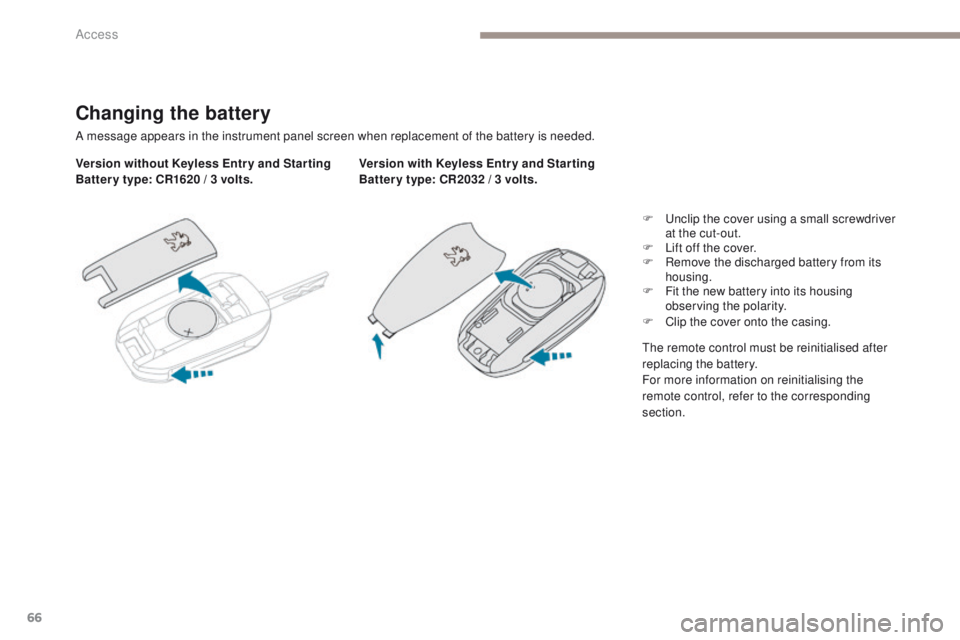
Changing the battery
A message appears in the instrument panel screen when replacement of the battery is needed.
Version without Keyless Entr y and Star ting
Batter y type: CR1620 / 3 volts.Version with Keyless Entr y and Star ting
Batter y type: CR2032 / 3 volts.
F
U
nclip the cover using a small screwdriver
at the cut-out.
F
L
ift off the cover.
F
R
emove the discharged battery from its
housing.
F
F
it the new battery into its housing
observing the polarity.
F
C
lip the cover onto the casing.
The remote control must be reinitialised after
replacing the battery.
For more information on reinitialising the
remote control, refer to the corresponding
section.
Access
Page 71 of 566
69
3008-2_en_Chap02_ouvertures_ed01-2016
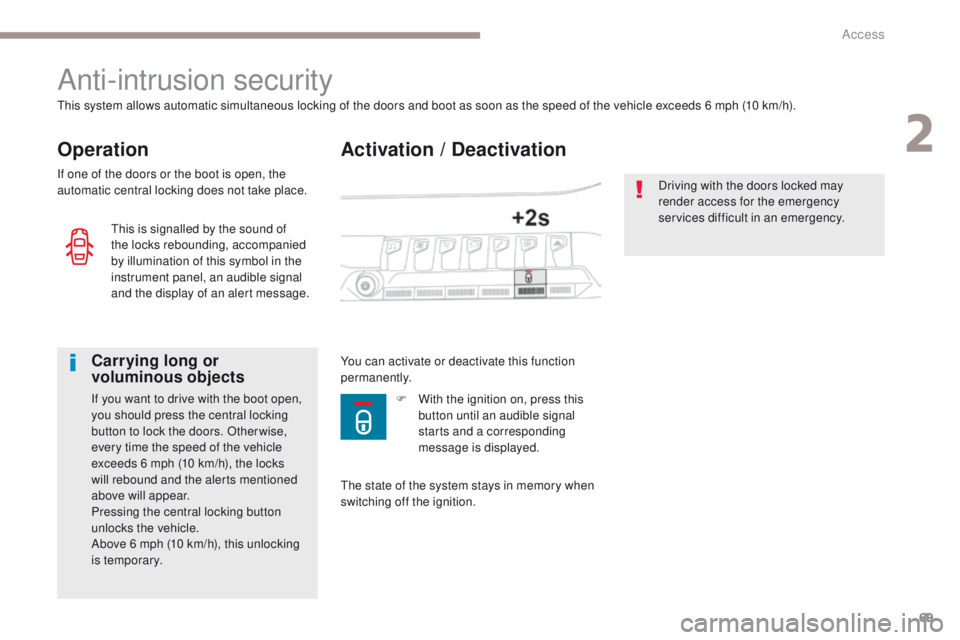
Activation / Deactivation
Anti-intrusion security
Operation
This system allows automatic simultaneous locking of the doors and boot as soon as the speed of the vehicle exceeds 6 mph (10 km/h).
If one of the doors or the boot is open, the
automatic central locking does not take place.
Carrying long or
voluminous objects
If you want to drive with the boot open,
you should press the central locking
button to lock the doors. Other wise,
every time the speed of the vehicle
exceeds 6 mph (10 km/h), the locks
will rebound and the alerts mentioned
above will appear.
Pressing the central locking button
unlocks the vehicle.
Above 6 mph (10 km/h), this unlocking
is temporary.You can activate or deactivate this function
permanently.
Driving with the doors locked may
render access for the emergency
services difficult in an emergency.
This is signalled by the sound of
the locks rebounding, accompanied
by illumination of this symbol in the
instrument panel, an audible signal
and the display of an alert message.
The state of the system stays in memory when
switching off the ignition.F
W ith the ignition on, press this
button until an audible signal
starts and a corresponding
message is displayed.
2
Access
Page 77 of 566
75
3008-2_en_Chap02_ouvertures_ed01-2016
Boot
Opening the tailgate
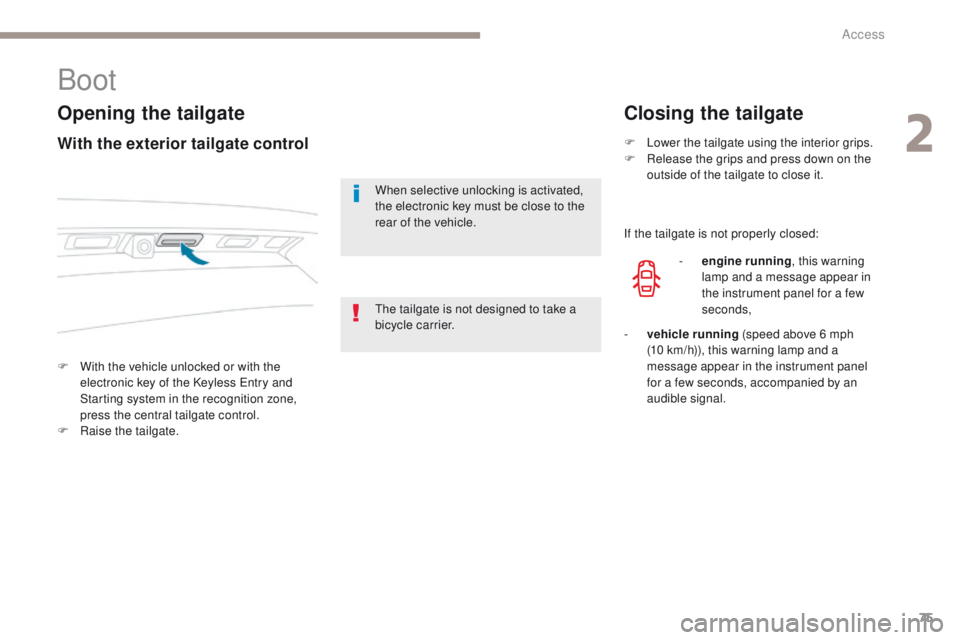
F With the vehicle unlocked or with the electronic key of the Keyless Entry and
Starting system in the recognition zone,
press the central tailgate control.
F
Ra
ise the tailgate.
Closing the tailgate
When selective unlocking is activated,
the electronic key must be close to the
rear of the vehicle. F
L
ower the tailgate using the interior grips.
F
R
elease the grips and press down on the
outside of the tailgate to close it.
With the exterior tailgate control
The tailgate is not designed to take a
bicycle carrier. If the tailgate is not properly closed:
-
e
ngine running
, this warning
lamp and a message appear in
the instrument panel for a few
seconds,
-
v
ehicle running (speed above 6 mph
(10
km/h)), this warning lamp and a
message appear in the instrument panel
for a few seconds, accompanied by an
audible signal.
2
Access
Page 90 of 566
88
3008-2_en_Chap03_ergonomie-et-confort_ed01-2016
Driving position
Adopting a good driving position helps improve your comfort and protection.
It also optimises interior and exterior visibility as well as access to controls.
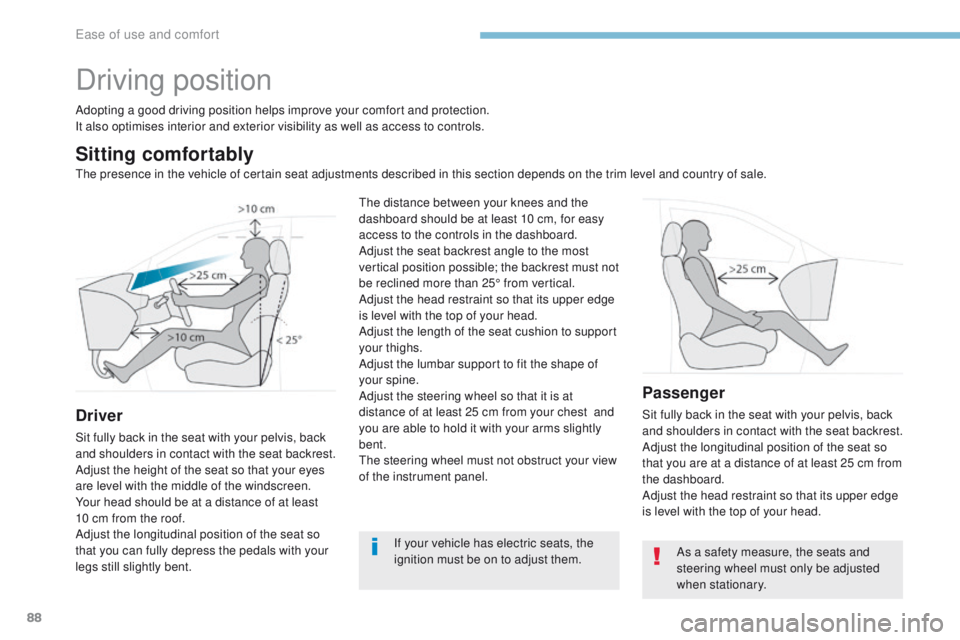
Sitting comfortably
Driver
Sit fully back in the seat with your pelvis, back
and shoulders in contact with the seat backrest.
Adjust the height of the seat so that your eyes
are level with the middle of the windscreen.
Your head should be at a distance of at least
10 cm from the roof.
Adjust the longitudinal position of the seat so
that you can fully depress the pedals with your
legs still slightly bent.
Passenger
Sit fully back in the seat with your pelvis, back
and shoulders in contact with the seat backrest.
Adjust the longitudinal position of the seat so
that you are at a distance of at least 25 cm from
the dashboard.
Adjust the head restraint so that its upper edge
is level with the top of your head.
If your vehicle has electric seats, the
ignition must be on to adjust them.
The distance between your knees and the
dashboard should be at least 10 cm, for easy
access to the controls in the dashboard.
Adjust the seat backrest angle to the most
vertical position possible; the backrest must not
be reclined more than 25° from vertical.
Adjust the head restraint so that its upper edge
is level with the top of your head.
Adjust the length of the seat cushion to support
your thighs.
Adjust the lumbar support to fit the shape of
your spine.
Adjust the steering wheel so that it is at
distance of at least 25 cm from your chest
and
you are able to hold it with your arms slightly
bent.
The steering wheel must not obstruct your view
of the instrument panel.
As a safety measure, the seats and
steering wheel must only be adjusted
when stationary.
The presence in the vehicle of certain seat adjustments described in this section depends on the trim level and country of sale.
Ease of use and comfort
Page 143 of 566
141
3008-2_en_Chap04_eclairage-et-visibilite_ed01-2016
Without AUTO lighting
With AUTO lighting
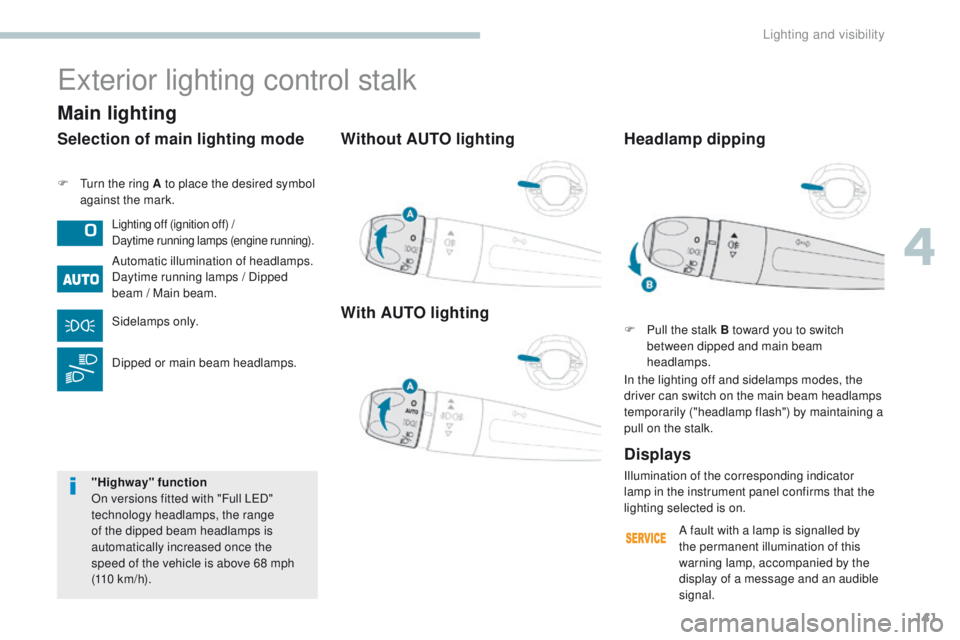
F Turn the ring A to place the desired symbol against the mark.
Exterior lighting control stalk
Lighting off (ignition off) /
Daytime running lamps (engine running).
Automatic illumination of headlamps.
Daytime running lamps / Dipped
beam / Main beam.
Sidelamps only.
Dipped or main beam headlamps.
Displays
Selection of main lighting mode
Illumination of the corresponding indicator
lamp in the instrument panel confirms that the
lighting selected is on.
Headlamp dipping
F Pull the stalk B toward you to switch
between dipped and main beam
headlamps.
In the lighting off and sidelamps modes, the
driver can switch on the main beam headlamps
temporarily ("headlamp flash") by maintaining a
pull on the stalk.
Main lighting
"Highway" function
On versions fitted with "Full LED"
technology headlamps, the range
of the dipped beam headlamps is
automatically increased once the
speed of the vehicle is above 68 mph
(110
km/h). A fault with a lamp is signalled by
the permanent illumination of this
warning lamp, accompanied by the
display of a message and an audible
signal.
4
Lighting and visibility
Page 146 of 566
144
3008-2_en_Chap04_eclairage-et-visibilite_ed01-2016
Direction indicators
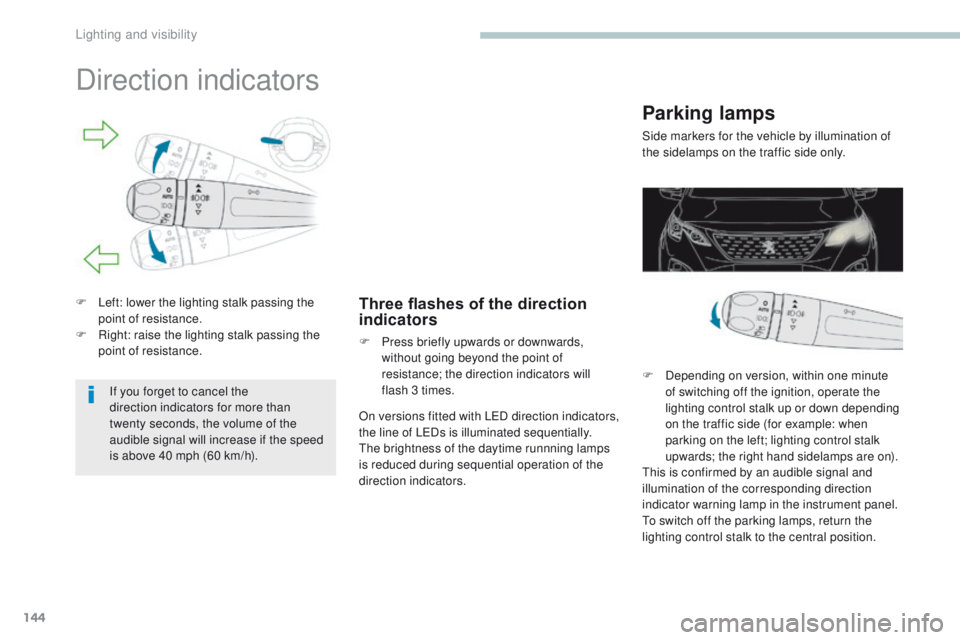
F Left: lower the lighting stalk passing the point of resistance.
F
R
ight: raise the lighting stalk passing the
point of resistance.Three flashes of the direction
indicators
F Press briefly upwards or downwards, without going beyond the point of
resistance; the direction indicators will
flash 3 times.
If you forget to cancel the
direction indicators for more than
twenty
seconds, the volume of the
audible signal will increase if the speed
is above 40 mph (60 km/h). On versions fitted with LED direction indicators,
the line of LEDs is illuminated sequentially.
The brightness of the daytime runnning lamps
is reduced during sequential operation of the
direction indicators.
Parking lamps
Side markers for the vehicle by illumination of
the sidelamps on the traffic side only.
F
D
epending on version, within one minute
of switching off the ignition, operate the
lighting control stalk up or down depending
on the traffic side (for example: when
parking on the left; lighting control stalk
upwards; the right hand sidelamps are on).
This is confirmed by an audible signal and
illumination of the corresponding direction
indicator warning lamp in the instrument panel.
To switch off the parking lamps, return the
lighting control stalk to the central position.
Lighting and visibility
Page 147 of 566
145
3008-2_en_Chap04_eclairage-et-visibilite_ed01-2016
Headlamp beam height adjustment
Automatic adjustment of
"Full LED" technology
headlamps
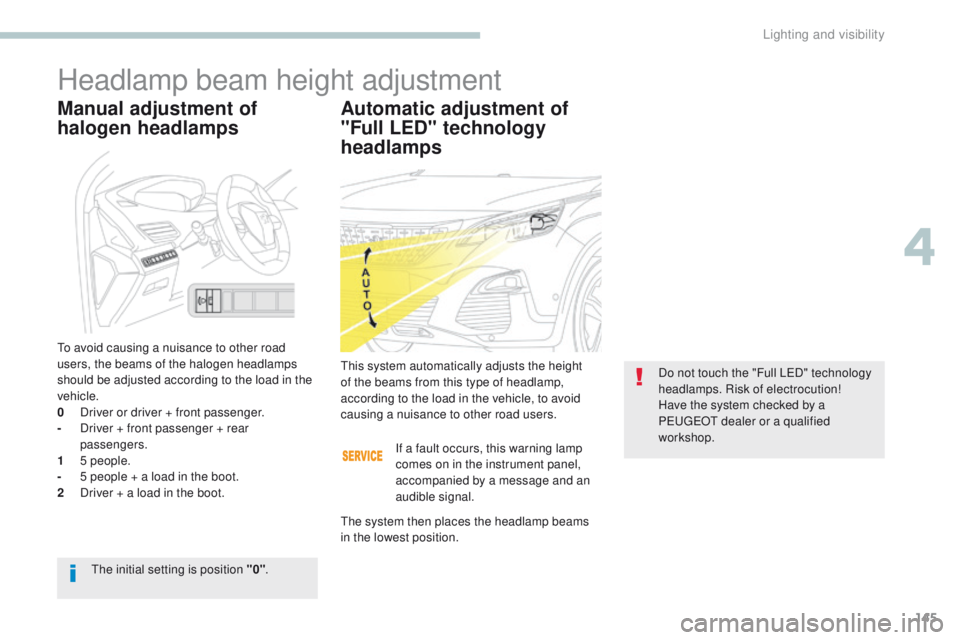
This system automatically adjusts the height
of the beams from this type of headlamp,
according to the load in the vehicle, to avoid
causing a nuisance to other road users.Do not touch the "Full LED" technology
headlamps. Risk of electrocution!
Have the system checked by a
PEUGEOT dealer or a qualified
workshop.
The initial setting is position "0" .
Manual adjustment of
halogen headlamps
To avoid causing a nuisance to other road
users, the beams of the halogen headlamps
should be adjusted according to the load in the
vehicle.
0
D
river or driver + front passenger.
-
D
river + front passenger + rear
passengers.
1
5
people.
-
5 p
eople + a load in the boot.
2
D
river + a load in the boot. If a fault occurs, this warning lamp
comes on in the instrument panel,
accompanied by a message and an
audible signal.
The system then places the headlamp beams
in the lowest position.
4
Lighting and visibility