air condition PEUGEOT 3008 2020 Owner's Guide
[x] Cancel search | Manufacturer: PEUGEOT, Model Year: 2020, Model line: 3008, Model: PEUGEOT 3008 2020Pages: 308, PDF Size: 10.1 MB
Page 256 of 308
254
PEUGEOT Connect Nav
PEUGEOT Connect Nav
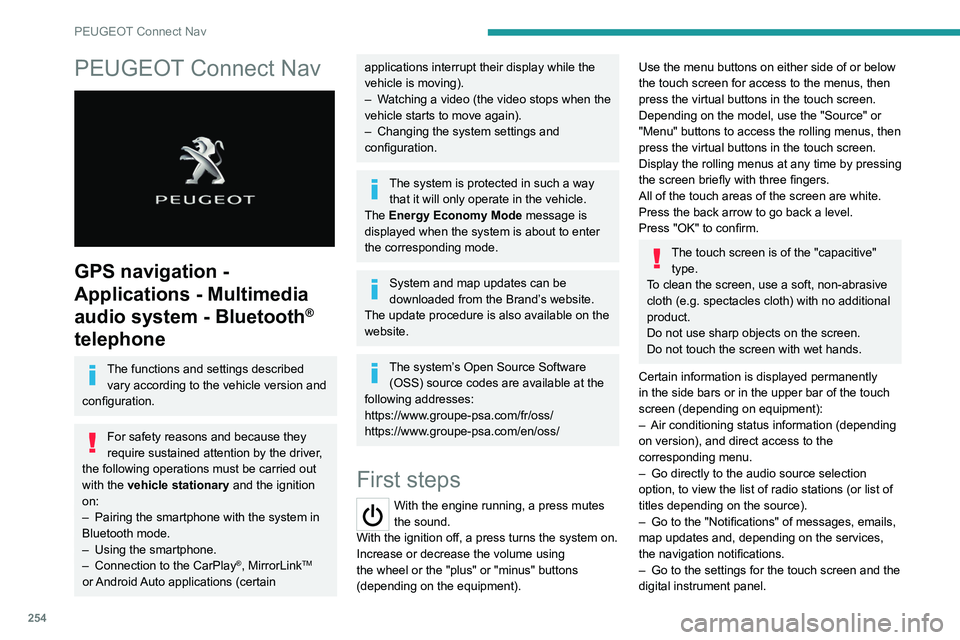
GPS navigation -
Applications - Multimedia
audio system - Bluetooth
®
telephone
The functions and settings described
vary according to the vehicle version and
configuration.
For safety reasons and because they
require sustained attention by the driver,
the following operations must be carried out
with the vehicle stationary and the ignition
on:
–
Pairing the smartphone with the system in
Bluetooth mode.
–
Using the smartphone.
–
Connection to the CarPlay®, MirrorLinkTM
or Android Auto applications (certain
applications interrupt their display while the
vehicle is moving).
–
W
atching a video (the video stops when the
vehicle starts to move again).
–
Changing the system settings and
configuration.
The system is protected in such a way that it will only operate in the vehicle.
The Energy Economy Mode message is
displayed when the system is about to enter
the corresponding mode.
System and map updates can be
downloaded from the Brand’s website.
The update procedure is also available on the
website.
The system’s Open Source Software (OSS) source codes are available at the
following addresses:
https://www.groupe-psa.com/fr/oss/
https://www.groupe-psa.com/en/oss/
First steps
With the engine running, a press mutes
the sound.
With the ignition off, a press turns the system on.
Increase or decrease the volume using
the wheel or the "plus" or "minus" buttons
(depending on the equipment).
Use the menu buttons on either side of or below
the touch screen for access to the menus, then
press the virtual buttons in the touch screen.
Depending on the model, use the "Source" or
"Menu" buttons to access the rolling menus, then
press the virtual buttons in the touch screen.
Display the rolling menus at any time by pressing
the screen briefly with three fingers.
All of the touch areas of the screen are white.
Press the back arrow to go back a level.
Press "OK" to confirm.
The touch screen is of the "capacitive" type.
To clean the screen, use a soft, non-abrasive
cloth (e.g. spectacles cloth) with no additional
product.
Do not use sharp objects on the screen.
Do not touch the screen with wet hands.
Certain information is displayed permanently
in the side bars or in the upper bar of the touch
screen (depending on equipment):
–
Air conditioning status information (depending
on version), and direct access to the
corresponding menu.
–
Go directly to the audio source selection
option, to view the list of radio stations (or list of
titles depending on the source).
–
Go to the "Notifications" of messages, emails,
map updates and, depending on the services,
the navigation notifications.
–
Go to the settings for the touch screen and the
digital instrument panel.
Page 258 of 308
256
PEUGEOT Connect Nav
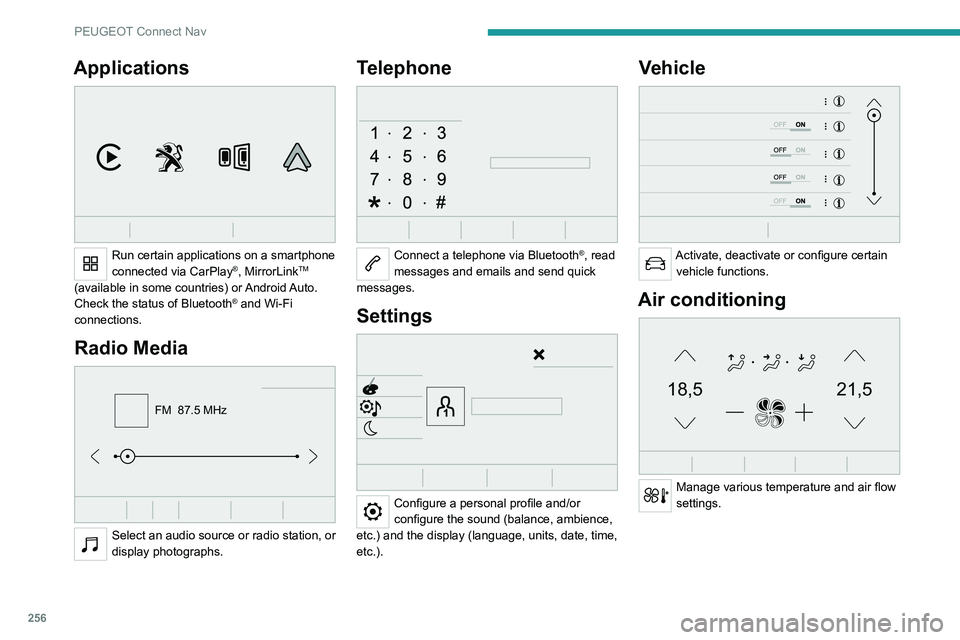
Applications
Run certain applications on a smartphone
connected via CarPlay®, MirrorLinkTM
(available in some countries) or Android Auto.
Check the status of Bluetooth
® and Wi-Fi
connections.
Radio Media
FM 87.5 MHz
Select an audio source or radio station, or
display photographs.
Telephone
Connect a telephone via Bluetooth®, read
messages and emails and send quick
messages.
Settings
Configure a personal profile and/or
configure the sound (balance, ambience,
etc.) and the display (language, units, date, time,
etc.).
Vehicle
Activate, deactivate or configure certain vehicle functions.
Air conditioning
21,518,5
Manage various temperature and air flow
settings.
Voice commands
Steering wheel-mounted
controls
Voice commands:
Voice commands can be issued from any
screen page after a short press on the "Voice
commands" button located on the steering
wheel or at the end of the lighting control stalk
(depending on equipment), as long as there is no
telephone call in progress.
To ensure that voice commands are always recognised by the system, please
follow these recommendations:
– use natural language in a normal tone
without breaking up words or raising your
voice.
– always wait for the "beep" (audible signal)
before speaking.
– for best results, closing the windows and
sunroof is recommended, to avoid extraneous
interference (depending on version).
– before issuing a voice command, ask any
other passengers to refrain from speaking.
First steps
Example of a "voice command" for
navigation:
"Navigate to address 11 regent street,
London"
Page 281 of 308
279
Alphabetical index
180° rear vision 159
A
ABS 90
Accelerated charging unit (Wallbox)
169
Accessories
87
Active Safety Brake
146–148
AdBlue®
18, 185
AdBlue® tank
186
Additive, Diesel
182–183
Adjusting headlamps
80
Adjusting head restraints
46
Adjusting seat
45, 47, 52–54
Adjusting the air distribution
60, 62–63
Adjusting the air flow
62–63
Adjusting the date
23–24, 251, 275
Adjusting the height and reach of
the steering wheel
49
Adjusting the lumbar support
45, 47
Adjusting the seat belt height
95
Adjusting the temperature
60–61
Adjusting the time
23–24, 251, 275
Advanced Grip Control
92
Advice on care and maintenance
168, 187
Advice on driving
7, 113
Airbags
97–101
Airbags, curtain
99–100
Airbags, front
98–99, 102
Airbags, lateral
98–99
Air conditioning
58–60, 63
Air conditioning, automatic 64
Air conditioning, digital
61, 64
Air conditioning, dual-zone automatic
61, 64
Air conditioning, manual
59, 64
Air conditioning, mono-zone
59, 64
Air intake
62, 64
Air vents
58
Alarm
34–35
Amplifier, audio
67
Android Auto connection
266
Anti-lock braking system (ABS)
90
Antitheft / Immobiliser
29
Apple CarPlay connection
247, 265
Applications
266
Armrest, front
68
Armrest, rear
71
Assistance call
88
Assistance, emergency braking
90, 148
Audible warning
88
Audio streaming (Bluetooth)
234, 246, 270
B
Backrest, folding 46
Battery
179
Battery, 12 V
183, 210–214
Battery, ancillaries
213
Battery, charging
167, 171, 211, 214
Battery (Hybrid)
168, 171
Battery, remote control
33–34
Blanking screen (snow shield)
178
Blind 42–43
Blind spot monitoring system, active
155
Blind spot sensors
154–155
Blinds, side
72
BlueHDi
18, 20, 182, 190
Bluetooth (hands-free)
234–235,
248–249, 271–272
Bluetooth (telephone)
248–249, 271–272
Bodywork
188
Bonnet
179–180
Boot
36–37, 40, 77
Boot (fittings)
73
Brake discs
184
Brake lamps
204
Brakes
184
Braking
125
Braking assistance system
90
Braking, automatic emergency
146–148
Braking, dynamic emergency
119–120
Brightness
250
Bulbs
203
Bulbs (changing)
201–202, 204–205
C
Cable, audio 270
Cable, Jack
270
Capacity, fuel tank
166
Cap, fuel filler
166
Care of the bodywork
188
CD
233, 246
Page 286 of 308
284
Alphabetical index
Remote control 28–32
Remote functions
26–27, 65, 172–173
Removing a wheel
199–200
Removing the mat
69
Replacing bulbs
201–202, 204–205
Replacing fuses
205–206
Replacing the air filter
183
Replacing the oil filter
183
Replacing the passenger compartment
filter
183
Reservoir, screenwash
182
Resetting the trip recorder
21
Reset trip
22
Rev counter
9
Reversing camera
131, 157–159
Reversing lamps
204
Roof bars
176–177
Running out of fuel (Diesel)
190
S
Safety, children 98, 100–103,
105, 107, 110–111
Saturation of the particle filter (Diesel)
183
Screen menu map
247
Screen, monochrome
23–24
Screen, multifunction (with audio system)
229
Screens, very cold conditions
178
Screenwash
84
Screenwash, front
84
Screenwash, rear
84
SCR (Selective Catalytic Reduction)
19, 185
Seat belts 94–97, 102
Seat belts, rear
95–96
Seat, rear bench
50–51
Seats, additional
55–57
Seats, electric
47–48
Seats, front
45, 47–48
Seats, heated
48
Seats, rear
50–57, 101
Selector, gear
121–124
Sensors (warnings)
131
Serial number, vehicle
227
Service indicator
17, 20
Servicing
17, 183, 184
Settings, equipment
23–25, 27
Settings, system
250, 274
Sidelamps
79, 202, 204
Ski flap
71
Smartphone
26–27, 65, 172–173
Snow chains
129, 177–178
Snow screen
178
Socket, 12 V accessory
66, 70, 77
Socket, 230 V
70
Socket, auxiliary
233, 246, 270
Socket, Jack
233, 270
Speakers
67
Speed limiter
132, 134–136
Speed limit recognition
132–133
Speedometer
9, 132
Sport mode
127
Spotlamps, side
81
Stability control (ESC)
90–92
Starting a Diesel engine
166
Starting the engine
114, 116Starting the vehicle 114–116, 121–124
Starting using another battery
117, 210
State of charge, battery
26, 168
Station, radio
230, 243–244, 268–269
Stay, bonnet
180
Steering mounted controls,
audio
229, 241, 255
Steering wheel, adjustment
49
Stickers, customising ~ Stickers,
expressive
188
Stopping the vehicle
114–117, 121–124
Stop & Start
23, 59, 64, 127–129,
166, 179, 183, 213
Storage
66, 68, 71–72
Storage box
76
Storage boxes
72
Storage compartments
66
Storage wells
76
Storing driving positions
47–48
Sunroof, panoramic
42–43
Sunshine sensor
58
Sun visor
66
Suspension
184
Switching off the engine
11 4
Synchronising the remote control
34
T
Table position 46
Tables, aircraft
71
Tables of engines
225
Tables of fuses
206, 208–209