audio Peugeot 301 2015 Owner's Guide
[x] Cancel search | Manufacturer: PEUGEOT, Model Year: 2015, Model line: 301, Model: Peugeot 301 2015Pages: 285, PDF Size: 13.55 MB
Page 187 of 285
04
185
301_en_Chap12a_RD5(RD45)_ed01-2014
AUDIO
CD, USB
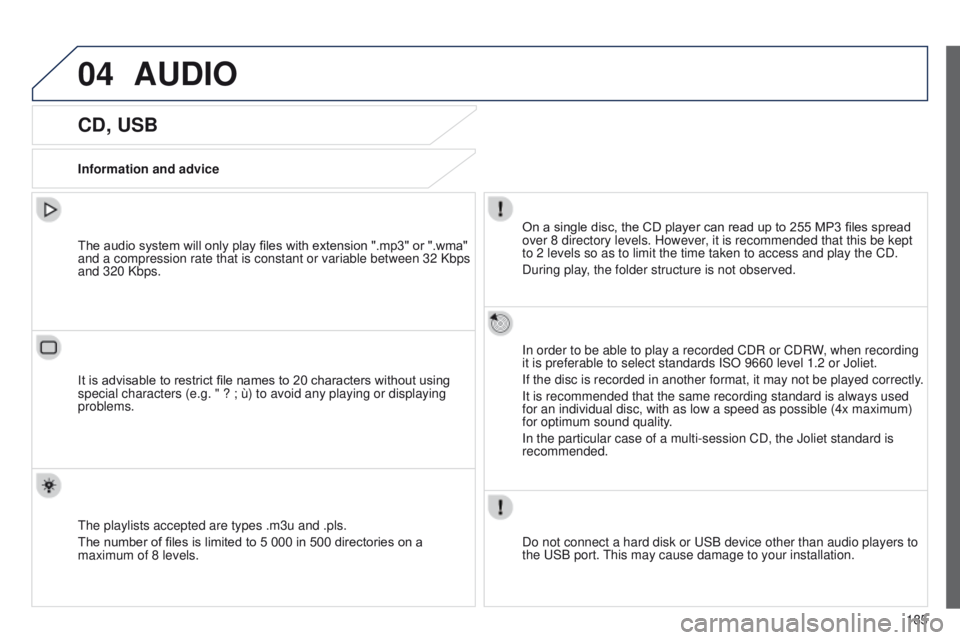
Information and adviceOn a single disc, the CD player can read up to 255 MP3 files spread
over 8 directory levels. However, it is recommended that this be kept
to 2 levels so as to limit the time taken to access and play the CD.
During play, the folder structure is not observed.
In order to be able to play a recorded CDR or CDRW, when recording
it is preferable to select standards ISO 9660 level 1.2 or Joliet.
If the disc is recorded in another format, it may not be played correctl\
y.
It is recommended that the same recording standard is always used
for an individual disc, with as low a speed as possible (4x maximum)
for optimum sound quality.
In the particular case of a multi-session CD, the Joliet standard is
recommended.
Do not connect a hard disk or USB device other than audio players to
the USB port. This may cause damage to your installation.
The audio system will only play files with extension ".mp3" or ".wma"
and a compression rate that is constant or variable between 32 Kbps
and 320 Kbps.
It is advisable to restrict file names to 20 characters without using
special characters (e.g. " ? ; ù) to avoid any playing or displayin\
g
problems.
The playlists accepted are types .m3u and .pls.
The number of files is limited to 5 000 in 500 directories on a
maximum of 8 levels.
Page 188 of 285
04
186
301_en_Chap12a_RD5(RD45)_ed01-2014
CD, USB
AUDIO
Playing a compilationInsert an MP3 compilation in the CD player
or connect a memory stick to the USB port,
directly or via an extension lead.
The system creates playlists (temporary memory) the creation time
for which can take from a few seconds to several minutes.
The playlists are updated every time the ignition is switched off or a
USB memory stick is connected.
Play starts automatically after a period which depends on the
capacity of the USB memory stick.
Use only USB memory sticks formatted FAT32 (File Allocation
Table). At a first connection, the order suggested is by folder.
When connecting again, the order previously chosen is
retained.
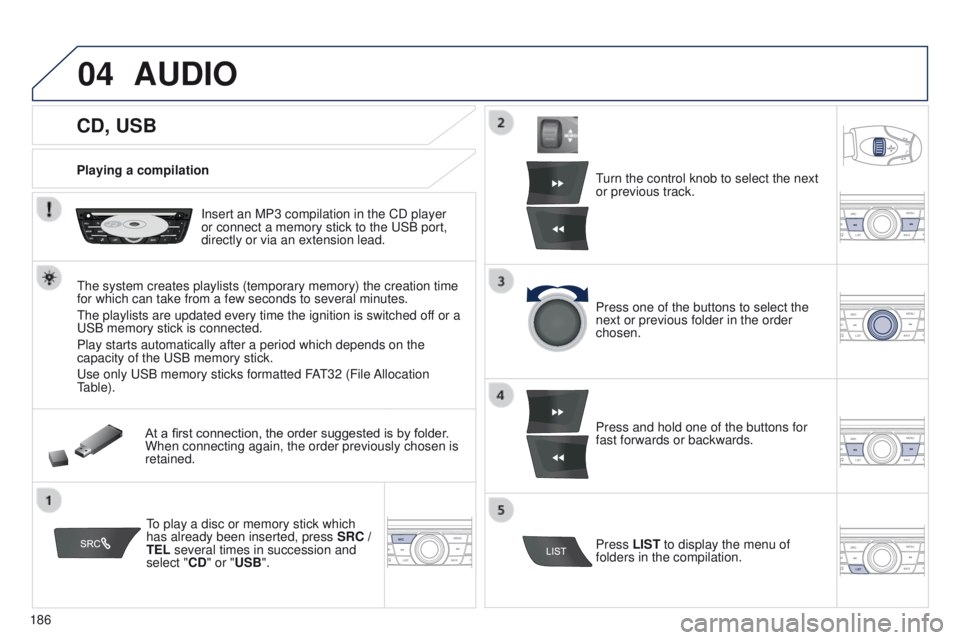
To play a disc or memory stick which
has already been inserted, press SRC /
TEL several times in succession and
select "CD" or "USB". Turn the control knob to select the next
or previous track.
Press one of the buttons to select the
next or previous folder in the order
chosen.
Press and hold one of the buttons for
fast forwards or backwards.
Press LIST
to display the menu of
folders in the compilation.
Page 189 of 285
04
BACK
187
301_en_Chap12a_RD5(RD45)_ed01-2014
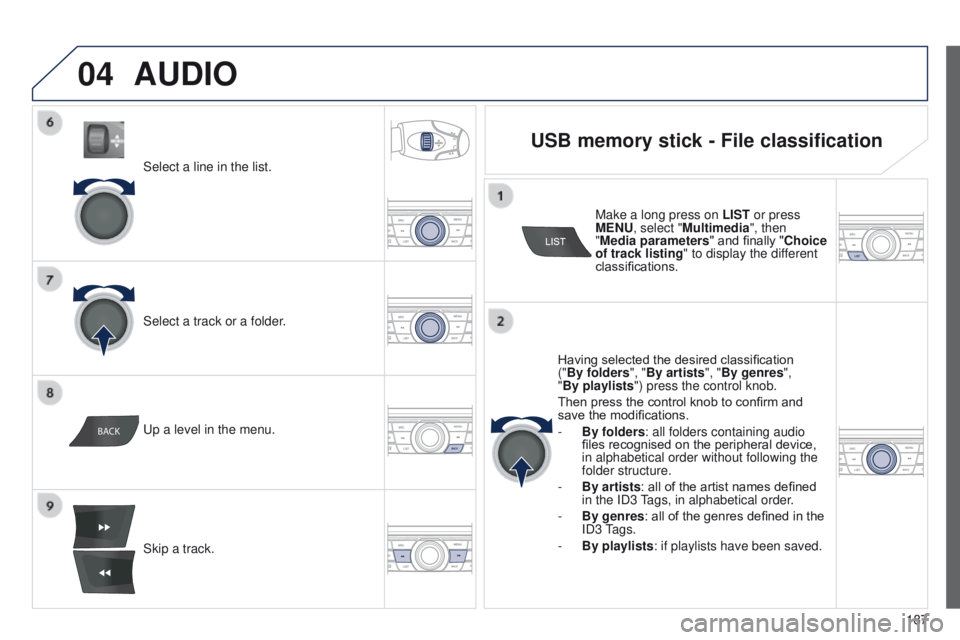
Select a line in the list.
Select a track or a folder.
Skip a track. Up a level in the menu.
AUDIO
USB memory stick - File classification
Having selected the desired classification
("By folders", "By artists", "By genres",
"By playlists") press the control knob.
Then press the control knob to confirm and
save the modifications.
-
By folders
: all folders containing audio
files recognised on the peripheral device,
in alphabetical order without following the
folder structure.
-
By artists : all of the artist names defined
in the ID3
Tags, in alphabetical order.
-
By genres
: all of the genres defined in the
ID3 Tags.
-
By playlists
: if playlists have been saved.
Make a long press on
LIST or press
MENU, select "Multimedia", then
"Media parameters " and finally "Choice
of track listing " to display the different
classifications.
Page 190 of 285
04
188
301_en_Chap12a_RD5(RD45)_ed01-2014
AUDIO
APPLE® players or portable player
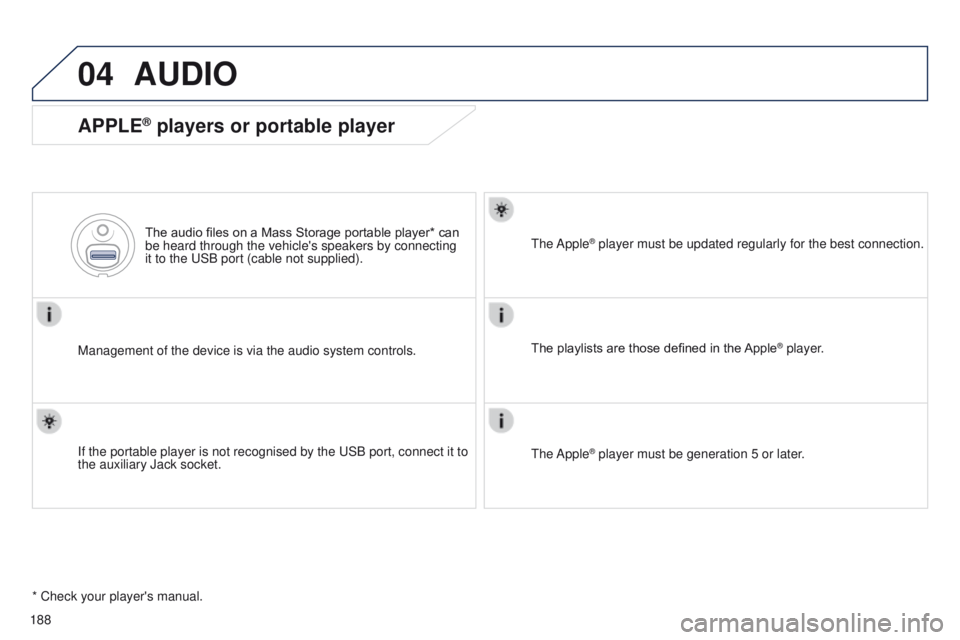
Management of the device is via the audio system controls.The audio files on a Mass Storage portable player* can
be heard through the vehicle's speakers by connecting
it to the USB port (cable not supplied).
If the portable player is not recognised by the USB port, connect it to \
the auxiliary Jack socket. The Apple
® player must be updated regularly for the best connection.
The playlists are those defined in the Apple
® player.
The Apple
® player must be generation 5 or later.
* Check your player's manual.
Page 191 of 285
04
VOL+
VOL-
189
301_en_Chap12a_RD5(RD45)_ed01-2014
AUDIO
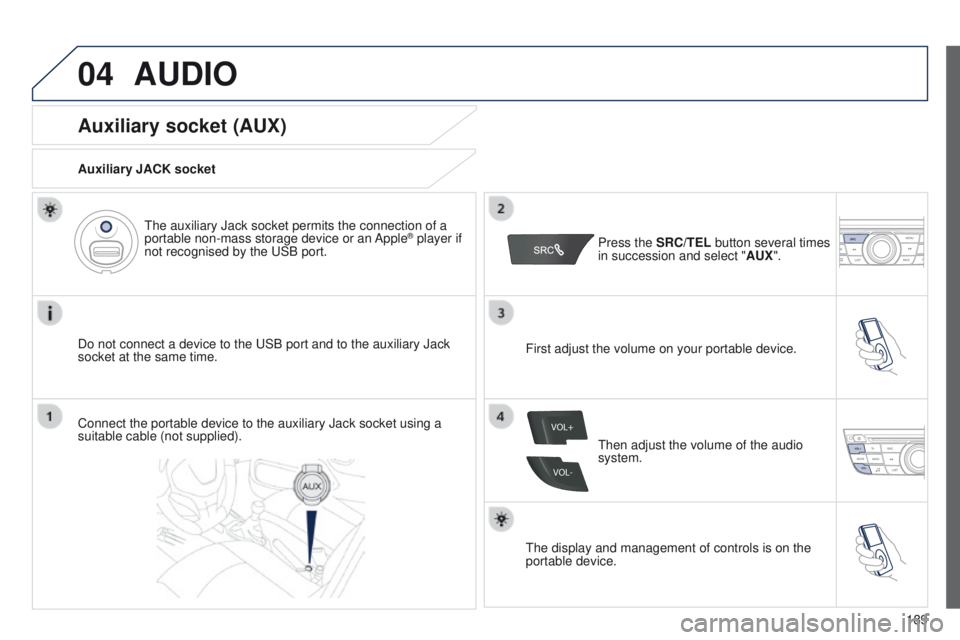
Auxiliary socket (AUX)
Auxiliary JACK socket
Do not connect a device to the USB port and to the auxiliary Jack
socket at the same time.The auxiliary Jack socket permits the connection of a
portable non-mass storage device or an Apple
® player if
not recognised by the USB port.
Connect the portable device to the auxiliary Jack socket using a
suitable cable (not supplied). Press the
SRC/TEL button several times
in succession and select " AUX".
First adjust the volume on your portable device.
Then adjust the volume of the audio
system.
The display and management of controls is on the
portable device.
Page 192 of 285
04
190
301_en_Chap12a_RD5(RD45)_ed01-2014
AUDIO
Streaming - Playing audio files via
Bluetooth
Depending on the compatibility of the phonePair/connect the telephone: see the "USING THE
TELEPHONE" section.
Streaming allows music files on a telephone to be heard via the
vehicle's speakers.
The telephone must support the appropriate bluetooth profiles
(Profiles A2DP / AVRCP).
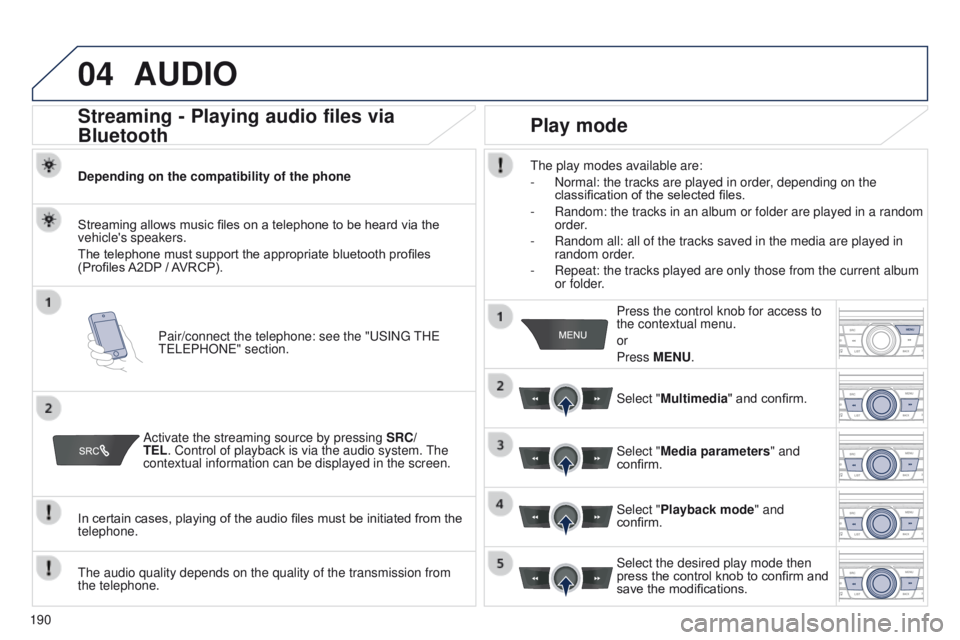
Activate the streaming source by pressing SRC/
TEL. Control of playback is via the audio system. The
contextual information can be displayed in the screen.
In certain cases, playing of the audio files must be initiated from the
telephone.
The audio quality depends on the quality of the transmission from
the telephone.
Play mode
The play modes available are:
-
Normal: the tracks are played in order
, depending on the
classification of the selected files.
-
Random: the tracks in an album or folder are played in a random
order
.
-
Random all: all of the tracks saved in the media are played in
random order
.
-
Repeat: the tracks played are only those from the current album
or folder
.Press the control knob for access to
the contextual menu.
or
Press MENU.
Select "Multimedia" and confirm.
Select "Media parameters " and
confirm.
Select "Playback mode" and
confirm.
Select the desired play mode then
press the control knob to confirm and
save the modifications.
Page 193 of 285
_ed01-2014
USING THE TELEPHONE
Pairing a telephone
First connection
The services offered depend on the network, the SIM card and the compatibility of the B\
luetooth tel")
05
191
301_en_Chap12a_RD5(RD45)_ed01-2014
USING THE TELEPHONE
Pairing a telephone
First connection
The services offered depend on the network, the SIM card and the compatibility of the B\
luetooth telephone used.
Consult your telephone's manual and your operator to find out which services are available to you.
Activate the telephone's Bluetooth function and
ensure that it is "visible to all" (refer to the telephone
user guide). Press MENU. A window is displayed "
Search in progress…".
Select the telephone to be connected
from the list. Only one telephone can
be connected at a time. Select "Search for a device".
For safety reasons and because they require prolonged attention on the p\
art of the driver, the operations for pairing of the Bluetooth mobile
telephone with the Bluetooth hands-free system of your audio system must\
be carried out with the
vehicle stationary and the ignition on.
Visit www.peugeot.co.uk for more information (compatibility, additional help, ...).
Select "Bluetooth connection " and
confirm.
Page 194 of 285
05
192
301_en_Chap12a_RD5(RD45)_ed01-2014
USING THE TELEPHONE
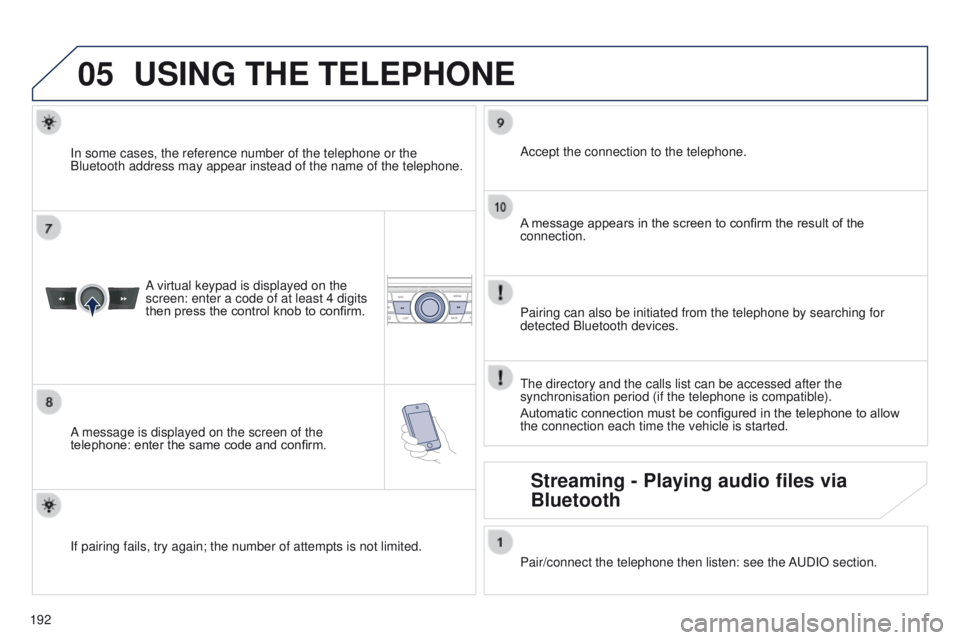
A virtual keypad is displayed on the
screen: enter a code of at least 4 digits
then press the control knob to confirm.
A message is displayed on the screen of the
telephone: enter the same code and confirm. A message appears in the screen to confirm the result of the
connection.
Pairing can also be initiated from the telephone by searching for
detected Bluetooth devices. Accept the connection to the telephone.
If pairing fails, try again; the number of attempts is not limited. The directory and the calls list can be accessed after the
synchronisation period (if the telephone is compatible).
Automatic connection must be configured in the telephone to allow
the connection each time the vehicle is started.
In some cases, the reference number of the telephone or the
Bluetooth address may appear instead of the name of the telephone.
Pair/connect the telephone then listen: see the AUDIO section.
Streaming - Playing audio files via
Bluetooth
Page 196 of 285
05
194
301_en_Chap12a_RD5(RD45)_ed01-2014
USING THE TELEPHONE
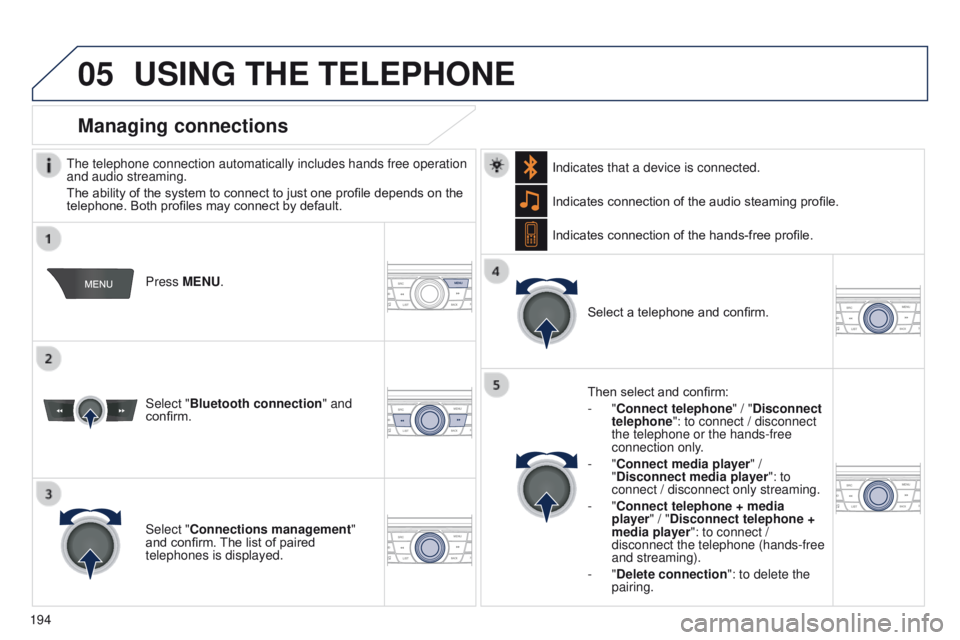
The telephone connection automatically includes hands free operation
and audio streaming.
The ability of the system to connect to just one profile depends on the
telephone. Both profiles may connect by default. Press MENU.
Select "Bluetooth connection " and
confirm. Indicates connection of the audio steaming profile.
Managing connections
Select "Connections management"
and confirm. The list of paired
telephones is displayed. Select a telephone and confirm.
Indicates connection of the hands-free profile.
Then select and confirm:
- "Connect telephone
" / "Disconnect
telephone": to connect / disconnect
the telephone or the hands-free
connection only.
- "Connect media player" /
"Disconnect media player": to
connect / disconnect only streaming.
- "Connect telephone + media
player" / "Disconnect telephone +
media player": to connect /
disconnect the telephone (hands-free
and streaming).
-
"Delete connection": to delete the
pairing.
Indicates that a device is connected.
Page 201 of 285
05
199
301_en_Chap12a_RD5(RD45)_ed01-2014
USING THE TELEPHONE
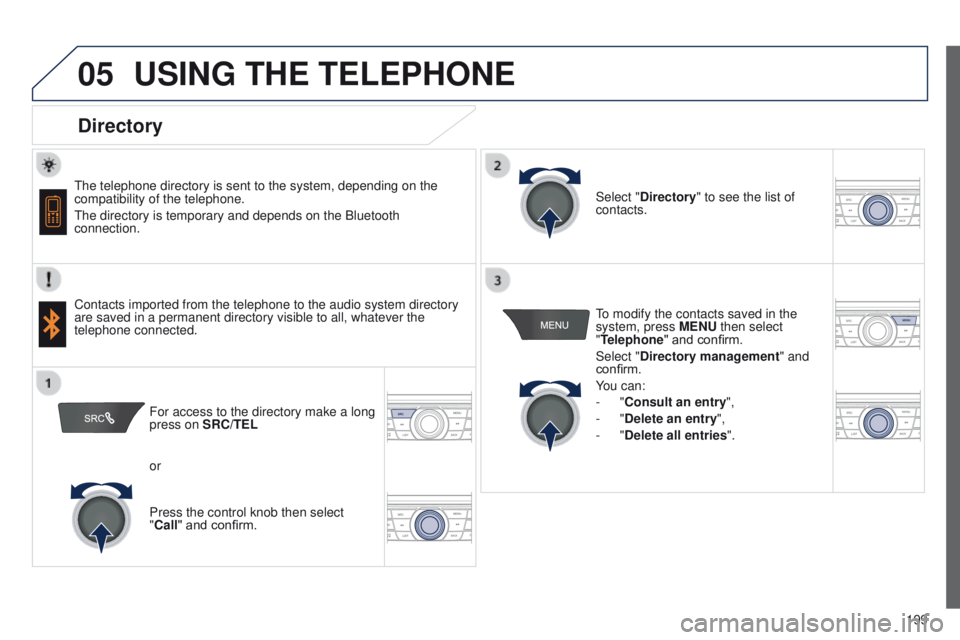
Directory
The telephone directory is sent to the system, depending on the
compatibility of the telephone.
The directory is temporary and depends on the Bluetooth
connection.
Contacts imported from the telephone to the audio system directory
are saved in a permanent directory visible to all, whatever the
telephone connected.To modify the contacts saved in the
system, press MENU then select
"Telephone" and confirm.
Select "Directory management
" and
confirm.
You can:
-
"Consult an entry",
-
"Delete an entry",
-
"Delete all entries".
Select "Directory
" to see the list of
contacts.
For access to the directory make a long
press on SRC/TEL
or
Press the control knob then select
"Call" and confirm.