wheel Peugeot 301 2017 Service Manual
[x] Cancel search | Manufacturer: PEUGEOT, Model Year: 2017, Model line: 301, Model: Peugeot 301 2017Pages: 306, PDF Size: 9.87 MB
Page 188 of 306
186
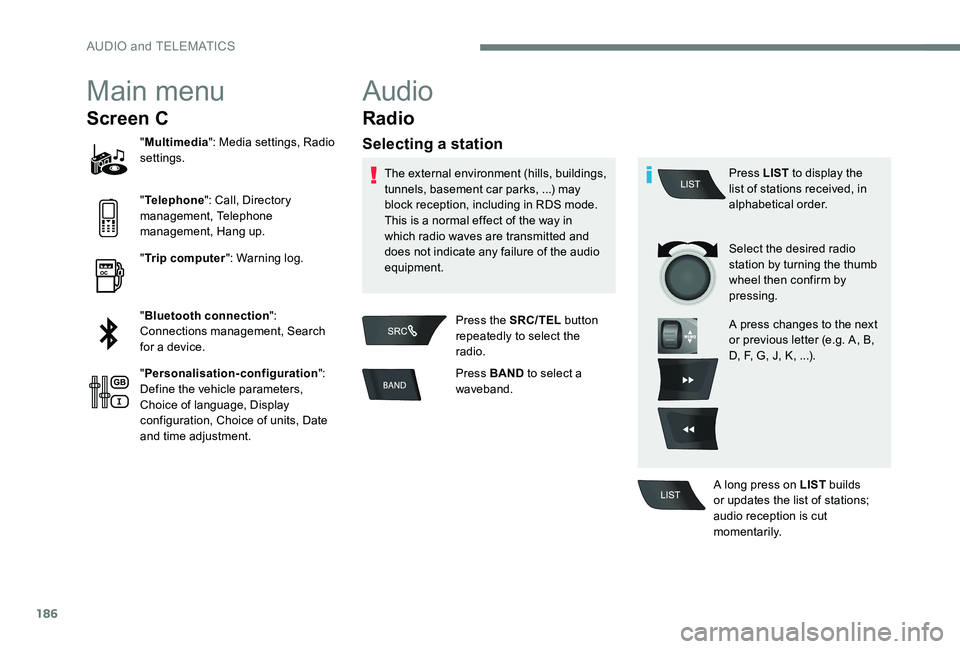
Main menu
Screen C
"Multimedia ": Media settings, Radio
settings.
" Telephone ": Call, Directory
management, Telephone
management, Hang up.
" Trip computer ": Warning log.
" Bluetooth connection ":
Connections management, Search
for a device.
" Personalisation-configuration ":
Define the vehicle parameters,
Choice of language, Display
configuration, Choice of units, Date
and time adjustment.
Audio
Radio
Selecting a station
The external environment (hills, buildings,
tunnels, basement car parks, ...) may
block reception, including in RDS mode.
This is a normal effect of the way in
which radio waves are transmitted and
does not indicate any failure of the audio
equipment.
Press the SRC/TEL button
repeatedly to select the
radio.
Press BAND to select a
waveband. Press LIST
to display the
list of stations received, in
alphabetical order.
Select the desired radio
station by turning the thumb
wheel then confirm by
pressing.
A press changes to the next
or previous letter (e.g. A, B,
D, F, G, J, K, ...).
A long press on LIST builds
or updates the list of stations;
audio reception is cut
m o m e nt a r i l y.
AUDIO and TELEMATICS
Page 189 of 306
187
TA
RDS
RDS, if displayed, makes it possible
to continue listening to the same radio
station using the alternative frequencies
function. However, in certain conditions,
coverage of an RDS station may not be
assured throughout the entire country
as radio stations do not cover 100% of
the territory. This explains the loss of
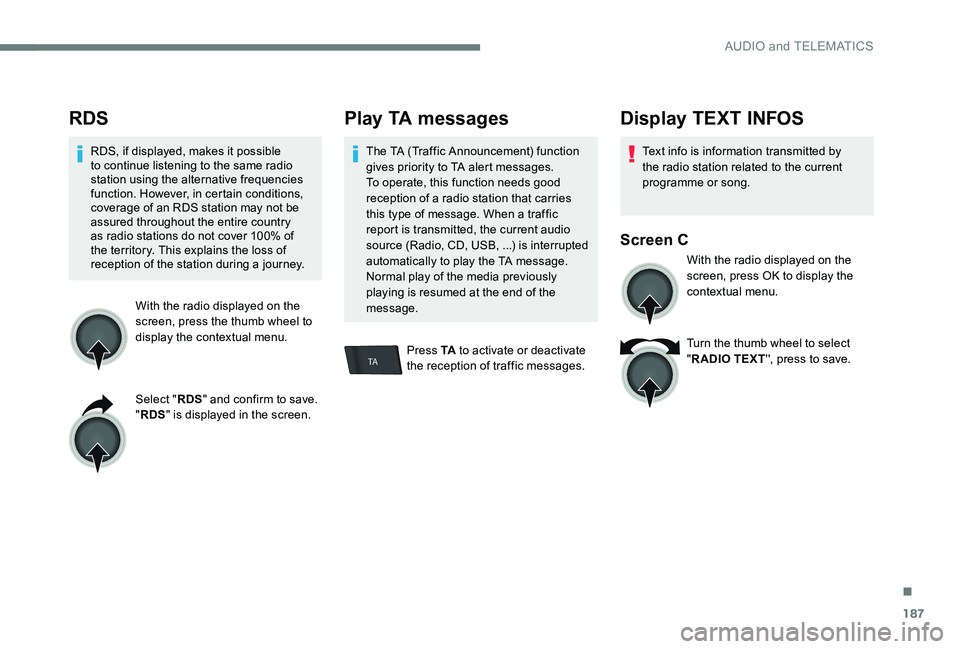
reception of the station during a journey.With the radio displayed on the
screen, press the thumb wheel to
display the contextual menu.
Select "RDS" and confirm to save.
" RDS " is displayed in the screen.
Play TA messages
The TA (Traffic Announcement) function
gives priority to TA alert messages.
To operate, this function needs good
reception of a radio station that carries
this type of message. When a traffic
report is transmitted, the current audio
source (Radio, CD, USB, ...) is interrupted
automatically to play the TA message.
Normal play of the media previously
playing is resumed at the end of the
message.
Press TA to activate or deactivate
the reception of traffic messages.
Display TEXT INFOS
Text info is information transmitted by
the radio station related to the current
programme or song.
Screen C
With the radio displayed on the
screen, press OK to display the
contextual menu.
Turn the thumb wheel to select
" R ADIO TEXT '', press to save.
.
AUDIO and TELEMATICS
Page 191 of 306
189
In order to be able to play a burned
CDR or CDRW, select standards
ISO 9660 level 1, 2 or Joliet if possible
when burning the CD.
If the disc is burned in another format, it
may not be played correctly.
It is recommended that the same
burning standard is always used on an
individual disc, with the lowest speed
possible (4x maximum) for the best
acoustic quality.
In the particular case of a multi-
session CD, the Joliet standard is
recommended.
Do not connect a hard disk or USB device
other than audio players to the USB
port. This may cause damage to your
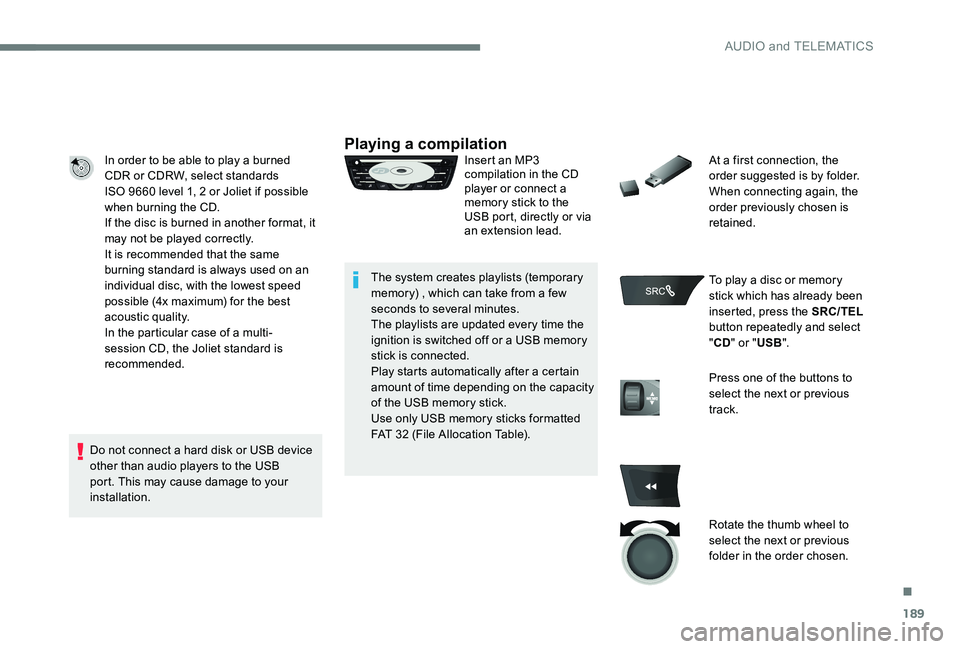
installation.Playing a compilationInsert an MP3
compilation in the CD
player or connect a
memory stick to the
USB port, directly or via
an extension lead.
The system creates playlists (temporary
memory) , which can take from a few
seconds to several minutes.
The playlists are updated every time the
ignition is switched off or a USB memory
stick is connected.
Play starts automatically after a certain
amount of time depending on the capacity
of the USB memory stick.
Use only USB memory sticks formatted
FAT 32 (File Allocation Table). At a first connection, the
order suggested is by folder.
When connecting again, the
order previously chosen is
retained.
To play a disc or memory
stick which has already been
inserted, press the SRC/TEL
button repeatedly and select
" CD " or " USB".
Press one of the buttons to
select the next or previous
track.
Rotate the thumb wheel to
select the next or previous
folder in the order chosen.
.
AUDIO and TELEMATICS
Page 193 of 306
191
APPLE® players or portable
player
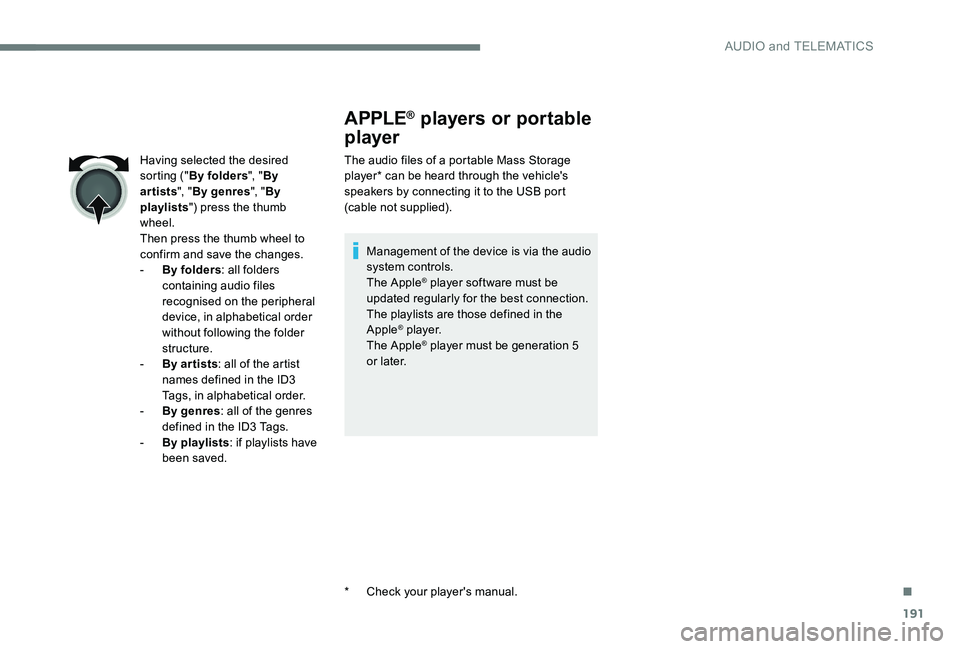
The audio files of a portable Mass Storage
player* can be heard through the vehicle's
speakers by connecting it to the USB port
(cable not supplied).
Management of the device is via the audio
system controls.
The Apple
® player software must be
updated regularly for the best connection.
The playlists are those defined in the
Apple
® p l aye r.
The Apple® player must be generation 5
or later.
*
C
heck your player's manual.
Having selected the desired
sorting ("
By folders ", "By
artists ", "By genres ", "By
playlists ") press the thumb
wheel.
Then press the thumb wheel to
confirm and save the changes.
-
B
y folders
: all folders
containing audio files
recognised on the peripheral
device, in alphabetical order
without following the folder
structure.
-
B
y ar tists : all of the artist
names defined in the ID3
Tags, in alphabetical order.
-
B
y genres : all of the genres
defined in the ID3 Tags.
-
By
playlists : if playlists have
been saved.
.
AUDIO and TELEMATICS
Page 194 of 306
192
VOL+
VOL-
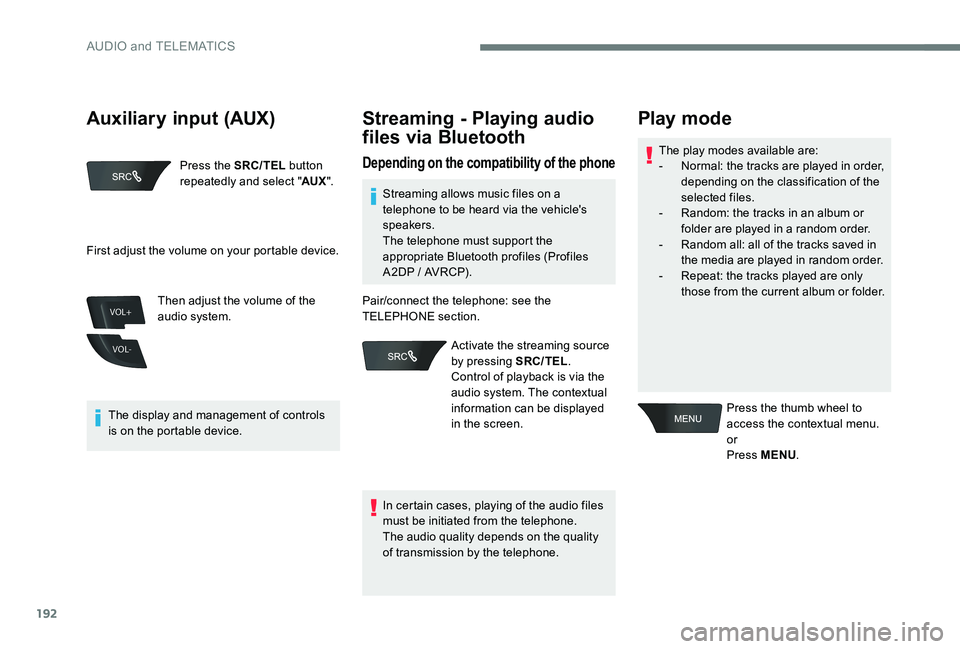
Press the SRC/TEL button
repeatedly and select " AUX".
The display and management of controls
is on the portable device. Then adjust the volume of the
audio system.
Streaming - Playing audio
files via Bluetooth
Depending on the compatibility of the phoneThe play modes available are:
-
N ormal: the tracks are played in order,
depending on the classification of the
selected files.
-
R
andom: the tracks in an album or
folder are played in a random order.
-
R
andom all: all of the tracks saved in
the media are played in random order.
-
R
epeat: the tracks played are only
those from the current album or folder.
Play mode
Press the thumb wheel to
access the contextual menu.
or
Press MENU .
First adjust the volume on your portable device.
Streaming allows music files on a
telephone to be heard via the vehicle's
speakers.
The telephone must support the
appropriate Bluetooth profiles (Profiles
A2DP / AVRCP).
In certain cases, playing of the audio files
must be initiated from the telephone.
The audio quality depends on the quality
of transmission by the telephone.
Pair/connect the telephone: see the
TELEPHONE section.
Activate the streaming source
by pressing SRC/TEL .
Control of playback is via the
audio system. The contextual
information can be displayed
in the screen.
Auxiliary input (AUX)
AUDIO and TELEMATICS
Page 195 of 306
193
Using the telephone
Pairing a telephone
First connection
The services offered depend on
the network, the SIM card and the
compatibility of the Bluetooth telephone
used.
Check the instructions for your telephone
and with your service provider for the
services to which you have access.
As a safety measure and because they
require prolonged attention on the part
of the driver, the operations for pairing
of the Bluetooth mobile telephone with
the Bluetooth hands-free system of your
audio system must be carried out with the
vehicle stationary and the ignition on.
Visit www.peugeot.co.uk for more
information (compatibility, more help, ...).
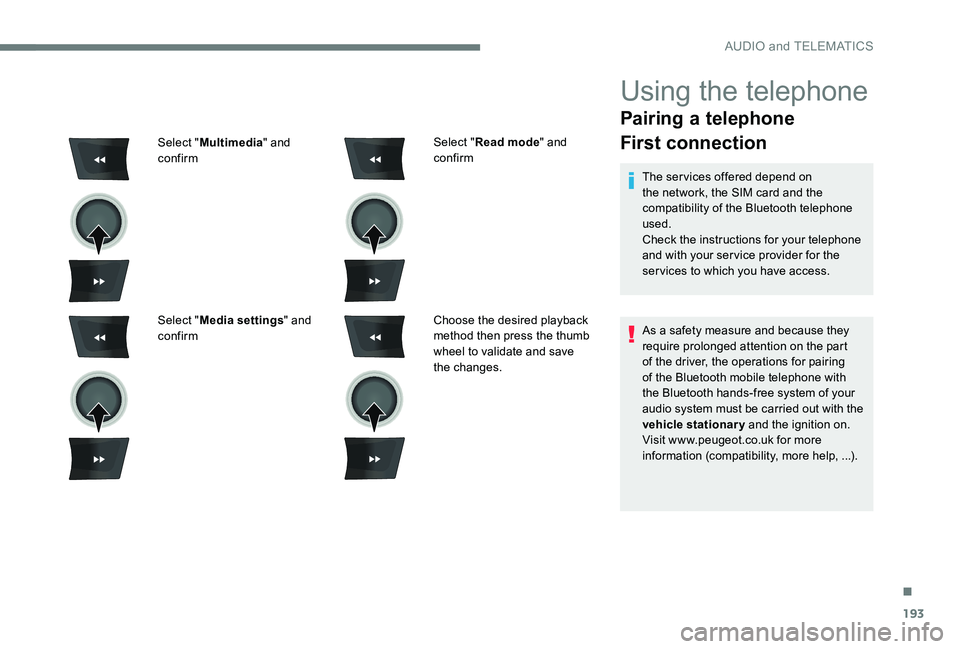
Select "
Read mode " and
confirm
Choose the desired playback
method then press the thumb
wheel to validate and save
the changes.
Select "
Multimedia " and
confirm
Select " Media settings " and
confirm
.
AUDIO and TELEMATICS
Page 199 of 306
197
Making a call - Dialling
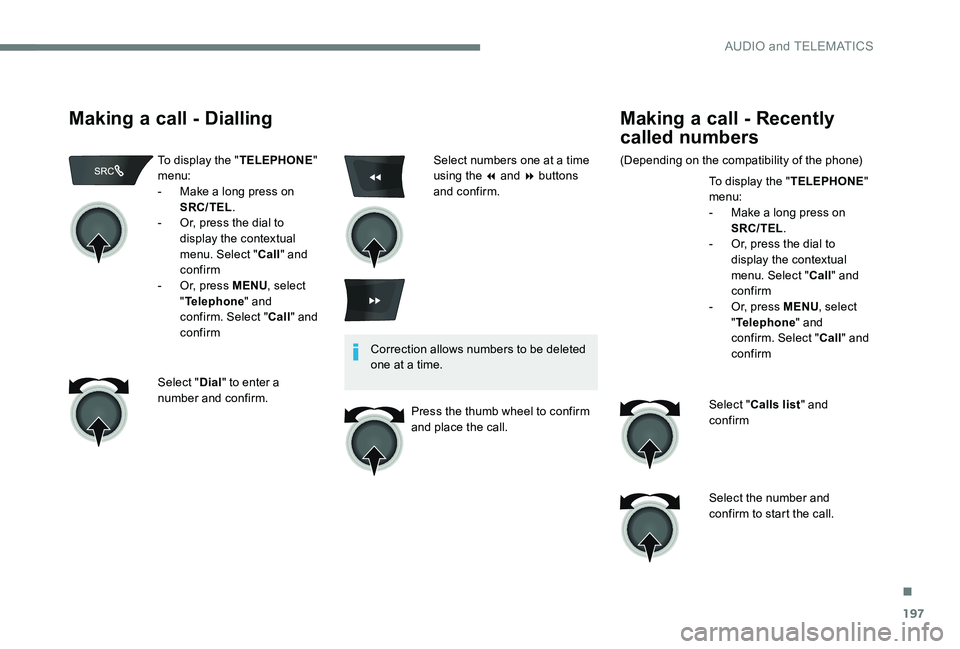
To display the "TELEPHONE"
menu:
-
M
ake a long press on
SRC/TEL .
-
O
r, press the dial to
display the contextual
menu. Select " Call" and
confirm
-
O
r, press MENU , select
" Telephone " and
confirm. Select " Call" and
confirm
Select " Dial" to enter a
number and confirm. Correction allows numbers to be deleted
one at a time.
Press the thumb wheel to confirm
and place the call.
Making a call - Recently
called numbers
(Depending on the compatibility of the phone) To display the "TELEPHONE"
menu:
-
M
ake a long press on
SRC/TEL .
-
O
r, press the dial to
display the contextual
menu. Select " Call" and
confirm
-
O
r, press MENU, select
" Telephone " and
confirm. Select " Call" and
confirm
Select " Calls list " and
confirm
Select the number and
confirm to start the call.
Select numbers one at a time
using the 7 and 8 buttons
and confirm.
.
AUDIO and TELEMATICS
Page 201 of 306
199
BACK
Receiving a call
An incoming call is announced by a ring and
a superimposed display in the multifunction
screen.
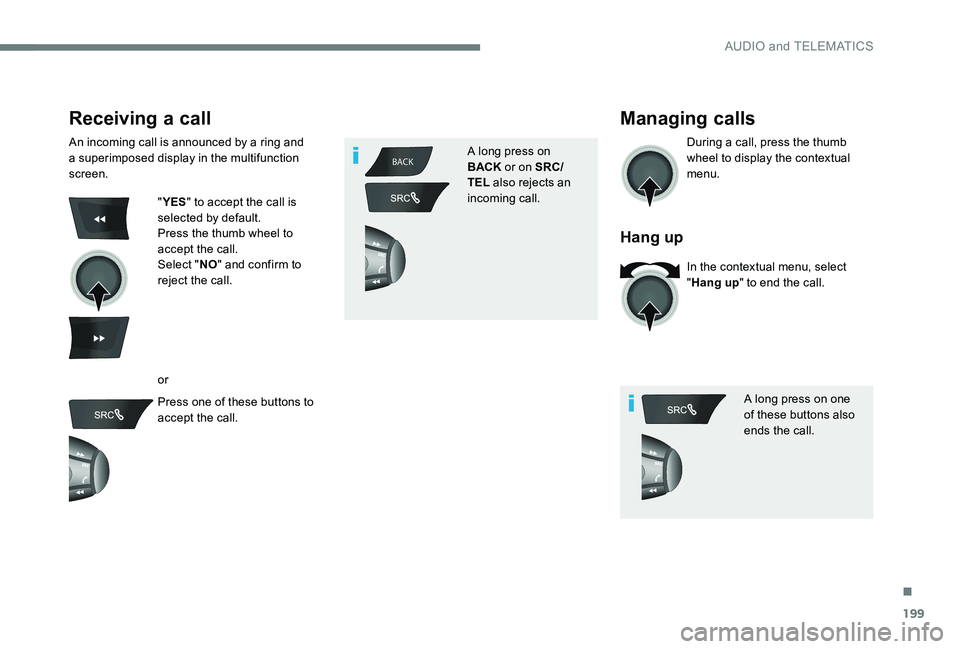
"YES " to accept the call is
selected by default.
Press the thumb wheel to
accept the call.
Select " NO" and confirm to
reject the call.
or
Press one of these buttons to
accept the call. A long press on
BACK
or on SRC/
TEL also rejects an
incoming call.
Managing calls
During a call, press the thumb
wheel to display the contextual
menu.
Hang up
In the contextual menu, select
" Hang up " to end the call.
A long press on one
of these buttons also
ends the call.
.
AUDIO and TELEMATICS
Page 203 of 306
201
Directory
The directory of the
telephone is transmitted
to the system, depending
on the compatibility of the
telephone.
The directory is temporary
and depends on the
Bluetooth connection.
The contacts, imported from
the telephone to the audio
system directory, are saved
in a permanent directory
visible to all, regardless of
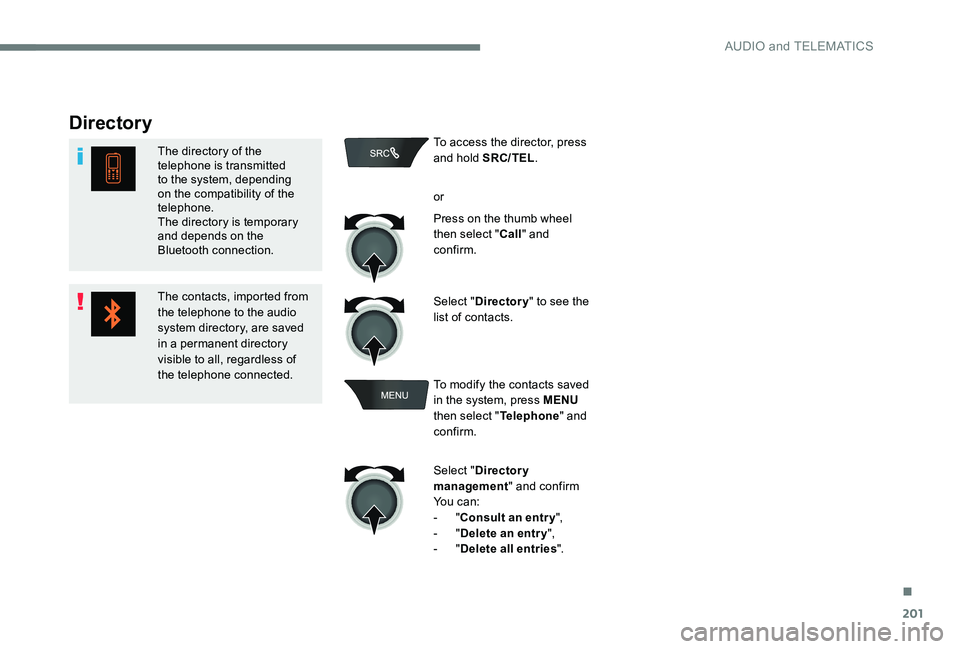
the telephone connected.To access the director, press
and hold SRC/TEL
.
or
Press on the thumb wheel
then select " Call" and
confirm.
Select " Directory " to see the
list of contacts.
To modify the contacts saved
in the system, press MENU
then select " Telephone" and
confirm.
Select " Directory
management " and confirm
Yo u c a n :
-
"Consult an entr y ",
-
"Delete an entry ",
-
"Delete all entries ".
.
AUDIO and TELEMATICS
Page 220 of 306
218
Accessories .................................................... 70
AdBlue® ............................................ 20, 132-13 4
Additive, AdBlue .............................................. 27
Adjusting head restraints
................................ 47
Adjusting seat
................................................. 46
Adjusting the date
........................................... 31
Adjusting the height of the steering wheel
.....50
Adjusting the time
...................................... 31- 32
Advice on care and maintenance
.........140, 142
Advice on driving
.......................................... 101
Airbags
...............................
................18, 83 , 90
Airbags, curtain
............................................... 86
Airbags, front ....................................... 83-84, 86
Airbags, lateral
.......................................... 85-86
Air conditioning, automatic
.............................59
Air conditioning, electronic (with display screen)
............................... 54-56
Air conditioning, manual
................................. 59
A
ir conditioning, manual
(without display screen)
..........................52-53
Alarm
......................................................... 39-40
Anti-lock braking system (ABS)
................17, 77
Anti-theft
....................................................... 102
Armrest
................
............................................ 60
Armrest, front
.................................................. 61
Ashtray
...............
............................................. 60
Ashtray, portable
............................................. 60
ASR
........
.................................................... 18 -19
Assistance call
...............................
............72-73
Assistance, emergency braking
.....................77
Audible warning
.............................................. 71
A
udio streaming (Bluetooth)
.................192, 195 Capacity, fuel tank
........................................129
Cap, fuel filler
...............................
.................129
CD
.................................................................188
CD, MP3
.................................................188 -189
Central locking
.......................................... 3
6 -37
Changing a bulb
............. 16
1, 162-163 , 165, 166
Changing a fuse
............................. 16
7-169, 171
Changing a wheel
.................................. 15
4 -15 6
Changing a wiper blade
.......................... 68,
13 8
Changing the remote control battery
..............37
Charactristics (engine)
..................................179
Checking the levels
................................143 -145
AB
C
Battery ...................................... 14, 146 , 172-176
Battery, charging ........................................... 174
Battery, remote control
..............................37- 3 8
Blanking screen (snow shield)
......................13 9
BlueHDi
....................................... 21, 25 , 27, 132
Bluetooth (hands-free)
.................................. 19
3
Bonnet
........................................................... 141
Boot
........................................................... 15, 43
Boot (opening)
...............................
..................36
Brake discs
.................................................... 147
Brake fluid
....................................................... 13
Brake lamps
...............................
...................165
Brakes
........................................................... 147
Braking
...............
............................................. 13
Braking assistance system
.............................77
Bulbs (changing)
................................... 161, 165
D
Date (setting) ................................................... 31
Daytime running lamps ...................................66
Deactivating the passenger airbag
.....83-84 , 90
Defrosting
............................................ 52-53, 58
Defrosting, front
.............................................. 57
Checking tyre pressures
(using the kit)
...............................
14 9 -15 0, 152
Checks
...........................................
142, 146 -147
Checks, routine
......................................
146 -147
Child lock
...........................................
94, 9 9 -10 0
Children
...............................................
94, 98-99
Children (safety)
............................................
10 0
Child seats
.......................
8
2
, 87- 8 9 , 93-94 , 96
Child seats, conventional
................................
93
Child seats, ISOFIX ...................................
97- 9 9
Cigar lighter
.....................................................
62
Cleaning (advice)
..........................................
140
Clock
...............................................................
31
Closing the boot ..................................
36 -37, 43
Closing the doors
......................................
36 -37
Control, electric windows
................................
45
Control, emergency boot release
...................
44
Control, heated seats
......................................
48
Control stalk, lighting
......................................
23
Control stalk, wipers
.......................................
68
C
ourtesy lamps ...............................................
69
Cruise control
.........................................
12 2-124
Cup holder .......................................................
60
Alphabetical index