wheel Peugeot 301 2017 Workshop Manual
[x] Cancel search | Manufacturer: PEUGEOT, Model Year: 2017, Model line: 301, Model: Peugeot 301 2017Pages: 306, PDF Size: 9.87 MB
Page 221 of 306
219
Economy mode .............................................13 7
Electronic brake force distribution (EBFD) .....77
Emergency braking assistance (EBA)
............77
Emergency call
.......................................... 72-73
Emergency warning lamps
.............................71
Emissions control system, SCR
...............21, 29
Energy economy mode
................................. 13
7
Engine
................................................ 15 -16, 179
Engine compartment
.................................... 14
2
Engine, Diesel
......................... 16, 131 , 148 , 181
Engine, petrol
...............................
.131 , 142 , 18 0
Engines
.................................................. 179 -181
Environment
.................................................... 38E
F
G
H
I
Filling the AdBlue tank ..................................13 4
Filling the fuel tank ................................. 12 9 -131
Filter, air
........................................................ 146
Filter, oil
................
......................................... 146
Filter, particle
......................................... 145 -146
Filter, passenger compartment
.....................146
Fitting a wheel
................................ 157, 15 9 -16 0
Fitting roof bars
............................................. 140
Fittings, interior
............................................... 60
F
lap, fuel filler
......................................... 12 9 -13 0
Flashing indicators
............................23, 71 , 162
Fluid, engine coolant
....................................... 15
Foglamp, rear
.............................. 22, 64-65 , 165
Foglamps, front
........................... 23, 64-65 , 163
Fuel ................................................................ 131
Fuel tank ........................................................ 13 0
Fusebox, dashboard
......................167-169, 171
Fusebox, engine compartment
......167-169 , 171
Fuses
.............................................. 16
7-169, 171
Gauge, fuel .................................................... 129
Gearbox, automatic
................11 0 -114, 147, 172
Gearbox, electronic
10
6 -109, 11 6 -118 , 147, 172
Gearbox, manual
.................................. 105, 147
Gear lever, automatic gearbox
...............111 -114
Gear lever, electronic gearbox
.....................147
Gear lever, manual gearbox
.........................105
Gear shift indicator ~ Gear efficiency indicator
..................................... 115
Glove box
........................................................ 60Hazard warning lamps
....................................
71
Hazard warning lamps, automatic operation
...................................... 71
h
eadlamp adjustment
.....................................67
Headlamps, dipped beam
.......................23, 163
Headlamps, halogen
.....................................161
Headlamps, main beam
..........................23, 162
Head restraints, front
......................................47
Head restraints, rear
.......................................49
Heating
................................................ 5
2-56, 59
Horn ................................................................. 71
Ignition
................
...........................................104
Immobiliser, electronic
............................38, 102
Indicator lamps, operation
.............................. 12
I
ndicators, direction
................................71, 162
Inflating tyres
................................................183
Inflating tyres and accessories (using the kit)
...............................14 9 -15 0, 152
Input, auxiliary
.......................................192, 213
ISOFIX
............................................................98
Isofix mountings
........................................97, 99
Defrosting, lower windscreen
.........................
58
Demisting
.................................................. 52-53
Demisting, front
............................................... 57
D
emisting, rear screen
................................... 58
Dimensions
..............................
..................... 182
Dipstick
................
................................... 143 -14 4
Direction indicators
................... 23, 71 , 162 , 165
Display screen, instrument panel
................. 115
Door pockets
...............................
.................... 60
Doors
......................................................... 15, 41
DSC
............................................................ 18 -19
Dynamic stability control (DSC)
........... 19, 7 7-79
.
Alphabetical index
Page 222 of 306
220
Key .................................................................. 22
Key with remote control ....................3
6-38, 102
Kit, hands-free
.............................................. 19
3
Kit, temporary puncture repair
....... 1
4 9 -15 0, 152 Maintenance (advice)
....................................
14
0
Map reading lamps
......................................... 69
M
arkings, identification
.................................
183
Mat
..................................................................
63
Menu, main
................................................... 18
6
Mirror, rear view ..............................................
51
Mirrors, door .............................................. 5 0 - 51
Mirror, vanity
...................................................
60
Misfuel prevention
.........................................
13 0
Mountings, Isofix
.......................................
97, 99
MP3 CD ..................................................
188 -189K
J
L
M
N
O
Labels, identification ..................................... 183
Lamps, front .................................................. 161
Level, brake fluid
........................................... 14 4
Level, Diesel additive
.................................... 145
Level, engine coolant
.................................... 145
Level, engine oil
..................................... 143 -14 4
Levels and checks
..............................
...142-145
Level, screenwash fluid
................................14
5
Lighting, guide-me home
................................66
Lighting, interior
...............................
...............69
Loading
......................................................... 140
Load reduction mode
.................................... 137
Locating your vehicle
...................................... 37
Low fuel level
.......................................... 16,
129Number plate lamps
......................................
166
OIl, engine
...............................
...................13 -14
Opening the bonnet
......................................141
Opening the boot
......................................36, 43
Opening the doors
....................................36, 41
Jack
...............................
.........................
15 4 -15 6
Jump starting
................................................
173 Pads, brake
...................................................
147
Paint colour code ..........................................
183
Parking brake
..................................
13, 105 , 147
Parking sensors, rear .................................... 125
Player, MP3 CD
...............................
.......
188 -189
Port, USB ................................................
62, 19 0
Power steering
...............................
.................
19
Pre-heater, Diesel
...........................................
16
Pressures, tyres
....................................
153, 183
Pre-tensioning seat belts
................................
82
Priming the fuel system ................................
148
Protecting children
.......
83-84 , 87- 8 9 , 94, 98-99
Puncture
.........................................
14 9 -15 0, 152
P
RRadio ............................................................. 18 6
Range, AdBlue ................................................ 27
Rear screen, demisting
...................................58
Recharging the battery
.................................174
Reduction of electrical load
..........................137
Regeneration of the particle filter
.................146
Reinitialisation of the under- inflation detection system
.............................75
Reinitialising the remote control
..................... 37
R
eminder, key in ignition
...............................10
4
Reminder, lighting on
...................................... 65
R
emote control
.......................................... 36-38
Removing a wheel
.........................157, 15 9 -16 0
Removing the mat
........................................... 63
Replacing bulbs
.................................... 16
1, 165
Alphabetical index
Page 223 of 306
221
Tables of engines ................................... 18 0 -181
Tables of fuses ............................... 167-169, 171
Ta n k , f u e l
................................................ 12 9 -13 0
Technical data
........................................ 18
0 -181
Telephone
..............................
.......................195
Temperature, coolant
................................13, 15
Third brake lamp
........................................... 166
Three flashes (direction indicators)
................ 71
T
ime (setting)
............................................. 31- 32
S
T
Safety, children .......................83-84, 87- 8 9 , 98
Screen, multifunction (with audio system)
..................................... 18
6
Screens, very cold conditions
....................13
9
Screenwash, front
........................................... 68
SCR (Selective Catalytic Reduction)
............132
SCR system
.................................................. 132
Seat belts
............................................ 80-82, 93
Seats, front
...............................
.......................46
Seats, heated
.................................................. 48
Seats, rear
................................................. 48-49
Selector, gear
......................................... 1 0 6 -113
Serial number, vehicle
..................................183
Service
............................................................ 22
Service indicator
....................................... 25 -26
Sidelamps
............................................. 16
3, 165
Replacing fuses
.............................
167-169, 171
Replacing the air filter
................................... 14
6
Replacing the oil filter
................................... 14
6
Replacing the passenger compartment filter
......................................
146
Reservoir, screenwash
.................................
145
Resetting the service indicator
.......................
26
Resetting the trip recorder
..............................
30
Reversing camera
...............................
..........
127
Reversing lamps
..............................
.............
165
Roof bars
.......................................................
140
Running out of fuel (Diesel) ..........................
148Side repeater
................................................
16 4
Snow chains
..................................................
13 6
Socket, 12 V accessory ..................................
62
Socket, auxiliary
............................................ 19
1
Socket, JACK
..........................................
62, 191
Sockets, audio
......................... 62
, 19 0 -191
, 213
Sockets, auxiliary
...............................
...........
213
Speed limiter
.......................................... 11
9 -12 1
Stability control (ESC)..................................... 77
Starting a Diesel engine
............................... 13
1
Starting the vehicle
................. 10
2-104
, 1 0 6 -114
Starting using another battery
......................
173
Stay, bonnet
..................................................
141
Steering mounted controls, audio
................ 18
5
Steering wheel, adjustment
............................ 50
S
topping the vehicle
...............
102-104, 1 0 6 -114
Stop & Start
.....
22-23 , 35, 59, 11 6 -118 , 172, 176
Storage
......................................................
60 - 61
Storage box
.....................................................
63
Sun visor
...............................
..........................
60To o l s
.......................................................
15 4 -15 6
Total distance recorder
...................................
30
To w b a r
...............................
............................
13 9
Towed loads
..................................................
179
Towing another vehicle
..........................
17 7-178
Traction control (ASR)
.........................
19, 7 7-79
Traffic information (TA)
.................................
187
Tr a i l e r
...............
..............................
13 9, 18 0 -181
Trajectory control systems
..............................
77
T
rip computer
............................................
33-35
Trip distance recorder
..................................... 3
0
Ty r e s
..............................................................
183
Tyre under-inflation detection
............
74 -76, 153
Under-inflation (detection) ........................17, 74
Unlocking
........................................................36
Unlocking the boot
...............................
...........36
Updating the date
............................................ 31
U
pdating the time
...............................
........31- 32
UREA
..............................................................27U
.
Alphabetical index
Page 224 of 306
222
V
W
Ventilation ........................................... 52-56, 59
Warning and indicator lamps
.......................... 12
W
arning lamp, Diesel engine pre-heater
.......16
Warning lamps
................................................ 12
Warning lamp, SCR emissions control system
.............................................. 21
Washing (advice) ................................... 140, 142
Weights
...............
.......................................... 179
Wheel, spare
...............................
..15 4 -15 6 , 183
Window controls
............................................. 45
Windscreen, heated
........................................ 58
Wiper blades (changing)
.........................68, 13 8
Wipers
............................................................. 68
Alphabetical index
Page 235 of 306
3
In the "Settings" menu you can create
a profile for just one person or a group
of people with common features, with
the possibility of entering a multitude of
settings (radio presets, audio settings,
navigation history, contact favourites, ...);
these settings are taken into account
automatically.
In very hot conditions, the volume may
be limited to protect the system. It may go
into standby (screen and sound off) for at
least 5 minutes.
The return to normal takes place when
the temperature in the passenger
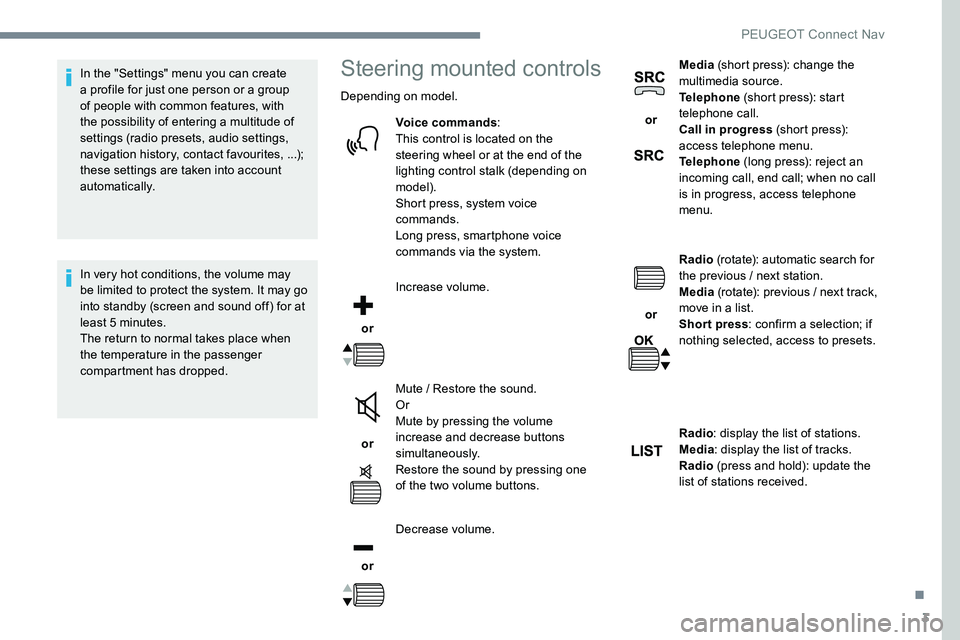
compartment has dropped.Steering mounted controls
Depending on model.Voice commands :
This control is located on the
steering wheel or at the end of the
lighting control stalk (depending on
model).
Short press, system voice
commands.
Long press, smartphone voice
commands via the system.
or Increase volume.
or Mute / Restore the sound.
Or
Mute by pressing the volume
increase and decrease buttons
simultaneously.
Restore the sound by pressing one
of the two volume buttons.
or Decrease volume. or
Media
(short press): change the
multimedia source.
Telephone (short press): start
telephone call.
Call in progress (short press):
access telephone menu.
Telephone (long press): reject an
incoming call, end call; when no call
is in progress, access telephone
menu.
or Radio
(rotate): automatic search for
the previous / next station.
Media (rotate): previous / next track,
move in a list.
Short press : confirm a selection; if
nothing selected, access to presets.
Radio : display the list of stations.
Media : display the list of tracks.
Radio (press and hold): update the
list of stations received.
.
PEUGEOT Connect Nav
Page 238 of 306
6
First steps
Example of a "voice command" for
navigation:
"Navigate to address" "11 Regent
Street, London".
Example of a "voice command" for
the radio and media:
"Play ar tist" "Madonna" .
Example of a "voice command" for
the telephone:
"Call David Miller" .
The voice commands, with a choice of
12 languages (English, French, Italian,
Spanish, German, Dutch, Portuguese,
Polish, Turkish, Russian, Arabic,
Brazilian), are made using the language
previously chosen and set in the system.
For some voice commands, there are
alternative synonyms.
Example: Guide to / Navigate to /
Go to / ...
The voice commands in Arabic for:
"Navigate to address" and "Display POI in
the city", are not available.
Information - Using the
system
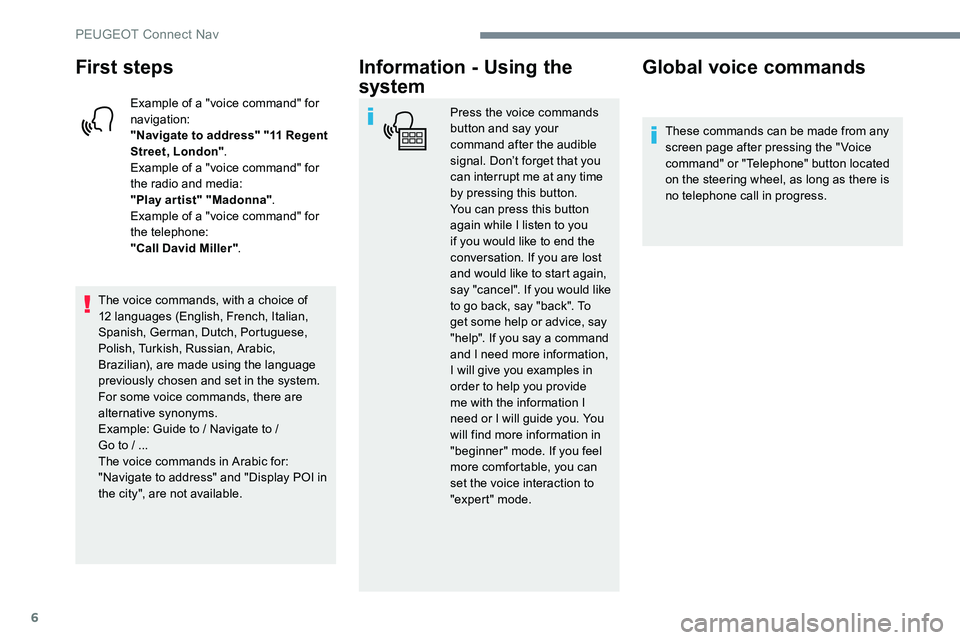
Press the voice commands
button and say your
command after the audible
signal. Don’t forget that you
can interrupt me at any time
by pressing this button.
You can press this button
again while I listen to you
if you would like to end the
conversation. If you are lost
and would like to start again,
say "cancel". If you would like
to go back, say "back". To
get some help or advice, say
"help". If you say a command
and I need more information,
I will give you examples in
order to help you provide
me with the information I
need or I will guide you. You
will find more information in
"beginner" mode. If you feel
more comfortable, you can
set the voice interaction to
"expert" mode.
Global voice commands
These commands can be made from any
screen page after pressing the " Voice
command" or "Telephone" button located
on the steering wheel, as long as there is
no telephone call in progress.
PEUGEOT Connect Nav
Page 239 of 306
7
"Navigation" voice
commands
These commands can be made from any
screen page after pressing the " Voice
command" or "Telephone" button located
on the steering wheel, as long as there is
no telephone call in progress.
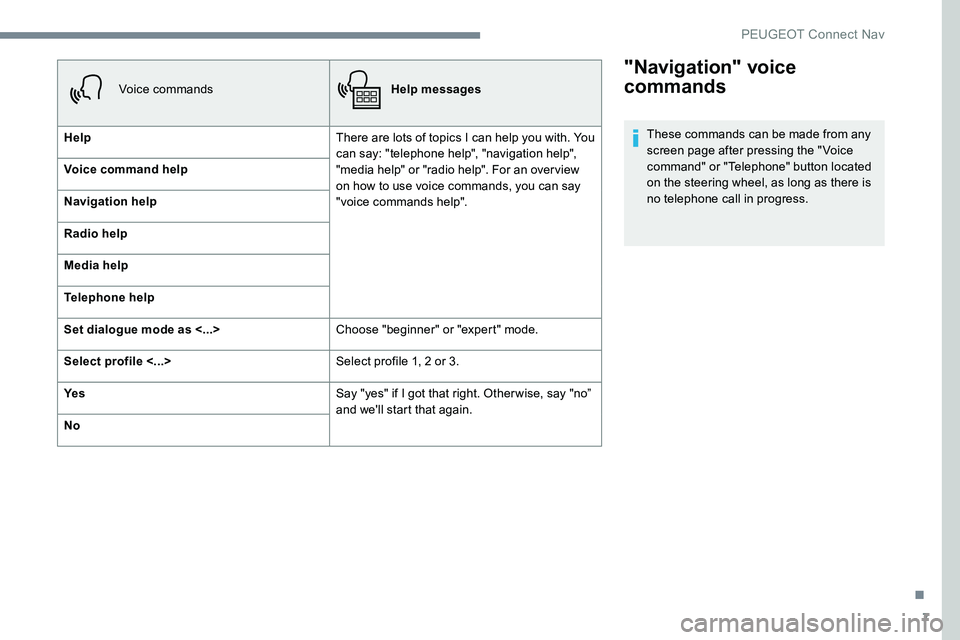
Voice commands
Help messages
Help There are lots of topics I can help you with. You
can say: "telephone help", "navigation help",
"media help" or "radio help". For an overview
on how to use voice commands, you can say
"voice commands help".
Voice command help
Navigation help
Radio help
Media help
Telephone help
Set dialogue mode as <...>
Choose "beginner" or "expert" mode.
Select profile <...> Select profile 1, 2 or 3.
Ye s Say "yes" if I got that right. Other wise, say "no”
and we'll start that again.
No
.
PEUGEOT Connect Nav
Page 240 of 306
8
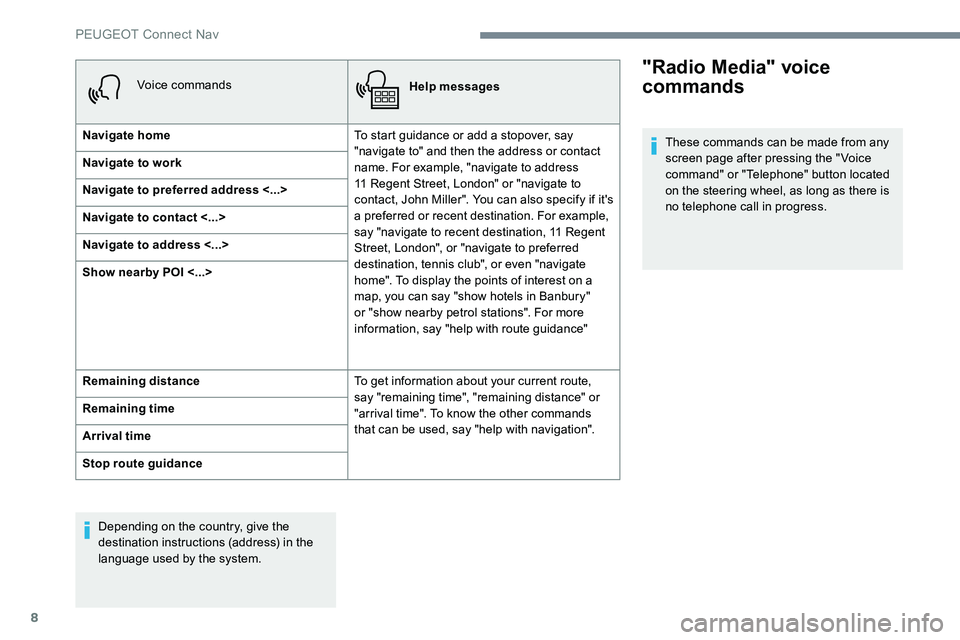
Voice commandsHelp messages
Navigate home To start guidance or add a stopover, say
"navigate to" and then the address or contact
name. For example, "navigate to address
11 Regent Street, London" or "navigate to
contact, John Miller". You can also specify if it's
a preferred or recent destination. For example,
say "navigate to recent destination, 11 Regent
Street, London", or "navigate to preferred
destination, tennis club", or even "navigate
home". To display the points of interest on a
map, you can say "show hotels in Banbury"
or "show nearby petrol stations". For more
information, say "help with route guidance"
Navigate to work
Navigate to preferred address <...>
Navigate to contact <...>
Navigate to address <...>
Show nearby POI <...>
Remaining distance
To get information about your current route,
say "remaining time", "remaining distance" or
"arrival time". To know the other commands
that can be used, say "help with navigation".
Remaining time
Arrival time
Stop route guidance
Depending on the country, give the
destination instructions (address) in the
language used by the system."Radio Media" voice
commands
These commands can be made from any
screen page after pressing the " Voice
command" or "Telephone" button located
on the steering wheel, as long as there is
no telephone call in progress.
PEUGEOT Connect Nav
Page 241 of 306
9
Voice commandsHelp messages
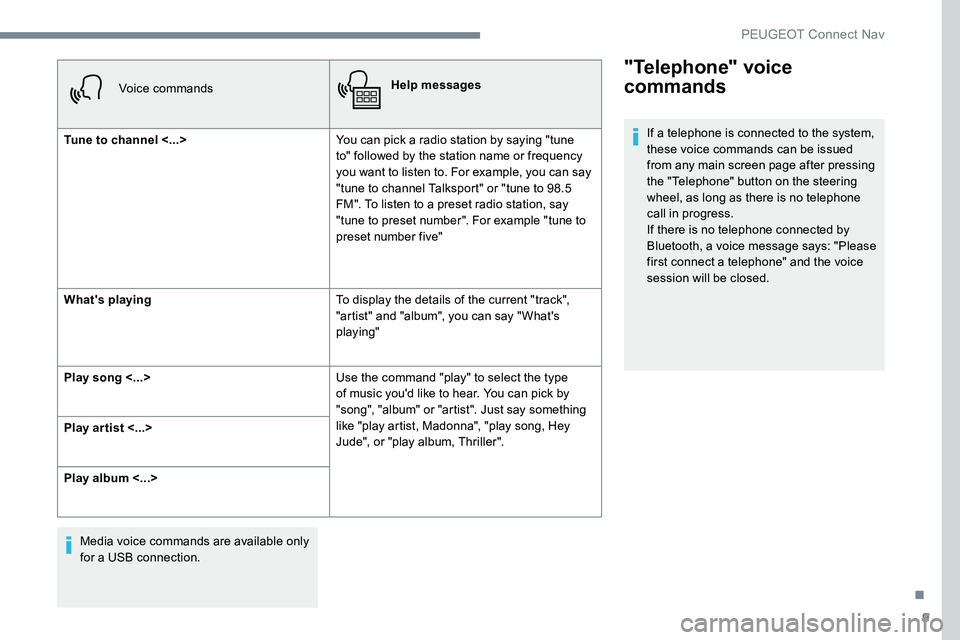
Tune to channel <...> You can pick a radio station by saying "tune
to" followed by the station name or frequency
you want to listen to. For example, you can say
"tune to channel Talksport" or "tune to 98.5
FM". To listen to a preset radio station, say
"tune to preset number". For example "tune to
preset number five"
What's playing To display the details of the current "track",
"artist" and "album", you can say " What's
playing"
Play song <...> Use the command "play" to select the type
of music you'd like to hear. You can pick by
"song", "album" or "artist". Just say something
like "play artist, Madonna", "play song, Hey
Jude", or "play album, Thriller".
Play ar tist <...>
Play album <...>
Media voice commands are available only
for a USB connection.
"Telephone" voice
commands
If a telephone is connected to the system,
these voice commands can be issued
from any main screen page after pressing
the "Telephone" button on the steering
wheel, as long as there is no telephone
call in progress.
If there is no telephone connected by
Bluetooth, a voice message says: "Please
first connect a telephone" and the voice
session will be closed.
.
PEUGEOT Connect Nav
Page 242 of 306
10
Voice commandsHelp messages
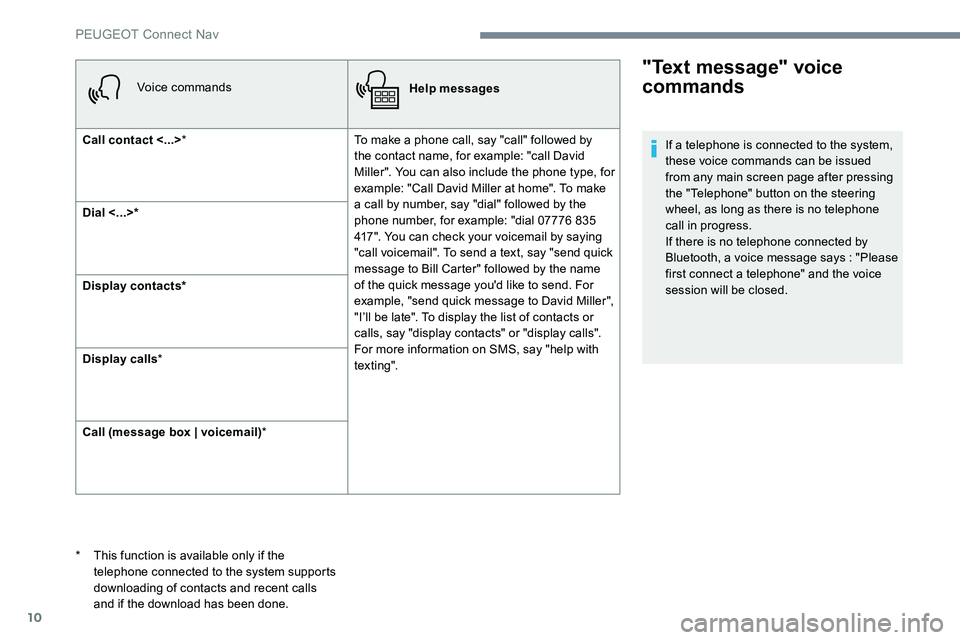
Call contact <...> * To make a phone call, say "call" followed by
the contact name, for example: "call David
Miller". You can also include the phone type, for
example: "Call David Miller at home". To make
a call by number, say "dial" followed by the
phone number, for example: "dial 07776 835
417". You can check your voicemail by saying
"call voicemail". To send a text, say "send quick
message to Bill Carter" followed by the name
of the quick message you'd like to send. For
example, "send quick message to David Miller",
"I’ll be late". To display the list of contacts or
calls, say "display contacts" or "display calls".
For more information on SMS, say "help with
tex t ing".
Dial <...>*
Display contacts*
Display calls
*
Call (message box | voicemail) *
"Text message" voice
commands
* This function is available only if the
telephone connected to the system supports
downloading of contacts and recent calls
and if the download has been done. If a telephone is connected to the system,
these voice commands can be issued
from any main screen page after pressing
the "Telephone" button on the steering
wheel, as long as there is no telephone
call in progress.
If there is no telephone connected by
Bluetooth, a voice message says : "Please
first connect a telephone" and the voice
session will be closed.
PEUGEOT Connect Nav