Radio Peugeot 307 CC 2003 User Guide
[x] Cancel search | Manufacturer: PEUGEOT, Model Year: 2003, Model line: 307 CC, Model: Peugeot 307 CC 2003Pages: 173, PDF Size: 2.12 MB
Page 51 of 173

22-09-2003
YOUR 307 CC IN DETAIL
52
GENERAL FUNCTIONS On/off With the ignition switch in the accessories position or with the ignition on, press button Ato switch the audio
function of the RT3 audio/telephone on or off. Note: in the absence of an ignition key, press button Ato switch the telematics system on or off.
The RT3 audio/telephone can operate for 30 minutes without switching the vehicle ignition on.
Notes:
Ð the SIM card must be removed only after the audio/telephone has been switched off,
Ð following automatic switching off of the audio/telephone after 30 minutes it is possible to make a telephone call by pres- sing button D,
Ð after the ignition has been switched off, the audio/telephone can be switched on again by pressing buttons D, E , V or by
inserting a CD in the player.
Anti-theft system
The RT3 audio/telephone is coded in such a way that it can operate only on your vehicle. If fitting it to another vehicle, cons ult
your PEUGEOT dealer for configuration of the system. The anti-theft system is automatic and requires no action on your part. ADJUSTING THE VOLUME
Turn button Aclockwise to increase the volume of the audio/telephone or anti-clockwise to decrease it.
Note: the volume setting is specific to each source. It is possible to have different settings for radio, CD or CD changer.
AUDIO SETTINGS Press button Uto access Bass, Treble, Loudness, Fader (front/rear balance), Balance(left/right balance)
and Automatic volume adjustment settings.
Exit from audio mode is automatic after a few seconds without any action, or by pressing the "ESC"button.
Note: bass, treble and loudness settings are specific to each source. It is possible to have different settings
for radio, CD or CD changer.
Page 53 of 173

22-09-2003
YOUR 307 CC IN DETAIL
54
RADIO Notes on radio reception
Car radio/telephone receivers are subject to phenomena which do not affect domestic radio sets. Both MW/LW and FM are sub-
ject to various forms of interference. This is not a reflection on the quality of the equipment, but is due to the nature of the signalsand the way in which they are transmitted.
On MW/LW interference may be noticed when passing under high voltage power lines or bridges, or in tunnels.
On FM, interference may be the result of the increasing distance from the transmitter, deflection of the signals by obstacles ( moun-
tains, hills, buildings etc.) or of being in an area which is not covered by a transmitter. Selecting the radio
Press "SOURCE" several times.
Selecting a waveband Briefly pressing button 'BAND/AST'to select the FM1, FM2, FMast and AM wavebands.
Automatic station search Briefly press button Mor Nto search for the station immediately above or below.
The search stops at the first station found. If the TAtraffic programme is selected, only the most powerful stations broadcasting this type of pro-
gramme are selected.
Searching for a station occurs first in 'LO'sensitivity (selection of the most powerful transmitters) for scanning of the wave-
band, then in 'DX'sensitivity (selection of the weaker and more distant transmitters).
To make a direct search in 'DX'sensitivity, briefly press button Mor Ntwice.
Page 55 of 173

22-09-2003
YOUR 307 CC IN DETAIL
56
RDS SYSTEM Using the RDS (Radio Data System) function on FM Radio Data System allows you to continue listening to the same station, whatever frequency it is using for the region you are going through. Briefly press the "RDS"button to switch the function on or off.
The multi-function screen will show: Ð RDS if the function is active
Ð RDS crossed out or greyed out if the function is active but not available.
RDS station following
This display indicates the name of the station selected. The audio/telephone continuously searches for the transmitter which
transmits the same programme with the best reception. This search may cause slight interference with the transmission.
Traffic information programme Press the "TA/PTY" button to switch the function on or off.
The multi-function screen will show: Ð TA if the function is selected
Ð TA crossed out or greyed out if the function is selected but not available.
Any traffic information flash will be given priority, whatever source you are listening to (radio, CD or CD changer).If you wish to interrupt the broadcasting of a message, press the "TA/PTY"button.
Note: the volume of the traffic information is independent of the volume of normal radio/telephone listening . You can
adjust it by using the volume button. The setting will be stored and will be used when the next messages are broadcast. Regional following mode (REG) When they are part of a network, certain stations broadcast regional programmes in the various areas they serve. With regio- nal following mode you can keep listening to the same programme.
To do this, press the "RDS"button for more than two seconds to switch the function on or off.
The multi-function screen will show:Ð REG if the function is active,
Ð REG crossed out or greyed out if the function is active but not available.
Page 56 of 173
22-09-2003
YOUR 307 CC IN DETAIL57
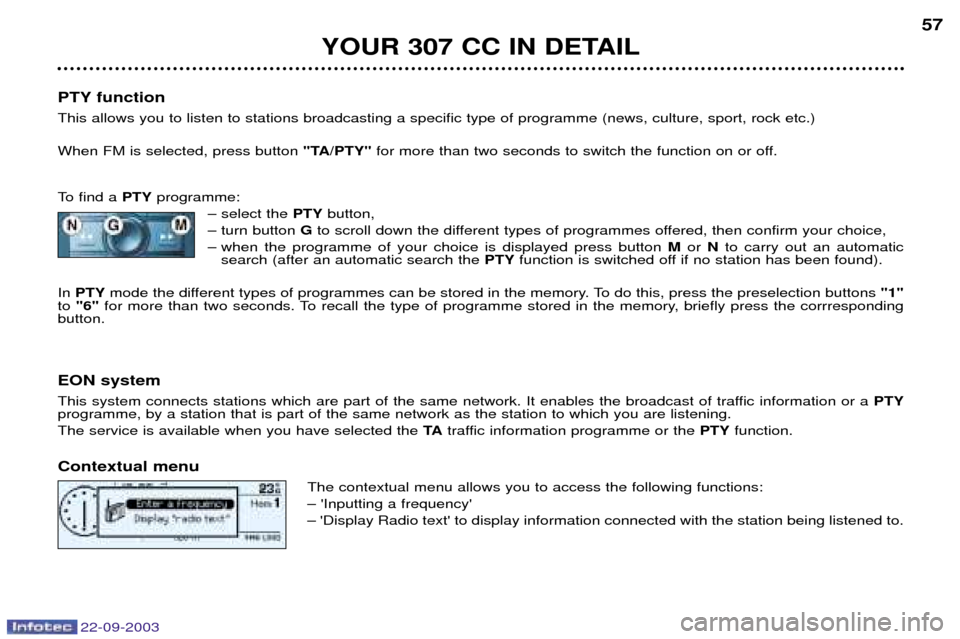
PTY function This allows you to listen to stations broadcasting a specific type of programme (news, culture, sport, rock etc.) When FM is selected, press button "TA/PTY"for more than two seconds to switch the function on or off.
To find a PTYprogramme:
Ð select the PTYbutton,
Ð turn button Gto scroll down the different types of programmes offered, then confirm your choice,
Ð when the programme of your choice is displayed press button Mor Nto carry out an automatic
search (after an automatic search the PTYfunction is switched off if no station has been found).
In PTY mode the different types of programmes can be stored in the memory. To do this, press the preselection buttons "1"
to "6" for more than two seconds. To recall the type of programme stored in the memory, briefly press the corrresponding
button.
EON system
This system connects stations which are part of the same network. It enables the broadcast of traffic information or a PTY
programme, by a station that is part of the same network as the station to which you are listening. The service is available when you have selected the TAtraffic information programme or the PTYfunction.
Contextual menu The contextual menu allows you to access the following functions:Ð 'Inputting a frequency'Ð 'Display Radio text' to display information connected with the station being listened to.
Page 66 of 173

22-09-2003
YOUR 307 CC IN DETAIL67
Voice commands The voice commands make it possible to use pre-recorded words or phrases to control a certain number of functions of the
RT3 audio/telephone. Activation of the voice commands Press the button on the end of the lights stalk to activate this function. Example: to recall the radio station stored on button 3, the key words are: "Radio" "Memory" "3" .
To use these key words, you must say the word "Radio", wait for the audible confirmation signal, then say the word
"Memory" , wait for the audible confirmation signal, then end with the word "3", wait for the audible confirmation signal which
will carry out the action requested. Notes: Ð between two key words, a screen indicates the time remaining and the key word recognised,
Ð in the absence of any voice commands, this function will be switched off after approximately five seconds,Ð if a command is not understood, the system transmits "Pardon"and displays "Word not recognised" on the screen.
Saying the phrase "Help"or "What can I say" displays all of the commands available on the screen.
List of commands available
Ð For the radio, say "RADIO", then: "PREVIOUS"/"FOLLOWING"/"MEMORY" + 1...6/"AUTOSTORE"
Ð For the CD, say "CD PLAYER", then: "PREVIOUS TRACK"/"FOLLOWING TRACK"/"TRACK NUMBER" + 1..20/"SHUFFLE"/"SCAN"/"REPEAT"
Ð For the CD changer, say "CHANGER", then: "PREVIOUS TRACK"/"FOLLOWING TRACK"/"TRACK NUMBER" + 1...20/"PREVIOUS DISC"/"FOLLOWING DISC"/
"DISC NUMBER" + 1...5/"SHUFFLE"/"SCAN"/"REPEAT"
Ð For the telephone, say "TELEPHONE", then: "LAST NUMBER"/"DIRECTORY" + DESCRIPTION/"SERVICES"
Ð For navigation, say "NAVIGATION", then: "STOP"/"RE-START"/"DIRECTORY" + DESCRIPTION
Ð To change the permanent application, say "DISPLAY", then: "AUDIO"/"TELEPHONE"/"NAVIGATION"/"TRIP COMPUTER"
Ð To call someone recorded in the directory directly, say "CALL" + DESCRIPTION
Ð To be guided to the address of someone recorded in the directory, say "GUIDE TO" + DESCRIPTION.
Ð Various:
"CANCEL"/"HELP"/"WHAT CAN I SAY"
Page 68 of 173
22-09-2003
YOUR 307 CC IN DETAIL69
CD CHANGER
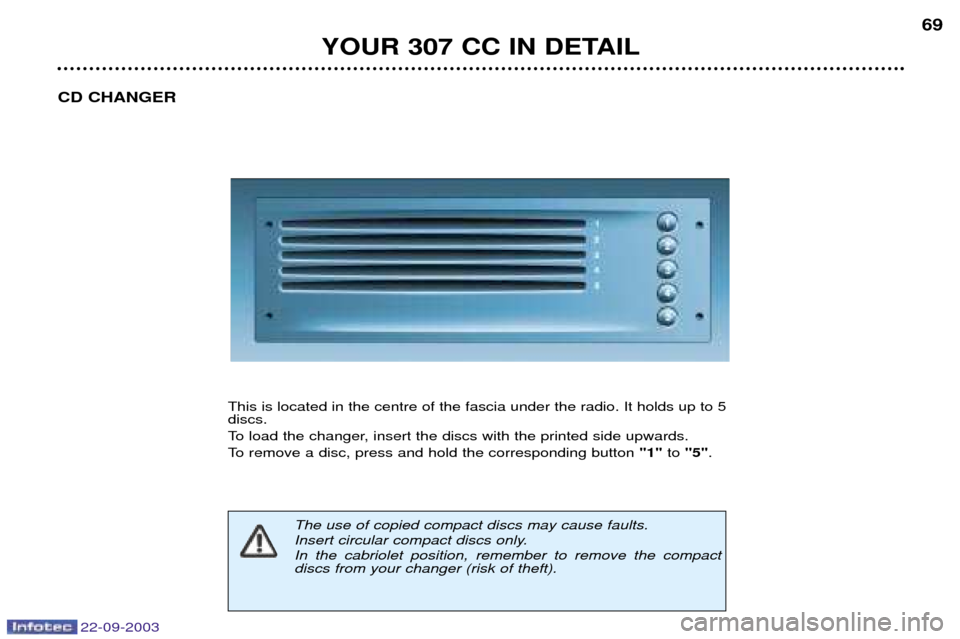
This is located in the centre of the fascia under the radio. It holds up to 5 discs.
To load the changer, insert the discs with the printed side upwards.
To remove a disc, press and hold the corresponding button "1"to "5" .
The use of copied compact discs may cause faults.
Insert circular compact discs only.In the cabriolet position, remember to remove the compact discs from your changer (risk of theft).
Page 69 of 173
22-09-2003
YOUR 307 CC IN DETAIL
70
SATELLITE NAVIGATION SYSTEM Introduction The satellite navigation system guides you, by means of
vocal and
visual instructions (graphics), to
your chosen destination.
The heart of the system lies in the useof a map data base and GPS (Global
Positioning System) . With this sys-
tem you can fix the position of yourvehicle by means of a satellite net-work.
The system uses the following ele-ments:
Ð the CD-Rom drive,
Ð the configuration CD-Rom,
Ð the navigation CD-Rom,
Ð the last voice message recall con- trol,
Ð the control keypad,
Ð the CT monochrome screen or the DT colour screen. The CD-Rom drive
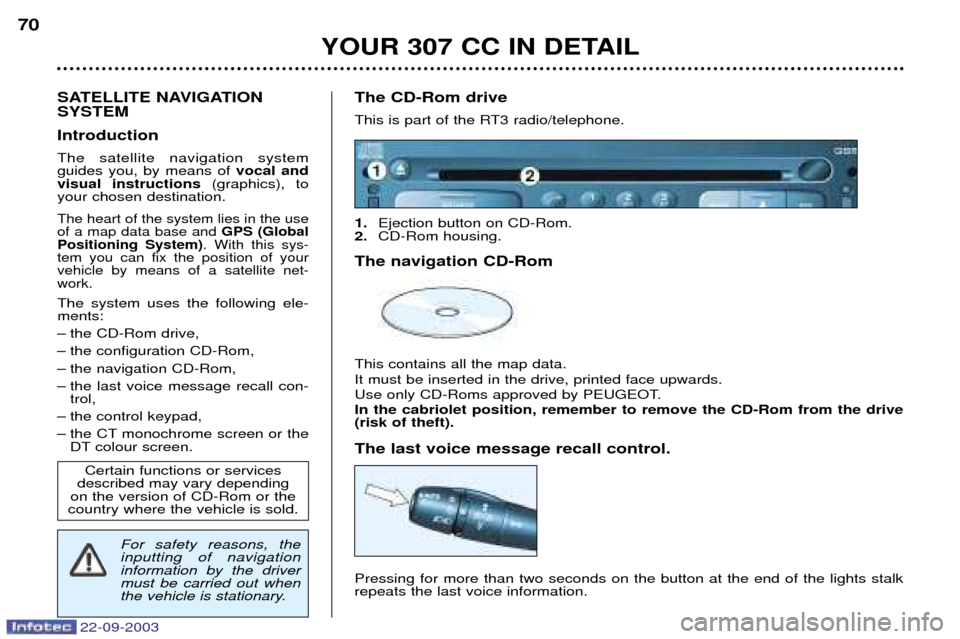
This is part of the RT3 radio/telephone. 1.
Ejection button on CD-Rom.
2. CD-Rom housing.
The navigation CD-Rom This contains all the map data. It must be inserted in the drive, printed face upwards.
Use only CD-Roms approved by PEUGEOT. In the cabriolet position, remember to remove the CD-Rom from the drive (risk of theft). The last voice message recall control. Pressing for more than two seconds on the button at the end of the lights stalk repeats the last voice information.
Certain functions or services
described may vary depending
on the version of CD-Rom or the
country where the vehicle is sold.
For safety reasons, the inputting of navigationinformation by the drivermust be carried out when
the vehicle is stationary.