display PEUGEOT 308 2014 Repair Manual
[x] Cancel search | Manufacturer: PEUGEOT, Model Year: 2014, Model line: 308, Model: Peugeot 308 2014Pages: 389, PDF Size: 22.92 MB
Page 179 of 389
9
177
Driving
The gearbox is then operating in auto-active mode, without any action on the part of the driver. It continuously selects the most suitable gear in relation to the following parameters: - style of driving, - profile of the road.
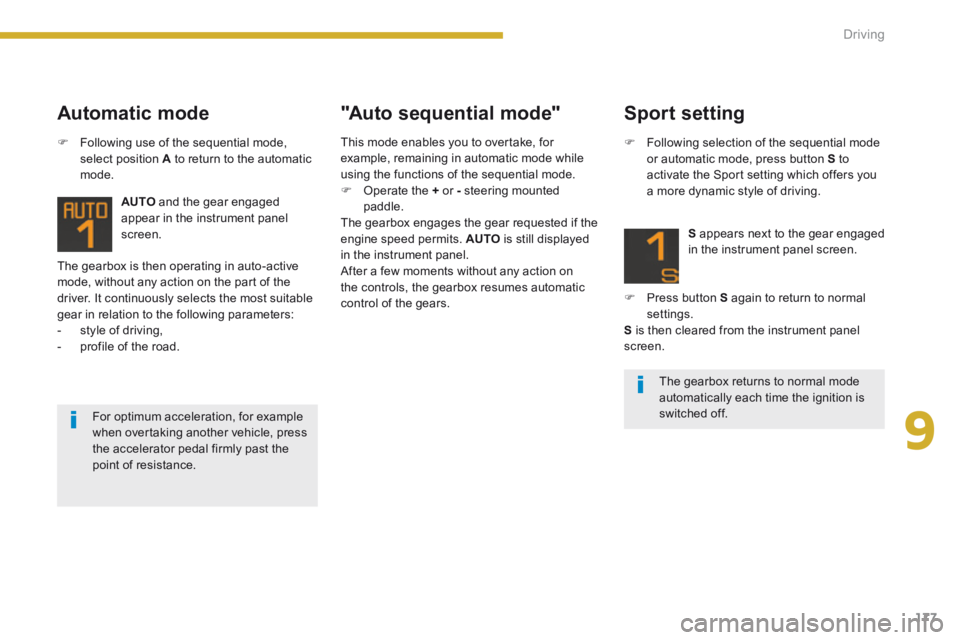
AUTO and the gear engaged appear in the instrument panel screen.
Automatic mode "Auto sequential mode"
Following use of the sequential mode, select position A to return to the automatic mode.
For optimum acceleration, for example
when overtaking another vehicle, press the accelerator pedal firmly past the point of resistance.
Sport setting
Following selection of the sequential mode or automatic mode, press button S to activate the Sport setting which offers you a more dynamic style of driving.
S appears next to the gear engaged in the instrument panel screen.
Press button S again to return to normal settings. S is then cleared from the instrument panel screen.
The gearbox returns to normal mode automatically each time the ignition is switched off.
This mode enables you to overtake, for example, remaining in automatic mode while using the functions of the sequential mode. Operate the + or - steering mounted paddle. The gearbox engages the gear requested if the engine speed permits. AUTO is still displayed in the instrument panel. After a few moments without any action on the controls, the gearbox resumes automatic control of the gears.
Page 181 of 389
9
179
Driving
"Porsche Tiptronic System" automatic gearbox
Gear lever
P. Park. - Immobilisation of the vehicle, parking brake on or off. - Starting the engine. R. Reverse. - Reversing manoeuvres, vehicle stationary, engine at idle. N. Neutral. - Immobilisation of the vehicle, parking brake on. - Starting the engine. D. Automatic operation. M + / -. Manual operation with sequential changing of the six gears. Press for wards to change up through the gears. or Press rear wards to change down through the gears.
Displays in the instrument panel
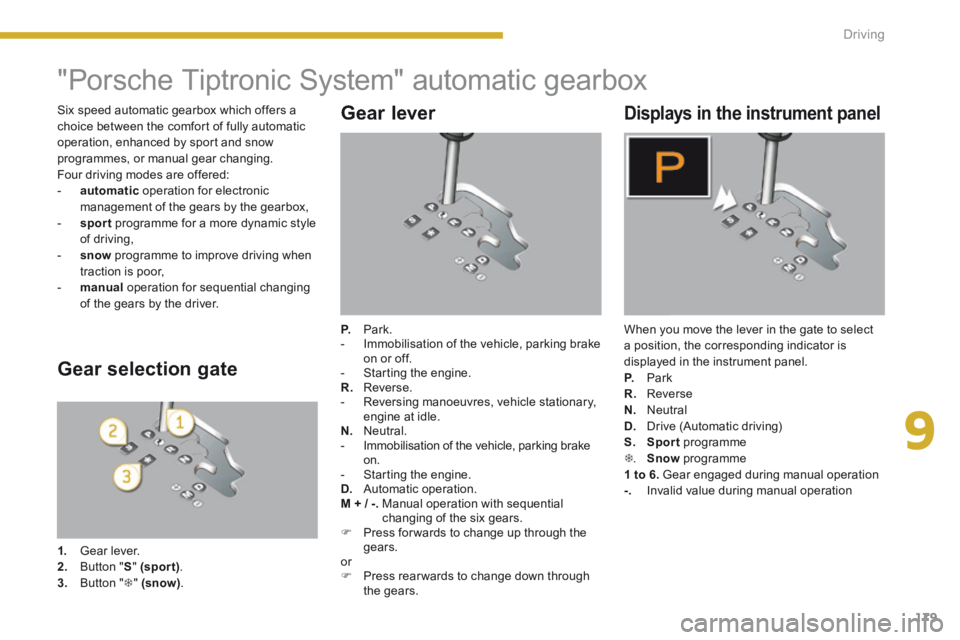
When you move the lever in the gate to select a position, the corresponding indicator is displayed in the instrument panel. P. Park R. Reverse N. Neutral D. Drive (Automatic driving)
S. Sport programme . Snow programme 1 to 6. Gear engaged during manual operation -. Invalid value during manual operation
Gear selection gate
1. Gear lever. 2. Button "S" (spor t) . 3. Button " " (snow) .
Six speed automatic gearbox which offers a choice between the comfort of fully automatic operation, enhanced by sport and snow programmes, or manual gear changing. Four driving modes are offered: - automatic operation for electronic management of the gears by the gearbox, - sport programme for a more dynamic style of driving, - snow programme to improve driving when traction is poor, - manual operation for sequential changing of the gears by the driver.
Page 183 of 389
9
181
Driving
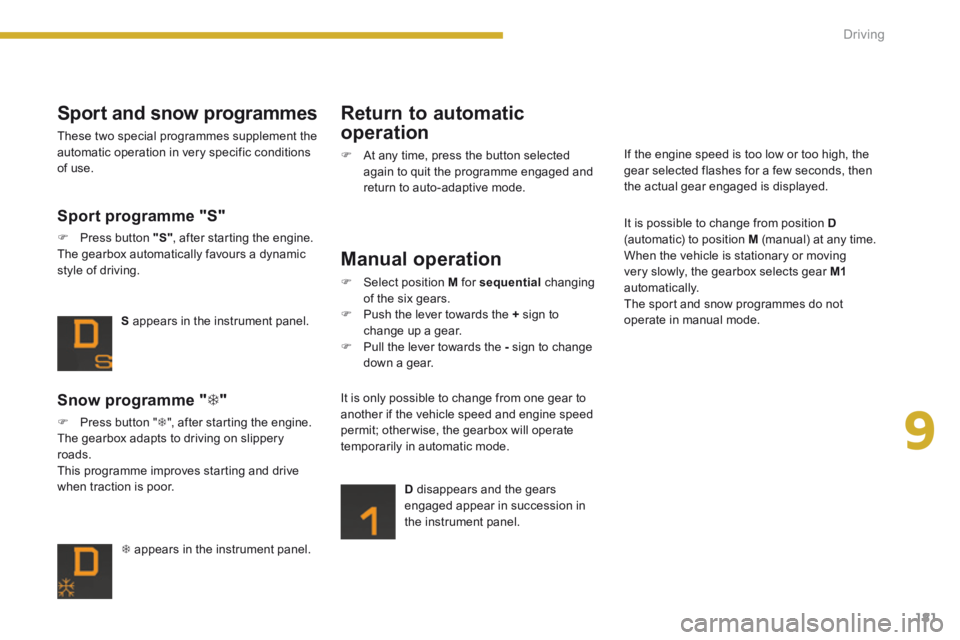
appears in the instrument panel.
Snow programme " "
Press button " ", after starting the engine. The gearbox adapts to driving on slippery roads. This programme improves starting and drive when traction is poor.
S appears in the instrument panel.
Sport programme "S"
Press button "S" , after starting the engine. The gearbox automatically favours a dynamic style of driving.
Sport and snow programmes
These two special programmes supplement the automatic operation in very specific conditions of use.
Return to automatic
operation
At any time, press the button selected again to quit the programme engaged and return to auto-adaptive mode.
Manual operation
Select position M for sequential changing of the six gears. Push the lever towards the + sign to change up a gear. Pull the lever towards the - sign to change down a gear.
D disappears and the gears engaged appear in succession in the instrument panel.
It is only possible to change from one gear to another if the vehicle speed and engine speed
permit; otherwise, the gearbox will operate temporarily in automatic mode.
It is possible to change from position D(automatic) to position M (manual) at any time. When the vehicle is stationary or moving very slowly, the gearbox selects gear M1automatically. The sport and snow programmes do not operate in manual mode.
If the engine speed is too low or too high, the gear selected flashes for a few seconds, then the actual gear engaged is displayed.
Page 184 of 389
182Driving
Stopping the vehicle
Before switching off the engine, you can engage position P or N to place the gearbox in neutral. In both cases, apply the parking brake to immobilise the vehicle, unless it is programmed to automatic mode.
Operating fault
When the ignition is on, the lighting of this warning lamp, accompanied by an audible signal and a message in the multifunction screen, indicates a gearbox malfunction. In this case, the gearbox switches to back-up mode and is locked in 3rd gear. You may feel a substantial knock when changing from Pto R and from N to R . This will not cause any damage to the gearbox. Do not exceed 60 mph (100 km/h), local speed restrictions permitting. Have it checked by a PEUGEOT dealer or a qualified workshop. This warning lamp may also come on if a door is opened.
Invalid value during manual operation
This symbol is displayed if a gear is not engaged correctly (selector between two positions).
You risk damaging the gearbox: - if you press the accelerator and brake pedals at the same time, - if you force the lever from position Pto another position when the battery is flat. To reduce fuel consumption when stationary for long periods with the engine running (traffic jam...), position the gear lever at N and apply the parking brake, unless it is programmed in automatic mode.
If the lever is not in position P , when the P , when the Pdriver's door is opened or approximately 45 seconds after the ignition is switched off, there is an audible signal and a message appears. Return the lever to position P ; the audible signal stops and the message disappears.
Page 188 of 389
186Driving
Visual and audible front and rear parking sensors
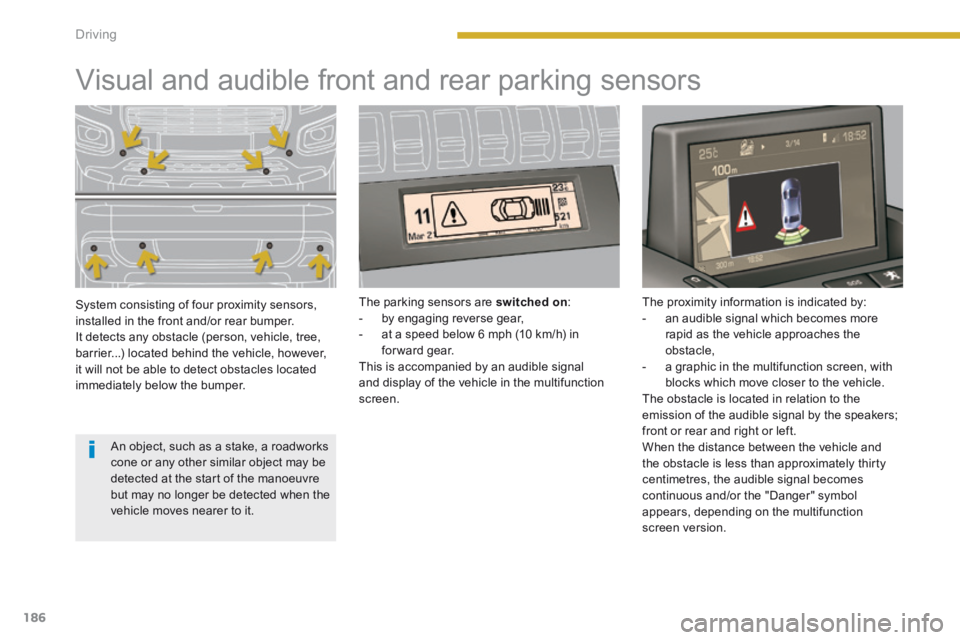
System consisting of four proximity sensors, installed in the front and/or rear bumper. It detects any obstacle (person, vehicle, tree, barrier...) located behind the vehicle, however, it will not be able to detect obstacles located immediately below the bumper.
The parking sensors are switched on : - by engaging reverse gear, - at a speed below 6 mph (10 km/h) in forward gear. This is accompanied by an audible signal and display of the vehicle in the multifunction screen.
The proximity information is indicated by: - an audible signal which becomes more rapid as the vehicle approaches the obstacle, - a graphic in the multifunction screen, with blocks which move closer to the vehicle. The obstacle is located in relation to the emission of the audible signal by the speakers;
front or rear and right or left. When the distance between the vehicle and the obstacle is less than approximately thirty centimetres, the audible signal becomes continuous and/or the "Danger" symbol appears, depending on the multifunction screen version.
An object, such as a stake, a roadworks cone or any other similar object may be detected at the start of the manoeuvre but may no longer be detected when the vehicle moves nearer to it.
Page 189 of 389
9
187
Driving
The parking sensors are switched off : switched off : switched off - when you exit reverse gear, - when the speed is higher than 6 mph (10 km/h) in for ward gear, - when the vehicle has been stationary for more than three seconds in for ward gear.
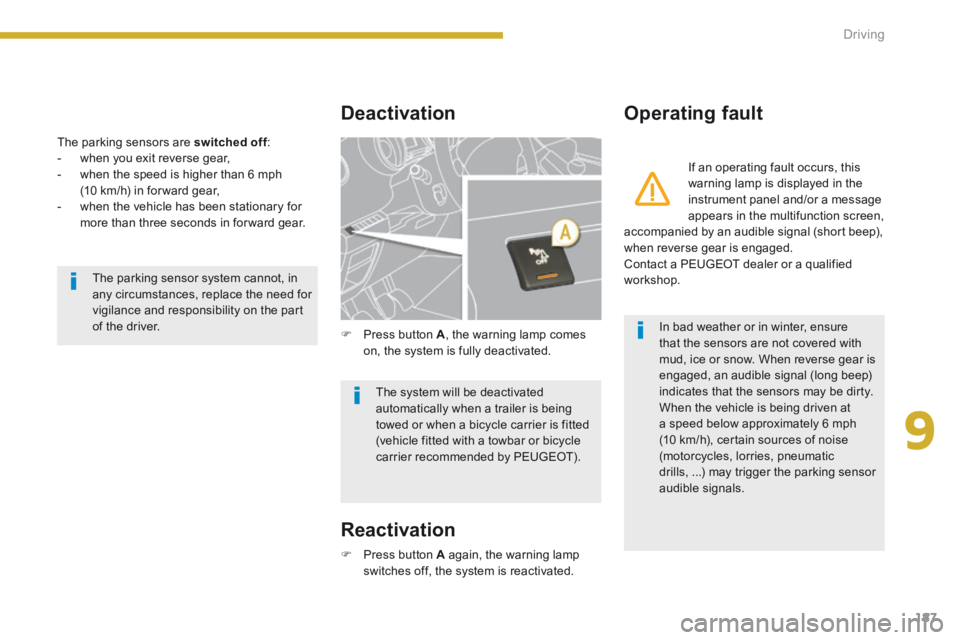
Deactivation Operating fault
Press button A again, the warning lamp switches off, the system is reactivated.
Press button A , the warning lamp comes on, the system is fully deactivated.
If an operating fault occurs, this warning lamp is displayed in the instrument panel and/or a message appears in the multifunction screen, accompanied by an audible signal (short beep), when reverse gear is engaged. Contact a PEUGEOT dealer or a qualified workshop. The parking sensor system cannot, in any circumstances, replace the need for vigilance and responsibility on the part of the driver.
The system will be deactivated automatically when a trailer is being towed or when a bicycle carrier is fitted (vehicle fitted with a towbar or bicycle carrier recommended by PEUGEOT).
In bad weather or in winter, ensure that the sensors are not covered with mud, ice or snow. When reverse gear is engaged, an audible signal (long beep) indicates that the sensors may be dirty. When the vehicle is being driven at a speed below approximately 6 mph (10 km/h), certain sources of noise (motorcycles, lorries, pneumatic drills, ...) may trigger the parking sensor audible signals.
Reactivation
Page 190 of 389
188Driving
Reversing camera
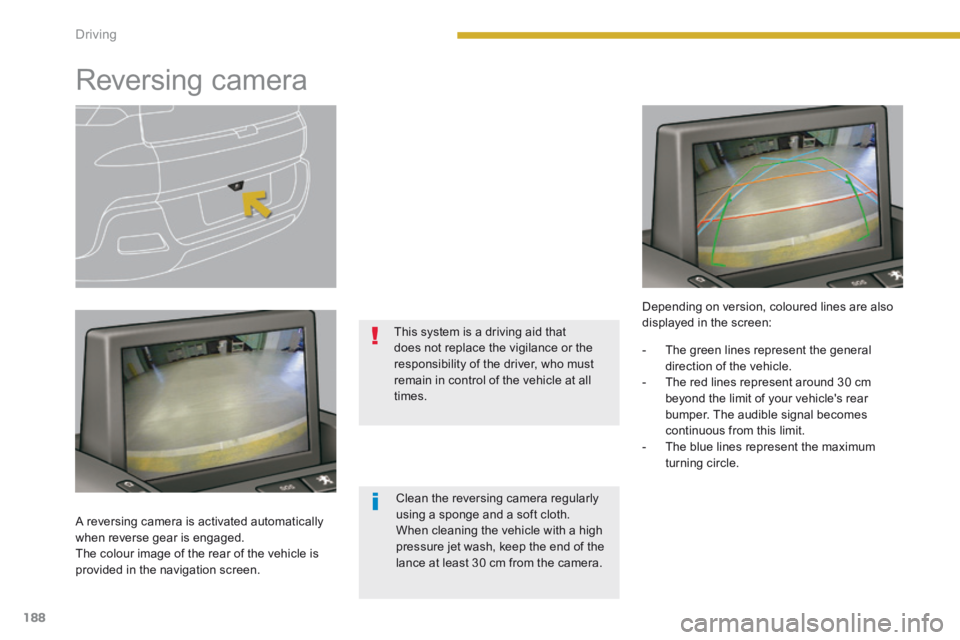
A reversing camera is activated automatically when reverse gear is engaged. The colour image of the rear of the vehicle is provided in the navigation screen.
This system is a driving aid that does not replace the vigilance or the responsibility of the driver, who must remain in control of the vehicle at all times.
Depending on version, coloured lines are also displayed in the screen:
Clean the reversing camera regularly using a sponge and a soft cloth. When cleaning the vehicle with a high pressure jet wash, keep the end of the lance at least 30 cm from the camera.
- The green lines represent the general direction of the vehicle. - The red lines represent around 30 cm beyond the limit of your vehicle's rear bumper. The audible signal becomes continuous from this limit. - The blue lines represent the maximum turning circle.
Page 191 of 389
9
189
Driving
Parking space sensors
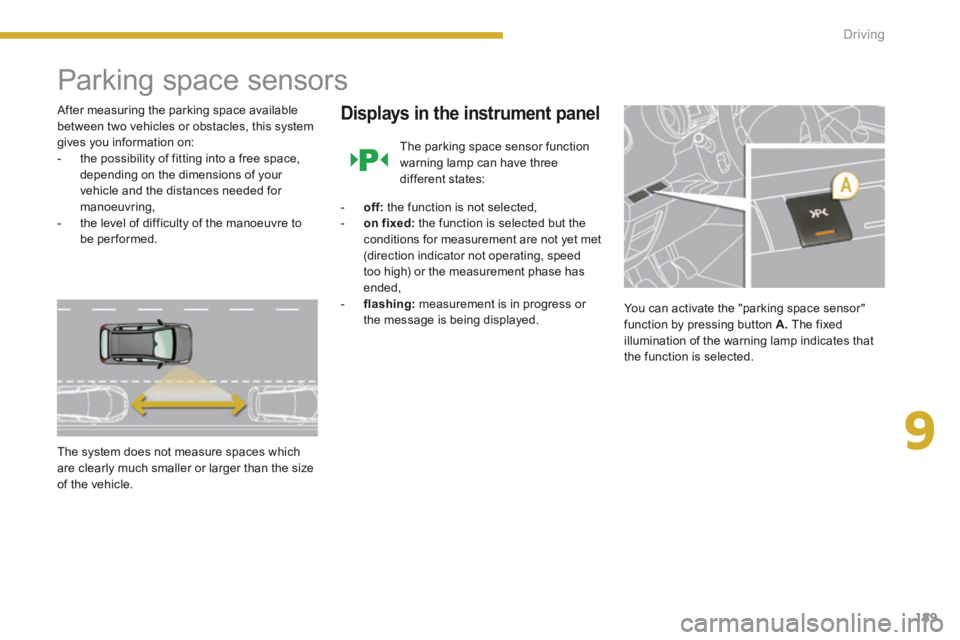
After measuring the parking space available between two vehicles or obstacles, this system gives you information on: - the possibility of fitting into a free space, depending on the dimensions of your vehicle and the distances needed for manoeuvring, - the level of difficulty of the manoeuvre to be performed.
The system does not measure spaces which are clearly much smaller or larger than the size of the vehicle.
Displays in the instrument panel
The parking space sensor function warning lamp can have three different states:
- off: the function is not selected, - on fixed: the function is selected but the
conditions for measurement are not yet met (direction indicator not operating, speed too high) or the measurement phase has ended, - flashing: measurement is in progress or the message is being displayed. You can activate the "parking space sensor" function by pressing button A. The fixed illumination of the warning lamp indicates that the function is selected.
Page 192 of 389
190Driving
Operation
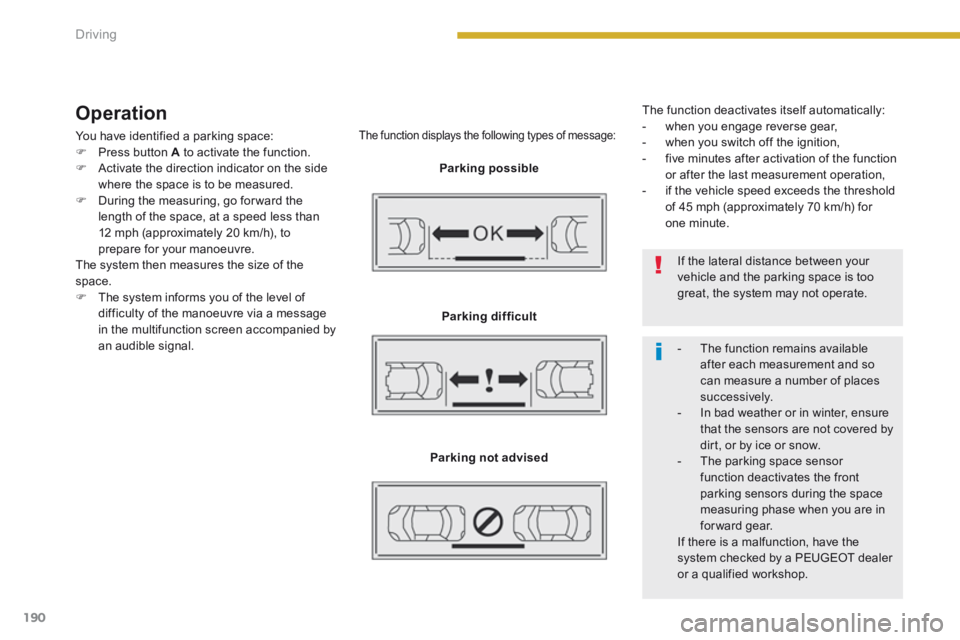
You have identified a parking space: Press button A to activate the function. Activate the direction indicator on the side where the space is to be measured. During the measuring, go for ward the length of the space, at a speed less than 12 mph (approximately 20 km/h), to prepare for your manoeuvre. The system then measures the size of the space. The system informs you of the level of difficulty of the manoeuvre via a message in the multifunction screen accompanied by an audible signal.
The function displays the following types of message:
Parking possible
Parking difficult
Parking not advised
The function deactivates itself automatically: - when you engage reverse gear, - when you switch off the ignition, - five minutes after activation of the function or after the last measurement operation, - if the vehicle speed exceeds the threshold of 45 mph (approximately 70 km/h) for one minute.
If the lateral distance between your vehicle and the parking space is too great, the system may not operate.
- The function remains available after each measurement and so can measure a number of places su c c e s s i ve l y. - In bad weather or in winter, ensure that the sensors are not covered by dirt, or by ice or snow. - The parking space sensor function deactivates the front parking sensors during the space measuring phase when you are in forward gear. If there is a malfunction, have the system checked by a PEUGEOT dealer or a qualified workshop.
Page 227 of 389
11
Practical information225
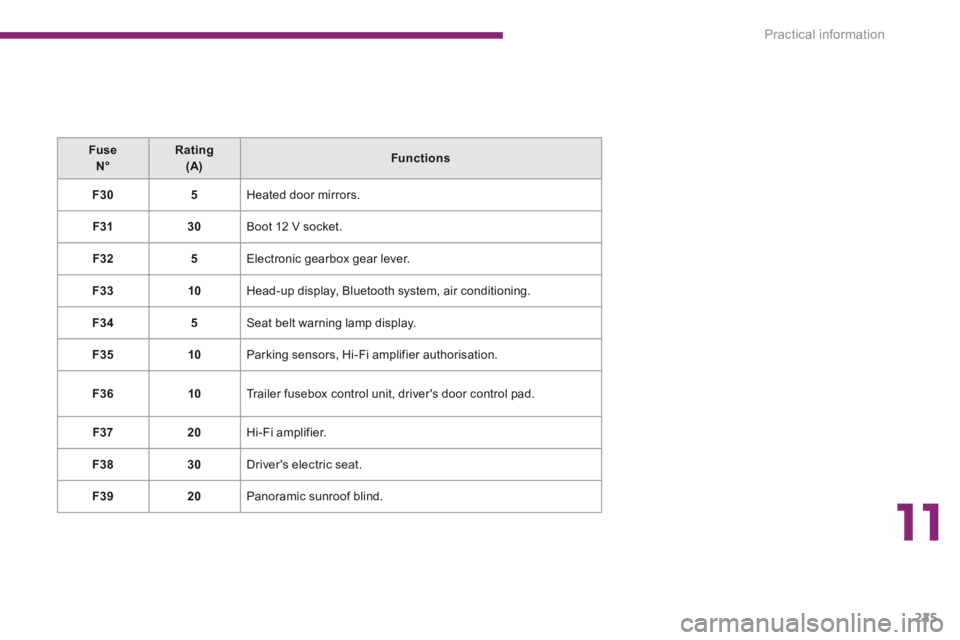
Fuse N°Rating (A)Functions
F305 Heated door mirrors.
F3130 Boot 12 V socket.
F325 Electronic gearbox gear lever.
F3310 Head-up display, Bluetooth system, air conditioning.
F345 Seat belt warning lamp display.
F3510 Parking sensors, Hi-Fi amplifier authorisation.
F3610 Trailer fusebox control unit, driver's door control pad.
F3720 Hi-Fi amplifier.
F3830 Driver's electric seat.
F3920 Panoramic sunroof blind.