ECO mode PEUGEOT 308 2014 Owners Manual
[x] Cancel search | Manufacturer: PEUGEOT, Model Year: 2014, Model line: 308, Model: Peugeot 308 2014Pages: 389, PDF Size: 22.92 MB
Page 3 of 389
WELCOME
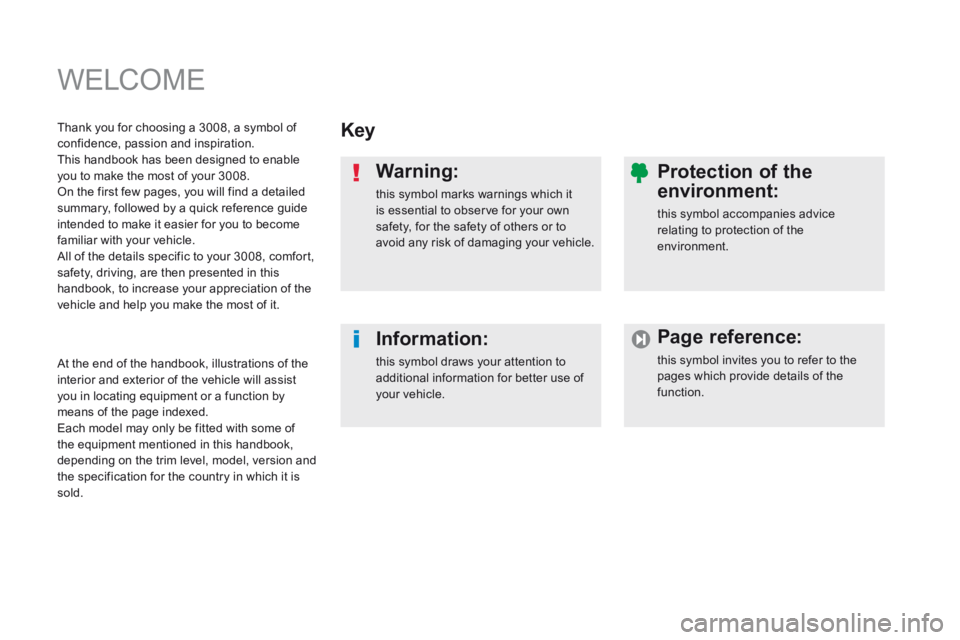
Key
Warning:
this symbol marks warnings which it is essential to observe for your own safety, for the safety of others or to avoid any risk of damaging your vehicle.
Information:
this symbol draws your attention to additional information for better use of your vehicle.
Protection of the
environment:
this symbol accompanies advice relating to protection of the environment.
Page reference:
this symbol invites you to refer to the pages which provide details of the function.
Thank you for choosing a 3008, a symbol of confidence, passion and inspiration. This handbook has been designed to enable you to make the most of your 3008. On the first few pages, you will find a detailed summary, followed by a quick reference guide intended to make it easier for you to become familiar with your vehicle. All of the details specific to your 3008, comfort, safety, driving, are then presented in this handbook, to increase your appreciation of the vehicle and help you make the most of it.
At the end of the handbook, illustrations of the interior and exterior of the vehicle will assist you in locating equipment or a function by means of the page indexed. Each model may only be fitted with some of the equipment mentioned in this handbook, depending on the trim level, model, version and the specification for the country in which it is sold.
Page 5 of 389
.
.
Contents
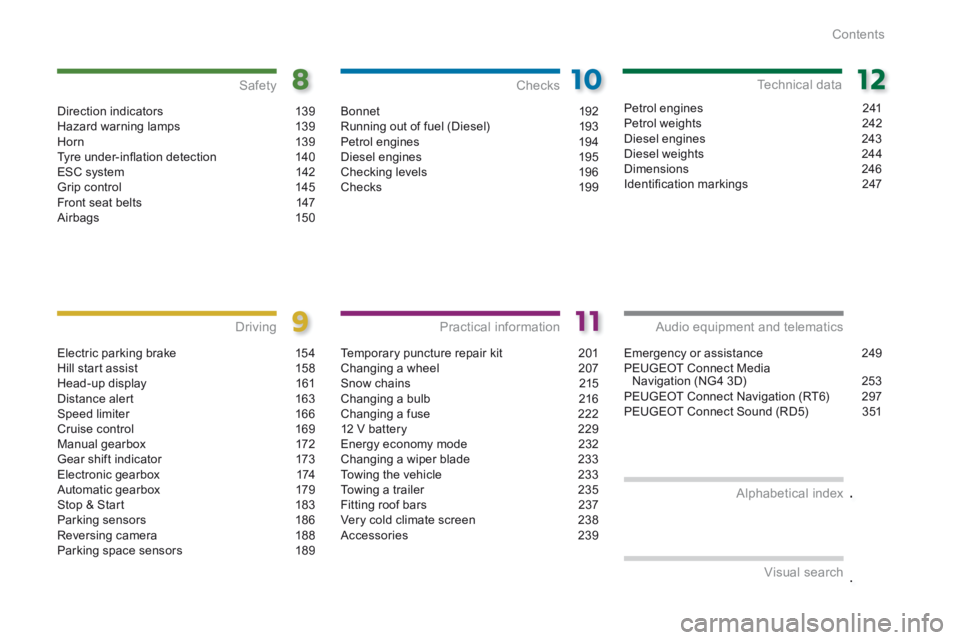
Direction indicators 139Hazard warning lamps 139H or n 13 9Tyre under-infl ation detection 140ESC system 142Grip control 145Front seat belts 147Airbags 150
Safety
Electric parking brake 154Hill start assist 158Head-up display 161Distance alert 163Speed limiter 166Cruise control 169Manual gearbox 172Gear shift indicator 173Electronic gearbox 174Automatic gearbox 179Stop & Start 183Parking sensors 186Reversing camera 188Parking space sensors 189
Driving
Emergency or assistance 249PEUGEOT Connect Media Navigation (NG4 3D) 253PEUGEOT Connect Navigation (RT6) 297PEUGEOT Connect Sound (RD5) 351
Audio equipment and telematics
Visual search
Alphabetical index
Bonnet
192Running out of fuel (Diesel) 193Petrol engines 194Diesel engines 195Checking levels 196Checks 19 9
Checks
Temporary puncture repair kit 201Changing a wheel 207Snow chains 215Changing a bulb 216Changing a fuse 22212 V battery 229Energy economy mode 232Changing a wiper blade 233Towing the vehicle 233Towing a trailer 235Fitting roof bars 237Very cold climate screen 238Accessories 239
Practical information
Petrol engines 241Petrol weights 242Diesel engines 243Diesel weights 244Dimensions 246Identifi cation markings 247
Technical data
Page 17 of 389
.Familiarisation15
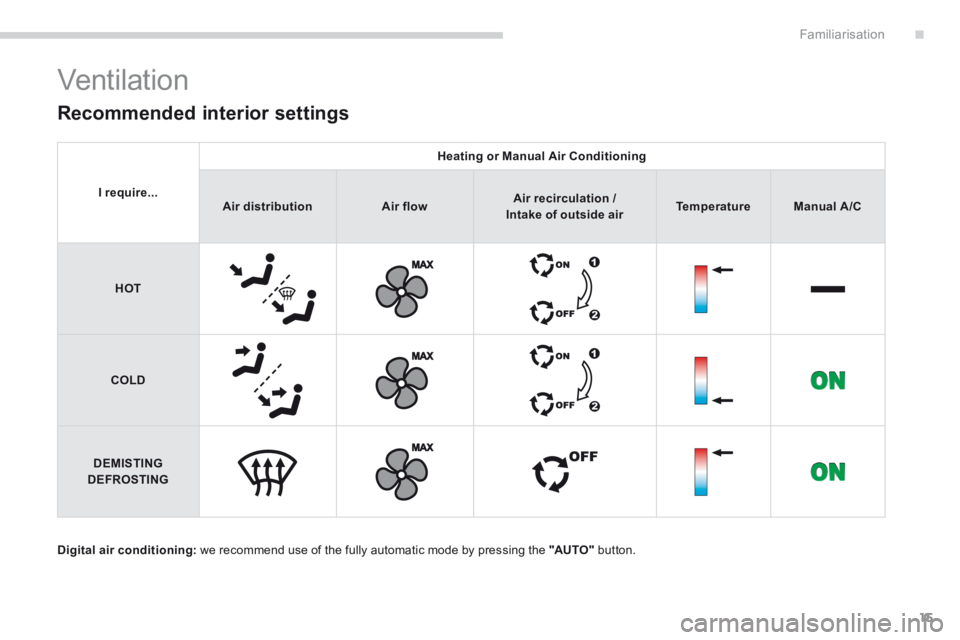
Ventilation
Digital air conditioning: we recommend use of the fully automatic mode by pressing the "AUTO" button.
Recommended interior settings
I require...
Heating or Manual Air Conditioning
Air distributionAir flowAir recirculation / Air recirculation / Air recirculation /Intake of outside airTemperatureManual A/C
HOT
COLD
DEMISTING DEFROSTING
Page 22 of 389
183
Familiarisation
20
Driving safely
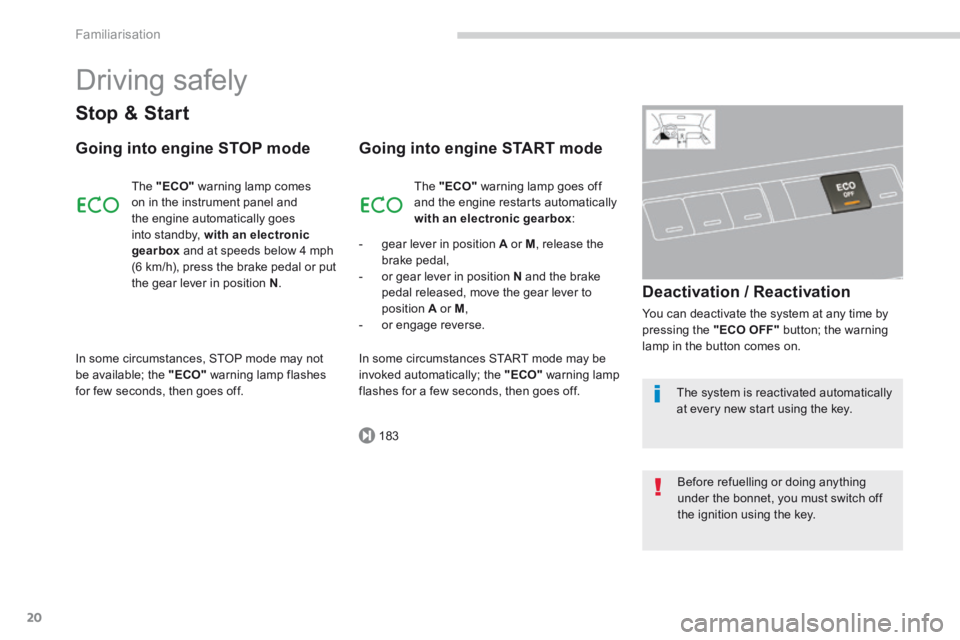
Stop & Start
Going into engine STOP mode
The "ECO" warning lamp comes on in the instrument panel and the engine automatically goes
into standby, with an electronic gearbox and at speeds below 4 mph (6 km/h), press the brake pedal or put the gear lever in position N .
Going into engine START mode
Deactivation / Reactivation
You can deactivate the system at any time by pressing the "ECO OFF" button; the warning lamp in the button comes on.
The "ECO" warning lamp goes off and the engine restarts automatically with an electronic gearbox :
- gear lever in position A or M , release the brake pedal, - or gear lever in position N and the brake pedal released, move the gear lever to position A or M , - or engage reverse.
In some circumstances, STOP mode may not be available; the "ECO" warning lamp flashes for few seconds, then goes off.
In some circumstances START mode may be invoked automatically; the "ECO" warning lamp flashes for a few seconds, then goes off. The system is reactivated automatically at every new start using the key.
Before refuelling or doing anything under the bonnet, you must switch off the ignition using the key.
Page 25 of 389
.
169
166
Familiarisation23
Driving safely
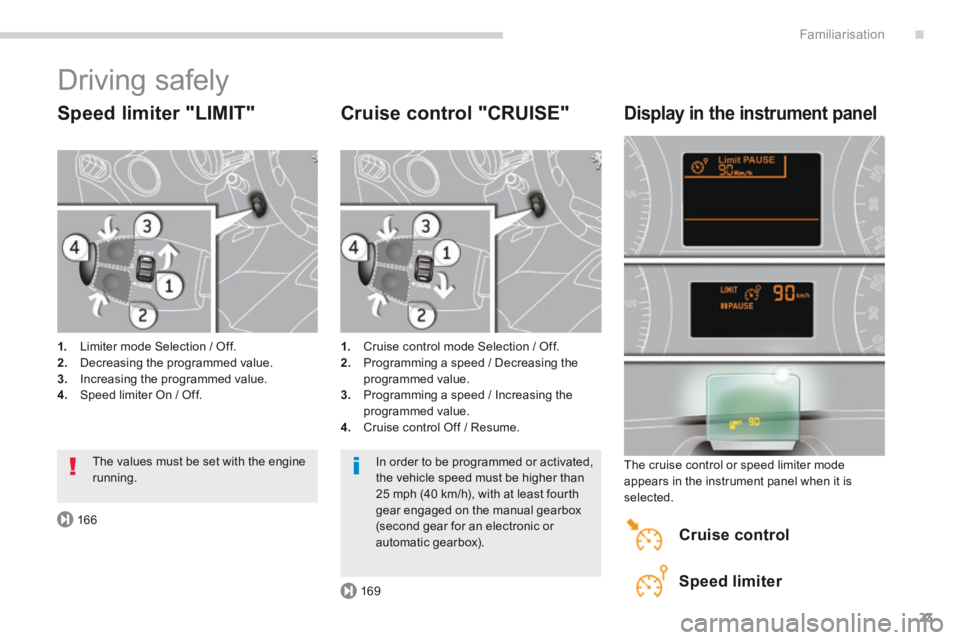
Speed limiter "LIMIT"
1. Limiter mode Selection / Off. 2. Decreasing the programmed value. 3. Increasing the programmed value. 4. Speed limiter On / Off.
Cruise control "CRUISE"
1. Cruise control mode Selection / Off. 2. Programming a speed / Decreasing the programmed value. 3. Programming a speed / Increasing the programmed value. 4. Cruise control Off / Resume.
Display in the instrument panel
The cruise control or speed limiter mode appears in the instrument panel when it is selected.
Cruise control
Speed limiter
The values must be set with the engine running. In order to be programmed or activated, the vehicle speed must be higher than 25 mph (40 km/h), with at least fourth gear engaged on the manual gearbox (second gear for an electronic or
automatic gearbox).
Page 27 of 389
.Familiarisation25
Optimise the use of your
gearbox
With a manual gearbox, move off gently and change up without waiting. During acceleration change up early.
With an automatic or electronic gearbox, give preference to automatic mode and avoid pressing the accelerator pedal heavily or suddenly.
The gear shift indicator invites you engage the most suitable gear: as soon as the indication is displayed in the instrument panel, follow it straight away. With an electronic or automatic gearbox, this indicator appears only in manual mode.
Drive smoothly
Maintain a safe distance between vehicles, use engine braking rather than the brake pedal, and press the accelerator progressively. These practices contribute towards a reduction in fuel consumption and CO2 emissions and also helps reduce the background traffic noise.
If your vehicle has cruise control, make use of the system at speeds above 25 mph (40 km/h) when the traffic is flowing well.
Control the use of your
electrical equipment
Before moving off, if the passenger compartment is too warm, ventilate it by opening the windows and air vents before using the air conditioning. Above 30 mph (50 km/h), close the windows and leave the air vents open. Remember to make use of equipment that can help keep the temperature in the passenger compartment down (sunroof and window blinds...).
Switch off the headlamps and front foglamps when the level of light does not require their use.
Avoid running the engine before moving off, particularly in winter; your vehicle will warm up much faster while driving.
Eco-driving
Eco-driving is a range of everyday practices that allow the motorist to optimise their fuel consumption and CO2 emissions.
As a passenger, if you avoid connecting your multimedia devices (film, music, video game...), you will contribute towards limiting the consumption of electrical energy, and so of fuel. Disconnect your portable devices before leaving the vehicle.
Switch off the air conditioning, unless it has automatic regulation, as soon as the desired temperature is attained. Switch off the demisting and defrosting controls, if not automatic. Switch off the heated seat as soon as possible.
Page 31 of 389
1
Monitoring29
Vehicle parameters
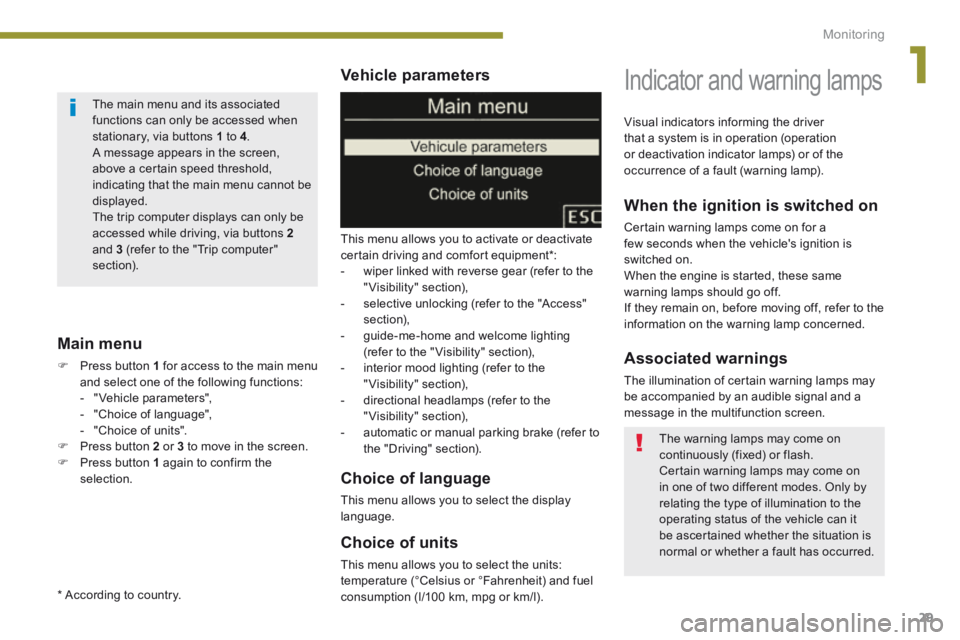
This menu allows you to activate or deactivate certain driving and comfort equipment * : - wiper linked with reverse gear (refer to the "Visibility" section), - selective unlocking (refer to the "Access" section), - guide-me-home and welcome lighting (refer to the " Visibility" section), - interior mood lighting (refer to the "Visibility" section), - directional headlamps (refer to the "Visibility" section),
- automatic or manual parking brake (refer to the "Driving" section).
Choice of units
This menu allows you to select the units: temperature (°Celsius or °Fahrenheit) and fuel consumption (l/100 km, mpg or km/l).
Choice of language
This menu allows you to select the display language.
Main menu
Press button 1 for access to the main menu and select one of the following functions: - " Vehicle parameters", - "Choice of language", - "Choice of units". Press button 2 or 3 to move in the screen. Press button 1 again to confirm the selection.
Indicator and warning lamps
When the ignition is switched on
Certain warning lamps come on for a few seconds when the vehicle's ignition is switched on. When the engine is started, these same warning lamps should go off. If they remain on, before moving off, refer to the information on the warning lamp concerned.
Associated warnings
The illumination of certain warning lamps may be accompanied by an audible signal and a message in the multifunction screen.
Visual indicators informing the driver that a system is in operation (operation or deactivation indicator lamps) or of the occurrence of a fault (warning lamp).
The main menu and its associated functions can only be accessed when stationary, via buttons 1 to 4 . A message appears in the screen, above a certain speed threshold, indicating that the main menu cannot be displayed. The trip computer displays can only be
accessed while driving, via buttons 2and 3 (refer to the "Trip computer" section).
The warning lamps may come on continuously (fixed) or flash. Certain warning lamps may come on in one of two different modes. Only by relating the type of illumination to the operating status of the vehicle can it be ascertained whether the situation is normal or whether a fault has occurred.
* According to country.
Page 34 of 389
Monitoring
32
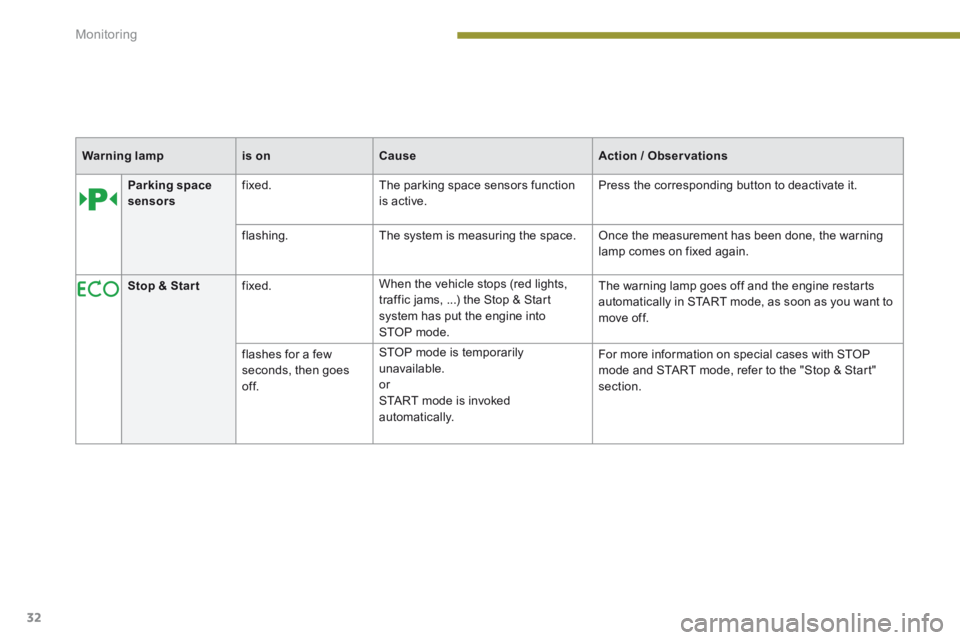
Parking space sensors fixed. The parking space sensors function is active. Press the corresponding button to deactivate it.
flashing. The system is measuring the space. Once the measurement has been done, the warning lamp comes on fixed again.
Stop & Star t fixed. When the vehicle stops (red lights, traffic jams, ...) the Stop & Start system has put the engine into STOP mode.
The warning lamp goes off and the engine restarts automatically in START mode, as soon as you want to move off.
flashes for a few seconds, then goes of f.
STOP mode is temporarily unavailable. or START mode is invoked automatically.
For more information on special cases with STOP mode and START mode, refer to the "Stop & Start" section.
Warning lampis onCauseAction / Observations
Page 44 of 389
Monitoring
42
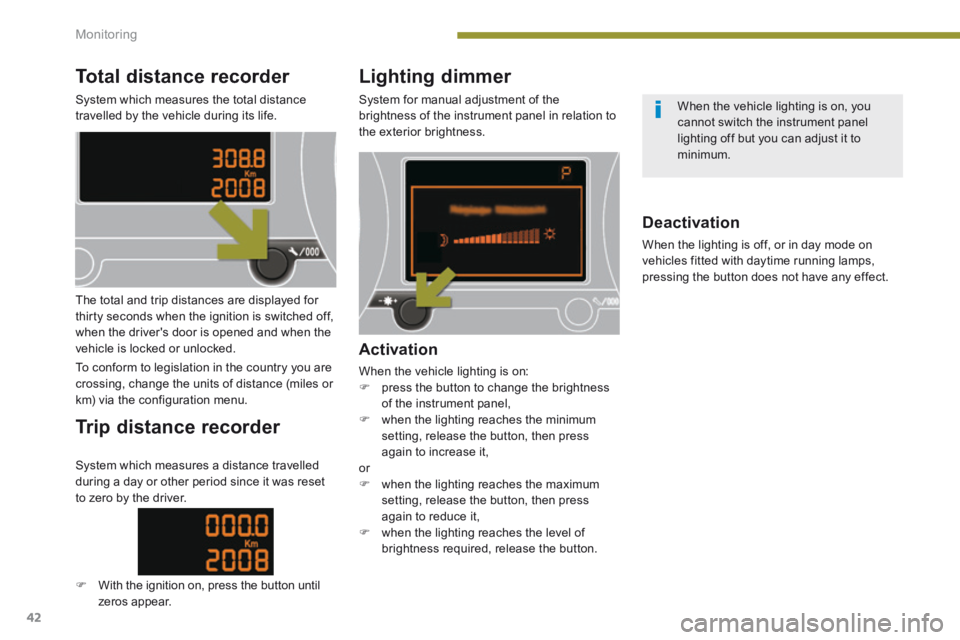
Total distance recorder
System which measures the total distance travelled by the vehicle during its life.
Lighting dimmer
System for manual adjustment of the brightness of the instrument panel in relation to the exterior brightness.
The total and trip distances are displayed for thirty seconds when the ignition is switched off, when the driver's door is opened and when the vehicle is locked or unlocked.
To conform to legislation in the country you are crossing, change the units of distance (miles or km) via the configuration menu.
Trip distance recorder
Activation
When the vehicle lighting is on: press the button to change the brightness of the instrument panel, when the lighting reaches the minimum setting, release the button, then press again to increase it, or when the lighting reaches the maximum setting, release the button, then press again to reduce it, when the lighting reaches the level of
brightness required, release the button.
Deactivation
When the lighting is off, or in day mode on vehicles fitted with daytime running lamps, pressing the button does not have any effect.
System which measures a distance travelled during a day or other period since it was reset to zero by the driver.
With the ignition on, press the button until zeros appear.
When the vehicle lighting is on, you cannot switch the instrument panel lighting off but you can adjust it to minimum.
Page 46 of 389
Multifunction screens
44
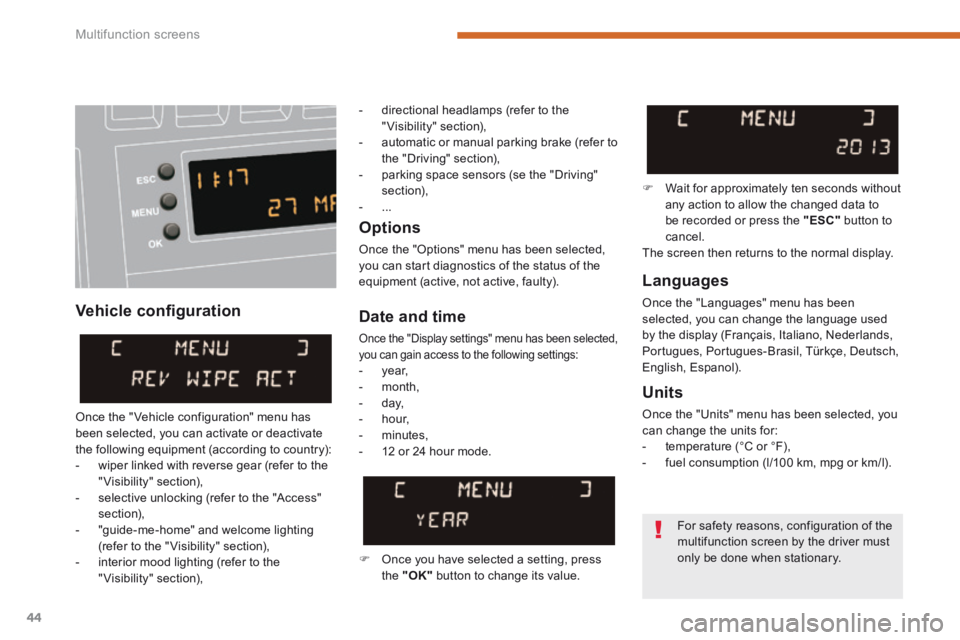
Vehicle confi guration
Options
Once the "Options" menu has been selected, you can start diagnostics of the status of the equipment (active, not active, faulty). Languages
Once the "Languages" menu has been selected, you can change the language used by the display (Français, Italiano, Nederlands, Portugues, Portugues-Brasil, Türkçe, Deutsch, English, Espanol).
Date and time
Once the "Display settings" menu has been selected, you can gain access to the following settings: - year, - month, - day, - hour,
- minutes, - 12 or 24 hour mode.
Units
Once the "Units" menu has been selected, you can change the units for: - temperature (°C or °F), - fuel consumption (l/100 km, mpg or km/l).
Once you have selected a setting, press the "OK" button to change its value.
Wait for approximately ten seconds without any action to allow the changed data to be recorded or press the "ESC" button to cancel. The screen then returns to the normal display.
Once the " Vehicle configuration" menu has been selected, you can activate or deactivate the following equipment (according to country): - wiper linked with reverse gear (refer to the "Visibility" section), - selective unlocking (refer to the "Access" section), - "guide-me-home" and welcome lighting (refer to the " Visibility" section), - interior mood lighting (refer to the "Visibility" section),
For safety reasons, configuration of the
multifunction screen by the driver must only be done when stationary.
- directional headlamps (refer to the "Visibility" section), - automatic or manual parking brake (refer to the "Driving" section), - parking space sensors (se the "Driving" section), - ...