air condition PEUGEOT 308 2014 Owners Manual
[x] Cancel search | Manufacturer: PEUGEOT, Model Year: 2014, Model line: 308, Model: Peugeot 308 2014Pages: 389, PDF Size: 22.92 MB
Page 4 of 389
.
.
Contents
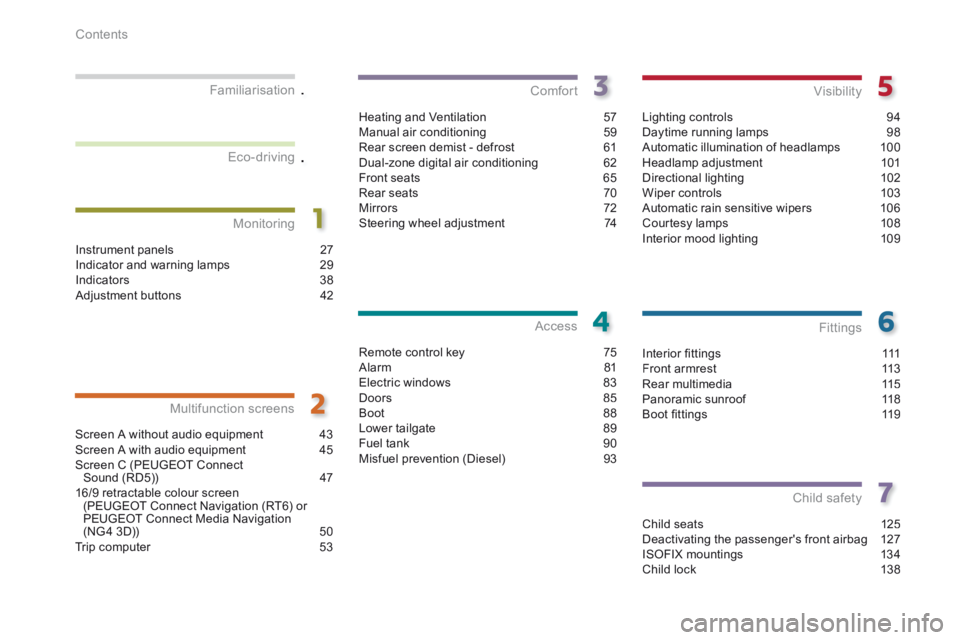
Interior fi ttings 111Front armrest 113Rear multimedia 115Panoramic sunroof 118Boot fi ttings 119
Fittings
Child seats 125Deactivating the passenger's front airbag 127ISOFIX mountings 134Child lock 138
Child safety
Instrument panels 27Indicator and warning lamps 29Indicators 38Adjustment buttons 42
Monitoring
Familiarisation
Screen A without audio equipment 43Screen A with audio equipment
45Screen C (PEUGEOT Connect Sound (RD5)) 4716/9 retractable colour screen (PEUGEOT Connect Navigation (RT6) or PEUGEOT Connect Media Navigation (NG4 3D)) 50Trip computer 53
Multifunction screens
Heating and Ventilation 57Manual air conditioning 59Rear screen demist - defrost 61Dual-zone digital air conditioning 62Front seats 65Rear seats 70Mirrors 72Steering wheel adjustment 74
Comfort
Remote control key 75Alarm 81Electric windows 83Doors 85Boot 88Lower tailgate 89Fuel tank 90Misfuel prevention (Diesel) 93
Access
Lighting controls 94Daytime running lamps 98Automatic illumination of headlamps 100Headlamp adjustment 101Directional lighting 102Wiper controls 103Automatic rain sensitive wipers 106Courtesy lamps 108Interior mood lighting 109
Visibility
Eco-driving
Page 10 of 389
154
161
62
253
297
351
276,
332,
358
281,
319,
361
249
Familiarisation
8
Interior
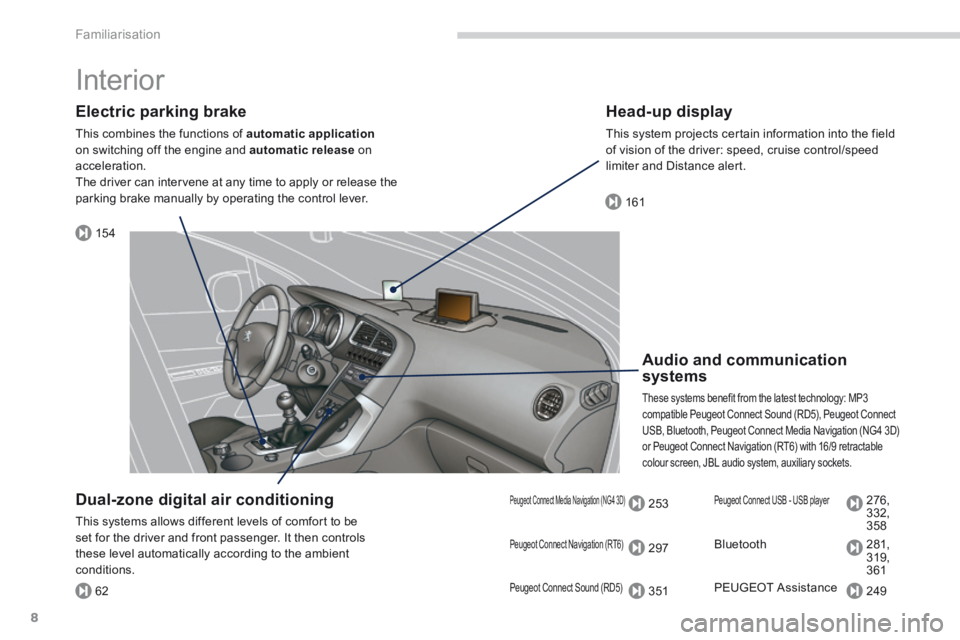
Electric parking brake
This combines the functions of automatic applicationon switching off the engine and automatic release on acceleration. The driver can intervene at any time to apply or release the parking brake manually by operating the control lever.
Audio and communication systems
These systems benefit from the latest technology: MP3 compatible Peugeot Connect Sound (RD5), Peugeot Connect USB, Bluetooth, Peugeot Connect Media Navigation (NG4 3D) or Peugeot Connect Navigation (RT6) with 16/9 retractable colour screen, JBL audio system, auxiliary sockets.
Head-up display
This system projects certain information into the field of vision of the driver: speed, cruise control/speed limiter and Distance alert.
Dual-zone digital air conditioning
This systems allows different levels of comfort to be set for the driver and front passenger. It then controls these level automatically according to the ambient conditions.
Peugeot Connect Navigation (RT6)
Peugeot Connect Sound (RD5)
Peugeot Connect Media Navigation (NG4 3D) Peugeot Connect USB - USB player
Bluetooth
PEUGEOT Assistance
Page 12 of 389
Familiarisation
10
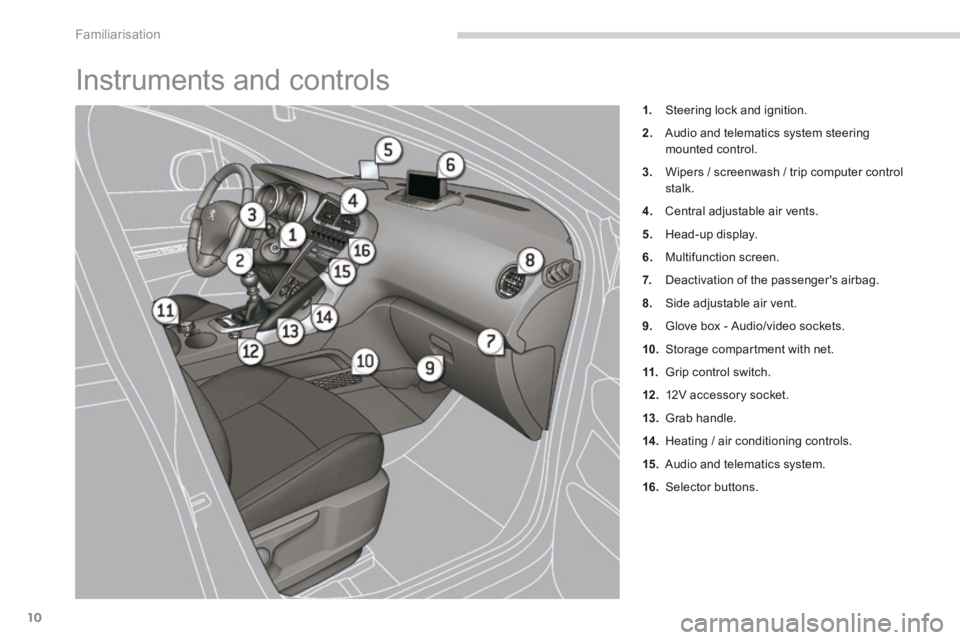
Instruments and controls
1. Steering lock and ignition.
2. Audio and telematics system steering mounted control.
3. Wipers / screenwash / trip computer control stalk.
4. Central adjustable air vents.
5. Head-up display.
6. Multifunction screen.
7. Deactivation of the passenger's airbag.
8. Side adjustable air vent.
9. Glove box - Audio/video sockets.
10. Storage compartment with net.
11. Grip control switch.
12 . 12V accessory socket.
13. Grab handle.
14 . Heating / air conditioning controls.
15. Audio and telematics system.
16. Selector buttons.
Page 17 of 389
.Familiarisation15
Ventilation
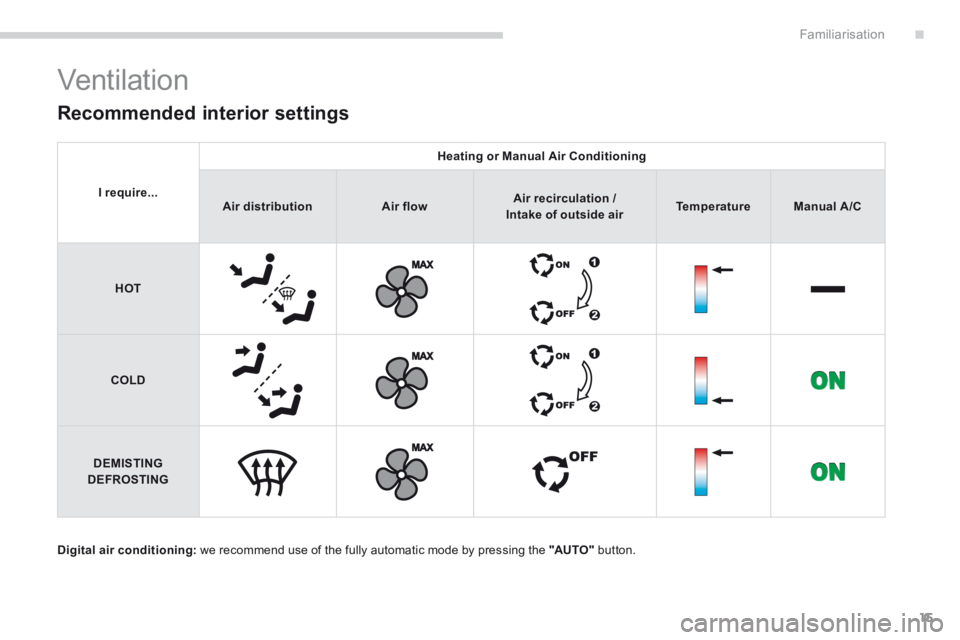
Digital air conditioning: we recommend use of the fully automatic mode by pressing the "AUTO" button.
Recommended interior settings
I require...
Heating or Manual Air Conditioning
Air distributionAir flowAir recirculation / Air recirculation / Air recirculation /Intake of outside airTemperatureManual A/C
HOT
COLD
DEMISTING DEFROSTING
Page 27 of 389
.Familiarisation25
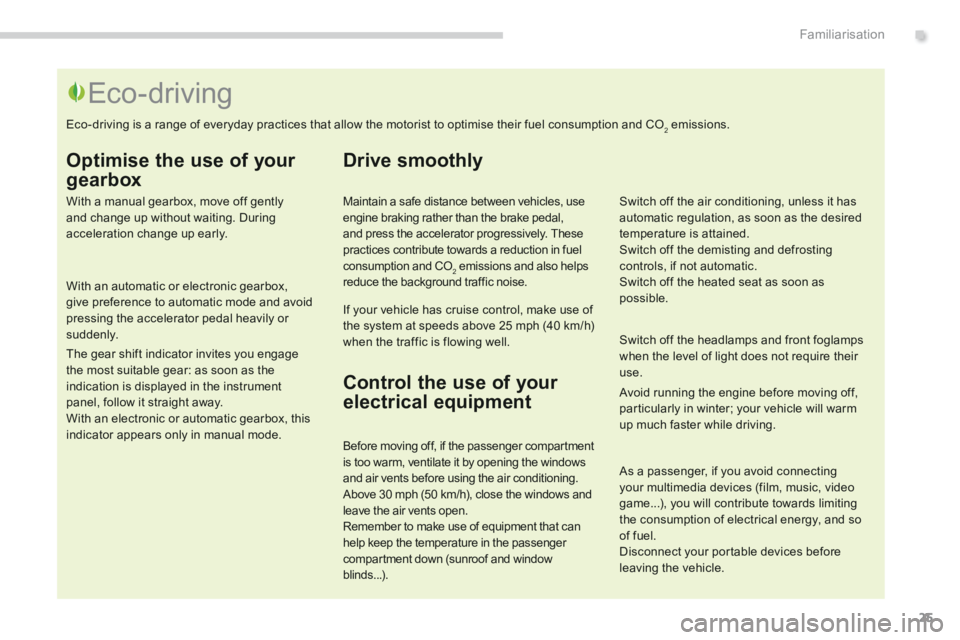
Optimise the use of your
gearbox
With a manual gearbox, move off gently and change up without waiting. During acceleration change up early.
With an automatic or electronic gearbox, give preference to automatic mode and avoid pressing the accelerator pedal heavily or suddenly.
The gear shift indicator invites you engage the most suitable gear: as soon as the indication is displayed in the instrument panel, follow it straight away. With an electronic or automatic gearbox, this indicator appears only in manual mode.
Drive smoothly
Maintain a safe distance between vehicles, use engine braking rather than the brake pedal, and press the accelerator progressively. These practices contribute towards a reduction in fuel consumption and CO2 emissions and also helps reduce the background traffic noise.
If your vehicle has cruise control, make use of the system at speeds above 25 mph (40 km/h) when the traffic is flowing well.
Control the use of your
electrical equipment
Before moving off, if the passenger compartment is too warm, ventilate it by opening the windows and air vents before using the air conditioning. Above 30 mph (50 km/h), close the windows and leave the air vents open. Remember to make use of equipment that can help keep the temperature in the passenger compartment down (sunroof and window blinds...).
Switch off the headlamps and front foglamps when the level of light does not require their use.
Avoid running the engine before moving off, particularly in winter; your vehicle will warm up much faster while driving.
Eco-driving
Eco-driving is a range of everyday practices that allow the motorist to optimise their fuel consumption and CO2 emissions.
As a passenger, if you avoid connecting your multimedia devices (film, music, video game...), you will contribute towards limiting the consumption of electrical energy, and so of fuel. Disconnect your portable devices before leaving the vehicle.
Switch off the air conditioning, unless it has automatic regulation, as soon as the desired temperature is attained. Switch off the demisting and defrosting controls, if not automatic. Switch off the heated seat as soon as possible.
Page 45 of 389
2
Multifunction screens43
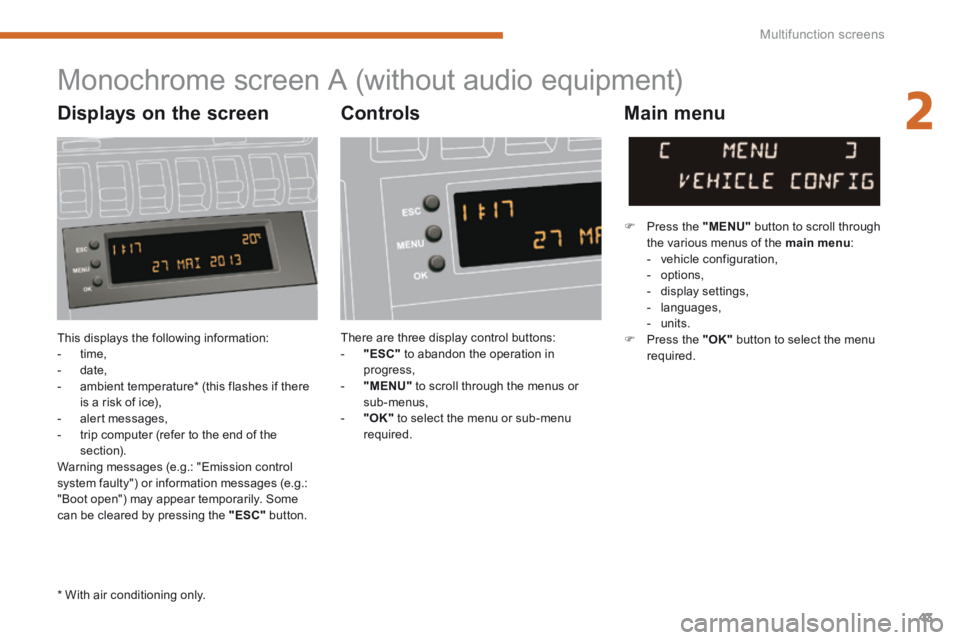
This displays the following information: - time, - date, - ambient temperature * (this flashes if there is a risk of ice), - alert messages, - trip computer (refer to the end of the section). Warning messages (e.g.: "Emission control system faulty") or information messages (e.g.: "Boot open") may appear temporarily. Some can be cleared by pressing the "ESC" button.
Monochrome screen A (without audio equipment)
Controls Main menu
There are three display control buttons: - "ESC" to abandon the operation in progress, - "MENU" to scroll through the menus or sub-menus, - "OK" to select the menu or sub-menu required.
Press the "MENU" button to scroll through the various menus of the main menu : - vehicle configuration, - options, - display settings, - languages, - units. Press the "OK" button to select the menu required.
* With air conditioning only.
Displays on the screen
Page 47 of 389
2
Multifunction screens45
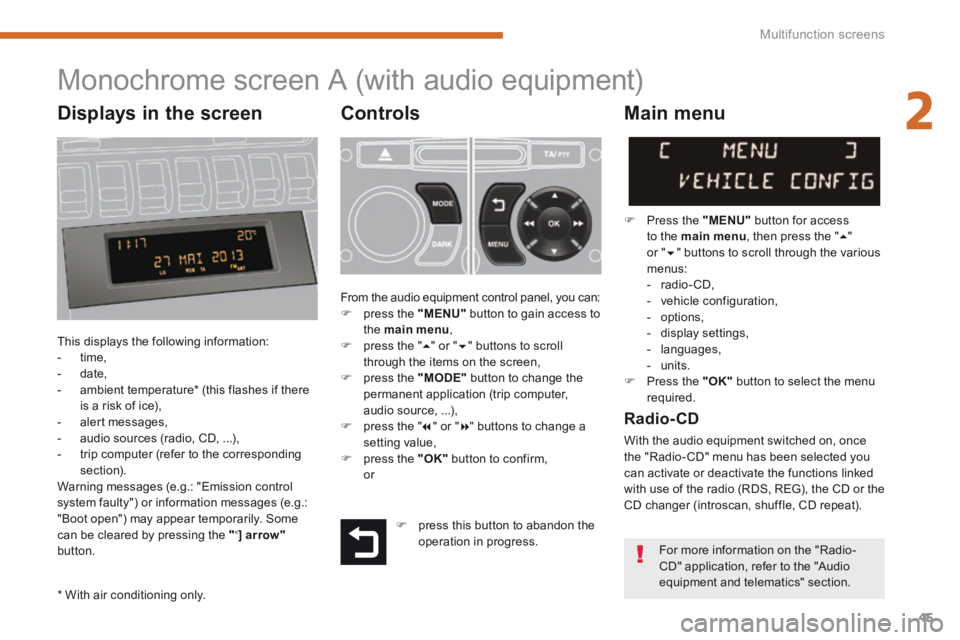
Monochrome screen A (with audio equipment)
Controls
This displays the following information: - time, - date, - ambient temperature * (this flashes if there is a risk of ice), - alert messages, - audio sources (radio, CD, ...), - trip computer (refer to the corresponding section). Warning messages (e.g.: "Emission control system faulty") or information messages (e.g.: "Boot open") may appear temporarily. Some can be cleared by pressing the " < ] arrow"button.
Main menu
Press the "MENU" button for access
to the main menu , then press the " " or " " buttons to scroll through the various menus: - radio- CD, - vehicle configuration, - options, - display settings, - languages, - units. Press the "OK" button to select the menu required.
From the audio equipment control panel, you can: press the "MENU" button to gain access to the main menu , press the " " or " " buttons to scroll through the items on the screen, press the "MODE" button to change the permanent application (trip computer, audio source, ...), press the " " or " " buttons to change a
setting value, press the "OK" button to confirm, or
Radio- CD
With the audio equipment switched on, once the "Radio- CD" menu has been selected you can activate or deactivate the functions linked with use of the radio (RDS, REG), the CD or the CD changer (introscan, shuffle, CD repeat).
* With air conditioning only.
press this button to abandon the operation in progress. For more information on the "Radio-CD" application, refer to the "Audio equipment and telematics" section.
Displays in the screen
Page 49 of 389
2
Multifunction screens47
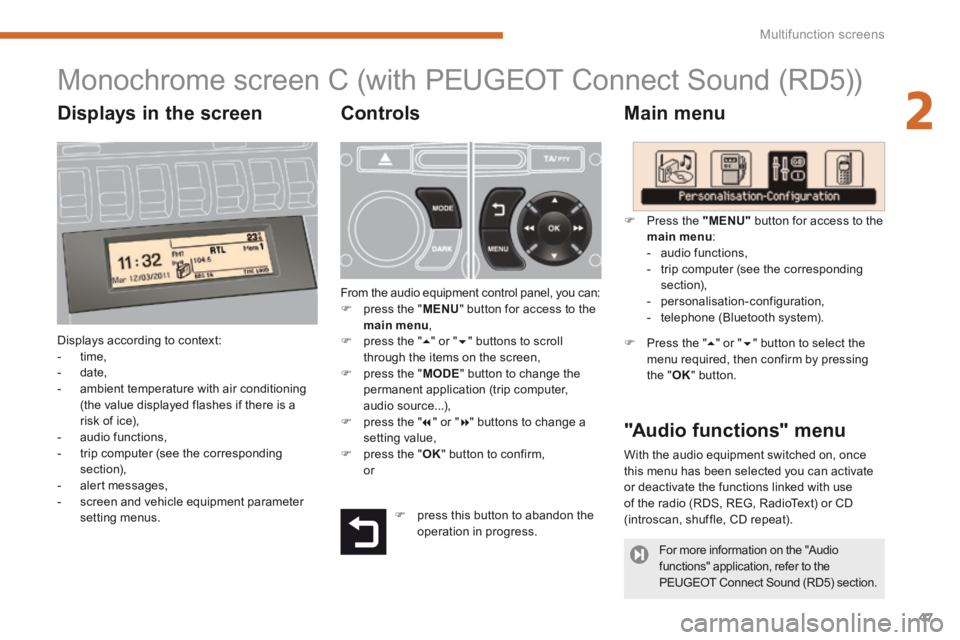
Monochrome screen C (with PEUGEOT Connect Sound (RD5))
Main menu
Displays according to context: - time, - date, - ambient temperature with air conditioning (the value displayed flashes if there is a risk of ice), - audio functions, - trip computer (see the corresponding section), - alert messages, - screen and vehicle equipment parameter setting menus.
"Audio functions" menu
Controls
From the audio equipment control panel, you can: press the " MENU " button for access to the main menu , press the " " or " " buttons to scroll through the items on the screen, press the " MODE " button to change the permanent application (trip computer, audio source...), press the " " or " " buttons to change a setting value, press the " OK " button to confirm, or
Press the "MENU" button for access to the
main menu : - audio functions, - trip computer (see the corresponding section), - personalisation-configuration, - telephone (Bluetooth system).
Press the " " or " " button to select the menu required, then confirm by pressing the " OK " button.
With the audio equipment switched on, once this menu has been selected you can activate or deactivate the functions linked with use of the radio (RDS, REG, RadioText) or CD (introscan, shuffle, CD repeat). press this button to abandon the operation in progress.
For more information on the "Audio functions" application, refer to the PEUGEOT Connect Sound (RD5) section.
Displays in the screen
Page 59 of 389
3
Comfort57
Heating and
Ventilation
System which creates and maintains good conditions of comfort and visibility in the vehicle's passenger compartment.
Controls
The incoming air follows various routes depending on the controls selected by the driver, the front passenger and rear passengers, according to the level of equipment. The temperature control enables you to obtain the level of comfort required by mixing the air of
the various circuits. The air distribution control enables you to select the air vents used in the passenger compartment by the combined use of the associated buttons.
Air intake
The air circulating in the passenger compartment is filtered and originates either from the outside via the grille located at the base of the windscreen or from the inside in air recirculation mode.
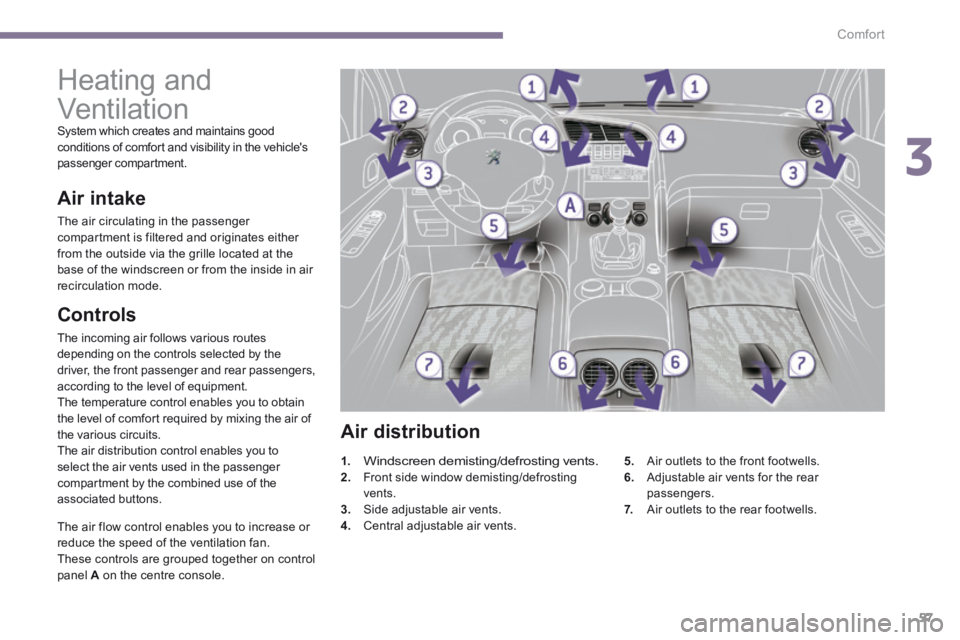
Air distribution
1.Windscreen demisting/defrosting vents. 2. Front side window demisting/defrosting vents. 3. Side adjustable air vents. 4. Central adjustable air vents.
5. Air outlets to the front footwells. 6. Adjustable air vents for the rear passengers. 7. Air outlets to the rear footwells.
The air flow control enables you to increase or reduce the speed of the ventilation fan. These controls are grouped together on control panel A on the centre console.
Page 60 of 389
Comfort
58
Recommendations for ventilation and air conditioning
In order for these systems to be fully effective, follow the operation and maintenance guidelines below: If the interior temperature remains very high after the vehicle has been parked in the sun for a considerable time, first ventilate the passenger compartment for a few minutes. Place the air flow control at a sufficient level to provide an adequate renewal of air in the passenger compartment. To obtain an even air distribution, take care not to obstruct the exterior air intake grilles located at the base of the windscreen, the nozzles, the vents and the air outlets, as well as the air extractor located in the boot. Use in preference the intake of exterior air as prolonged use of the air recirculation may cause misting of the windows and side windows. Do not cover the sunshine sensor, located on the dashboard; this is used for regulation of the automatic air conditioning system. Operate the air conditioning system for 5 to 10 minutes, once or twice a month to keep it in good working order. Ensure that the passenger compartment filter is in good condition and have the filter elements replaced regularly (refer to the "Checks" section). We recommend the use of a combined passenger compartment filter. Thanks to its second special active filter, it contributes to the purification of the air breathed by the occupants and the cleanliness of the passenger compartment (reduction of allergic symptoms, bad odours and greasy deposits).
The air conditioning uses power from the engine while operating. This results in an increase in the vehicle's fuel consumption. When towing at or near maximum capacity or on steep slopes in high ambient temperatures, switching off the air conditioning saves engine power and so improves towing capacity. Condensation created by the air conditioning results in a discharge of water under the vehicle when stationary, which is per fectly normal. To ensure correct operation of the air conditioning system, you are also advised to have it checked regularly. If the system does not produce cold air, do not use it and contact a PEUGEOT dealer or
a qualified workshop.
The air conditioning system does not contain chlorine and does not present any danger to the ozone layer.