brake light PEUGEOT 308 2014 Owners Manual
[x] Cancel search | Manufacturer: PEUGEOT, Model Year: 2014, Model line: 308, Model: Peugeot 308 2014Pages: 389, PDF Size: 22.92 MB
Page 11 of 389
.Familiarisation9
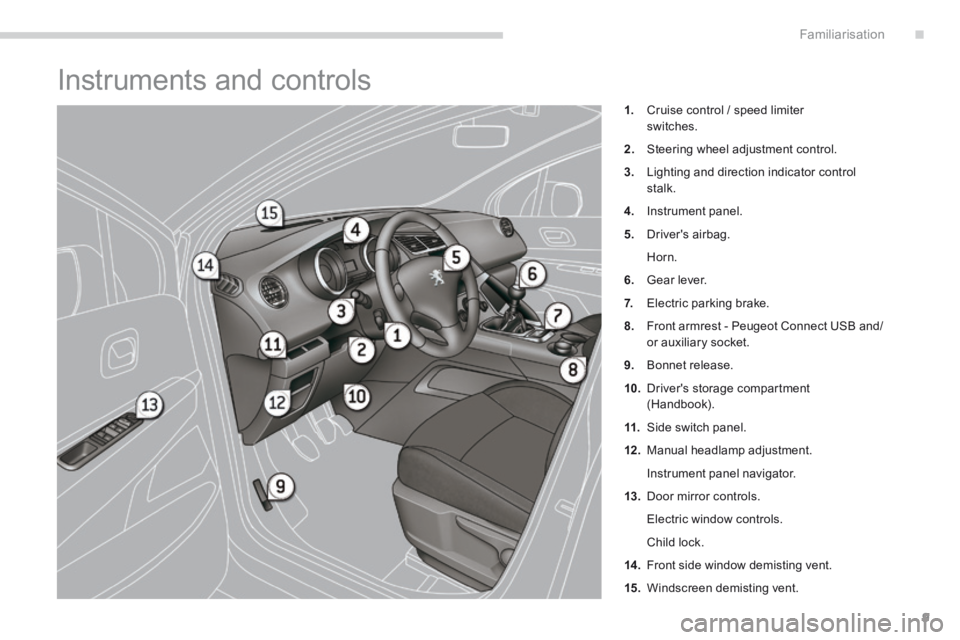
Instruments and controls
1. Cruise control / speed limiter switches.
2. Steering wheel adjustment control.
3. Lighting and direction indicator control stalk.
4. Instrument panel.
5. Driver's airbag.
Horn.
6. Gear lever.
7. Electric parking brake.
8. Front armrest - Peugeot Connect USB and/or auxiliary socket.
9. Bonnet release.
10. Driver's storage compartment (Handbook).
11. Side switch panel.
12 . Manual headlamp adjustment.
Instrument panel navigator.
13. Door mirror controls.
Electric window controls.
Child lock.
14 . Front side window demisting vent.
15. Windscreen demisting vent.
Page 27 of 389
.Familiarisation25
Optimise the use of your
gearbox
With a manual gearbox, move off gently and change up without waiting. During acceleration change up early.
With an automatic or electronic gearbox, give preference to automatic mode and avoid pressing the accelerator pedal heavily or suddenly.
The gear shift indicator invites you engage the most suitable gear: as soon as the indication is displayed in the instrument panel, follow it straight away. With an electronic or automatic gearbox, this indicator appears only in manual mode.
Drive smoothly
Maintain a safe distance between vehicles, use engine braking rather than the brake pedal, and press the accelerator progressively. These practices contribute towards a reduction in fuel consumption and CO2 emissions and also helps reduce the background traffic noise.
If your vehicle has cruise control, make use of the system at speeds above 25 mph (40 km/h) when the traffic is flowing well.
Control the use of your
electrical equipment
Before moving off, if the passenger compartment is too warm, ventilate it by opening the windows and air vents before using the air conditioning. Above 30 mph (50 km/h), close the windows and leave the air vents open. Remember to make use of equipment that can help keep the temperature in the passenger compartment down (sunroof and window blinds...).
Switch off the headlamps and front foglamps when the level of light does not require their use.
Avoid running the engine before moving off, particularly in winter; your vehicle will warm up much faster while driving.
Eco-driving
Eco-driving is a range of everyday practices that allow the motorist to optimise their fuel consumption and CO2 emissions.
As a passenger, if you avoid connecting your multimedia devices (film, music, video game...), you will contribute towards limiting the consumption of electrical energy, and so of fuel. Disconnect your portable devices before leaving the vehicle.
Switch off the air conditioning, unless it has automatic regulation, as soon as the desired temperature is attained. Switch off the demisting and defrosting controls, if not automatic. Switch off the heated seat as soon as possible.
Page 31 of 389
1
Monitoring29
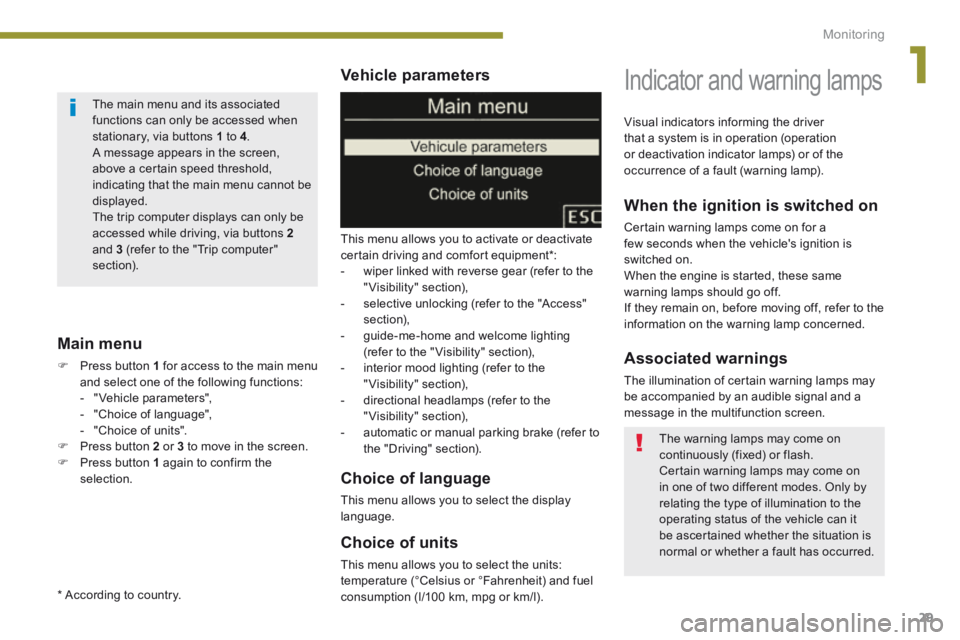
Vehicle parameters
This menu allows you to activate or deactivate certain driving and comfort equipment * : - wiper linked with reverse gear (refer to the "Visibility" section), - selective unlocking (refer to the "Access" section), - guide-me-home and welcome lighting (refer to the " Visibility" section), - interior mood lighting (refer to the "Visibility" section), - directional headlamps (refer to the "Visibility" section),
- automatic or manual parking brake (refer to the "Driving" section).
Choice of units
This menu allows you to select the units: temperature (°Celsius or °Fahrenheit) and fuel consumption (l/100 km, mpg or km/l).
Choice of language
This menu allows you to select the display language.
Main menu
Press button 1 for access to the main menu and select one of the following functions: - " Vehicle parameters", - "Choice of language", - "Choice of units". Press button 2 or 3 to move in the screen. Press button 1 again to confirm the selection.
Indicator and warning lamps
When the ignition is switched on
Certain warning lamps come on for a few seconds when the vehicle's ignition is switched on. When the engine is started, these same warning lamps should go off. If they remain on, before moving off, refer to the information on the warning lamp concerned.
Associated warnings
The illumination of certain warning lamps may be accompanied by an audible signal and a message in the multifunction screen.
Visual indicators informing the driver that a system is in operation (operation or deactivation indicator lamps) or of the occurrence of a fault (warning lamp).
The main menu and its associated functions can only be accessed when stationary, via buttons 1 to 4 . A message appears in the screen, above a certain speed threshold, indicating that the main menu cannot be displayed. The trip computer displays can only be
accessed while driving, via buttons 2and 3 (refer to the "Trip computer" section).
The warning lamps may come on continuously (fixed) or flash. Certain warning lamps may come on in one of two different modes. Only by relating the type of illumination to the operating status of the vehicle can it be ascertained whether the situation is normal or whether a fault has occurred.
* According to country.
Page 46 of 389
Multifunction screens
44
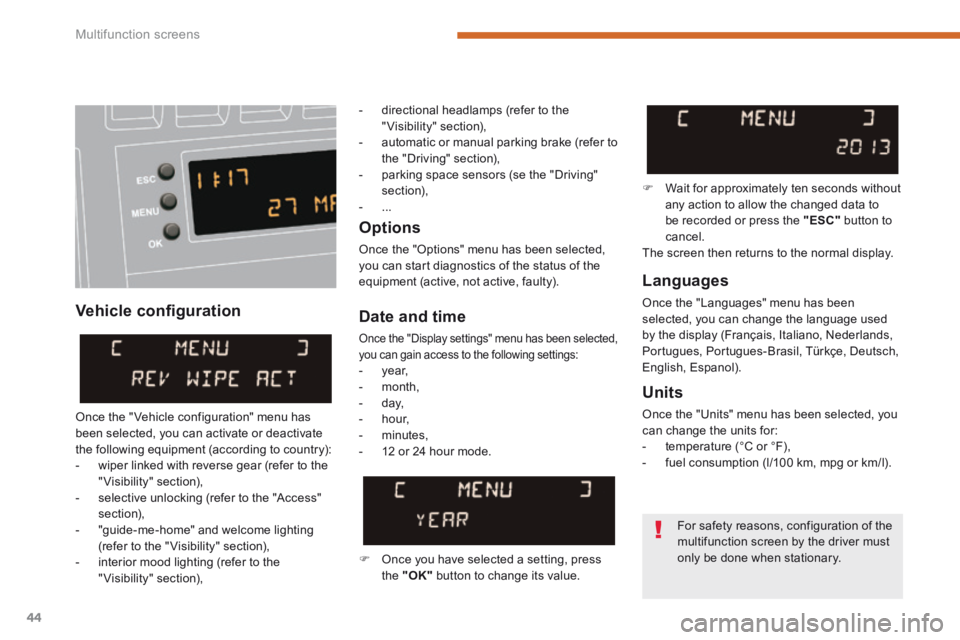
Vehicle confi guration
Options
Once the "Options" menu has been selected, you can start diagnostics of the status of the equipment (active, not active, faulty). Languages
Once the "Languages" menu has been selected, you can change the language used by the display (Français, Italiano, Nederlands, Portugues, Portugues-Brasil, Türkçe, Deutsch, English, Espanol).
Date and time
Once the "Display settings" menu has been selected, you can gain access to the following settings: - year, - month, - day, - hour,
- minutes, - 12 or 24 hour mode.
Units
Once the "Units" menu has been selected, you can change the units for: - temperature (°C or °F), - fuel consumption (l/100 km, mpg or km/l).
Once you have selected a setting, press the "OK" button to change its value.
Wait for approximately ten seconds without any action to allow the changed data to be recorded or press the "ESC" button to cancel. The screen then returns to the normal display.
Once the " Vehicle configuration" menu has been selected, you can activate or deactivate the following equipment (according to country): - wiper linked with reverse gear (refer to the "Visibility" section), - selective unlocking (refer to the "Access" section), - "guide-me-home" and welcome lighting (refer to the " Visibility" section), - interior mood lighting (refer to the "Visibility" section),
For safety reasons, configuration of the
multifunction screen by the driver must only be done when stationary.
- directional headlamps (refer to the "Visibility" section), - automatic or manual parking brake (refer to the "Driving" section), - parking space sensors (se the "Driving" section), - ...
Page 48 of 389
Multifunction screens
46
Date and time Languages
Once the "Languages" menu has been selected, you can change the language used by the display.
Units
Once the "Units" menu has been selected, you can change the units of the following parameters: - temperature (°C or °F), - fuel consumption (l/100 km, mpg or km/l).
Once you have selected a setting, press t h e " " or " " buttons to change its value.
Press the " " or " " buttons to switch respectively to the previous or next setting. Press the "OK" button to record the
change and return to the normal display or press the " < ] arrow" button to cancel.
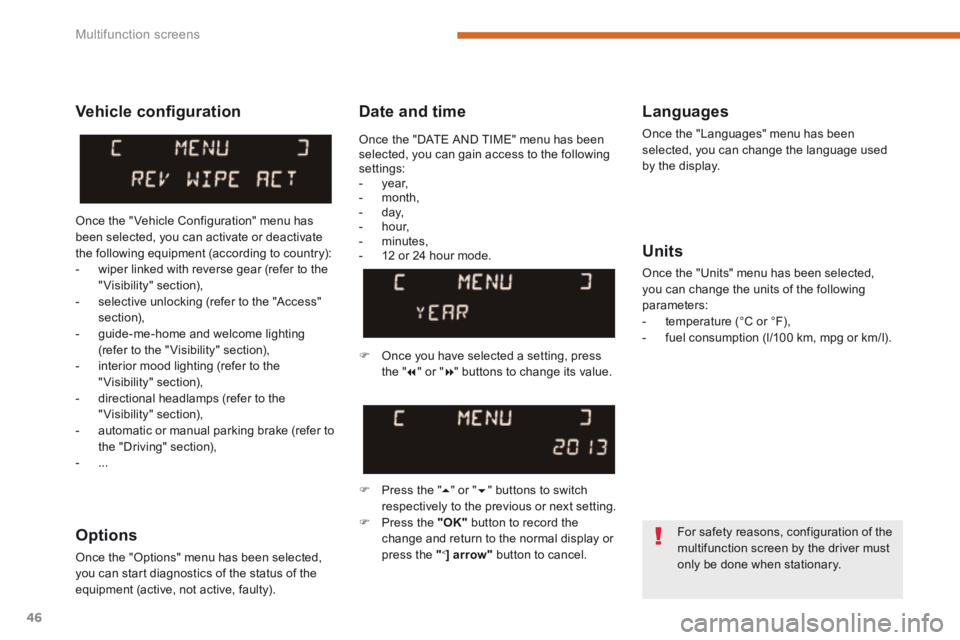
Vehicle confi guration
Once the " Vehicle Configuration" menu has been selected, you can activate or deactivate the following equipment (according to country): - wiper linked with reverse gear (refer to the "Visibility" section), - selective unlocking (refer to the "Access" section), - guide-me-home and welcome lighting (refer to the " Visibility" section), - interior mood lighting (refer to the "Visibility" section), - directional headlamps (refer to the "Visibility" section),
- automatic or manual parking brake (refer to the "Driving" section), - ...
Options
Once the "Options" menu has been selected, you can start diagnostics of the status of the equipment (active, not active, faulty).
For safety reasons, configuration of the multifunction screen by the driver must only be done when stationary.
Once the "DATE AND TIME" menu has been selected, you can gain access to the following settings: - year, - month, - day, - hour, - minutes, - 12 or 24 hour mode.
Page 50 of 389
Multifunction screens
48
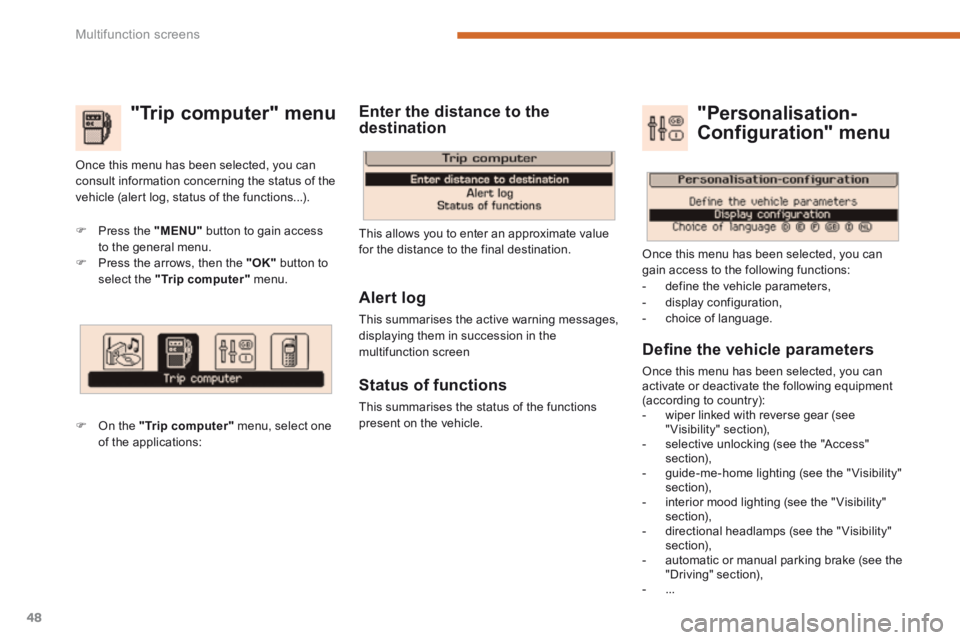
"Trip computer" menu
Press the "MENU" button to gain access to the general menu. Press the arrows, then the "OK" button to select the "Trip computer" menu.
On the "Trip computer" menu, select one of the applications:
This allows you to enter an approximate value for the distance to the final destination.
Once this menu has been selected, you can consult information concerning the status of the vehicle (alert log, status of the functions...).
Defi ne the vehicle parameters
Once this menu has been selected, you can activate or deactivate the following equipment (according to country): - wiper linked with reverse gear (see "Visibility" section), - selective unlocking (see the "Access" section), - guide-me-home lighting (see the " Visibility" section), - interior mood lighting (see the " Visibility" section), - directional headlamps (see the "Visibility" section), - automatic or manual parking brake (see the "Driving" section), - ...
"Personalisation-
Configuration" menu
Once this menu has been selected, you can gain access to the following functions: - define the vehicle parameters, - display configuration, - choice of language.
Alert log
This summarises the active warning messages, displaying them in succession in the multifunction screen
Status of functions
This summarises the status of the functions present on the vehicle.
Enter the distance to the destination
Page 53 of 389
2
Multifunction screens51
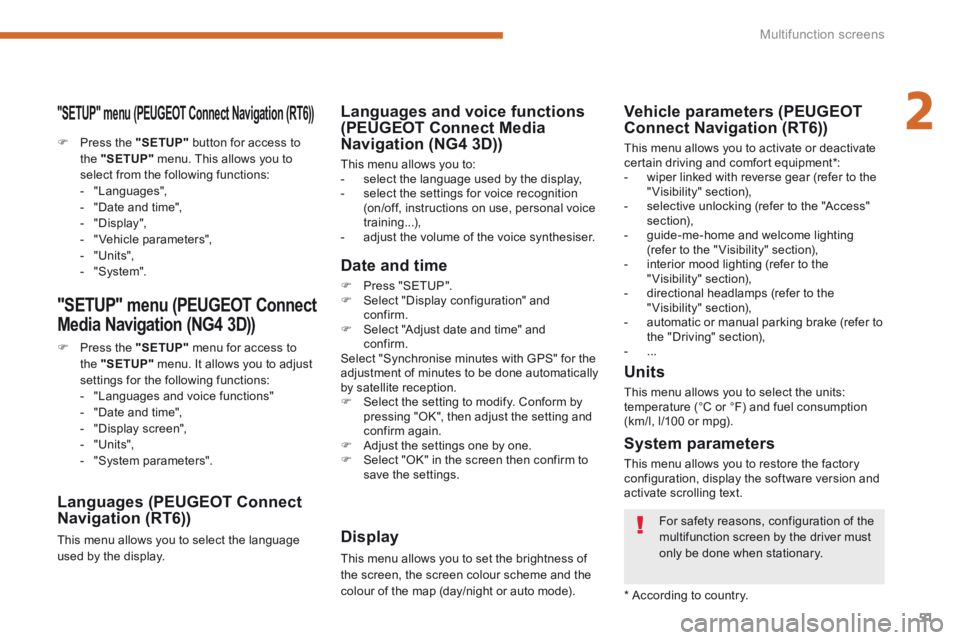
"SETUP" menu (PEUGEOT Connect Navigation (RT6))
Press the "SETUP" button for access to the "SETUP" menu. This allows you to select from the following functions: - "Languages", - "Date and time", - "Display", - " Vehicle parameters", - "Units", - "System".
"SETUP" menu (PEUGEOT Connect
Media Navigation (NG4 3D))
Press the "SETUP" menu for access to the "SETUP" menu . It allows you to adjust settings for the following functions: - "Languages and voice functions" - "Date and time", - "Display screen",
- "Units", - "System parameters".
Languages (PEUGEOT Connect Navigation (RT6))
This menu allows you to select the language used by the display.
Languages and voice functions (PEUGEOT Connect Media Navigation (NG4 3D))
This menu allows you to: - select the language used by the display, - select the settings for voice recognition (on/off, instructions on use, personal voice training...), - adjust the volume of the voice synthesiser.
Date and time
Press "SETUP". Select "Display configuration" and confirm. Select "Adjust date and time" and confirm. Select "Synchronise minutes with GPS" for the adjustment of minutes to be done automatically by satellite reception. Select the setting to modify. Conform by pressing "OK", then adjust the setting and confirm again. Adjust the settings one by one. Select "OK" in the screen then confirm to save the settings.
Display
This menu allows you to set the brightness of the screen, the screen colour scheme and the colour of the map (day/night or auto mode).
System parameters
This menu allows you to restore the factory configuration, display the software version and activate scrolling text.
For safety reasons, configuration of the multifunction screen by the driver must only be done when stationary.
* According to country.
Units
This menu allows you to select the units: temperature (°C or °F) and fuel consumption (km/l, l/100 or mpg).
Vehicle parameters (PEUGEOT Connect Navigation (RT6))
This menu allows you to activate or deactivate certain driving and comfort equipment * : - wiper linked with reverse gear (refer to the "Visibility" section), - selective unlocking (refer to the "Access" section), - guide-me-home and welcome lighting (refer to the " Visibility" section), - interior mood lighting (refer to the "Visibility" section), - directional headlamps (refer to the "Visibility" section), - automatic or manual parking brake (refer to the "Driving" section), - ...
Page 145 of 389
8
Safety143
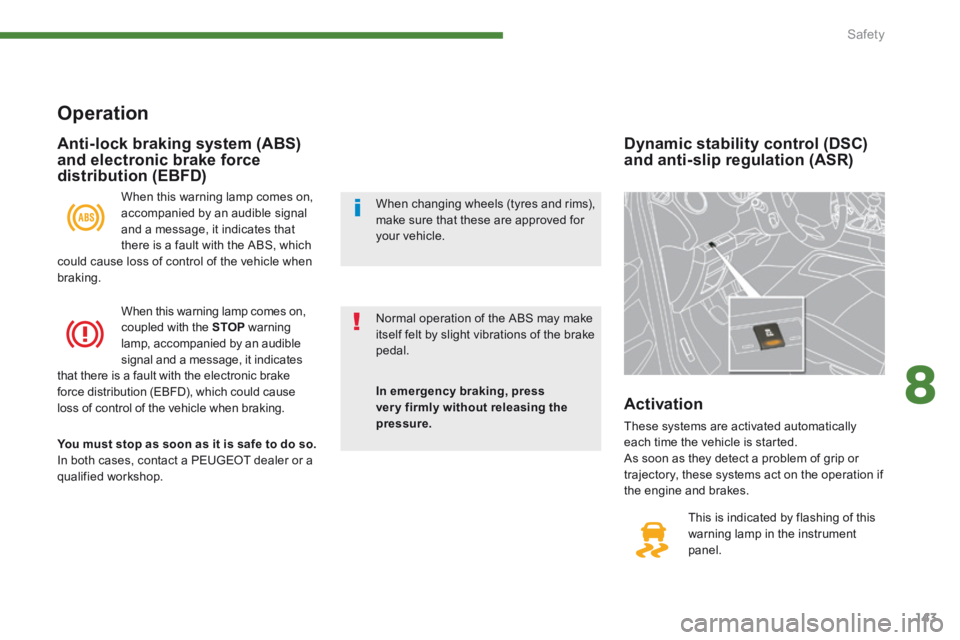
Dynamic stability control (DSC) and anti-slip regulation (ASR)
This is indicated by flashing of this warning lamp in the instrument panel.
Activation
These systems are activated automatically
each time the vehicle is started. As soon as they detect a problem of grip or trajectory, these systems act on the operation if the engine and brakes.
Operation
When this warning lamp comes on, accompanied by an audible signal and a message, it indicates that there is a fault with the ABS, which could cause loss of control of the vehicle when braking.
When this warning lamp comes on, coupled with the STOP warning lamp, accompanied by an audible signal and a message, it indicates that there is a fault with the electronic brake force distribution (EBFD), which could cause loss of control of the vehicle when braking.
You must stop as soon as it is safe to do so. In both cases, contact a PEUGEOT dealer or a qualified workshop.
Anti-lock braking system (ABS) and electronic brake force distribution (EBFD)
In emergency braking, press very firmly without releasing the pressure.
Normal operation of the ABS may make itself felt by slight vibrations of the brake pedal.
When changing wheels (tyres and rims), make sure that these are approved for your vehicle.
Page 184 of 389
182Driving
Stopping the vehicle
Before switching off the engine, you can engage position P or N to place the gearbox in neutral. In both cases, apply the parking brake to immobilise the vehicle, unless it is programmed to automatic mode.
Operating fault
When the ignition is on, the lighting of this warning lamp, accompanied by an audible signal and a message in the multifunction screen, indicates a gearbox malfunction. In this case, the gearbox switches to back-up mode and is locked in 3rd gear. You may feel a substantial knock when changing from Pto R and from N to R . This will not cause any damage to the gearbox. Do not exceed 60 mph (100 km/h), local speed restrictions permitting. Have it checked by a PEUGEOT dealer or a qualified workshop. This warning lamp may also come on if a door is opened.
Invalid value during manual operation
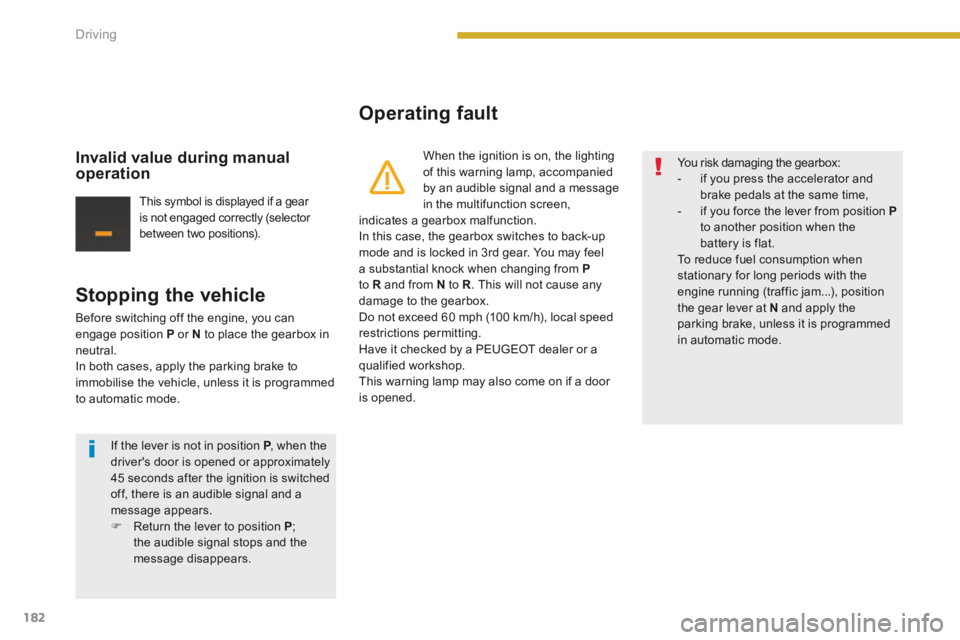
This symbol is displayed if a gear is not engaged correctly (selector between two positions).
You risk damaging the gearbox: - if you press the accelerator and brake pedals at the same time, - if you force the lever from position Pto another position when the battery is flat. To reduce fuel consumption when stationary for long periods with the engine running (traffic jam...), position the gear lever at N and apply the parking brake, unless it is programmed in automatic mode.
If the lever is not in position P , when the P , when the Pdriver's door is opened or approximately 45 seconds after the ignition is switched off, there is an audible signal and a message appears. Return the lever to position P ; the audible signal stops and the message disappears.
Page 185 of 389
9
183
Driving
The Stop & Start system puts the engine temporarily into standby - STOP mode - during stops in the traffic (red lights, traffic jams, or other...). The engine restarts automatically - START mode - as soon as you want to move off. The restart takes place instantly, quickly and silently. Per fect for urban use, the Stop & Start system reduces fuel consumption and exhaust emissions as well as the noise level when stationary.
Operation
Going into engine STOP mode
The "ECO" warning lamp comes on in the instrument panel and the engine goes into standby:
- with an electronic gearbox , at speeds below 4 mph (6 km/h), press the brake pedal or put the gear lever in position N .
If your vehicle is fitted with the system, a time counter calculates the sum of the periods in STOP mode during a journey. It rests itself to zero every time the ignition is switched on with the key.
Special cases: STOP mode not available
STOP mode is not invoked when: - the driver's door is open, - the driver's seat belt is not fastened, - the vehicle has not exceeded 6 mph (10 km/h) since the last engine start using
the key, - the electric parking brake is applied or being applied, - the engine is needed to maintain a comfortable temperature in the passenger compartment, - demisting is active, - some special conditions (battery charge, engine temperature, braking assistance, ambient temperature...) where the engine is needed to assure control of a system.
In this case, the "ECO" warning lamp flashes for a few seconds then goes off.
This operation is perfectly normal.
Never refuel with the engine in STOP mode; you must switch off the ignition with the key.
For your comfort, during parking maoeuvres, STOP mode is not available for a few seconds after coming out of reverse gear. STOP mode does not affect the functionality of the vehicle, such as for example, braking, power steering...
Stop & Start