display Peugeot 308 2015 Owner's Manual
[x] Cancel search | Manufacturer: PEUGEOT, Model Year: 2015, Model line: 308, Model: Peugeot 308 2015Pages: 416, PDF Size: 11.81 MB
Page 385 of 416
05
LIST
LIST
383
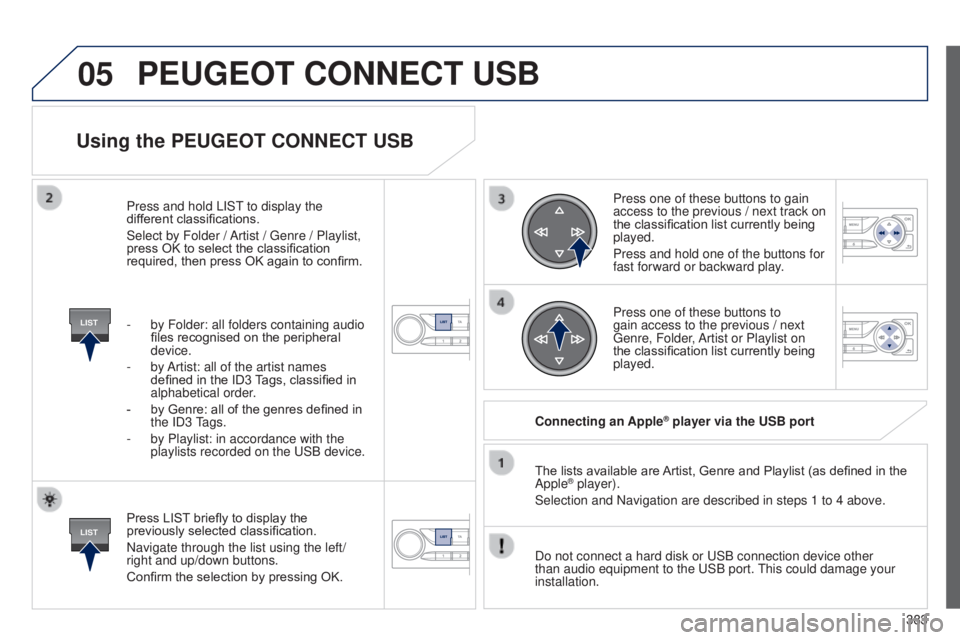
Using the PEUGEOT CONNECT USB
Press LIST briefly to display the
previously selected classification.
Navigate through the list using the left/
right and up/down buttons.
Confirm the selection by pressing OK.The lists available are Artist, Genre and Playlist (as defined in the
Apple
® player).
Selection and Navigation are described in steps 1 to 4 above.
Do not connect a hard disk or
u SB connection device other
than audio equipment to the
u SB port.
t
his could damage your
installation. Connecting an Apple
® player via the USB port
Press one of these buttons to gain
access to the previous / next track on
the classification list currently being
played.
Press and hold one of the buttons for
fast forward or backward play.
Press one of these buttons to
gain access to the previous / next
g
enre, Folder, Artist or Playlist on
the classification list currently being
played.
Press and hold LIS
t
to display the
dif
ferent classifications.
Select by Folder / Artist /
g
enre / Playlist,
press OK to select the classification
required, then press OK again to confirm.
-
by Folder: all folders containing audio
files recognised on the peripheral
device.
-
by
Artist: all of the artist names
defined in the ID3 Tags, classified in
alphabetical order.
-
by Genre: all of the genres defined in
the
ID3
tags.
-
by Playlist: in accordance with the
playlists recorded on the
u
SB device.
PEUGEOT CONNECT USB
Page 386 of 416
05
SRC
384
t
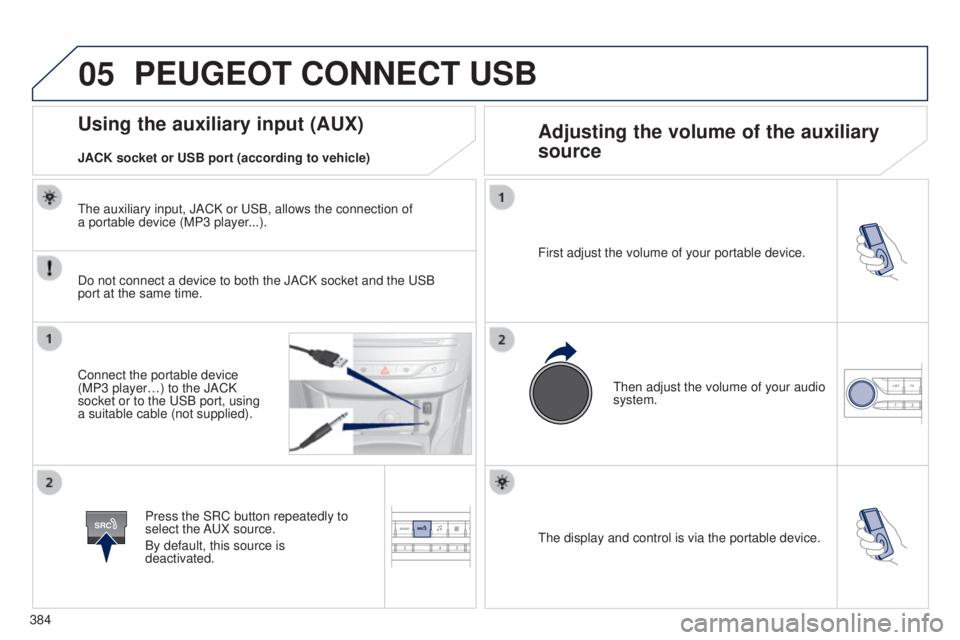
he display and control is via the portable device.
First adjust the volume of your portable device.
t
hen adjust the volume of your audio
system.
Using the auxiliary input (AUX) Adjusting the volume of the auxiliary
source
JACK socket or USB port (according to vehicle)
PEUGEOT CONNECT USB
Do not connect a device to both the JACK socket and the uSB
port at the same time.
Connect the portable device
(MP3 player…) to the JACK
socket or to the
u SB port, using
a suitable cable (not supplied).
Press the SRC button repeatedly to
select the A
u X source.
By default, this source is
deactivated.
t
he auxiliary input, JACK or u SB, allows the connection of
a portable device (MP3 player...).
Page 387 of 416
06
MENU
385
BLUETOOTH
For safety reasons and because they require prolonged attention
on the part of the driver, the operations for pairing of the Bluetooth
mobile telephone with the Bluetooth hands-free system of your
audio equipment must be carried out with the vehicle stationary
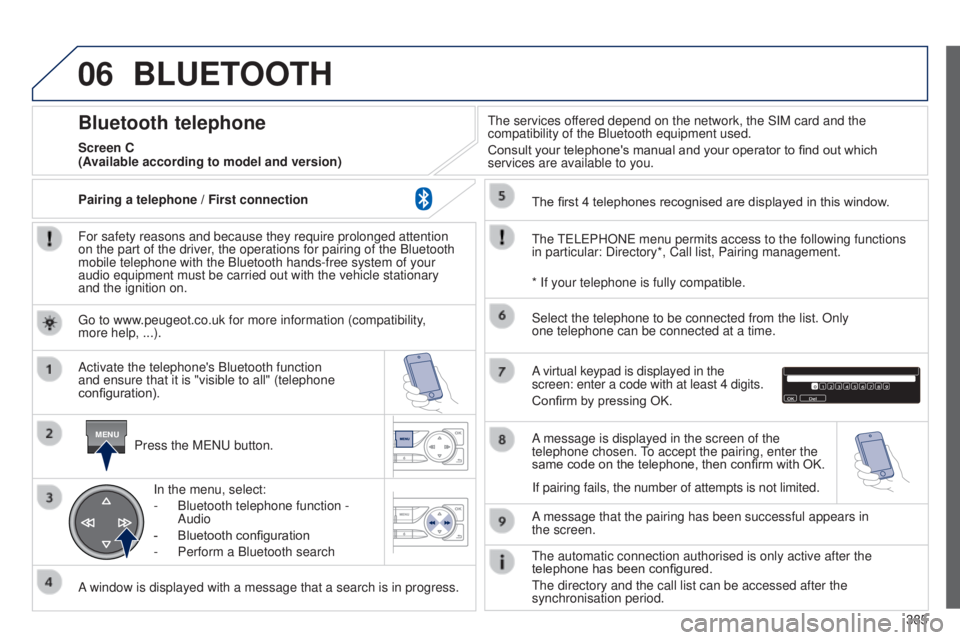
and the ignition on.Press the M
e N u button.
A window is displayed with a message that a search is in progress. Activate the telephone's Bluetooth function
and ensure that it is "visible to all" (telephone
configuration). In the menu, select:
-
Bluetooth telephone function
-
Audio
-
Bluetooth configuration
-
Perform a Bluetooth search
t
he services offered depend on the network, the SIM card and the
compatibility of the Bluetooth equipment used.
Consult your telephone's manual and your operator to find out which
services are available to you.
Bluetooth telephone
Screen C
t
he
te
L e PHON e menu permits access to the following functions
in particular: Directory*, Call list, Pairing management. The first 4 telephones recognised are displayed in this window.
A virtual keypad is displayed in the
screen: enter a code with at least 4 digits.
Confirm by pressing OK.
A message that the pairing has been successful appears in
the
screen.
Select the telephone to be connected from the list. Only
one
telephone can be connected at a time.
A message is displayed in the screen of the
telephone chosen.
to accept the pairing, enter the
same code on the telephone, then confirm with OK.
t
he automatic connection authorised is only active after the
telephone has been configured.
t
he directory and the call list can be accessed after the
synchronisation period.
(Available according to model and version)
* If your telephone is fully compatible.
If pairing fails, the number of attempts is not limited.
g
o to www.peugeot.co.uk for more information (compatibility,
more
help, ...).
Pairing a telephone
/ First connection
Page 388 of 416
06
386Receiving a call
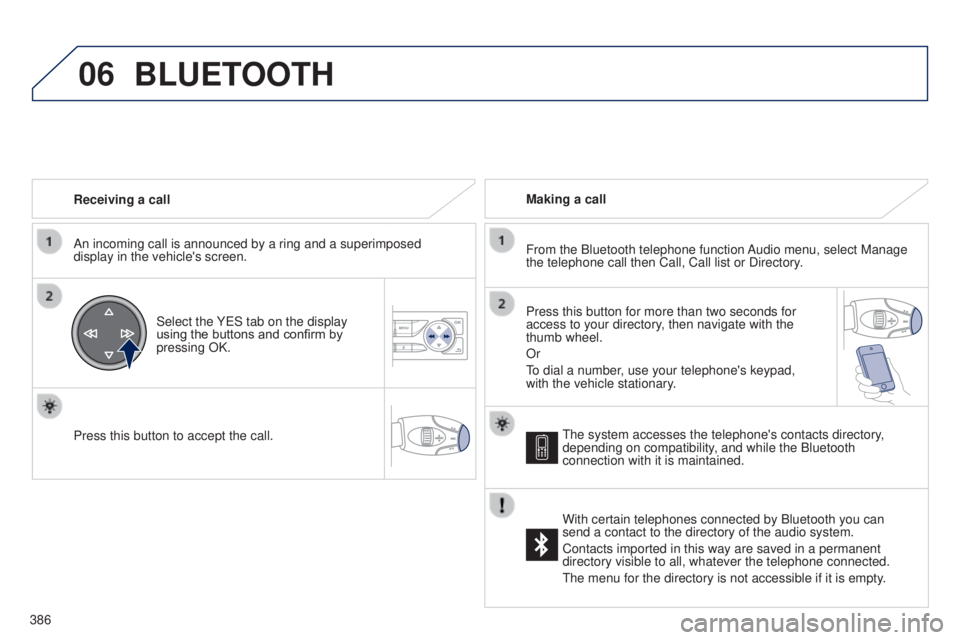
An incoming call is announced by a ring and a superimposed
display in the vehicle's screen.
Select the Y e S tab on the display
using the buttons and confirm by
pressing OK.
Press this button to accept the call. Making a call
From the Bluetooth telephone function Audio menu, select Manage
the telephone call then Call, Call list or Directory.
Press this button for more than two seconds for
access to your directory, then navigate with the
thumb wheel.
Or
to dial a number
, use your telephone's keypad,
with the vehicle stationary.
BLUETOOTH
the system accesses the telephone's contacts directory,
depending on compatibility , and while the Bluetooth
connection with it is maintained.
With certain telephones connected by Bluetooth you can
send a contact to the directory of the audio system.
Contacts imported in this way are saved in a permanent
directory visible to all, whatever the telephone connected.
t
he menu for the directory is not accessible if it is empty.
Page 389 of 416
06
SRC
387
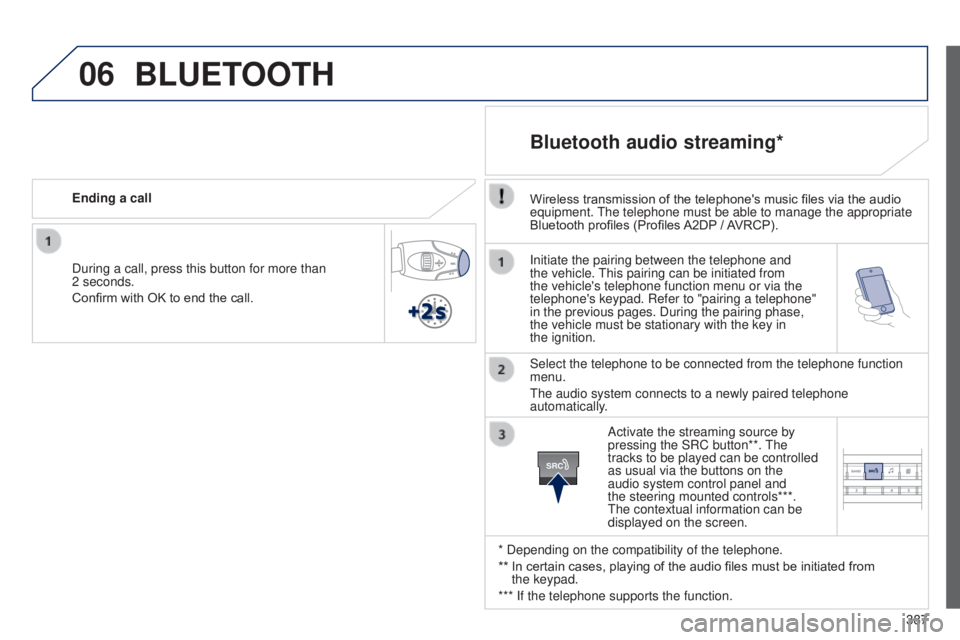
Initiate the pairing between the telephone and
the vehicle.
t
his pairing can be initiated from
the vehicle's telephone function menu or via the
telephone's keypad. Refer to "pairing a telephone"
in the previous pages. During the pairing phase,
the vehicle must be stationary with the key in
the
ignition.
Select the telephone to be connected from the telephone function
menu.
t
he audio system connects to a newly paired telephone
automatically.
Bluetooth audio streaming*
Wireless transmission of the telephone's music files via the audio
equipment. t he telephone must be able to manage the appropriate
Bluetooth profiles (Profiles A2DP
/ AVRCP).
* Depending on the compatibility of the telephone.
**
In certain cases, playing of the audio files must be initiated from
the
keypad.
*** If the telephone supports the function. Activate the streaming source by
pressing the SRC button**.
t
he
tracks to be played can be controlled
as usual via the buttons on the
audio system control panel and
the steering mounted controls***.
t
he contextual information can be
displayed on the screen.
During a call, press this button for more than
2
seconds.
Confirm with OK to end the call. Ending a call
BLUETOOTH
Page 392 of 416
07
390
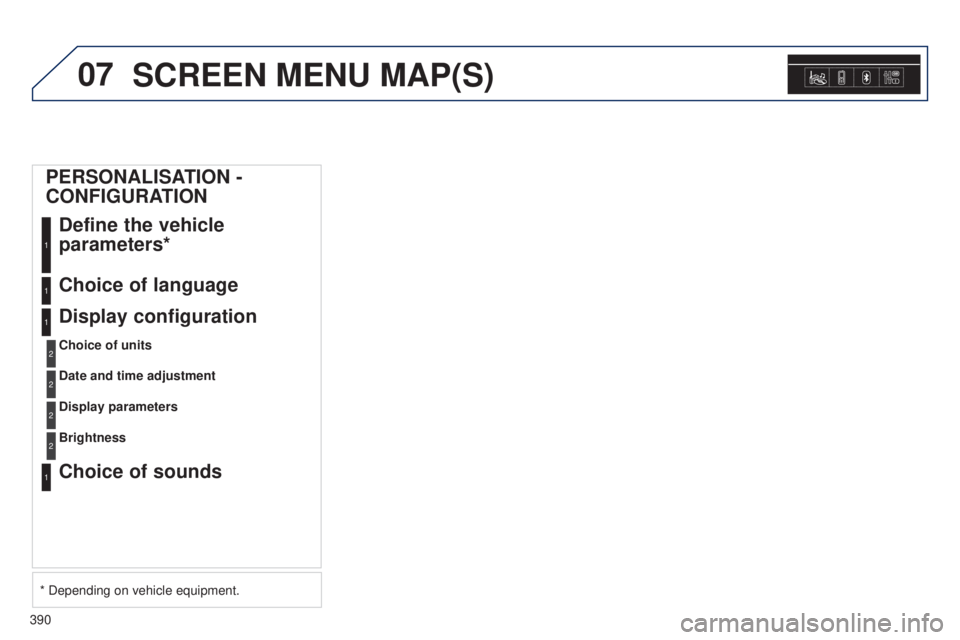
SCREEN MENU MAP(S)
PERSONALISATION -
CONFIGURATIONDefine the vehicle
parameters*
1
Choice of language1
Display configuration
Choice of units
1
2
Date and time adjustment2
Display parameters2
Choice of sounds1
Brightness2
* Depending on vehicle equipment.
Page 393 of 416
391
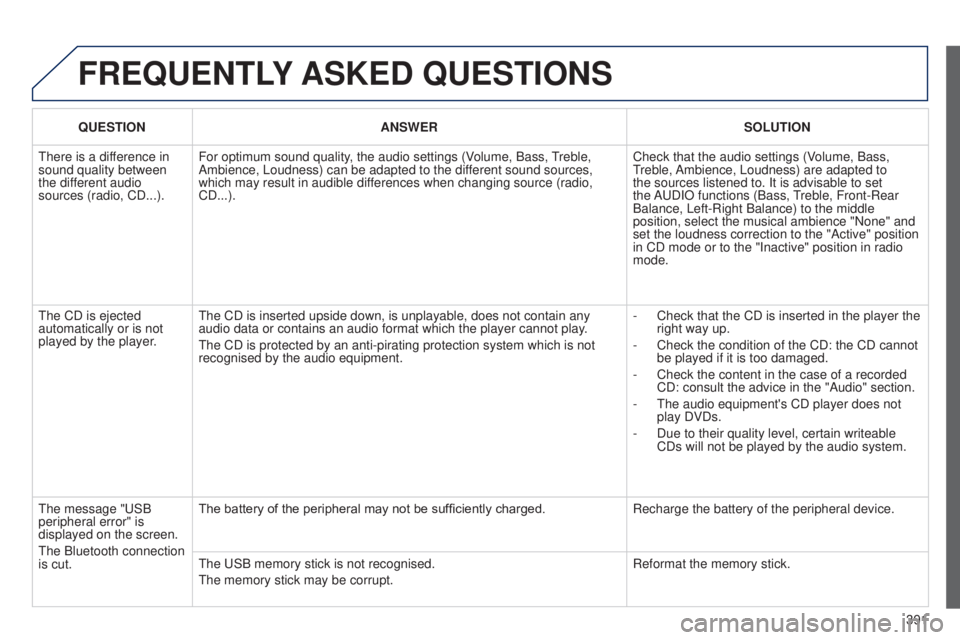
FREqUENTLY ASKED q UESTIONS
qUESTION ANSWER SOLUTION
t
here is a difference in
sound quality between
the different audio
sources (radio, CD...). For optimum sound quality, the audio settings (Volume, Bass,
treble,
Ambience, Loudness) can be adapted to the dif
ferent sound sources,
which may result in audible differences when changing source (radio,
CD...). Check that the audio settings (Volume, Bass,
treble,
Ambience, Loudness) are adapted to
the sources listened to. It is advisable to set
the A
u DIO functions (Bass,
treble, Front-Rear
Balance, Left-Right Balance) to the middle
position, select the musical ambience "None" and
set the loudness correction to the "Active" position
in CD mode or to the "Inactive" position in radio
mode.
t
he CD is ejected
automatically or is not
played by the player.
t
he CD is inserted upside down, is unplayable, does not contain any
audio data or contains an audio format which the player cannot play.
t
he CD is protected by an anti-pirating protection system which is not
recognised by the audio equipment. -
Check that the CD is inserted in the player the
right way up.
-
Check the condition of the CD: the CD cannot
be played if it is too damaged.
-
Check the content in the case of a recorded
CD: consult the advice in the "Audio" section.
-
t he audio equipment's CD player does not
play DVDs.
-
Due to their quality level, certain writeable
CDs will not be played by the audio system.
t
he message " u SB
peripheral error" is
displayed on the screen.
t
he Bluetooth connection
is cut. The battery of the peripheral may not be sufficiently charged.
Recharge the battery of the peripheral device.
t
he u SB memory stick is not recognised.
t
he memory stick may be corrupt. Reformat the memory stick.
Page 394 of 416
392
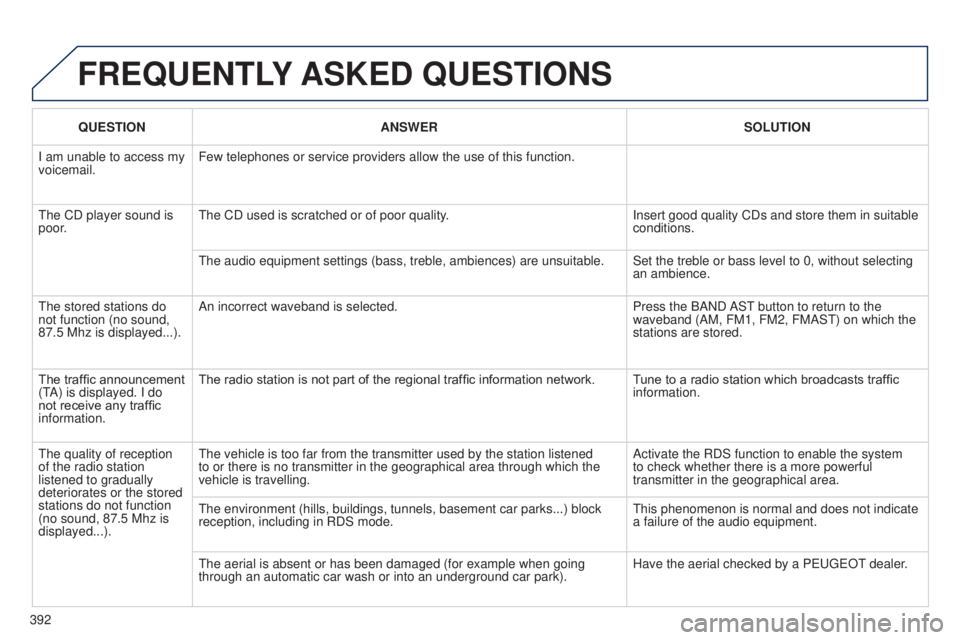
q
UESTION
ANSWER SOLUTION
I am unable to access my
voicemail. Few telephones or service providers allow the use of this function.
t
he CD player sound is
poor.
t
he CD used is scratched or of poor quality.
Insert good quality CDs and store them in suitable
conditions.
t
he audio equipment settings (bass, treble, ambiences) are unsuitable. Set the treble or bass level to 0, without selecting
an ambience.
t
he stored stations do
not function (no sound,
87.5 Mhz is displayed...). An incorrect waveband is selected.
Press the BAND AS t
button to return to the
waveband (AM, FM1, FM2, FMAS
t ) on which the
stations are stored.
The traffic announcement
( t
A) is displayed. I do
not receive any traffic
information. The radio station is not part of the regional traffic information network.
T
une to a radio station which broadcasts traffic
information.
t
he quality of reception
of the radio station
listened to gradually
deteriorates or the stored
stations do not function
(no sound, 87.5 Mhz is
displayed...).
t
he vehicle is too far from the transmitter used by the station listened \
to or there is no transmitter in the geographical area through which the\
vehicle is travelling. Activate the RDS function to enable the system
to check whether there is a more powerful
transmitter in the geographical area.
t
he environment (hills, buildings, tunnels, basement car parks...) bloc\
k
reception, including in RDS mode.
t
his phenomenon is normal and does not indicate
a failure of the audio equipment.
t
he aerial is absent or has been damaged (for example when going
through an automatic car wash or into an underground car park). Have the aerial checked by a P euge O t
dealer
.
FREqUENTLY
ASKED q UESTIONS
Page 395 of 416

393
FREqUENTLY ASKED q UESTIONS
qUESTION ANSWER SOLUTION
Sound cut-outs of 1 to
2
seconds in radio mode. During this brief sound cut-out, the RDS searches for another frequency \
giving better reception of the station. Deactivate the RDS function if the phenomenon is
too frequent and always on the same route.
With the engine off,
the audio equipment
switches off after a
few
minutes of use. When the engine is switched off, the audio equipment operating time
depends on the battery charge.
t
he switch-off is normal: the audio equipment switches to economy mode
and switches off to prevent discharging of the vehicle's battery. Start the vehicle's engine to increase the battery
charge.
t
he message "the audio
system is overheated"
appears on the display. In order to protect the installation if the surrounding temperature is t\
oo
high, the audio equipment switches to an automatic thermal protection
mode leading to a reduction of the volume or stopping of the playing of \
the CD. Switch the audio system off for a few minutes to
allow the system to cool.
Page 398 of 416
396
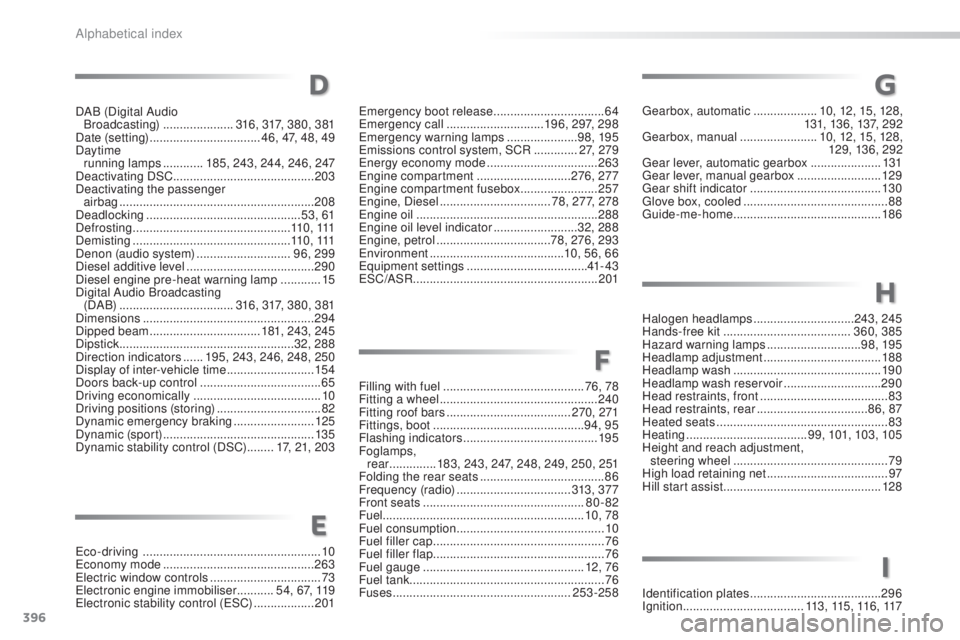
Filling with fuel ..........................................76 , 78
Fitting a wheel ............................... ................240
Fitting roof bars
..................................... 270, 271
Fittings, boot
............................................. 9
4, 95
Flashing indicators
........................................ 195
Foglamps, rear
.............. 1
83, 243, 247, 248, 249, 250, 251
Folding the rear seats
..................................... 86
Frequency (radio)
.................................. 313, 37 7
Front seats
................................................ 80-82
Fuel ............................................................ 10, 78
Fuel consumption
............................................ 10
F
uel filler cap ................................................... 76
Fuel filler flap
................................................... 76
Fuel gauge
................................................ 12, 76
Fuel tank .......................................................... 76
Fuses
..................................................... 253-258
F
G
eco-driving ..................................................... 10ec
onomy mode ............................................. 263
ele
ctric window controls
.................................73
el
ectronic engine immobiliser ........... 54, 67, 119
el
ectronic stability control (
e
SC) ..................201
DAB (Digital Audio
Broadcasting)
.....................
316, 317, 380, 381
Date (setting)
...............................
..
46, 47, 48, 49
Daytime running lamps
............
185, 243, 244, 246, 247
Deactivating DSC .......................................... 203
Deactivating the passenger airbag
.......................................................... 20
8
Deadlocking
..............................................
53, 61
Defrosting
...............................................
11 0 , 111
Demisting
...............................
................
11 0 , 111
Denon (audio system) ............................
96, 299
Diesel additive level
......................................
290
Diesel engine pre-heat warning lamp
............
15
Digital Audio Broadcasting (DA B)
..................................
316, 317, 380, 381
Dimensions
...................................................
294
Dipped beam
...............................
..
181, 243, 245
Dipstick
................
....................................
32, 288
Direction indicators
......
195, 243, 246, 248, 250
Display of inter-vehicle time
..........................
15 4
Doors back-up control ....................................
65
Driving economically ...................................... 10
Driving positions (storing)
...............................
82
Dynamic emergency braking
........................ 12
5
Dynamic (sport)
...............................
..............
13 5
Dynamic stability control (DSC)
........ 1
7, 21, 203
E
gearbox, automatic
...................10, 12, 15, 128,
131, 13 6, 137, 2 92
ge
arbox, manual
.......................10, 12, 15, 128,
129, 136, 292
gea
r lever, automatic gearbox
..................... 13
1
ge
ar lever, manual gearbox
.........................129
ge
ar shift indicator
....................................... 13 0
gl
ove box, cooled ........................................... 88
gu
ide-me-home
............................................ 18 6em
ergency boot release ................................. 64em
ergency call ............................. 1
96, 297, 298
em
ergency warning lamps
..................... 9
8, 195
em
issions control system, SCR
............. 27, 279
en
ergy economy mode
................................. 263
en
gine compartment
............................ 276, 277
en
gine compartment fusebox
....................... 257
en
gine, Diesel
................................. 7
8, 277, 278
en
gine oil
...................................................... 288
en
gine oil level indicator
......................... 32, 288
en
gine, petrol
.................................. 78, 276, 293
en
vironment
...............................
......... 10, 56, 66
eq
uipment settings
.................................... 41- 4 3
eS
C/ASR
...............................
........................ 201
D
H
Halogen headlamps ..............................243, 245
Hands-free kit ...................................... 360, 385
Hazard warning lamps
............................98, 195
Headlamp adjustment
...................................188
Headlamp wash
............................................ 19 0
Headlamp wash reservoir
.............................290
Head restraints, front
...................................... 83
Head restraints, rear
.................................86, 87
Heated seats
................................................... 83
Heating
.................................... 99, 101, 103, 105
Height and reach adjustment, steering wheel
.............................................. 79
High load retaining net
....................................97
Hill start assist
............................................... 12
8
I
Identification plates .......................................29 6
Ignition ................ ....................113 , 115 , 11 6 , 117
Alphabetical index