instrument panel Peugeot 308 2015 Owner's Guide
[x] Cancel search | Manufacturer: PEUGEOT, Model Year: 2015, Model line: 308, Model: Peugeot 308 2015Pages: 416, PDF Size: 11.81 MB
Page 121 of 416
119
308_en_Chap04_conduite_ed01-2015
Anti-theft protection
Electronic engine immobiliser
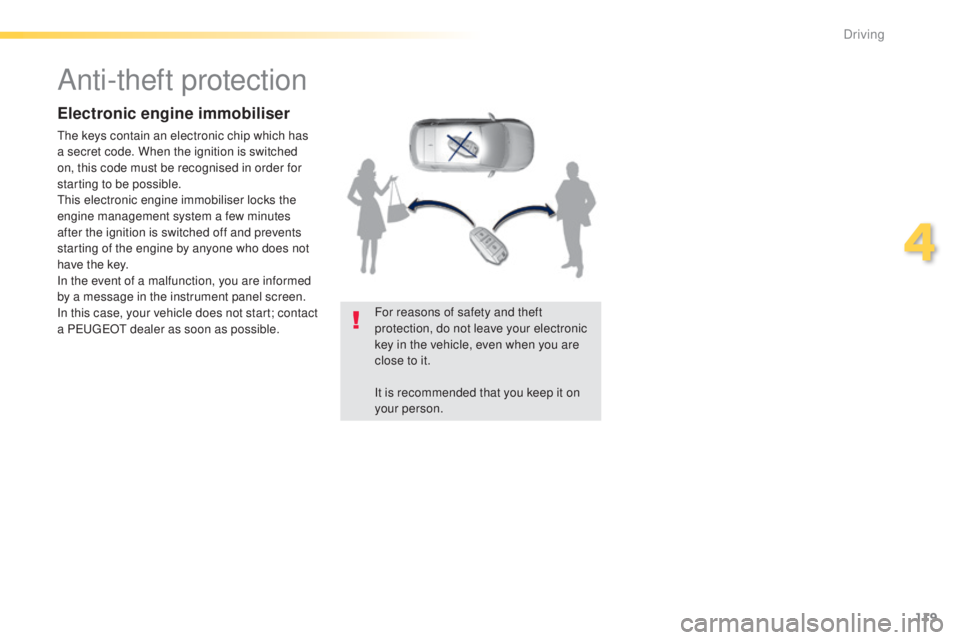
the keys contain an electronic chip which has
a secret code. When the ignition is switched
on, this code must be recognised in order for
starting to be possible.
th
is electronic engine immobiliser locks the
engine management system a few minutes
after the ignition is switched off and prevents
starting of the engine by anyone who does not
have the key.
In the event of a malfunction, you are informed
by a message in the instrument panel screen.
In this case, your vehicle does not start; contact
a P
e
uge
Ot
dealer as soon as possible. For reasons of safety and theft
protection, do not leave your electronic
key in the vehicle, even when you are
close to it.
It is recommended that you keep it on
your person.
4
Driving
Page 123 of 416
121
308_en_Chap04_conduite_ed01-2015
electric parking brake
Never leave a child alone inside the
vehicle with the ignition on, as they
could release the parking brake.
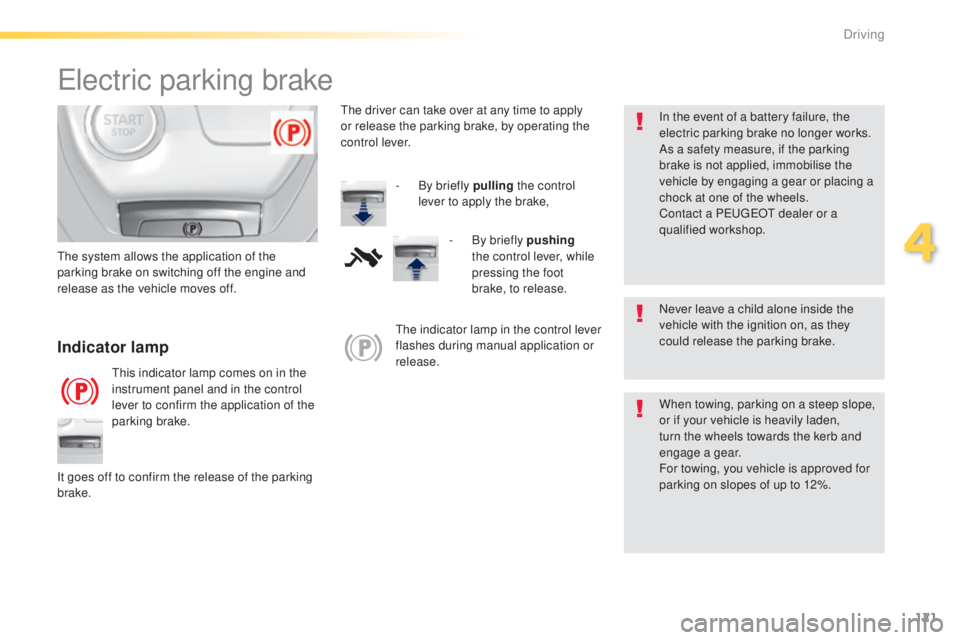
Indicator lamp
this indicator lamp comes on in the
instrument panel and in the control
lever to confirm the application of the
parking brake.
th
e system allows the application of the
parking brake on switching off the engine and
release as the vehicle moves off.
When towing, parking on a steep slope,
or if your vehicle is heavily laden,
turn the wheels towards the kerb and
engage a gear.
For towing, you vehicle is approved for
parking on slopes of up to 12%.
It goes off to confirm the release of the parking
brake.
th
e indicator lamp in the control lever
flashes during manual application or
release. In the event of a battery failure, the
electric parking brake no longer works.
As a safety measure, if the parking
brake is not applied, immobilise the
vehicle by engaging a gear or placing a
chock at one of the wheels.
Contact a P
e
uge
Ot
dealer or a
qualified workshop.
th
e driver can take over at any time to apply
or release the parking brake, by operating the
control lever.
-
B
y briefly pulling
the control
lever to apply the brake,
-
B
y briefly pushing
the control lever, while
pressing the foot
brake, to release.
4
Driving
Page 125 of 416
123
308_en_Chap04_conduite_ed01-2015
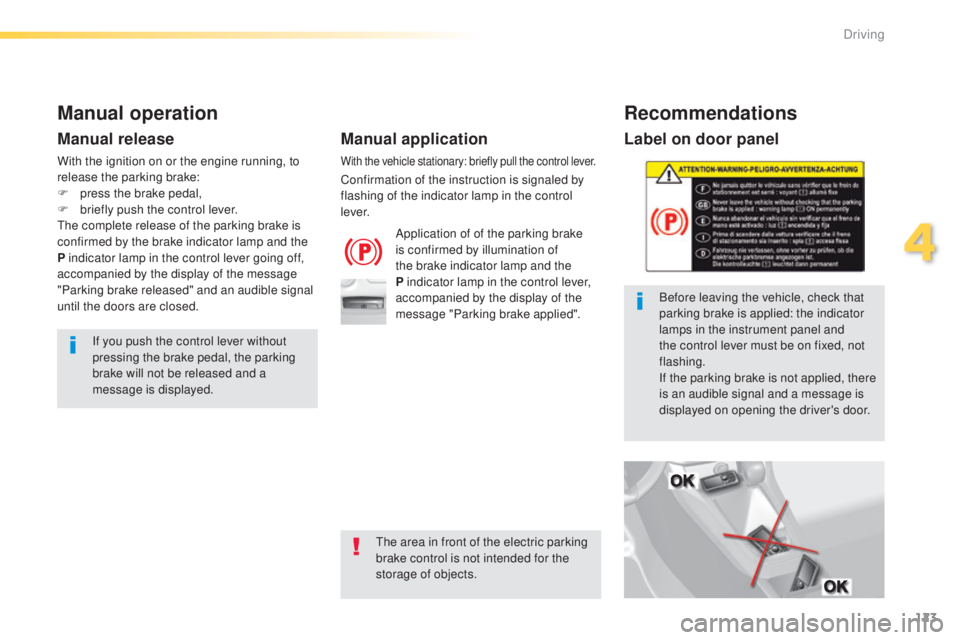
Label on door panel
Before leaving the vehicle, check that
parking brake is applied: the indicator
lamps in the instrument panel and
the control lever must be on fixed, not
flashing.
If the parking brake is not applied, there
is an audible signal and a message is
displayed on opening the driver's door.
Manual operation
Application of of the parking brake
is confirmed by illumination of
the brake indicator lamp and the
P indicator lamp in the control lever,
accompanied by the display of the
message "Parking brake applied".
Manual release
If you push the control lever without
pressing the brake pedal, the parking
brake will not be released and a
message is displayed.
With the vehicle stationary: briefly pull the control lever.
Confirmation of the instruction is signaled by
flashing of the indicator lamp in the control
l eve r.
With the ignition on or the engine running, to
release the parking brake:
F
p
ress the brake pedal,
F
b
riefly push the control lever.
th
e complete release of the parking brake is
confirmed by the brake indicator lamp and the
P indicator lamp in the control lever going off,
accompanied by the display of the message
"Parking brake released" and an audible signal
until the doors are closed.
Manual application
Recommendations
the area in front of the electric parking
brake control is not intended for the
storage of objects.
4
Driving
Page 126 of 416
124
308_en_Chap04_conduite_ed01-2015
Special cases
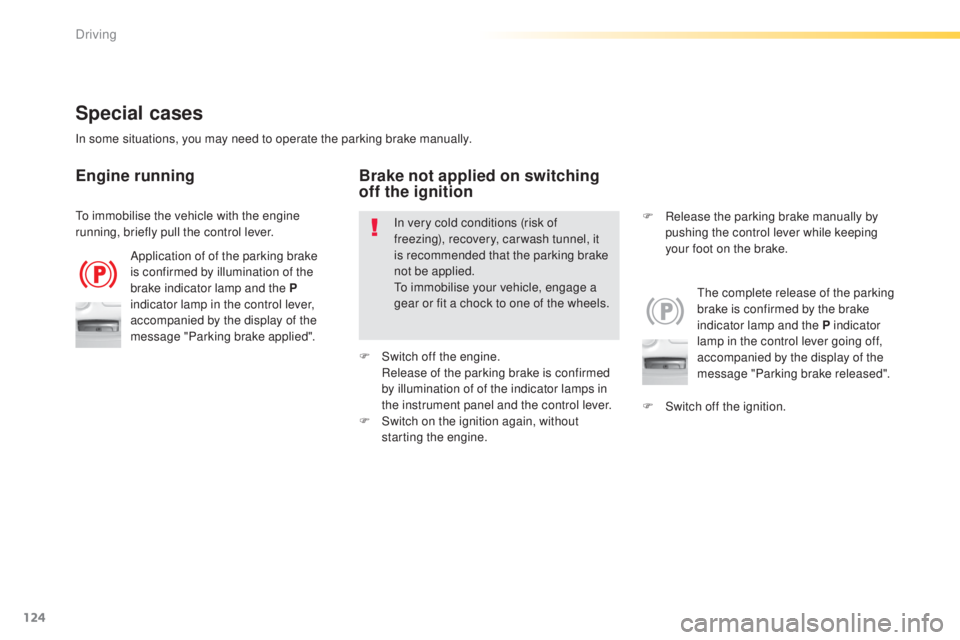
Application of of the parking brake
is confirmed by illumination of the
brake indicator lamp and the P
indicator lamp in the control lever,
accompanied by the display of the
message "Parking brake applied".
th
e complete release of the parking
brake is confirmed by the brake
indicator lamp and the P indicator
lamp in the control lever going off,
accompanied by the display of the
message "Parking brake released".
In some situations, you may need to operate the parking brake manually.
Engine running
In very cold conditions (risk of
freezing), recovery, car wash tunnel, it
is recommended that the parking brake
not be applied.
to
immobilise your vehicle, engage a
gear or fit a chock to one of the wheels.
Brake not applied on switching
off the ignition
F Switch off the ignition. F
R
elease the parking brake manually by
pushing the control lever while keeping
your foot on the brake.
to i
mmobilise the vehicle with the engine
running, briefly pull the control lever.
F
S
witch off the engine.
R
elease of the parking brake is confirmed
by illumination of of the indicator lamps in
the instrument panel and the control lever.
F
S
witch on the ignition again, without
starting the engine.
Driving
Page 127 of 416
125
308_en_Chap04_conduite_ed01-2015
Emergency braking
In the event of a failure of the main service
brake or in an exceptional situation (e.g. driver
taken ill, under instruction, etc) a continuous
pull on the control lever will brake the vehicle.
Braking takes place while the control lever is
being pulled. It is interrupted if the control lever
is released.
th
e ABS and DSC systems provide stability of
the vehicle during emergency braking.
If the emergency braking malfunctions, the
message "Parking brake control faulty" will be
displayed.
the
emergency braking should only be
used in an exceptional situation.
Repeat this procedure to reactivate automatic
operation.
Reactivation of automatic operation is
confirmed by the indicator lamp in the
instrument panel going off.
Deactivating automatic operation
In some situations, such as very cold weather
or towing (caravan, recovery), it may be
necessary to deactivate automatic operation of
the system.
F
S
tart the engine.
F
A
pply the parking brake with the control
lever, if it is released.
F
t
a
ke your foot off the brake pedal.
F
P
ush and hold the control lever in the
release direction for at least 10 seconds
and no more than 15 seconds.
F
R
elease the control lever.
F
P
ress and hold the brake pedal.
F
P
ull the control lever in the apply direction
for 2 seconds.
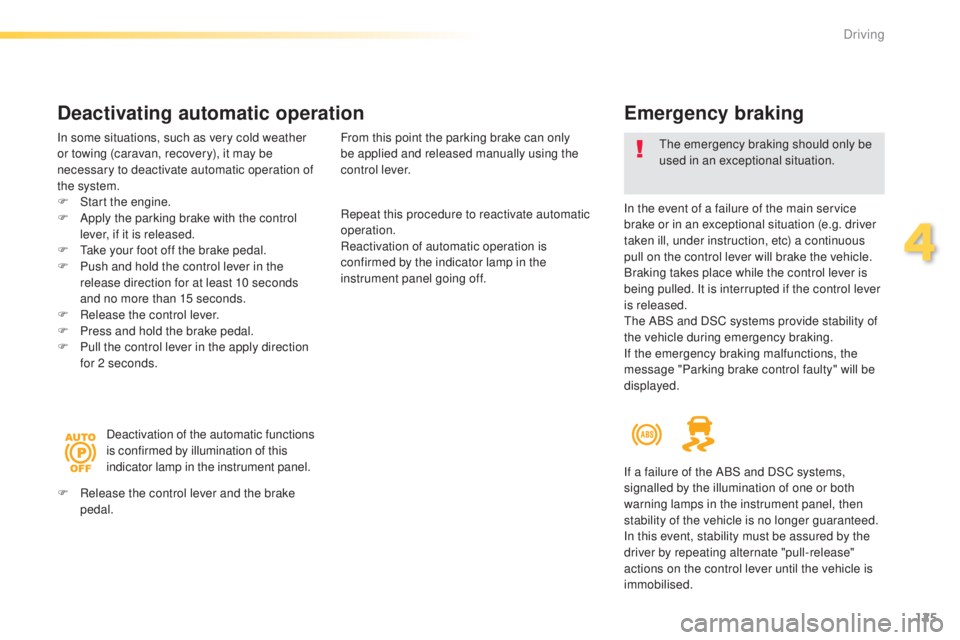
Deactivation of the automatic functions
is confirmed by illumination of this
indicator lamp in the instrument panel.
F
R
elease the control lever and the brake
pedal. From this point the parking brake can only
be applied and released manually using the
control lever.
If a failure of the ABS and DSC systems,
signalled by the illumination of one or both
warning lamps in the instrument panel, then
stability of the vehicle is no longer guaranteed.
In this event, stability must be assured by the
driver by repeating alternate "pull-release"
actions on the control lever until the vehicle is
immobilised.
4
Driving
Page 129 of 416
127
308_en_Chap04_conduite_ed01-2015
SituationsConsequences
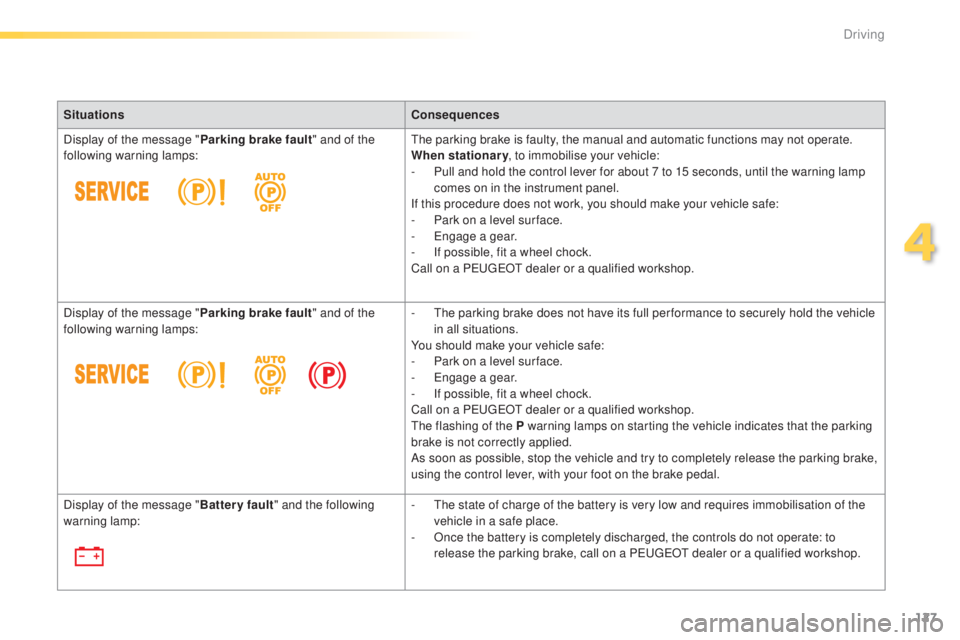
Display of the message " Parking brake fault" and of the
following warning lamps:
th
e parking brake is faulty, the manual and automatic functions may not operate.
When stationary , to immobilise your vehicle:
-
P
ull and hold the control lever for about 7 to 15 seconds, until the warning lamp
comes on in the instrument panel.
If this procedure does not work, you should make your vehicle safe:
-
P
ark on a level sur face.
-
e
n
gage a gear.
-
I
f possible, fit a wheel chock.
Call on a P
e
uge
Ot
dealer or a qualified workshop.
Display of the message " Parking brake fault" and of the
following warning lamps: -
t
h
e parking brake does not have its full per formance to securely hold the vehicle
in all situations.
You should make your vehicle safe:
-
P
ark on a level sur face.
-
e
n
gage a gear.
-
I
f possible, fit a wheel chock.
Call on a P
e
uge
Ot
dealer or a qualified workshop.
th
e flashing of the P warning lamps on starting the vehicle indicates that the parking
brake is not correctly applied.
As soon as possible, stop the vehicle and try to completely release the parking brake,
using the control lever, with your foot on the brake pedal.
Display of the message " Battery fault" and the following
warning lamp: -
t
h
e state of charge of the battery is very low and requires immobilisation of the
vehicle in a safe place.
-
O
nce the battery is completely discharged, the controls do not operate: to
release the parking brake, call on a P
e
uge
Ot
dealer or a qualified workshop.
4
Driving
Page 132 of 416
130
308_en_Chap04_conduite_ed01-2015
gear shift indicator
Depending on the driving situation and your
vehicle's equipment, the system may advise
you to skip one or more gears.
You can follow this instruction without going
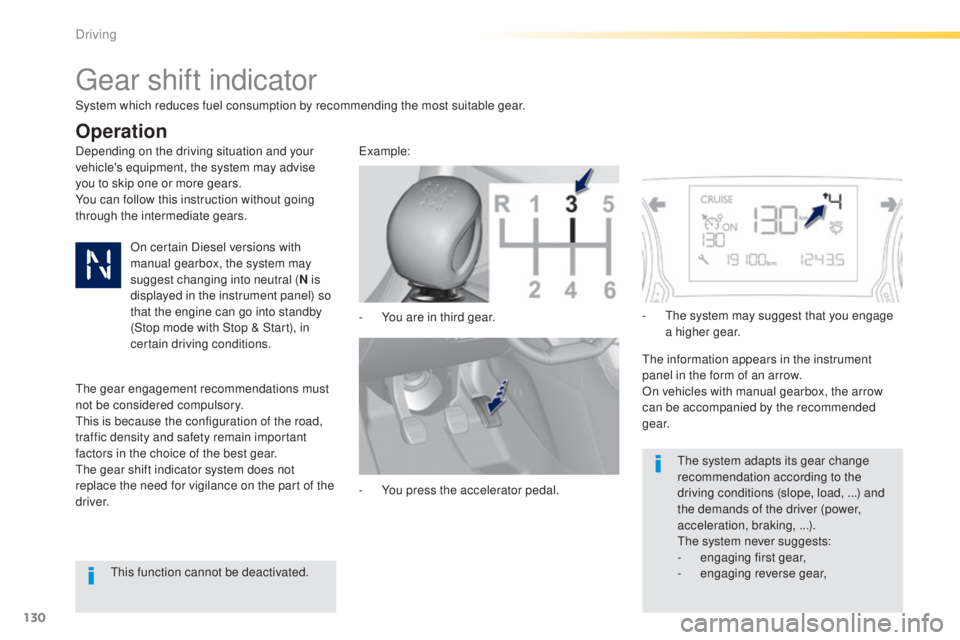
through the intermediate gears.-
Y
ou are in third gear.example:
-
Y
ou press the accelerator pedal.-
t
h
e system may suggest that you engage
a higher gear.
th
e information appears in the instrument
panel in the form of an arrow.
On vehicles with manual gearbox, the arrow
can be accompanied by the recommended
g e a r.
th
e system adapts its gear change
recommendation according to the
driving conditions (slope, load,
...) and
the demands of the driver (power,
acceleration, braking,
...).
th
e system never suggests:
-
e
ngaging first gear,
-
enga
ging reverse gear,
System which reduces fuel consumption by recommending the most suitable gear.
Operation
On certain Diesel versions with
manual gearbox, the system may
suggest changing into neutral (
N is
displayed in the instrument panel) so
that the engine can go into standby
(Stop mode with Stop & Start), in
certain driving conditions.
the
gear engagement recommendations must
not be considered compulsory.
th
is is because the configuration of the road,
traffic density and safety remain important
factors in the choice of the best gear.
th
e gear shift indicator system does not
replace the need for vigilance on the part of the
driver.
th
is function cannot be deactivated.
Driving
Page 134 of 416
132
308_en_Chap04_conduite_ed01-2015
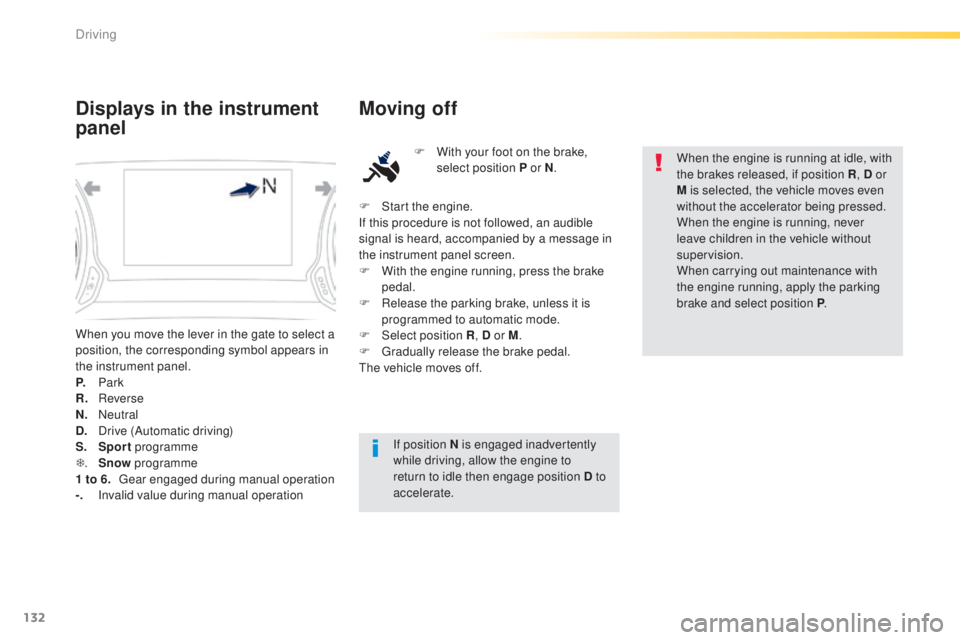
When you move the lever in the gate to select a
position, the corresponding symbol appears in
the instrument panel.
P.
Park
R.
R
everse
N.
N
eutral
D.
D
rive (Automatic driving)
S.
Sport programme
T .
S
now programme
1 to 6.
g
ea
r engaged during manual operation
-.
I
nvalid value during manual operation
Displays in the instrument
panel Moving off
F With your foot on the brake,
select position P or N .
If position N is engaged inadvertently
while driving, allow the engine to
return to idle then engage position D to
accelerate. When the engine is running at idle, with
the brakes released, if position R
, D or
M is selected, the vehicle moves even
without the accelerator being pressed.
When the engine is running, never
leave children in the vehicle without
supervision.
When carrying out maintenance with
the engine running, apply the parking
brake and select position P .
F
S
tart the engine.
If this procedure is not followed, an audible
signal is heard, accompanied by a message in
the instrument panel screen.
F
W
ith the engine running, press the brake
pedal.
F
R
elease the parking brake, unless it is
programmed to automatic mode.
F
Sel
ect position R , D or M.
F
g
r
adually release the brake pedal.
th
e vehicle moves off.
Driving
Page 135 of 416
133
308_en_Chap04_conduite_ed01-2015
Automatic operation
F Select position D for automatic changing
of the six gears.
th
e gearbox then operates in auto-adaptive
mode, without any intervention on the part
of the driver. It continuously selects the most
suitable gear according to the style of driving,
the profile of the road and the load in the
vehicle.
For maximum acceleration without touching
the lever, press the accelerator pedal down
fully (kick down).
t
h
e gearbox changes down
automatically or maintains the gear selected
until the maximum engine speed is reached.
On braking, the gearbox changes down
automatically to provide efficient engine
braking.
If you release the accelerator sharply, the
gearbox will not change to a higher gear for
safety reasons.
Never select position N while the
vehicle is moving.
Never select positions P or R unless the
vehicle is completely stationary.
Sport and snow programmes
these two special programmes supplement the
automatic operation in very specific conditions of use.
Sport "S"
F Press the "S" switch, after starting the engine.th
e gearbox automatically favours a dynamic
style of driving.
S appears in the instrument panel.
Snow "T"
F Press the " T" switch, after starting the
engine.
th
e gearbox adapts to driving on slippery roads.
th
is programme improves starting and drive
when traction is poor.
T appears in the instrument panel.
Return to automatic operation
F At any time, press the button selected (S or " T") again at any time to quit the
programme engaged and return to auto-
adaptive mode.
Creep function (moving
without using the
accelerator)
this function provides great flexibility in
manoeuvring the vehicle at low speed (when
parking, in traffic jams, …).
With the engine at idle, parking brake released
and position D , M or R selected, the vehicle
moves
as soon as you take your foot off
the brake pedal (even without pressing the
accelerator).
For your safety, this function will be activated
only if you press the brake pedal when
changing from forward drive to reverse.
It is deactivated on opening the driver's door.
Closing the door then pressing the brake or
accelerator pedal, reactivates the function.
Never leave children inside the vehicle
without supervision when the engine is
running.
If you vehicle is equipped with the "Dynamic
function", refer to the section covering this,
which is part of sport mode.
4
Driving
Page 136 of 416
134
308_en_Chap04_conduite_ed01-2015
F Select position M for sequential changing
of the six gears.
F
P
ull the lever towards the + sign to change
up a gear.
F
P
ush the lever towards the - sign to change
down a gear.
It is only possible to change from one gear to
another if the vehicle speed and engine speed
permit; otherwise, the gearbox will operate
temporarily in automatic mode.
D disappears and the gears
engaged appear in succession in the
instrument panel.
If the engine speed is too low or too high, the
gear selected flashes for a few seconds, then
the actual gear engaged is displayed.
It is possible to change from position D
(automatic) to position M (manual) at any time.
When the vehicle is stationary or moving
very slowly, the gearbox selects gear M1
automatically.
th
e sport and snow programmes do not
operate in manual mode.
Manual operation
Invalid value during manual
operation
this symbol is displayed if a gear
is not engaged correctly (selector
between two positions).
Stopping the vehicle
Before switching off the engine, you can
engage position P or N to place the gearbox in
neutral.
In both cases, apply the parking brake to
immobilise the vehicle, unless it is programmed
to automatic mode.
If the lever is not in position P , when the
driver's door is opened or approximately
45 seconds after the ignition is switched
off, there is an audible signal and a
message appears.
F
R
eturn the lever to position P ;
the audible signal stops and the
message disappears. When the ignition is on, a message
appears in the instrument panel
screen to indicate a gearbox fault.
Operating fault
In this case, the gearbox switches to back-up mode
and is locked in 3rd gear. You may feel a substantial
knock when changing from P
to R and from N to R.
th
is will not cause any damage to the gearbox.
Do not exceed 60 mph (100 km/h), local speed
restrictions permitting.
Have it checked by a P
e
uge
Ot
dealer or a
qualified workshop.
You risk damaging the gearbox:
- i f you press the accelerator and
brake pedals at the same time,
-
i
f you force the lever from position P
to another position when the
battery is flat.
to r
educe fuel consumption when
stationary for long periods with the
engine running (traffic jam...), position
the gear lever at N and apply the
parking brake, unless it is programmed
in automatic mode.
Driving