steering Peugeot 308 2016 Owner's Guide
[x] Cancel search | Manufacturer: PEUGEOT, Model Year: 2016, Model line: 308, Model: Peugeot 308 2016Pages: 398, PDF Size: 9.38 MB
Page 247 of 398
245
308_en_Chap08_en-cas-de-panne_ed02-2015
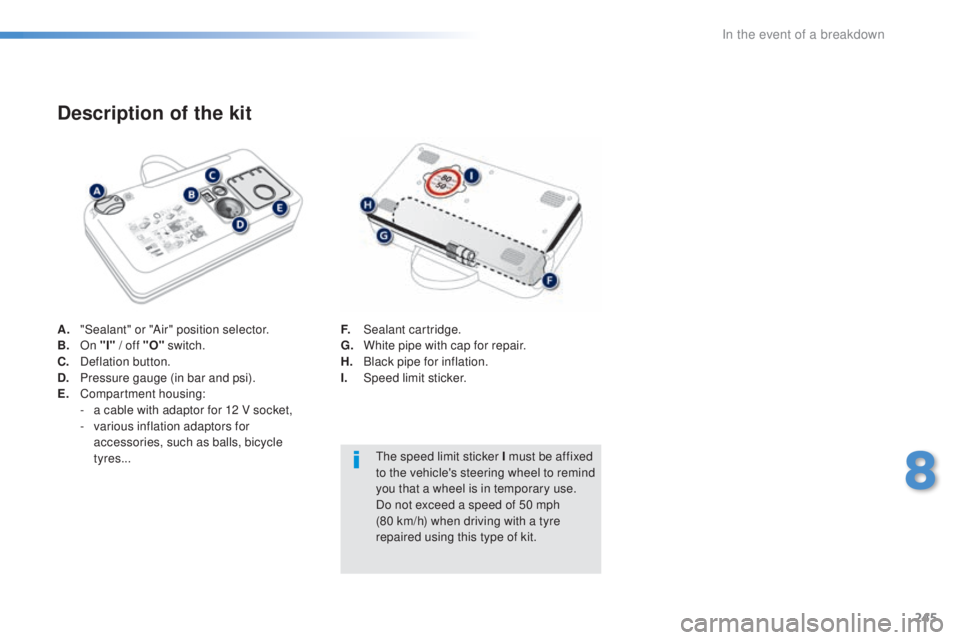
A. "Sealant" or "Air" position selector.
B. O n "I" / off "O" switch.
C.
Def
lation button.
D.
Pr
essure gauge (in bar and psi).
E.
Co
mpartment housing:
-
a ca
ble with adaptor for 12 V socket,
-
var
ious inflation adaptors for
accessories, such as balls, bicycle
tyres...
Description of the kit
F. Sealant cartridge.
G. Wh ite pipe with cap for repair.
H.
Bla
ck pipe for inflation.
I.
Speed
limit sticker.
the s
peed limit sticker I must be affixed
to the vehicle's steering wheel to remind
you that a wheel is in temporary use.
Do not exceed a speed of 50 mph
(80
k
m/h) when driving with a tyre
repaired using this type of kit.
8
In the event of a breakdown
Page 270 of 398
268
308_en_Chap08_en-cas-de-panne_ed02-2015
Dashboard fuses
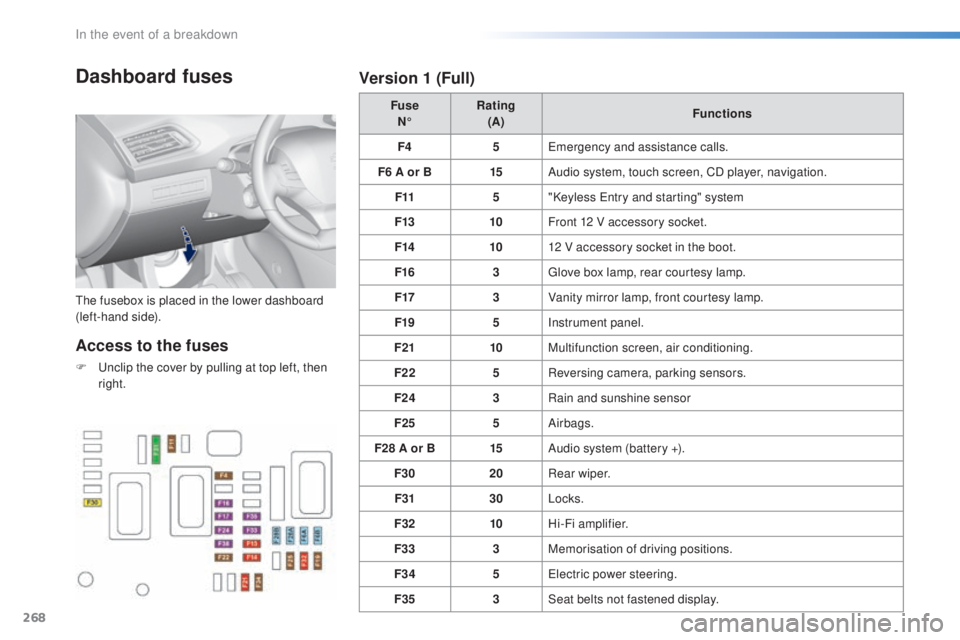
the fusebox is placed in the lower dashboard
( left-hand side). Fuse
N° Rating
(A) Functions
F4 5
eme
rgency and assistance calls.
F6 A or B 15Audio system, touch screen, CD player, navigation.
F11 5"Keyless
ent
ry and starting" system
F13 10Front 12 V accessory socket.
F14 1012 V accessory socket in the boot.
F16 3
glov
e box lamp, rear courtesy lamp.
F17 3Vanity mirror lamp, front courtesy lamp.
F19 5Instrument panel.
F21 10Multifunction screen, air conditioning.
F22 5Reversing camera, parking sensors.
F24 3Rain and sunshine sensor
F25 5Airbags.
F28 A or B 15Audio system (battery +).
F30 20Rear wiper.
F31 30Locks.
F32 10Hi-Fi amplifier.
F33 3Memorisation of driving positions.
F34 5
ele
ctric power steering.
F35 3Seat belts not fastened display.
Access to the fuses
F unclip the cover by pulling at top left, then
r ight.
Version 1 (Full)
In the event of a breakdown
Page 272 of 398
270
308_en_Chap08_en-cas-de-panne_ed02-2015
Engine compartment
fuses
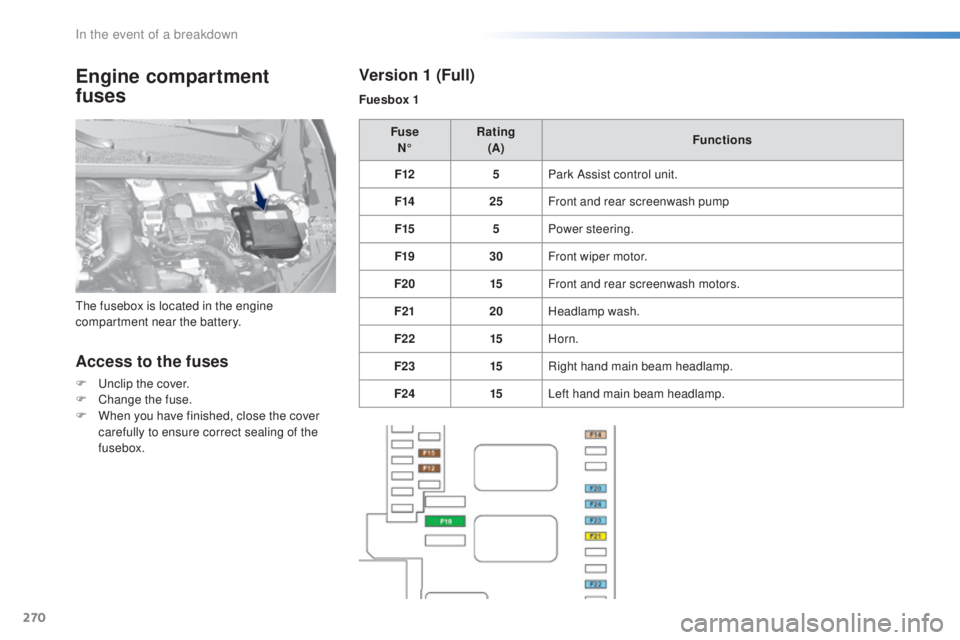
Access to the fuses
F unclip the cover.
F Chan ge the fuse.
F
Wh
en you have finished, close the cover
carefully to ensure correct sealing of the
fusebox. Fuse
N° Rating
(A) Functions
F12 5Park Assist control unit.
F14 25Front and rear screenwash pump
F15 5Power steering.
F19 30Front wiper motor.
F20 15Front and rear screenwash motors.
F21 20Headlamp wash.
F22 15Horn.
F23 15Right hand main beam headlamp.
F24 15Left hand main beam headlamp.
the f
usebox is located in the engine
compartment near the battery.
Version 1 (Full)
Fuesbox 1
In the event of a breakdown
Page 278 of 398
276
308_en_Chap08_en-cas-de-panne_ed02-2015
General recommendations
Observe the legislation in force in your country.ens
ure that the weight of the towing vehicle is higher than that of the towed vehicle.
the d
river must remain at the wheel of the towed vehicle and must have a valid driving licence.
When towing a vehicle with all four wheels on the ground, always use an approved towing
arm; rope and straps are prohibited.
the t
owing vehicle must move off gently.
When towing a vehicle with the engine off, there is no longer any power assistance for
braking or steering.
In the following cases, you must always call on a professional recovery service:
-
ve
hicle broken down on a motor way or fast road,
-
fou
r-wheel drive vehicle,
-
wh
en it is not possible to put the gearbox into neutral, unlock the steering, or release
the parking brake,
-
to
wing with only two wheels on the ground,
-
wh
ere there is no approved towing arm available...
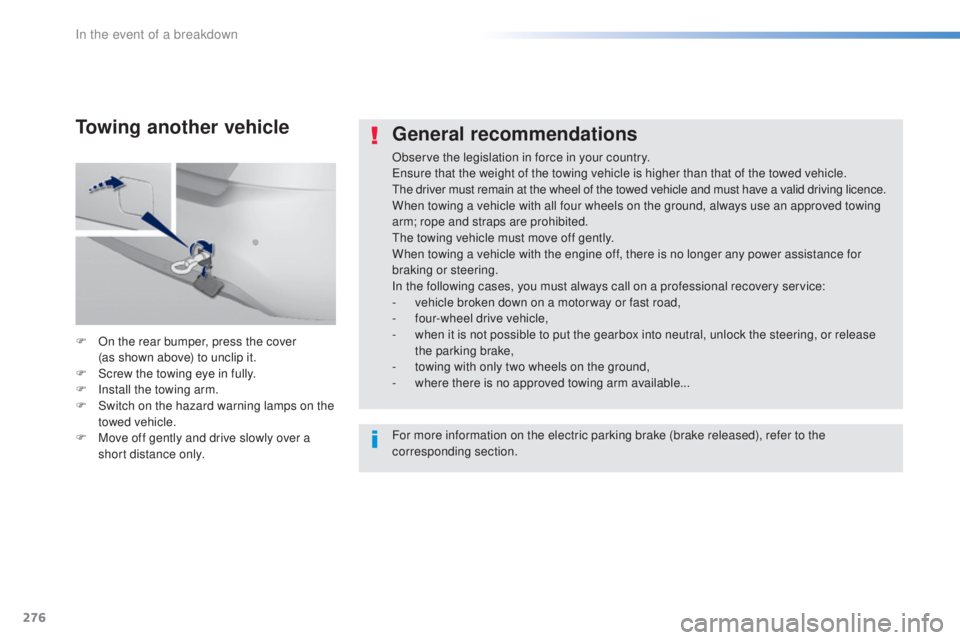
F
On t
he rear bumper, press the cover
(as
s
hown above) to unclip it.
F
Sc
rew the towing eye in fully.
F
In
stall the towing arm.
F
Sw
itch on the hazard warning lamps on the
towed vehicle.
F
Mov
e off gently and drive slowly over a
short distance only.
Towing another vehicle
For more information on the electric parking brake (brake released), refer to the
corresponding section.
In the event of a breakdown
Page 301 of 398
299
308_en_Chap10c_SMegplus_ed02-2015
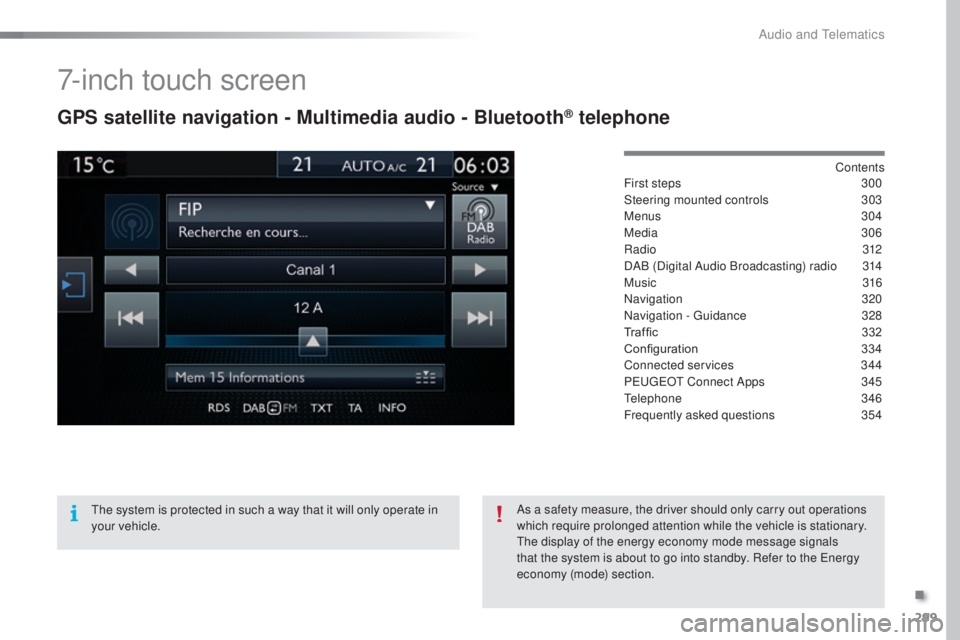
7-inch touch screen
GPS satellite navigation - Multimedia audio - Bluetooth® telephone
Contents
First steps 30 0
Steering mounted controls
30
3
Menus
3
04
Media
3
06
Radio
3
12
DAB (Digital Audio Broadcasting) radio
31
4
Music
3
16
Navigation
32
0
Navigation -
guid
ance
32
8
Traffic
332
C
onfiguration
33
4
Connected services
34
4
P
eu
ge
Ot C
onnect Apps
34
5
tele
phone
34
6
Frequently asked questions
35
4
the s
ystem is protected in such a way that it will only operate in
your vehicle. As a safety measure, the driver should only carry out operations
which require prolonged attention while the vehicle is stationary.
the d
isplay of the energy economy mode message signals
that the system is about to go into standby. Refer to the
ene
rgy
economy (mode) section.
.
Audio and telematics
Page 305 of 398
303
308_en_Chap10c_SMegplus_ed02-2015
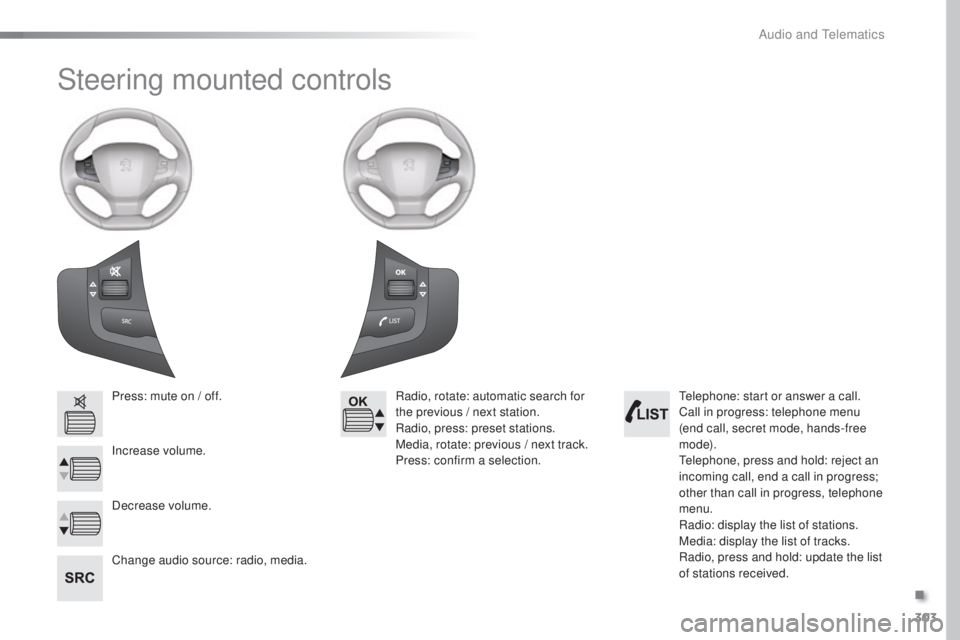
Steering mounted controls
Press: mute on / off.
Increase volume.
Change audio source: radio, media.Radio, rotate: automatic search for
the previous / next station.
Radio, press: preset stations.
Media, rotate: previous / next track.
Press: confirm a selection.
Decrease volume.tel ephone: start or answer a call.
Call in progress: telephone menu
(end call, secret mode, hands-free
m o d e).
tel
ephone, press and hold: reject an
incoming call, end a call in progress;
other than call in progress, telephone
menu.
Radio: display the list of stations.
Media: display the list of tracks.
Radio, press and hold: update the list
of stations received.
.
Audio and telematics
Page 318 of 398
316
308_en_Chap10c_SMegplus_ed02-2015
Music
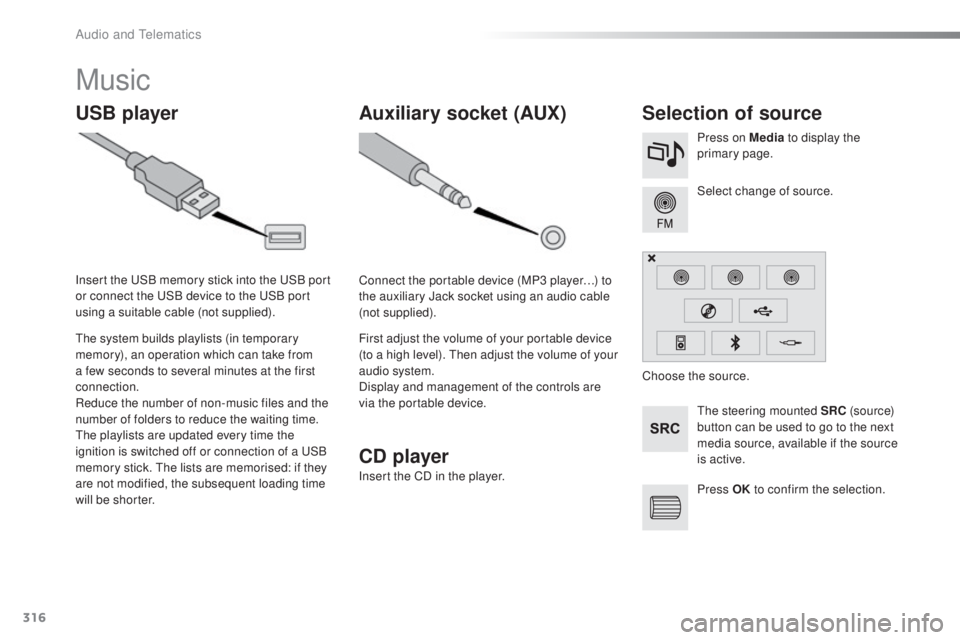
USB playerSelection of source
the steering mounted SRC ( s o u r c e)
button can be used to go to the next
media source, available if the source
is active. Select change of source. Press on Media to display the
primary page.
the s
ystem builds playlists (in temporary
memory), an operation which can take from
a few seconds to several minutes at the first
connection.
Reduce the number of non-music files and the
number of folders to reduce the waiting time.
the p
laylists are updated every time the
ignition is switched off or connection of a
uSB
m
emory stick.
the l
ists are memorised: if they
are not modified, the subsequent loading time
will be shorter. Insert the
uSB m
emory stick into the
uSB p
ort
or connect the
uSB d
evice to the
uSB p
ort
using a suitable cable (not supplied).
Auxiliary socket (AUX)
Connect the portable device (MP3 player…) to
the auxiliary Jack socket using an audio cable
(not supplied).
First adjust the volume of your portable device
(to a high level).
the
n adjust the volume of your
audio system.
Display and management of the controls are
via the portable device. Choose the source.
Press OK to confirm the selection.
CD player
Insert the CD in the player.
Audio and telematics
Page 354 of 398
352
308_en_Chap10c_SMegplus_ed02-2015
Managing paired
telephones
this function allows the connection or
d isconnection of a peripheral device as
well as the deletion of a pairing.usi ng the telephone is not
recommended while driving.
Park the vehicle.
Make the call using the steering
mounted controls.
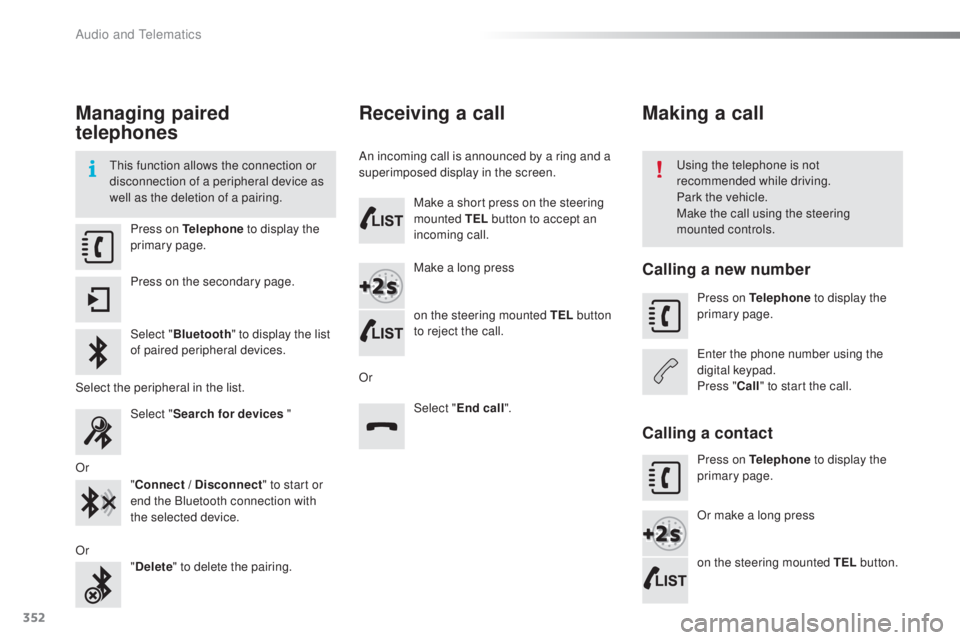
Press on Telephone
to display the
primary page.
Press on the secondary page.
Select " Bluetooth " to display the list
of paired peripheral devices.
Select the peripheral in the list. Select "Search for devices "
Or "Connect / Disconnect " to start or
end the Bluetooth connection with
the selected device.
Or "Delete " to delete the pairing.
Receiving a call
An incoming call is announced by a ring and a
superimposed display in the screen.
Make a short press on the steering
mounted TEL button to accept an
incoming call.
Make a long press
on the steering mounted TEL button
to reject the call.
Or Select "End call".
Making a call
Calling a new number
Press on Telephone to display the
primary page.
ent
er the phone number using the
digital keypad.
Press " Call" to start the call.
Calling a contact
Press on Telephone to display the
primary page.
Or make a long press
on the steering mounted TEL button.
Audio and telematics
Page 358 of 398
356
308_en_Chap10c_SMegplus_ed02-2015
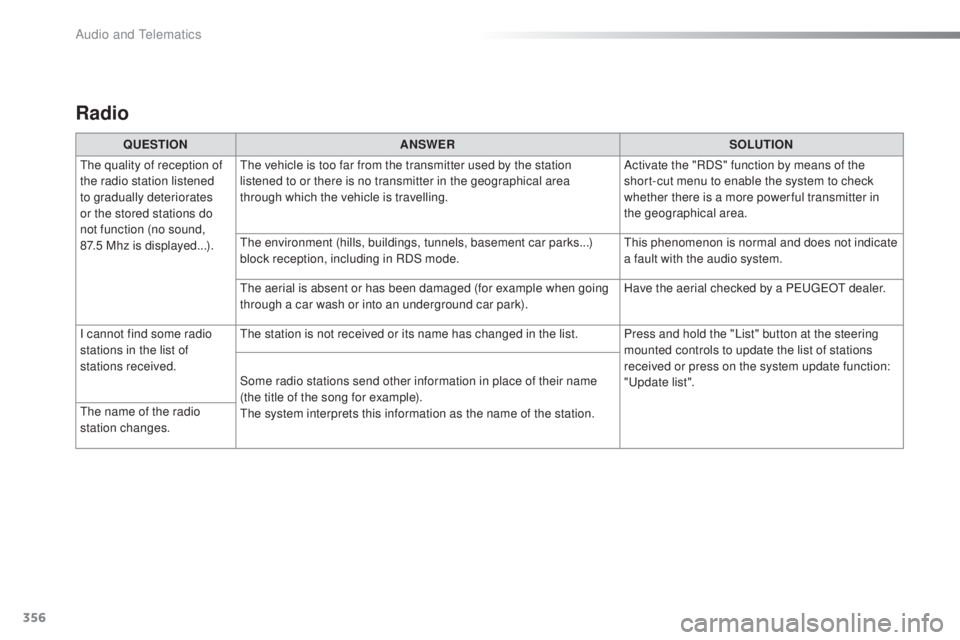
Radio
QUESTIONANSWER SOLUTION
the q
uality of reception of
the radio station listened
to gradually deteriorates
or the stored stations do
not function (no sound,
87.5
M
hz is displayed...).
the v
ehicle is too far from the transmitter used by the station
listened to or there is no transmitter in the geographical area
through which the vehicle is travelling. Activate the "RDS" function by means of the
short-cut menu to enable the system to check
whether there is a more power ful transmitter in
the geographical area.
the e
nvironment (hills, buildings, tunnels, basement car parks...)
block reception, including in RDS mode.
thi
s phenomenon is normal and does not indicate
a fault with the audio system.
the a
erial is absent or has been damaged (for example when going
through a car wash or into an underground car park). Have the aerial checked by a P
eu
ge
Ot d
ealer.
I cannot find some radio
stations in the list of
stations received.
the s
tation is not received or its name has changed in the list. Press and hold the "List" button at the steering mounted controls to update the list of stations
received or press on the system update function:
"
upd
ate list".
Some radio stations send other information in place of their name
(the title of the song for example).
the s
ystem interprets this information as the name of the station.
the n
ame of the radio
station changes.
Audio and telematics
Page 365 of 398
363
308_en_Chap10d_RD45_ed02-2015
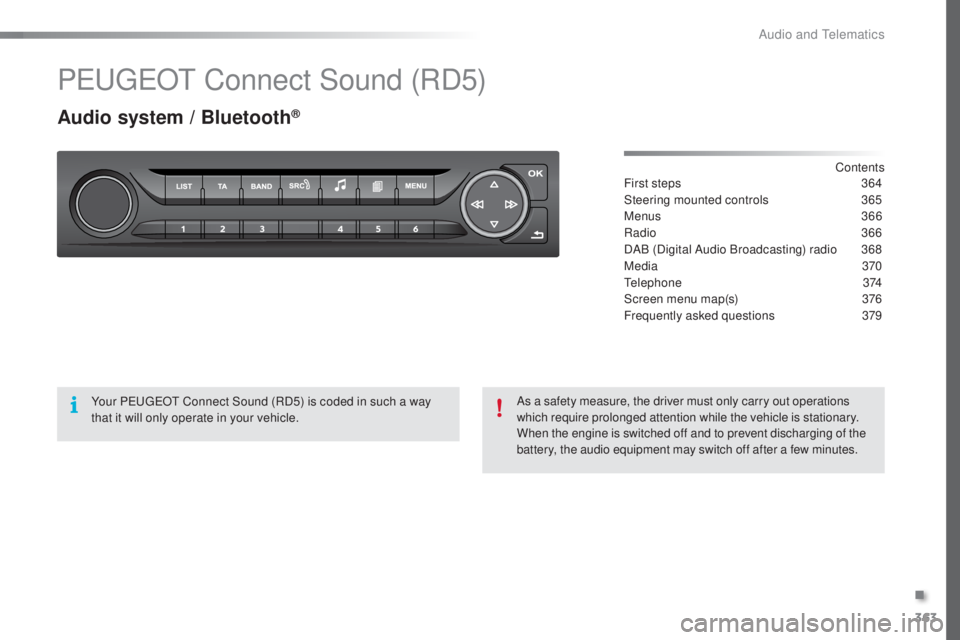
PeugeOt C onnect Sound (RD5)
Audio system / Bluetooth®
Contents
First steps 36 4
Steering mounted controls
36
5
Menus
3
66
Radio
36
6
DAB (Digital Audio Broadcasting) radio
36
8
Media
37
0
tele
phone
3
74
Screen menu map(s)
37
6
Frequently asked questions
37
9
Your P
eu
ge
Ot C
onnect Sound (RD5) is coded in such a way
that it will only operate in your vehicle. As a safety measure, the driver must only carry out operations
which require prolonged attention while the vehicle is stationary.
When the engine is switched off and to prevent discharging of the
battery, the audio equipment may switch off after a few minutes.
.
Audio and telematics