ABS Peugeot 308 2016 Owner's Manual
[x] Cancel search | Manufacturer: PEUGEOT, Model Year: 2016, Model line: 308, Model: Peugeot 308 2016Pages: 398, PDF Size: 9.38 MB
Page 23 of 398
21
308_en_Chap01_instruments-de-bord_ed02-2015
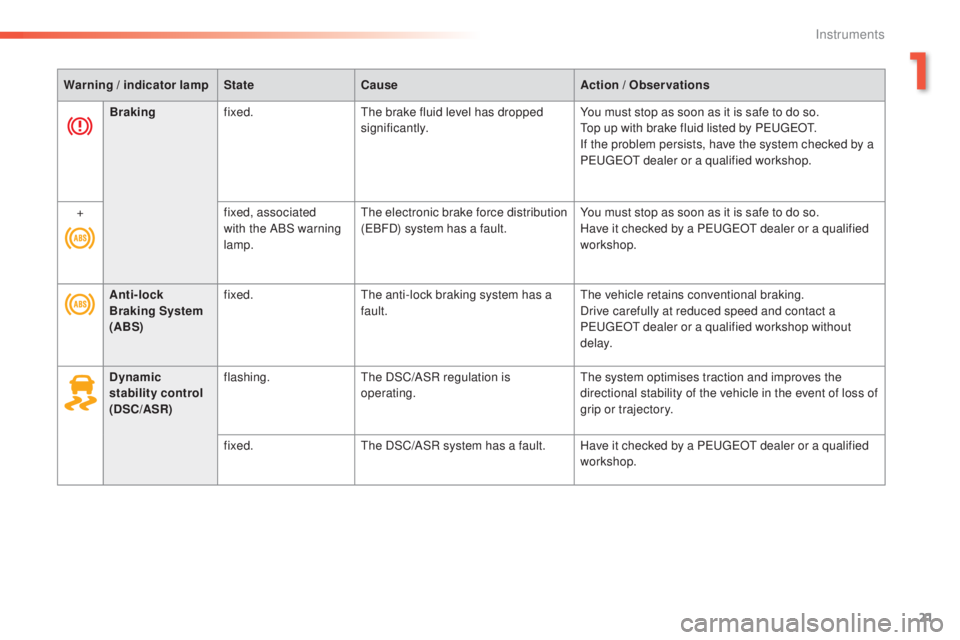
Warning / indicator lampStateCause Action / Observations
Anti-lock
Braking System
(ABS) fixed.
the a
nti-lock braking system has a
fault.
the v
ehicle retains conventional braking.
Drive carefully at reduced speed and contact a
P
eu
ge
Ot d
ealer or a qualified workshop without
d e l ay.
Dynamic
stability control
(DSC/ASR) flashing.
the D
SC/ASR regulation is
operating.
the s
ystem optimises traction and improves the
directional stability of the vehicle in the event of loss of
grip or trajectory.
fixed.
the D
SC/ASR system has a fault. Have it checked by a P
eu
ge
Ot d
ealer or a qualified
workshop.
Braking
fixed.
the b
rake fluid level has dropped
significantly. You must stop as soon as it is safe to do so.
top u
p with brake fluid listed by P
eu
ge
Ot.
If t
he problem persists, have the system checked by a
P
eu
ge
Ot d
ealer or a qualified workshop.
+ fixed, associated
with the ABS warning
lamp.
the e
lectronic brake force distribution
(
eBF
D) system has a fault.You must stop as soon as it is safe to do so.
Have it checked by a P
eu
ge
Ot d
ealer or a qualified
workshop.
1
Instruments
Page 36 of 398
34
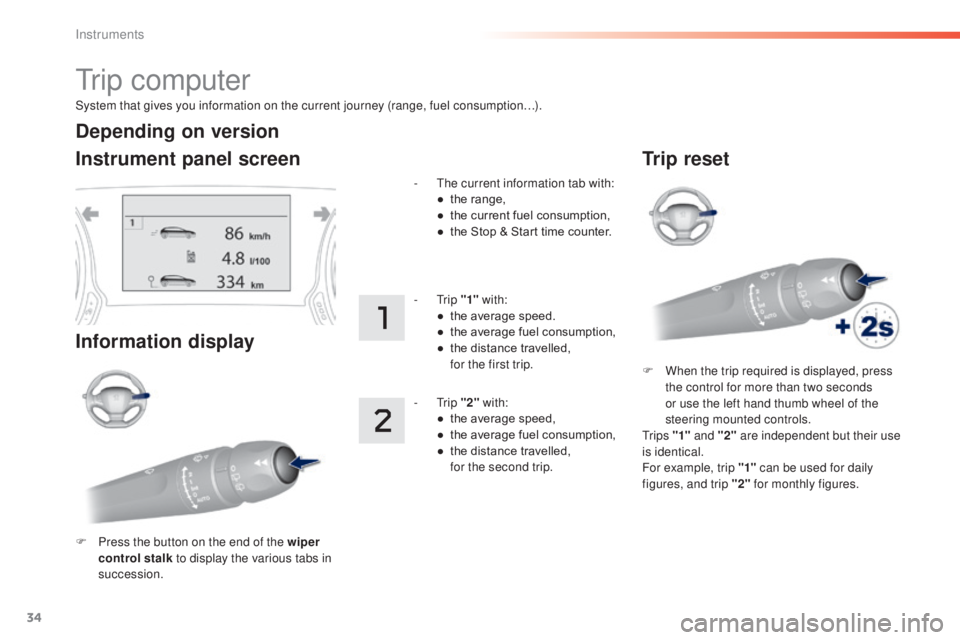
System that gives you information on the current journey (range, fuel consumption…).
tr i p c o m p u t e r
Instrument panel screen
Information display
F Press the button on the end of the wiper
control stalk to display the various tabs in
succession. -
t
he c
urrent information tab with:
●
th
e range,
●
th
e current fuel consumption,
●
th
e Stop & Start time counter.
-
tri
p
"1" with:
●
th
e average speed.
●
th
e average fuel consumption,
●
th
e distance travelled,
fo
r the first trip.
-
tri
p
"2" with:
●
th
e average speed,
●
th
e average fuel consumption,
●
th
e distance travelled,
fo
r the second trip.
Depending on version
Trip reset
F When the trip required is displayed, press
the control for more than two seconds
or use the left hand thumb wheel of the
steering mounted controls.
tr
i p s "1" and "2" are independent but their use
is identical.
For example, trip "1" can be used for daily
figures, and trip "2" for monthly figures.
Instruments
Page 37 of 398
35
308_en_Chap01_instruments-de-bord_ed02-2015
tr i p c o m p u t e r
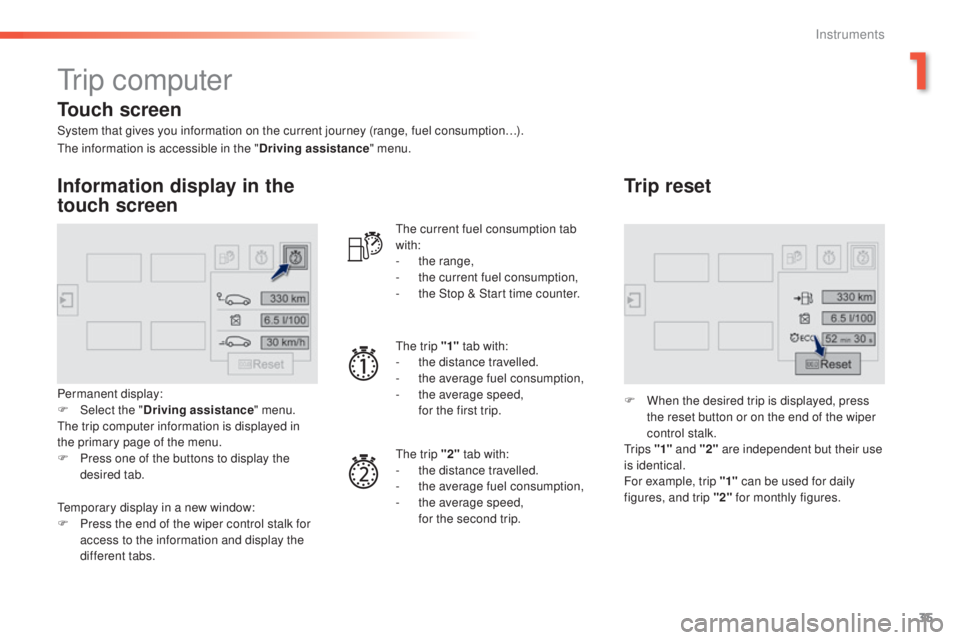
System that gives you information on the current journey (range, fuel consumption…).
Information display in the
touch screen
Permanent display:
F Select the "Driving assistance " menu.
the t
rip computer information is displayed in
the primary page of the menu.
F
Pr
ess one of the buttons to display the
desired tab.
the c
urrent fuel consumption tab
with:
-
th
e range,
-
th
e current fuel consumption,
-
th
e Stop & Start time counter.
the t
rip "1"
tab with:
-
th
e distance travelled.
- th e average fuel consumption,
- th e average speed,
fo
r the first trip.
the t
rip "2" tab with:
-
th
e distance travelled.
-
th
e average fuel consumption,
-
th
e average speed,
fo
r the second trip.
Trip reset
F When the desired trip is displayed, press
the reset button or on the end of the wiper
control stalk.
tr
i p s "1" and "2" are independent but their use
is identical.
For example, trip "1" can be used for daily
figures, and trip "2" for monthly figures.
the i
nformation is accessible in the "
Driving assistance" menu.
tem
porary display in a new window:
F
Pr
ess the end of the wiper control stalk for
access to the information and display the
different tabs.
Touch screen
1
Instruments
Page 42 of 398
40
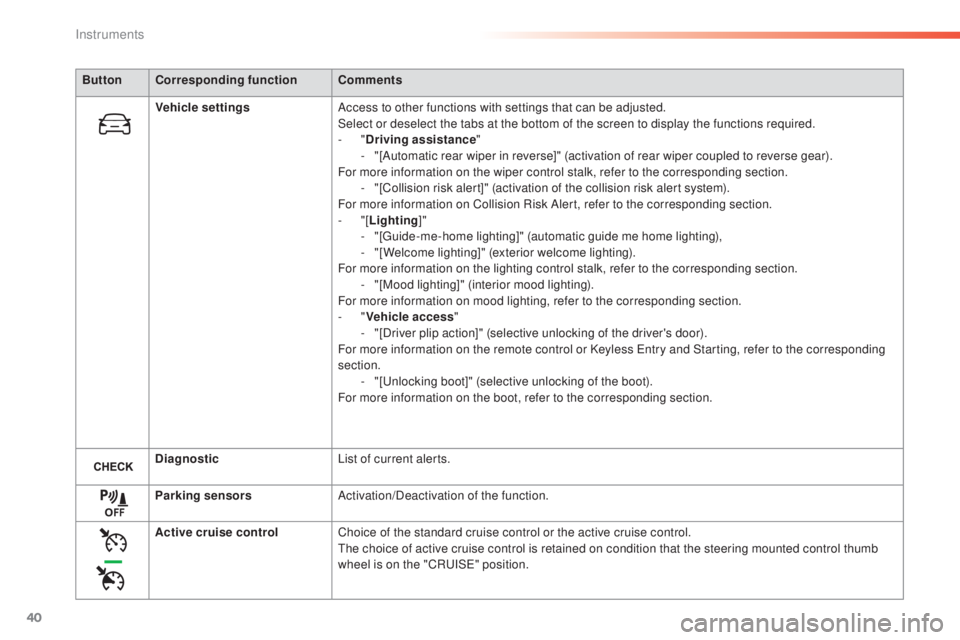
ButtonCorresponding function Comments
Vehicle settings Access to other functions with settings that can be adjusted.
Select or deselect the tabs at the bottom of the screen to display the functions required.
-
"D
riving assistance"
-
"[
Automatic rear wiper in reverse]" (activation of rear wiper coupled to reverse gear).
For more information on the wiper control stalk, refer to the corresponding section. -
"[
Collision risk alert]" (activation of the collision risk alert system).
For more information on Collision Risk Alert, refer to the corresponding section.
-
"
[Lighting ]"
-
"[gui
de-me-home lighting]" (automatic guide me home lighting),
-
"[
Welcome lighting]" (exterior welcome lighting).
For more information on the lighting control stalk, refer to the corresponding section. -
"[
Mood lighting]" (interior mood lighting).
For more information on mood lighting, refer to the corresponding section.
-
" V
ehicle access"
-
"[
Driver plip action]" (selective unlocking of the driver's door).
For more information on the remote control or Keyless
ent
ry and Starting, refer to the corresponding
section. -
"[unl
ocking boot]" (selective unlocking of the boot).
For more information on the boot, refer to the corresponding section.
Diagnostic List of current alerts.
Parking sensors Activation/Deactivation of the function.
Active cruise control Choice of the standard cruise control or the active cruise control.
the c
hoice of active cruise control is retained on condition that the steering mounted control thumb
wheel is on the "CR
uISe" p
osition.
Instruments
Page 69 of 398
67
308_en_Chap02_ouvertures_ed02-2015
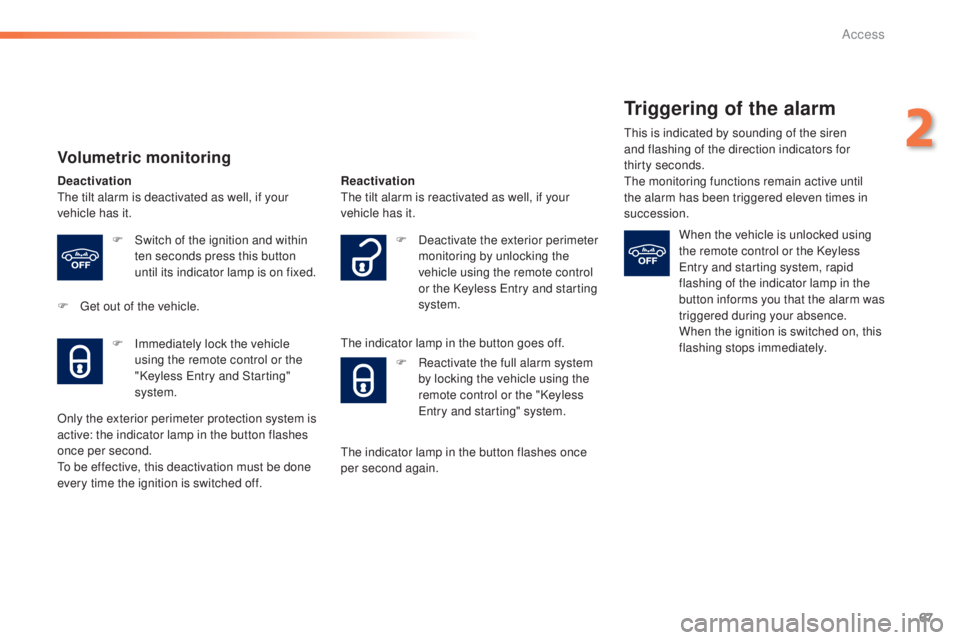
Volumetric monitoring
Deactivationthe tilt alarm is deactivated as well, if your
vehicle has it.
F
Sw
itch of the ignition and within
ten seconds press this button
until its indicator lamp is on fixed.
F
g
et o
ut of the vehicle. Reactivationthe t
ilt alarm is reactivated as well, if your
vehicle has it.
the i
ndicator lamp in the button goes off.
F
Im
mediately lock the vehicle
using the remote control or the
"Keyless
ent
ry and Starting"
system.
Only the exterior perimeter protection system is
active: the indicator lamp in the button flashes
once per second.
to be e
ffective, this deactivation must be done
every time the ignition is switched off. F
Dea
ctivate the exterior perimeter
monitoring by unlocking the
vehicle using the remote control
or the Keyless
ent
ry and starting
system.
F
Re
activate the full alarm system
by locking the vehicle using the
remote control or the "Keyless
ent
ry and starting" system.
the i
ndicator lamp in the button flashes once
per second again.
Triggering of the alarm
this is indicated by sounding of the siren
a nd flashing of the direction indicators for
thirty
s
econds.
the m
onitoring functions remain active until
the alarm has been triggered eleven times in
succession.
When the vehicle is unlocked using
the remote control or the Keyless
ent
ry and starting system, rapid
flashing of the indicator lamp in the
button informs you that the alarm was
triggered during your absence.
When the ignition is switched on, this
flashing stops immediately.
2
Access
Page 97 of 398
95
308_en_Chap03_ergonomie-et-confort_ed02-2015
the air conditioning is designed to
ope rate effectively in all seasons,
with the windows closed.
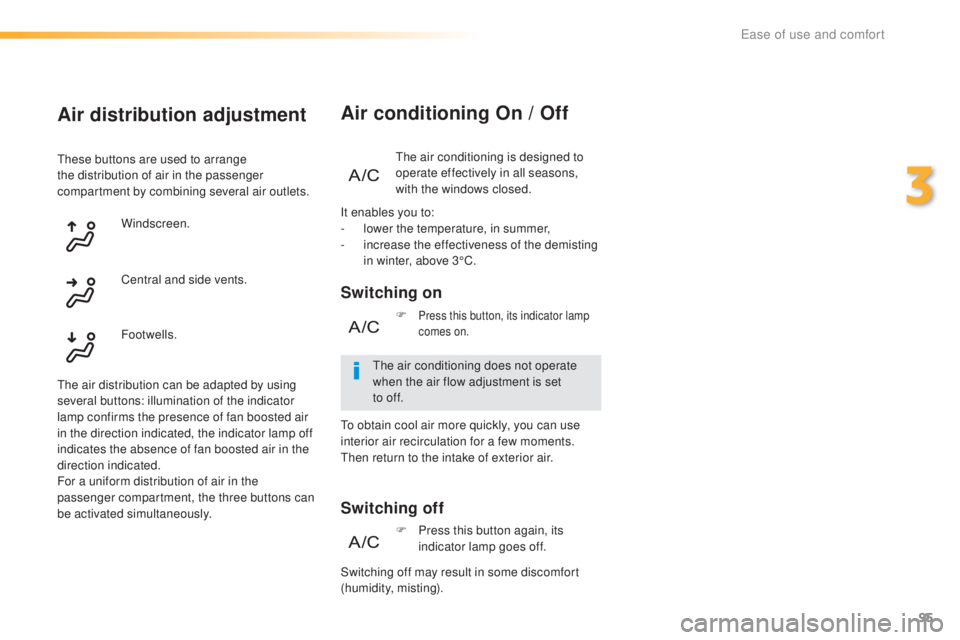
Air conditioning On / Off
Switching on
Switching off
the air conditioning does not operate
w hen the air flow adjustment is set
to
of
f.
F
Press this button, its indicator lamp
comes on.
It enables you to:
- lo
wer the temperature, in summer,
-
in
crease the effectiveness of the demisting
in winter, above 3°C.
F
Pr
ess this button again, its
indicator lamp goes off.
Air distribution adjustment
these buttons are used to arrange
t he distribution of air in the passenger
compartment by combining several air outlets.
Windscreen.
the a
ir distribution can be adapted by using
several buttons: illumination of the indicator
lamp confirms the presence of fan boosted air
in the direction indicated, the indicator lamp off
indicates the absence of fan boosted air in the
direction indicated.
For a uniform distribution of air in the
passenger compartment, the three buttons can
be activated simultaneously. Footwells. Central and side vents.
Switching off may result in some discomfort
(humidity, misting).
to ob
tain cool air more quickly, you can use
interior air recirculation for a few moments.
the
n return to the intake of exterior air.
3
ease of use and comfort
Page 121 of 398
119
308_en_Chap05_securite_ed02-2015
Automatic operation of
hazard warning lamps
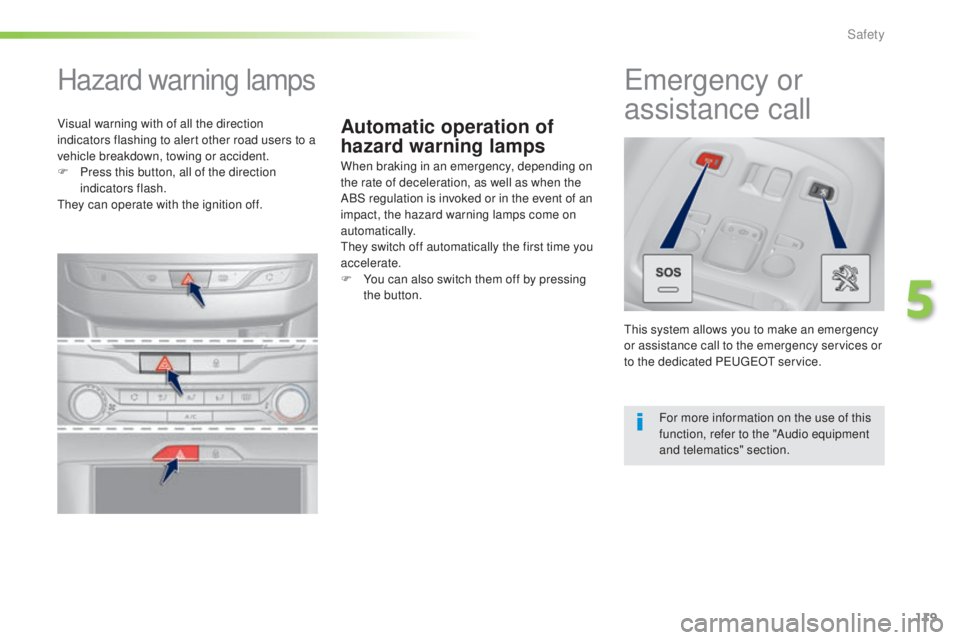
Hazard warning lamps
When braking in an emergency, depending on
the rate of deceleration, as well as when the
ABS regulation is invoked or in the event of an
impact, the hazard warning lamps come on
automatically.
the
y switch off automatically the first time you
accelerate.
F
Yo
u can also switch them off by pressing
the button.
emergency or
a ssistance call
this system allows you to make an emergency
o r assistance call to the emergency services or
to the dedicated P
eu
ge
Ot s
ervice.
For more information on the use of this
function, refer to the "Audio equipment
and telematics" section.
Visual warning with of all the direction
indicators flashing to alert other road users to a
vehicle breakdown, towing or accident.
F
Pr
ess this button, all of the direction
indicators flash.
the
y can operate with the ignition off.
5
Safety
Page 122 of 398
120
308_en_Chap05_securite_ed02-2015
electronic Stability Control (eSC) incorporating
the following systems:
-
an
ti-lock braking system (ABS) and the
electronic brake force distribution (
eBF
D),
-
emer
gency braking assistance (
eBA)
,
-
wh
eel anti-slip regulation (ASR) or traction
control,
-
dy
namic stability control (DSC).
electronic stability control (eSC )
Definitions
Anti-lock braking system (ABS)
and electronic brake force
distribution (EBFD)
this system improves the stability and
m anoeuvrability of your vehicle when braking
and contributes towards improved control in
corners, in particular on poor or slippery road
surfaces.
the A
BS prevents wheel lock in the event of
emergency braking.
the e
lectronic brake force distribution system
manages the braking pressure wheel by wheel.
Emergency braking assistance
(EBA)
In an emergency, this system enables you to
reach the optimum braking pressure more
quickly and therefore reduce the stopping
distance.
It is triggered according to the speed at which
the brake pedal is pressed.
thi
s is felt by a
reduction in the resistance of the pedal and an
increase in the effectiveness of the braking.
Anti-slip regulation (ASR)
the ASR system (also known as tra ction
Control) optimises traction in order to limit
wheel slip by acting on the brakes of the driving
wheels and on the engine. It also improves
the directional stability of the vehicle on
acceleration.
Dynamic stability control (DSC)
If there is a difference between the path
followed by the vehicle and that required by
the driver, the DSC monitors each wheel and
automatically acts on the brake of one or more
wheels and on the engine to return the vehicle
to the required path, within the limits of the laws
of physics.
Horn
F Press the central part of the steering
w heel.
Safety
Page 123 of 398
121
308_en_Chap05_securite_ed02-2015
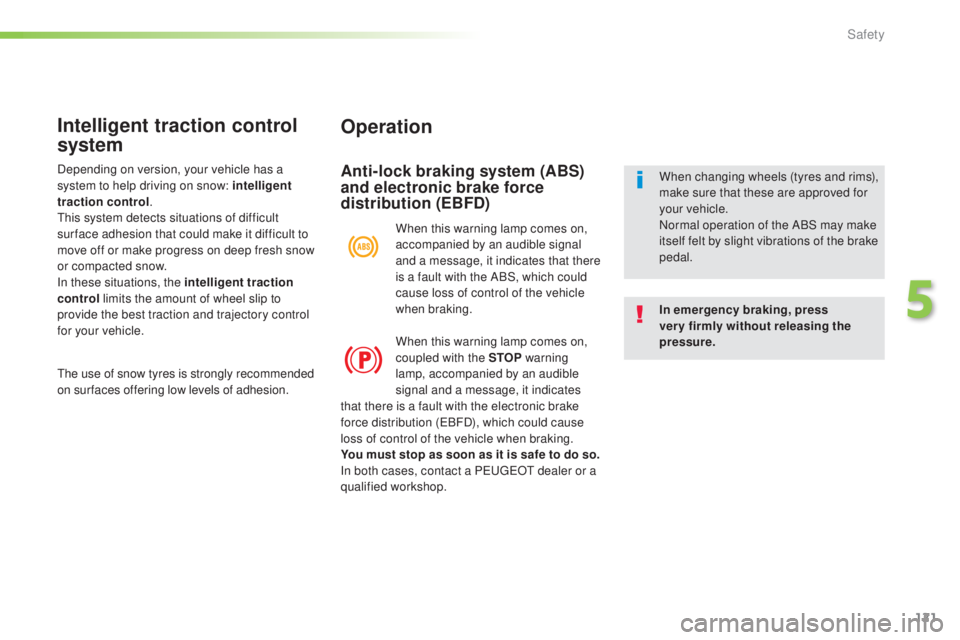
Operation
Anti-lock braking system (ABS)
and electronic brake force
distribution (EBFD)
In emergency braking, press
very firmly without releasing the
pressure. When changing wheels (tyres and rims),
make sure that these are approved for
your vehicle.
Normal operation of the ABS may make
itself felt by slight vibrations of the brake
pedal.
When this warning lamp comes on,
accompanied by an audible signal
and a message, it indicates that there
is a fault with the ABS, which could
cause loss of control of the vehicle
when braking.
When this warning lamp comes on,
coupled with the STOP
warning
lamp, accompanied by an audible
signal and a message, it indicates
Intelligent traction control
system
the use of snow tyres is strongly recommended
o n sur faces offering low levels of adhesion.
that there is a fault with the electronic brake
force distribution (
eBF
D), which could cause
loss of control of the vehicle when braking.
You must stop as soon as it is safe to do so.
In both cases, contact a P
eu
ge
Ot d
ealer or a
qualified workshop.
Depending on version, your vehicle has a
system to help driving on snow: intelligent
traction control
.
thi
s system detects situations of difficult
sur face adhesion that could make it difficult to
move off or make progress on deep fresh snow
or compacted snow.
In these situations, the intelligent traction
control limits the amount of wheel slip to
provide the best traction and trajectory control
for your vehicle.
5
Safety
Page 161 of 398
159
308_en_Chap06_conduite_ed02-2015
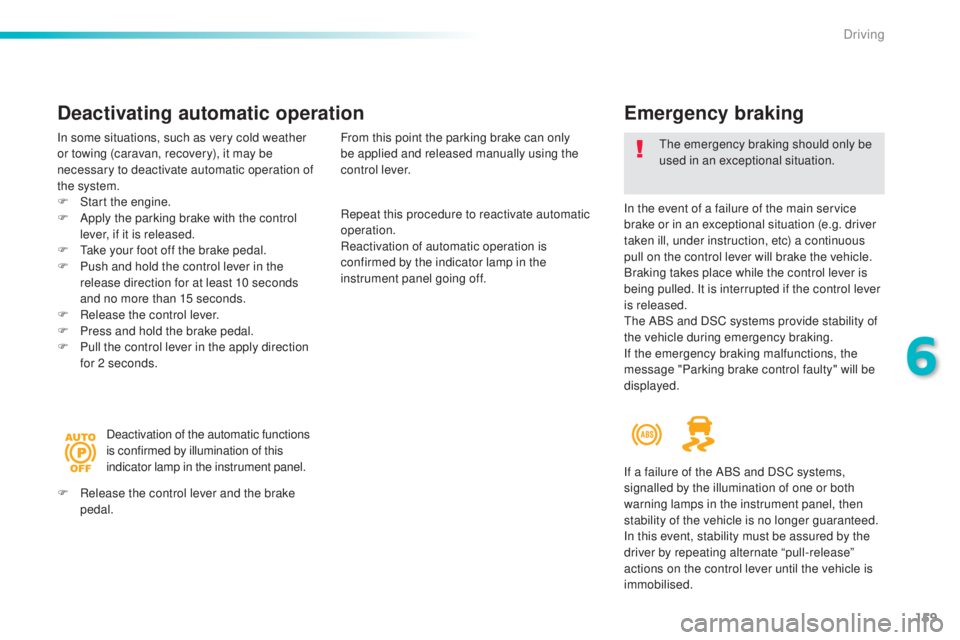
Emergency braking
In the event of a failure of the main service
brake or in an exceptional situation (e.g. driver
taken ill, under instruction, etc) a continuous
pull on the control lever will brake the vehicle.
Braking takes place while the control lever is
being pulled. It is interrupted if the control lever
is released.
the A
BS and DSC systems provide stability of
the vehicle during emergency braking.
If the emergency braking malfunctions, the
message "Parking brake control faulty" will be
displayed.
the em
ergency braking should only be
used in an exceptional situation.
Repeat this procedure to reactivate automatic
operation.
Reactivation of automatic operation is
confirmed by the indicator lamp in the
instrument panel going off.
Deactivating automatic operation
In some situations, such as very cold weather
or towing (caravan, recovery), it may be
necessary to deactivate automatic operation of
the system.
F
St
art the engine.
F
Ap
ply the parking brake with the control
lever, if it is released.
F
t
ak
e your foot off the brake pedal.
F
Pu
sh and hold the control lever in the
release direction for at least 10 seconds
and no more than 15 seconds.
F
Re
lease the control lever.
F
Pr
ess and hold the brake pedal.
F
Pu
ll the control lever in the apply direction
for 2 seconds.
Deactivation of the automatic functions
is confirmed by illumination of this
indicator lamp in the instrument panel.
F
Re
lease the control lever and the brake
pedal. From this point the parking brake can only
be applied and released manually using the
control lever.
If a failure of the ABS and DSC systems,
signalled by the illumination of one or both
warning lamps in the instrument panel, then
stability of the vehicle is no longer guaranteed.
In this event, stability must be assured by the
driver by repeating alternate “pull-release”
actions on the control lever until the vehicle is
immobilised.
6
Driving