wheel Peugeot 308 2017 Owner's Guide
[x] Cancel search | Manufacturer: PEUGEOT, Model Year: 2017, Model line: 308, Model: Peugeot 308 2017Pages: 392, PDF Size: 10.16 MB
Page 178 of 392
176
308_en_Chap06_conduite_ed01-2016
On sharp acceleration, as when
descending a steep hill, the speed
limiter will not be able to prevent
the vehicle from exceeding the
programmed speed.
the
limiter is temporarily deactivated
and the displayed programmed speed
flashes.
An audible signal accompanies the
flashing of the programmed speed
when exceeding the speed is not due to
an action by the driver.
th
e use of mats not approved by
P
e
uge
Ot
may inter fere with the
operation of the speed limiter.
to a
void any risk of jamming of the
pedals:
-
e
nsure that the mat is secured
c o r r e c t l y,
-
d
o not fit one mat on top of another.
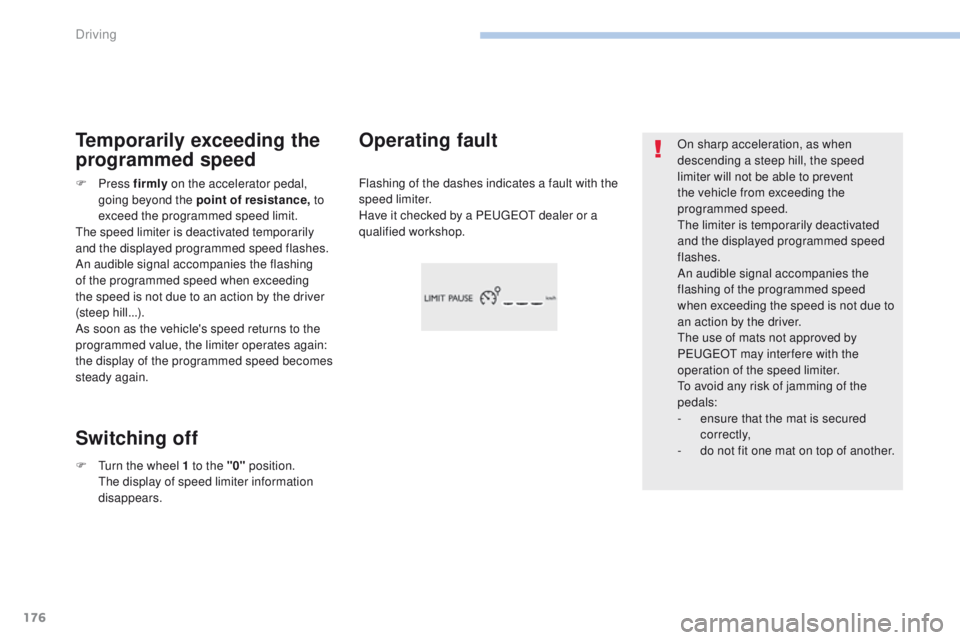
Flashing of the dashes indicates a fault with the
speed limiter.
Have it checked by a P
e
uge
Ot
dealer or a
qualified workshop.Operating fault
Temporarily exceeding the
programmed speed
Switching off
F Press f irmly on the accelerator pedal,
going beyond the point of resistance, to
exceed the programmed speed limit.
th
e speed limiter is deactivated temporarily
and the displayed programmed speed flashes.
An audible signal accompanies the flashing
of the programmed speed when exceeding
the speed is not due to an action by the driver
(steep hill...).
As soon as the vehicle's speed returns to the
programmed value, the limiter operates again:
the display of the programmed speed becomes
steady again.
F
t
u
rn the wheel 1 to the "0" position.
t
h
e display of speed limiter information
disappears.
Driving
Page 180 of 392
178
308_en_Chap06_conduite_ed01-2016
Switching on / Pause
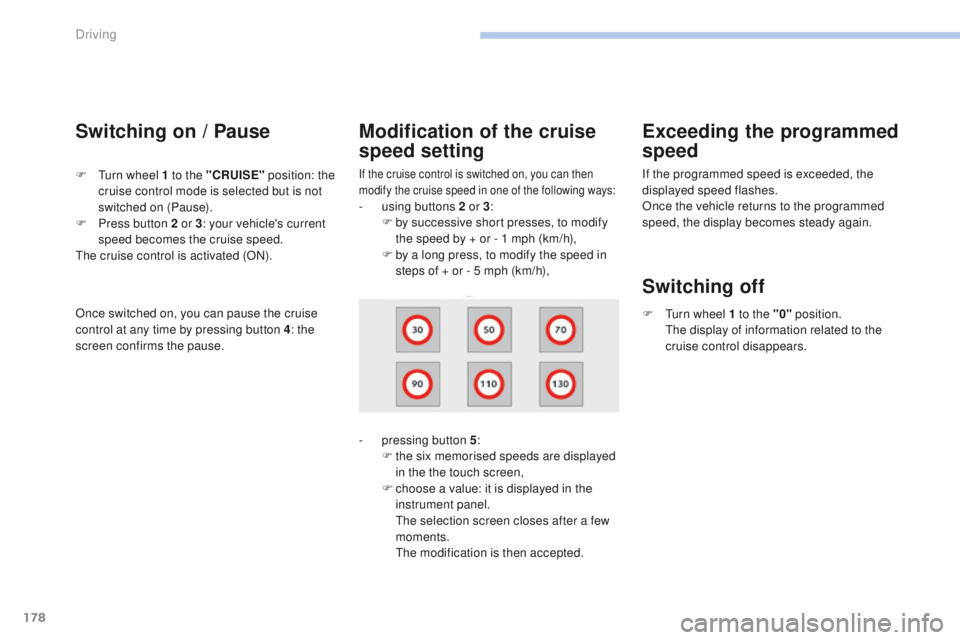
If the cruise control is switched on, you can then
modify the cruise speed in one of the following ways:
- using buttons 2 or 3:
F b y successive short presses, to modify
the speed by + or - 1 mph (km/h),
F
b
y a long press, to modify the speed in
steps of + or - 5 mph (km/h),
Exceeding the programmed
speed
F turn wheel 1 to the "CRUISE" position: the
cruise control mode is selected but is not
switched on (Pause).
F
P
ress button 2 or 3 : your vehicle's current
speed becomes the cruise speed.
th
e cruise control is activated (ON).
Modification of the cruise
speed setting
- pressing button 5 :
F t he six memorised speeds are displayed
in the the touch screen,
F
c
hoose a value: it is displayed in the
instrument panel.
t
h
e selection screen closes after a few
moments.
t
he
modification is then accepted. If the programmed speed is exceeded, the
displayed speed flashes.
Once the vehicle returns to the programmed
speed, the display becomes steady again.
Switching off
F turn wheel 1 to the "0"
position.
th e display of information related to the
cruise control disappears.
Once switched on, you can pause the cruise
control at any time by pressing button 4: the
screen confirms the pause.
Driving
Page 182 of 392
180
308_en_Chap06_conduite_ed01-2016
Dynamic cruise control "CRuISe"
this systems allows the vehicle's speed to be
maintained at a value set by the driver.
In addition it allows (when circumstances
permit) an inter-vehicle time that you have
selected to be maintained between your vehicle
and the one in front.Principles of operation
using a radar with a range of about 100 metres,
located at the front of the vehicle, this system
detects a vehicle running in front of your
vehicle.
It automatically adapts the speed of your
vehicle to that of the vehicle in front.
If the vehicle in front is running more slowly,
the system progressively reduces the speed of
your vehicle using just engine braking (as if the
driver had pressed the "-" b ut to n).
If your vehicle is too close to, or approaching
too quickly the vehicle in front, the dynamic
cruise control is automatically deactivated.
th
e driver is then alerted by an audible signal,
accompanied by a message.
If the vehicle in front accelerates or changes
lane, the dynamic cruise control progressively
accelerates your vehicle to return to the
programmed speed.
If the driver operates a direction indicator to
overtake a slower vehicle, the dynamic cruise
control allows your vehicle to temporarily
approach the vehicle in front to assist the
overtaking manoeuvre, though never exceeding
the programmed speed.
Switching between the types of cruise control
If you want to use the "standard" cruise control,
it is possible to deactivate the dynamic cruise
control in the touch screen.
th
e cruise control selection thumbwheel must
be in the "CR
uI
S
e" p
osition, other wise the
choice will not be taken into account.
For more information on the Cruise
control , refer to the corresponding
section.
th
e state of the system is memorised on
switching off the ignition. F
P
ress the button
to change from
dynamic cruise
control to "standard"
cruise control and
vice-versa.
th
e dynamic cruise control operates
by day and at night, in fog or moderate
rainfall.
the system does not act on the braking
system, but works only with engine
braking.
the regulation range is limited: there will
no longer be any adjustment of speed if
the difference between the programmed
speed setting and the speed of the
vehicle in front becomes too great.
th
e selection of this system deactivates
the display of inter-vehicle time.
If the difference between the
programmed speed setting and the
speed of the vehicle in front is too
great, the speed cannot be adjusted:
the cruise control is automatically
deactivated.
Driving
Page 184 of 392
182
308_en_Chap06_conduite_ed01-2016
the dynamic cruise control must be selected in
the "Driving assistance " menu.
F
t
u
rn the wheel 1 to the " CRUISE" position:
cruise control mode is selected, but not
started (Pause).
F
P
ress one of the buttons 2 or 3 : the current
speed of your vehicle becomes the cruise
speed setting.
th
e cruise control is activated (ON).
By default, the inter-vehicle time is set at
2
seconds.
Otherwise, the last setting made will be used
when switching on the system.
Switching on
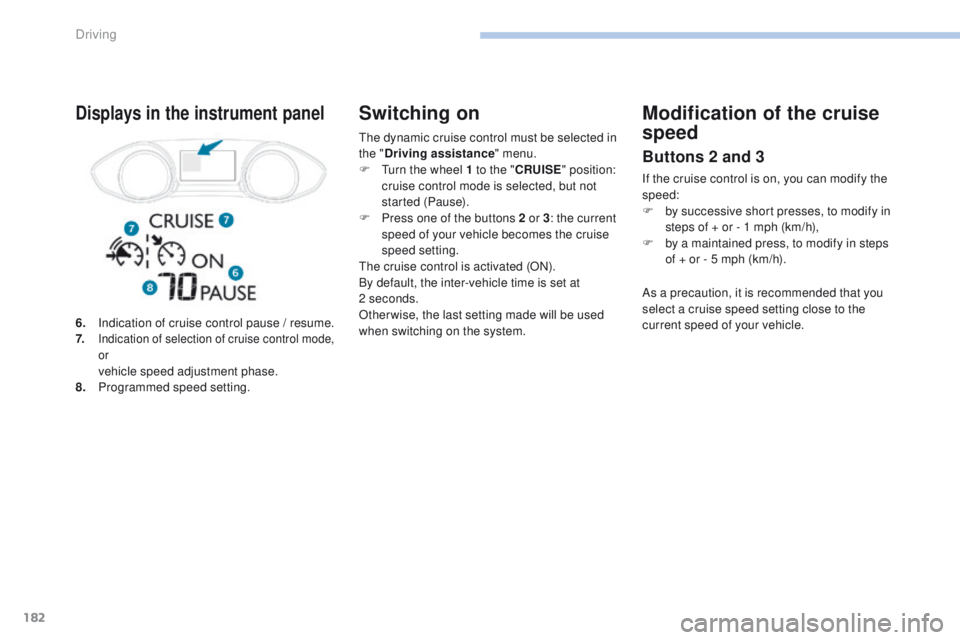
6. Indication of cruise control pause / resume.
7. Indication of selection of cruise control mode,
or
vehicle speed adjustment phase.
8. P rogrammed speed setting.
Displays in the instrument panelModification of the cruise
speed
Buttons 2 and 3
If the cruise control is on, you can modify the
speed:
F
b
y successive short presses, to modify in
steps of + or - 1 mph (km/h),
F
b
y a maintained press, to modify in steps
of
+ or - 5 mph (km/h).
As a precaution, it is recommended that you
select a cruise speed setting close to the
current speed of your vehicle.
Driving
Page 203 of 392
201
308_en_Chap06_conduite_ed01-2016
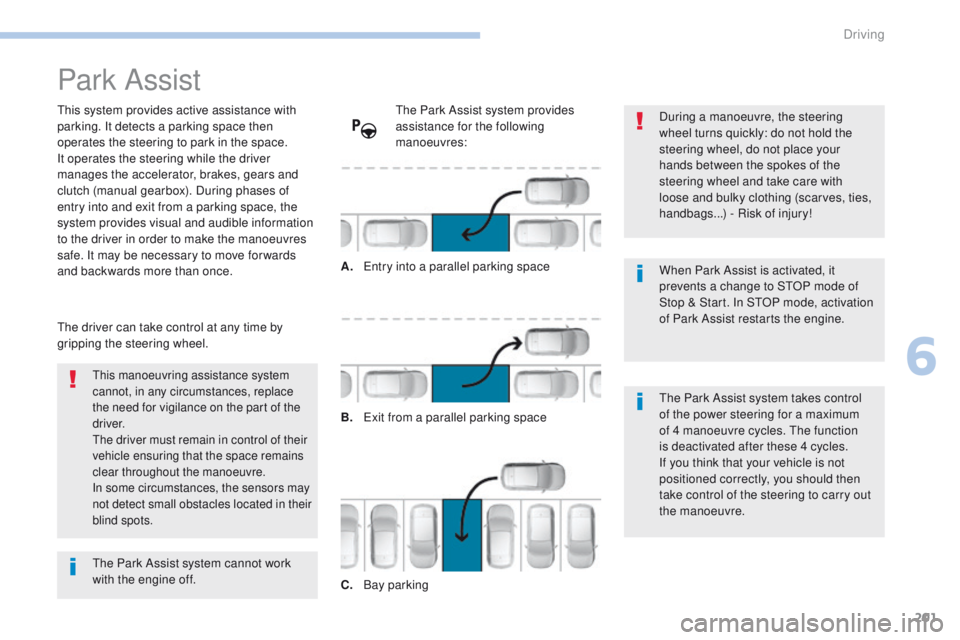
Park Assist
this system provides active assistance with
parking. It detects a parking space then
operates the steering to park in the space.
It operates the steering while the driver
manages the accelerator, brakes, gears and
clutch (manual gearbox). During phases of
entry into and exit from a parking space, the
system provides visual and audible information
to the driver in order to make the manoeuvres
safe. It may be necessary to move for wards
and backwards more than once.During a manoeuvre, the steering
wheel turns quickly: do not hold the
steering wheel, do not place your
hands between the spokes of the
steering wheel and take care with
loose and bulky clothing (scarves, ties,
handbags...) - Risk of injury!
When Park Assist is activated, it
prevents a change to S
tO
P mode of
Stop & Start. In S
tO
P mode, activation
of Park Assist restarts the engine.
this manoeuvring assistance system
cannot, in any circumstances, replace
the need for vigilance on the part of the
driver.
th
e driver must remain in control of their
vehicle ensuring that the space remains
clear throughout the manoeuvre.
In some circumstances, the sensors may
not detect small obstacles located in their
blind spots.
the driver can take control at any time by
gripping the steering wheel.
th
e Park Assist system provides
assistance for the following
manoeuvres:
A.
e
n
try into a parallel parking space
B.
e
x
it from a parallel parking space
C.
B
ay parking
th
e Park Assist system takes control
of the power steering for a maximum
of 4 manoeuvre cycles.
t
h
e function
is deactivated after these 4 cycles.
If you think that your vehicle is not
positioned correctly, you should then
take control of the steering to carry out
the manoeuvre.
th
e Park Assist system cannot work
with the engine off.
6
Driving
Page 204 of 392
202
308_en_Chap06_conduite_ed01-2016
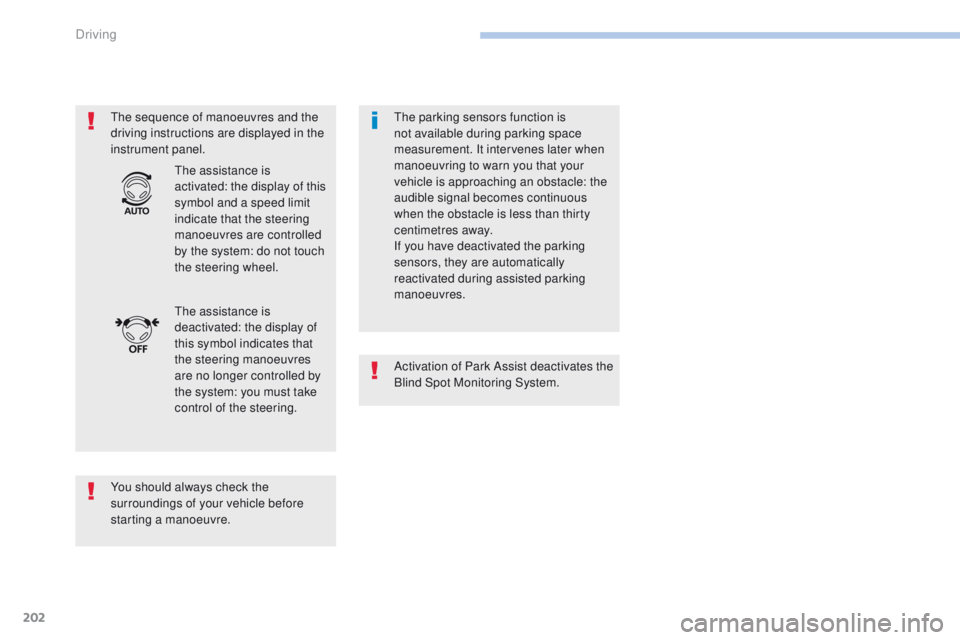
the sequence of manoeuvres and the
driving instructions are displayed in the
instrument panel.
You should always check the
surroundings of your vehicle before
starting a manoeuvre.
th
e assistance is
deactivated: the display of
this symbol indicates that
the steering manoeuvres
are no longer controlled by
the system: you must take
control of the steering.
th
e assistance is
activated: the display of this
symbol and a speed limit
indicate that the steering
manoeuvres are controlled
by the system: do not touch
the steering wheel.th e parking sensors function is
not available during parking space
measurement. It intervenes later when
manoeuvring to warn you that your
vehicle is approaching an obstacle: the
audible signal becomes continuous
when the obstacle is less than thirty
centimetres away.
If you have deactivated the parking
sensors, they are automatically
reactivated during assisted parking
manoeuvres.
Activation of Park Assist deactivates the
Blind Spot Monitoring System.
Driving
Page 206 of 392
204
308_en_Chap06_conduite_ed01-2016
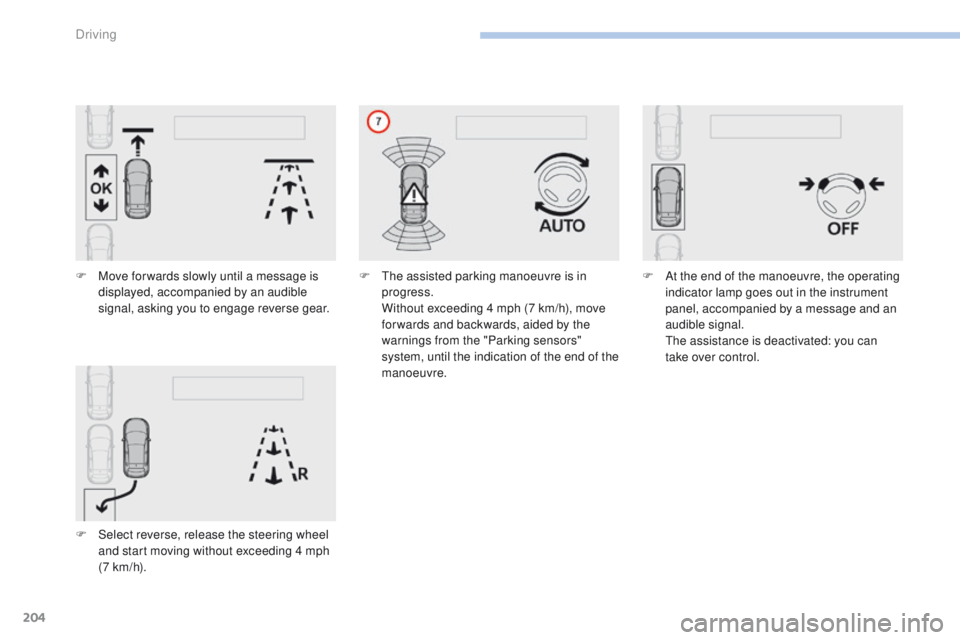
F Move for wards slowly until a message is displayed, accompanied by an audible
signal, asking you to engage reverse gear.
F
S
elect reverse, release the steering wheel
and start moving without exceeding 4 mph
(7 km/h). F
th e assisted parking manoeuvre is in
progress.
W
ithout exceeding 4 mph (7 km/h), move
for wards and backwards, aided by the
warnings from the "Parking sensors"
system, until the indication of the end of the
manoeuvre. F
A t the end of the manoeuvre, the operating
indicator lamp goes out in the instrument
panel, accompanied by a message and an
audible signal.
t
h
e assistance is deactivated: you can
take over control.
Driving
Page 207 of 392
205
308_en_Chap06_conduite_ed01-2016
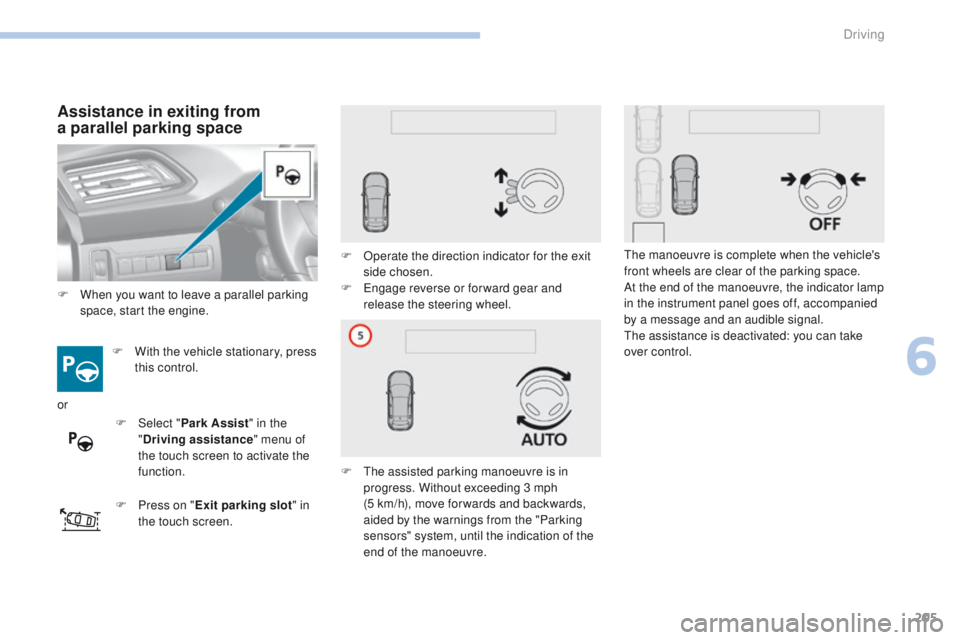
Assistance in exiting from
a parallel parking space
F With the vehicle stationary, press
this control.
F
P
ress on " Exit parking slot " in
the touch screen. F
O
perate the direction indicator for the exit
side chosen.
F e
n
gage reverse or for ward gear and
release the steering wheel.
F t
h
e assisted parking manoeuvre is in
progress. Without exceeding 3 mph
(5
km/h), move for wards and backwards,
aided by the warnings from the "Parking
sensors" system, until the indication of the
end of the manoeuvre.
th
e manoeuvre is complete when the vehicle's
front wheels are clear of the parking space.
At the end of the manoeuvre, the indicator lamp
in the instrument panel goes off, accompanied
by a message and an audible signal.th e assistance is deactivated: you can take
over control.
F
W
hen you want to leave a parallel parking
space, start the engine.
or F
Sel
ect "Park Assist " in the
" Driving assistance " menu of
the touch screen to activate the
function.
6
Driving
Page 208 of 392
206
308_en_Chap06_conduite_ed01-2016
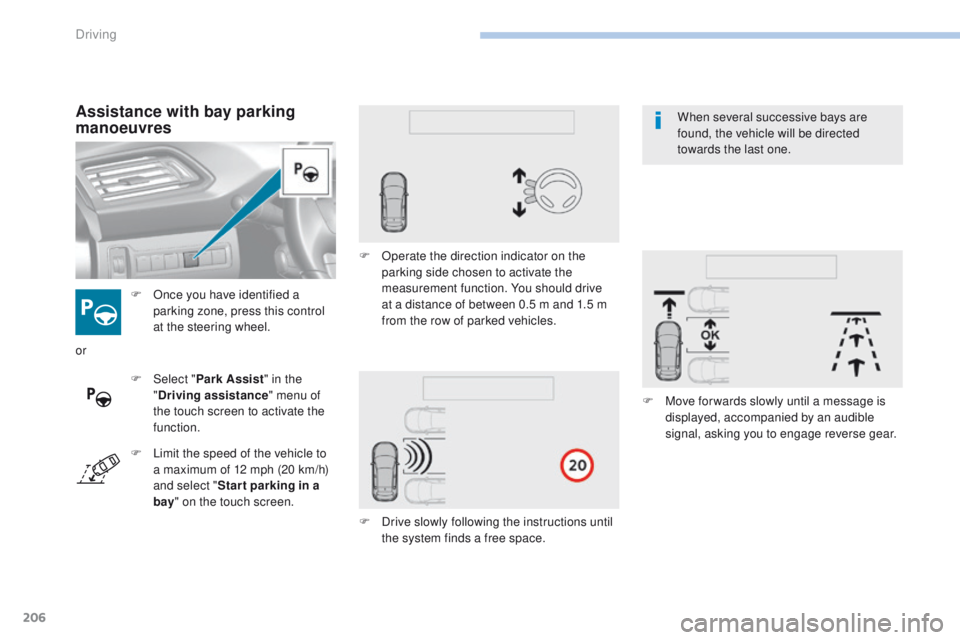
F Once you have identified a parking zone, press this control
at the steering wheel.
Assistance with bay parking
manoeuvres
F Select " Park Assist " in the
" Driving assistance " menu of
the touch screen to activate the
function. F
O
perate the direction indicator on the
parking side chosen to activate the
measurement function. You should drive
at a distance of between 0.5 m and 1.5 m
from the row of parked vehicles.
F
D
rive slowly following the instructions until
the system finds a free space. F
M
ove for wards slowly until a message is
displayed, accompanied by an audible
signal, asking you to engage reverse gear.
or
F
L
imit the speed of the vehicle to
a maximum of 12 mph (20 km/h)
and select " Star t parking in a
bay " on the touch screen. When several successive bays are
found, the vehicle will be directed
towards the last one.
Driving
Page 209 of 392
207
308_en_Chap06_conduite_ed01-2016
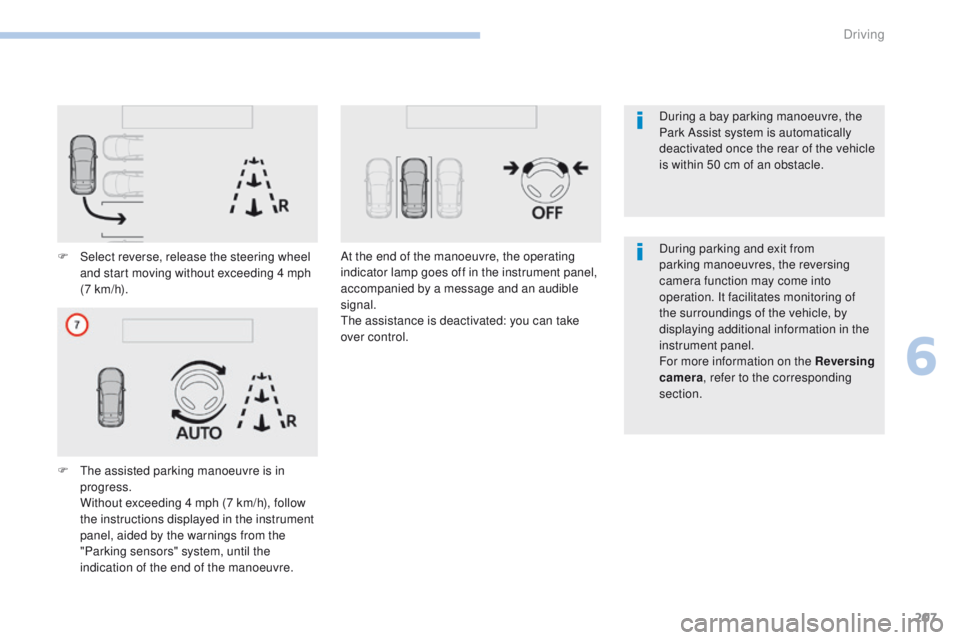
F Select reverse, release the steering wheel and start moving without exceeding 4 mph
(7 km/h).
F
t
h
e assisted parking manoeuvre is in
progress.
W
ithout exceeding 4 mph (7 km/h), follow
the instructions displayed in the instrument
panel, aided by the warnings from the
"Parking sensors" system, until the
indication of the end of the manoeuvre. At the end of the manoeuvre, the operating
indicator lamp goes off in the instrument panel,
accompanied by a message and an audible
signal.
th
e assistance is deactivated: you can take
over control. During parking and exit from
parking manoeuvres, the reversing
camera function may come into
operation. It facilitates monitoring of
the surroundings of the vehicle, by
displaying additional information in the
instrument panel.
For more information on the Reversing
camera
, refer to the corresponding
section. During a bay parking manoeuvre, the
Park Assist system is automatically
deactivated once the rear of the vehicle
is within 50 cm of an obstacle.
6
Driving