bluetooth PEUGEOT 308 2022 User Guide
[x] Cancel search | Manufacturer: PEUGEOT, Model Year: 2022, Model line: 308, Model: PEUGEOT 308 2022Pages: 260, PDF Size: 7.92 MB
Page 219 of 260
217
PEUGEOT i-Connect Advanced - PEUGEOT i-Connect
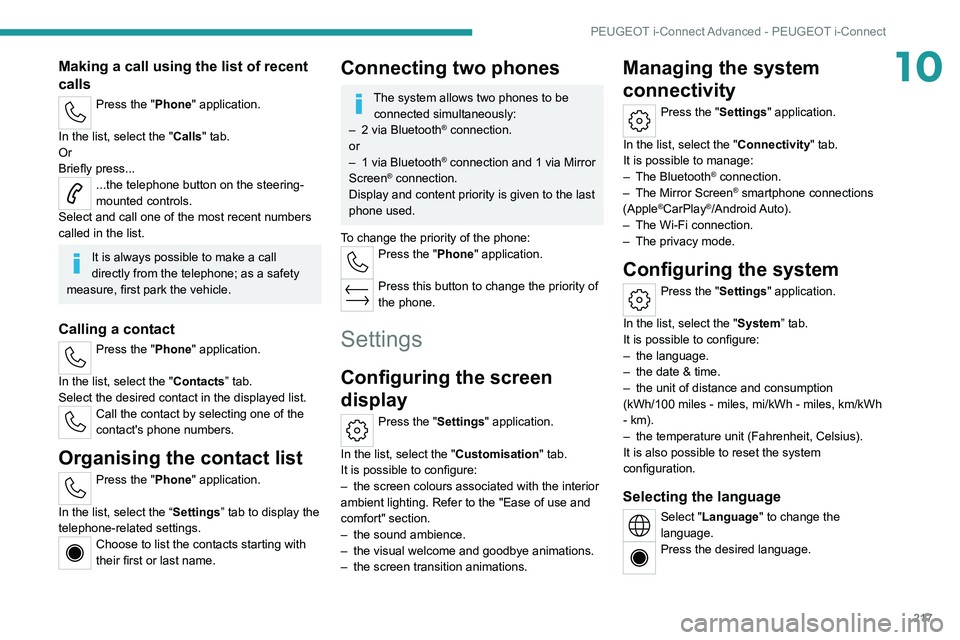
10Making a call using the list of recent
calls
Press the "Phone" application.
In the list, select the "Calls" tab.
Or
Briefly press...
...the telephone button on the steering-
mounted controls.
Select and call one of the most recent numbers
called in the list.
It is always possible to make a call
directly from the telephone; as a safety
measure, first park the vehicle.
Calling a contact
Press the "Phone" application.
In the list, select the "Contacts” tab.
Select the desired contact in the displayed list.
Call the contact by selecting one of the
contact's phone numbers.
Organising the contact list
Press the "Phone" application.
In the list, select the “Settings” tab to display the
telephone-related settings.
Choose to list the contacts starting with
their first or last name.
Connecting two phones
The system allows two phones to be connected simultaneously:
–
2 via
Bluetooth
® connection.
or
–
1 via
Bluetooth
® connection and 1 via Mirror
Screen® connection.
Display and content priority is given to the last
phone used.
To change the priority of the phone:
Press the "Phone" application.
Press this button to change the priority of
the phone.
Settings
Configuring the screen
display
Press the "Settings" application.
In the list, select the "Customisation" tab.
It is possible to configure:
–
the screen colours associated with the interior
ambient lighting. Refer to the "Ease of use and
comfort" section.
–
the sound ambience.
–
the visual welcome and goodbye animations.
–
the screen transition animations.
Managing the system
connectivity
Press the "Settings" application.
In the list, select the "Connectivity" tab.
It is possible to manage:
–
The Bluetooth® connection.
–
The Mirror Screen® smartphone connections
(Apple®CarPlay®/Android Auto).
–
The Wi-Fi connection.
–
The privacy mode.
Configuring the system
Press the "Settings" application.
In the list, select the "System” tab.
It is possible to configure:
–
the language.
–
the date & time.
–
the unit of distance and consumption
(kWh/100 miles - miles, mi/kWh - miles, km/kWh
- km).
–
the temperature unit (Fahrenheit, Celsius).
It is also possible to reset the system
configuration.
Selecting the language
Select "Language" to change the
language.
Press the desired language.
Page 225 of 260
223
Alphabetical index
A
ABS 32
Accelerated charging unit (Wallbox)
154–155
Accessories
29
Active LED Vision
26, 28
Active Safety Brake
135–137
AdBlue®
18, 124
AdBlue® tank
125
Additive, Diesel
171–172
Adjusting headlamps
25
Adjusting head restraints
20
Adjusting seat
44–45
Adjusting the air distribution
53–55
Adjusting the air flow
53–55
Adjusting the height and reach of
the steering wheel
24
Adjusting the lumbar support
21
Adjusting the seat angle
21
Adjusting the temperature
30
Adjusting the time
169
Advice on care and maintenance
104, 127
Advice on driving
7, 97–98
Airbags
37, 39, 41
Airbags, curtain
87–88
Airbags, front
87–88, 41
Airbags, lateral
87–88
Air conditioning
52–53, 31
Air conditioning, automatic
32
Air conditioning, dual-zone automatic
29
Air intake
55–56
Air vents
28
Alarm 38–39
Amplifier, audio
36
Anti-lock braking system (ABS)
32
Antitheft / Immobiliser
16
Applications
24–25
Armrest, front
36
Armrest, rear
38
Assistance call
79–80
Assistance, emergency braking
33, 88
Audible warning
30
Audio streaming (Bluetooth)
166
B
Battery, 12 V 118, 123, 189–193
Battery, ancillaries
140
Battery, charging
140, 142, 144
Battery, remote control
20
Blanking screen (snow shield)
11 7
Blind
28
BlueHDi
18, 122, 130
Bluetooth (hands-free)
163
Bluetooth (telephone)
212–213
Bodywork
128
Bonnet
168–169
Boot
34–35, 24, 42
Brake discs
172–173
Brake lamps
139
Brakes
172–173
Braking
57
Braking assistance system
81–82
Braking, automatic emergency 135–137
Braking, dynamic emergency
103–104
Bulbs (changing)
187–188
C
Capacity, fuel tank 102
Care of the bodywork
128
Central locking
18
Changing a bulb
187–188
Changing a fuse
140
Changing a wheel
131, 135
Changing a wiper blade
33
Changing the remote control battery
20
Charge level indicator (Rechargeable
hybrid)
20
Charger, induction
35
Charger, wireless
35
Charging cable
107
Charging cable (Rechargeable
hybrid)
154–155, 111
Charging connector (Rechargeable
hybrid)
105, 159–160
Charging flap (Rechargeable
hybrid)
105, 159–160
Charging the traction battery
(Rechargeable hybrid)
20, 103, 159–160
CHECK
20
Checking the engine oil level
18
Checking the levels
169–171
Page 226 of 260
224
Alphabetical index
Checking tyre pressures
(using the kit)
132, 134
Checks
120, 171–173
Checks, routine
171–173
Child lock
47
Children
36, 91–93
Children (safety)
47
Child seats
36, 88–91
Child seats, conventional
42, 44, 46
Child seats, i-Size
44, 46
Child seats, ISOFIX
91–93, 46
Cleaning (advice)
104, 176–178
Closing the boot
17, 21
Closing the doors
30–31, 21
Collision Risk Alert
135–136
Configuration, vehicle
10, 23
Connection, Bluetooth
212–213
Connectivity
168
Consumption figures
23
Container, AdBlue®
125
Control, emergency boot release
21
Control, emergency door
19
Control, heated seats
46–47
Controls, steering mounted
105–106
Control stalk, lighting
67–68
Control stalk, wipers
73–75
Control unit
154–156, 111
Courtesy lamp, front
37
Courtesy lamps
37
Cruise control
117–118, 120–122
Cruise control, adaptive
117–118, 122–123Cruise control by speed limit
recognition
117–118
D
Date (setting) 169
Daytime running lamps
25
Deactivating the passenger airbag
38, 41
Deadlocking
15, 17
Deferred charging
24, 112
Deferred charging (Rechargeable
hybrid)
24–25, 105, 110
Defrosting
24, 32
Defrosting, front
32
Demisting
24, 32
Demisting, front
32
Demisting, rear
32
Demisting, rear screen
32
Diagnosis, vehicle
20
Dials and gauges
9
Digital instrument panel
9
Dimensions
153
Dipstick
18, 121
Direction indicators
25, 139
Display screen, instrument panel
10–11
Domestic charging
107
Domestic charging (Rechargeable hybrid)
111
Doors
21
Drive Assist Plus
122–123
Driver’s attention warning
138–139
Driving
43–44, 97–98, 65
Driving abroad 29
Driving aids camera (warnings)
64
Driving aid shortcuts
66
Driving aids (recommendations)
64
Driving economically
7
Driving modes
107–108
Driving positions (storing)
22
Dynamic stability control (DSC)
33
E
EBFD 32
Eco-driving (advice)
7
ECO mode
59
Economy mode
11 8
Electronic brake force distribution (EBFD)
32
Emergency braking assistance (EBA)
33
Emergency call
79–80
Emergency switching off
101–102
Emergency warning lamps
29, 130
Emissions control system, SCR
19, 124
Energy economy mode
11 8
Energy flows
23
Energy recovery
20, 57
Engine
124
Engine compartment
168–169
Engine, Diesel
102, 120, 130
Engine, petrol
60, 120
Engines
148
Environment
7, 20
e-Save function (energy reserve)
24