remote control PEUGEOT 308 2022 Owner's Manual
[x] Cancel search | Manufacturer: PEUGEOT, Model Year: 2022, Model line: 308, Model: PEUGEOT 308 2022Pages: 260, PDF Size: 7.92 MB
Page 161 of 260

159
Practical information
7Manual reset procedure
The control unit can be reset by simultaneously disconnecting the chargi\
ng connector and the wall socket.
Then, reconnect the wall socket first. For more information, refer to the handbook.
Charging the traction
battery (Rechargeable
hybrid)
For a full charge, follow the charging procedure
without interrupting it, until it stops automatically.
Charging may be performed either immediately
(by default) or deferred.
Deferred charging is set via the touch
screen or the MYPEUGEOT APP
application.
When the vehicle is connected, the following
information is displayed on the instrument panel:
–
T
raction battery charge status (%).
–
Remaining range (miles or km).
–
Estimated charging time (calculation may take
a few seconds).
–
Charging speed (miles or km gained per hour).
After the instrument panel has been put into
standby mode, this information can be displayed
again by unlocking the vehicle or opening a door
.
It is also possible to monitor the charging
progress using the MYPEUGEOT APP
application.
For more information on Remote functions,
refer to the corresponding section.
Lounge mode
When the vehicle is connected, it is
possible to switch on the ignition and use
certain functions such as the audio and
telematics system and the air conditioning
system for several hours.
Vehicle immobilised for 1 to 12
months
Discharge the traction battery down to 2 or
3 bars on the charge level indicator on the
instrument panel.
Do not connect the charging cable.
Always park the vehicle in a place with
temperatures between -10°C and 30°C
(parking in a place with extreme temperatures
can damage the traction battery).
Refer to the Accessory battery
(Rechargeable hybrid) section for the
battery disconnection procedure.
Precautions
Rechargeable hybrid vehicles have
been developed in accordance with the
recommendations for maximum electromagnetic
field limits established by the ICNIRP
(International Commission on Non-Ionizing
Radiation Protection - 1998 Guidelines).
Wearers of pacemakers or equivalent
devices should consult a doctor to
enquire about any applicable precautionary
measures, or contact the manufacturer of their
implanted electronic medical device to check that
it is guaranteed to operate in an environment
compliant with the ICNIRP guidelines.
If in doubt , during charging, do not remain
inside or near the vehicle, near the charging
cable or the charging unit, even for a short time.
Before charging
Depending on the context:
►
Have a professional check that the
electrical system to be used complies with
applicable standards and is compatible with
the vehicle.
►
Have a professional electrician install
a dedicated domestic power socket or
accelerated charging unit (W
allbox)
compatible with the vehicle.
Use the charging cable supplied with the
vehicle.
For more information, contact a PEUGEOT
dealer or a qualified workshop.
(During charging)
As a safety measure, the engine will
not start if the charging cable is plugged into
Page 163 of 260
161
Practical information
7► If the vehicle is unlocked, lock it and then
unlock it .
If selective unlocking of the doors is
activated, press the unlocking button on
the remote control twice to disconnect the
nozzle.
The red indicator lamp in the flap goes out to
confirm that the nozzle is unlocked.
►
Within
30 seconds, remove the charging
nozzle.
Domestic charging (mode 2)
The end of charging is confirmed when the
green CHARGE indicator lamp on the control
unit comes on fixed and the green light guides in
the flap come on fixed.
►
After disconnection, replace the protective
cover over the nozzle and close the charging
flap.
►
Disconnect the control unit's charging cable
from the domestic socket.
Accelerated charging (mode 3)
The end of charging is confirmed by the
accelerated charging unit (Wallbox) and when
the green light guides in the flap come on fixed.
►
After disconnection, replace the nozzle on to
the charging unit and close the charging flap.
Deferred charging
Settings
► In the Energy touch screen
application, select the Charging tab.
►
Set the charging start time.
►
Press
OK.
The setting is saved in the system.
You can also programme the deferred charging function using a smartphone, via
the MYPEUGEOT APP application.
For more information on Remote functions,
refer to the corresponding section.
Activation
► Connect the vehicle to the desired charging
equipment.
► Press this button in the flap within one
minute to activate deferred charging
(confirmed by the light guides coming on in
blue).
Towing device
Load distribution
► Distribute the load in the trailer so that the
heaviest items are as close as possible to the
axle, and the nose weight approaches the
maximum permitted without exceeding it.
Air density decreases with altitude, thus reducing
engine performance.
The maximum towable load
must be reduced by 10% per 1,000
metres of
altitude.
Use genuine towing devices and wiring
harnesses approved by PEUGEOT. We
recommend having them fitted by a
PEUGEOT dealer or a qualified workshop.
If not fitted by a PEUGEOT dealer, they must
still be fitted in accordance with the vehicle
manufacturer's instructions.
Important: if the vehicle has a motorised
tailgate and Hands-Free Tailgate Access
function, and a towing device has been fitted
outside the PEUGEOT dealer network, it
is essential to visit a PEUGEOT dealer or
a qualified workshop to have the detection
system recalibrated
- risk of malfunction of the
Hands-Free Tailgate Access function.
Certain driving or manoeuvring aid functions
are automatically deactivated while an
approved towing system is in use.
For more information about driving with a
towing device fitted to a trailer and associated
with the Trailer stability assist, refer to the
corresponding section.
Comply with the maximum authorised
towable weight, as indicated on your
vehicle's registration certificate, on the
manufacturer's label and in the Technical
data section of this guide.
Page 191 of 260
189
In the event of a breakdown
8► Remove the fixing screw(s) from the access
flap located under the bumper using a Torx
screwdriver.
►
Unclip the access flap.
►
T
urn the bulb holder a quarter turn and
remove it.
►
For the foglamp: turn the bulb a quarter turn
and replace it.
►
For the reversing lamp: pull out the bulb and
replace it.
When changing the bulb within a few
minutes of switching off the ignition, take
care not to touch the exhaust - risk of burns!
Fuses
Changing a fuse
All work must be carried out only by a
PEUGEOT dealer or a qualified workshop
The replacement of a fuse by a third party
could cause a serious malfunction of the
vehicle.
Installing electrical accessories
The vehicle's electrical system is
designed to operate with standard or optional
equipment.
Before fitting other electrical equipment
or accessories to your vehicle, contact a
PEUGEOT dealer or a qualified workshop.
PEUGEOT accepts no responsibility for
the cost incurred in repairing the vehicle
or for rectifying malfunctions resulting from
the installation of accessories not supplied or
not recommended by PEUGEOT and not
installed in accordance with its
recommendations, in particular when the
combined power consumption of all of the
additional equipment connected exceeds 10
milliamperes.
12 V battery/Accessory
batteries
Lead-acid starter batteries
These batteries contain harmful
substances (sulphuric acid and lead).
They must be disposed of in accordance
with regulations and must never under any
circumstances be discarded with household
waste.
Dispose of used batteries at a designated
collection point.
Protect your eyes and face before
handling the battery.
All operations on the battery must be carried
out in a well ventilated area and away from
naked flames and sources of sparks, to avoid
any risk of explosion or fire.
Wash your hands afterwards.
Electronic control units/LED
technology headlamps
Never connect the negative jump lead to the
metal part of the electronic control units
or at
the back of the headlamps.
Risk of destroying the electronic control
units
and/or headlamps!
Connect to the remote earth point provided
for this purpose.
Frozen battery
Never try to charge a frozen battery - risk
of explosion!
If the battery has frozen, have it checked by a
PEUGEOT dealer or by a qualified workshop,
who will verify that the internal components
have not been damaged and that the case
has not cracked, which could lead to a risk of
leakage of toxic and corrosive acid.
Automatic gearbox
Never try to start the engine by pushing
the vehicle.
Symbols
No sparks or naked flames, no smoking.
Always protect your eyes. Explosive gases can cause blindness and injury.
Page 196 of 260
194
In the event of a breakdown
accessory batteries - risk of irreversible
damage!
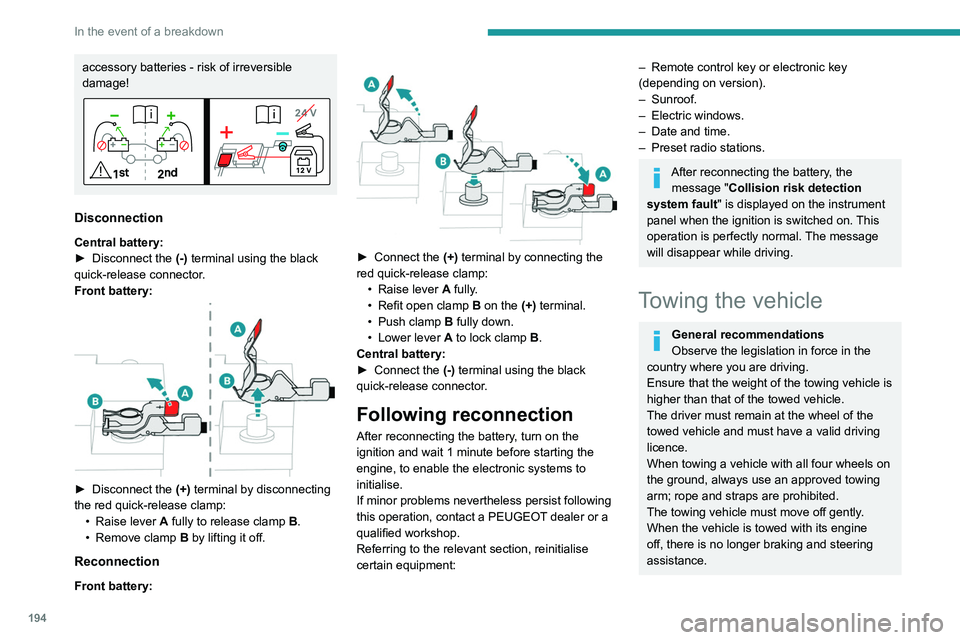
Disconnection
Central battery:
► Disconnect the (-)
terminal using the black
quick-release connector.
Front battery:
► Disconnect the (+) terminal by disconnecting
the red quick-release clamp: •
Raise lever
A
fully to release clamp
B
.
•
Remove clamp
B
by lifting it off.
Reconnection
Front battery:
► Connect the (+) terminal by connecting the
red quick-release clamp: •
Raise lever
A
fully.
•
Refit open clamp
B
on the (+) terminal.
•
Push clamp
B fully down.
•
Lower lever
A
to lock clamp B.
Central battery:
►
Connect the
(-) terminal using the black
quick-release connector.
Following reconnection
After reconnecting the battery, turn on the
ignition and wait 1 minute before starting the
engine, to enable the electronic systems to
initialise.
If minor problems nevertheless persist following
this operation, contact a PEUGEOT dealer or a
qualified workshop.
Referring to the relevant section, reinitialise
certain equipment:
– Remote control key or electronic key
(depending on version).
–
Sunroof.
–
Electric windows.
–
Date and time.
–
Preset radio stations.
After reconnecting the battery, the message "Collision risk detection
system fault" is displayed on the instrument
panel when the ignition is switched on. This
operation is perfectly normal. The message
will disappear while driving.
Towing the vehicle
General recommendations
Observe the legislation in force in the
country where you are driving.
Ensure that the weight of the towing vehicle is
higher than that of the towed vehicle.
The driver must remain at the wheel of the
towed vehicle and must have a valid driving
licence.
When towing a vehicle with all four wheels on
the ground, always use an approved towing
arm; rope and straps are prohibited.
The towing vehicle must move off gently.
When the vehicle is towed with its engine
off, there is no longer braking and steering
assistance.
Page 225 of 260
223
Alphabetical index
A
ABS 32
Accelerated charging unit (Wallbox)
154–155
Accessories
29
Active LED Vision
26, 28
Active Safety Brake
135–137
AdBlue®
18, 124
AdBlue® tank
125
Additive, Diesel
171–172
Adjusting headlamps
25
Adjusting head restraints
20
Adjusting seat
44–45
Adjusting the air distribution
53–55
Adjusting the air flow
53–55
Adjusting the height and reach of
the steering wheel
24
Adjusting the lumbar support
21
Adjusting the seat angle
21
Adjusting the temperature
30
Adjusting the time
169
Advice on care and maintenance
104, 127
Advice on driving
7, 97–98
Airbags
37, 39, 41
Airbags, curtain
87–88
Airbags, front
87–88, 41
Airbags, lateral
87–88
Air conditioning
52–53, 31
Air conditioning, automatic
32
Air conditioning, dual-zone automatic
29
Air intake
55–56
Air vents
28
Alarm 38–39
Amplifier, audio
36
Anti-lock braking system (ABS)
32
Antitheft / Immobiliser
16
Applications
24–25
Armrest, front
36
Armrest, rear
38
Assistance call
79–80
Assistance, emergency braking
33, 88
Audible warning
30
Audio streaming (Bluetooth)
166
B
Battery, 12 V 118, 123, 189–193
Battery, ancillaries
140
Battery, charging
140, 142, 144
Battery, remote control
20
Blanking screen (snow shield)
11 7
Blind
28
BlueHDi
18, 122, 130
Bluetooth (hands-free)
163
Bluetooth (telephone)
212–213
Bodywork
128
Bonnet
168–169
Boot
34–35, 24, 42
Brake discs
172–173
Brake lamps
139
Brakes
172–173
Braking
57
Braking assistance system
81–82
Braking, automatic emergency 135–137
Braking, dynamic emergency
103–104
Bulbs (changing)
187–188
C
Capacity, fuel tank 102
Care of the bodywork
128
Central locking
18
Changing a bulb
187–188
Changing a fuse
140
Changing a wheel
131, 135
Changing a wiper blade
33
Changing the remote control battery
20
Charge level indicator (Rechargeable
hybrid)
20
Charger, induction
35
Charger, wireless
35
Charging cable
107
Charging cable (Rechargeable
hybrid)
154–155, 111
Charging connector (Rechargeable
hybrid)
105, 159–160
Charging flap (Rechargeable
hybrid)
105, 159–160
Charging the traction battery
(Rechargeable hybrid)
20, 103, 159–160
CHECK
20
Checking the engine oil level
18
Checking the levels
169–171
Page 228 of 260
226
Alphabetical index
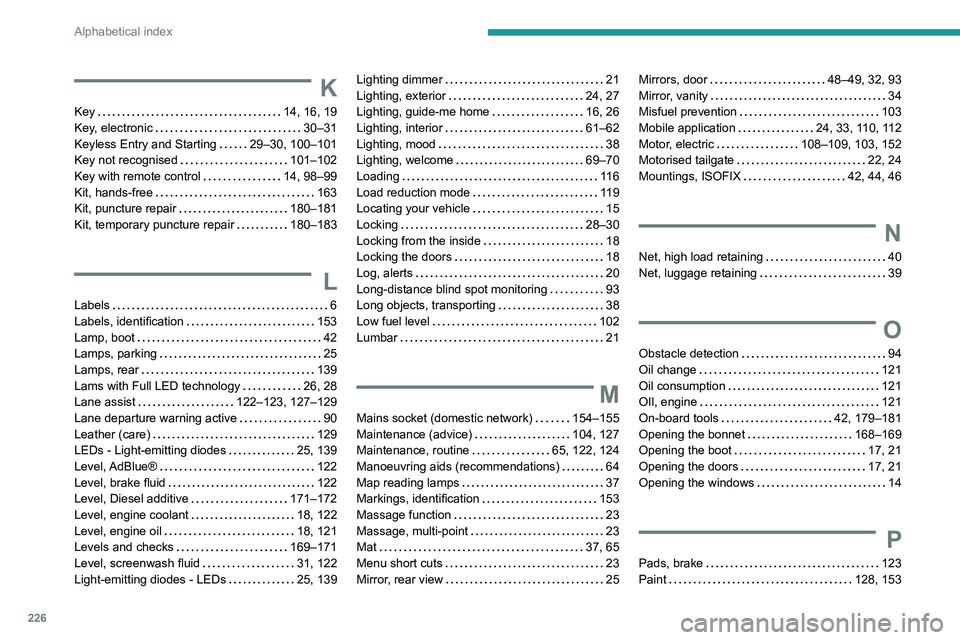
K
Key 14, 16, 19
Key, electronic
30–31
Keyless Entry and Starting
29–30, 100–101
Key not recognised
101–102
Key with remote control
14, 98–99
Kit, hands-free
163
Kit, puncture repair
180–181
Kit, temporary puncture repair
180–183
L
Labels 6
Labels, identification
153
Lamp, boot
42
Lamps, parking
25
Lamps, rear
139
Lams with Full LED technology
26, 28
Lane assist
122–123, 127–129
Lane departure warning active
90
Leather (care)
129
LEDs - Light-emitting diodes
25, 139
Level, AdBlue®
122
Level, brake fluid
122
Level, Diesel additive
171–172
Level, engine coolant
18, 122
Level, engine oil
18, 121
Levels and checks
169–171
Level, screenwash fluid
31, 122
Light-emitting diodes - LEDs
25, 139
Lighting dimmer 21
Lighting, exterior
24, 27
Lighting, guide-me home
16, 26
Lighting, interior
61–62
Lighting, mood
38
Lighting, welcome
69–70
Loading
11 6
Load reduction mode
119
Locating your vehicle
15
Locking
28–30
Locking from the inside
18
Locking the doors
18
Log, alerts
20
Long-distance blind spot monitoring
93
Long objects, transporting
38
Low fuel level
102
Lumbar
21
M
Mains socket (domestic network) 154–155
Maintenance (advice)
104, 127
Maintenance, routine
65, 122, 124
Manoeuvring aids (recommendations)
64
Map reading lamps
37
Markings, identification
153
Massage function
23
Massage, multi-point
23
Mat
37, 65
Menu short cuts
23
Mirror, rear view
25
Mirrors, door 48–49, 32, 93
Mirror, vanity
34
Misfuel prevention
103
Mobile application
24, 33, 110, 112
Motor, electric
108–109, 103, 152
Motorised tailgate
22, 24
Mountings, ISOFIX
42, 44, 46
N
Net, high load retaining 40
Net, luggage retaining
39
O
Obstacle detection 94
Oil change
121
Oil consumption
121
OIl, engine
121
On-board tools
42, 179–181
Opening the bonnet
168–169
Opening the boot
17, 21
Opening the doors
17, 21
Opening the windows
14
P
Pads, brake 123
Paint
128, 153
Page 229 of 260
227
Alphabetical index
Paint colour code 153
Parking brake, electric
102–104, 124
Parking sensors, audible and visual
94
Parking sensors, front
95
Parking sensors, rear
94
Passenger compartment temperature pre-
conditioning (Rechargeable hybrid)
24, 33
Pedestrian horn (Rechargeable hybrid)
30
Personalisation
10, 24
Plates, identification
153
Port, USB
58–59, 38
Post Collision Safety Brake
33
Power
20
Power indicator (Rechargeable hybrid)
8, 20
Pressures, tyres
124, 133, 154
Pre-tensioning seat belts
36
Priming the fuel system
130
Profiles
156
Protecting children
87–93
Proximity Keyless Entry & Start
16
Puncture
181–182, 135
R
Radar (warnings) 64
Radio
214–215
Range, AdBlue®
18, 122
Reading lamps
37
READY lamp
119
Rear screen, demisting
32
Rear traffic alert
99
Rechargeable hybrid engine 8, 23, 119,
146, 152
Rechargeable hybrid system
6, 8, 23,
52, 60, 103
Recharging the battery
140, 142, 144
Recharging the traction battery
107
Recharging the traction battery
(Rechargeable hybrid)
103, 159–160
Recirculation, air
55–56
Recovery
194–196
Recovery of the vehicle
195–196
Reduction of electrical load
119
Regeneration of the particle filter
123
Regenerative braking (deceleration
by engine braking)
57
Reinitialisation of the under-inflation
detection system
63
Reinitialising the remote control
20
Reminder, key in ignition
51
Reminder, lighting on
24
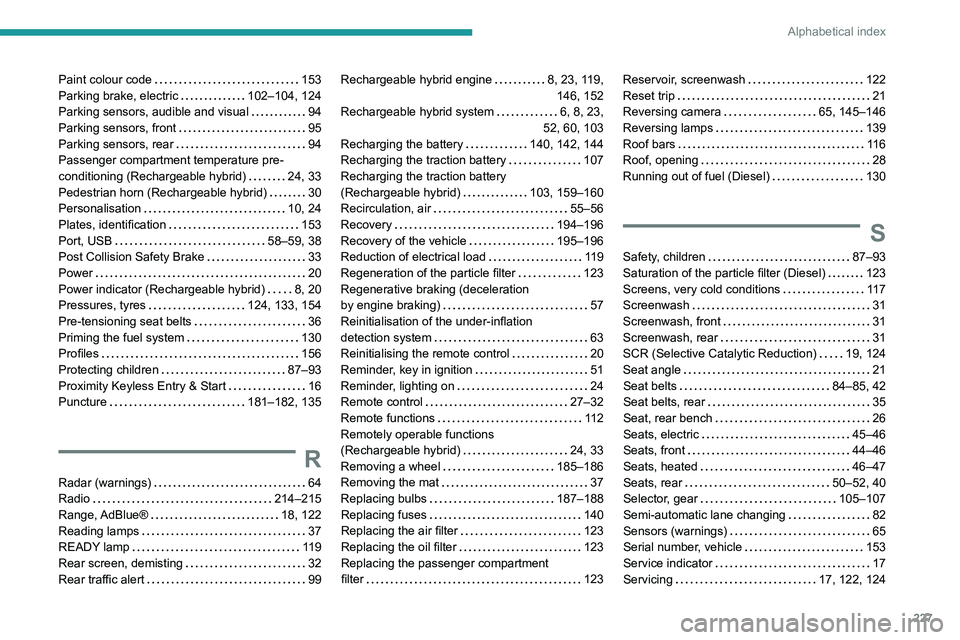
Remote control
27–32
Remote functions
11 2
Remotely operable functions
(Rechargeable hybrid)
24, 33
Removing a wheel
185–186
Removing the mat
37
Replacing bulbs
187–188
Replacing fuses
140
Replacing the air filter
123
Replacing the oil filter
123
Replacing the passenger compartment
filter
123Reservoir, screenwash 122
Reset trip
21
Reversing camera
65, 145–146
Reversing lamps
139
Roof bars
11 6
Roof, opening
28
Running out of fuel (Diesel)
130
S
Safety, children 87–93
Saturation of the particle filter (Diesel)
123
Screens, very cold conditions
11 7
Screenwash
31
Screenwash, front
31
Screenwash, rear
31
SCR (Selective Catalytic Reduction)
19, 124
Seat angle
21
Seat belts
84–85, 42
Seat belts, rear
35
Seat, rear bench
26
Seats, electric
45–46
Seats, front
44–46
Seats, heated
46–47
Seats, rear
50–52, 40
Selector, gear
105–107
Semi-automatic lane changing
82
Sensors (warnings)
65
Serial number, vehicle
153
Service indicator
17
Servicing
17, 122, 124
Page 230 of 260
228
Alphabetical index
Settings, equipment 10, 23
Shield, snow
11 7
Sidelamps
25, 139
Silent vehicle warning sound
(Rechargeable hybrid)
30
Ski flap
38
Smartphone
24, 35
Snow chains
63, 118
Snow screen
11 7
Socket, 12 V accessory
34, 41
Speakers
36
Speed adjustment during cornering
82
Speed limiter
117–120
Speed limit recognition
66, 68
Speedometer
9, 65
Sport mode
108–109
Spotlamps, side
27
Stability control (ESC)
32, 34
Starting a Diesel engine
102
Starting the engine
50, 52
Starting the vehicle
99–100, 57
Starting using another battery
52, 141
State of charge, battery
23
Station, radio
214–215
Stay, bonnet
120
Steering wheel
65
Steering wheel, adjustment
24
Stickers, customising ~ Stickers,
expressive
128
Stopping the vehicle
99–101, 106–107
Stop & Start
22, 29, 32, 110–111,
102, 119, 123, 143
Storage
34, 36, 62–63Storage box 42
Storage wells
39, 42
Storing driving positions
22
Stowing rings
39
Sunshine sensor
28
Sun visor
34
Suspension
124
Switching off the engine
50
Synchronising the remote control
20
T
Tables of engines 152
Tailgate
21
Tank, fuel
151–152
Technical data
152
Telephone
212–213, 216–217
Temperature, coolant
18
Time (setting)
169
Tool box
42
Tools
179–181
Topping-up AdBlue®
125
Top Tether (fixing)
42, 44, 46
Total distance recorder
21
Touch screen
23–25, 33
Touch-sensitive reading lamps
37
Towball, quickly detachable
162–165
Towbar
34, 112
Towbar with quickly detachable
towball
162–165
Towed loads
148, 152
Towing another vehicle
145, 147
Traction battery charge 107
Traction battery (Rechargeable
hybrid)
20, 152–153, 110
Traction control (ASR)
33
Trailer
34, 112
Trailer stability assist (TSA)
34
Trajectory control systems
32
Triangle, warning
130
Trip computer
22–23
Trip distance recorder
21
Tyres
124, 154
Tyre under-inflation detection
62, 133
U
Under-inflation (detection) 62
Unlocking
14, 17
Unlocking from the inside
18
Unlocking the boot
15, 17
Unlocking the doors
18
Unlocking the tailgate
15, 17
Updating the time
169
V
Vehicle data recording and privacy 171
Ventilation
28
Visibility
32
Visiopark 1
96
Visiopark 1 - Visiopark 2
97