audio Peugeot 308 CC 2014 Owner's Manual
[x] Cancel search | Manufacturer: PEUGEOT, Model Year: 2014, Model line: 308 CC, Model: Peugeot 308 CC 2014Pages: 268, PDF Size: 15.33 MB
Page 5 of 268
3
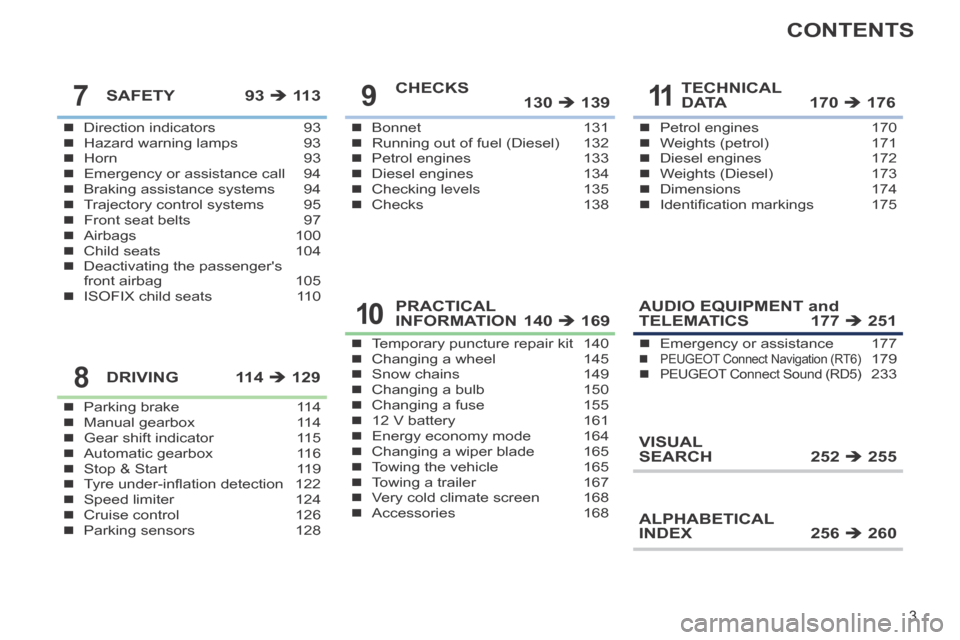
CONTENTS
Direction indicators 93Hazard warning lamps 93Horn 93Emergency or assistance call 94Braking assistance systems 94Trajectory control systems 95Front seat belts 97Airbags 100Child seats 104Deactivating the passenger's front airbag 105ISOFIX child seats 110
SAFETY 93 11 3
Parking brake 114Manual gearbox 114Gear shift indicator 115Automatic gearbox 116Stop & Start 119Tyre under-infl ation detection 122Speed limiter 124Cruise control 126Parking sensors 128
DRIVING 114 129
Bonnet 131Running out of fuel (Diesel) 132Petrol engines 133Diesel engines 134Checking levels 135Checks 138
CHECKS 130 139
Temporary puncture repair kit 140Changing a wheel 145Snow chains 149Changing a bulb 150Changing a fuse 15512 V battery 161Energy economy mode 164Changing a wiper blade 165Towing the vehicle 165Towing a trailer 167Very cold climate screen 168Accessories 168
PRACTICAL INFORMATION 140 169
Petrol engines 170Weights (petrol) 171Diesel engines 172Weights (Diesel) 173Dimensions 174Identifi cation markings 175
TECHNICAL D ATA 170 D ATA 170 D ATA 176
AUDIO EQUIPMENT and TELEMATICS 177 251
VISUAL SEARCH 252 255
ALPHABETICAL INDEX 256 260
Emergency or assistance 177PEUGEOT Connect Navigation (RT6)PEUGEOT Connect Navigation (RT6)PEUGEOT 179PEUGEOT Connect Sound (RD5)PEUGEOT Connect Sound (RD5)PEUGEOT 233
7
8
9
10
11
Page 10 of 268
87, 88
85
56
233
179
8
FAMILIARISATION
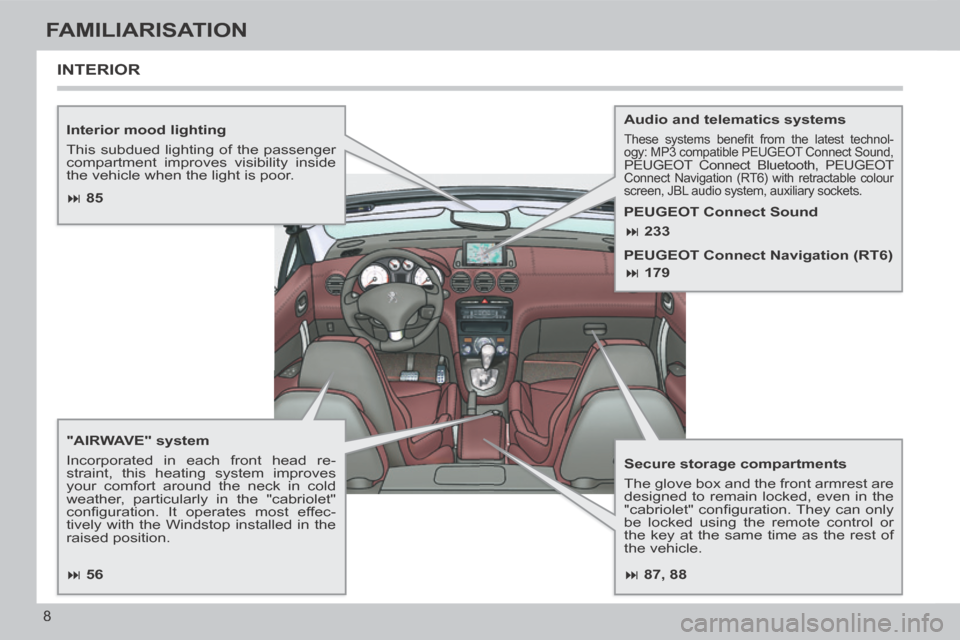
Interior mood lighting
This subdued lighting of the passenger
compartment improves visibility inside
the vehicle when the light is poor.
"AIRWAVE" system
Incorporated in each front head re-
straint, this heating system improves
your comfort around the neck in cold
weather, particularly in the "cabriolet"
confi guration. It operates most effec-
tively with the Windstop installed in the
raised position. Audio and telematics systems These systems benefi t from the latest technol-
ogy: MP3 compatible PEUGEOT Connect Sound,
PEUGEOT Connect Bluetooth, PEUGEOT Connect Navigation (RT6) with retractable colour
screen, JBL audio system, auxiliary sockets.
Secure storage compartments
The glove box and the front armrest are
designed to remain locked, even in the
"cabriolet" confi guration. They can only
be locked using the remote control or
the key at the same time as the rest of
the vehicle.
INTERIOR
PEUGEOT Connect Sound
PEUGEOT Connect Navigation (RT6)
Page 12 of 268
10
FAMILIARISATION
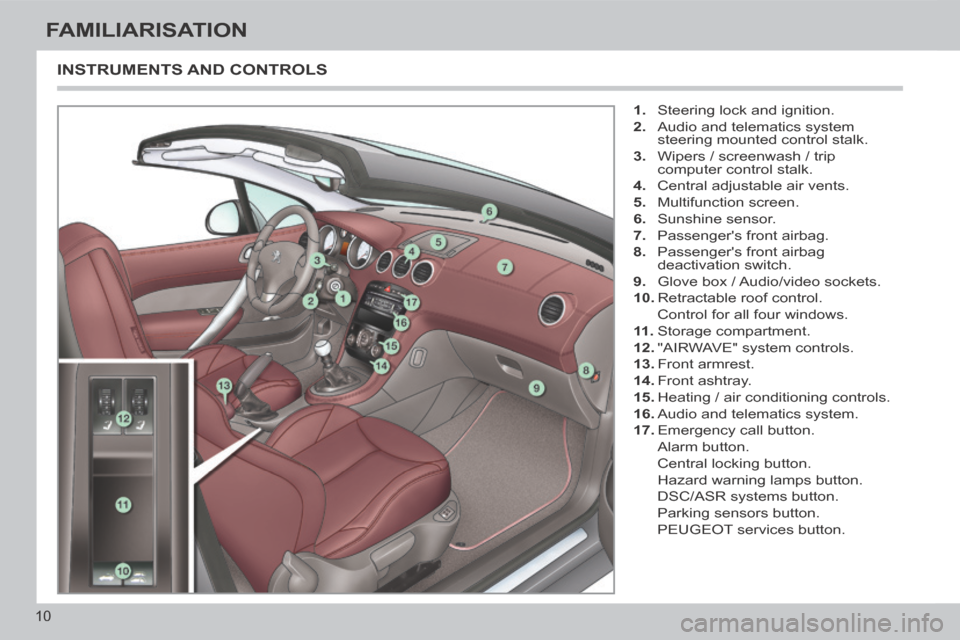
INSTRUMENTS AND CONTROLS
1. Steering lock and ignition.
2. Audio and telematics system steering mounted control stalk.
3. Wipers / screenwash / trip computer control stalk.
4. Central adjustable air vents.
5. Multifunction screen.
6. Sunshine sensor.
7. Passenger's front airbag.
8. Passenger's front airbag deactivation switch.
9. Glove box / Audio/video sockets.
10. Retractable roof control.
Control for all four windows.
11 . Storage compartment.
12. "AIRWAVE" system controls.
13. Front armrest.
14. Front ashtray.
15. Heating / air conditioning controls.
16. Audio and telematics system.
17. Emergency call button.
Alarm button.
Central locking button.
Hazard warning lamps button.
DSC/ASR systems button.
Parking sensors button.
PEUGEOT services button.
Page 41 of 268
2
39
MULTIFUNCTION SCREENS
Main menu "Audio functions" menu
Press the "MENU" button for access
to the main menu :
- audio functions,
- diagnosis vehicle,
- personalisation-confi guration,
- telephone (hands-free kit).
Press the " " or " " buttons to se-
lect the menu required, then confi rm
by pressing the "OK" button.
With the PEUGEOT Connect Sound
switched on, once this menu has been
selected you can activate or deactivate
the functions linked with use of the ra-
dio (RDS, REG, RadioText) or the CD
(introscan, shuffl e, CD repeat).
For more information on the "Audio
functions" application, refer to the
PEUGEOT Connect Sound section.
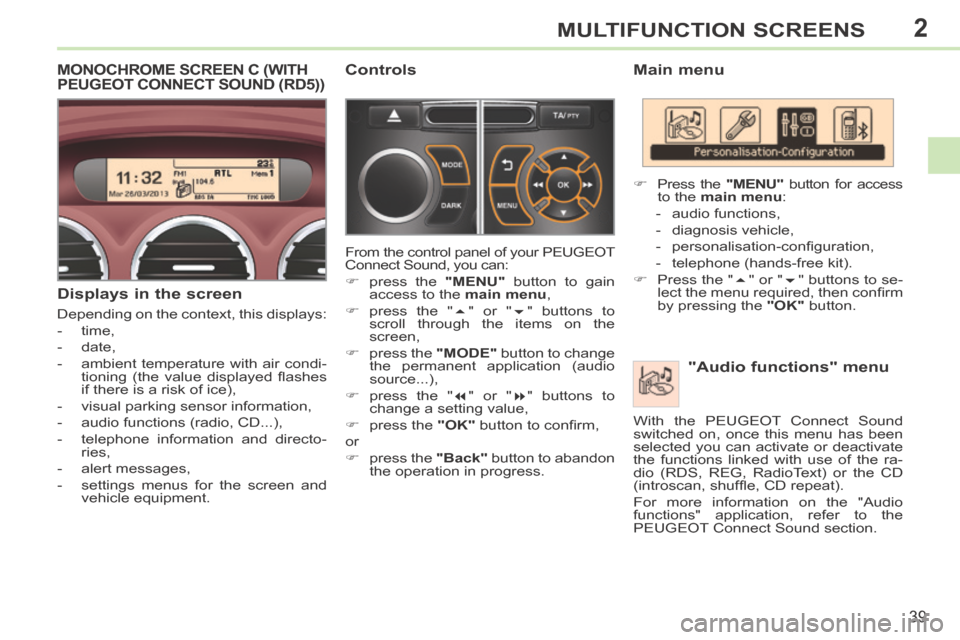
MONOCHROME SCREEN C (WITH PEUGEOT CONNECT SOUND (RD5))
Displays in the screen
Depending on the context, this displays:
- time,
- date,
- ambient temperature with air condi- tioning (the value displayed fl ashes
if there is a risk of ice),
- visual parking sensor information,
- audio functions (radio, CD...),
- telephone information and directo- ries,
- alert messages,
- settings menus for the screen and vehicle equipment.
Controls
From the control panel of your PEUGEOT
Connect Sound, you can:
press the "MENU" button to gain
access to the main menu ,
press the " " or " " buttons to
scroll through the items on the
screen,
press the "MODE" button to change
the permanent application (audio
source...),
press the " " or " " buttons to
change a setting value,
press the "OK" button to confi rm,
or
press the "Back" button to abandon
the operation in progress.
Page 44 of 268
2
!
i
42
MULTIFUNCTION SCREENS
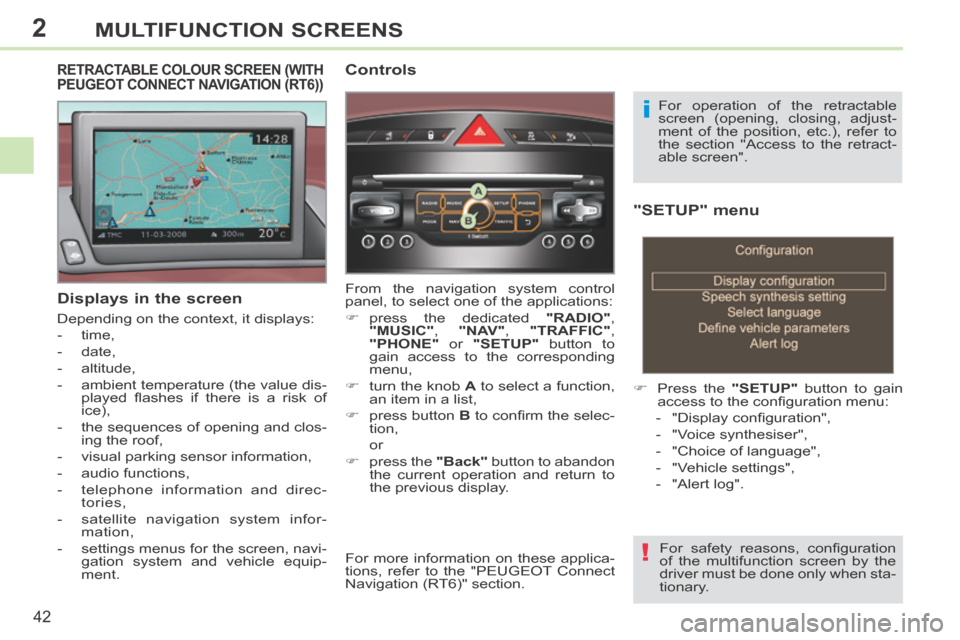
"SETUP" menu
Press the "SETUP" button to gain
access to the confi guration menu:
- "Display confi guration",
- "Voice synthesiser",
- "Choice of language",
- "Vehicle settings",
- "Alert log".
For safety reasons, confi guration
of the multifunction screen by the
driver must be done only when sta-
tionary.
Displays in the screen
Depending on the context, it displays:
- time,
- date,
- altitude,
- ambient temperature (the value dis- played fl ashes if there is a risk of
ice),
- the sequences of opening and clos- ing the roof,
- visual parking sensor information,
- audio functions,
- telephone information and direc- tories,
- satellite navigation system infor- mation,
- settings menus for the screen, navi- gation system and vehicle equip-
ment.
RETRACTABLE COLOUR SCREEN (WITH PEUGEOT CONNECT NAVIGATION (RT6)) Controls
From the navigation system control
panel, to select one of the applications:
press the dedicated "RADIO" ,
"MUSIC" , "NAV" , "TRAFFIC" ,
"PHONE" or "SETUP" button to
gain access to the corresponding
menu,
turn the knob A to select a function,
an item in a list,
press button B to confi rm the selec-
tion,
or
press the "Back" button to abandon
the current operation and return to
the previous display. For operation of the retractable
screen (opening, closing, adjust-
ment of the position, etc.), refer to
the section "Access to the retract-
able screen".
For more information on these applica-
tions, refer to the "PEUGEOT Connect
Navigation (RT6)" section.
Page 46 of 268
2
44
MULTIFUNCTION SCREENS
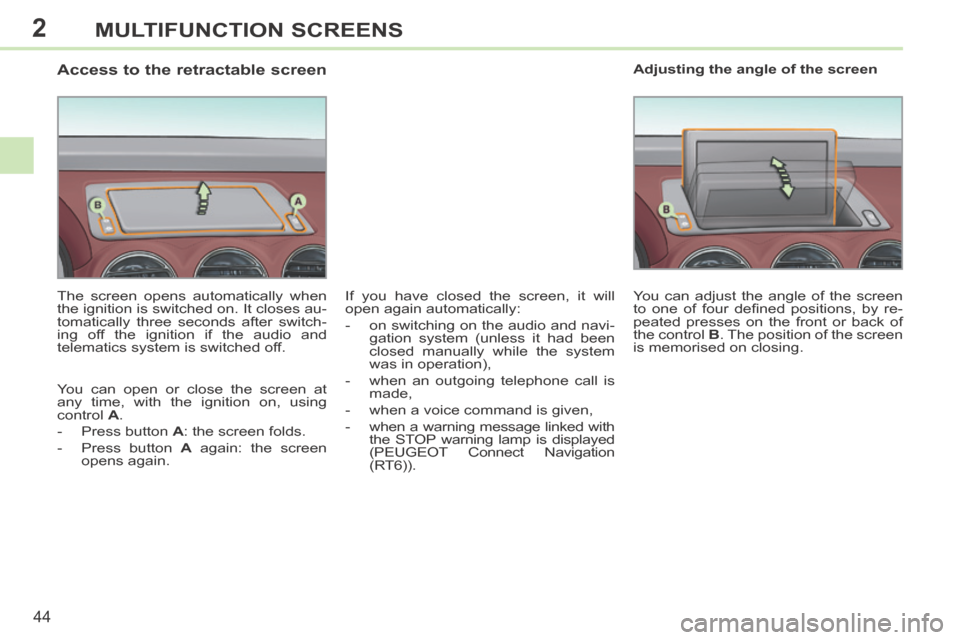
Access to the retractable screen
The screen opens automatically when
the ignition is switched on. It closes au-
tomatically three seconds after switch-
ing off the ignition if the audio and
telematics system is switched off.
You can open or close the screen at
any time, with the ignition on, using
control A .
- Press button A : the screen folds.
- Press button A again: the screen opens again. You can adjust the angle of the screen
to one of four defi ned positions, by re-
peated presses on the front or back of
the control
B . The position of the screen
is memorised on closing. Adjusting the angle of the screen
If you have closed the screen, it will
open again automatically:
- on switching on the audio and navi- gation system (unless it had been
closed manually while the system
was in operation),
- when an outgoing telephone call is made,
- when a voice command is given,
- when a warning message linked with the STOP warning lamp is displayed
(PEUGEOT Connect Navigation
(RT6)).
Page 90 of 268
6
88
FITTINGS
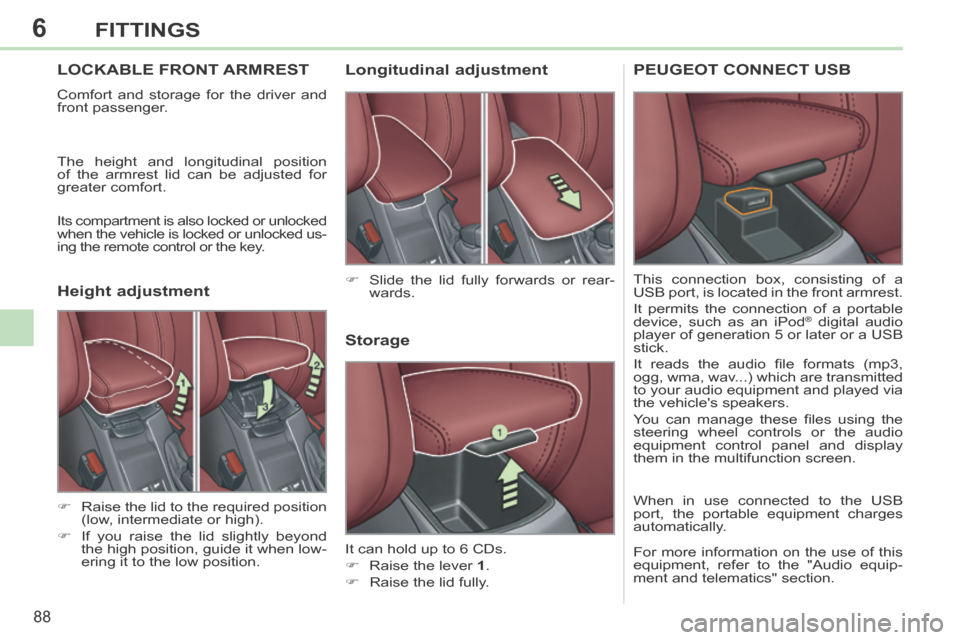
LOCKABLE FRONT ARMREST
Comfort and storage for the driver and
front passenger.
The height and longitudinal position
of the armrest lid can be adjusted for
greater comfort.
Its compartment is also locked or unlocked
when the vehicle is locked or unlocked us-
ing the remote control or the key.
Storage
It can hold up to 6 CDs.
Raise the lever 1 .
Raise the lid fully. Slide the lid fully forwards or rear- wards.
Raise the lid to the required position (low, intermediate or high).
If you raise the lid slightly beyond the high position, guide it when low-
ering it to the low position.
Longitudinal adjustment
Height adjustment PEUGEOT CONNECT USB
This connection box, consisting of a
USB port, is located in the front armrest.
It permits the connection of a portable
device, such as an iPod
® digital audio
player of generation 5 or later or a USB
stick.
It reads the audio fi le formats (mp3,
ogg, wma, wav...) which are transmitted
to your audio equipment and played via
the vehicle's speakers.
You can manage these fi les using the
steering wheel controls or the audio
equipment control panel and display
them in the multifunction screen.
When in use connected to the USB
port, the portable equipment charges
automatically.
For more information on the use of this
equipment, refer to the "Audio equip-
ment and telematics" section.
Page 96 of 268
7
!
i
!
94
SAFETY
BRAKING ASSISTANCE SYSTEMS
Group of supplementary systems which
help you to obtain optimum braking in
complete safety in emergency situations:
- anti-lock braking system (ABS),
- electronic brake force distribution (EBFD),
- emergency braking assistance (EBA).
Anti-lock braking system
and electronic brake force
distribution
Linked systems which improve the sta-
bility and manoeuvrability of your vehi-
cle when braking, in particular on poor
or slippery surfaces.
When braking in an emergency,
press very fi rmly without releasing
the pressure. When replacing wheels (tyres and
rims), ensure that they conform to
the manufacturer's recommenda-
tions.
Operating fault If this warning lamp comes on,
accompanied by an audible
signal and a message in the
screen, it indicates a malfunc-
tion of the anti-lock braking system
which could result in loss of control of
the vehicle when braking. If this warning lamp comes on,
together with the
STOP and
ABS warning lamps, accompa-
nied by an audible signal and
a message in the screen, it indicates a
malfunction of the electronic brake force
distribution which could result in loss of
control of the vehicle when braking.
Emergency braking assistance
System which, in an emergency, en-
ables you to obtain the optimum braking
pressure more quickly, thus reducing the
stopping distance.
Activation
The anti-lock braking system comes
into operation automatically when there
is a risk of wheel lock.
Normal operation of the ABS may make
itself felt by slight vibration of the brake
pedal.
Activation
It is triggered by the speed at which the
brake pedal is pressed.
The effect of this is a reduction in the
resistance of the pedal and an increase
in braking effi ciency. When braking in an emergency,
press fi rmly without releasing the
pressure.
You must stop as soon as it is safe
to do so.
In either case, contact a PEUGEOT
dealer or a qualifi ed workshop.
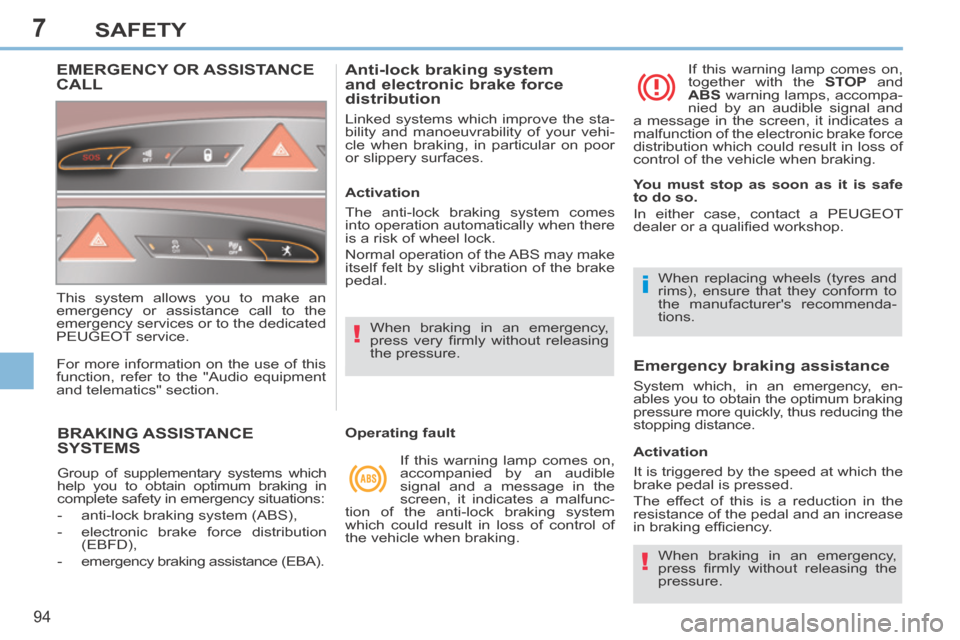
EMERGENCY OR ASSISTANCE CALL
This system allows you to make an
emergency or assistance call to the
emergency services or to the dedicated
PEUGEOT service.
For more information on the use of this
function, refer to the "Audio equipment
and telematics" section.
Page 158 of 268
10
156
PRACTICAL INFORMATION
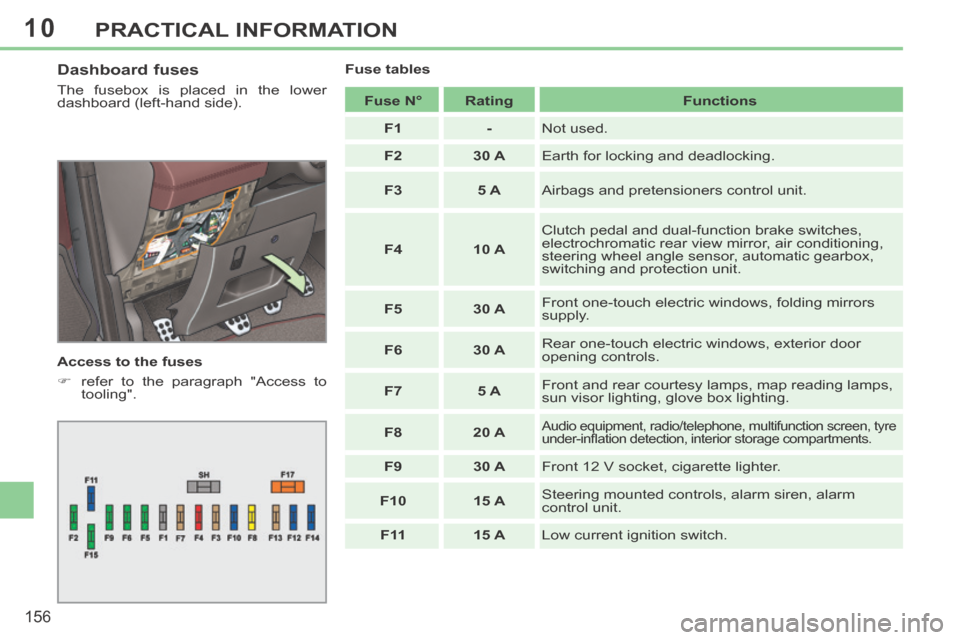
Dashboard fuses
The fusebox is placed in the lower
dashboard (left-hand side).
Access to the fuses
refer to the paragraph "Access to tooling". Fuse tables
Fuse N° Rating Functions
F1 - Not used.
F2 30 A Earth for locking and deadlocking.
F3 5 A Airbags and pretensioners control unit.
F4 10 A Clutch pedal and dual-function brake switches,
electrochromatic rear view mirror, air conditioning,
steering wheel angle sensor, automatic gearbox,
switching and protection unit.
F5 30 A Front one-touch electric windows, folding mirrors
supply.
F6 30 A Rear one-touch electric windows, exterior door
opening controls.
F7 5 A Front and rear courtesy lamps, map reading lamps,
sun visor lighting, glove box lighting.
F8 20 A
Audio equipment, radio/telephone, multifunction screen, tyre
under-infl ation detection, interior storage compartments.
F9 30 A Front 12 V socket, cigarette lighter.
F10 15 A Steering mounted controls, alarm siren, alarm
control unit.
F 11 15 A Low current ignition switch.
Page 165 of 268
10
i
i
!
!
i
163
PRACTICAL INFORMATION
With Stop & Start, the battery does
not have to be disconnected for
charging.
Charging the battery using
a battery charger
When your vehicle's battery is dis-
charged or when the vehicle is to be
out of use for a prolonged period, you
can charge the battery using a battery
charger.
Contact a PEUGEOT dealer or a quali-
fi ed workshop for the specifi cation of
chargers compatible with your battery.
Before disconnecting
Go to the battery.
Close the retractable roof.
Check that the doors and boot are closed but not locked.
Switch off the ignition and wait for at least four minutes.
If the vehicle is to not going to be used for
more than a month, it is recommended
that the battery be disconnected.
Charging
Disconnect the (+) terminal.
Follow the instructions for use pro-vided by the manufacturer of the
charger.
Connect the charger's red cable to the (+) terminal of the battery, then
the black cable to the (-) terminal.
Once the battery is fully charged, disconnect the charger cables in re-
verse order.
Charging should be carried out in
a well-ventilated area and away
from naked fl ames and sources of
sparks, so as to avoid any risk of
explosion and fi re.
Do not try to charge a frozen bat-
tery; fi rst thaw it out so as to avoid
the risk of explosion.
If the battery had frozen, before
charging, have it checked by a
PEUGEOT dealer or qualifi ed
workshop who will ensure that
the internal components have not
been damaged and that the casing
is not cracked, which would cause
a leak of toxic and corrosive acid.
Some functions are not available
if the battery is not suffi ciently
charged. Reinitialisation after
reconnection
After any reconnection of the battery,
switch on the ignition and wait at least
one minute before starting, to allow time
for the initialisation of the electronic sys-
tems.
By referring to the corresponding sec-
tions, you should set or initialise the fol-
lowing systems yourself:
- remote control,
- electric windows and automatic par- tial opening of door glasses,
- time and date,
- audio and navigation system set- tings.
Check that no alert message or
warning lamp comes on after
switching on the ignition.
However, if minor problems persist
after carrying out these operations,
contact a PEUGEOT dealer or a
qualifi ed workshop.