wheel PEUGEOT 4007 2009.5. User Guide
[x] Cancel search | Manufacturer: PEUGEOT, Model Year: 2009.5., Model line: 4007, Model: PEUGEOT 4007 2009.5.Pages: 230, PDF Size: 16.57 MB
Page 112 of 230
6
SAFETY
103
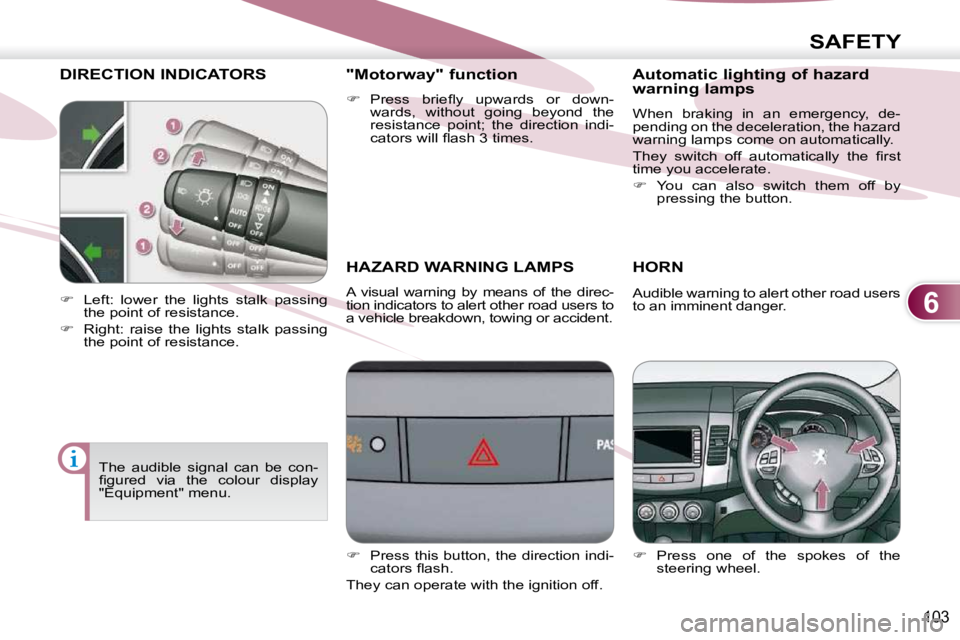
DIRECTION INDICATORS
HAZARD WARNING LAMPS
A visual warning by means of the direc-
tion indicators to alert other road users to
a vehicle breakdown, towing or accident.
HORN
Press one of the spokes of the
steering wheel.
Left: lower the lights stalk passing
the point of resistance.
Right: raise the lights stalk passing
the point of resistance. "Motorway" function
Press briefl y upwards or down-
wards, without going beyond the
resistance point; the direction indi-
cators will fl ash 3 times.
Audible warning to alert other road users
to an imminent danger.
The audible signal can be con-
fi gured via the colour display
"Equipment" menu.
Press this button, the direction indi-
cators fl ash.
They can operate with the ignition off. Automatic lighting of hazard
warning lamps
When braking in an emergency, de-
pending on the deceleration, the hazard
warning lamps come on automatically.
They switch off automatically the fi rst
time you accelerate.
You can also switch them off by
pressing the button.
Page 113 of 230
6
SAFETY
BRAKING ASSISTANCE
SYSTEMS
Group of supplementary systems which
help you to obtain optimum braking in
complete safety in emergency situa-
tions:
- the anti-lock braking system (ABS),
- the electronic brake force distribu-tion (EBFD).
When braking in an emergency,
press very fi rmly without releas-
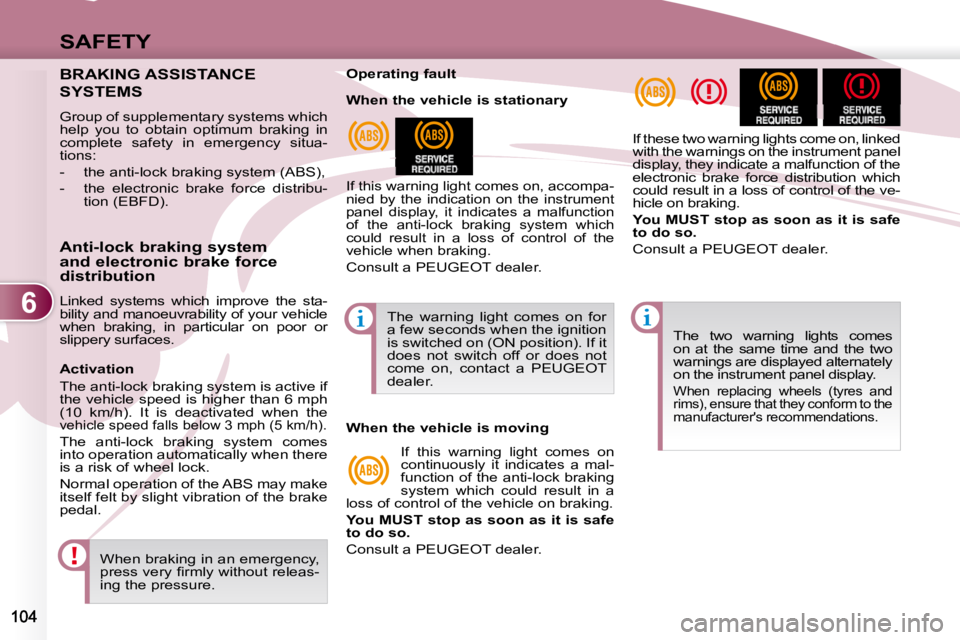
ing the pressure. The two warning lights comes
on at the same time and the two
warnings are displayed alternately
on the instrument panel display.
When replacing wheels (tyres and
rims), ensure that they conform to the
manufacturer's recommendations.
Operating fault
If this warning light comes on, accompa-
nied by the indication on the instrument
panel display, it indicates a malfunction
of the anti-lock braking system which
could result in a loss of control of the
vehicle when braking.
Consult a PEUGEOT dealer.
If these two warning lights come on, linked
with the warnings on the instrument panel
display, they indicate a malfunction of the
electronic brake force distribution which
could result in a loss of control of the ve-
hicle on braking.
You MUST stop as soon as it is safe
to do so.
Consult a PEUGEOT dealer.
Anti-lock braking system
and electronic brake force
distribution
Linked systems which improve the sta-
bility and manoeuvrability of your vehicle
when braking, in particular on poor or
slippery surfaces. The warning light comes on for
a few seconds when the ignition
is switched on (ON position). If it
does not switch off or does not
come on, contact a PEUGEOT
dealer.
When the vehicle is stationary
When the vehicle is moving
If this warning light comes on
continuously it indicates a mal-
function of the anti-lock braking
system which could result in a
loss of control of the vehicle on braking.
You MUST stop as soon as it is safe
to do so.
Consult a PEUGEOT dealer.
Activation
The anti-lock braking system is active if
the vehicle speed is higher than 6 mph
(10 km/h). It is deactivated when the
vehicle speed falls below 3 mph (5 km/h).
The anti-lock braking system comes
into operation automatically when there
is a risk of wheel lock.
Normal operation of the ABS may make
itself felt by slight vibration of the brake
pedal.
Page 114 of 230
6
SAFETY
105
The ASC/TCL systems offer
exceptional safety in normal
driving, but this should not en-
courage the driver to take extra
risks or drive at high speed.
The correct functioning of these
systems depends on observation
of the manufacturer’s recommen-
dations regarding the wheels (tyres
and rims), the braking components,
the electronic components and the
PEUGEOT assembly and opera-
tion procedures.
After an impact, have these sys-
tems checked by a PEUGEOT
dealer.
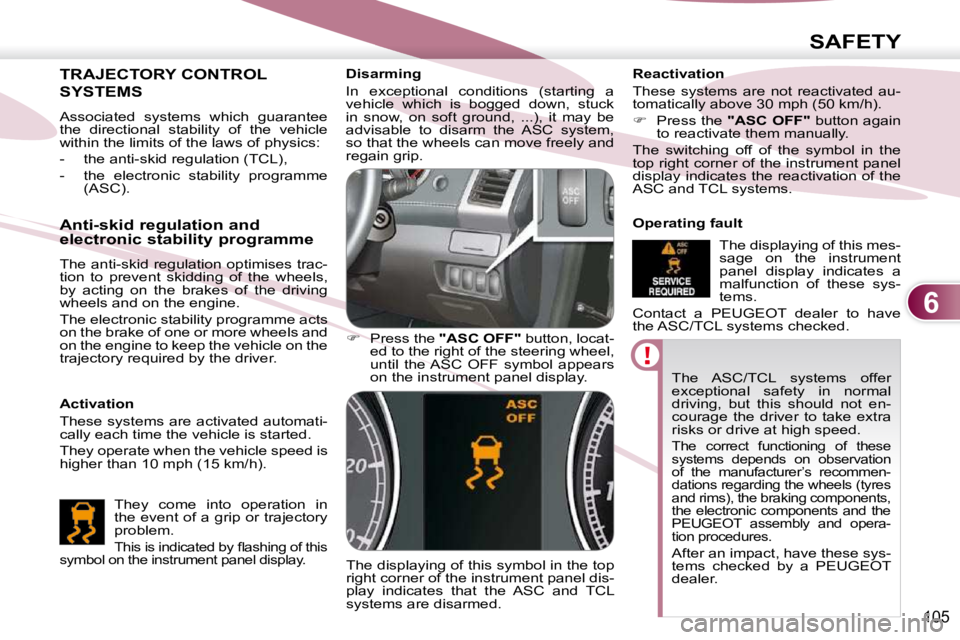
Disarming
In exceptional conditions (starting a
vehicle which is bogged down, stuck
in snow, on soft ground, ...), it may be
advisable to disarm the ASC system,
so that the wheels can move freely and
regain grip.
Press the "ASC OFF" button, locat-
ed to the right of the steering wheel,
until the ASC OFF symbol appears
on the instrument panel display.
The displaying of this symbol in the top
right corner of the instrument panel dis-
play indicates that the ASC and TCL
systems are disarmed. Reactivation
These systems are not reactivated au-
tomatically above 30 mph (50 km/h).
Press the "ASC OFF" button again
to reactivate them manually.
The switching off of the symbol in the
top right corner of the instrument panel
display indicates the reactivation of the
ASC and TCL systems.
Operating fault
The displaying of this mes-
sage on the instrument
panel display indicates a
malfunction of these sys-
tems.
Contact a PEUGEOT dealer to have
the ASC/TCL systems checked.
TRAJECTORY CONTROL
SYSTEMS
Activation
These systems are activated automati-
cally each time the vehicle is started.
They operate when the vehicle speed is
higher than 10 mph (15 km/h).
Anti-skid regulation and
electronic stability programme
The anti-skid regulation optimises trac-
tion to prevent skidding of the wheels,
by acting on the brakes of the driving
wheels and on the engine.
The electronic stability programme acts
on the brake of one or more wheels and
on the engine to keep the vehicle on the
trajectory required by the driver.
They come into operation in
the event of a grip or trajectory
problem.
This is indicated by fl ashing of this
symbol on the instrument panel display.
Associated systems which guarantee
the directional stability of the vehicle
within the limits of the laws of physics:
- the anti-skid regulation (TCL),
- the electronic stability programme (ASC).
Page 118 of 230
6
SAFETY
109
AIRBAGS The airbags do not operate
when the ignition is switched
off.
This equipment will only operate
once. If a second impact occurs
(during the same or a subse-
quent accident), the airbag will
not operate. Front air bags
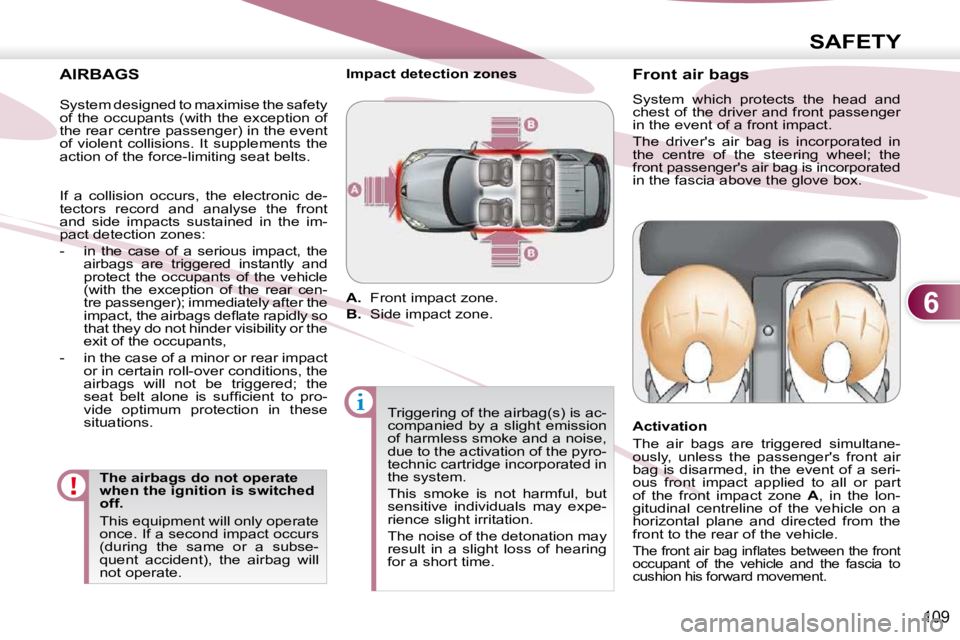
System which protects the head and
chest of the driver and front passenger
in the event of a front impact.
The driver's air bag is incorporated in
the centre of the steering wheel; the
front passenger's air bag is incorporated
in the fascia above the glove box.
Activation
The air bags are triggered simultane-
ously, unless the passenger's front air
bag is disarmed, in the event of a seri-
ous front impact applied to all or part
of the front impact zone
A , in the lon-
gitudinal centreline of the vehicle on a
horizontal plane and directed from the
front to the rear of the vehicle.
The front air bag infl ates between the front
occupant of the vehicle and the fascia to
cushion his forward movement.
Impact detection zones
A. Front impact zone.
B. Side impact zone.
Triggering of the airbag(s) is ac-
companied by a slight emission
of harmless smoke and a noise,
due to the activation of the pyro-
technic cartridge incorporated in
the system.
This smoke is not harmful, but
sensitive individuals may expe-
rience slight irritation.
The noise of the detonation may
result in a slight loss of hearing
for a short time.
System designed to maximise the safety
of the occupants (with the exception of
the rear centre passenger) in the event
of violent collisions. It supplements the
action of the force-limiting seat belts.
If a collision occurs, the electronic de-
tectors record and analyse the front
and side impacts sustained in the im-
pact detection zones:
- in the case of a serious impact, the
airbags are triggered instantly and
protect the occupants of the vehicle
(with the exception of the rear cen-
tre passenger); immediately after the
impact, the airbags defl ate rapidly so
that they do not hinder visibility or the
exit of the occupants,
- in the case of a minor or rear impact or in certain roll-over conditions, the
airbags will not be triggered; the
seat belt alone is suffi cient to pro-
vide optimum protection in these
situations.
Page 121 of 230
6
SAFETY
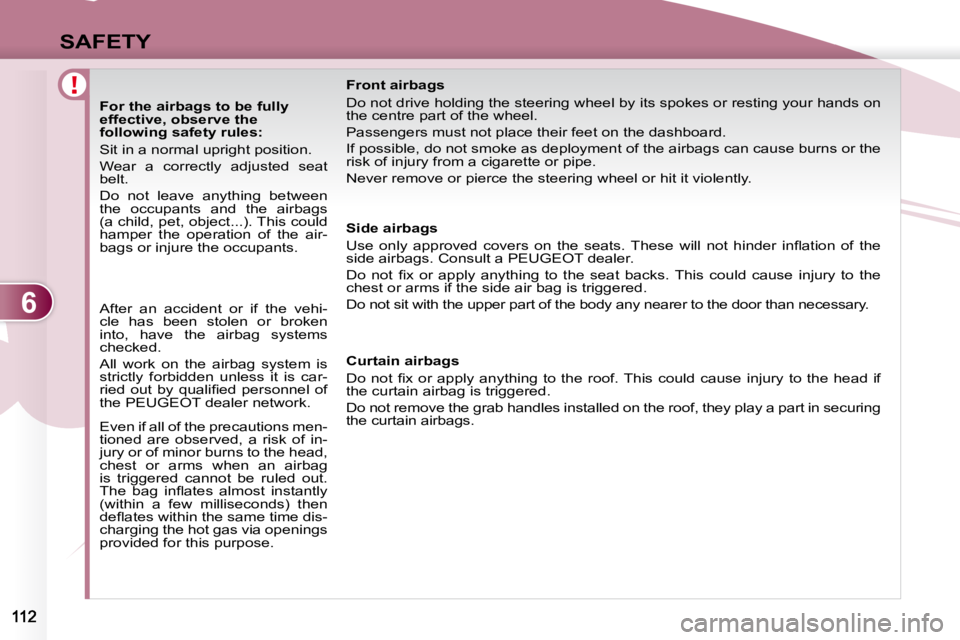
For the airbags to be fully
effective, observe the
following safety rules:
Sit in a normal upright position.
Wear a correctly adjusted seat
belt.
Do not leave anything between
the occupants and the airbags
(a child, pet, object...). This could
hamper the operation of the air-
bags or injure the occupants. Front airbags
Do not drive holding the steering wheel by its spokes or resti
ng your hands on
the centre part of the wheel.
Passengers must not place their feet on the dashboard.
If possible, do not smoke as deployment of the airbags can cau se burns or the
risk of injury from a cigarette or pipe.
Never remove or pierce the steering wheel or hit it violently.
Side airbags
Use only approved covers on the seats. These will not hinder i nfl ation of the
side airbags. Consult a PEUGEOT dealer.
Do not fi x or apply anything to the seat backs. This could ca use injury to the
chest or arms if the side air bag is triggered.
Do not sit with the upper part of the body any nea rer to the door than necessary.
After an accident or if the vehi-
cle has been stolen or broken
into, have the airbag systems
checked.
All work on the airbag system is
strictly forbidden unless it is car-
ried out by qualifi ed personnel of
the PEUGEOT dealer network.
Even if all of the precautions men-
tioned are observed, a risk of in-
jury or of minor burns to the head,
chest or arms when an airbag
is triggered cannot be ruled out.
The bag infl ates almost instantly
(within a few milliseconds) then
defl ates within the same time dis-
charging the hot gas via openings
provided for this purpose. Curtain airbags
Do not fi x or apply anything to the roof. This could cause
injury to the head if
the curtain airbag is triggered.
Do not remove the grab handles installed on the ro of, they play a part in securing
the curtain airbags.
Page 122 of 230
7
DRIVING
When the vehicle is being
driven, the displaying of
this screen indicates that
the handbrake is still on or
has not been properly re-
leased.
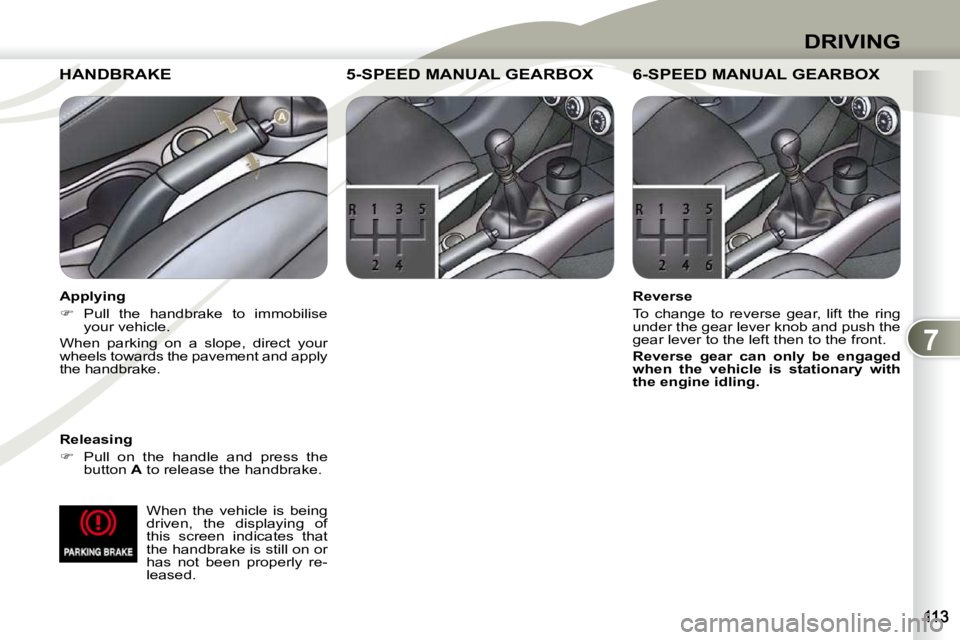
HANDBRAKE HANDBRAKE
Releasing
Pull on the handle and press the
button A to release the handbrake.
5-SPEED MANUAL GEARBOX 5-SPEED MANUAL GEARBOX 5-SPEED MANUAL GEARBOX
Reverse
To change to reverse gear, lift the ring
under the gear lever knob and push the
gear lever to the left then to the front.
Reverse gear can only be engaged
when the vehicle is stationary with
the engine idling. Applying
Pull the handbrake to immobilise
your vehicle.
When parking on a slope, direct your
wheels towards the pavement and apply
the handbrake.
6-SPEED MANUAL 6-SPEED MANUAL GEARBOX
Page 123 of 230
7
DRIVING
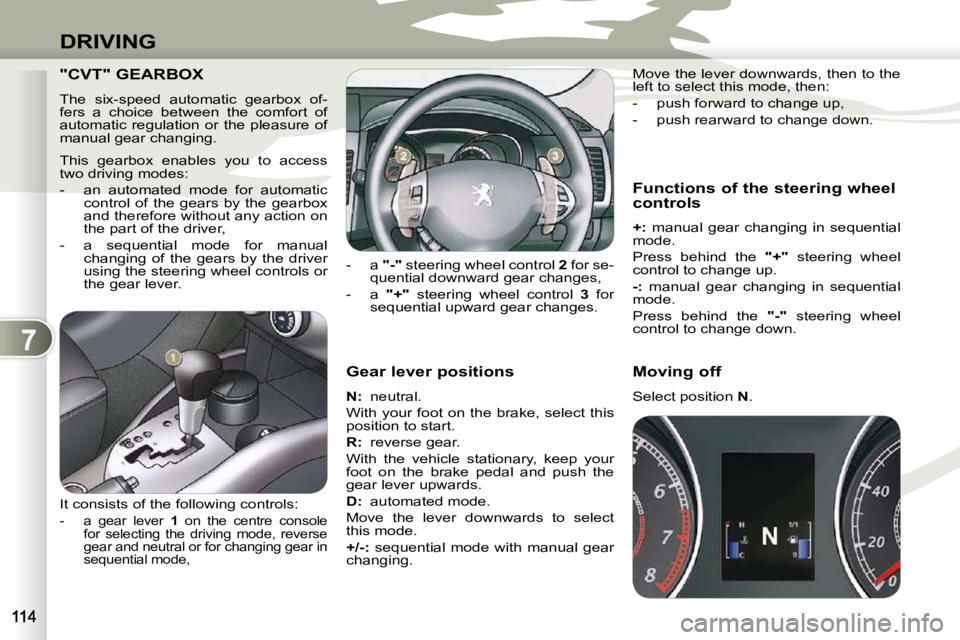
Gear lever positions
N : neutral.
With your foot on the brake, select this
position to start.
R
: reverse gear.
With the vehicle stationary, keep your
foot on the brake pedal and push the
gear lever upwards.
D
: automated mode.
Move the lever downwards to select
this mode.
+/-: sequential mode with manual gear
changing. Functions of the steering wheel
controls
+: manual gear changing in sequential
mode.
Press behind the "+" steering wheel
control to change up.
-: manual gear changing in sequential
mode.
Press behind the "-" steering wheel
control to change down.
- a
"-" steering wheel control 2 for se-
quential downward gear changes,
- a "+" steering wheel control 3 for
sequential upward gear changes. Move the lever downwards, then to the
left to select this mode, then:
- push forward to change up,
- push rearward to change down.
Moving off
Select position
N .
"CVT" GEARBOX
The six-speed automatic gearbox of-
fers a choice between the comfort of
automatic regulation or the pleasure of
manual gear changing.
This gearbox enables you to access
two driving modes:
- an automated mode for automatic
control of the gears by the gearbox
and therefore without any action on
the part of the driver,
- a sequential mode for manual changing of the gears by the driver
using the steering wheel controls or
the gear lever.
It consists of the following controls:
- a gear lever 1 on the centre console
for selecting the driving mode, reverse
gear and neutral or for changing gear in
sequential mode,
Page 124 of 230
7
DRIVING
Stopping - Starting on a slope
Do not use the accelerator pedal to
immobilise the vehicle on a slope,
apply the handbrake instead.
When starting on a slope, accelerate
gradually while releasing the hand-
brake.
Switching to sequential mode
Once you have moved off, you can
switch to sequential mode by selecting
position +/- .
"D" disappears and the gears engaged
appear in succession on the instrument
panel display.
The gear change requests are only car-
ried out if the engine speed permits it.
Take your foot off the accelerator pedal
gently to engage the gear. Switching to automated mode
Automated mode
After using the sequential mode, you
can return to the automated mode by
selecting position
D .
"D" appears on the instrument panel
display.
The gearbox then operates in auto-
active mode, without any action on
the part of the driver.
It continuously selects the gear most
suited to the following parameters:
- driving style,
- road characteristics,
- vehicle load.
To optimise driving comfort and obtain
the most suitable gear, avoid sharp vari-
ations in the pressure on the accelerator
pedal.
"Auto sequential" mode
In the automated mode, you can
resume control temporarily at any time
using the steering wheel controls.
The use of these controls permits manual
selection of the gears in situations which
require a faster changedown than that
offered in automated mode (arrival at a
roundabout, exit from a car park with a
steep gradient, overtaking...). Stopping the vehicle
Before switching off the engine, you can:
- move to position
N to leave the
gearbox in neutral.
- leave a gear engaged, such as fi rst or reverse.
In both cases, it is imperative that you
apply the handbrake to immobilise the
vehicle.
Operating anomaly
With the ignition on, if the message
"Slow down" or "Maintenance re-
quired" appears on the multifunction
display, this indicates a gearbox mal-
function.
When a message is displayed, carry
out the following operations:
- slow down and stop your vehicle in a safe place,
- place the lever in position N and let
the engine run,
- open the bonnet to allow the engine to cool.
If the message disappears for a long
period, you can set off again.
If the message remains displayed or ap-
pears frequently, contact a PEUGEOT
dealer without delay.
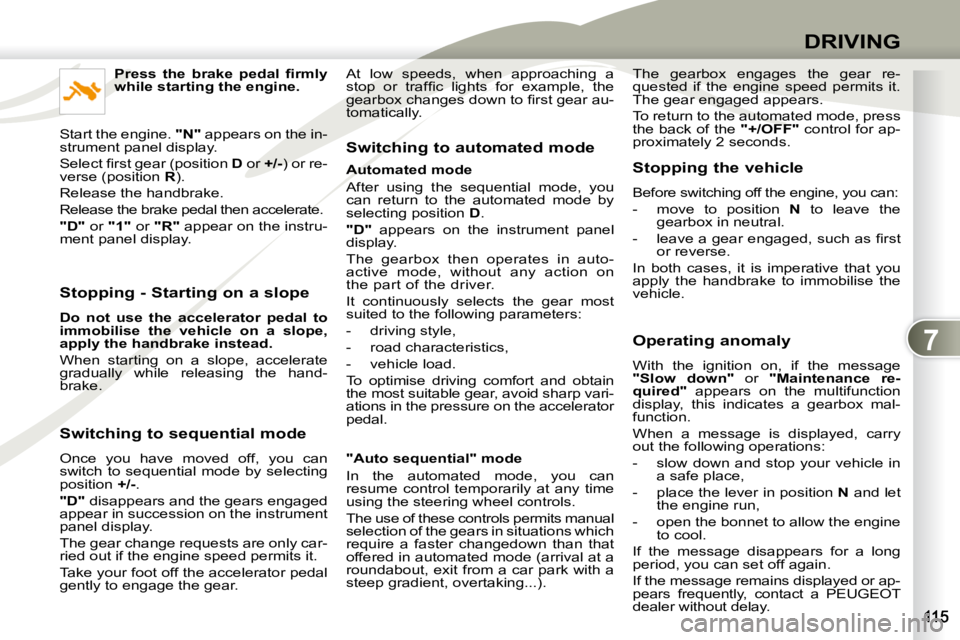
Press the brake pedal fi rmly
while starting the engine.
Start the engine. "N" appears on the in-
strument panel display.
Select fi rst gear (position D or +/- ) or re-
verse (position R ).
Release the handbrake.
Release the brake pedal then accelerate.
"D" or "1" or "R" appear on the instru-
ment panel display. The gearbox engages the gear re-
quested if the engine speed permits it.
The gear engaged appears.
To return to the automated mode, press
the back of the
"+/OFF" control for ap-
proximately 2 seconds.
At low speeds, when approaching a
stop or traffi c lights for example, the
gearbox changes down to fi rst gear au-
tomatically.
Page 125 of 230
7
DRIVING
"DCS" GEARBOX
The six-speed robotised gearbox of-
fers a choice between the comfort of
automatic regulation or the pleasure of
manual gear changing.
This gearbox enables you to access
three driving modes:
- a manual mode for changing of the
gears by the driver using the steer-
ing wheel controls or the gear lever,
- a "
Normal
" automatic mode for
economical control of the gears
(everyday use),
- a "
Sport
" automatic mode which
permits a more dynamic style of
driving, with improved acceleration
and optimised engine braking. Displays on the instrument
panel
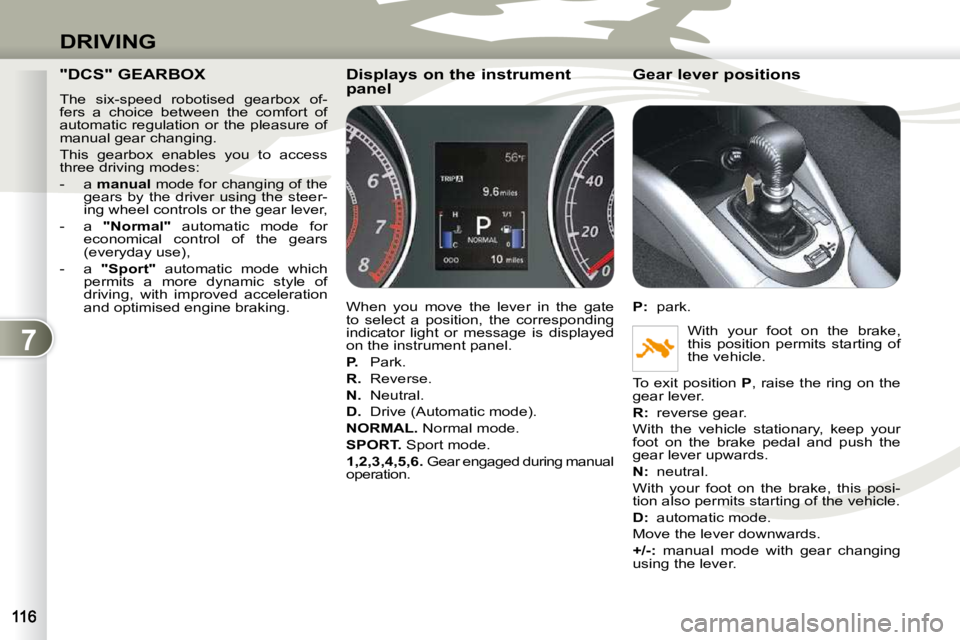
When you move the lever in the gate
to select a position, the corresponding
indicator light or message is displayed
on the instrument panel.
P. Park.
R. Reverse.
N. Neutral.
D. Drive (Automatic mode).
NORMAL. Normal mode.
SPORT. Sport mode.
1,2,3,4,5,6. Gear engaged during manual
operation. Gear lever positions
P
: park.
With your foot on the brake,
this position permits starting of
the vehicle.
To exit position P , raise the ring on the
gear lever.
R
: reverse gear.
With the vehicle stationary, keep your
foot on the brake pedal and push the
gear lever upwards.
N
: neutral.
With your foot on the brake, this posi-
tion also permits starting of the vehicle.
D
: automatic mode.
Move the lever downwards.
+/- : manual mode with gear changing
using the lever.
Page 126 of 230
7
DRIVING
Moving off
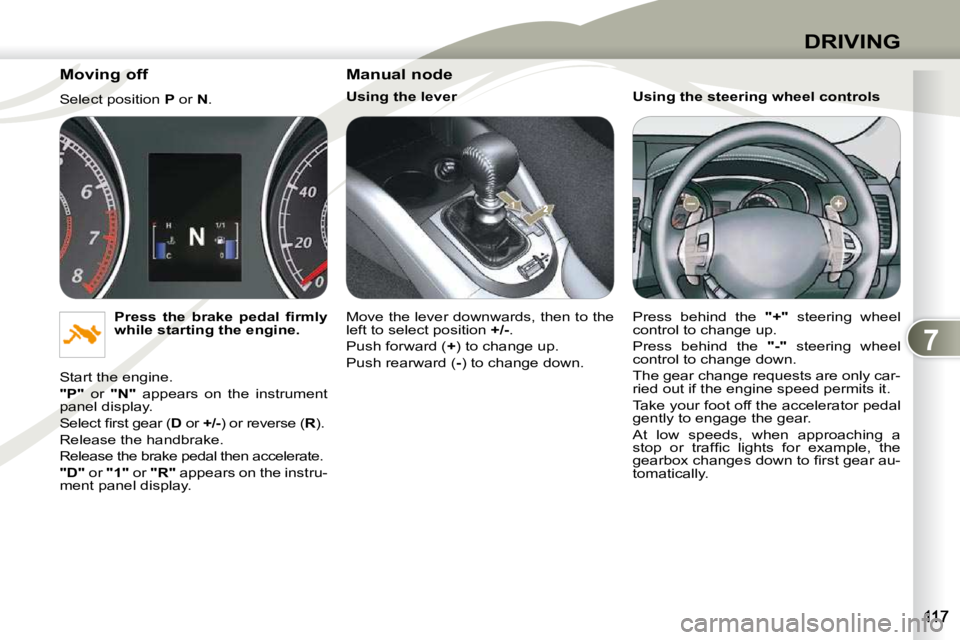
Select position P or N .
Press the brake pedal fi rmly
while starting the engine.
Start the engine.
"P" or "N" appears on the instrument
panel display.
Select fi rst gear ( D or +/- ) or reverse ( R ).
Release the handbrake.
Release the brake pedal then accelerate.
"D" or "1" or "R" appears on the instru-
ment panel display. Manual node
Using the lever
Move the lever downwards, then to the
left to select position
+/- .
Push forward ( + ) to change up.
Push rearward ( - ) to change down. Using the steering wheel controls
Press behind the
"+" steering wheel
control to change up.
Press behind the "-" steering wheel
control to change down.
The gear change requests are only car-
ried out if the engine speed permits it.
Take your foot off the accelerator pedal
gently to engage the gear.
At low speeds, when approaching a
stop or traffi c lights for example, the
gearbox changes down to fi rst gear au-
tomatically.