audio PEUGEOT 4007 2009 Repair Manual
[x] Cancel search | Manufacturer: PEUGEOT, Model Year: 2009, Model line: 4007, Model: PEUGEOT 4007 2009Pages: 230, PDF Size: 16.57 MB
Page 224 of 230
11
AUDIO EQUIPMENT and TELEMATICS
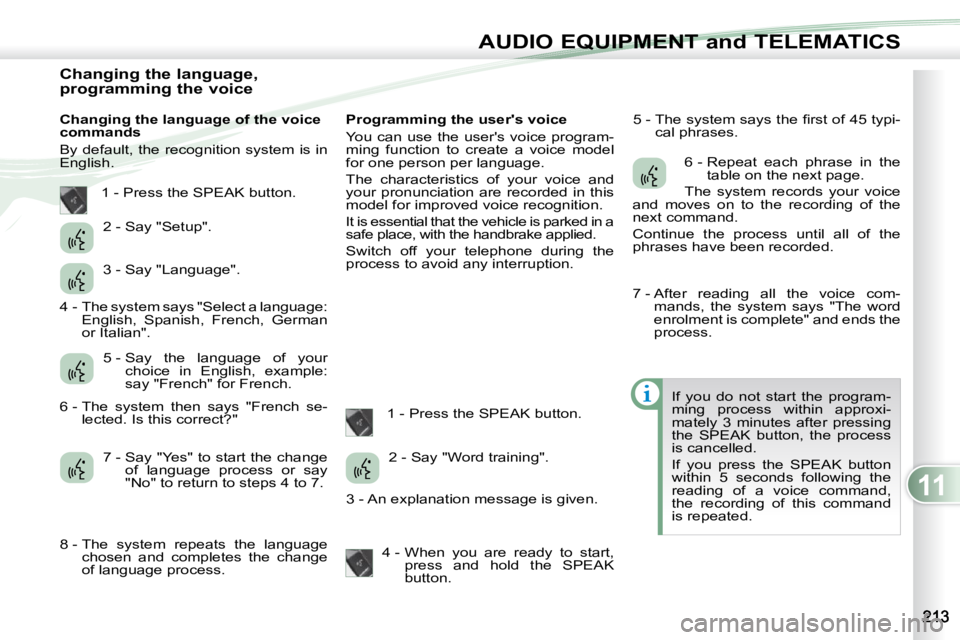
Changing the language,
programming the voice
Changing the language of the voice
commands
By default, the recognition system is in
English. Programming the user's voice
You can use the user's voice program-
ming function to create a voice model
for one person per language.
The characteristics of your voice and
your pronunciation are recorded in this
model for improved voice recognition.
It is essential that the vehicle is parked in a
safe place, with the handbrake applied.
Switch off your telephone during the
process to avoid any interruption.
1 - Press the SPEAK button. 5 - The system says the fi rst of 45 typi-
cal phrases.
If you do not start the program-
ming process within approxi-
mately 3 minutes after pressing
the SPEAK button, the process
is cancelled.
If you press the SPEAK button
within 5 seconds following the
reading of a voice command,
the recording of this command
is repeated.
1 - Press the SPEAK button.
2 - Say "Setup".
3 - Say "Language".
5 - Say the language of your choice in English, example:
say "French" for French.
7 - Say "Yes" to start the change of language process or say
"No" to return to steps 4 to 7. 2 - Say "Word training".
4 - When you are ready to start, press and hold the SPEAK
button. 6 - Repeat each phrase in the
table on the next page.
The system records your voice
and moves on to the recording of the
next command.
Continue the process until all of the
phrases have been recorded.
4 - The system says "Select a language: English, Spanish, French, German
or Italian".
6 - The system then says "French se- lected. Is this correct?"
8 - The system repeats the language chosen and completes the change
of language process. 3 - An explanation message is given. 7 - After reading all the voice com-
mands, the system says "The word
enrolment is complete" and ends the
process.
Page 225 of 230
11
AUDIO EQUIPMENT and TELEMATICS
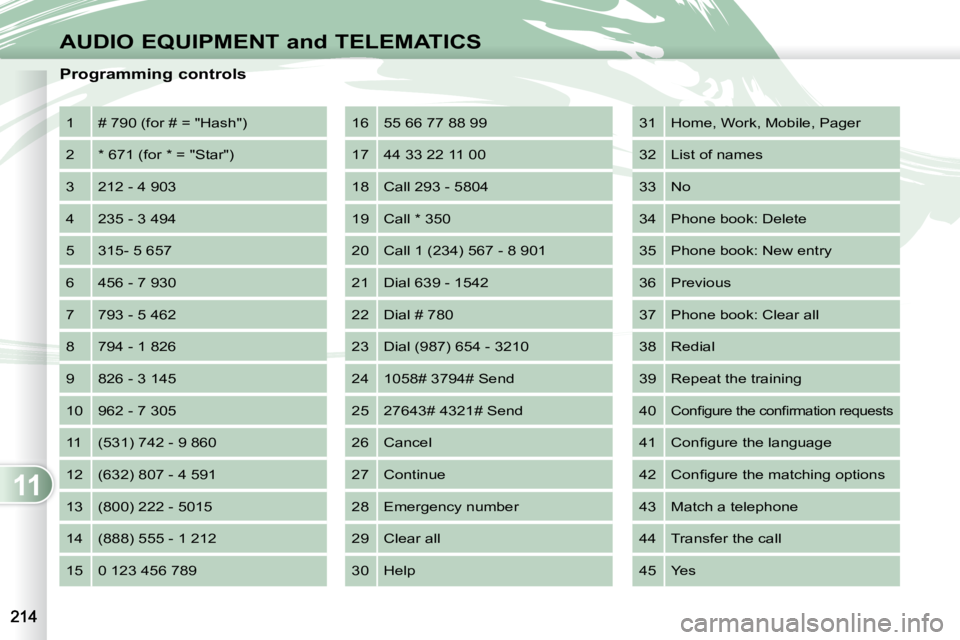
Programming controls 1 # 790 (for # = "Hash")
2 * 671 (for * = "Star")
3 212 - 4 903
4 235 - 3 494
5 315- 5 657
6 456 - 7 930
7 793 - 5 462
8 794 - 1 826
9 826 - 3 145
10 962 - 7 305
11 (531) 742 - 9 860
12 (632) 807 - 4 591
13 (800) 222 - 5015
14 (888) 555 - 1 212
15 0 123 456 789 16 55 66 77 88 99
17 44 33 22 11 00
18 Call 293 - 5804
19 Call * 350
20 Call 1 (234) 567 - 8 901
21 Dial 639 - 1542
22 Dial # 780
23 Dial (987) 654 - 3210
24 1058# 3794# Send
25 27643# 4321# Send
26 Cancel
27 Continue
28 Emergency number
29 Clear all
30 Help 31 Home, Work, Mobile, Pager
32 List of names
33 No
34 Phone book: Delete
35 Phone book: New entry
36 Previous
37 Phone book: Clear all
38 Redial
39 Repeat the training
40
Confi gure the confi rmation requests
41
Confi gure the language
42 Confi gure the matching options
43 Match a telephone
44 Transfer the call
45 Yes
Page 226 of 230
11
AUDIO EQUIPMENT and TELEMATICS
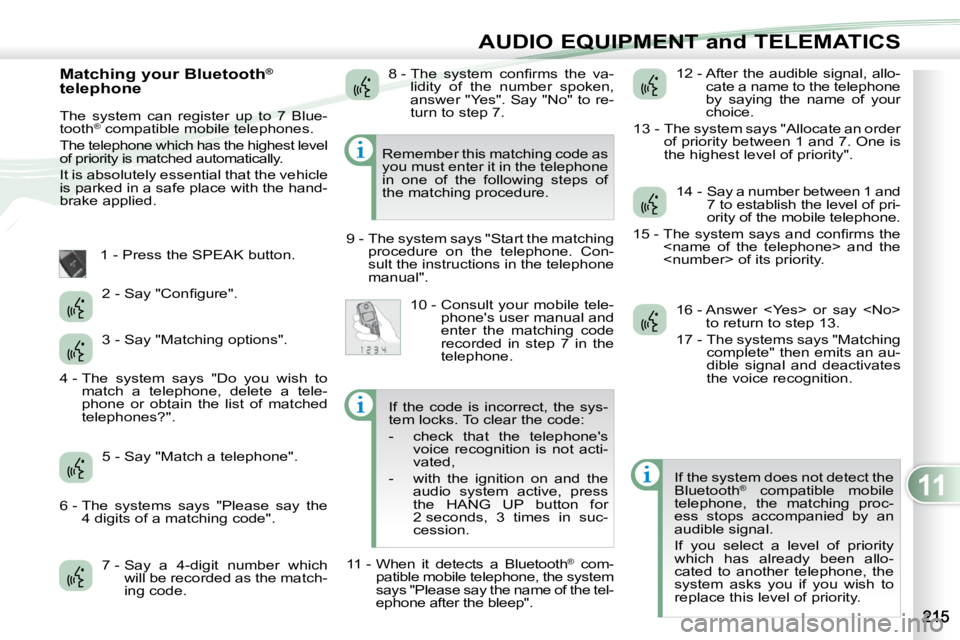
Matching your Bluetooth®
telephone
The system can register up to 7 Blue-
tooth ®
compatible mobile telephones.
The telephone which has the highest level
of priority is matched automatically.
It is absolutely essential that the vehicle
is parked in a safe place with the hand-
brake applied.
1 - Press the SPEAK button.
7 - Say a 4-digit number which will be recorded as the match-
ing code. 12 - After the audible signal, allo-
cate a name to the telephone
by saying the name of your
choice.
13 - The system says "Allocate an order of priority between 1 and 7. One is
the highest level of priority".
If the system does not detect the
Bluetooth ®
compatible mobile
telephone, the matching proc-
ess stops accompanied by an
audible signal.
If you select a level of priority
which has already been allo-
cated to another telephone, the
system asks you if you wish to
replace this level of priority.
Remember this matching code as
you must enter it in the telephone
in one of the following steps of
the matching procedure.
9 - The system says "Start the matching procedure on the telephone. Con-
sult the instructions in the telephone
manual".
2 - Say "Confi gure".
3 - Say "Matching options".
5 - Say "Match a telephone". 8 - The system confi rms the va-
lidity of the number spoken,
answer "Yes". Say "No" to re-
turn to step 7.
10 - Consult your mobile tele- phone's user manual and
enter the matching code
recorded in step 7 in the
telephone. 14 - Say a number between 1 and
7 to establish the level of pri-
ority of the mobile telephone.
15 - The system says and confi rms the
16 - Answer
17 - The systems says "Matching complete" then emits an au-
dible signal and deactivates
the voice recognition.
4 - The system says "Do you wish to
match a telephone, delete a tele-
phone or obtain the list of matched
telephones?".
6 - The systems says "Please say the 4 digits of a matching code". If the code is incorrect, the sys-
tem locks. To clear the code:
- check that the telephone's
voice recognition is not acti-
vated,
- with the ignition on and the audio system active, press
the HANG UP button for
2 seconds, 3 times in suc-
cession.
11 - When it detects a Bluetooth ®
com-
patible mobile telephone, the system
says "Please say the name of the tel-
ephone after the bleep".
Page 227 of 230
11
AUDIO EQUIPMENT and TELEMATICS
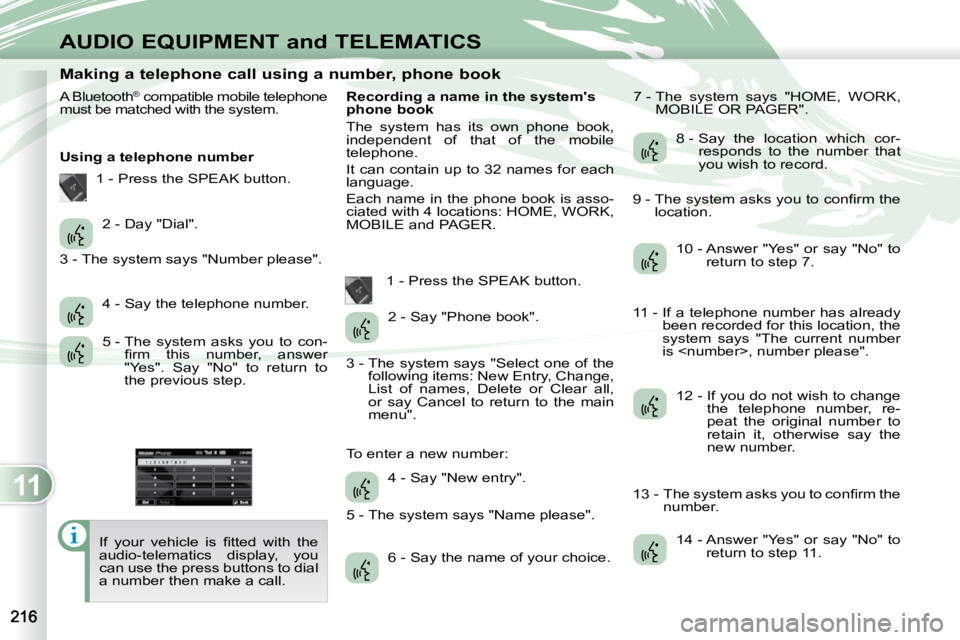
Making a telephone call using a number, phone book
A Bluetooth ®
compatible mobile telephone
must be matched with the system.
Using a telephone number
If your vehicle is fi tted with the
audio-telematics display, you
can use the press buttons to dial
a number then make a call. Recording a name in the system's
phone book
The system has its own phone book,
independent of that of the mobile
telephone.
It can contain up to 32 names for each
language.
Each name in the phone book is asso-
ciated with 4 locations: HOME, WORK,
MOBILE and PAGER.
1 - Press the SPEAK button. 7 - The system says "HOME, WORK,
MOBILE OR PAGER".
2 - Day "Dial".
4 - Say the telephone number.
5 - The system asks you to con- fi rm this number, answer
"Yes". Say "No" to return to
the previous step. 2 - Say "Phone book".
4 - Say "New entry".
6 - Say the name of your choice. 8 - Say the location which cor-
responds to the number that
you wish to record.
10 - Answer "Yes" or say "No" to return to step 7.
12 - If you do not wish to change the telephone number, re-
peat the original number to
retain it, otherwise say the
new number.
14 - Answer "Yes" or say "No" to return to step 11.
1 - Press the SPEAK button.
3 - The system says "Number please".
3 - The system says "Select one of the following items: New Entry, Change,
List of names, Delete or Clear all,
or say Cancel to return to the main
menu".
5 - The system says "Name please".
To enter a new number: 9 - The system asks you to confi rm the
location.
11 - If a telephone number has already been recorded for this location, the
system says "The current number
is
13 - The system asks you to confi rm the number.
Page 228 of 230
11
AUDIO EQUIPMENT and TELEMATICS
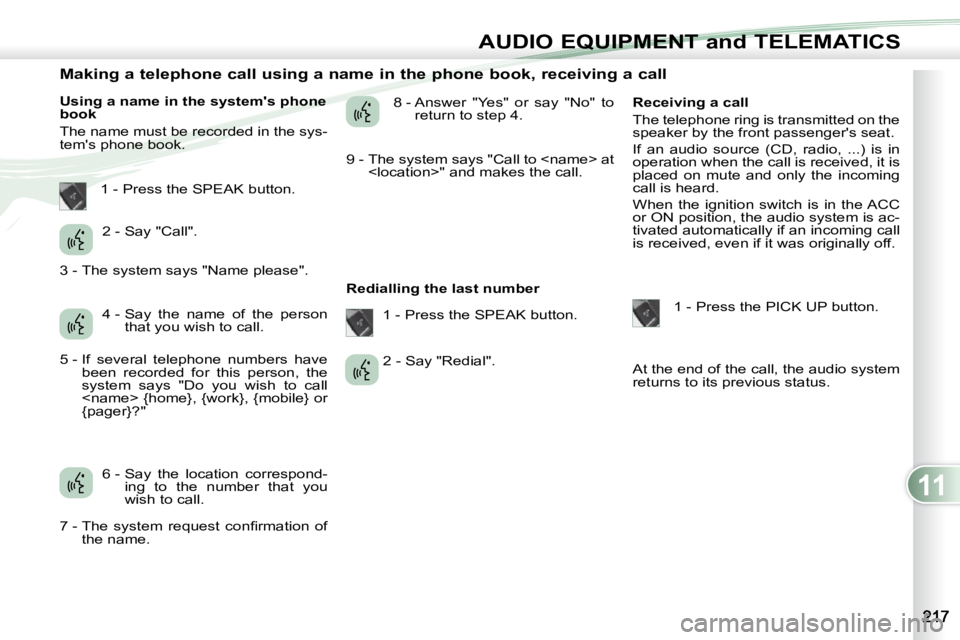
Making a telephone call using a name in the phone book, receiving a call
Using a name in the system's phone
book
The name must be recorded in the sys-
tem's phone book. 8 - Answer "Yes" or say "No" to
return to step 4.
Redialling the last number Receiving a call
The telephone ring is transmitted on the
speaker by the front passenger's seat.
If an audio source (CD, radio, ...) is in
operation when the call is received, it is
placed on mute and only the incoming
call is heard.
When the ignition switch is in the ACC
or ON position, the audio system is ac-
tivated automatically if an incoming call
is received, even if it was originally off.
1 - Press the PICK UP button.
At the end of the call, the audio system
returns to its previous status.
1 - Press the SPEAK button.
2 - Say "Call".
4 - Say the name of the person that you wish to call.
6 - Say the location correspond- ing to the number that you
wish to call. 1 - Press the SPEAK button.
2 - Say "Redial".
3 - The system says "Name please".
5 - If several telephone numbers have
been recorded for this person, the
system says "Do you wish to call
{pager}?"
7 - The system request confi rmation of the name. 9 - The system says "Call to
Page 229 of 230
11
AUDIO EQUIPMENT and TELEMATICS
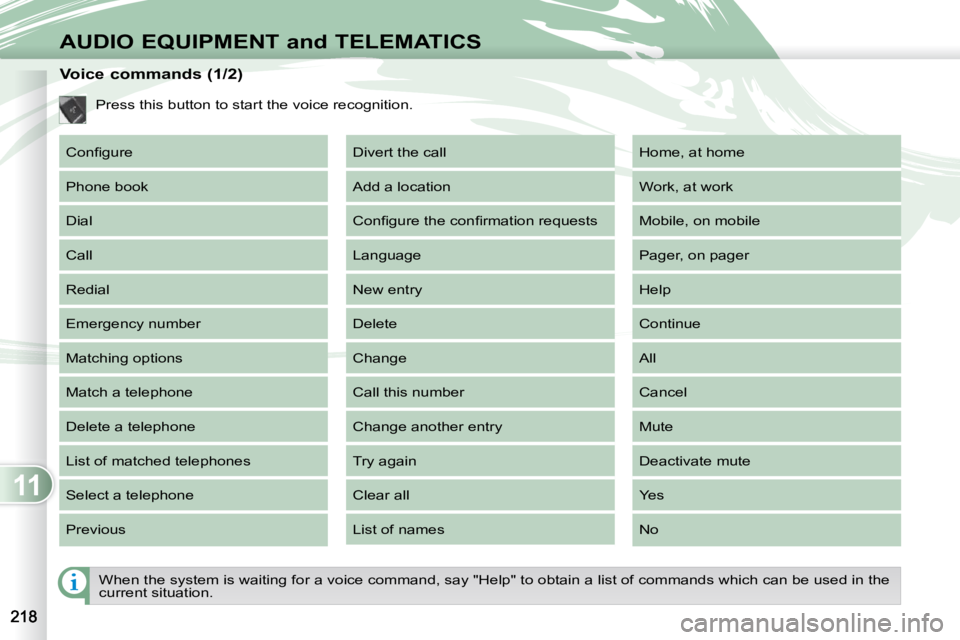
When the system is waiting for a voice command, say "Help" to obtain a list of commands which can be used in the
current situation.
Voice commands (1/2)
Press this button to start the voice recognition.
Confi gure
Phone book
Dial
Call
Redial
Emergency number
Matching options
Match a telephone
Delete a telephone
List of matched telephones
Select a telephone
Previous Divert the call
Add a location
Confi gure the confi rmation requests
Language
New entry
Delete
Change
Call this number
Change another entry
Try again
Clear all
List of names Home, at home
Work, at work
Mobile, on mobile
Pager, on pager
Help
Continue
All
Cancel
Mute
Deactivate mute
Yes
No
Page 230 of 230
11
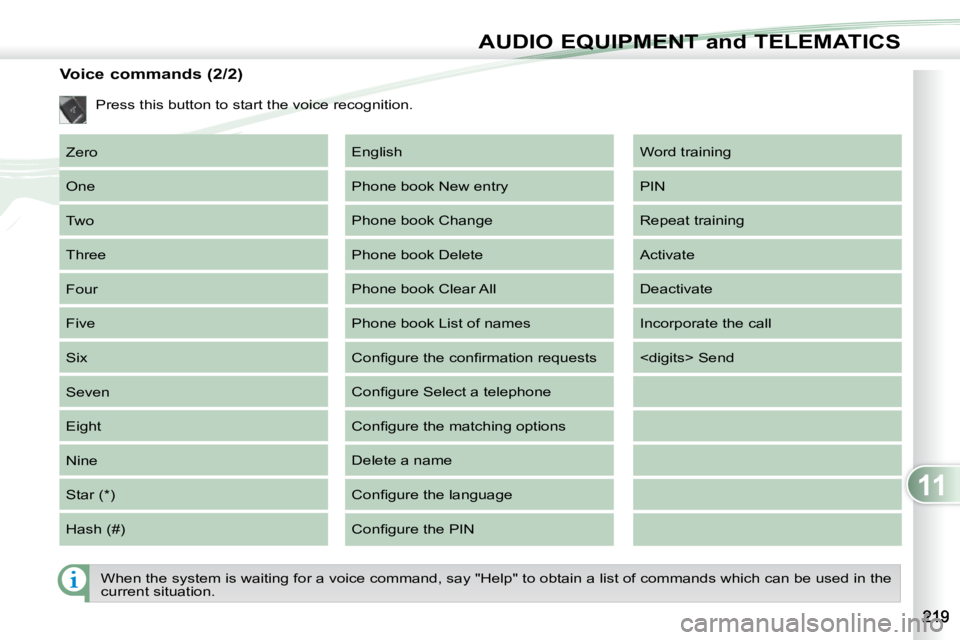
AUDIO EQUIPMENT and TELEMATICS
Voice commands (2/2) Zero
One
Two
Three
Four
Five
Six
Seven
Eight
Nine
Star (*)
Hash (#) Word training
PIN
Repeat training
Activate
Deactivate
Incorporate the call
English
Phone book New entry
Phone book Change
Phone book Delete
Phone book Clear All
Phone book List of names
Confi gure the confi rmation requests
Confi gure Select a telephone
Confi gure the matching options
Delete a name
Confi gure the language
Confi gure the PIN
Press this button to start the voice recognition.
When the system is waiting for a voice command, say "Help" to ob
tain a list of commands which can be used in the
current situation.