Time PEUGEOT 4007 2010 Owner's Manual
[x] Cancel search | Manufacturer: PEUGEOT, Model Year: 2010, Model line: 4007, Model: PEUGEOT 4007 2010Pages: 215, PDF Size: 15.37 MB
Page 94 of 215
6
SAFETY
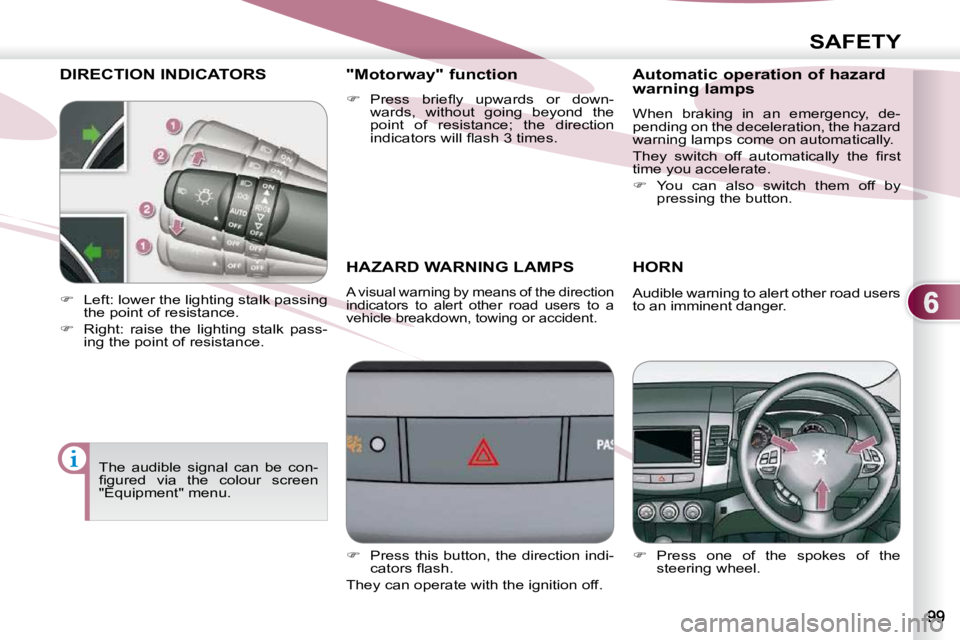
DIRECTION INDICATORS
HAZARD WARNING LAMPS
A visual warning by means of the direction
indicators to alert other road users to a
vehicle breakdown, towing or accident.
HORN
Press one of the spokes of the
steering wheel.
Left: lower the lighting stalk passing
the point of resistance.
Right: raise the lighting stalk pass-
ing the point of resistance. "Motorway" function
Press briefl y upwards or down-
wards, without going beyond the
point of resistance; the direction
indicators will fl ash 3 times.
Audible warning to alert other road users
to an imminent danger.
The audible signal can be con-
fi gured via the colour screen
"Equipment" menu.
Press this button, the direction indi-
cators fl ash.
They can operate with the ignition off. Automatic operation of hazard
warning lamps
When braking in an emergency, de-
pending on the deceleration, the hazard
warning lamps come on automatically.
They switch off automatically the fi rst
time you accelerate.
You can also switch them off by
pressing the button.
Page 95 of 215
6
SAFETY
BRAKING ASSISTANCE
SYSTEMS
Group of supplementary systems which
help you to obtain optimum braking in
complete safety in emergency situa-
tions:
- anti-lock braking system (ABS),
- electronic brake force distribution (EBFD).
When braking in an emergency,
press very fi rmly without releas-
ing the pressure. The two warning lamps comes
on at the same time and the two
warnings are displayed alter-
nately on the instrument panel
screen.
When replacing wheels (tyres
and rims), ensure that they
conform to the manufacturer's
recommendations.
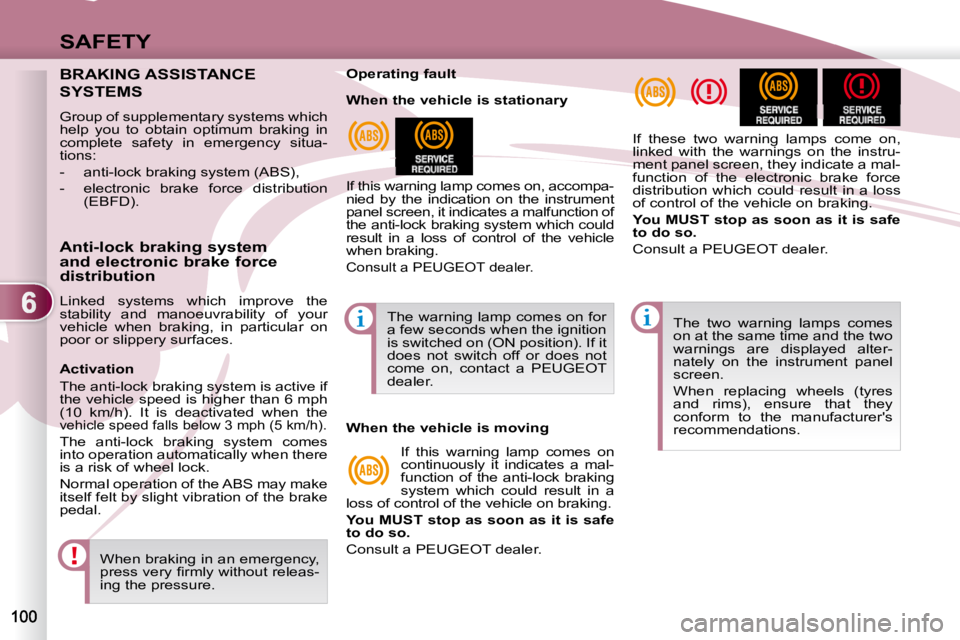
Operating fault
If this warning lamp comes on, accompa-
nied by the indication on the instrument
panel screen, it indicates a malfunction of
the anti-lock braking system which could
result in a loss of control of the vehicle
when braking.
Consult a PEUGEOT dealer.
If these two warning lamps come on,
linked with the warnings on the instru-
ment panel screen, they indicate a mal-
function of the electronic brake force
distribution which could result in a loss
of control of the vehicle on braking.
You MUST stop as soon as it is safe
to do so.
Consult a PEUGEOT dealer.
Anti-lock braking system
and electronic brake force
distribution
Linked systems which improve the
stability and manoeuvrability of your
vehicle when braking, in particular on
poor or slippery surfaces. The warning lamp comes on for
a few seconds when the ignition
is switched on (ON position). If it
does not switch off or does not
come on, contact a PEUGEOT
dealer.
When the vehicle is stationary
When the vehicle is moving
If this warning lamp comes on
continuously it indicates a mal-
function of the anti-lock braking
system which could result in a
loss of control of the vehicle on braking.
You MUST stop as soon as it is safe
to do so.
Consult a PEUGEOT dealer.
Activation
The anti-lock braking system is active if
the vehicle speed is higher than 6 mph
(10 km/h). It is deactivated when the
vehicle speed falls below 3 mph (5 km/h).
The anti-lock braking system comes
into operation automatically when there
is a risk of wheel lock.
Normal operation of the ABS may make
itself felt by slight vibration of the brake
pedal.
Page 96 of 215
6
SAFETY
The ASC/TCL systems offer
exceptional safety in normal driv-
ing, but this should not encourage
the driver to take extra risks or
drive at high speed.
The correct functioning of these
systems depends on observa-
tion of the manufacturer's rec-
ommendations regarding the
wheels (tyres and rims), the
braking components, the elec-
tronic components and the as-
sembly and repair procedures
used by PEUGEOT dealers.
After an impact, have these sys-
tems checked by a PEUGEOT
dealer.
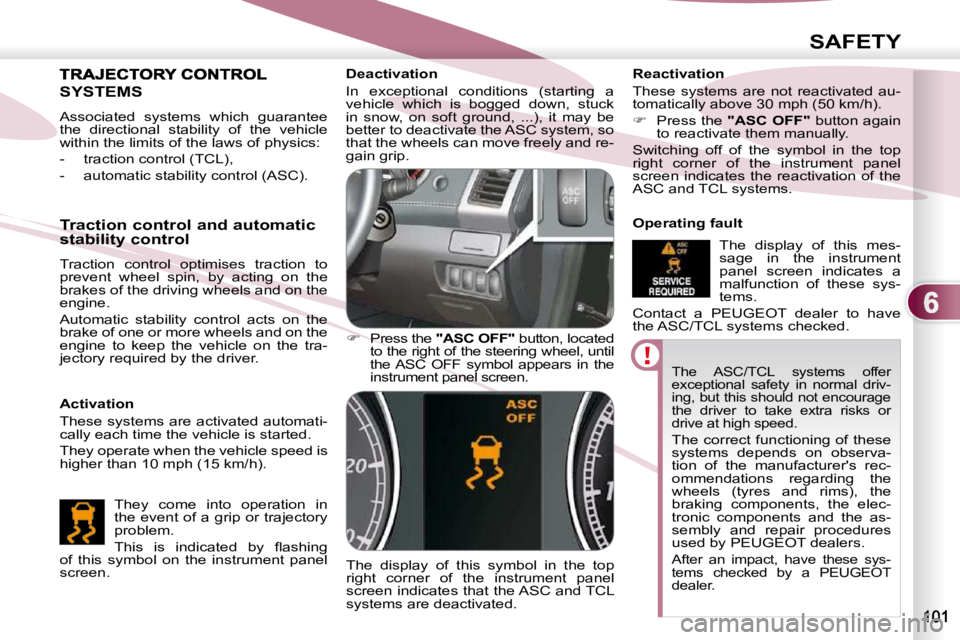
Deactivation
In exceptional conditions (starting a
vehicle which is bogged down, stuck
in snow, on soft ground, ...), it may be
better to deactivate the ASC system, so
that the wheels can move freely and re-
gain grip.
Press the "ASC OFF" button, located
to the right of the steering wheel, until
the ASC OFF symbol appears in the
instrument panel screen.
The display of this symbol in the top
right corner of the instrument panel
screen indicates that the ASC and TCL
systems are deactivated. Reactivation
These systems are not reactivated au-
tomatically above 30 mph (50 km/h).
Press the "ASC OFF" button again
to reactivate them manually.
Switching off of the symbol in the top
right corner of the instrument panel
screen indicates the reactivation of the
ASC and TCL systems.
Operating fault
The display of this mes-
sage in the instrument
panel screen indicates a
malfunction of these sys-
tems.
Contact a PEUGEOT dealer to have
the ASC/TCL systems checked.
SYSTEMS
Activation
These systems are activated automati-
cally each time the vehicle is started.
They operate when the vehicle speed is
higher than 10 mph (15 km/h).
Traction control and automatic
stability control
Traction control optimises traction to
prevent wheel spin, by acting on the
brakes of the driving wheels and on the
engine.
Automatic stability control acts on the
brake of one or more wheels and on the
engine to keep the vehicle on the tra-
jectory required by the driver.
They come into operation in
the event of a grip or trajectory
problem.
This is indicated by fl ashing
of this symbol on the instrument panel
screen.
Associated systems which guarantee
the directional stability of the vehicle
within the limits of the laws of physics:
- traction control (TCL),
- automatic stability control (ASC).
Page 100 of 215
6
SAFETY
AIRBAGS The airbags do not operate
when the ignition is switched
off.
This equipment will only operate once. If a second impact occurs
(during the same or a subse-
quent accident), the airbag will
not operate. Front airbags
System which protects the head and
chest of the driver and front passenger
in the event of a front impact.
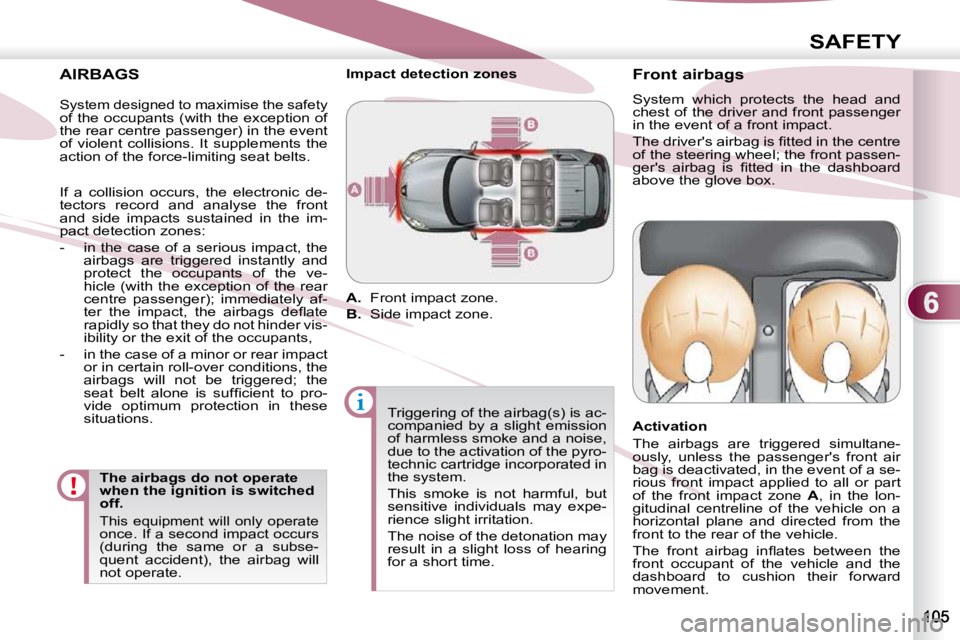
The driver's airbag is fi tted in the centre
of the steering wheel; the front passen-
ger's airbag is fi tted in the dashboard
above the glove box.
Activation
The airbags are triggered simultane-
ously, unless the passenger's front air
bag is deactivated, in the event of a se-
rious front impact applied to all or part
of the front impact zone
A , in the lon-
gitudinal centreline of the vehicle on a
horizontal plane and directed from the
front to the rear of the vehicle.
The front airbag infl ates between the
front occupant of the vehicle and the
dashboard to cushion their forward
movement.
Impact detection zones
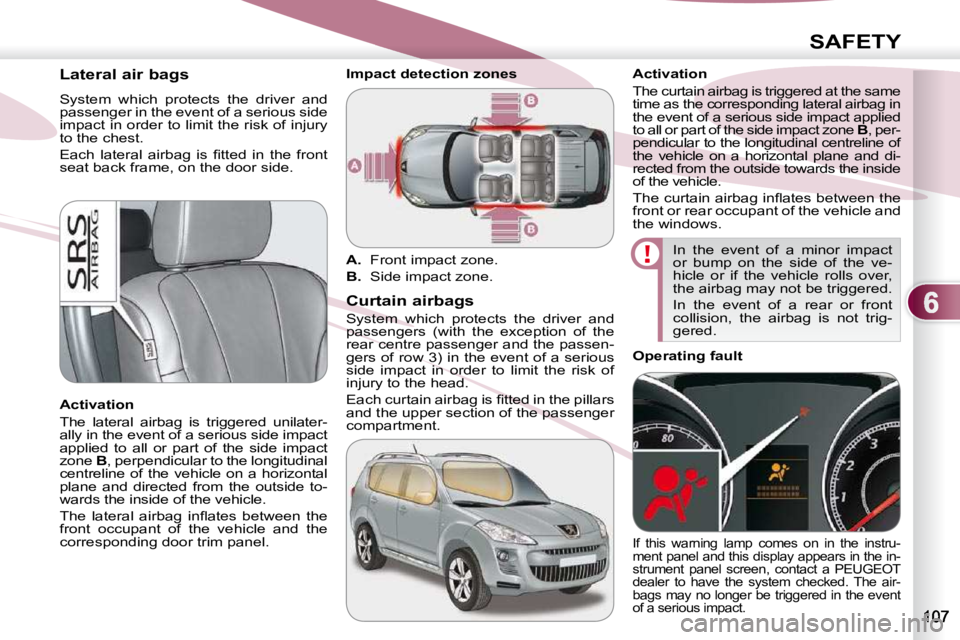
A. Front impact zone.
B. Side impact zone.
Triggering of the airbag(s) is ac-
companied by a slight emission
of harmless smoke and a noise,
due to the activation of the pyro-
technic cartridge incorporated in
the system.
This smoke is not harmful, but
sensitive individuals may expe-
rience slight irritation.
The noise of the detonation may
result in a slight loss of hearing
for a short time.
System designed to maximise the safety of the occupants (with the exception of
the rear centre passenger) in the event
of violent collisions. It supplements the
action of the force-limiting seat belts.
If a collision occurs, the electronic de-
tectors record and analyse the front
and side impacts sustained in the im-
pact detection zones:
- in the case of a serious impact, the airbags are triggered instantly and
protect the occupants of the ve-
hicle (with the exception of the rear
centre passenger); immediately af-
ter the impact, the airbags defl ate
rapidly so that they do not hinder vis-
ibility or the exit of the occupants,
- in the case of a minor or rear impact or in certain roll-over conditions, the
airbags will not be triggered; the
seat belt alone is suffi cient to pro-
vide optimum protection in these
situations.
Page 102 of 215
6
SAFETY
Lateral air bags
System which protects the driver and
passenger in the event of a serious side
impact in order to limit the risk of injury
to the chest.
Each lateral airbag is fi tted in the front
seat back frame, on the door side.
Activation
The lateral airbag is triggered unilater-
ally in the event of a serious side impact
applied to all or part of the side impact
zone B , perpendicular to the longitudinal
centreline of the vehicle on a horizontal
plane and directed from the outside to-
wards the inside of the vehicle.
The lateral airbag infl ates between the
front occupant of the vehicle and the
corresponding door trim panel. Curtain airbags
System which protects the driver and
passengers (with the exception of the
rear centre passenger and the passen-
gers of row 3) in the event of a serious
side impact in order to limit the risk of
injury to the head.
Each curtain airbag is fi tted in the pillars
and the upper section of the passenger
compartment. Activation
The curtain airbag is triggered at the same
time as the corresponding lateral airbag in
the event of a serious side impact applied
to all or part of the side impact zone
B , per-
pendicular to the longitudinal centreline of
the vehicle on a horizontal plane and di-
rected from the outside towards the inside
of the vehicle.
The curtain airbag infl ates between the
front or rear occupant of the vehicle and
the windows.
In the event of a minor impact
or bump on the side of the ve-
hicle or if the vehicle rolls over,
the airbag may not be triggered.
In the event of a rear or front
collision, the airbag is not trig-
gered.
Impact detection zones
A. Front impact zone.
B. Side impact zone.
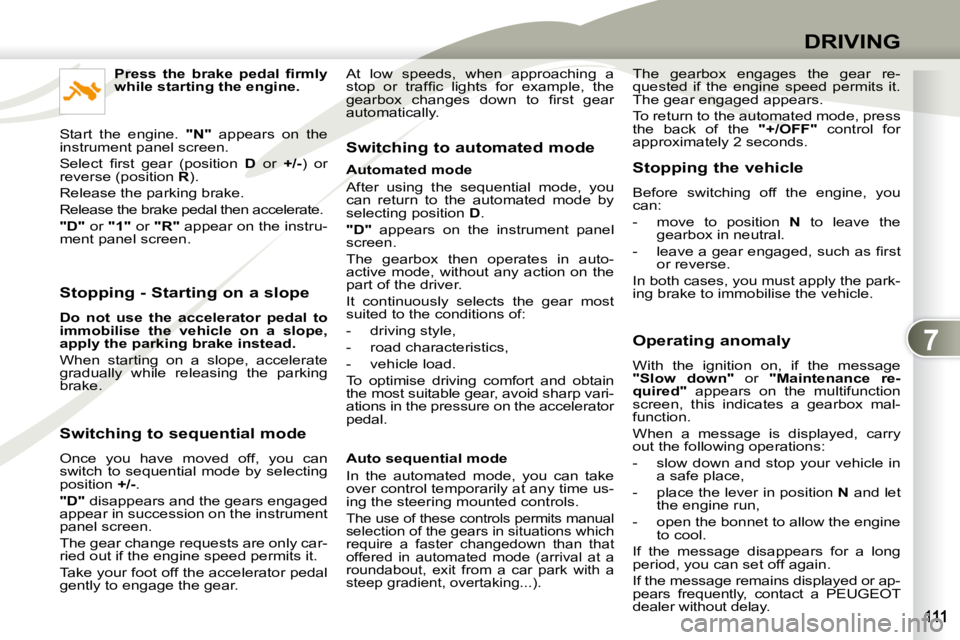
Operating fault
If this warning lamp comes on in the instru-
ment panel and this display appears in the in-
strument panel screen, contact a PEUGEOT
dealer to have the system checked. The air-
bags may no longer be triggered in the event
of a serious impact.
Page 106 of 215
7
DRIVING
Stopping - Starting on a slope
Do not use the accelerator pedal to
immobilise the vehicle on a slope,
apply the
parking brake
instead.
When starting on a slope, accelerate
gradually while releasing the parking
brake.
Switching to sequential mode
Once you have moved off, you can
switch to sequential mode by selecting
position +/- .
"D" disappears and the gears engaged
appear in succession on the instrument
panel screen.
The gear change requests are only car-
ried out if the engine speed permits it.
Take your foot off the accelerator pedal
gently to engage the gear. Switching to automated mode
Automated mode
After using the sequential mode, you
can return to the automated mode by
selecting position
D .
"D" appears on the instrument panel
screen.
The gearbox then operates in auto-
active mode, without any action on the
part of the driver.
It continuously selects the gear most
suited to the conditions of:
- driving style,
- road characteristics,
- vehicle load.
To optimise driving comfort and obtain
the most suitable gear, avoid sharp vari-
ations in the pressure on the accelerator
pedal.
Auto sequential mode
In the automated mode, you can take
over control temporarily at any time us-
ing the steering mounted controls.
The use of these controls permits manual
selection of the gears in situations which
require a faster changedown than that
offered in automated mode (arrival at a
roundabout, exit from a car park with a
steep gradient, overtaking...).
Stopping the vehicle
Before switching off the engine, you
can:
- move to position N to leave the
gearbox in neutral.
- leave a gear engaged, such as fi rst or reverse.
In both cases, you must apply the park-
ing brake to immobilise the vehicle.
Operating anomaly
With the ignition on, if the message
"Slow down" or "Maintenance re-
quired" appears on the multifunction
screen, this indicates a gearbox mal-
function.
When a message is displayed, carry
out the following operations:
- slow down and stop your vehicle in a safe place,
- place the lever in position N and let
the engine run,
- open the bonnet to allow the engine to cool.
If the message disappears for a long
period, you can set off again.
If the message remains displayed or ap-
pears frequently, contact a PEUGEOT
dealer without delay.
Press the brake pedal fi rmly
while starting the engine.
Start the engine. "N" appears on the
instrument panel screen.
Select fi rst gear (position D or +/- ) or
reverse (position R ).
Release the parking brake.
Release the brake pedal then accelerate.
"D" or "1" or "R" appear on the instru-
ment panel screen. The gearbox engages the gear re-
quested if the engine speed permits it.
The gear engaged appears.
To return to the automated mode, press
the back of the
"+/OFF" control for
approximately 2 seconds.
At low speeds, when approaching a
stop or traffi c lights for example, the
gearbox changes down to fi rst gear
automatically.
Page 109 of 215
7
DRIVING
"Normal" automatic mode
Select position D .
"D" appears on the instrument panel
screen.
The gearbox then operates in automatic
mode, without any action on the part of
the driver.
To optimise driving comfort and obtain
the most suitable gear, avoid sharp vari-
ations in the pressure on the accelerator
pedal.
"Temporary" manual mode
In automatic mode, you can take
control temporarily at any time using
the steering mounted controls.
The use of these controls permits man-
ual selection of the gears in situations
which require a faster changedown than
that offered in automatic mode (arrival
at a roundabout, exit from a car park
with a steep gradient, overtaking...).
The gearbox engages the gear re-
quested if the engine speed permits it.
The gear engaged appears.
To return to the automatic mode, press
the back of the "+/OFF" control for at
least 2 seconds. "Sport" automatic mode
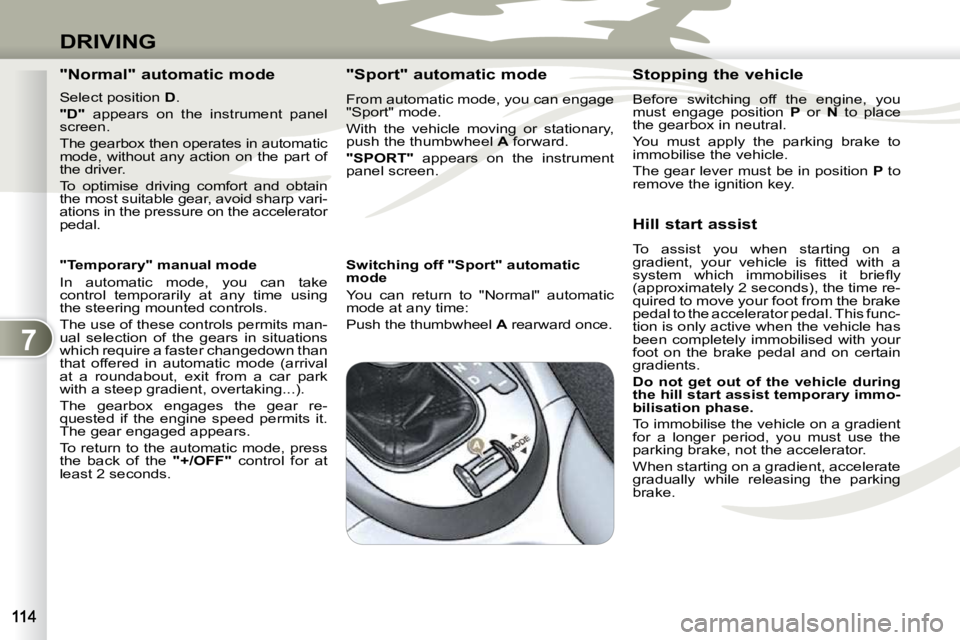
From automatic mode, you can engage
"Sport" mode.
With the vehicle moving or stationary,
push the thumbwheel
A forward.
"SPORT" appears on the instrument
panel screen.
Switching off "Sport" automatic
mode
You can return to "Normal" automatic
mode at any time:
Push the thumbwheel A rearward once. Stopping the vehicle
Before switching off the engine, you
must engage position
P or N to place
the gearbox in neutral.
You must apply the parking brake to
immobilise the vehicle.
The gear lever must be in position P
to
remove the ignition key.
Hill start assist
To assist you when starting on a
gradient, your vehicle is fi tted with a
system which immobilises it briefl y
(approximately 2 seconds), the time re-
quired to move your foot from the brake
pedal to the accelerator pedal. This func-
tion is only active when the vehicle has
been completely immobilised with your
foot on the brake pedal and on certain
gradients.
Do not get out of the vehicle during
the hill start
assist
temporary immo-
bilisation phase.
To immobilise the vehicle on a gradient
for a longer period, you must use the
parking brake, not the accelerator.
When starting on a gradient, accelerate
gradually while releasing the parking
brake.
Page 156 of 215
11
AUDIO EQUIPMENT and TELEMATICS
GENERAL FUNCTIONS
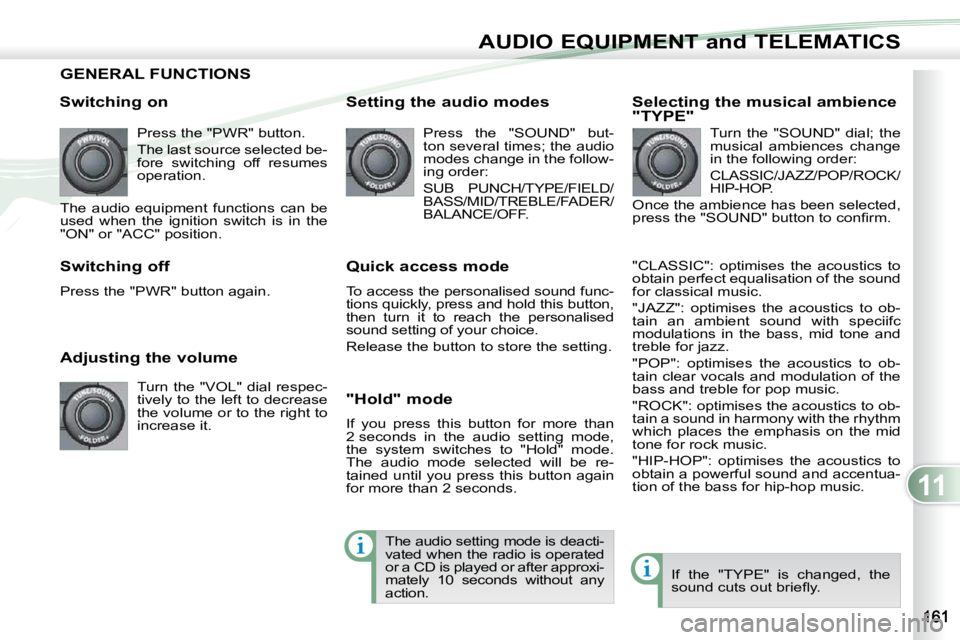
Switching on Press the "PWR" button.
The last source selected be-
fore switching off resumes
operation.
The audio equipment functions can be
used when the ignition switch is in the
"ON" or "ACC" position.
Adjusting the volume Turn the "VOL" dial respec-
tively to the left to decrease
the volume or to the right to
increase it.
Switching off
Press the "PWR" button again. Setting the audio modes
Press the "SOUND" but-
ton several times; the audio
modes change in the follow-
ing order:
SUB PUNCH/TYPE/FIELD/
BASS/MID/TREBLE/FADER/
BALANCE/OFF.
Quick access mode
To access the personalised sound func-
tions quickly, press and hold this button,
then turn it to reach the personalised
sound setting of your choice.
Release the button to store the setting.
"Hold" mode
If you press this button for more than
2 seconds in the audio setting mode,
the system switches to "Hold" mode.
The audio mode selected will be re-
tained until you press this button again
for more than 2 seconds. Selecting the musical ambience
"TYPE"
Turn the "SOUND" dial; the
musical ambiences change
in the following order:
CLASSIC/JAZZ/POP/ROCK/
HIP-HOP.
Once the ambience has been selected,
press the "SOUND" button to confi rm.
"CLASSIC": optimises the acoustics to
obtain perfect equalisation of the sound
for classical music.
"JAZZ": optimises the acoustics to ob-
tain an ambient sound with speciifc
modulations in the bass, mid tone and
treble for jazz.
"POP": optimises the acoustics to ob-
tain clear vocals and modulation of the
bass and treble for pop music.
"ROCK": optimises the acoustics to ob-
tain a sound in harmony with the rhythm
which places the emphasis on the mid
tone for rock music.
"HIP-HOP": optimises the acoustics to
obtain a powerful sound and accentua-
tion of the bass for hip-hop music.
If the "TYPE" is changed, the
sound cuts out briefl y.
The audio setting mode is deacti-
vated when the radio is operated
or a CD is played or after approxi-
mately 10 seconds without any
action.
Page 157 of 215
11
AUDIO EQUIPMENT and TELEMATICS
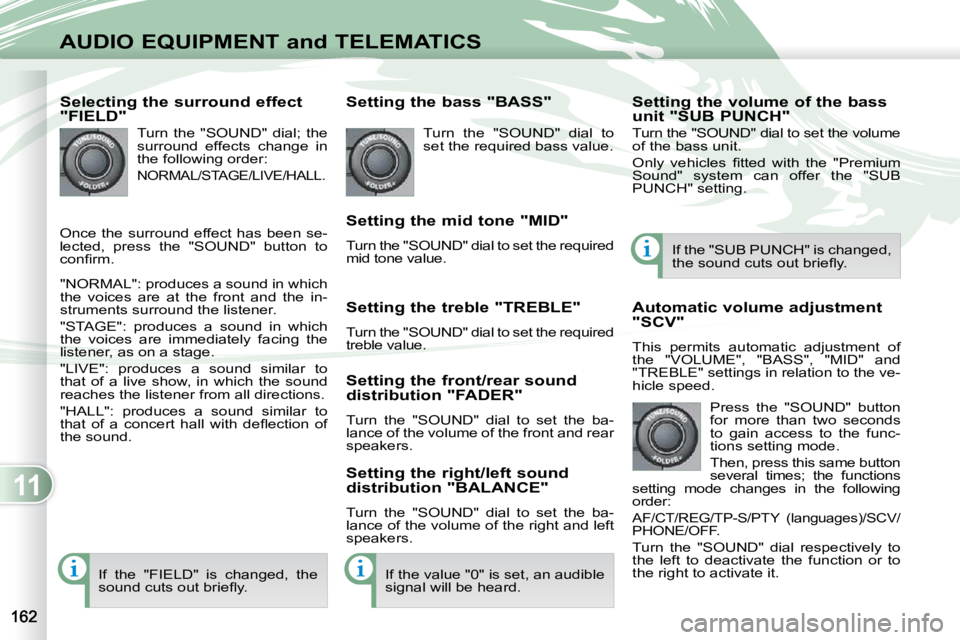
Selecting the surround effect
"FIELD" Turn the "SOUND" dial; the
surround effects change in
the following order:
NORMAL/STAGE/LIVE/HALL.
"NORMAL": produces a sound in which
the voices are at the front and the in-
struments surround the listener.
"STAGE": produces a sound in which
the voices are immediately facing the
listener, as on a stage.
"LIVE": produces a sound similar to
that of a live show, in which the sound
reaches the listener from all directions.
"HALL": produces a sound similar to
that of a concert hall with defl ection of
the sound. Setting the bass "BASS"
Turn the "SOUND" dial to
set the required bass value.
Setting the mid tone "MID"
Turn the "SOUND" dial to set the required
mid tone value.
Setting the treble "TREBLE"
Turn the "SOUND" dial to set the required
treble value.
Setting the front/rear sound
distribution "FADER"
Turn the "SOUND" dial to set the ba-
lance of the volume of the front and rear
speakers.
Setting the right/left sound
distribution "BALANCE"
Turn the "SOUND" dial to set the ba-
lance of the volume of the right and left
speakers.
If the "FIELD" is changed, the
sound cuts out briefl y. If the value "0" is set, an audible
signal will be heard. Automatic volume adjustment
"SCV"
This permits automatic adjustment of
the "VOLUME", "BASS", "MID" and
"TREBLE" settings in relation to the ve-
hicle speed.
Press the "SOUND" button
for more than two seconds
to gain access to the func-
tions setting mode.
Then, press this same button
several times; the functions
setting mode changes in the following
order:
AF/CT/REG/TP-S/PTY (languages)/SCV/
PHONE/OFF.
Turn the "SOUND" dial respectively to
the left to deactivate the function or to
the right to activate it. If the "SUB PUNCH" is changed,
the sound cuts out briefl y.
Setting the volume of the bass
unit "SUB PUNCH"
Turn the "SOUND" dial to set the volu me
of the bass unit.
Only vehicles fi tted with the "Premium
Sound" system can offer the "SUB
PUNCH" setting.
Once the surround effect has been se-
lected, press the "SOUND" button to
confi rm.
Page 158 of 215
11
AUDIO EQUIPMENT and TELEMATICS
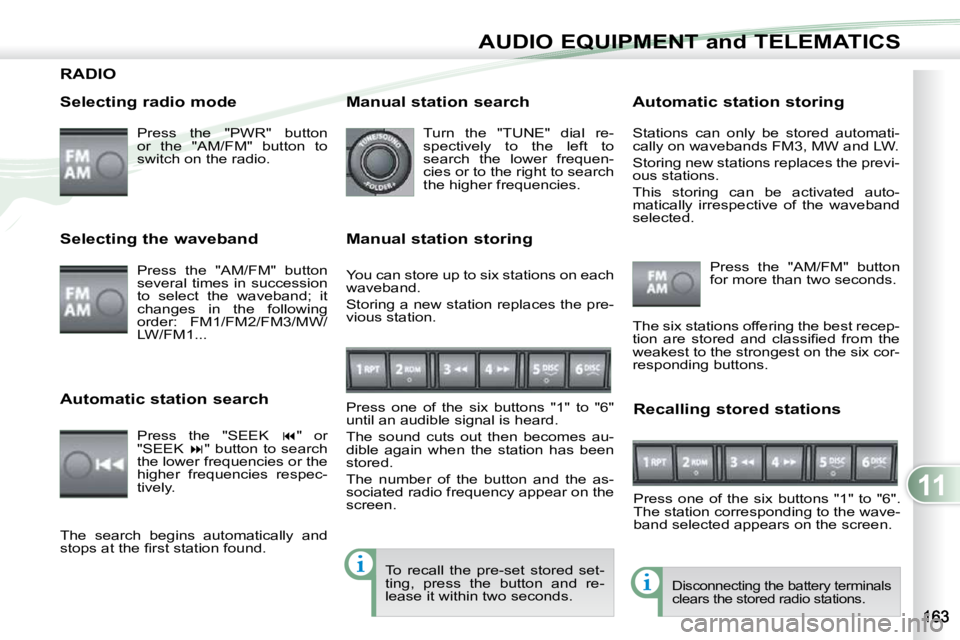
RADIO
Selecting radio mode Press the "PWR" button
or the "AM/FM" button to
switch on the radio.
Disconnecting the battery terminals
clears the stored radio stations.
Selecting the waveband
Press the "AM/FM" button
several times in succession
to select the waveband; it
changes in the following
order: FM1/FM2/FM3/MW/
LW/FM1...
Automatic station search Press the "SEEK " or
"SEEK " button to search
the lower frequencies or the
higher frequencies respec-
tively. Manual station search
Turn the "TUNE" dial re-
spectively to the left to
search the lower frequen-
cies or to the right to search
the higher frequencies.
Manual station storing
Press one of the six buttons "1" to "6"
until an audible signal is heard.
The sound cuts out then becomes au-
dible again when the station has been
stored.
The number of the button and the as-
sociated radio frequency appear on the
screen. Automatic station storing
Press the "AM/FM" button
for more than two seconds.
Recalling stored stations
Press one of the six buttons "1" to "6".
The station corresponding to the wave-
band selected appears on the screen.
The search begins automatically and
stops at the fi rst station found. The six stations offering the best recep-
tion are stored and classifi ed from the
weakest to the strongest on the six cor-
responding buttons.
You can store up to six stations on each
waveband.
Storing a new station replaces the pre-
vious station. Stations can only be stored automati-
cally on wavebands FM3, MW and LW.
Storing new stations replaces the previ-
ous stations.
This storing can be activated auto-
matically irrespective of the waveband
selected.
To recall the pre-set stored set-
ting, press the button and re-
lease it within two seconds.