engine PEUGEOT 4007 2010 Owner's Manual
[x] Cancel search | Manufacturer: PEUGEOT, Model Year: 2010, Model line: 4007, Model: PEUGEOT 4007 2010Pages: 215, PDF Size: 15.37 MB
Page 96 of 215
6
SAFETY
The ASC/TCL systems offer
exceptional safety in normal driv-
ing, but this should not encourage
the driver to take extra risks or
drive at high speed.
The correct functioning of these
systems depends on observa-
tion of the manufacturer's rec-
ommendations regarding the
wheels (tyres and rims), the
braking components, the elec-
tronic components and the as-
sembly and repair procedures
used by PEUGEOT dealers.
After an impact, have these sys-
tems checked by a PEUGEOT
dealer.
Deactivation
In exceptional conditions (starting a
vehicle which is bogged down, stuck
in snow, on soft ground, ...), it may be
better to deactivate the ASC system, so
that the wheels can move freely and re-
gain grip.
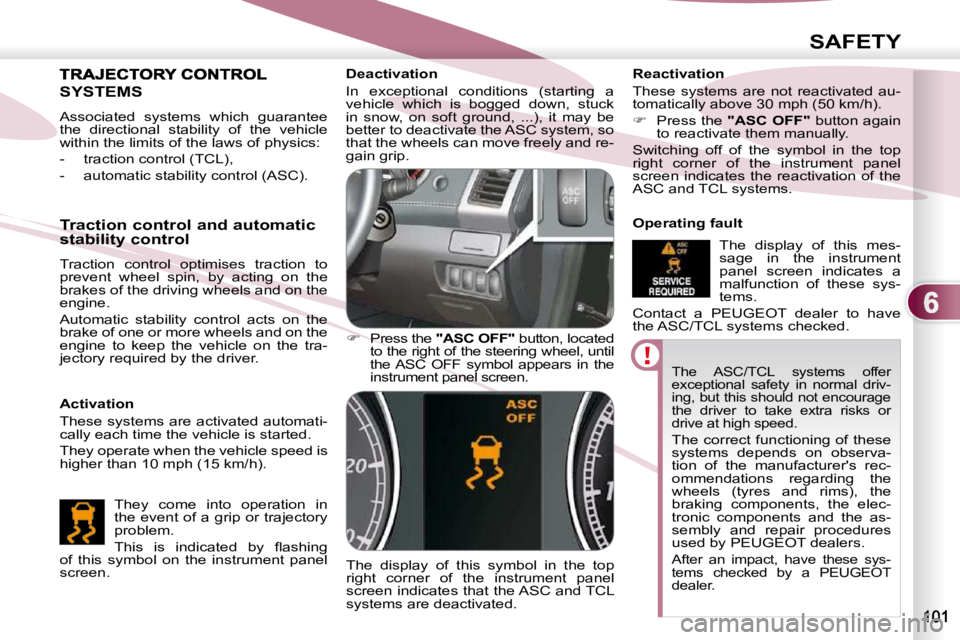
Press the "ASC OFF" button, located
to the right of the steering wheel, until
the ASC OFF symbol appears in the
instrument panel screen.
The display of this symbol in the top
right corner of the instrument panel
screen indicates that the ASC and TCL
systems are deactivated. Reactivation
These systems are not reactivated au-
tomatically above 30 mph (50 km/h).
Press the "ASC OFF" button again
to reactivate them manually.
Switching off of the symbol in the top
right corner of the instrument panel
screen indicates the reactivation of the
ASC and TCL systems.
Operating fault
The display of this mes-
sage in the instrument
panel screen indicates a
malfunction of these sys-
tems.
Contact a PEUGEOT dealer to have
the ASC/TCL systems checked.
SYSTEMS
Activation
These systems are activated automati-
cally each time the vehicle is started.
They operate when the vehicle speed is
higher than 10 mph (15 km/h).
Traction control and automatic
stability control
Traction control optimises traction to
prevent wheel spin, by acting on the
brakes of the driving wheels and on the
engine.
Automatic stability control acts on the
brake of one or more wheels and on the
engine to keep the vehicle on the tra-
jectory required by the driver.
They come into operation in
the event of a grip or trajectory
problem.
This is indicated by fl ashing
of this symbol on the instrument panel
screen.
Associated systems which guarantee
the directional stability of the vehicle
within the limits of the laws of physics:
- traction control (TCL),
- automatic stability control (ASC).
Page 104 of 215
7
DRIVING
When the vehicle is being
driven, the display of this
message indicates that
the parking brake is still on
or has not been properly
released.
PARKING BRAKE PARKING BRAKE
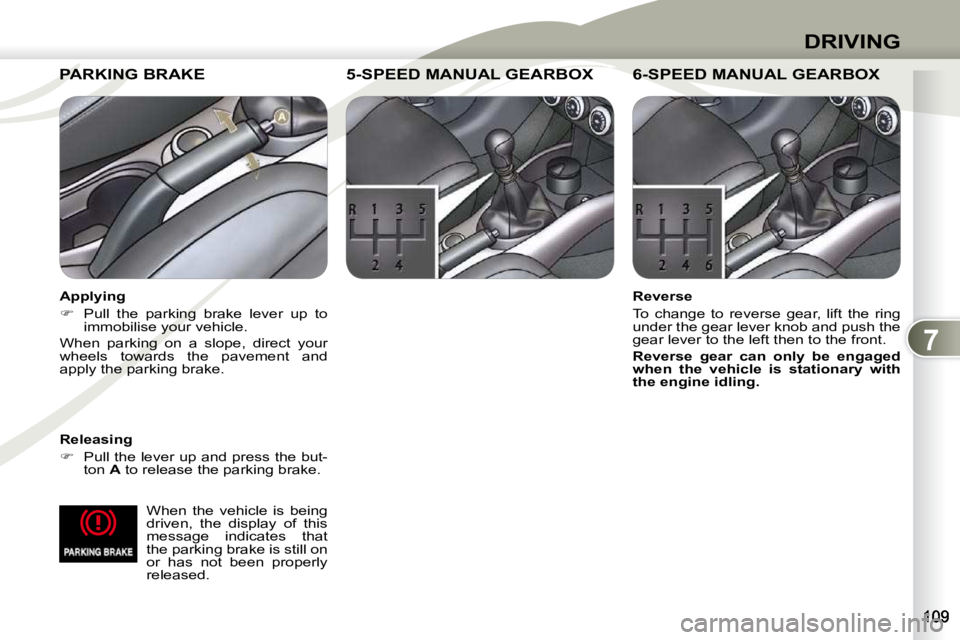
Releasing
Pull the lever up and press the but-
ton A to release the parking brake.
5-SPEED MANUAL GEARBOX 5-SPEED MANUAL GEARBOX 5-SPEED MANUAL GEARBOX
Reverse
To change to reverse gear, lift the ring
under the gear lever knob and push the
gear lever to the left then to the front.
Reverse gear can only be engaged
when the vehicle is stationary with
the engine idling. Applying
Pull the parking brake lever up to
immobilise your vehicle.
When parking on a slope, direct your
wheels towards the pavement and
apply the parking brake.
6-SPEED MANUAL 6-SPEED MANUAL GEARBOX
Page 106 of 215
7
DRIVING
Stopping - Starting on a slope
Do not use the accelerator pedal to
immobilise the vehicle on a slope,
apply the
parking brake
instead.
When starting on a slope, accelerate
gradually while releasing the parking
brake.
Switching to sequential mode
Once you have moved off, you can
switch to sequential mode by selecting
position +/- .
"D" disappears and the gears engaged
appear in succession on the instrument
panel screen.
The gear change requests are only car-
ried out if the engine speed permits it.
Take your foot off the accelerator pedal
gently to engage the gear. Switching to automated mode
Automated mode
After using the sequential mode, you
can return to the automated mode by
selecting position
D .
"D" appears on the instrument panel
screen.
The gearbox then operates in auto-
active mode, without any action on the
part of the driver.
It continuously selects the gear most
suited to the conditions of:
- driving style,
- road characteristics,
- vehicle load.
To optimise driving comfort and obtain
the most suitable gear, avoid sharp vari-
ations in the pressure on the accelerator
pedal.
Auto sequential mode
In the automated mode, you can take
over control temporarily at any time us-
ing the steering mounted controls.
The use of these controls permits manual
selection of the gears in situations which
require a faster changedown than that
offered in automated mode (arrival at a
roundabout, exit from a car park with a
steep gradient, overtaking...).
Stopping the vehicle
Before switching off the engine, you
can:
- move to position N to leave the
gearbox in neutral.
- leave a gear engaged, such as fi rst or reverse.
In both cases, you must apply the park-
ing brake to immobilise the vehicle.
Operating anomaly
With the ignition on, if the message
"Slow down" or "Maintenance re-
quired" appears on the multifunction
screen, this indicates a gearbox mal-
function.
When a message is displayed, carry
out the following operations:
- slow down and stop your vehicle in a safe place,
- place the lever in position N and let
the engine run,
- open the bonnet to allow the engine to cool.
If the message disappears for a long
period, you can set off again.
If the message remains displayed or ap-
pears frequently, contact a PEUGEOT
dealer without delay.
Press the brake pedal fi rmly
while starting the engine.
Start the engine. "N" appears on the
instrument panel screen.
Select fi rst gear (position D or +/- ) or
reverse (position R ).
Release the parking brake.
Release the brake pedal then accelerate.
"D" or "1" or "R" appear on the instru-
ment panel screen. The gearbox engages the gear re-
quested if the engine speed permits it.
The gear engaged appears.
To return to the automated mode, press
the back of the
"+/OFF" control for
approximately 2 seconds.
At low speeds, when approaching a
stop or traffi c lights for example, the
gearbox changes down to fi rst gear
automatically.
Page 107 of 215
7
DRIVING
DCS GEARBOX
The six-speed electronically controlled
gearbox offers a choice between the
comfort of automatic regulation or the
pleasure of manual gear changing.
This gearbox has three driving modes:
- a manual mode for changing of the
gears by the driver using the steer-
ing mounted controls or the gear
lever,
- a "
Normal
" automatic mode for
economical control of the gears
(everyday use),
- a "
Sport
" automatic mode which
permits a more dynamic style of
driving, with improved acceleration
and optimised engine braking. Displays on the instrument
panel
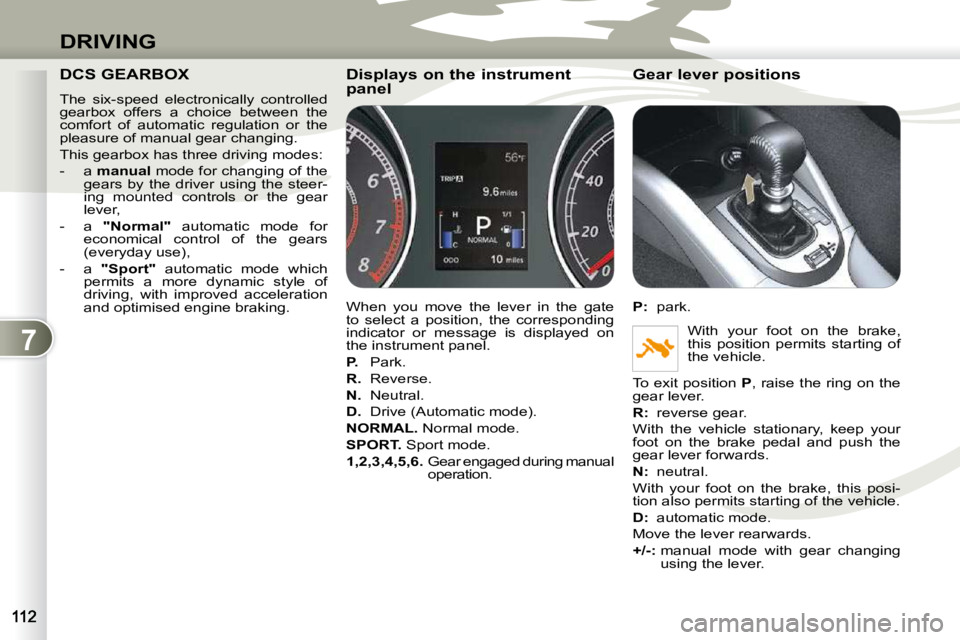
When you move the lever in the gate
to select a position, the corresponding
indicator or message is displayed on
the instrument panel.
P. Park.
R. Reverse.
N. Neutral.
D. Drive (Automatic mode).
NORMAL. Normal mode.
SPORT. Sport mode.
1,2,3,4,5,6. Gear engaged during manual
operation. Gear lever positions
P
: park.
With your foot on the brake,
this position permits starting of
the vehicle.
To exit position P , raise the ring on the
gear lever.
R
: reverse gear.
With the vehicle stationary, keep your
foot on the brake pedal and push the
gear lever forwards.
N
: neutral.
With your foot on the brake, this posi-
tion also permits starting of the vehicle.
D
: automatic mode.
Move the lever rearwards.
+/- : manual mode with gear changing
using the lever.
Page 108 of 215
7
DRIVING
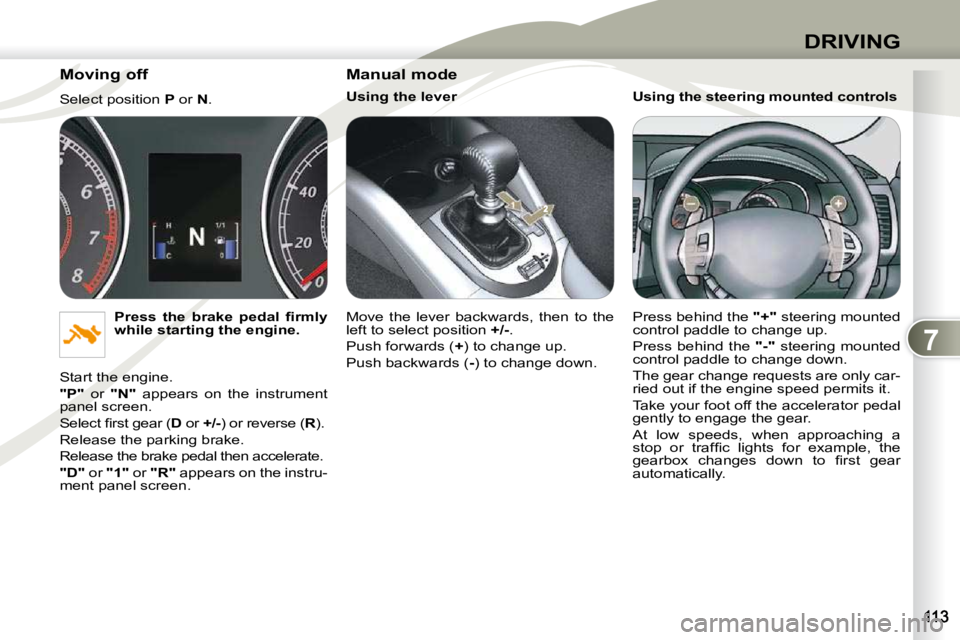
Moving off
Select position P or N .
Press the brake pedal fi rmly
while starting the engine.
Start the engine.
"P" or "N" appears on the instrument
panel screen.
Select fi rst gear ( D or +/- ) or reverse ( R ).
Release the parking brake.
Release the brake pedal then accelerate.
"D" or "1" or "R" appears on the instru-
ment panel screen. Manual mode
Using the lever
Move the lever backwards, then to the
left to select position
+/- .
Push forwards ( + ) to change up.
Push backwards ( - ) to change down. Using the steering mounted controls
Press behind the
"+" steering mounted
control paddle to change up.
Press behind the "-" steering mounted
control paddle to change down.
The gear change requests are only car-
ried out if the engine speed permits it.
Take your foot off the accelerator pedal
gently to engage the gear.
At low speeds, when approaching a
stop or traffi c lights for example, the
gearbox changes down to fi rst gear
automatically.
Page 109 of 215
7
DRIVING
"Normal" automatic mode
Select position D .
"D" appears on the instrument panel
screen.
The gearbox then operates in automatic
mode, without any action on the part of
the driver.
To optimise driving comfort and obtain
the most suitable gear, avoid sharp vari-
ations in the pressure on the accelerator
pedal.
"Temporary" manual mode
In automatic mode, you can take
control temporarily at any time using
the steering mounted controls.
The use of these controls permits man-
ual selection of the gears in situations
which require a faster changedown than
that offered in automatic mode (arrival
at a roundabout, exit from a car park
with a steep gradient, overtaking...).
The gearbox engages the gear re-
quested if the engine speed permits it.
The gear engaged appears.
To return to the automatic mode, press
the back of the "+/OFF" control for at
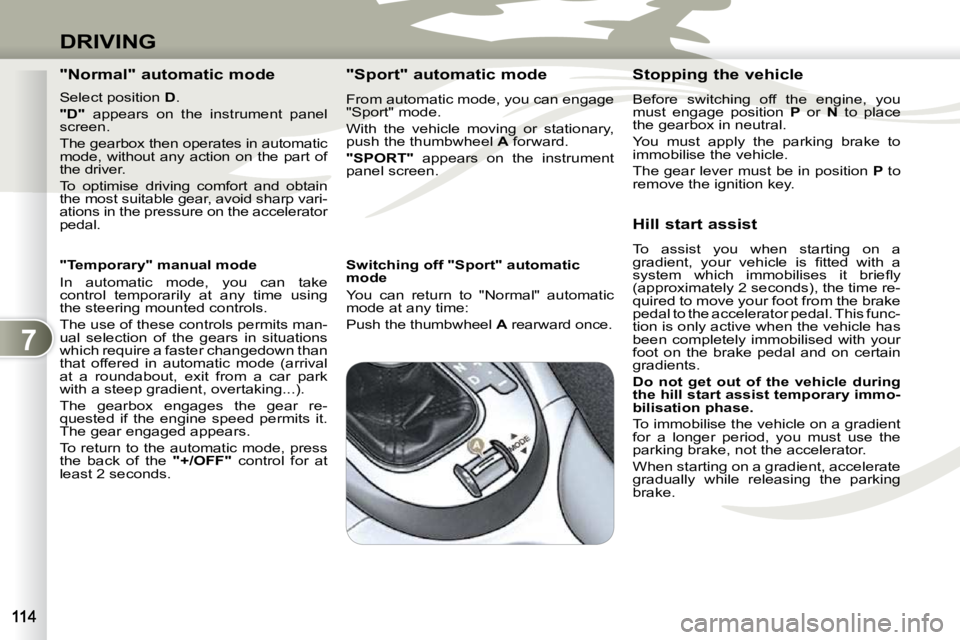
least 2 seconds. "Sport" automatic mode
From automatic mode, you can engage
"Sport" mode.
With the vehicle moving or stationary,
push the thumbwheel
A forward.
"SPORT" appears on the instrument
panel screen.
Switching off "Sport" automatic
mode
You can return to "Normal" automatic
mode at any time:
Push the thumbwheel A rearward once. Stopping the vehicle
Before switching off the engine, you
must engage position
P or N to place
the gearbox in neutral.
You must apply the parking brake to
immobilise the vehicle.
The gear lever must be in position P
to
remove the ignition key.
Hill start assist
To assist you when starting on a
gradient, your vehicle is fi tted with a
system which immobilises it briefl y
(approximately 2 seconds), the time re-
quired to move your foot from the brake
pedal to the accelerator pedal. This func-
tion is only active when the vehicle has
been completely immobilised with your
foot on the brake pedal and on certain
gradients.
Do not get out of the vehicle during
the hill start
assist
temporary immo-
bilisation phase.
To immobilise the vehicle on a gradient
for a longer period, you must use the
parking brake, not the accelerator.
When starting on a gradient, accelerate
gradually while releasing the parking
brake.
Page 110 of 215
7
DRIVING
Operating anomaly Reverse gear
Flashing of the indicator
R in the instru-
ment panel screen, accompanied by an
audible signal, indicates a malfunction
on engaging the gear:
Press the brake pedal, position the gear
lever in position N and engage reverse
gear again.
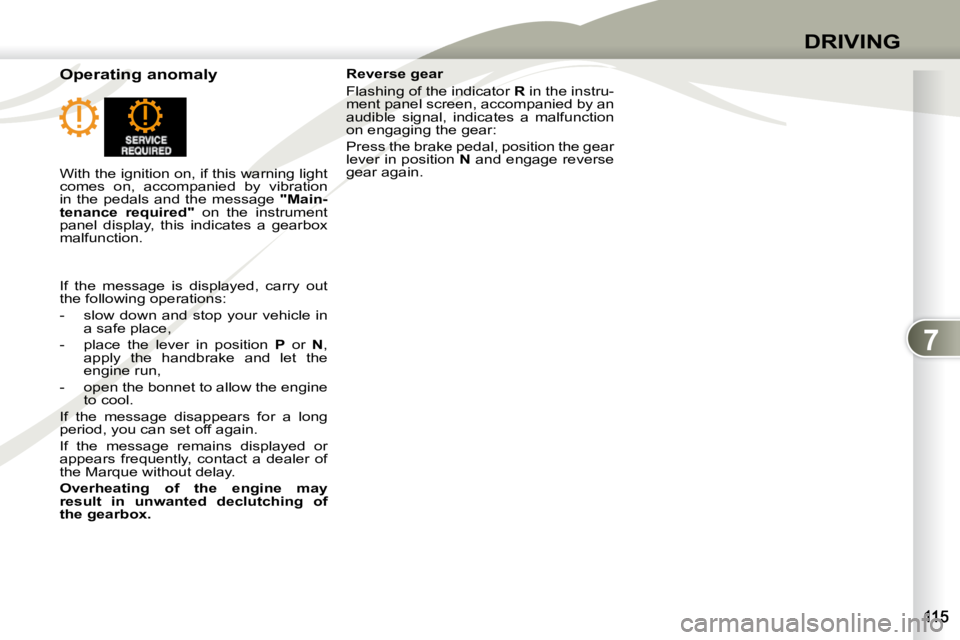
With the ignition on, if this warning light
comes on, accompanied by vibration
in the pedals and the message "Main-
tenance required" on the instrument
panel display, this indicates a gearbox
malfunction.
If the message is displayed, carry out
the following operations:
- slow down and stop your vehicle in a safe place,
- place the lever in position P or N ,
apply the handbrake and let the
engine run,
- open the bonnet to allow the engine to cool.
If the message disappears for a long
period, you can set off again.
If the message remains displayed or
appears frequently, contact a dealer of
the Marque without delay.
Overheating of the engine may
result in unwanted declutching of
the gearbox.
Page 112 of 215
7
DRIVING
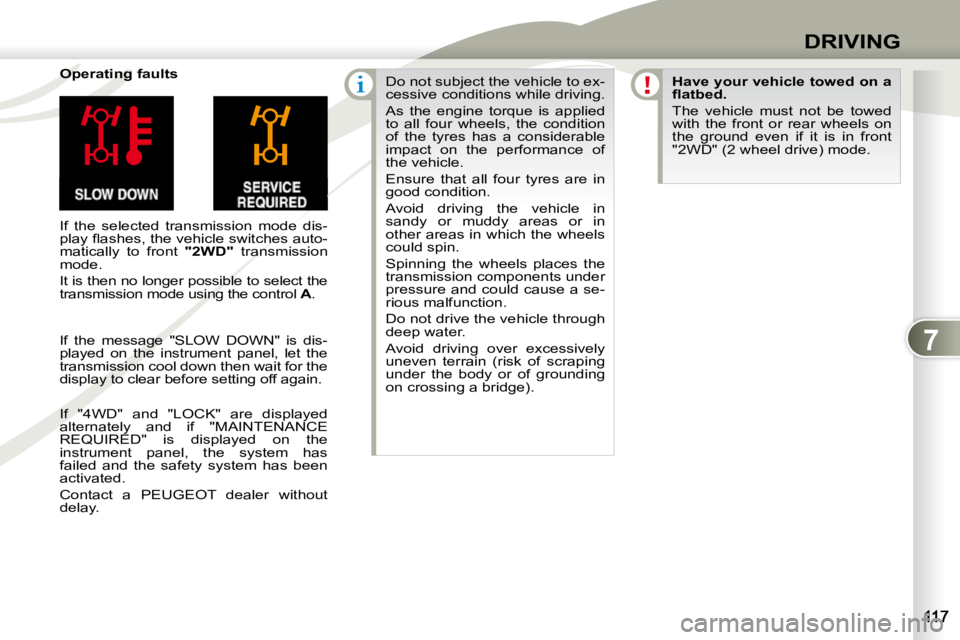
Operating faults
If the selected transmission mode dis-
play fl ashes, the vehicle switches auto-
matically to front "2WD" transmission
mode.
It is then no longer possible to select the
transmission mode using the control A . Do not subject the vehicle to ex-
cessive conditions while driving.
As the engine torque is applied
to all four wheels, the condition
of the tyres has a considerable
impact on the performance of
the vehicle.
Ensure that all four tyres are in
good condition.
Avoid driving the vehicle in
sandy or muddy areas or in
other areas in which the wheels
could spin.
Spinning the wheels places the
transmission components under
pressure and could cause a se-
rious malfunction.
Do not drive the vehicle through
deep water.
Avoid driving over excessively
uneven terrain (risk of scraping
under the body or of grounding
on crossing a bridge).
Have your vehicle towed on a
fl atbed.
The vehicle must not be towed
with the front or rear wheels on
the ground even if it is in front
"2WD" (2 wheel drive) mode.
If the message "SLOW DOWN" is dis-
played on the instrument panel, let the
transmission cool down then wait for the
display to clear before setting off again.
If "4WD" and "LOCK" are displayed
alternately and if "MAINTENANCE
REQUIRED" is displayed on the
instrument panel, the system has
failed and the safety system has been
activated.
Contact a PEUGEOT dealer without
delay.
Page 118 of 215
8
CHECKS
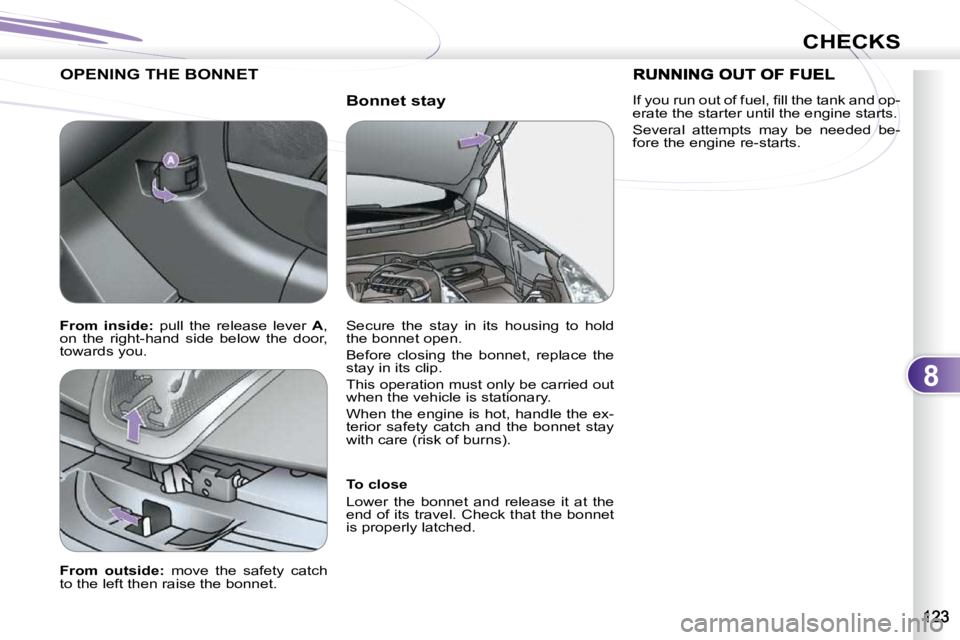
Bonnet stay
OPENING THE BONNET
To close
Lower the bonnet and release it at the
end of its travel. Check that the bonnet
is properly latched.
From outside: move the safety catch
to the left then raise the bonnet. Secure the stay in its housing to hold
the bonnet open.
Before closing the bonnet, replace the
stay in its clip.
This operation must only be carried out
when the vehicle is stationary.
When the engine is hot, handle the ex-
terior safety catch and the bonnet stay
with care (risk of burns).
From inside: pull the release lever A ,
on the right-hand side below the door,
towards you. If you run out of fuel, fi ll the tank and op-
erate the starter until the engine starts.
Several attempts may be needed be-
fore the engine re-starts.
Page 119 of 215
8
CHECKS
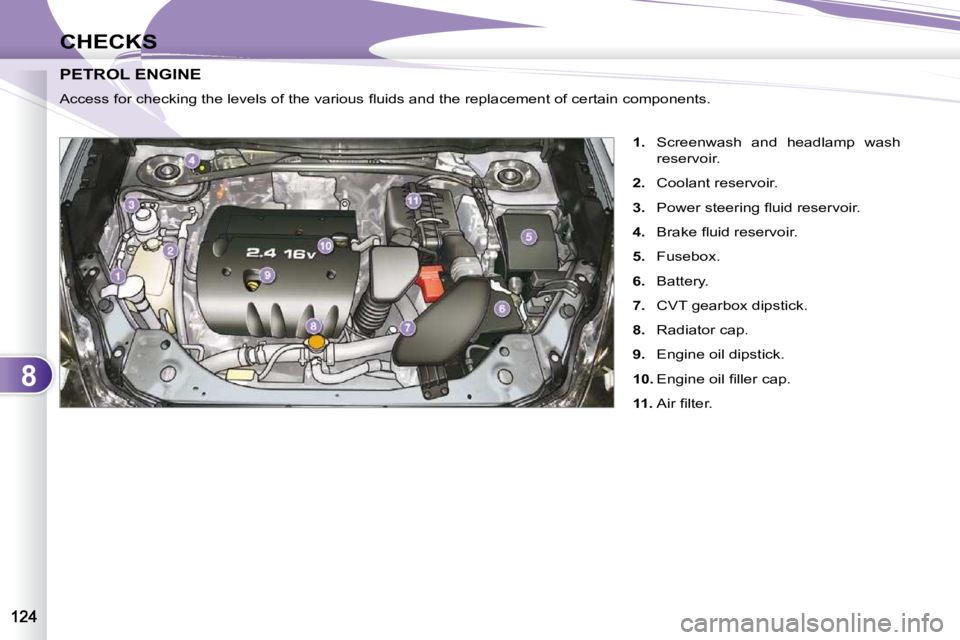
PETROL ENGINE PETROL ENGINE
1. Screenwash and headlamp wash
reservoir.
2. Coolant reservoir.
3. Power steering fl uid reservoir.
4. Brake fl uid reservoir.
5. Fusebox.
6. Battery.
7. CVT gearbox dipstick.
8. Radiator cap.
9. Engine oil dipstick.
10. Engine oil fi ller cap.
11. Air fi lter.
Access for checking the levels of the various fl uids and the repla
cement of certain components.