display PEUGEOT 4008 2014.5 Manual PDF
[x] Cancel search | Manufacturer: PEUGEOT, Model Year: 2014.5, Model line: 4008, Model: PEUGEOT 4008 2014.5Pages: 389, PDF Size: 15.75 MB
Page 314 of 389
01
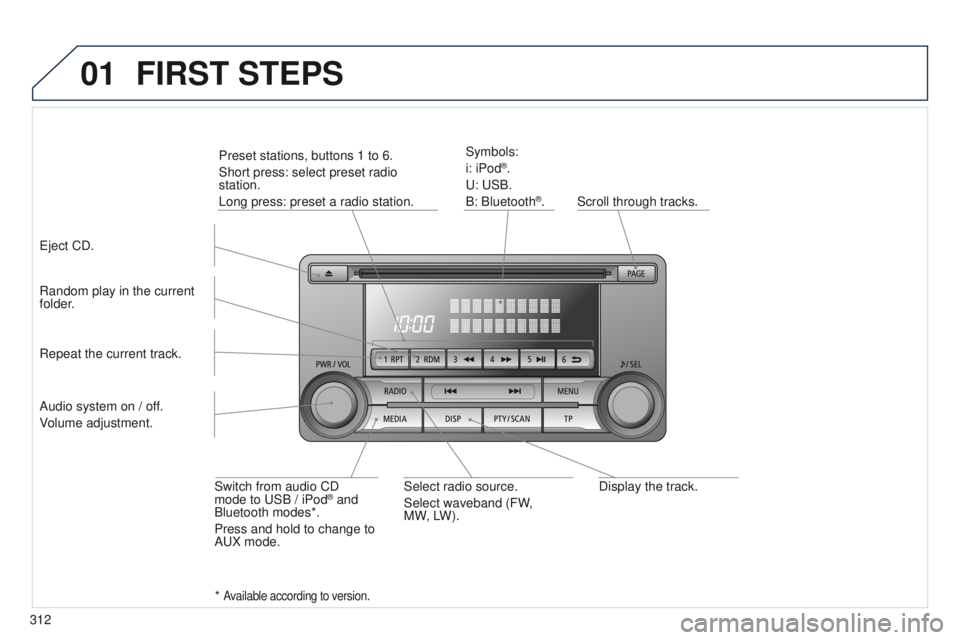
312Display the track.
Scroll through tracks.
Symbols:
i: iPod
®.
u
:
u
SB.
B: Bluetooth
®.
Random play in the current
folder.
Switch from audio CD
mode to
u
SB / iPod
® and
Bluetooth modes*.
Press and hold to change to
A
u
X mode.
Repeat the current track.
FIRST STEPS
Audio system on / off.
Volume adjustment.
Select radio source.
Select waveband (FW,
MW,
LW).
*
Available according to version.
eject CD. Preset stations, buttons 1 to 6.
Short press: select preset radio
station.
Long press: preset a radio station.
Page 321 of 389
04
319
RADIO
the "Radio Data System" (RDS) function on the FM waveband
permits:
-
access to the display of information, such as the name of the
station, ...
-
listening to the same station while travelling through dif
ferent
regions,
-
temporary tuning to traffic information announcements.
Most FM stations use RDS.
t
hese stations transmit non-audible
data in addition to their programmes.
t
he data transmitted in this way allows you access to various
functions, mainly displaying of the name of the station, automatic
retuning to alternative frequencies or temporary retuning to traffic
information announcements.
RDS allows you to continue listening to the same station by means
of alternative frequencies that carry the same station. However, in
certain conditions, RDS alternative frequencies may not be provided
throughout the country. Radio stations do not cover the whole country,
which explains the loss of reception of the station during a journey. "AF" alternative frequencies
Your radio automatically checks and selects the best frequency for
the radio station to which it is tuned (if the station broadcasts on
several transmitters or frequencies).
t
he frequency of a radio station covers approximately 30 miles
(50 km).
t
he change from one frequency to another explains the
temporary loss of reception during a journey.
If the station to which you are listening does not have several
frequencies in the region in which you are currently located, you can
deactivate alternative frequencies.
Some stations are organised in a network.
In different regions, they broadcast different or shared programmes
depending on the time of day.
You can follow:
-
a regional station only
,
-
the entire network, with the possibility that you will be listening
to a dif
ferent programme.
REG regional mode
On long distance journeys, when the stored station becomes weak,
the radio searches first for another frequency for the same station
(AF).
t
hen, if this fails, it searches for a frequency broadcasting the
regional programme (R
eg ). If this also fails, the radio returns to the
stored station.
RDS
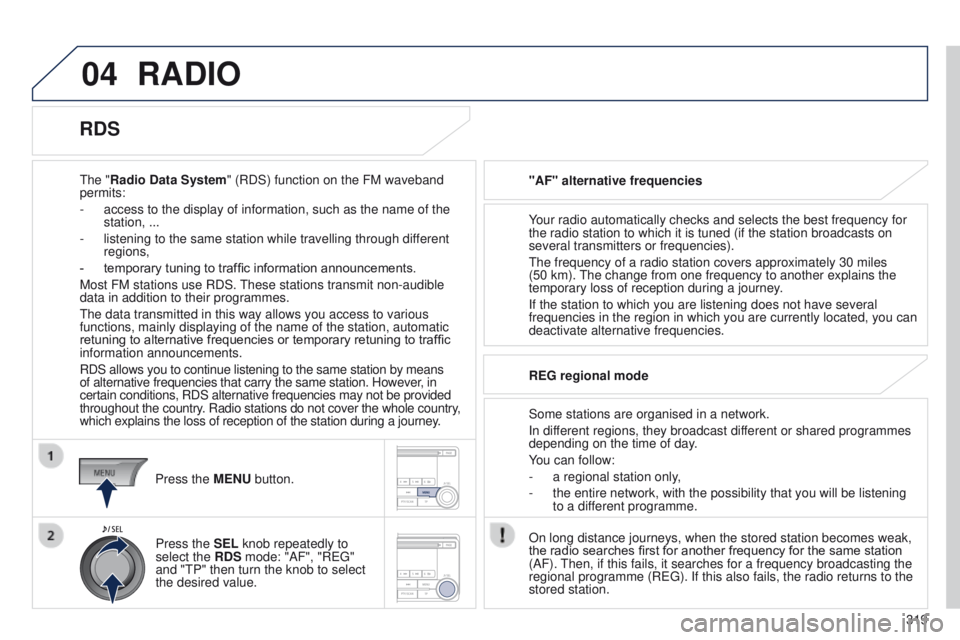
Press the MENU button.
Press the SEL knob repeatedly to
select the RDS mode: "AF", "R
eg "
and "
t P" then turn the knob to select
the desired value.
Page 322 of 389
04
320
RADIO
"TP" traffic information
t
he "Traffic Programme" ( t P) function permits automatic
and temporary switching to an FM station broadcasting traffic
information.
t
he radio station or the source that you are listening to at this point
is put on hold.
Once the traffic information has ended, the system switches back to
the radio station or the source that you were listening to initially.
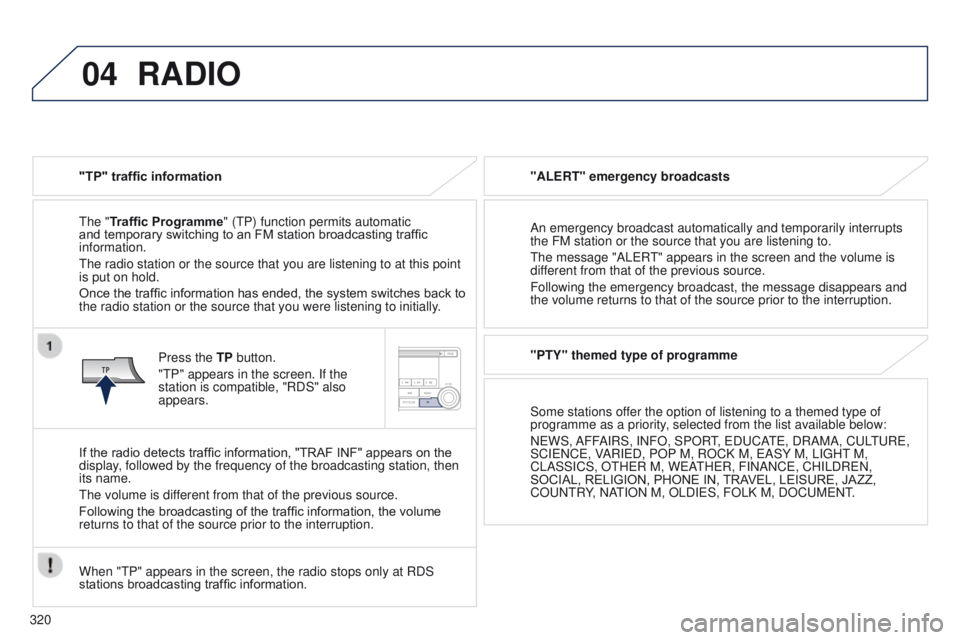
Press the TP button.
"
t P" appears in the screen. If the
station is compatible, "RDS" also
appears.
If the radio detects traffic information, "TRAF INF" appears on the
display, followed by the frequency of the broadcasting station, then
its name.
t
he volume is different from that of the previous source.
Following the broadcasting of the traffic information, the volume
returns to that of the source prior to the interruption.
When "
t P" appears in the screen, the radio stops only at RDS
stations broadcasting traffic information. "ALERT" emergency broadcasts
An emergency broadcast automatically and temporarily interrupts
the FM station or the source that you are listening to.
t
he message "AL e R
t
" appears in the screen and the volume is
different from that of the previous source.
Following the emergency broadcast, the message disappears and
the volume returns to that of the source prior to the interruption.
"PTY" themed type of programme
Some stations offer the option of listening to a themed type of
programme as a priority, selected from the list available below:
N
e WS, AFFAIRS, INFO, SPOR
t,
e D u CA
te
, DRAMA, C u L
tu
R e ,
SCI
e NC e , VARI e D, POP
M, ROCK M, e ASY
M, LI g H t M,
CLASSICS, O
t H e R M, W e A
t
H e R, FINANC e , CHILDR e N,
SOCIAL, RELIGION, PHONE
IN, TRAVEL, LEISURE, JAZZ,
CO
u N t RY, NA
t
ION M, OLDI e S, FOLK M, DOC u M e N t
.
Page 324 of 389
04
322
RADIO
Changing the display language of the "PTY" programmeFunctions setting mode
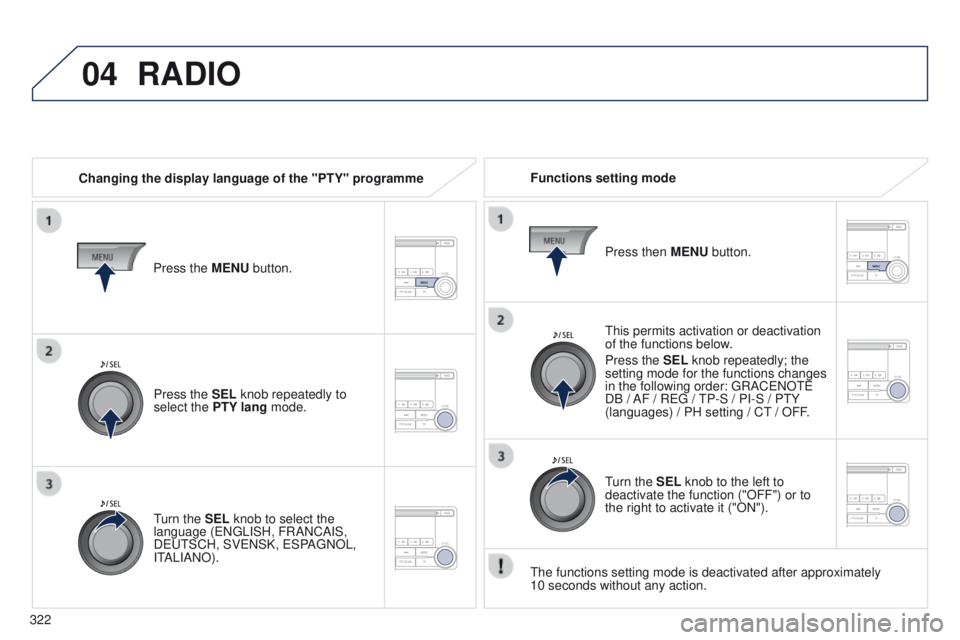
t
his permits activation or deactivation
of the functions below.
Press the SEL knob repeatedly; the
setting mode for the functions changes
in the following order:
g RAC e NO te
DB / AF / R
eg /
t
P-S / PI-S / P t Y
(languages) / PH setting / C
t / OFF.
t
he functions setting mode is deactivated after approximately
10
seconds without any action.
Press the MENU button.
Press the SEL knob repeatedly to
select the PTY lang mode.
turn the
SEL knob to select the
language (
e N g LISH, FRANCAIS,
D
eut SCH, SV e NSK, e SPA g NOL,
I
t
ALIANO). Press then
MENU button.
turn the
SEL knob to the left to
deactivate the function ("OFF") or to
the right to activate it ("ON").
Page 327 of 389
05
325
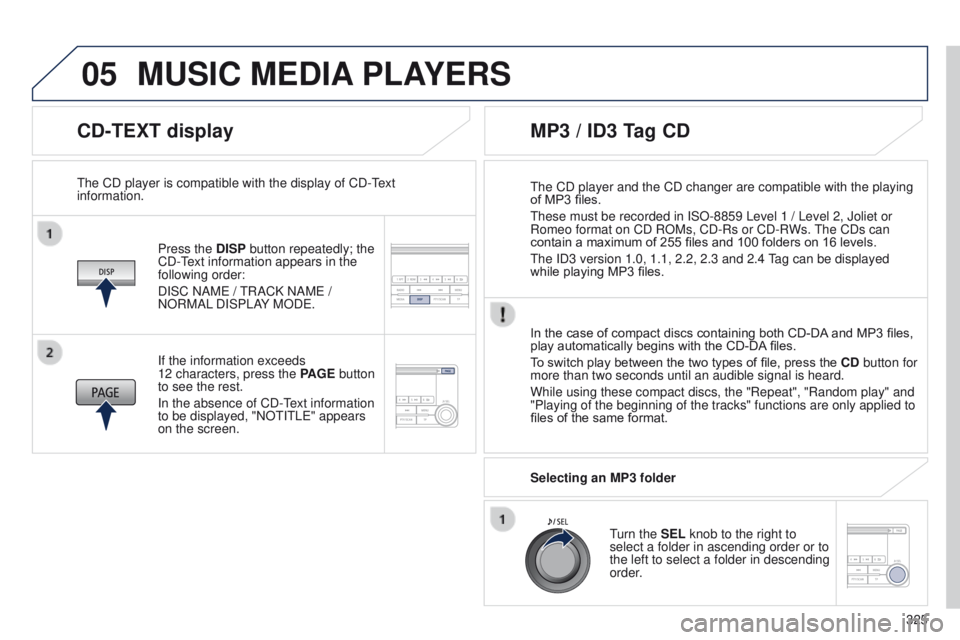
CD-TEXT display
Press the DISP button repeatedly; the
CD-text information appears in the
following order:
DISC NAM
e /
t
RACK NAM e /
NORMAL DISPLAY MOD
e .
t
he CD player is compatible with the display of CD- t
ext
information.
In the case of compact discs containing both CD-DA
and MP3 files,
play automatically begins with the CD-DA files.
To switch play between the two types of file, press the CD button for
more than two seconds until an audible signal is heard.
While using these compact discs, the "Repeat", "Random play" and
"Playing of the beginning of the tracks" functions are only applied to
files of the same format.
If the information exceeds
12
characters, press the PAGE button
to see the rest.
In the absence of CD-
t
ext information
to be displayed, "NO
t I t L e " appears
on the screen.
MP3 / ID3 Tag CD
Selecting an MP3 folder
turn the
SEL knob to the right to
select a folder in ascending order or to
the left to select a folder in descending
order.
t
he CD player and the CD changer are compatible with the playing
of MP3 files.
t
hese must be recorded in ISO-8859 Level 1 / Level 2, Joliet or
Romeo format on CD ROMs, CD-Rs or CD-RWs.
t
he CDs can
contain a maximum of 255 files and 100 folders on 16 levels.
t
he ID3 version 1.0, 1.1, 2.2, 2.3 and 2.4
tag can be displayed
while playing MP3 files.
MUSIC MEDIA PLAYERS
Page 328 of 389
05
326
MUSIC MEDIA PLAYERS
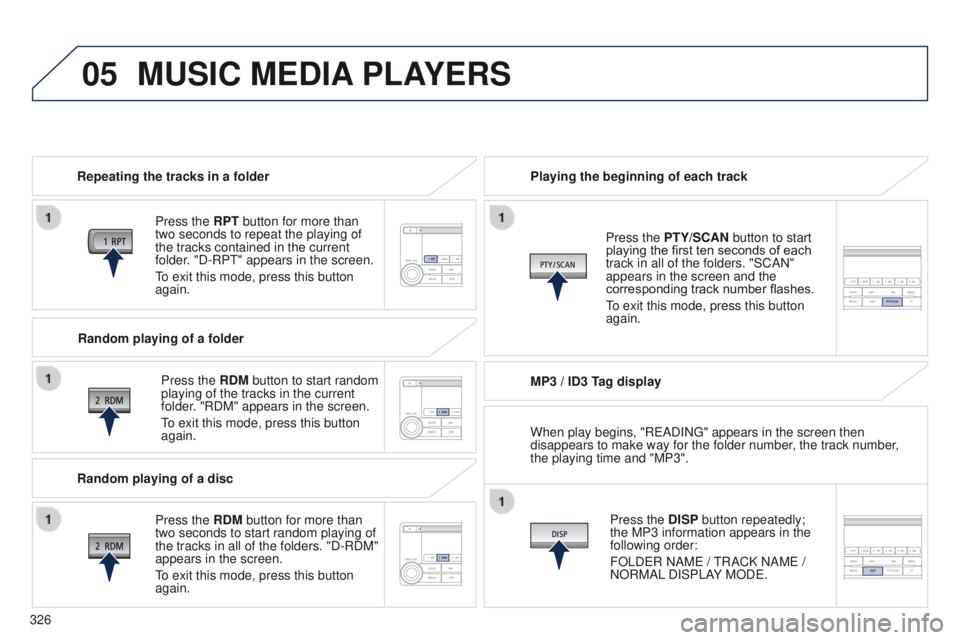
Repeating the tracks in a folder
Press the RPT button for more than
two seconds to repeat the playing of
the tracks contained in the current
folder. "D-RP
t " appears in the screen.
to exit this mode, press this button
again.
Press the
RDM button to start random
playing of the tracks in the current
folder. "RDM" appears in the screen.
to exit this mode, press this button
again. Playing the beginning of each track
MP3 / ID3 T
ag displayPress the DISP button repeatedly;
the MP3 information appears in the
following order:
FOLD
e R NAM e /
t
RACK NAM e /
NORMAL DISPLAY MOD
e .
Press the PTY/SCAN button to start
playing the first ten seconds of each
track in all of the folders. "SCAN"
appears in the screen and the
corresponding track number flashes.
to exit this mode, press this button
again.
Random playing of a folder
Random playing of a disc Press the
RDM button for more than
two seconds to start random playing of
the tracks in all of the folders. "D-RDM"
appears in the screen.
to exit this mode, press this button
again. When play begins, "R
e ADIN g " appears in the screen then
disappears to make way for the folder number, the track number,
the playing time and "MP3".
Page 329 of 389
05
327
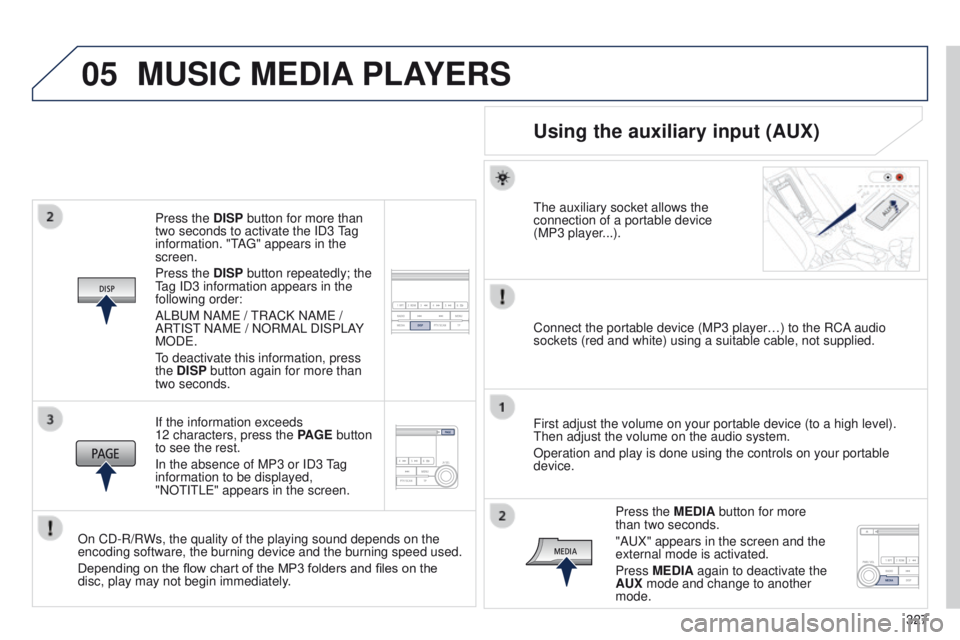
Press the DISP button for more than
two seconds to activate the ID3
tag
information. "
t
A
g
" appears in the
screen.
Press the DISP button repeatedly; the
tag ID3 information appears in the
following order:
ALB
u
M NAM
e
/
t
RACK NAM
e
/
AR
t
IS
t
NAM
e
/ NORMAL DISPLAY
MOD
e
.
to deactivate this information, press
the
DISP button again for more than
two seconds.
If the information exceeds
12 characters, press the PAGE button
to see the rest.
In the absence of MP3 or ID3
t
ag
information to be displayed,
"NO
t
I
t
L
e
" appears in the screen.
On CD-R/RWs, the quality of the playing sound depends on the
encoding software, the burning device and the burning speed used.
Depending on the flow chart of the MP3 folders and files on the
disc, play may not begin immediately.
MUSIC MEDIA PLAYERS
Using the auxiliary input (AUX)
the auxiliary socket allows the
connection of a portable device
(MP3 player
...).
Connect the portable device (MP3 player…) to the RCA audio
sockets (red and white) using a suitable cable, not supplied.
First adjust the volume on your portable device (to a high level).
t
hen adjust the volume on the audio system.
Operation and play is done using the controls on your portable
device.
Press the MEDIA button for more
than two seconds.
"A
u X" appears in the screen and the
external mode is activated.
Press MEDIA again to deactivate the
AUX mode and change to another
mode.
Page 331 of 389
06
329
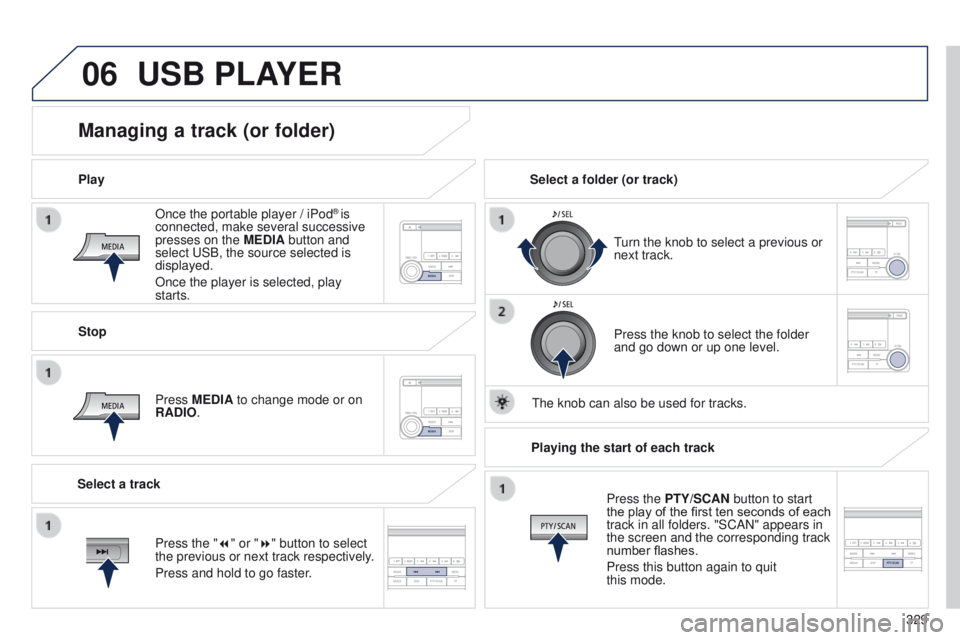
Once the portable player / iPod
® is
connected, make several successive
presses on the MEDIA button and
select
u
SB, the source selected is
displayed.
Once the player is selected, play
starts.
Play
Managing a track (or folder)
Stop
Press MEDIA to change mode or on
RADIO.
turn the knob to select a previous or
next track.
Select a folder (or track)
Select a track Press the knob to select the folder
and go down or up one level.
t
he knob can also be used for tracks.
USB PLAYER
Press the "7" or "8" button to select
the previous or next track respectively.
Press and hold to go faster.Playing the start of each track
Press the PTY/SCAN button to start
the play of the first ten seconds of each
track in all folders. "SCAN" appears in
the screen and the corresponding track
number flashes.
Press this button again to quit
this mode.
Page 332 of 389
07
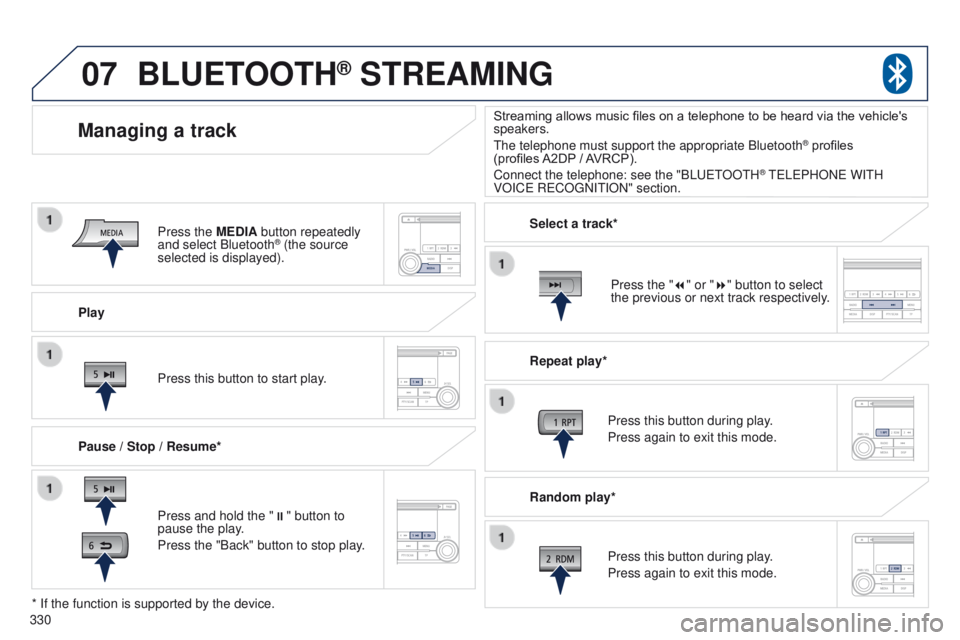
330Play
Managing a track
Pause / Stop / Resume*
BLUETOOTH® STREAMING
Press and hold the "
;" button to
pause the play.
Press the "Back" button to stop play. Press this button to start play. Select a track*
Repeat play*
Press this button during play.
Press again to exit this mode.
Press this button during play.
Press again to exit this mode.
* If the function is supported by the device. Random play*
Streaming allows music files on a telephone to be heard via the vehicle's
speakers.
t
he telephone must support the appropriate Bluetooth
® profiles
(profiles
A2DP
/ AVRCP).
Connect the telephone: see the "BL
uet
OO
t
H
® teLePHONe WItH
VOIC
e
R
e
CO
g
NI
t
ION" section.
Press the MEDIA button repeatedly
and select Bluetooth
® (the source
selected is displayed).
Press the "7" or "8" button to select
the previous or next track respectively.
Page 333 of 389
07
331
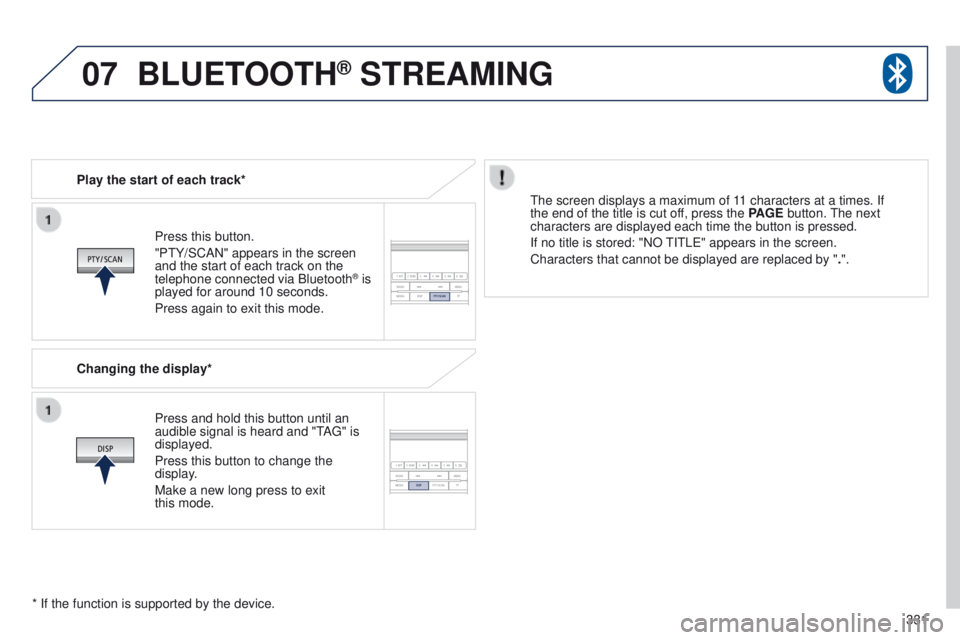
Press this button.
"P
t
Y/SCAN" appears in the screen
and the start of each track on the
telephone connected via Bluetooth
® is
played for around 10 seconds.
Press again to exit this mode.
Play the start of each track*
Changing the display*
Press and hold this button until an
audible signal is heard and "
t
A
g
" is
displayed.
Press this button to change the
display.
Make a new long press to exit
this
mode.
t
he screen displays a maximum of 11 characters at a times. If
the end of the title is cut off, press the PAGE button.
t
he next
characters are displayed each time the button is pressed.
If no title is stored: "NO
t
I t L e " appears in the screen.
Characters that cannot be displayed are replaced by " .".
* If the function is supported by the device.
BLUETOOTH® STREAMING