transmission PEUGEOT 4008 2014 User Guide
[x] Cancel search | Manufacturer: PEUGEOT, Model Year: 2014, Model line: 4008, Model: PEUGEOT 4008 2014Pages: 368, PDF Size: 20.33 MB
Page 207 of 368
205
7
Practical information
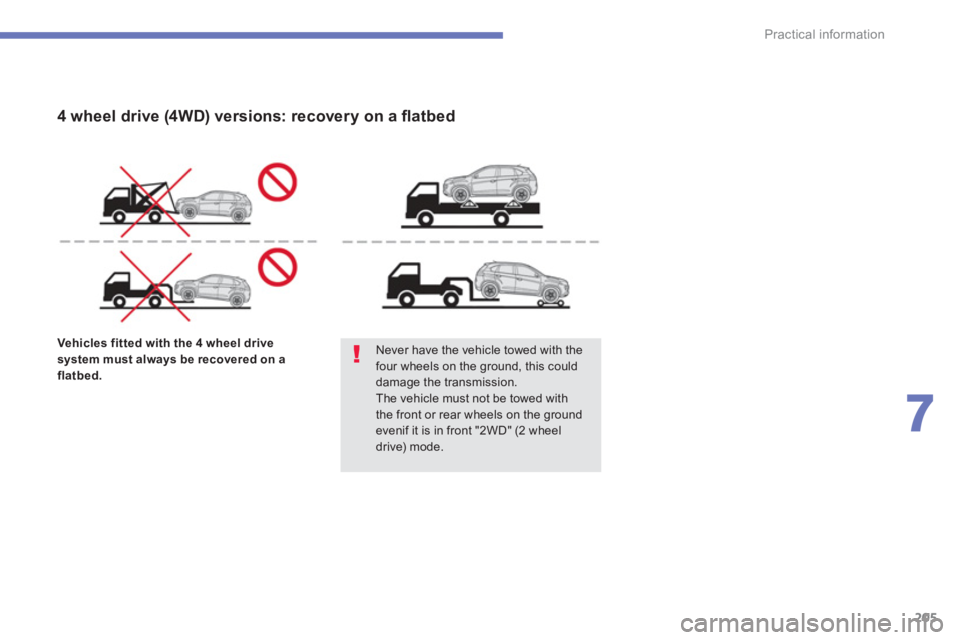
Vehicles fitted with the 4 wheel drive
system must always be recovered on a
flatbed.
Never have the vehicle towed with the
four wheels on the ground, this could
damage the transmission.
The vehicle must not be towed with
the front or rear wheels on the ground
evenif it is in front "2WD" (2 wheel
drive) mode.
4 wheel drive (4WD) versions: recovery on a fl atbed
Page 272 of 368
270
04
The satellite navigation system guides the driver to the destination
set in accordance with a chosen route.
Initially, it searches for the destination required by the user, then
it calculates the route and fi nally it provides the visual and vocal
guidance instructions.
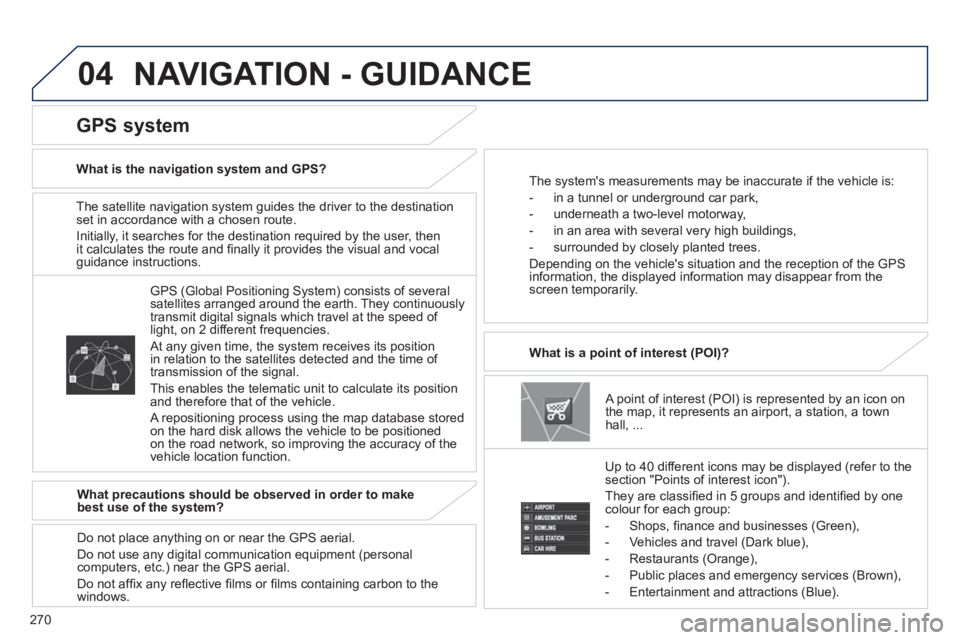
A point of interest (POI) is represented by an icon on
the map, it represents an airport, a station, a town
hall, ...
What is a point of interest (POI)?
Up to 40 different icons may be displayed (refer to the
section "Points of interest icon").
They are classifi ed in 5 groups and identifi ed by one
colour for each group:
- Shops, fi nance and businesses (Green),
- Vehicles and travel (Dark blue),
- Restaurants (Orange),
- Public places and emergency services (Brown),
- Entertainment and attractions (Blue).
GPS (Global Positioning System) consists of several
satellites arranged around the earth. They continuously
transmit digital signals which travel at the speed of
light, on 2 different frequencies.
At any given time, the system receives its position
in relation to the satellites detected and the time of
transmission of the signal.
This enables the telematic unit to calculate its position
and therefore that of the vehicle.
A repositioning process using the map database stored
on the hard disk allows the vehicle to be positioned
on the road network, so improving the accuracy of the
vehicle location function.
GPS system
What is the navigation system and GPS?
The system's measurements may be inaccurate if the vehicle is:
- in a tunnel or underground car park,
- underneath a two-level motorway,
- in an area with several very high buildings,
- surrounded by closely planted trees.
Depending on the vehicle's situation and the reception of the GPS
information, the displayed information may disappear from the
screen temporarily.
What precautions should be observed in order to make
best use of the system?
Do not place anything on or near the GPS aerial.
Do not use any digital communication equipment (personal
computers, etc.) near the GPS aerial.
Do not affi x any refl ective fi lms or fi lms containing carbon to the
windows.
NAVIGATION - GUIDANCE
Page 282 of 368
280
05
Playing an MP3/WMA CD
When the MP3/WMA CD is inserted in the player,
playing of the tracks is automatic.
The tracks cannot be recorded onto the music server.
You can play CDs with up to 8 levels, 255 folders and
400 fi les maximum. Windows Media and Microsoft Corporation are trademarks
registered in the United States and/or other countries.
General notes on MP3/WMA CDs
What is the MP3/WMA fi le format?
MP3 is the abbreviation of MPEG-1 Audio Layer 3 and MPG is the
abbreviation of Motion Pictures Experts Group, a digital video data
compression standard used on media such as video CDs.
The MP3 compression reduces the number of bytes in a song by
eliminating the long sound waves in the range of frequencies which
are imperceptible to the human ear, so producing high quality audio
fi les with a low volume of data.
This compression divides the size of the content of a conventional
audio CD by approximately 10, which means that the content of
10 audio CDs can be recorded onto a single CD-R or CD-RW.
WMA is the abbreviation of Windows Media Audio, another audio
data compression standard offered by Microsoft.
It can be used to create and save audio fi les at a compression rate
higher than that of the MP3 format.
Acceptance of the fi les
Some blank CDs may not be played by your equipment (quality,
recording speed...).
When you burn a CD-R or CD-RW, select the ISO 9660 level 1.2 or
Joliet burning standard.
To obtain the best acoustic quality possible, select the lowest
burning speed.
The MPEG1 and MPEG2 standards are accepted.
Transmission speeds between 32 and 320 kbits/s and scans
between 16 kHz and 48 kHz are accepted.
To display the title information (the name of the artist, the title of the
album, etc...), the information contained in the ID3 Tags or the WMA
Tags must be included in the MP3/WMA fi les burned onto the disc.
Copyright
Your audio system may allow you to listen to music which is usually
protected by copyright in accordance with current national and
international standards. Please consult these standards and comply
with them.
MUSIC