ad blue PEUGEOT 4008 2017 Owner's Manual
[x] Cancel search | Manufacturer: PEUGEOT, Model Year: 2017, Model line: 4008, Model: PEUGEOT 4008 2017Pages: 368, PDF Size: 12.22 MB
Page 290 of 368
08
288
4008_EN_CHAP10B_MITSU6_ED01-2016
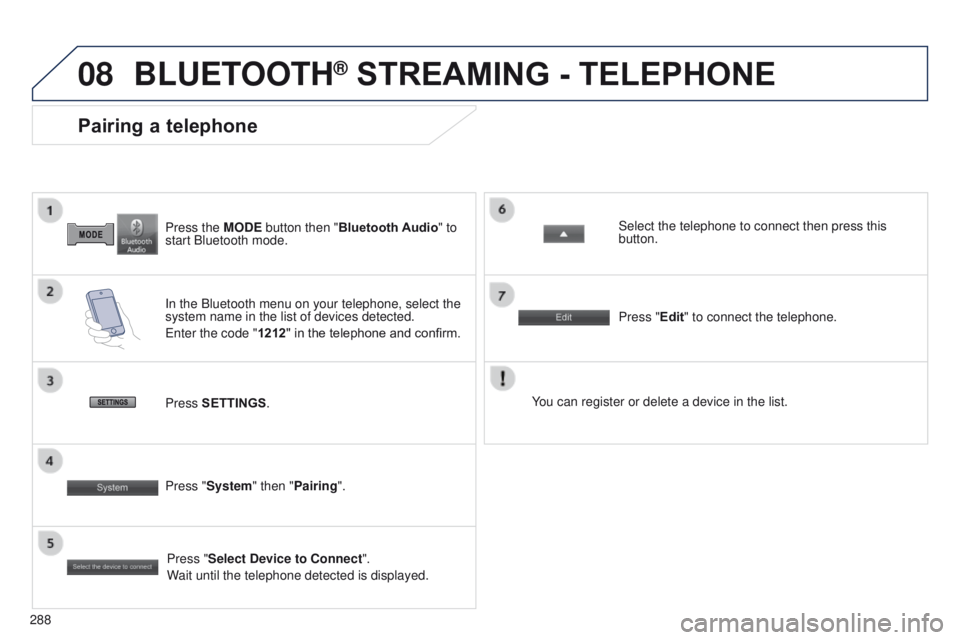
Press the MODE button then "Bluetooth Audio" to
start Bluetooth mode.
Pairing a telephone
In the Bluetooth menu on your telephone, select the
system name in the list of devices detected.
e
nter the code "1212 " in the telephone and confirm. Select the telephone to connect then press this
button.
Press "Select Device to Connect".
Wait until the telephone detected is displayed.
Press SETTINGS
. Press "Edit" to connect the telephone.
Press "System " then "Pairing". You can register or delete a device in the list.
BLUETOOTH® STREAMING - TELEPHONE
Page 291 of 368
289
4008_en_Chap10c_Mitsu5_ed01-2016
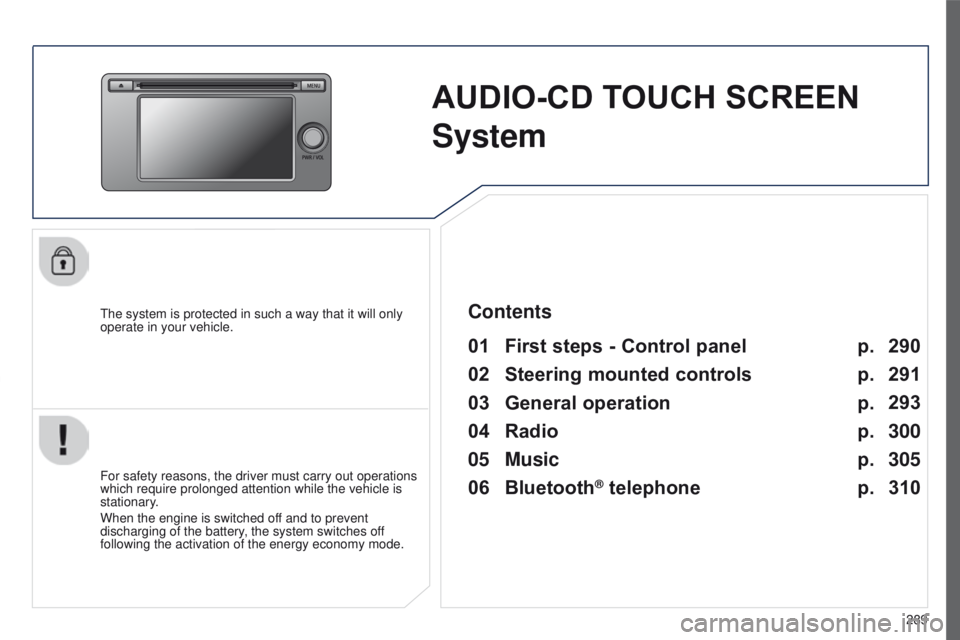
AUDIO-CD TOUCH SCREEN
S
ystem
the system is protected in such a way that it will only
operate in your vehicle.
01 First steps - Control panel
For safety reasons, the driver must carry out operations
which require prolonged attention while the vehicle is
stationary.
When the engine is switched off and to prevent
discharging of the battery, the system switches off
following the activation of the energy economy mode.
Contents
03
General
operation
02
Steering
mounted controls
04
Radio
05
Music
06
Bluetooth® telephone p.
p. p.
p.
p.
p. 290
291
293
300
305
310
Page 293 of 368
02
291
4008_en_Chap10c_Mitsu5_ed01-2016
STEERING MOUNTED CONTROLS
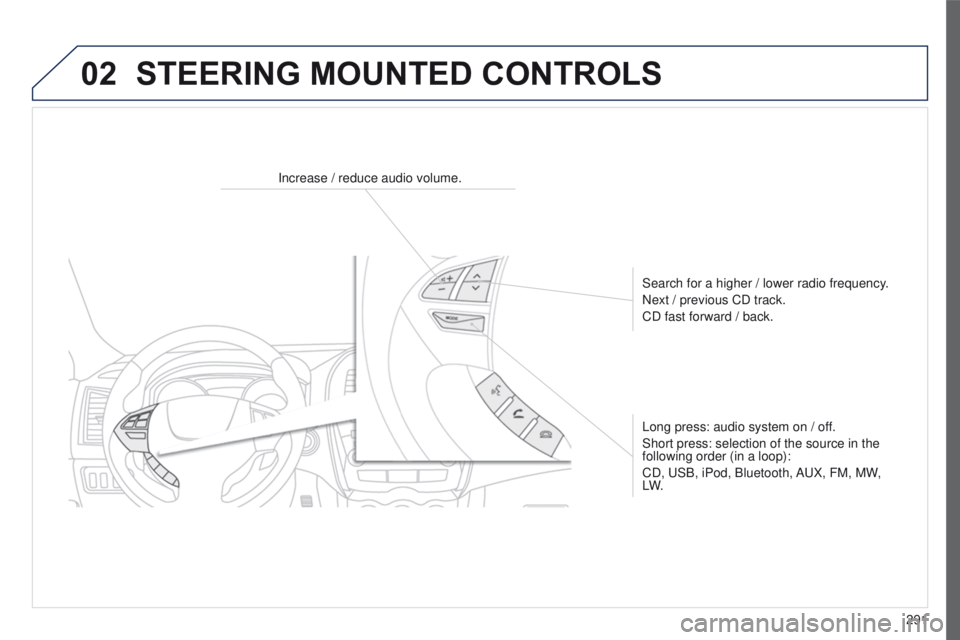
Increase / reduce audio volume.Search for a higher / lower radio frequency.
Next / previous CD track.
CD fast forward / back.
Long press: audio system on / off.
Short press: selection of the source in the
following order (in a loop):
CD,
u SB, iPod, Bluetooth, A u X, FM, MW,
LW.
Page 295 of 368
03
293
4008_en_Chap10c_Mitsu5_ed01-2016
GENERAL OPERATION
Description of controls - Menus
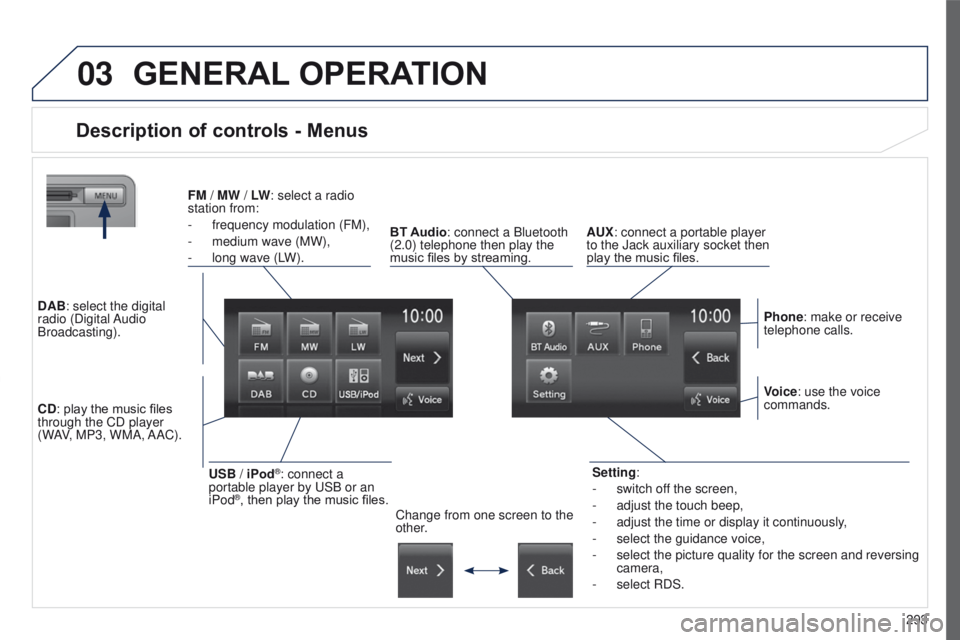
Setting:
-
switch of
f the screen,
-
adjust the touch beep,
-
adjust the time or display it continuously
,
-
select the guidance voice,
-
select the picture quality for the screen and reversing
camera,
-
select RDS.
FM
/
MW / LW: select a radio
station from:
-
frequency modulation (FM),
-
medium wave (MW),
-
long wave (L
W).
BT Audio: connect a Bluetooth
(2.0) telephone then play the
music files by streaming. AUX: connect a portable player
to the Jack auxiliary socket then
play the music files.
Phone: make or receive
telephone calls.
Change from one screen to the
other. Voice: use the voice
commands.
USB / iPod®: connect a
portable player by u SB or an
iPod
®, then play the music files.
CD: play the music files
through the CD player
(WAV, MP3, WMA, AAC). DAB: select the digital
radio (Digital Audio
Broadcasting).
Page 312 of 368
06
310
BLUETOOTH® TELEPHONE
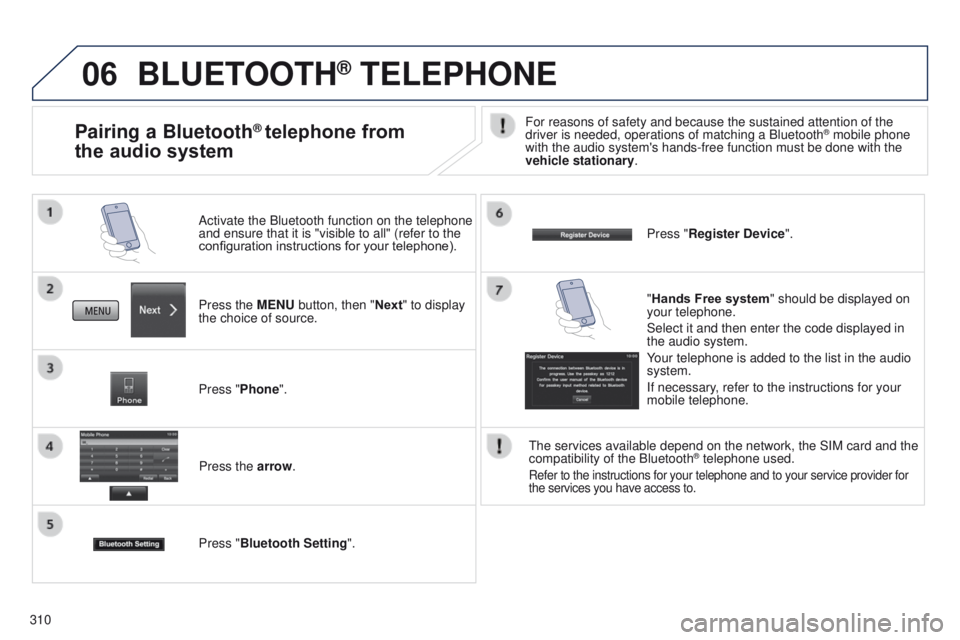
Press the MENU button, then "Next" to display
the choice of source. Activate the Bluetooth function on the telephone
and ensure that it is "visible to all" (refer to the
configuration instructions for your telephone).
Press "Phone".Press the arrow.
Press "Bluetooth Setting ". Press "Register Device
".
Pairing a Bluetooth® telephone from
the audio systemFor reasons of safety and because the sustained attention of the
driver is needed, operations of matching a Bluetooth® mobile phone
with the audio system's hands-free function must be done with the
vehicle stationary.
"Hands Free system " should be displayed on
your telephone.
Select it and then enter the code displayed in
the audio system.
Your telephone is added to the list in the audio
system.
If necessary, refer to the instructions for your
mobile telephone.
t
he services available depend on the network, the SIM card and the
compatibility of the Bluetooth
® telephone used.
Refer to the instructions for your telephone and to your service provide\
r for
the services you have access to.
Page 313 of 368
06
3 11
4008_en_Chap10c_Mitsu5_ed01-2016
Making a call
BLUETOOTH® TELEPHONE
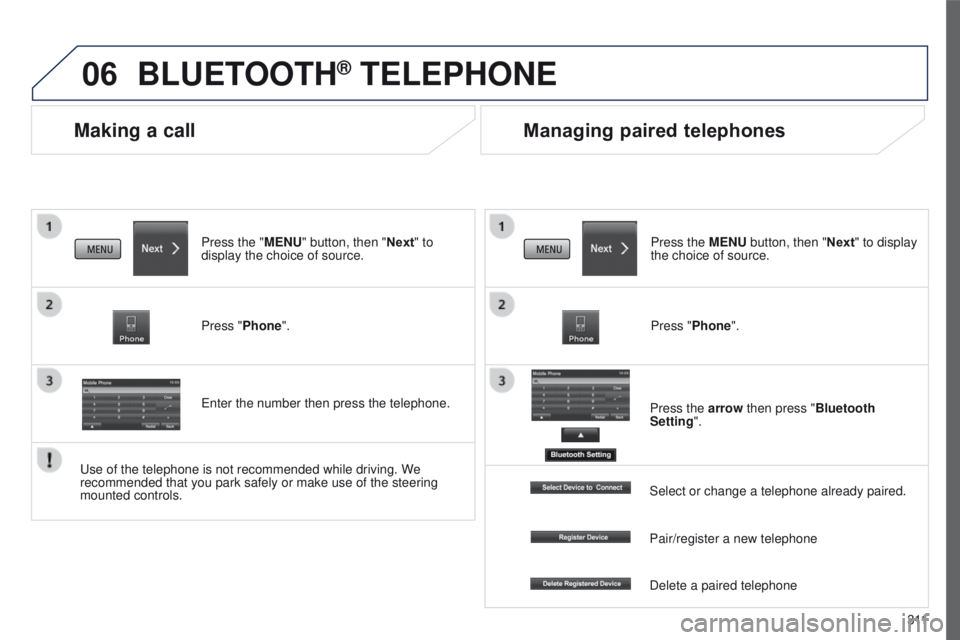
Press the "MENU" button, then "Next" to
display the choice of source.
Press "Phone".
e
nter the number then press the telephone.
Managing paired telephones
Press the MENU button, then "Next" to display
the choice of source.
Press "Phone".
Press the arrow then press "Bluetooth
Setting".
u
se of the telephone is not recommended while driving. We
recommended that you park safely or make use of the steering
mounted controls. Select or change a telephone already paired.
Pair/register a new telephone
Delete a paired telephone
Page 315 of 368
313
4008_en_Chap10d_Mitsu4_ed01-2016
AUDIO-CD system
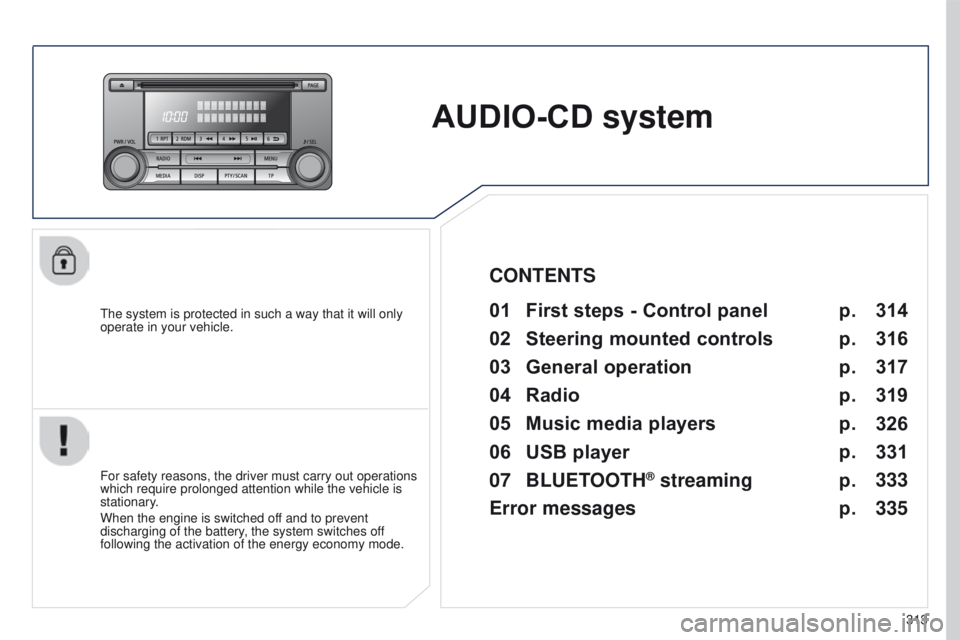
the system is protected in such a way that it will only
operate in your vehicle.01 First steps - Control panel
For safety reasons, the driver must carry out operations
which require prolonged attention while the vehicle is
stationary.
When the engine is switched off and to prevent
discharging of the battery, the system switches off
following the activation of the energy economy mode.
CONTENTS
02
Steering
mounted controls
03
General
operation
04
Radio
05
Music
media players
06
USB
player
07
BLUETOOTH
® streaming
Error messages p.
p.
p.
p.
p.
p.
p.
p. 314
316
317
319
326
331
333
335
Page 316 of 368
01
314
4008_en_Chap10d_Mitsu4_ed01-2016
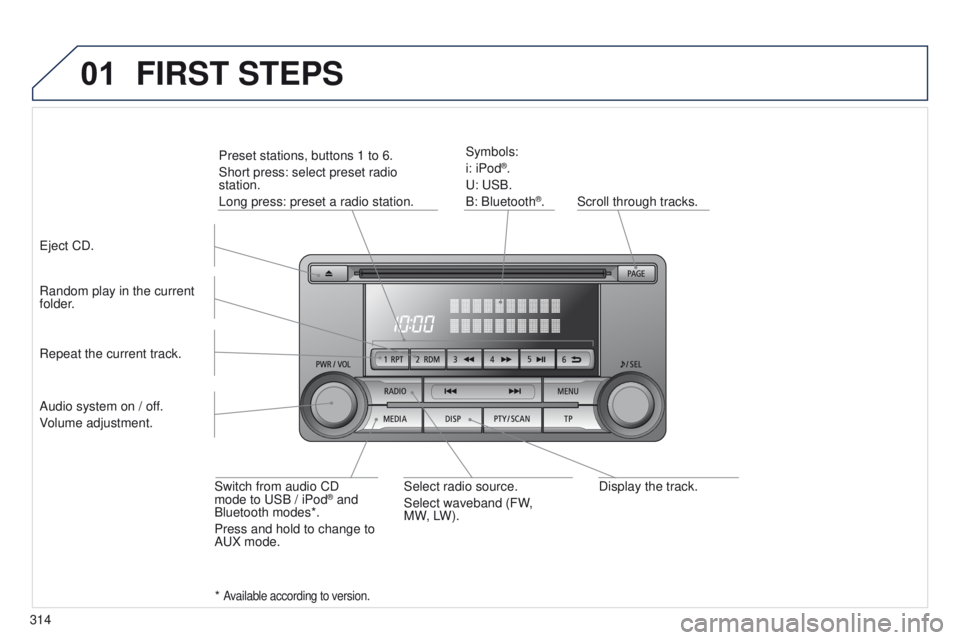
Display the track.
Scroll through tracks.
Symbols:
i: iPod
®.
u
:
u
SB.
B: Bluetooth
®.
Random play in the current
folder.
Switch from audio CD
mode to
u
SB / iPod
® and
Bluetooth modes*.
Press and hold to change to
A
u
X mode.
Repeat the current track.
FIRST STEPS
Audio system on / off.
Volume adjustment.
Select radio source.
Select waveband (FW,
MW,
LW).
*
Available according to version.
eject CD. Preset stations, buttons 1 to 6.
Short press: select preset radio
station.
Long press: preset a radio station.
Page 335 of 368
07
333
4008_en_Chap10d_Mitsu4_ed01-2016
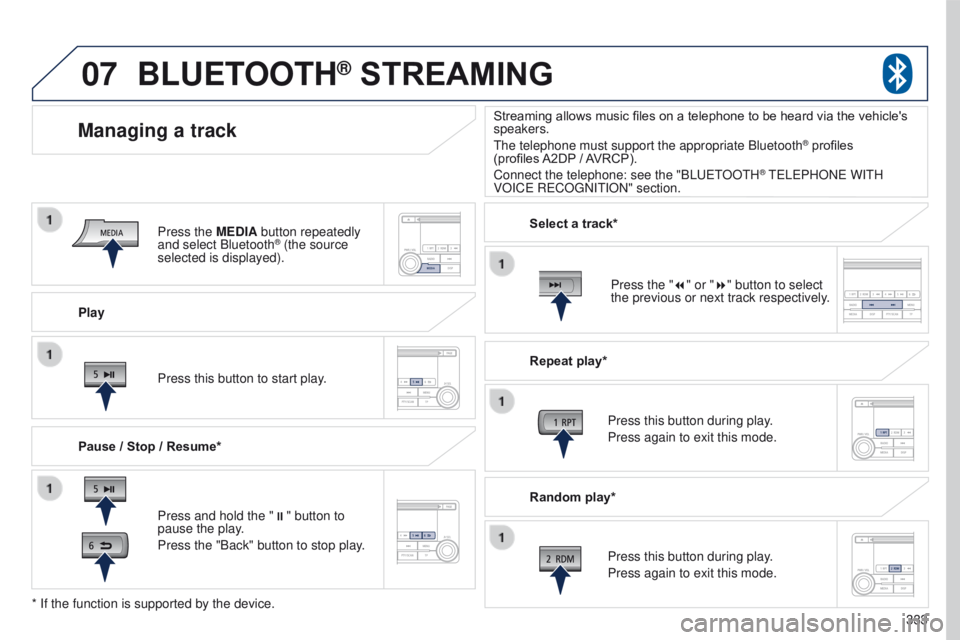
Play
Managing a track
Pause / Stop / Resume*
BLUETOOTH® STREAMING
Press and hold the ";" button to
pause the play.
Press the "Back" button to stop play. Press this button to start play. Select a track*
Repeat play*
Press this button during play.
Press again to exit this mode.
Press this button during play.
Press again to exit this mode.
* If the function is supported by the device. Random play*
Streaming allows music files on a telephone to be heard via the vehicle's
speakers.
t
he telephone must support the appropriate Bluetooth
® profiles
(profiles
A2DP
/ AVRCP).
Connect the telephone: see the "BL
uet
OO
t
H
® teLePHONe WItH
VOIC
e
R
e
CO
g
NI
t
ION" section.
Press the MEDIA button repeatedly
and select Bluetooth
® (the source
selected is displayed).
Press the "7" or "8" button to select
the previous or next track respectively.
Page 336 of 368
07
334
4008_en_Chap10d_Mitsu4_ed01-2016
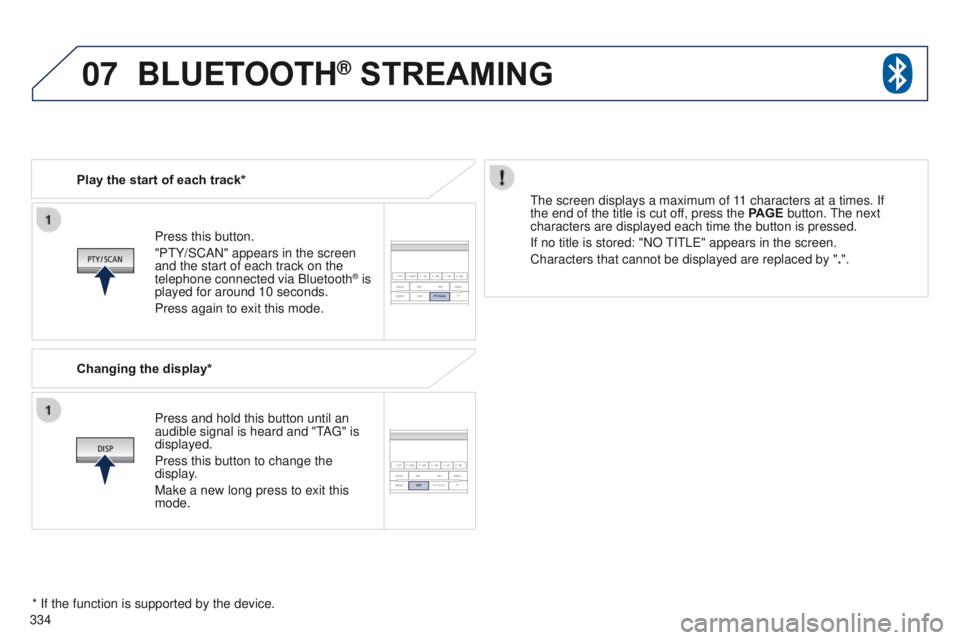
Press this button.
"Pt Y/SCAN" appears in the screen
and the start of each track on the
telephone connected via Bluetooth
® is
played for around 10 seconds.
Press again to exit this mode.
Play the start of each track*
Changing the display*
Press and hold this button until an
audible signal is heard and "
t
A
g
" is
displayed.
Press this button to change the
display.
Make a new long press to exit this
mode.
t
he screen displays a maximum of 11 characters at a times. If
the end of the title is cut off, press the PAGE button.
t
he next
characters are displayed each time the button is pressed.
If no title is stored: "NO
t
I t L e " appears in the screen.
Characters that cannot be displayed are replaced by " .".
* If the function is supported by the device.
BLUETOOTH® STREAMING