battery PEUGEOT 4008 2017 Owner's Manual
[x] Cancel search | Manufacturer: PEUGEOT, Model Year: 2017, Model line: 4008, Model: PEUGEOT 4008 2017Pages: 368, PDF Size: 12.22 MB
Page 114 of 368
112
4008_en_Chap04_conduite_ed01-2016
Going into engine START mode
the "AS &G" warning lamp goes off
and the engine starts automatically:
-
w
ith a manual gearbox , when you fully
depress the clutch pedal, with the gearbox
in neutral. For safety reasons or to ensure smooth
operation, StA
Rt mo de is invoked
automatically when:
Special cases: START invoked
automatically
- the speed of the vehicle exceeds 2 mph (3 km/h),
-
y
ou open the driver's door,
-
y
ou unfasten the driver's seatbelt,
-
s
ome special conditions (battery charge,
engine temperature, braking assistance,
exterior temperature, etc.) where the
engine is needed to assure control of a
system.
If the system has been deactivated in
S
tO
P mode, the engine will not restart.
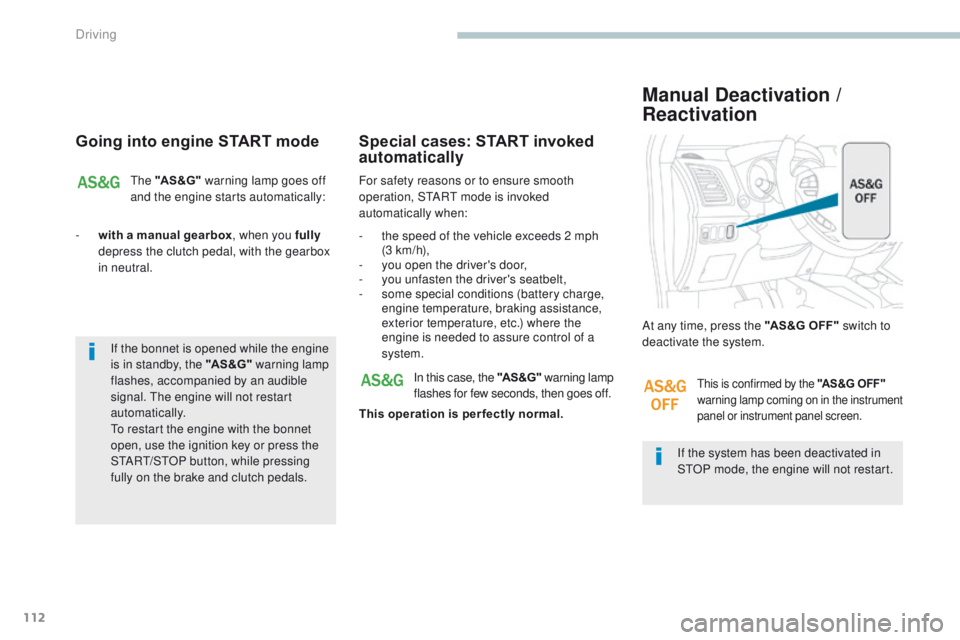
At any time, press the "AS&G OFF"
switch to
deactivate the system.
Manual Deactivation /
Reactivation
In this case, the "AS &G" warning lamp
flashes for few seconds, then goes off.
This operation is per fectly normal.this is confirmed by the "AS&G OFF"
warning lamp coming on in the instrument
panel or instrument panel screen.
If the bonnet is opened while the engine
is in standby, the "AS &G" warning lamp
flashes, accompanied by an audible
signal.
t
h
e engine will not restart
automatically.
to r
estart the engine with the bonnet
open, use the ignition key or press the
S
tA
R
t/
S
tO
P button, while pressing
fully on the brake and clutch pedals.
Driving
Page 118 of 368
116
4008_en_Chap04_conduite_ed01-2016
the reinitialisation instruction is entered in
the screen menu, with the ignition in the "ON"
position and the vehicle stationary.
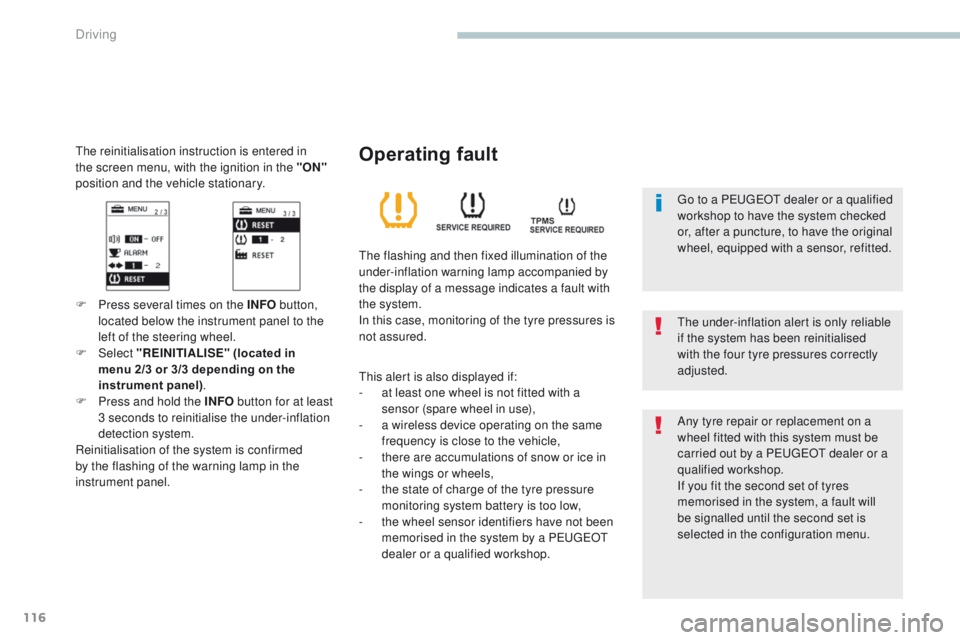
F Press several times on the INFO button,
located below the instrument panel to the
left of the steering wheel.
F
Select "REINITIALISE" (located in
menu
2/3 or 3/3 depending on the
instrument panel) .
F
P
ress and hold the INFO button for at least
3 seconds to reinitialise the under-inflation
detection system.
Reinitialisation of the system is confirmed
by the flashing of the warning lamp in the
instrument panel.
th
e under-inflation alert is only reliable
if the system has been reinitialised
with the four tyre pressures correctly
adjusted.
Operating fault
the flashing and then fixed illumination of the
under-inflation warning lamp accompanied by
the display of a message indicates a fault with
the system.
In this case, monitoring of the tyre pressures is
not assured.
th
is alert is also displayed if:
-
a
t least one wheel is not fitted with a
sensor (spare wheel in use),
-
a w
ireless device operating on the same
frequency is close to the vehicle,
-
t
here are accumulations of snow or ice in
the wings or wheels,
-
t
he state of charge of the tyre pressure
monitoring system battery is too low,
-
t
he wheel sensor identifiers have not been
memorised in the system by a P
e
uge
Ot
dealer or a qualified workshop. Any tyre repair or replacement on a
wheel fitted with this system must be
carried out by a P
e
uge
Ot
dealer or a
qualified workshop.
If you fit the second set of tyres
memorised in the system, a fault will
be signalled until the second set is
selected in the configuration menu.
go t
o a P
e
uge
Ot
dealer or a qualified
workshop to have the system checked
or, after a puncture, to have the original
wheel, equipped with a sensor, refitted.
Driving
Page 141 of 368
139
4008_en_Chap05_Eclairage-et-visibilite_ed01-2016
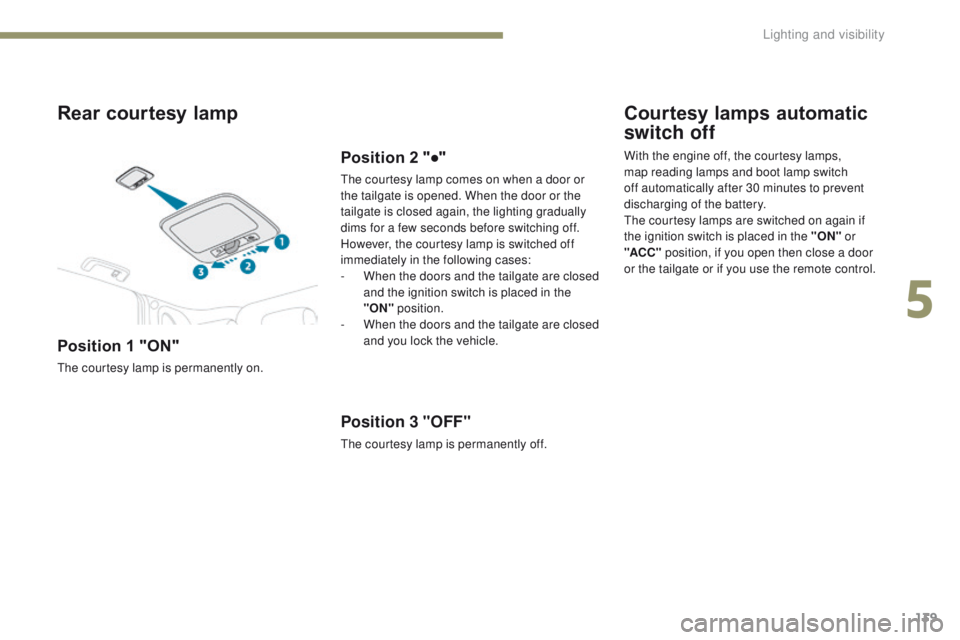
Rear courtesy lamp
Position 1 "ON"
the courtesy lamp is permanently on.
Position 2 "●"
the courtesy lamp comes on when a door or
the tailgate is opened. When the door or the
tailgate is closed again, the lighting gradually
dims for a few seconds before switching off.
However, the courtesy lamp is switched off
immediately in the following cases:
-
W
hen the doors and the tailgate are closed
and the ignition switch is placed in the
"ON" position.
-
W
hen the doors and the tailgate are closed
and you lock the vehicle.
Position 3 "OFF"
the courtesy lamp is permanently off.
Courtesy lamps automatic
switch off
With the engine off, the courtesy lamps,
map reading lamps and boot lamp switch
off automatically after 30 minutes to prevent
discharging of the battery.
th
e courtesy lamps are switched on again if
the ignition switch is placed in the "ON" or
"ACC " position, if you open then close a door
or the tailgate or if you use the remote control.
5
Lighting and visibility
Page 188 of 368
186
4008_en_Chap07_info-pratiques_ed01-2016
Checking components
12 V battery
Electrolyte level
For access to the 12 V Battery, refer
to the corresponding section. Refer to the warranty and
maintenance record for details of
the replacement intervals for these
components.
Air filter and passenger compartment filter
Replace the oil filter each time the
engine oil is changed.
Refer to the warranty and
maintenance record for details of
the replacement interval for this
component.
Oil filter
If necessary, top up using distilled water,
removing the battery cap from each cell.
Check the electrolyte level at least
once a month.
When carrying out work on the 12 V Battery
,
refer to the corresponding section for
details of the precautions to be taken before
disconnecting the battery and following its
reconnection.
un
less other wise indicated, check these components in accordance with the warranty and maintenance record and according to your engine.
Other wise, have them checked by a P
e
uge
Ot
dealer or a qualified workshop.
th
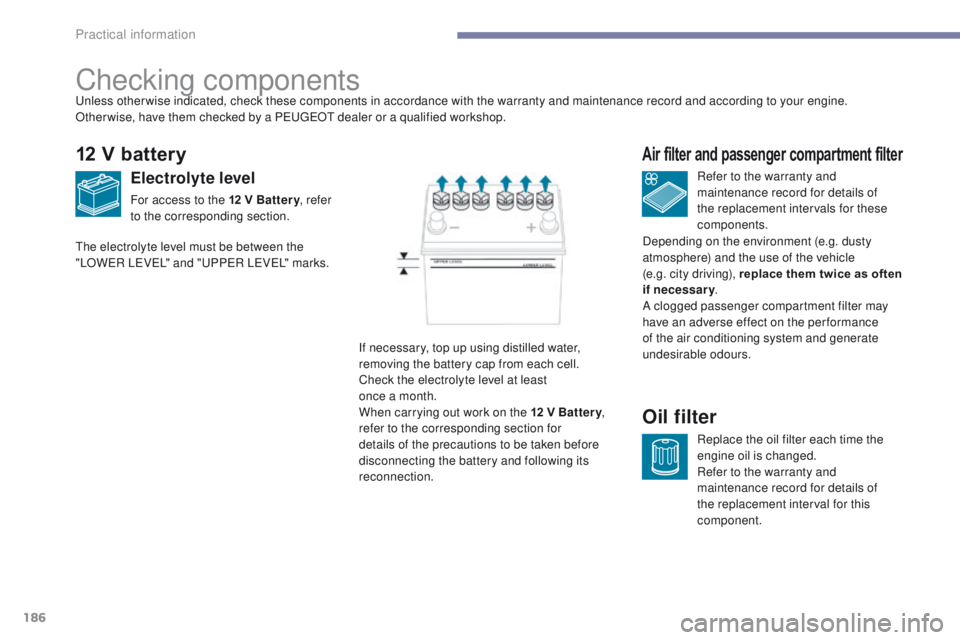
e electrolyte level must be between the
"LOW
eR LeVeL
" and "
uP
P
eR LeVeL
" marks.
Depending on the environment (e.g. dusty
atmosphere) and the use of the vehicle
(e.g. city driving), replace them twice as often
if necessary
.
A clogged passenger compartment filter may
have an adverse effect on the per formance
of the air conditioning system and generate
undesirable odours.
Practical information
Page 213 of 368
211
4008_en_Chap08_en-cas-de panne_ed01-2016
12 V battery
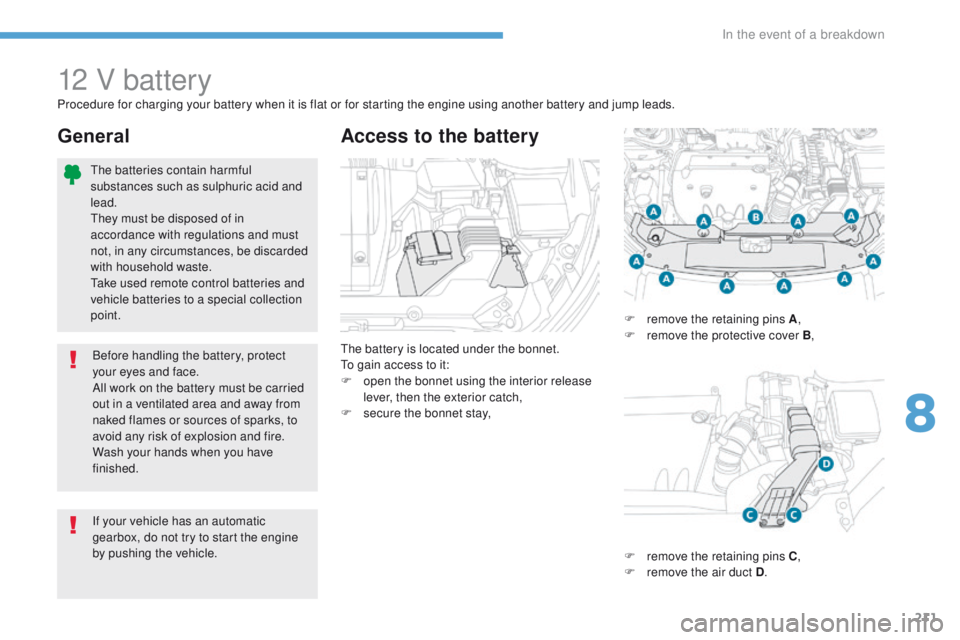
the battery is located under the bonnet.to g
ain access to it:
F
o
pen the bonnet using the interior release
lever, then the exterior catch,
F
s
ecure the bonnet stay,
Access to the battery
Procedure for charging your battery when it is flat or for starting the engine using another battery and jump leads.
F
r
emove the retaining pins A,
F
r
emove the protective cover B,
F
r
emove the retaining pins C,
F
r
emove the air duct D.
General
If your vehicle has an automatic
gearbox, do not try to start the engine
by pushing the vehicle.
th
e batteries contain harmful
substances such as sulphuric acid and
lead.
th
ey must be disposed of in
accordance with regulations and must
not, in any circumstances, be discarded
with household waste.
ta
ke used remote control batteries and
vehicle batteries to a special collection
point.
Before handling the battery, protect
your eyes and face.
All work on the battery must be carried
out in a ventilated area and away from
naked flames or sources of sparks, to
avoid any risk of explosion and fire.
Wash your hands when you have
finished.
8
In the event of a breakdown
Page 214 of 368
212
4008_en_Chap08_en-cas-de panne_ed01-2016
Check the electrolyte level and top up if
necessary.
For more information on Checking levels ,
refer to the corresponding section.
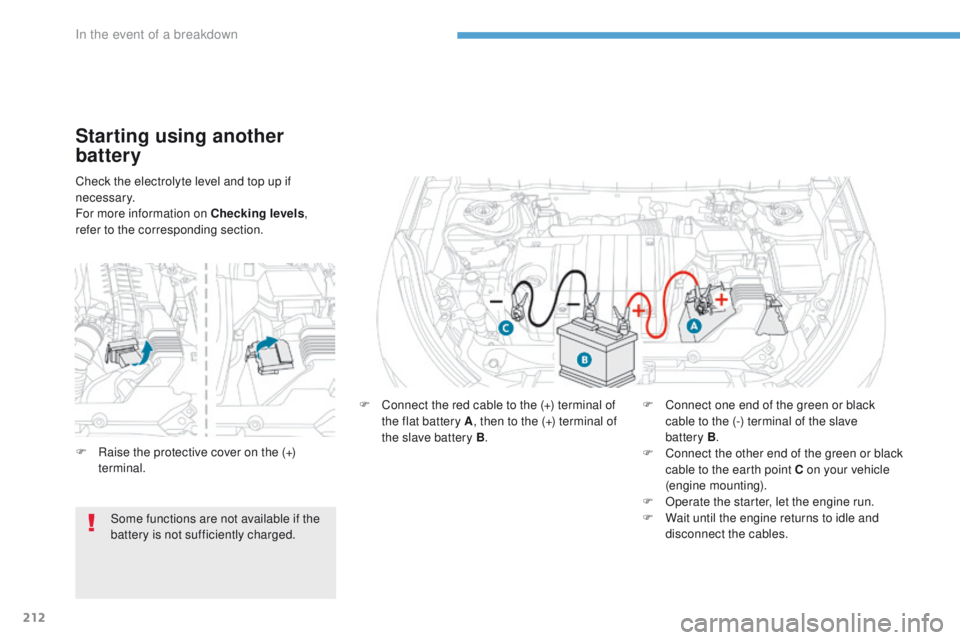
Starting using another
battery
F Connect the red cable to the (+) terminal of the flat battery A , then to the (+) terminal of
the slave battery B . F
C onnect one end of the green or black
cable to the (-) terminal of the slave
battery
B.
F
C
onnect the other end of the green or black
cable to the earth point C on your vehicle
(engine mounting).
F
O
perate the starter, let the engine run.
F
W
ait until the engine returns to idle and
disconnect the cables.
F
R
aise the protective cover on the (+)
terminal.
Some functions are not available if the
battery is not sufficiently charged.
In the event of a breakdown
Page 215 of 368
213
4008_en_Chap08_en-cas-de panne_ed01-2016
If you intend to charge your vehicle's
battery yourself, use only a charger
compatible with lead batteries, with a
nominal voltage of 12 V. F
D
isconnect the battery from the vehicle, if
necessary.
F
F
ollow the instructions for use provided by
the manufacturer of the charger.
F
R
econnect, starting with the (-) terminal.
F
C
heck that the terminals and connectors
are clean. If they are covered with sulphate
(whitish or greenish deposit), remove them
and clean them.Charging the battery using
a battery charger
Follow the instructions for use provided
by the manufacturer of the charger.
Never invert the polarities.
Never start the engine by connecting a
battery charger.
Never use a battery booster of 24 V or
higher.
Check first that the slave battery has a
nominal voltage of 12 V and a capacity
at least equal to that of the discharged
battery.th
e two vehicles must not touch.
Switch off all power-consuming
equipment on the two vehicles (audio
system, wipers, lamps, etc.).
en
sure that the slave cables do not
pass near the moving parts of the
engine (fan, belt, etc.).
Do not disconnect the (+) terminal while
the engine is running.
8
In the event of a breakdown
Page 216 of 368
214
4008_en_Chap08_en-cas-de panne_ed01-2016
Do not invert the polarities and use only a 12 V charger.
Do not disconnect the terminals while the engine is running.
Do not charge the batteries without disconnecting the terminals first.
Do not push the vehicle to start the engine if it is fitted with a CV
t
gearbox.
Disconnecting the battery
to maintain a sufficient level of charge
to start the engine, it is advisable to
disconnect the battery if the vehicle is not
going to be used for a very long period.
Before disconnecting the battery:
F
C
lose all the doors and windows, the
tailgate and the roof.
F
S
witch off all power-consuming
equipment (audio system, wipers,
lamps, etc.).
F
S
witch off the ignition and wait
4
minutes.
Once you have gained access to the
battery, start by disconnecting the (-)
terminal.
Following reconnection of the
battery
Following reconnection of the battery,
switch on the ignition and wait 1 minute
before starting to permit initialisation of the
electronic systems.
However, if problems remain following this
operation, contact a P
e
uge
Ot
dealer or a
qualified workshop.
Referring to the corresponding section, you
must reinitialise certain equipment yourself,
such as:
-
t
h
e remote control key or the electronic
key (depending on version).
-
t
h
e electric blind(s).
-
t
h
e electric windows.
-
t
h
e date and time.
-
t
h
e stored radio stations. Some functions are not available if the
battery is not sufficiently charged.
Never try to charge a frozen battery.
If the battery has been frozen, have it
checked by a Pe
ugeOt dealer or a
qualified workshop, who will check that
the internal components have not been
damaged and the casing is not cracked,
which could cause a leak of toxic and
corrosive acid.
th
e Stop & Start system may not be
operational during the trip following the
first engine start.
In this case, the system will only be
available again after a continuous
period of immobilisation of the vehicle,
a period which depends on the exterior
temperature and the state of charge of
the battery (up to about 8 hours).
In the event of a breakdown
Page 249 of 368
247
4008_EN_CHAP10B_MITSU6_ED01-2016
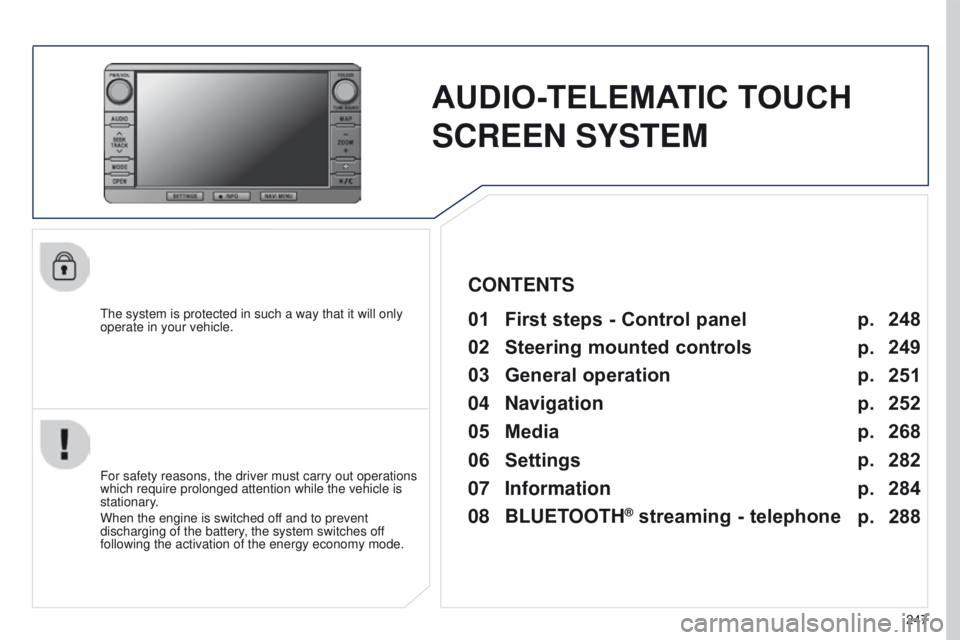
AUDIO-TELEMATIC TOUCH
SCREEN SYSTEM
the system is protected in such a way that it will only
operate in your vehicle.01 First steps - Control panel
For safety reasons, the driver must carry out operations
which require prolonged attention while the vehicle is
stationary.
When the engine is switched off and to prevent
discharging of the battery, the system switches off
following the activation of the energy economy mode.
CONTENTS
03
General
operation
04
Navigation
05
Media
06
Settings
07
Information p.
p.
p.
p.
p.
p.
p. 248
249
251
252
268
282
284
02
Steering
mounted controls p.
288
08
BLUETOOTH
® streaming - telephone
Page 265 of 368
04
263
4008_EN_CHAP10B_MITSU6_ED01-2016
NAVIGATION - GUIDANCE
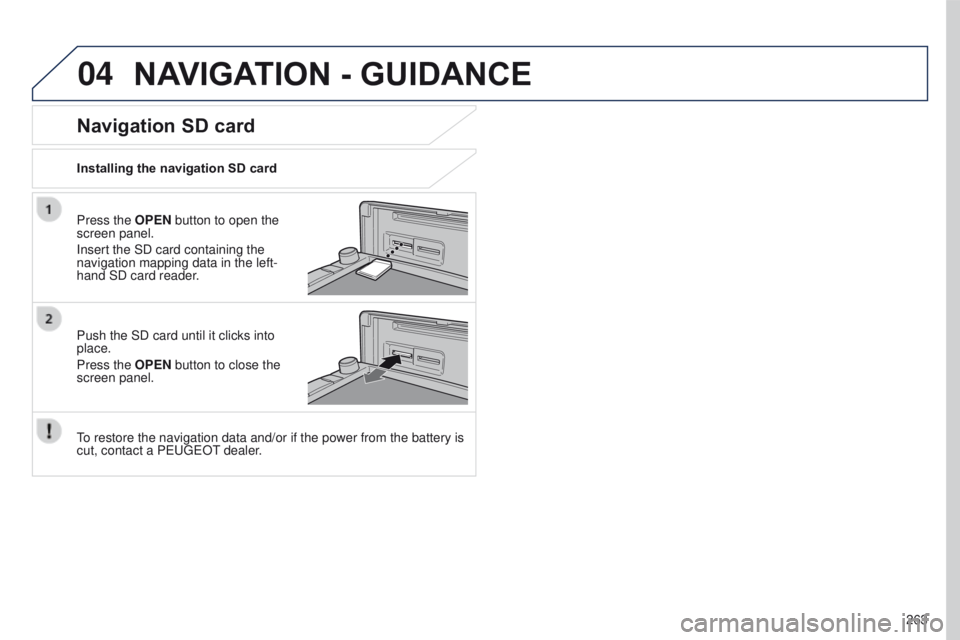
Press the OPEN button to open the
screen panel.
Insert the SD card containing the
navigation mapping data in the left-
hand SD card reader.
Push the SD card until it clicks into
place.
Press the OPEN button to close the
screen panel.
to restore the navigation data and/or if the power from the battery is
cut, contact a P
euge O t
dealer
.
Installing the navigation SD card
Navigation SD card