battery PEUGEOT 5008 2017 User Guide
[x] Cancel search | Manufacturer: PEUGEOT, Model Year: 2017, Model line: 5008, Model: PEUGEOT 5008 2017Pages: 404, PDF Size: 15.31 MB
Page 74 of 404
72
F press and release the front of button B again to fully close the sunroof.
With the sunroof fully or partly raised:
F
p
ress and release the front of button B
without going beyond the point of resistance
to fully close the sunroof.
F
p
ress and hold the front of button B without
going beyond the point of resistance; the
sunroof closes and stops when you release
the button.
Never leave the vehicle with the sunroof
open.
Anti-pinch system
If the sunroof encounters an obstacle when
closing, the movement is automatically
reversed.
The anti-pinch system is designed to be
effective at speeds of up to 75
mph (120 km/h).
Reinitialisation
Following reconnection of the battery or in
the event of a fault or jerky movement of
the sunroof, the opening sunroof must be
reinitialised:
F
p
ress the rear of button B until the sunroof
is fully open,
F
p
ress and hold the rear of button B again for
at least 3
seconds.
Check the condition of the sunroof seals
regularly (presence of dust or deposits,
dead leaves, etc.).
If using a car wash, check that the roof
is correctly closed in advance and keep
the tip of the high-pressure lance at least
30
centimetres from the seals.
Operating the sunroof blind
The closing movement of the blind is limited by
the position of the opening sunroof: the blind
cannot be further for ward than the front of the
mobile glass.
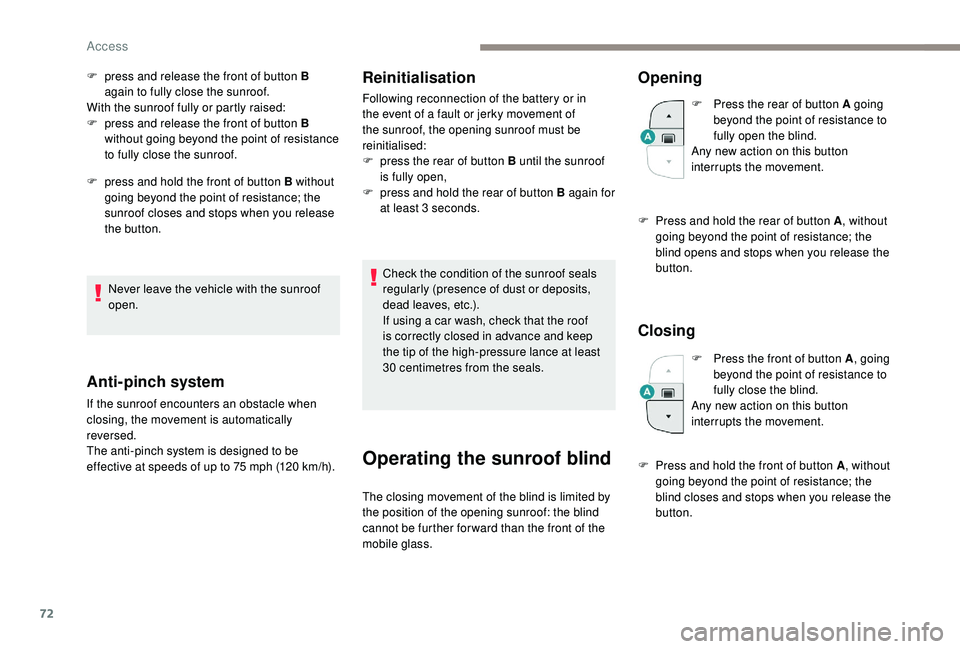
Opening
F Press the rear of button A going beyond the point of resistance to
fully open the blind.
Any new action on this button
interrupts the movement.
F
P
ress and hold the rear of button A , without
going beyond the point of resistance; the
blind opens and stops when you release the
button.
Closing
F Press the front of button A , going
beyond the point of resistance to
fully close the blind.
Any new action on this button
interrupts the movement.
F
P
ress and hold the front of button A , without
going beyond the point of resistance; the
blind closes and stops when you release the
button.
Access
Page 75 of 404
73
Anti-pinch system
If the blind encounters an obstacle when
closing, the movement is automatically
reversed.
Reinitialisation
Following reconnection of the battery or in the
event of a fault or jerky movement of the blind,
the blind must be reinitialised:
F
p
ress the rear of button A until the blind is
fully open,
F
p
ress and hold the rear of button A again for
at least 3
seconds.
During simultaneous closing of the sunroof
and the blind, if the blind catches up with
the sunroof, the blind then suspends its
movement and automatically resumes
when the sunroof stops. When locking the vehicle, pressing and
holding the locking button simultaneously
closes the windows and the sunroof
and then the blind. The movements are
interrupted when you release the locking
button.
Never leave the electronic key inside the
vehicle if you get out of the vehicle, even
for a short time.
If something is trapped when closing the
sunroof or blind, you should reverse the
movement of the sunroof or blind. To do
this, press the control button in question.
The driver must ensure that passengers
use the sunroof and blind correctly.
Be particularly aware of children when
operating the sunroof or blind.
2
Access
Page 104 of 404
102
"REAR" functionVentilation with the
ignition on
When the ignition is switched on, you can
use the ventilation system to adjust the air
flow settings and the air distribution in the
passenger compartment depending on the
battery charge.
This function does not operate the air
conditioning.
System switch-off
F Press this button.
Its indicator lamp comes on and all
other indicator lamps for the system
go of f.
This action deactivates all functions
of the air conditioning system. Avoid driving for too long with the
ventilation off or the system deactivated –
Risk of misting and deterioration of the air
quality!
Pressing any button reactivates the
system with the settings that were
previously in use.
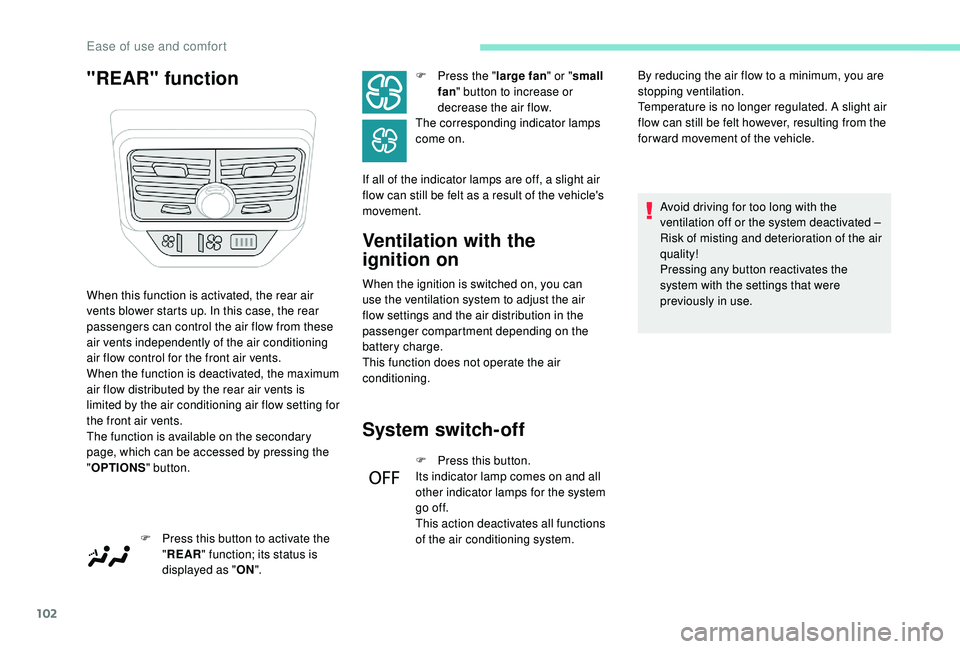
When this function is activated, the rear air
vents blower starts up. In this case, the rear
passengers can control the air flow from these
air vents independently of the air conditioning
air flow control for the front air vents.
When the function is deactivated, the maximum
air flow distributed by the rear air vents is
limited by the air conditioning air flow setting for
the front air vents.
The function is available on the secondary
page, which can be accessed by pressing the
"
OPTIONS " button.
F
P
ress this button to activate the
" REAR " function; its status is
displayed as " ON". F
P
ress the "
large fan " or "small
fan " button to increase or
decrease the air flow.
The corresponding indicator lamps
come on.
If all of the indicator lamps are off, a slight air
flow can still be felt as a result of the vehicle's
movement. By reducing the air flow to a minimum, you are
stopping ventilation.
Temperature is no longer regulated. A slight air
flow can still be felt however, resulting from the
for ward movement of the vehicle.
Ease of use and comfort
Page 111 of 404
109
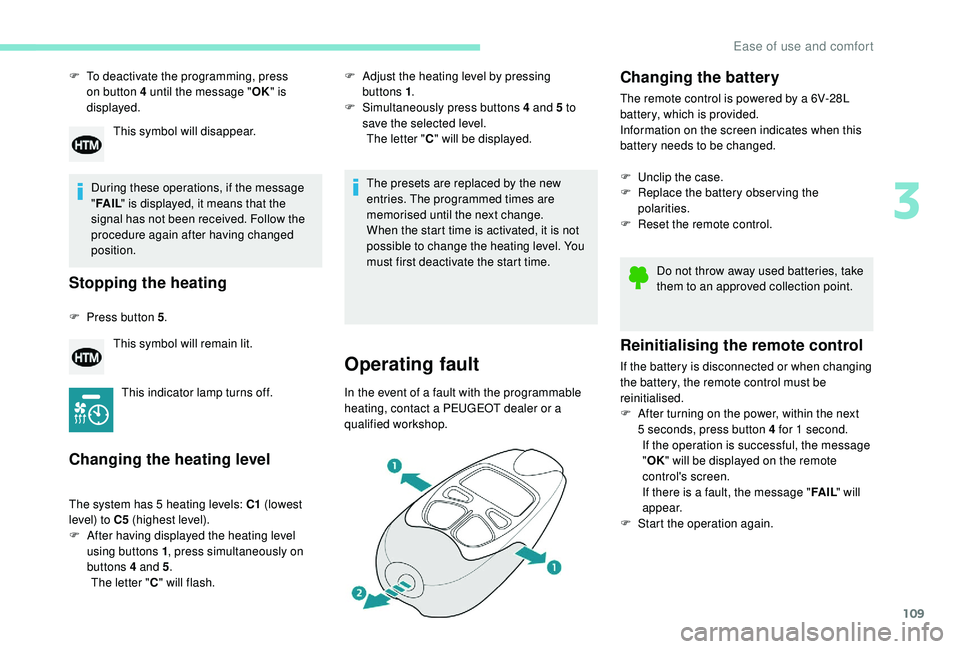
F To deactivate the programming, press on button 4 until the message " OK" is
displayed.
During these operations, if the message
" FA I L " is displayed, it means that the
signal has not been received. Follow the
procedure again after having changed
position.
Stopping the heating
F Press button 5 .
Changing the heating level
The system has 5 heating levels: C1 (lowest
level) to C5 (highest level).
F
A
fter having displayed the heating level
using buttons 1 , press simultaneously on
buttons 4
and 5.
The letter " C" will flash.
This symbol will disappear.
This symbol will remain lit.
This indicator lamp turns off. F
A
djust the heating level by pressing
buttons 1 .
F
S
imultaneously press buttons 4 and 5 to
save the selected level. The letter " C" will be displayed.
The presets are replaced by the new
entries. The programmed times are
memorised until the next change.
When the start time is activated, it is not
possible to change the heating level. You
must first deactivate the start time.
Operating fault
In the event of a fault with the programmable
heating, contact a PEUGEOT dealer or a
qualified workshop.
Changing the battery
The remote control is powered by a 6V-28L
battery, which is provided.
Information on the screen indicates when this
battery needs to be changed.
F
U
nclip the case.
F
R
eplace the battery observing the
polarities.
F
R
eset the remote control.
Reinitialising the remote control
If the battery is disconnected or when changing
the battery, the remote control must be
reinitialised.
F
A
fter turning on the power, within the next
5
seconds, press button 4 for 1 second.
If the operation is successful, the message
" OK " will be displayed on the remote
control's screen.
If there is a fault, the message " FA I L" will
appear.
F
St
art the operation again.Do not throw away used batteries, take
them to an approved collection point.
3
Ease of use and comfort
Page 115 of 404
113
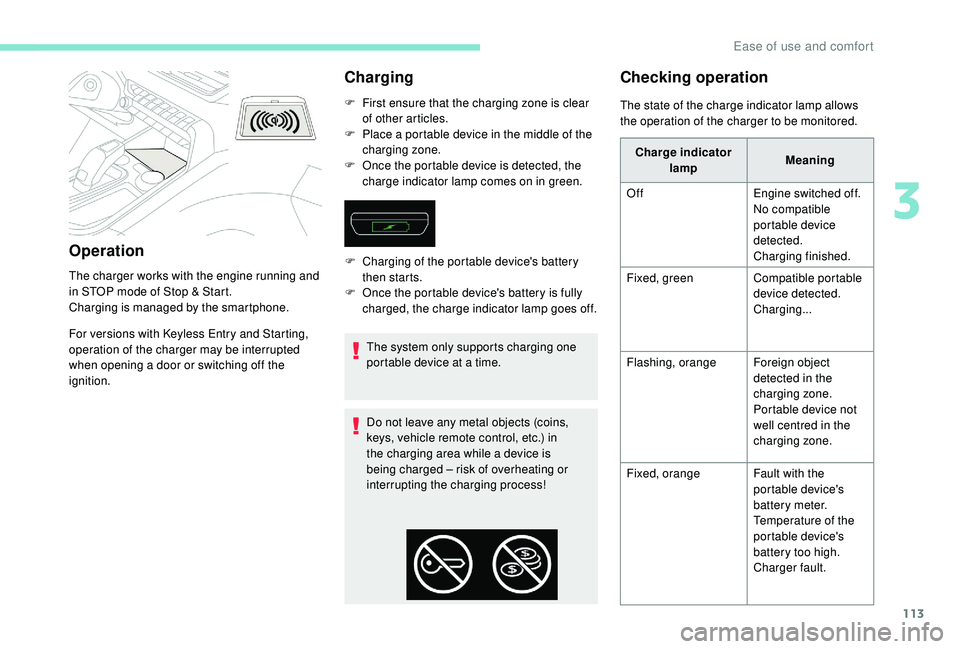
Operation
The charger works with the engine running and
in STOP mode of Stop & Start.
Charging is managed by the smartphone.
For versions with
K
eyless Entry and Starting,
operation of the charger may be interrupted
when opening a door or switching off the
ignition.
Charging
F First ensure that the charging zone is clear of other articles.
F
P
lace a portable device in the middle of the
charging zone.
F
O
nce the portable device is detected, the
charge indicator lamp comes on in green.
The system only supports charging one
portable device at a time.
Do not leave any metal objects (coins,
keys, vehicle remote control, etc.) in
the charging area while a device is
being charged – risk of overheating or
interrupting the charging process!
Checking operation
F Charging of the portable device's battery then starts.
F
O
nce the portable device's battery is fully
charged, the charge indicator lamp goes off. The state of the charge indicator lamp allows
the operation of the charger to be monitored.
Charge indicator lamp Meaning
Off Engine switched off.
No compatible
portable device
detected.
Charging finished.
Fixed, green Compatible portable
device detected.
Charging...
Flashing, orange Foreign object
detected in the
charging zone.
Portable device not
well centred in the
charging zone.
Fixed, orange Fault with the
portable device's
battery meter.
Temperature of the
portable device's
battery too high.
Charger fault.
3
Ease of use and comfort
Page 128 of 404
126
Switching off the lamps when the
ignition is switched off
On switching off the ignition, all of the
lamps turn off immediately, except for
dipped beam if automatic guide-me-home
lighting is activated.
Switching on the lamps after the
ignition is switched off
To reactivate the lighting control, rotate
ring A to the 0 position – lamps off, then to
the desired position.
On opening the driver's door a temporary
audible signal warns the driver that the
lighting is on.
They will go off automatically after a
period of time that depends on the state of
charge in battery (entering energy-saving
m o d e).
In some weather conditions (e.g. low
temperature or humidity), the presence
of misting on the internal sur face of the
glass of the headlamps and rear lamps is
normal; it disappears after the lamps have
been on for a few minutes. Travelling abroad
If using your vehicle in a country that
drives on the other side of the road, the
headlamps must be adjusted to avoid
dazzling oncoming drivers.
Contact a PEUGEOT dealer or a qualified
workshop.
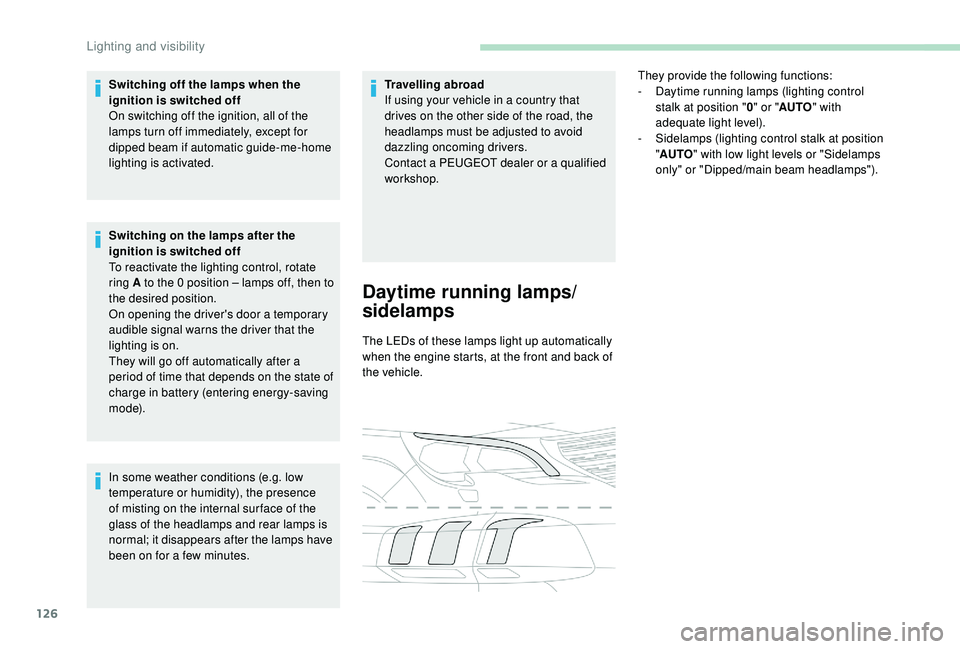
Daytime running lamps/
sidelamps
The LEDs of these lamps light up automatically
when the engine starts, at the front and back of
the vehicle.
They provide the following functions:
-
D
aytime running lamps (lighting control
stalk at position " 0" or " AUTO " with
adequate light level).
-
S
idelamps (lighting control stalk at position
" AUTO " with low light levels or "Sidelamps
only" or "Dipped/main beam headlamps").
Lighting and visibility
Page 142 of 404
140
The green indicator lamp remains on (without
flashing) when communication is established.
It goes off at the end of the call."Peugeot Connect SOS" immediately locates
your vehicle, contacts you in your own
language**, and, where necessary, requests
the appropriate public emergency services
to be sent. In countries where the ser vice is
not operational, the call is sent directly to the
emergency services (112) without location.
If an impact is detected by the airbag
control unit, and independently of the
deployment of any airbags, an emergency
call is made automatically.
If you benefit from the Peugeot Connect
Packs offer with the SOS and assistance
pack included, there are additional
ser vices available to you in your personal
space, via the website for your country.
Operation of the system
When the ignition is switched on,
the green indicator lamp comes
on for 3 seconds indicating that
the system is operating correctly. For all countries except Russia, Belarus
and Kazakhstan.
The red indicator lamp is on
continuously: there is a system
fault.
The red indicator lamp flashes: replace the
back-up battery.
In either case, the emergency and assistance
calls may not function.
Contact a qualified repairer as soon as
possible.
The system's fault does not prevent the
vehicle from being driven.
Peugeot Connect SOS
** As per the geographic coverage of "Peugeot Connect SOS", "Peugeot Connect
Assistance" and the official national
language chosen by the owner of the
vehicle.
T
he list of countries covered and PEUGEOT
CONNECT services is available from
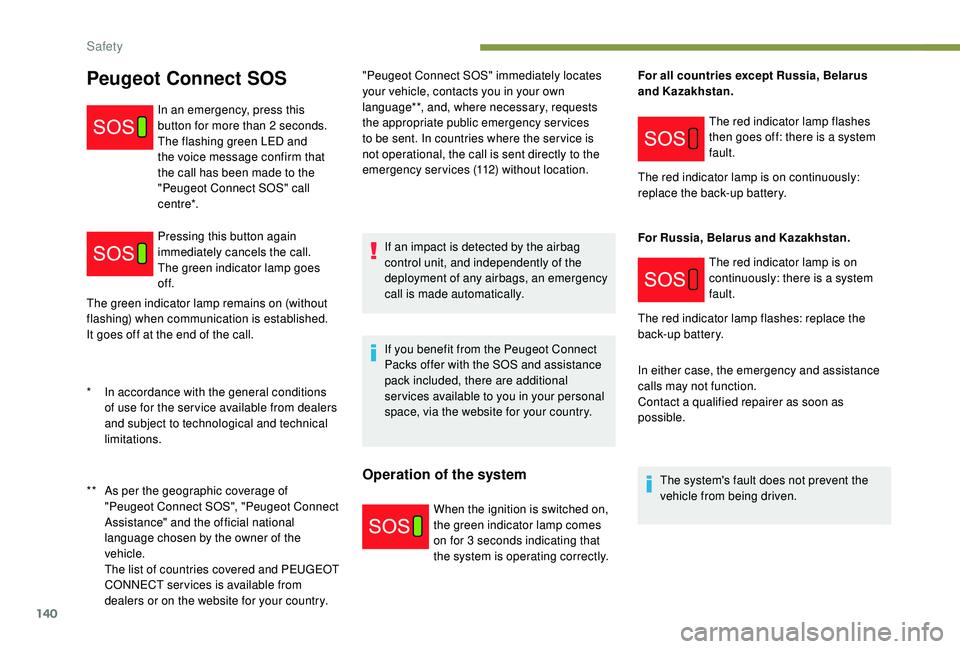
dealers or on the website for your country. In an emergency, press this
button for more than 2
seconds.
The flashing green LED and
the voice message confirm that
the call has been made to the
"Peugeot Connect SOS" call
c e nt r e*.
Pressing this button again
immediately cancels the call.
The green indicator lamp goes
of f.
*
I
n accordance with the general conditions
of use for the ser vice available from dealers
and subject to technological and technical
limitations. The red indicator lamp flashes
then goes off: there is a system
fault.
The red indicator lamp is on continuously:
replace the back-up battery.
For Russia, Belarus and Kazakhstan.
Safety
Page 179 of 404
177
Anti-theft protection
Electronic immobiliser
The keys contain an electronic chip which has
a secret code. When the ignition is switched
on, this code must be recognised in order for
starting to be possible.
A few seconds after switching off the ignition,
this system locks the engine control system,
therefore preventing the engine from being
started in the event of a break-in.
If the system fails, as reported by a message,
the engine will not start.
Contact a PEUGEOT dealer.
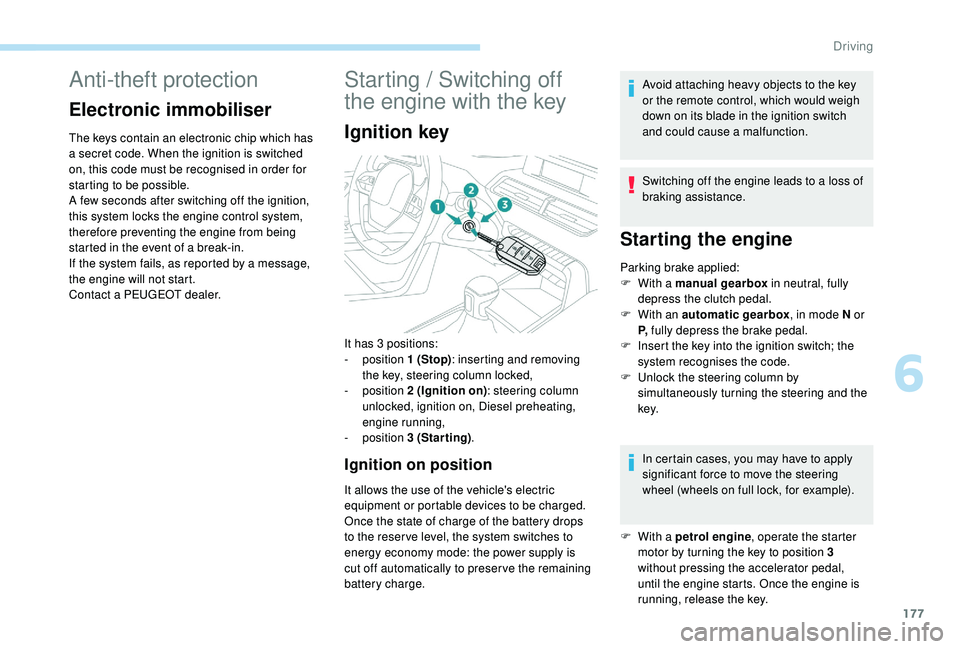
Starting / Switching off
the engine with the key
Ignition key
Ignition on position
It allows the use of the vehicle's electric
equipment or portable devices to be charged.
Once the state of charge of the battery drops
to the reser ve level, the system switches to
energy economy mode: the power supply is
cut off automatically to preser ve the remaining
battery charge.Avoid attaching heavy objects to the key
or the remote control, which would weigh
down on its blade in the ignition switch
and could cause a malfunction.
Switching off the engine leads to a loss of
braking assistance.
Starting the engine
Parking brake applied:
F
W ith a manual gearbox in neutral, fully
depress the clutch pedal.
F
W
ith an automatic gearbox , in mode N or
P, fully depress the brake pedal.
F
I
nsert the key into the ignition switch; the
system recognises the code.
F
U
nlock the steering column by
simultaneously turning the steering and the
key.
In certain cases, you may have to apply
significant force to move the steering
wheel (wheels on full lock, for example).
It has 3
positions:
-
position 1
(Stop) : inserting and removing
the key, steering column locked,
-
position 2
(Ignition on) : steering column
unlocked, ignition on, Diesel preheating,
engine running,
-
position 3
(Starting) .
F
W
ith a petrol engine , operate the starter
motor by turning the key to position 3
without pressing the accelerator pedal,
until the engine starts. Once the engine is
running, release the key.
6
Driving
Page 182 of 404
180
If the vehicle is not immobilised, the
engine will not stop.
Never leave your vehicle with the
electronic key still inside.
Switching off the engine leads to a loss of
braking assistance.
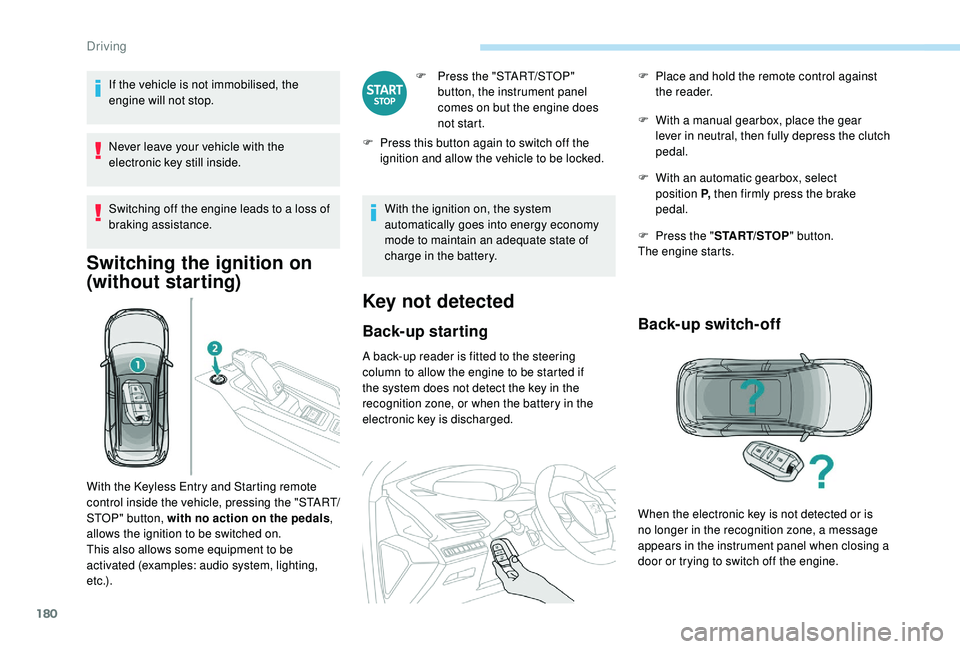
Switching the ignition on
(without starting)
F Press the "START/STOP" button, the instrument panel
comes on but the engine does
not start.
F
P
ress this button again to switch off the
ignition and allow the vehicle to be locked.
With the ignition on, the system
automatically goes into energy economy
mode to maintain an adequate state of
charge in the battery.
Key not detected
Back-up starting
A back-up reader is fitted to the steering
column to allow the engine to be started if
the system does not detect the key in the
recognition zone, or when the battery in the
electronic key is discharged. F
W
ith a manual gearbox, place the gear
lever in neutral, then fully depress the clutch
pedal.
F
W
ith an automatic gearbox, select
position P, then firmly press the brake
pedal.
F
P
ress the "
START/STOP " button.
The engine starts.
Back-up switch-off
With the Keyless Entry and Starting remote
control inside the vehicle, pressing the "START/
STOP" button, with no action on the pedals ,
allows the ignition to be switched on.
This also allows some equipment to be
activated (examples: audio system, lighting,
e t c .) . F
P
lace and hold the remote control against
the reader.
When the electronic key is not detected or is
no longer in the recognition zone, a message
appears in the instrument panel when closing a
door or trying to switch off the engine.
Driving
Page 183 of 404
181
Emergency switch-off
F To confirm the instruction to switch off the engine, press the " START/STOP" button for
about five seconds.
In the event of a fault with the electronic key,
contact a PEUGEOT dealer or a qualified
workshop.
In the event of an emergency only, the engine
can be switched off without conditions (even
when driving).
Press the " START/STOP " button for about five
seconds.
In this case, the steering column locks as soon
as the vehicle stops.
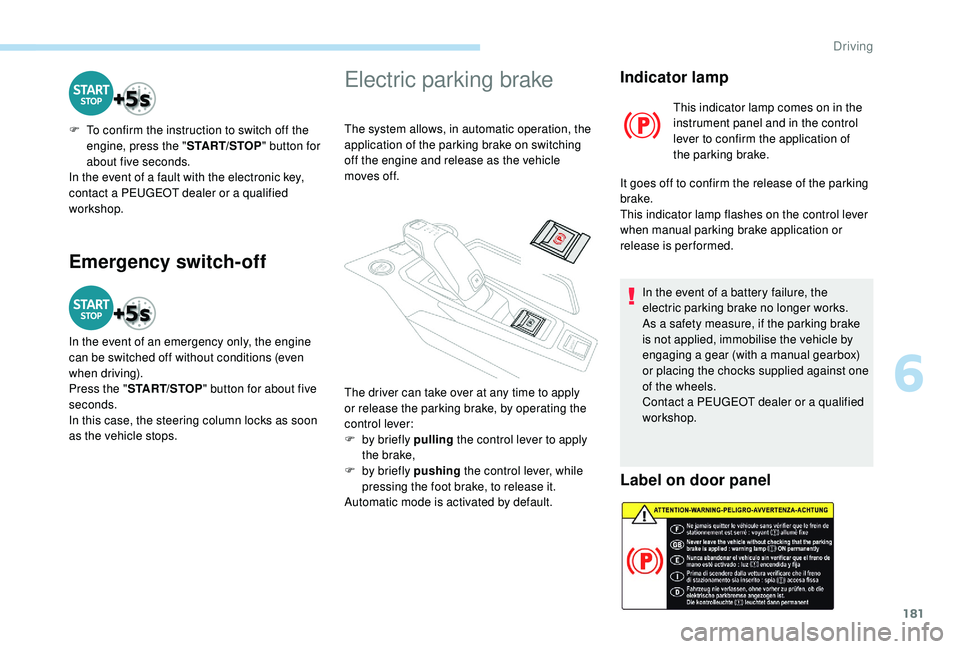
Electric parking brake
The system allows, in automatic operation, the
application of the parking brake on switching
off the engine and release as the vehicle
moves off.
Indicator lamp
This indicator lamp comes on in the
instrument panel and in the control
lever to confirm the application of
the parking brake.
It goes off to confirm the release of the parking
brake.
This indicator lamp flashes on the control lever
when manual parking brake application or
release is performed.
In the event of a battery failure, the
electric parking brake no longer works.
As a safety measure, if the parking brake
is not applied, immobilise the vehicle by
engaging a gear (with a manual gearbox)
or placing the chocks supplied against one
of the wheels.
Contact a PEUGEOT dealer or a qualified
workshop.
Label on door panel
The driver can take over at any time to apply
or release the parking brake, by operating the
control lever:
F
b
y briefly pulling the control lever to apply
the brake,
F
b
y briefly pushing the control lever, while
pressing the foot brake, to release it.
Automatic mode is activated by default.
6
Driving