wheel PEUGEOT 5008 2017 User Guide
[x] Cancel search | Manufacturer: PEUGEOT, Model Year: 2017, Model line: 5008, Model: PEUGEOT 5008 2017Pages: 404, PDF Size: 15.31 MB
Page 70 of 404
68
Precautions in use
Recommendations related
to the "Hands-Free Tailgate
Access" function
If several kicking movements to operate the
tailgate have no effect, wait a few seconds
before trying again.
The function automatically deactivates in heavy
rain or following a build-up of snow.If it does not work, check that the electronic key
is not exposed to a source of electromagnetic
pollution (smartphone etc.).
The function may not work correctly with a
prosthetic leg.
The function may not work correctly if your
vehicle is fitted with a towbar.
In some circumstances, the tailgate may open
or close by itself, particularly if:
-
y
ou hitch or unhitch a trailer,
-
y
ou fit or remove a bicycle carrier,
-
y
ou load or unload bicycles from a bicycle
c a r r i e r,
-
y
ou place or lift something behind the
vehicle,
-
an
animal approaches the rear bumper,
-
y
ou are washing your vehicle,
-
y
our vehicle is being serviced,
-
y
ou are accessing the spare wheel
(depending on version).
To avoid such operating problems, keep the
electronic key away from the sensor zone or
deactivate the "Hands-Free Tailgate Access"
function.
In wintry conditions
In the event of an accumulation of snow
on the tailgate, clear the snow before
commanding a motorised opening of the
tailgate.
The formation of ice can block the tailgate
and prevent its opening: wait until the ice
melts with the heating of the passenger
compartment.
When washing
When washing the vehicle in an automatic
car wash, do not forget to lock your vehicle
to avoid the risk of unexpected opening.
Reinitialising the motorised
tailgate
This operation is necessary where there is no
movement – after detection of an obstacle,
connecting or recharging the battery, etc.
F
O
pen the tailgate manually, if necessary.
F
F
ully close the tailgate manually.
If the problem persists, contact a PEUGEOT
dealer or a qualified workshop. Repeatedly opening and closing of the
motorised tailgate can cause overheating
of its electric motor, after which opening
and closing will not be possible.
Allow at least 10
minutes for the electric
motor to cool down before operating the
tailgate again.
If you are unable to wait, operate it
manually.
Access
Page 76 of 404
74
Driving position
Adopting a good driving position helps improve
your comfort and protection.
It also optimises interior and exterior visibility
as well as access to controls.
Sitting comfortably
Whether or not your vehicle has certain seat
adjustments described in this section depends
on the trim level and country of sale.
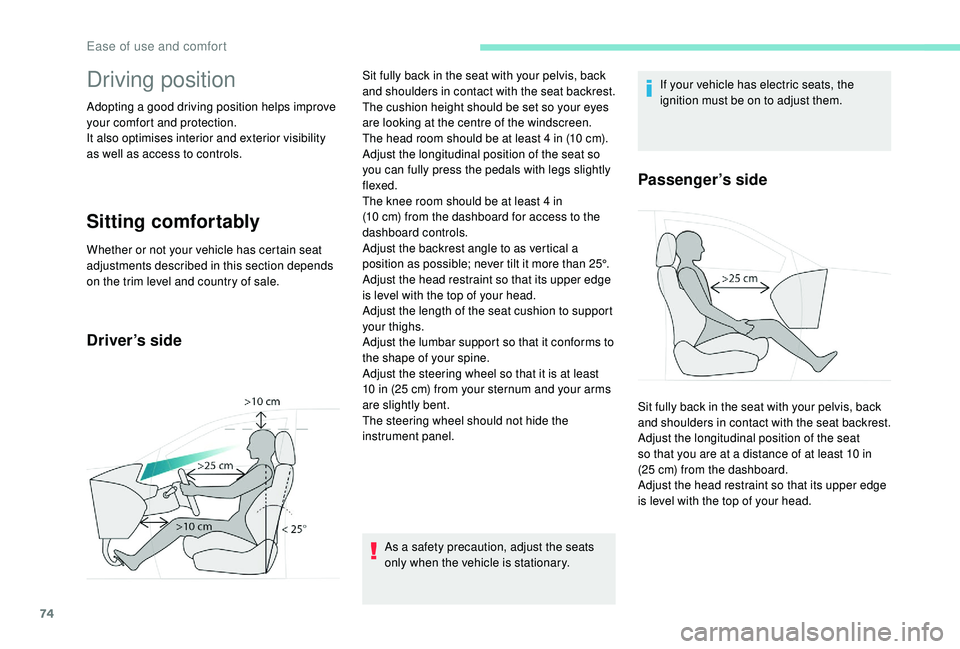
Driver’s side
As a safety precaution, adjust the seats
only when the vehicle is stationary.If your vehicle has electric seats, the
ignition must be on to adjust them.
Passenger’s side
Sit fully back in the seat with your pelvis, back
and shoulders in contact with the seat backrest.
The cushion height should be set so your eyes
are looking at the centre of the windscreen.
The head room should be at least 4
in (10 cm).
Adjust the longitudinal position of the seat so
you can fully press the pedals with legs slightly
flexed.
The knee room should be at least 4
in
(10
cm) from the dashboard for access to the
dashboard controls.
Adjust the backrest angle to as vertical a
position as possible; never tilt it more than 25°.
Adjust the head restraint so that its upper edge
is level with the top of your head.
Adjust the length of the seat cushion to support
your thighs.
Adjust the lumbar support so that it conforms to
the shape of your spine.
Adjust the steering wheel so that it is at least
10
in (25 cm) from your sternum and your arms
are slightly bent.
The steering wheel should not hide the
instrument panel. Sit fully back in the seat with your pelvis, back
and shoulders in contact with the seat backrest.
Adjust the longitudinal position of the seat
so that you are at a distance of at least 10
in
(25
cm) from the dashboard.
Adjust the head restraint so that its upper edge
is level with the top of your head.
Ease of use and comfort
Page 77 of 404
75
Before moving off
If your vehicle has electric door mirrors,
the ignition must be on to adjust them.
When driving
Never adjust the seats or steering wheel
when driving.
Always keep your feet on the floor.
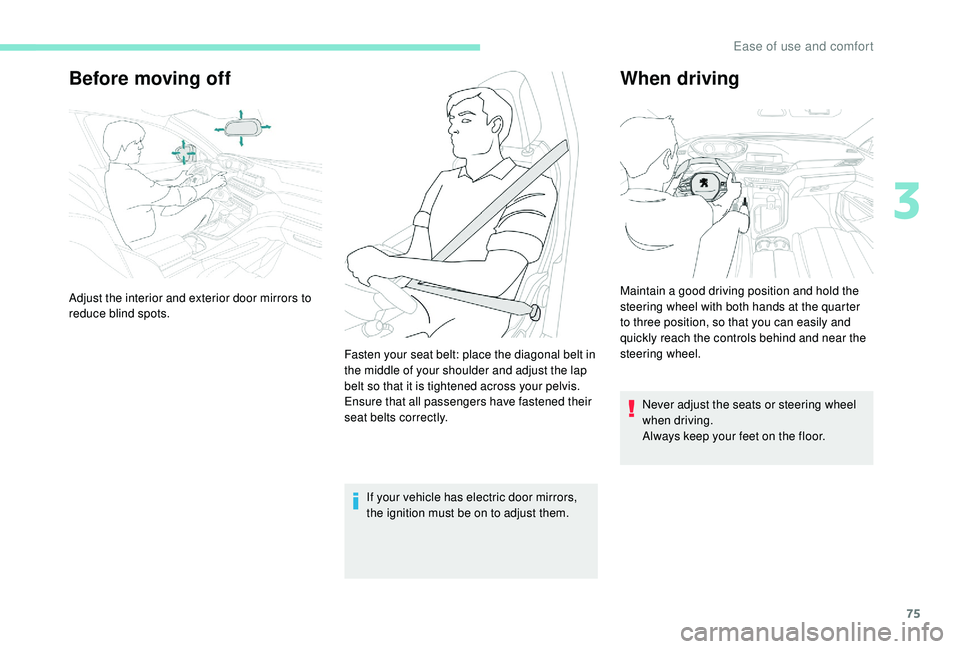
Adjust the interior and exterior door mirrors to
reduce blind spots.
Fasten your seat belt: place the diagonal belt in
the middle of your shoulder and adjust the lap
belt so that it is tightened across your pelvis.
Ensure that all passengers have fastened their
seat belts correctly. Maintain a good driving position and hold the
steering wheel with both hands at the quarter
to three position, so that you can easily and
quickly reach the controls behind and near the
steering wheel.
3
Ease of use and comfort
Page 85 of 404
83
Steering wheel adjustment
As a safety measure, these adjustments
should only be carried out with the vehicle
stationary.
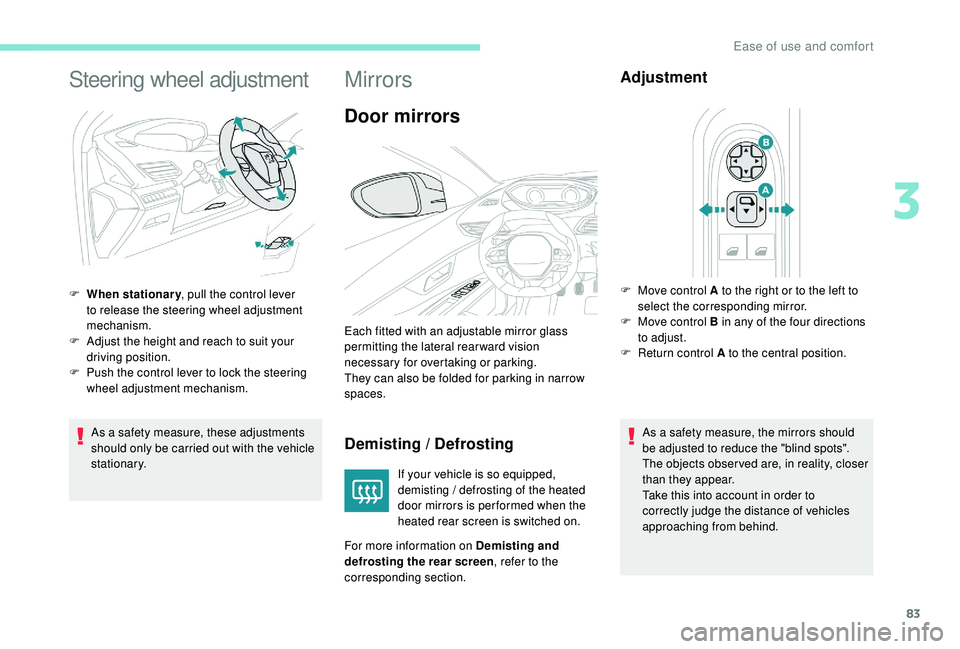
F
W
hen stationary
, pull the control lever
to release the steering wheel adjustment
mechanism.
F
A
djust the height and reach to suit your
driving position.
F
P
ush the control lever to lock the steering
wheel adjustment mechanism.
Mirrors
Door mirrors
Demisting / Defrosting
If your vehicle is so equipped,
demisting / defrosting of the heated
door mirrors is per formed when the
heated rear screen is switched on.
For more information on Demisting and
defrosting the rear screen , refer to the
corresponding section.
Adjustment
As a safety measure, the mirrors should
be adjusted to reduce the "blind spots".
The objects obser ved are, in reality, closer
than they appear.
Take this into account in order to
correctly judge the distance of vehicles
approaching from behind.
Each fitted with an adjustable mirror glass
permitting the lateral rearward vision
necessary for overtaking or parking.
They can also be folded for parking in narrow
spaces.
F
M
ove control A to the right or to the left to
select the corresponding mirror.
F
M
ove control B in any of the four directions
to adjust.
F
R
eturn control A to the central position.
3
Ease of use and comfort
Page 112 of 404
110
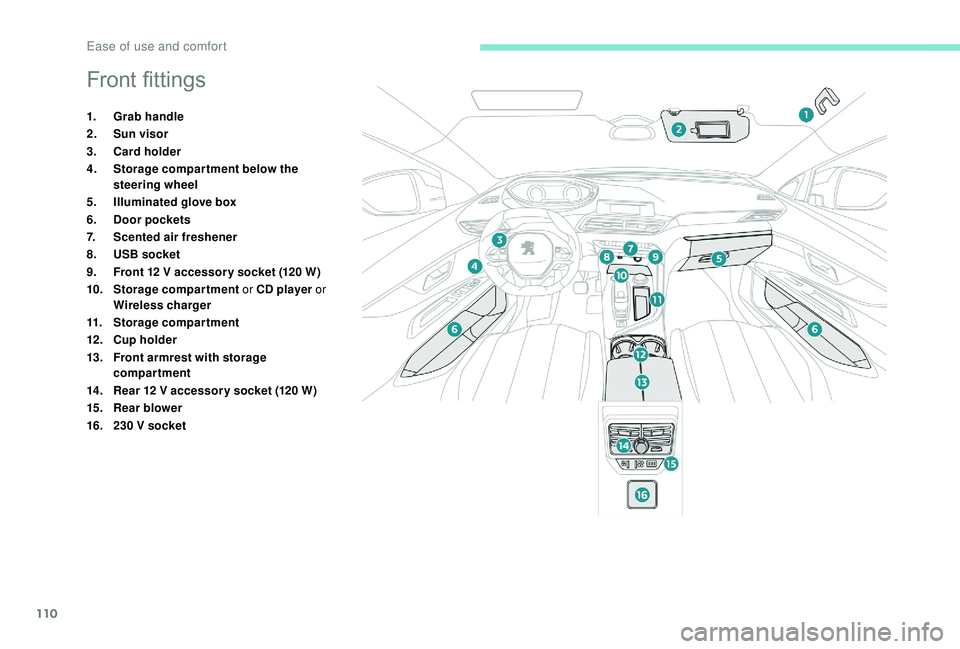
Front fittings
1.Grab handle
2. Sun visor
3. Card holder
4. Storage compar tment below the
steering wheel
5. Illuminated glove box
6. Door pockets
7. Scented air freshener
8. USB socket
9. Front 12
V accessor y socket (120 W)
10. Storage compartment or CD player or
Wireless charger
11. Storage compartment
12 . Cup holder
13. Front armrest with storage
compartment
14 . Rear 12
V accessor y socket (120 W)
15. Rear blower
16. 230
V socket
Ease of use and comfort
Page 114 of 404
112
USB portThe USB port also allows a smartphone to be
connected by MirrorLink™ or CarPlay®, so that
certain applications on the smartphone can be
used in the touch screen.
FOCAL® premium Hi-Fi
system
10 speakers incorporating exclusive FOCAL®
technologies offer the pleasure of pure and
detailed sound inside the vehicle:
-
H
igh fidelity woofer / mid-range speakers:
Polyglass technology delivering balance
and precise sound.
-
T
NF tweeters: Inverted dome aluminium
technology giving optimum sound
dispersion and very detailed treble.
-
S
ub-woofer: 200
mm triple coil Power
Flower™ technology for defined and
dynamic reproduction of low frequencies.
-
1
2-way active amplification – 515
Watts:
Hybrid Class AB / Class D technology
providing breadth and finesse in the high
frequency signals, as well as real power in
the bass.
Wireless charger
This system allows the wireless charging of a
portable device, such as a smartphone, using
the principle of magnetic induction, based on
the Qi 1.1
standard.
The portable device to be charged must be
compatible with the Qi standard, either by
design or by using a compatible holder or shell.
The charging zone is identified by the Qi
symbol.
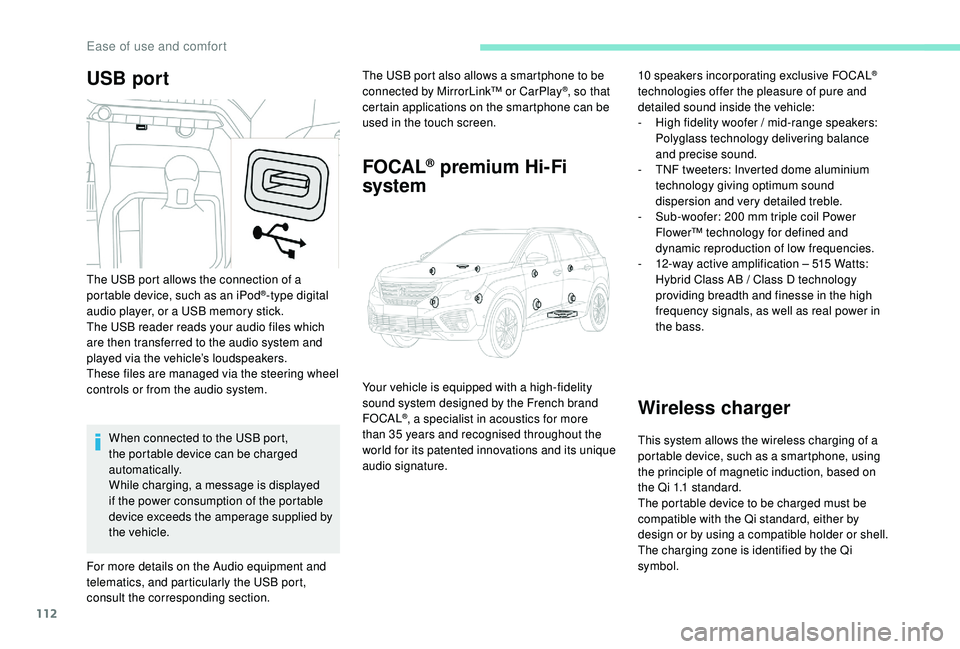
The USB port allows the connection of a
portable device, such as an iPod
®-type digital
audio player, or a USB memory stick.
The USB reader reads your audio files which
are then transferred to the audio system and
played via the vehicle’s loudspeakers.
These files are managed via the steering wheel
controls or from the audio system.
When connected to the USB port,
the portable device can be charged
automatically.
While charging, a message is displayed
if the power consumption of the portable
device exceeds the amperage supplied by
the vehicle.
For more details on the Audio equipment and
telematics, and particularly the USB port,
consult the corresponding section. Your vehicle is equipped with a high-fidelity
sound system designed by the French brand
FOCAL
®, a specialist in acoustics for more
than 35
years and recognised throughout the
world for its patented innovations and its unique
audio signature.
Ease of use and comfort
Page 135 of 404
133
Cornering lightingActivation / Deactivation
The cornering lighting can be
activated or deactivated in the
Vehicle / Driving menu of the touch
screen.
Switching on
This system starts:
- w hen the corresponding direction indicator
is switched on,
or
-
f
rom a certain angle of rotation of the
steering wheel.
Switching off
The system does not operate:
- b elow a certain angle of rotation of the
steering wheel,
-
a
bove 25 mph (40 km/h),
-
w
hen reverse gear is engaged.
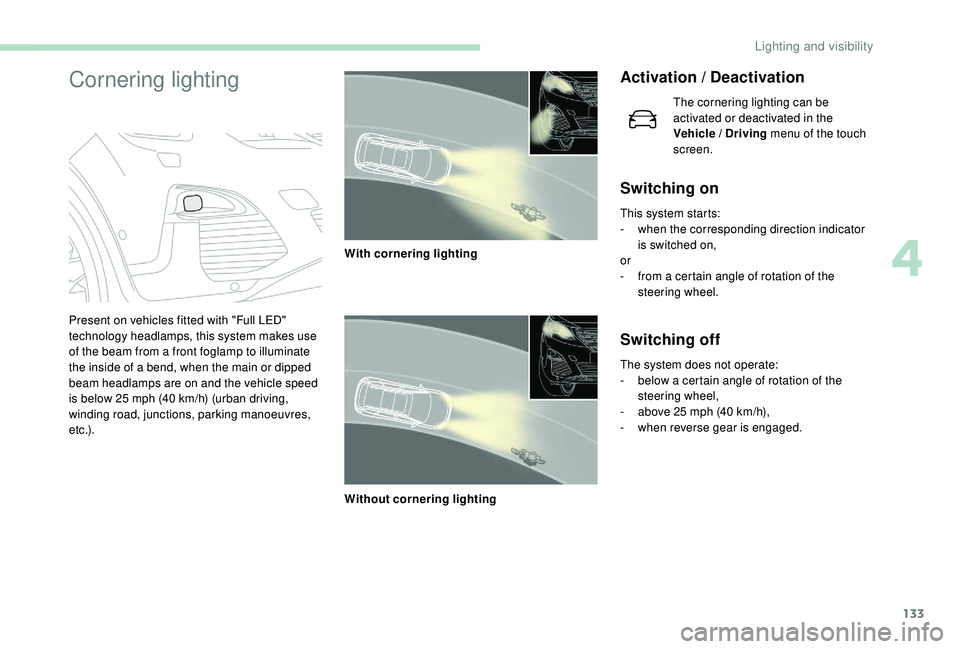
Present on vehicles fitted with "Full LED"
technology headlamps, this system makes use
of the beam from a front foglamp to illuminate
the inside of a bend, when the main or dipped
beam headlamps are on and the vehicle speed
is below 25 mph (40 km/h) (urban driving,
winding road, junctions, parking manoeuvres,
e t c .) . With cornering lighting
Without cornering lighting
4
Lighting and visibility
Page 141 of 404
139
Hazard warning lamps
Automatic operation of
hazard warning lamps
When braking in an emergency, depending on
the force of deceleration, the hazard warning
lamps come on automatically. They switch off
automatically the first time you accelerate.
It is also possible to switch them off by pressing
the switch on the dashboard.
Horn
Audible warning system to alert other road
users to an imminent danger.
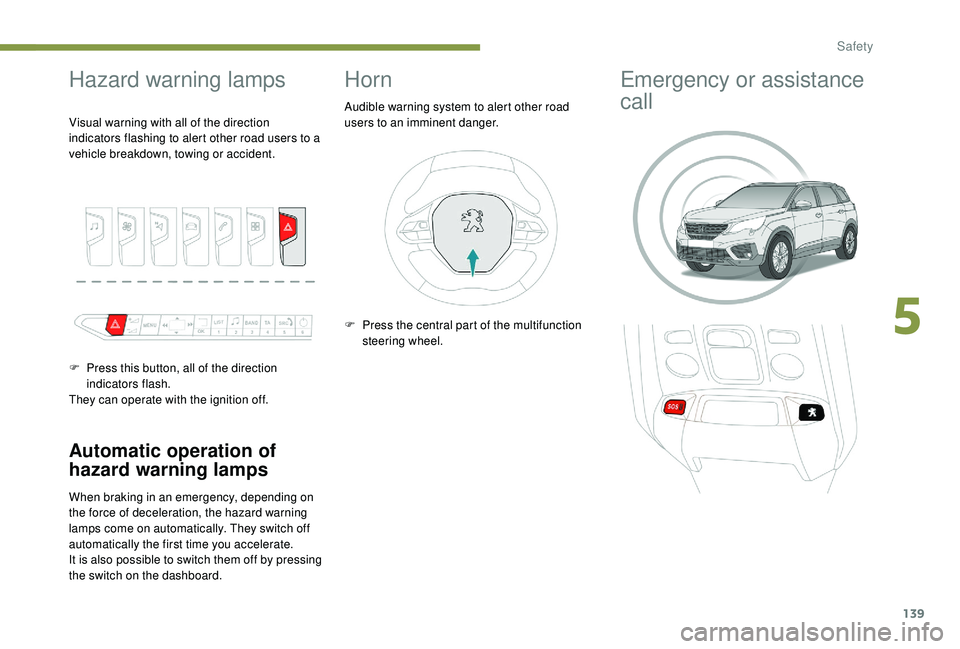
Visual warning with all of the direction
indicators flashing to alert other road users to a
vehicle breakdown, towing or accident.
F
P
ress this button, all of the direction
indicators flash.
They can operate with the ignition off. F
P
ress the central part of the multifunction
steering wheel.
Emergency or assistance
call
5
Safety
Page 144 of 404
142
Electronic stability control
(ESC)
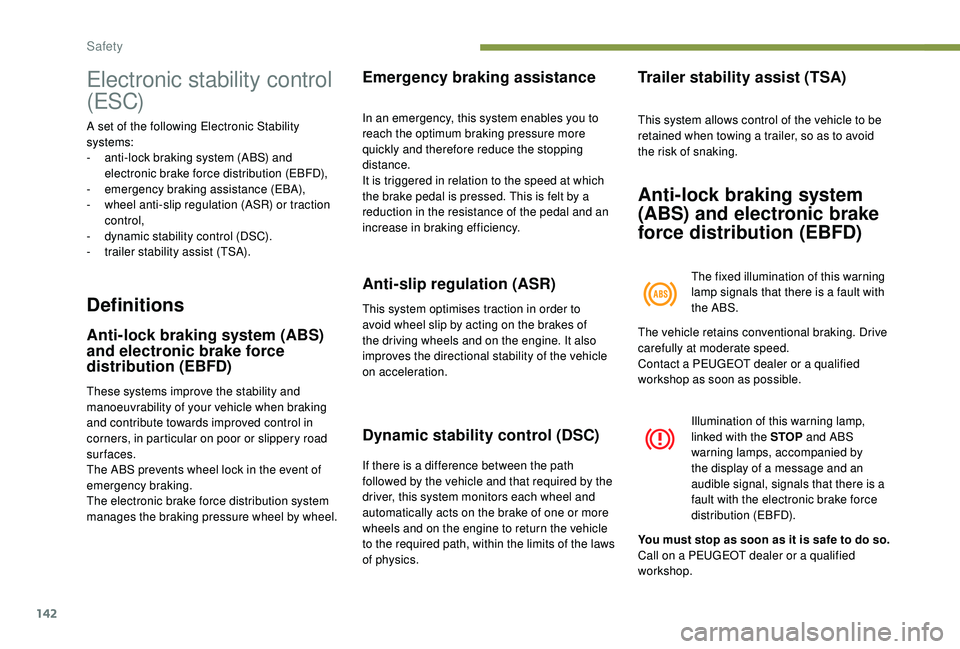
A set of the following Electronic Stability
systems:
-
a
nti-lock braking system (ABS) and
electronic brake force distribution (EBFD),
-
em
ergency braking assistance (EBA),
-
w
heel anti-slip regulation (ASR) or traction
control,
-
d
ynamic stability control (DSC).
-
t
railer stability assist (TSA).
Definitions
Anti-lock braking system (ABS)
and electronic brake force
distribution (EBFD)
These systems improve the stability and
manoeuvrability of your vehicle when braking
and contribute towards improved control in
corners, in particular on poor or slippery road
surfaces.
The ABS prevents wheel lock in the event of
emergency braking.
The electronic brake force distribution system
manages the braking pressure wheel by wheel.
Emergency braking assistance
In an emergency, this system enables you to
reach the optimum braking pressure more
quickly and therefore reduce the stopping
distance.
It is triggered in relation to the speed at which
the brake pedal is pressed. This is felt by a
reduction in the resistance of the pedal and an
increase in braking efficiency.
Anti-slip regulation (ASR)
This system optimises traction in order to
avoid wheel slip by acting on the brakes of
the driving wheels and on the engine. It also
improves the directional stability of the vehicle
on acceleration.
Dynamic stability control (DSC)
If there is a difference between the path
followed by the vehicle and that required by the
driver, this system monitors each wheel and
automatically acts on the brake of one or more
wheels and on the engine to return the vehicle
to the required path, within the limits of the laws
of physics.
Trailer stability assist (TSA)
This system allows control of the vehicle to be
retained when towing a trailer, so as to avoid
the risk of snaking.
Anti-lock braking system
(ABS) and electronic brake
force distribution (EBFD)
The fixed illumination of this warning
lamp signals that there is a fault with
the ABS.
The vehicle retains conventional braking. Drive
carefully at moderate speed.
Contact a PEUGEOT dealer or a qualified
workshop as soon as possible.
Illumination of this warning lamp,
linked with the STOP and ABS
warning lamps, accompanied by
the display of a message and an
audible signal, signals that there is a
fault with the electronic brake force
distribution (EBFD).
You must stop as soon as it is safe to do so.
Call on a PEUGEOT dealer or a qualified
workshop.
Safety
Page 145 of 404
143
Normal operation of the ABS may make
itself felt by slight vibrations of the brake
pedal.
In emergency braking, press ver y
firmly and maintain this pressure.
When changing wheels (tyres and rims),
ensure that these are approved for your
vehicle.
After an impact, have these systems
checked by a PEUGEOT dealer or a
qualified workshop.
Intelligent traction control
system
Depending on version, your vehicle has a
system to help driving on snow: intelligent
traction control.
This system detects situations of difficult
sur face grip that could make it difficult to move
off or make progress on deep fresh snow or
compacted snow.
In these situations, the intelligent traction
control limits the amount of wheel spin to
provide the best traction and trajectory control
for your vehicle. The use of snow tyres is strongly
recommended on sur faces offering low
levels of grip.
Anti-slip regulation (ASR) /
Dynamic stability control
(DSC)
Operation
These systems are activated automatically
every time the vehicle is started.
They come into operation in the event of a
problem with grip or trajectory.
Deactivation
In exceptional conditions (starting a vehicle
which is bogged down, stuck in snow, on soft
ground, etc.), it may be advisable to deactivate
the ASR system, so that the wheels can turn
freely and regain grip.
Reactivate the system when grip conditions
allow. Deactivation of the function is done
in the Vehicle / Driving
menu of the
touch screen.
It is confirmed by the display of a message.
The ASR system no longer acts on the
operation of the engine.
Reactivation
The ASR system is reactivated automatically
every time the ignition is switched back on or
from 30
mph (50 km/h).
Below 30
mph (50 km/h), you can reactivate it
manually:
Reactivation of the function is done
in the Vehicle / Driving menu of the
touch screen.
It is confirmed by the display of a message.
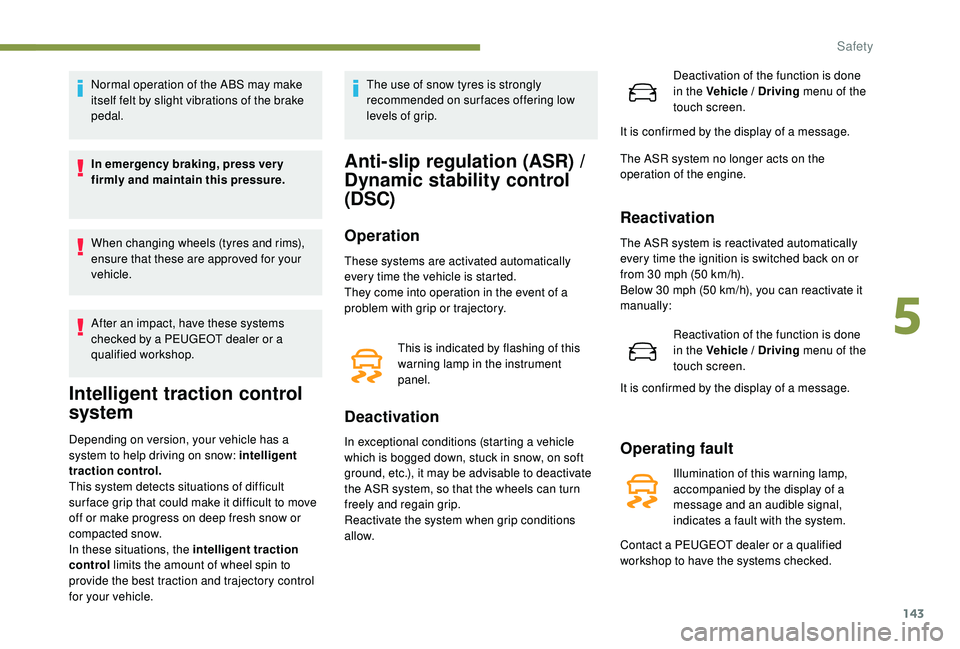
This is indicated by flashing of this
warning lamp in the instrument
panel.
Operating fault
Illumination of this warning lamp,
accompanied by the display of a
message and an audible signal,
indicates a fault with the system.
Contact a PEUGEOT dealer or a qualified
workshop to have the systems checked.
5
Safety