radio PEUGEOT 5008 2017 Owner's Guide
[x] Cancel search | Manufacturer: PEUGEOT, Model Year: 2017, Model line: 5008, Model: PEUGEOT 5008 2017Pages: 404, PDF Size: 15.31 MB
Page 349 of 404
5
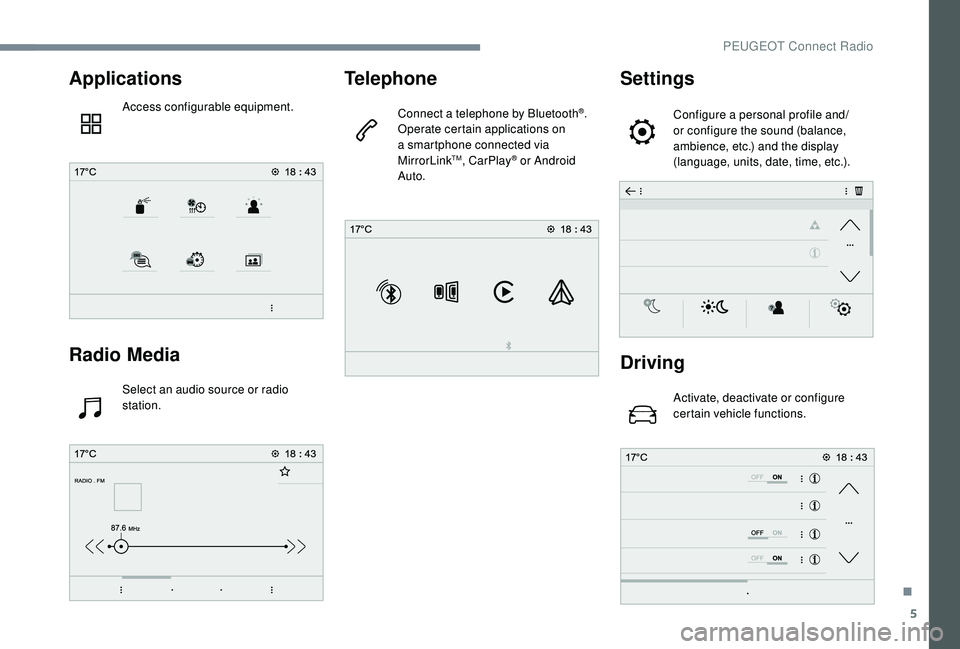
Applications
Access configurable equipment.
Radio Media
Select an audio source or radio
station.
Telephone
Connect a telephone by Bluetooth®.
Operate certain applications on
a smartphone connected via
MirrorLink
TM, CarPlay® or Android
Auto.
Settings
Configure a personal profile and/
or configure the sound (balance,
ambience, etc.) and the display
(language, units, date, time, etc.).
Driving
Activate, deactivate or configure
certain vehicle functions.
.
PEUGEOT Connect Radio
Page 350 of 404
6
Applications
Viewing photos
Insert a USB memory stick in the USB port.To protect the system, do not use a USB
hub.
The system can read folders and image files in
the formats: .tiff; .gif; .jpg/jpeg; .bmp; .png. Press "Applications" to display the
primary page.
Press " Photos ".
Select a folder.
Select an image to view.
Press this button to display the
details of the photo. Press the back arrow to go back a
level.Managing messages
Press "Applications"
to display the
primary page.
Press "SMS".
Select the "SMS" tab.
Press this button to select the
display settings for messages.
Press this button to search for a
contact.
Select the "Quick messages" tab.
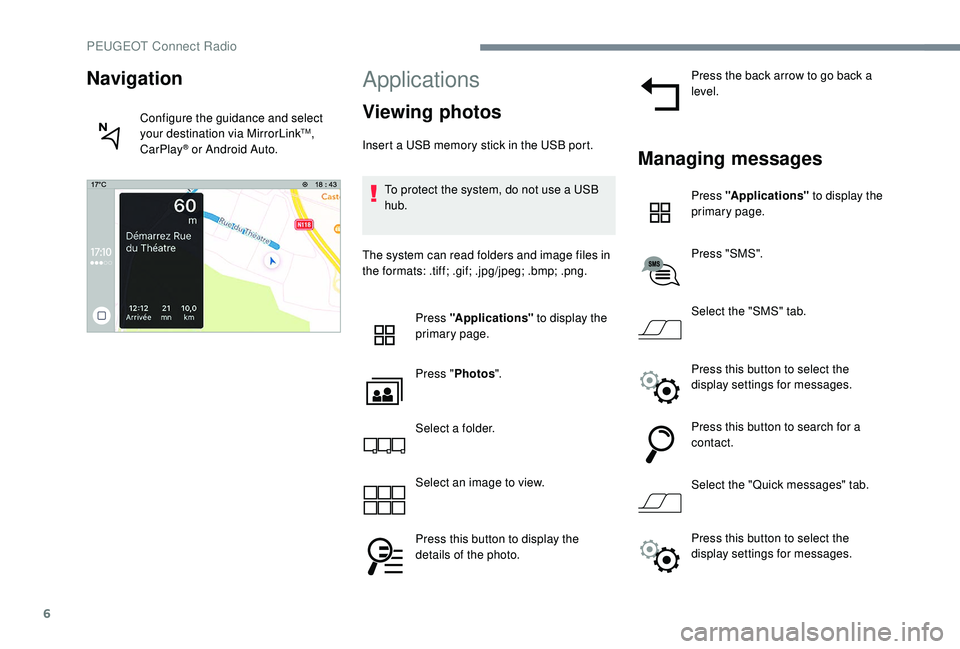
Navigation
Configure the guidance and select
your destination via MirrorLinkTM,
CarPlay® or Android Auto.
Press this button to select the
display settings for messages.
PEUGEOT Connect Radio
Page 351 of 404
7
Radio
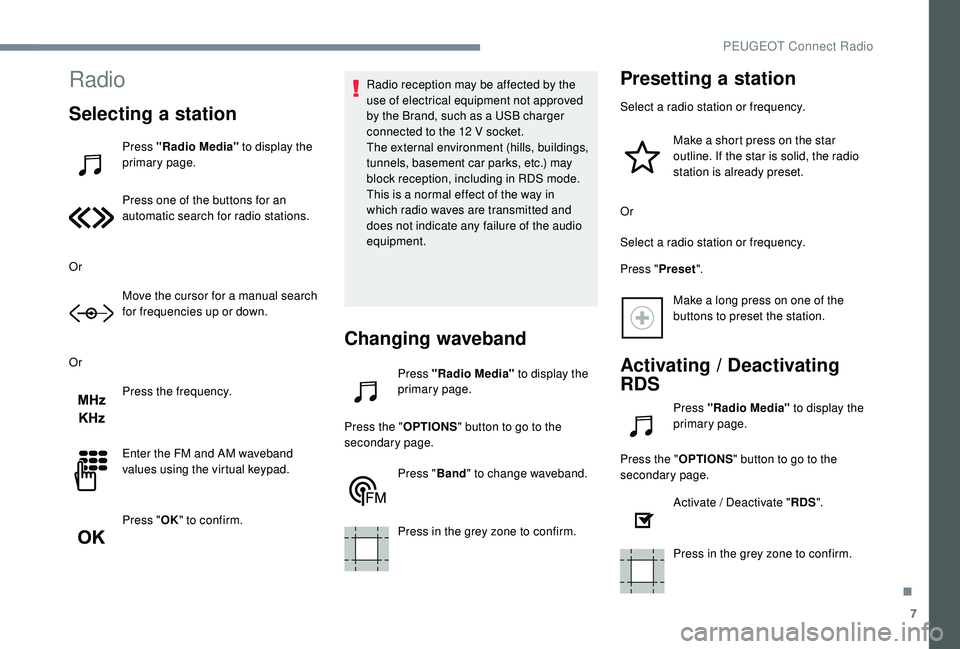
Selecting a station
Press "Radio Media" to display the
primary page.
Press one of the buttons for an
automatic search for radio stations.
Or Move the cursor for a manual search
for frequencies up or down.
Or Press the frequency.
Enter the FM and AM waveband
values using the virtual keypad.
Press "OK" to confirm. Radio reception may be affected by the
use of electrical equipment not approved
by the Brand, such as a USB charger
connected to the 12
V socket.
The external environment (hills, buildings,
tunnels, basement car parks, etc.) may
block reception, including in RDS mode.
This is a normal effect of the way in
which radio waves are transmitted and
does not indicate any failure of the audio
equipment.
Changing waveband
Press "Radio Media" to display the
primary page.
Press the " OPTIONS" button to go to the
secondary page.
Press "Band" to change waveband.
Press in the grey zone to confirm.
Presetting a station
Select a radio station or frequency. Make a short press on the star
outline. If the star is solid, the radio
station is already preset.
Or
Select a radio station or frequency.
Press " Preset".
Make a long press on one of the
buttons to preset the station.
Activating / Deactivating
RDS
Press "Radio Media" to display the
primary page.
Press the " OPTIONS" button to go to the
secondary page.
Activate / Deactivate " RDS".
Press in the grey zone to confirm.
.
PEUGEOT Connect Radio
Page 352 of 404
8
The RDS, if activated, enables you to continue
listening to the same station by automatically
retuning to alternative frequencies. However,
in certain conditions, coverage of this RDS
station may not be assured throughout the
entire country as radio stations do not cover
100% of the territory. This explains the loss of
reception of the station during a journey.
Display text information
The "Radio Text" function allows
information transmitted by the radio
station and related to the station or the
song playing to be displayed.Press "Radio Media" to display the
primary page.
Press the " OPTIONS" button to go to the
secondary page.
Activate / Deactivate " News".
Press in the grey zone to confirm.
Play TA messages
The TA (Traffic Announcement) function
gives priority to TA alert messages.
To operate, this function needs good
reception of a radio station that carries
this type of message. While traffic
information is being broadcast, the current
media is automatically interrupted so that
the TA message can be heard. Normal
play of the media previously playing is
resumed at the end of the message.
Press "Radio Media" to display the
primary page.
Press the " OPTIONS" button to go to the
secondary page.
Activate / Deactivate " TA".
Press in the grey zone to confirm.
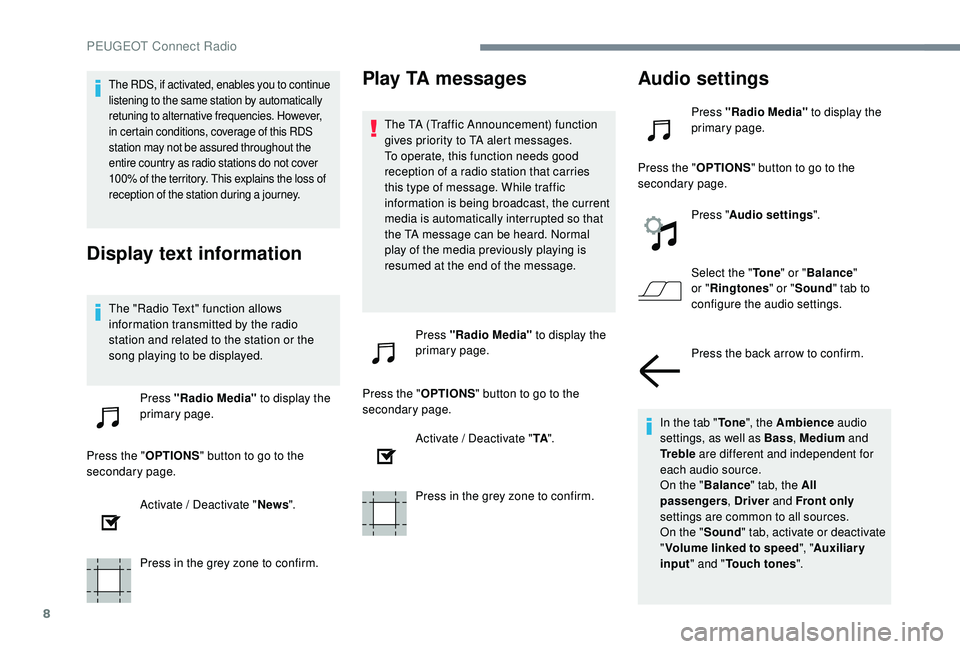
Audio settings
Press "Radio Media" to display the
primary page.
Press the " OPTIONS" button to go to the
secondary page.
Press "Audio settings ".
Select the " To n e" or "Balance "
or " Ringtones " or "Sound " tab to
configure the audio settings.
Press the back arrow to confirm.
In the tab " To n e", the Ambience audio
settings, as well as Bass , Medium and
Tr e b l e are different and independent for
each audio source.
On the " Balance " tab, the All
passengers , Driver and Front only
settings are common to all sources.
On the " Sound" tab, activate or deactivate
" Volume linked to speed ", "Auxiliary
input " and " Touch tones ".
PEUGEOT Connect Radio
Page 353 of 404
9
The sound distribution (or spatialisation
with the Arkamys© system) is audio
processing that allows the quality of the
sound to be adapted according to the
number of passengers in the vehicle.
Onboard audio: the Sound Staging of
Arkamys
© optimises the distribution of
sound in the passenger compartment.
DAB (Digital Audio
Broadcasting) radio
Terrestrial Digital Radio
Digital radio provides higher quality
reception.
The different multiplexes offer a choice
of radio stations arranged in alphabetical
o r d e r.
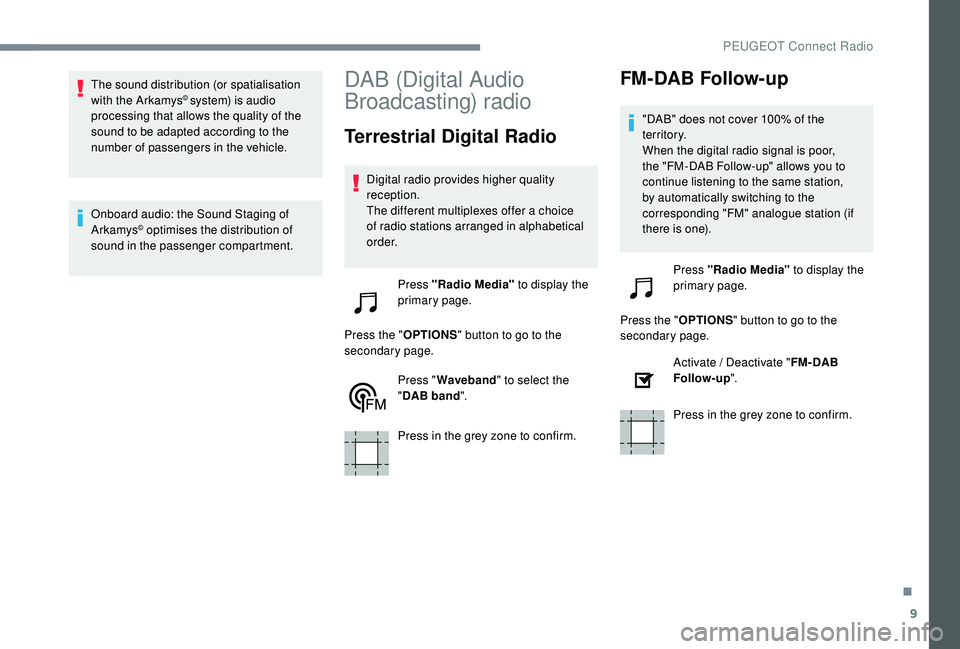
Press "Radio Media" to display the
primary page.
Press the " OPTIONS" button to go to the
secondary page.
Press "Waveband " to select the
" DAB band ".
Press in the grey zone to confirm.
FM-DAB Follow-up
"DAB" does not cover 100% of the
te r r i to r y.
When the digital radio signal is poor,
the "FM-DAB Follow-up" allows you to
continue listening to the same station,
by automatically switching to the
corresponding "FM" analogue station (if
there is one).
Press "Radio Media" to display the
primary page.
Press the " OPTIONS" button to go to the
secondary page.
Activate / Deactivate " FM- DAB
Follow-up ".
Press in the grey zone to confirm.
.
PEUGEOT Connect Radio
Page 354 of 404
10
Media
USB port
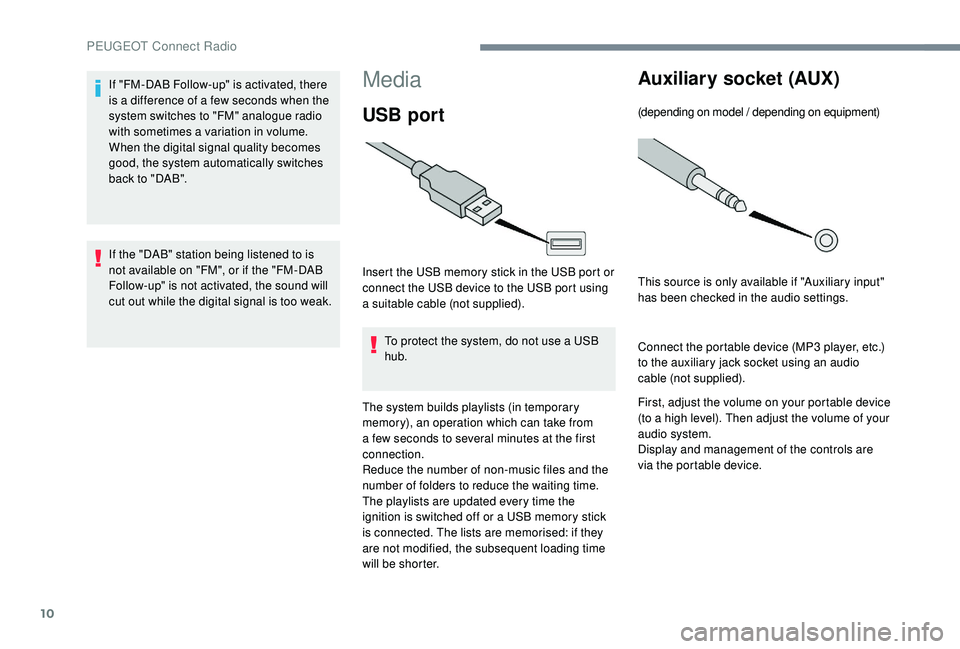
Insert the USB memory stick in the USB port or
connect the USB device to the USB port using
a suitable cable (not supplied).To protect the system, do not use a USB
hub.
The system builds playlists (in temporary
memory), an operation which can take from
a few seconds to several minutes at the first
connection.
Reduce the number of non-music files and the
number of folders to reduce the waiting time.
The playlists are updated every time the
ignition is switched off or a USB memory stick
is connected. The lists are memorised: if they
are not modified, the subsequent loading time
will be shorter.
Auxiliary socket (AUX)
(depending on model / depending on equipment)
This source is only available if "Auxiliary input"
has been checked in the audio settings.
Connect the portable device (MP3
player, etc.)
to the auxiliary jack socket using an audio
cable (not supplied).
First, adjust the volume on your portable device
(to a high level). Then adjust the volume of your
audio system.
Display and management of the controls are
via the portable device.
If "FM-DAB Follow-up" is activated, there
is a difference of a few seconds when the
system switches to "FM" analogue radio
with sometimes a variation in volume.
When the digital signal quality becomes
good, the system automatically switches
back to "DAB".
If the "DAB" station being listened to is
not available on "FM", or if the "FM-DAB
Follow-up" is not activated, the sound will
cut out while the digital signal is too weak.
PEUGEOT Connect Radio
Page 355 of 404
11
Selecting the source
Press "Radio Media" to display the
primary page.
Press the " SOURCES " button.
Choose the source.
Bluetooth® audio streaming
Streaming allows you to listen to music from
your smartphone.
The Bluetooth profile must be activated, first
adjust the volume on your portable device (to a
high level).
Then adjust the volume of your system.
If play does not start automatically, it may be
necessary to start the audio playback from the
smartphone.
Control is from the portable device or by using
the system's touch buttons.
Once connected in Streaming mode, the
smartphone is considered to be a media
source.
Connecting Apple® players
Connect the Apple® player to the USB port
using a suitable cable (not supplied).
Play starts automatically.
Control is via the audio system.
The classifications available are those
of the portable device connected
(artists / albums / genres / playlists /
audiobooks / podcasts), you can also use
a classification structured in the form of a
library.
The default classification used is by artist.
To modify the classification used, return
to the first level of the menu then select
the desired classification (playlists for
example) and confirm to go down through
the menu to the desired track.
The version of software in the audio system
may not be compatible with the generation of
your Apple
® p l aye r.
Information and advice
The system supports USB Mass Storage
devices, BlackBerry® devices or Apple®
players via USB ports. The adapter cable
is not supplied.
Device management is done by the audio
system controls.
Other peripherals, not recognised on
connection, must be connected to the
auxiliary socket using a Jack cable (not
supplied) or via Bluetooth streaming,
depending on compatibility.
To protect the system, do not use a USB
hub.
The audio equipment will only play audio files
with ".wav", ".wma", ".aac", ".ogg" and ".mp3"
file extensions and with a bit rate of between
32
Kbps and 320
Kbps.
It also supports VBR (Variable Bit Rate) mode.
No other file types (.mp4, etc.) can be read.
".wma" files must be of the standard wma
9
type.
Sampling frequencies supported are 11, 22,
44
and 48
kHz.
.
PEUGEOT Connect Radio
Page 356 of 404
12
It is advisable to restrict file names to
20 characters, without using special characters
(e.g. " " ? .; ù) so as to avoid any reading or
display problems.
Use only USB keys in FAT32
format (File
Allocation Table).
It is recommended that the original USB
cable for the portable device is used.
In order to be able to play a burned CDR or
CDRW, select standards ISO 9660
level 1, 2 or
Joliet if possible when burning the CD.
If the disc is burned in another format, it may
not be played correctly.
It is recommended that the same burning
standard is always used on an individual disc,
with the lowest speed possible (4x maximum)
for the best acoustic quality.
In the particular case of a multi-session CD, the
Joliet standard is recommended.Telephone
MirrorLinkTM smartphone
connection
As a safety measure and because it
requires sustained attention by the driver,
using a smartphone when driving is
prohibited.
All operations must be done with the
vehicle stationary .
The synchronisation of a personal
smartphone allows users to display
applications adapted for the smartphone's
MirrorLink
TM technology on the vehicle
screen.
The principles and standards
are constantly changing, for the
communication process between the
smartphone and the system to operate,
it is essential that the smartphone is
unlocked; update the operating system of
the smartphone as well as the date and
time of the smartphone and the system.
For the list of eligible smartphones, go
to the Brand's internet website in your
c o u nt r y. As a safety measure, applications can
only be viewed with the vehicle stationary;
display is interrupted once the vehicle is
moving.
The "MirrorLink
TM" function requires a
compatible smartphone and applications.
Telephone not connected by
Bluetooth®
Connect a USB cable. The
smartphone charges when
connected by a USB cable.
From the system, press
" Telephone " to display the primary
page.
Press " MirrorLink
TM" to start the
application in the system.
Depending on the smartphone, it may be
necessary to activate the " MirrorLink
TM"
function.
PEUGEOT Connect Radio
Page 357 of 404
13
During the procedure, several
screen pages relating to certain
functions are displayed.
Accept to start and complete the
connection.
When connecting a smartphone
to the system, it is recommended
that Bluetooth
® be started on the
smartphone.
Telephone connected by
Bluetooth®
From the system, press
" Telephone " to display the primary
page.
Press the " PHONE" button to display the
secondary page.
Press "MirrorLink
TM" to start the
application in the system.
Once the connection is established, a page
is displayed with the applications already
downloaded to your smartphone and adapted
to MirrorLink
TM technology. Access to the different audio sources remains
accessible in the margin of the MirrorLink
TM
display, using touch buttons in the upper bar.
Access to the menus for the system is possible
at any time using the dedicated buttons.
There may be a wait for the availability of
applications, depending on the quality of
your network.
CarPlay® smartphone
connection
As a safety measure and because it
requires sustained attention by the driver,
using a smartphone when driving is
prohibited.
All operations must be done with the
vehicle stationary . The synchronisation of a personal
smartphone allows users to display
applications adapted for the smartphone's
CarPlay
® technology on the vehicle screen
when the smartphone's CarPlay® function
has been previously activated.
As the principles and standards are
constantly changing, it is recommended
that you keep your smar tphone's
operating system updated .
For the list of eligible smartphones, go
to the Brand's internet website in your
c o u nt r y.
Connect a USB cable. The
smartphone charges when
connected by a USB cable.
From the system, press
"Telephone" to display the
CarPlay
® inter face.
Or If the smartphone is already
connected by Bluetooth
®.
.
PEUGEOT Connect Radio
Page 358 of 404
14
Connect a USB cable. The
smartphone charges when
connected by a USB cable.
From the system, press
"Telephone " to display the primary
page.
Press the " PHONE" button to go to the
secondary page.
Press on " CarPlay" to display the
CarPlay
® inter face.
On connecting the USB cable, the
CarPlay
® function deactivates the
system's Bluetooth® mode.
You can go to the CarPlay
®
navigation at any time by pressing
the system's Navigation button.
Android Auto smartphone
connection
As a safety measure and because it
requires sustained attention by the driver,
using a smartphone when driving is
prohibited.
All operations must be done with the
vehicle stationary.
On your smartphone, download the
Android Auto application.
The synchronisation of a personal
smartphone allows users to display
applications adapted for the smartphone's
Android Auto technology on the vehicle
screen.
The principles and standards
are constantly changing, for the
communication process between the
smartphone and the system to operate,
it is essential that the smartphone is
unlocked; update the operating system
of the smar tphone as well as the date
and time of the smar tphone and the
system.
For the list of eligible smartphones, go
to the Brand's internet website in your
c o u nt r y. As a safety measure, applications can
only be viewed with the vehicle stationary;
display is interrupted once the vehicle is
moving.
The "Android Auto" function requires the
use of a compatible smartphone and
applications.
Telephone not connected by
Bluetooth®
Connect a USB cable. The
smartphone charges when
connected by a USB cable.
From the system, press
"
Telephone " to display the primary
page.
Press " Android Auto " to start the
application in the system.
Depending on the smartphone, it may be
necessary to activate the " Android Auto"
function.
PEUGEOT Connect Radio