change time PEUGEOT 5008 2018 User Guide
[x] Cancel search | Manufacturer: PEUGEOT, Model Year: 2018, Model line: 5008, Model: PEUGEOT 5008 2018Pages: 364, PDF Size: 13.03 MB
Page 131 of 364
129
You can deactivate the ASR
and DSC systems by turning
the knob to the "OFF" position.
Recommendations
Your vehicle is designed principally to
drive on tarmac roads but it allows you to
occasionally drive on other less passable
terrain.
However, it does not permit off-road
driving such as:
-
c
rossing and driving on terrain which
could damage the underbody or strip
away components (fuel pipe, fuel
cooler, etc.) due to obstacles or stones
in particular,
-
d
riving on terrain with steep gradients
and poor grip,
-
c
rossing a stream.
The ASR and DSC systems will no longer
act on the engine operation or the brakes
in the event of an involuntary change of
trajectory.
These systems are reactivated
automatically from 31
mph (50 km/h) or
every time the ignition is switched on.Hill Assist Descent
Control
System that provides assistance when
descending on loose or soft sur faces (gravel,
mud, etc.) or a
steep gradient.
This system reduces the risk of slip or loss
of control of the vehicle when descending,
whether going forward or in reverse.
During a
descent, it assists the driver in
maintaining a
constant speed, depending
on the gear engaged, while progressively
releasing the brakes.
For the system to activate, the slope must
be greater than 5%.
The system can be used with the gearbox
in neutral.
Otherwise engage a
gear corresponding
to the speed to prevent the engine stalling.
With an automatic gearbox, the system
can be used with the selector at N , D or R.
When the system is regulating, the Active
Safety Brake system is automatically
deactivated. The system is not available:
-
i
f the speed of the vehicle is above
43 mph (70 km/h),
- i f the speed of the vehicle is being
controlled by the Adaptive cruise
control with Stop function, depending
on the type of gearbox.
Switching on
By default, the system is not selected.
The system's status is not saved when the
ignition is switched off.
The driver can select the system when
the engine is running, when the vehicle is
stationary or moving at speeds up to approx.
31
mph (50 km/h).
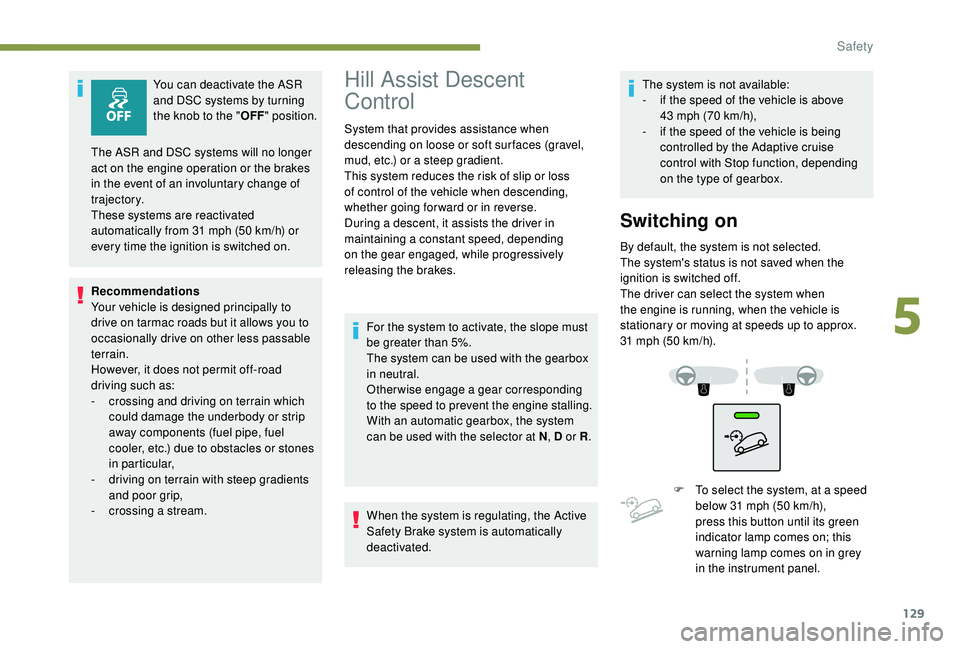
F
T
o select the system, at a speed
below 31
mph (50 km/h),
press this button until its green
indicator lamp comes on; this
warning lamp comes on in grey
in the instrument panel.
5
Safety
Page 135 of 364
133
Advice
The driver must ensure that passengers use
the seat belts correctly and that they are all
fastened before setting off.
Wherever you are seated in the vehicle,
always fasten your seat belt, even for short
journeys.
Do not interchange the seat belt buckles as
they will not fulfil their role fully.
The seat belts are fitted with an inertia reel
permitting automatic adjustment of the length
of the strap to your size. The seat belt is
stowed automatically when not in use.
Before and after use, ensure that the seat belt
is reeled in correctly.
The lower part of the strap must be positioned
as low as possible on the pelvis.
The upper part must be positioned in the
hollow of the shoulder.
The inertia reels have an automatic locking
device at the time of a collision, during
sudden braking or if the vehicle turns over.
You can release the device by pulling the
strap firmly and then releasing it so that it
reels in slightly. In order to be effective, a seat belt must:
-
b e tightened as close to the body as
possible,
-
b
e pulled in front of you with a smooth
movement, checking that it does not twist,
-
b
e used to restrain only one person,
-
n
ot show any signs of cuts or fraying,
-
n
ot be converted or modified to avoid
affecting its performance.
In accordance with current safety regulations,
for all repairs on your vehicle's seat belts, go
to a
qualified workshop with the skills and
equipment needed, which a
PEUGEOT dealer
is able to provide.
Have your seat belts checked regularly by
a
PEUGEOT dealer or a qualified workshop,
particularly if the straps show signs of
damage.
Clean the seat belt straps with soapy water or
a
textile cleaning product, sold by PEUGEOT
dealers.
After folding or moving a
seat or rear bench
seat, ensure that the seat belt is positioned
and reeled in correctly. Recommendations for children
Use a
suitable child seat if the passenger is
less than 12
years old or shorter than one and
a
half metres.
Never use the same seat belt to secure more
than one person.
Never allow a
child to travel on your lap.
For more information on Child seats , refer to
the corresponding section.
In the event of an impact
Depending on the nature and seriousness
of the impact , the pyrotechnic pretensioner
device may be deployed before and
independently of the airbags. Deployment of
the pretensioners is accompanied by a
slight
discharge of harmless smoke and a
noise,
due to the activation of the pyrotechnic
cartridge incorporated in the system.
In all cases, the airbag warning lamp comes
on.
Following an impact, have the seat belts
system checked and, if necessary, replaced,
by a
PEUGEOT dealer or a qualified
workshop.
5
Safety
Page 169 of 364
167
Displays in the instrument
panel
If the driver's door is opened with the
ignition on, a message is displayed asking
you to put the gearbox into mode P.
The state of the gearbox is displayed in
the instrument panel for a
few moments
after switching off the ignition.
Operation
You can activate or deactivate the function:
- b y pressing this button,
or
-
v
ia the i-Cockpit Amplify function, by
modifying the setting for an ambience in the
touch screen.
For more information on the Dynamic Pack
and the i-Cockpit Amplify function, refer to
the corresponding section.
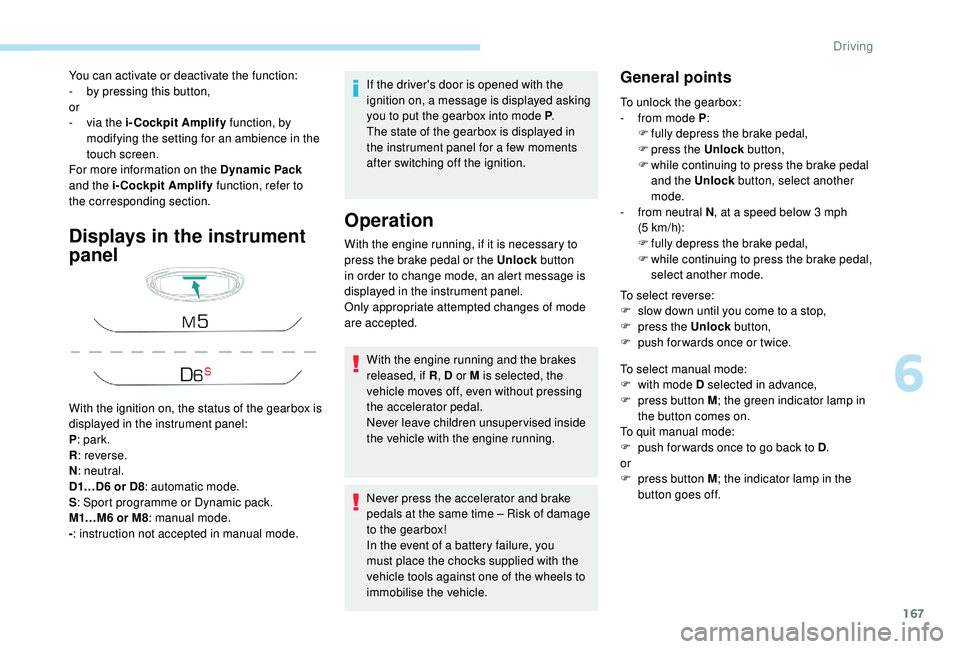
With the ignition on, the status of the gearbox is
displayed in the instrument panel:
P : park.
R : reverse.
N : neutral.
D1…D6
or D8: automatic mode.
S : Sport programme or Dynamic pack.
M1…M6
or M8: manual mode.
- : instruction not accepted in manual mode. With the engine running, if it is necessary to
press the brake pedal or the Unlock
button
in order to change mode, an alert message is
displayed in the instrument panel.
Only appropriate attempted changes of mode
are accepted.
With the engine running and the brakes
released, if R , D or M is selected, the
vehicle moves off, even without pressing
the accelerator pedal.
Never leave children unsuper vised inside
the vehicle with the engine running.
Never press the accelerator and brake
pedals at the same time – Risk of damage
to the gearbox!
In the event of a
battery failure, you
must place the chocks supplied with the
vehicle tools against one of the wheels to
immobilise the vehicle.General points
To unlock the gearbox:
- f rom mode P :
F
f
ully depress the brake pedal,
F
press the Unlock button,
F
w
hile continuing to press the brake pedal
and the Unlock button, select another
mode.
-
f
rom neutral N , at a
speed below 3 mph
(5
km/h):
F
f
ully depress the brake pedal,
F
w
hile continuing to press the brake pedal,
select another mode.
To select reverse:
F
s
low down until you come to a stop,
F
p
ress the Unlock button,
F
p
ush forwards once or twice.
To select manual mode:
F
w
ith mode D selected in advance,
F
p
ress button M ; the green indicator lamp in
the button comes on.
To quit manual mode:
F
p
ush for wards once to go back to D .
or
F
p
ress button M ; the indicator lamp in the
button goes off.
6
Driving
Page 170 of 364
168
To switch off the ignition, the vehicle must be
stationary.
To put the vehicle in free-wheeling mode,
engine off:
F
w
ith the vehicle stationary, engine running,
select N ,
F
s
witch off the engine,
F
w
ithin five seconds, switch the ignition on
again,
F
w
ith your foot on the brake pedal, push the
selector for wards or backwards once to
confirm N and manually release the electric
parking brake,
F
s
witch off the ignition.
If you exceed the time limit of five seconds,
the gearbox engages mode P ; you must then
restart the procedure.
If you open the driver's door when mode N
is engaged, an audible signal will sound. It
will stop when you close the driver's door
again.
Special aspects of automatic
mode
For maximum acceleration without touching
the selector, press the accelerator fully down
(kick-down). The gearbox changes down
automatically or holds the gear selected until
the maximum engine speed is reached.
When braking, the gearbox changes down
automatically to provide effective engine
braking.
The steering mounted controls allow the driver
to temporarily select a
gear, if the road and
engine speed permit.
Special aspects of manual mode
The change from one gear to another takes
place only if the road speed and engine speed
permit.
If the engine speed is too high or too low, the
gear selected flashes for a
few seconds, then
the gear actually engaged is displayed.
Moving off
From mode P:
F P ress the brake pedal firmly.
F
S
tart the engine.
F
M
aintaining pressure on the brake pedal,
press the Unlock button.
F
P
ush once or twice rear ward to select the
automatic mode D, or for ward to engage
reverse R . In severe wintry conditions (temperature
below -23°C), it is recommended that the
engine be allowed to run for a
few minutes
before moving off, to ensure the correct
operation and durability of the engine and
gearbox.
Stopping the vehicle
Whatever the state of the gearbox when the
ignition is switched off, mode P is engaged
automatically, with the exception of N , in which
case mode P will be engaged after a
delay of
5
seconds (allowing the change to free-wheel).
The gearbox selects the gear that offers
optimum per formance, taking account of the
exterior temperature, the profile of the road, the
load on the vehicle and the style of driving. From neutral N
:
F
P
ress the brake pedal firmly.
F
S
tart the engine.
F
M
aintaining pressure on the brake pedal,
push rear ward to select the automatic mode
D, or for ward, while pressing the Unlock
button to engage reverse R .
Then, from P or N :
F
R
elease the brake pedal.
F
A
ccelerate progressively to automatically
release the electric parking brake.
F
W
ith the parking brake released, the vehicle
then moves off.
Driving
Page 176 of 364
174
Under-inflation detection
System which automatically checks the
pressures of the tyres while driving.
The system monitors the pressures in the four
tyres, once the vehicle is moving.
It compares the information given by the wheel
speed sensors with reference values, which
must be reinitialised ever y time the tyre
pressures are adjusted or a wheel changed.
The system triggers an alert as soon as it
detects a
drop in the inflation pressure of one
or more tyres.
The under-inflation detection system does
not replace the need for vigilance on the
part of the driver.
This system does not avoid the need to
check the tyre pressures (including the
spare wheel) every month as well as
before a
long journey.
Driving with under-inflated tyres worsens
road-holding, lengthens braking distances,
causes premature wear of the tyres,
particularly in adverse conditions (heavy
loads, high speeds, long journeys). Driving with under-inflated tyres
increases fuel consumption.
The inflation pressures defined for your
vehicle can be found on the tyre pressure
label.
For more information on the
Identification markings , refer to the
corresponding section.
Checking tyre pressures
This check should be done when the tyres
are "cold" (vehicle stopped for 1
hour or
after a
journey of less than 6 miles (10 km)
at moderate speeds).
Other wise, add 0.3
bar to the pressures
shown on the label.
Snow chains
The system does not have to be
reinitialised after fitting or removing snow
chains.
Under-inflation alert
This warning is indicated by
continuous illumination of this lamp,
an audible signal and, depending on
the equipment installed, a message
displayed on the screen.
F
R
educe speed immediately, avoid excessive
steering movements and sudden braking.
F
S
top the vehicle as soon as it is safe to do
so.
The loss of pressure detected does not
always cause visible bulging of the tyre.
Do not satisfy yourself with just a
visual
check.
F
I
f you have a compressor, such as the one
in the temporary puncture repair kit, check
the pressures of the four tyres when cold.
F
I
f it is not possible to make this check
immediately, drive carefully at reduced
speed.
or
F
I
n case of a puncture, use the temporary
puncture repair kit or the spare wheel
(depending on equipment).
The alert is kept active until the system is
reinitialised.
Driving
Page 210 of 364
208
The display is immediately updated with the
type of view selected.
The state of the system is not kept in memory
when the ignition is switched off.
Principle of operation
Using one or two cameras, the close
surroundings of the vehicle are recorded whilst
manoeuvring at low speed.
An image from above your vehicle in its close
surroundings is created in real time, as the
vehicle manoeuvre progresses.
This representation facilitates the alignment of
your vehicle when parking and allows obstacles
close to the vehicle to be seen.
This image is automatically deleted if the
vehicle remains stationary for too long.When the function is activated, it is possible
that the central view is not displayed. If the
system is activated after the vehicle has
already been driven, the central view may be
completely displayed.
This system is a visual aid that cannot in
any circumstances replace the need for
vigilance on the part of the driver.
The images provided by the camera(s)
may be distorted by the relief.
In the presence of areas in shade, or in
conditions of bright sunlight or inadequate
lighting, the image may be darkened and
with lower contrast.
Recommendations on care
In bad or wintry weather, ensure that the
sensors and camera lenses are not covered
with mud, ice or snow.
Check the cleanliness of the camera lenses
regularly.
If necessary, clean the cameras with a
soft, dry
cloth.
When washing your vehicle at high pressure,
direct the lance at least 30
cm away from the
cameras and parking aid sensors.
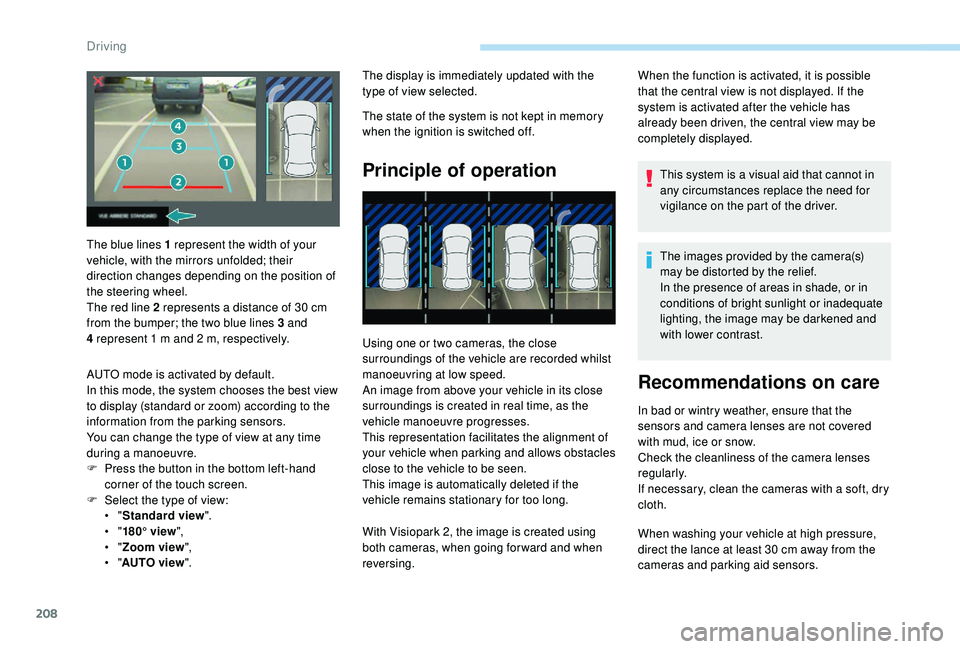
The blue lines 1
represent the width of your
vehicle, with the mirrors unfolded; their
direction changes depending on the position of
the steering wheel.
The red line 2
represents a
distance of 30
cm
from the bumper; the two blue lines 3
and
4
represent 1
m and 2
m, respectively.
AUTO mode is activated by default.
In this mode, the system chooses the best view
to display (standard or zoom) according to the
information from the parking sensors.
You can change the type of view at any time
during a
manoeuvre.
F
P
ress the button in the bottom left-hand
corner of the touch screen.
F
Sel
ect the type of view:
•
" Standard view ".
•
" 180° view ",
•
" Zoom view ",
•
" AUTO view ". With Visiopark 2, the image is created using
both cameras, when going for ward and when
reversing.
Driving
Page 237 of 364
235
To p p i n g u p
The reser voir must be topped up without delay
by a PEUGEOT dealer or a qualified workshop.
AdBlue level
An alert is triggered once the reser ve level is
reached.
To avoid the vehicle being immobilised as per
regulations, you must top up with AdBlue.
For more information on AdBlue and the SCR
system, and in particular topping it up, refer to
the corresponding section.
Checks
Unless otherwise indicated, check these
components in accordance with the
manufacturer's service schedule and
depending on your engine.
Other wise, have them checked by a
PEUGEOT
dealer or a
qualified workshop.
12 V battery
The battery does not require any maintenance.
However, check regularly that the terminals
are correctly tightened (versions without quick
release terminals) and that the connections
are clean.
For more information on the precautions
to take before starting work on the 12 V
battery , refer to the corresponding
section.
Versions equipped with Stop & Start are
fitted with a
12 V lead-acid battery of
specific technology and specification.
Its replacement should be carried out
only by a
PEUGEOT dealer or a qualified
workshop.
Passenger compartment filter
Depending on the environment
(e.g. dusty atmosphere) and the
use of the vehicle (e.g. city driving),
replace it twice as often, if
necessary .
A clogged passenger compartment
filter may have an adverse effect on
the per formance of the air conditioning
system and generate undesirable odours.
Air filter
Depending on the environment
(e.g. dusty atmosphere) and the
use of the vehicle (e.g. city driving),
replace it twice as often, if
necessary .
Oil filter
Change the oil filter each time the
engine oil is changed.
Particle filter (Diesel)
The start of saturation of the particle
filter is indicated by the temporary
illumination of this warning lamp
accompanied by a
message about
the risk of the filter clogging up.
As soon as the traffic conditions permit,
regenerate the filter by driving at a
speed
of at least 37
mph (60 km/h) until the
warning lamp goes off.
If the warning lamp stays on, this indicates
a
low Diesel additive level.
For more information on Checking levels ,
refer to the corresponding section.
7
Practical information
Page 277 of 364
1
PEUGEOT Connect Nav
GPS satellite navigation –
Applications – Multimedia
audio system – Bluetooth
®
telephone
Contents
First steps
2
S
teering mounted controls
3
M
enus
3
V
oice commands
5
N
avigation
1
1
Connected navigation
1
3
Applications
1
6
Radio
21
D
AB radio (Digital Audio Broadcasting)
2
2
Media
23
T
elephone
2
5
Settings
2
9
Frequently asked questions
3
2The different functions and settings
described vary according to the version
and configuration of your vehicle.
As a
safety measure and because it
requires sustained attention by the
driver, the pairing of a Bluetooth mobile
telephone with the Bluetooth hands-free
system of your audio system must be
done with the vehicle stationary and the
ignition on.
The system is protected in such a way that
it will only operate in your vehicle.
The display of the message Energy
Economy Mode signals that a change to
standby is imminent.
The link below gives access to OSS (Open
Source Software) codes for the system.
https://www.groupe-psa.com/fr/oss/
https://www.groupe-psa.com/en/oss/
.
PEUGEOT Connect Nav
Page 279 of 364
3
21,518,5
12:1323 °C
In the "Settings" menu you can create
a profile for just one person or a group
of people with shared interests, with
the possibility of entering multiple
settings (radio presets, audio settings,
navigation history, contact favourites,
etc.); these settings are taken into account
automatically.
In very hot conditions, the volume may
be limited to protect the system. It may go
into standby (screen and sound off) for at
least 5
minutes.
The return to normal takes place after
the temperature in the passenger
compartment drops.
Steering mounted controls
Depending on model.
Voice commands :
This control is located on the
steering wheel or at the end of the
lighting control stalk (depending on
model).
Short press, system voice
commands.
Long press, smartphone voice
commands via the system. or
Increase volume.
or Mute/Restore the sound.
Or
Mute by pressing the volume
increase and decrease buttons
simultaneously.
Restore the sound by pressing one
of the two volume buttons.
or Decrease volume.
or Media
(short press): change the
multimedia source.
Telephone (short press): start
telephone call.
Call in progress (short press):
access telephone menu.
Telephone (long press): reject an
incoming call, end call; when no call
is in progress, access telephone
menu. or
Radio
(rotate): automatic search for
the previous/next station.
Media (rotate): previous/next track,
move in a list.
Short press : confirm a selection; if
nothing selected, access to presets.
Radio : display the list of stations.
Media : display the list of tracks.
Radio (press and hold): update the
list of stations received.
Menus
Depending on model/Depending on version
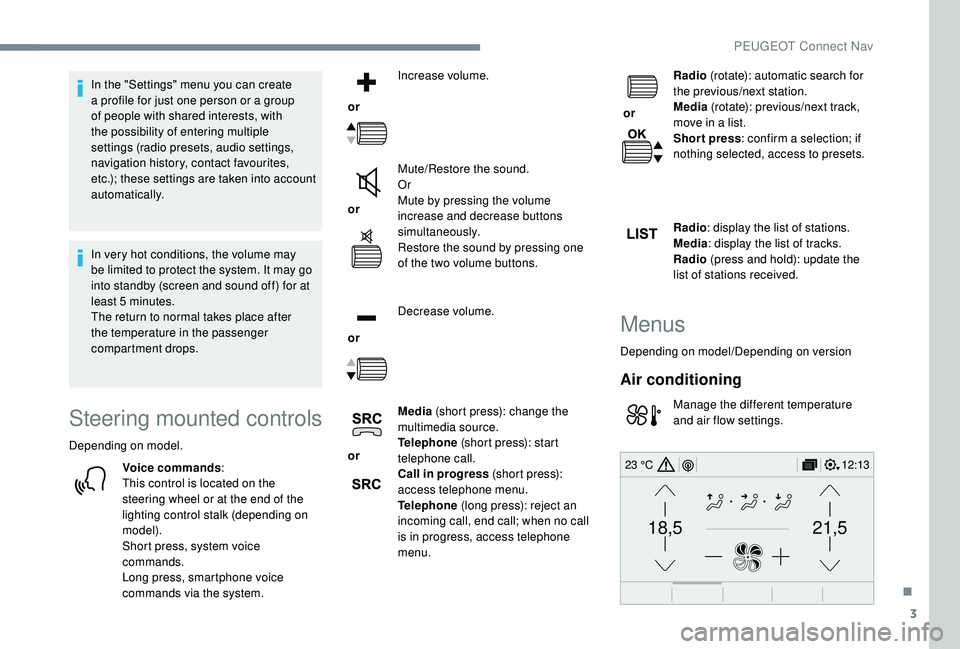
Air conditioning
Manage the different temperature
and air flow settings.
.
PEUGEOT Connect Nav
Page 299 of 364
23
Select "Radio settings ".
Select " General ".
Activate/Deactivate " Station
tracking ".
Press " OK".
If "DAB-FM tracking" is activated, there
is a
difference of a few seconds when the
system switches to FM analogue radio
with sometimes a
variation in volume.
Once the digital signal quality is restored,
the system automatically changes back
to " DA B ".
If the "DAB" station being listened to is
not available on FM (" DAB- FM" option
greyed out), or "DAB-FM tracking" is not
activated, the sound will cut out while the
digital signal is too weak.Media
USB
Insert the USB memory stick in the USB port or
connect the USB device to the USB port using
a
suitable cable (not supplied).
To protect the system, do not use a
USB
hub.
The system builds playlists (in temporary
memory), an operation which can take from
a
few seconds to several minutes at the first
connection.
Reduce the number of non-music files and the
number of folders to reduce the waiting time.
The playlists are updated every time the
ignition is switched off or a
USB memory stick
is connected. The lists are memorised: if they
are not modified, the subsequent loading time
will be shorter.
Auxiliary socket (AUX)
(depending on model/depending on equipment)
This source is only available if "Auxiliary input"
has been checked in the audio settings.
Connect the portable device (MP3
player, etc.)
to the auxiliary Jack socket using an audio
cable (not supplied).
First adjust the volume on your portable device
(to a
high level). Then adjust the volume of your
audio system.
Display and management of the controls are
via the portable device.
CD player
(depending on model/depending on equipment)
Insert the CD in the player.
.
PEUGEOT Connect Nav