time Peugeot 508 2011 Workshop Manual
[x] Cancel search | Manufacturer: PEUGEOT, Model Year: 2011, Model line: 508, Model: Peugeot 508 2011Pages: 340, PDF Size: 25.72 MB
Page 208 of 340
206
i
!i
Practical information
The fitting of electrical equipment
or accessories which are not
recommended by PEUGEOT may result
in a failure of your vehicle's electronic
system and excessive electrical
consumption.
Please note this precaution. You
are advised to contact a PEUGEOT
representative to be shown the range
of recommended equipment and
accessories.
Installation of radio
communication
transmitters
Before installing any after-market radio
communication transmitter, you can
contact a PEUGEOT dealer for the
specification of transmitters which can
be fitted (frequency, maximum power,
aerial position, specific installation
requirements), in line with the Vehicle
Electromagnetic Compatibility Directive
(2004/104/EC).
Depending on the legislation in force
in the country, it may be compulsory
to have a high visibility safety vest,
warning triangle and spare bulbs and
fuses available in the vehicle.
You can also obtain products for cleaning and
maintenance (exterior and interior) and topping
up fluids (screenwash, ...), as well as refills
(car tridge for temporary tyre repair kit...) from
PEUGEOT dealers.
"Multimedia":
audio systems, por table navigation system,
Takara/Sony por table video screen, Bluetooth
system, speakers, DVD player, Wi-Fi, speed
camera aler t, video suppor t, microwave unit...
Page 211 of 340
9
209
i
Checks
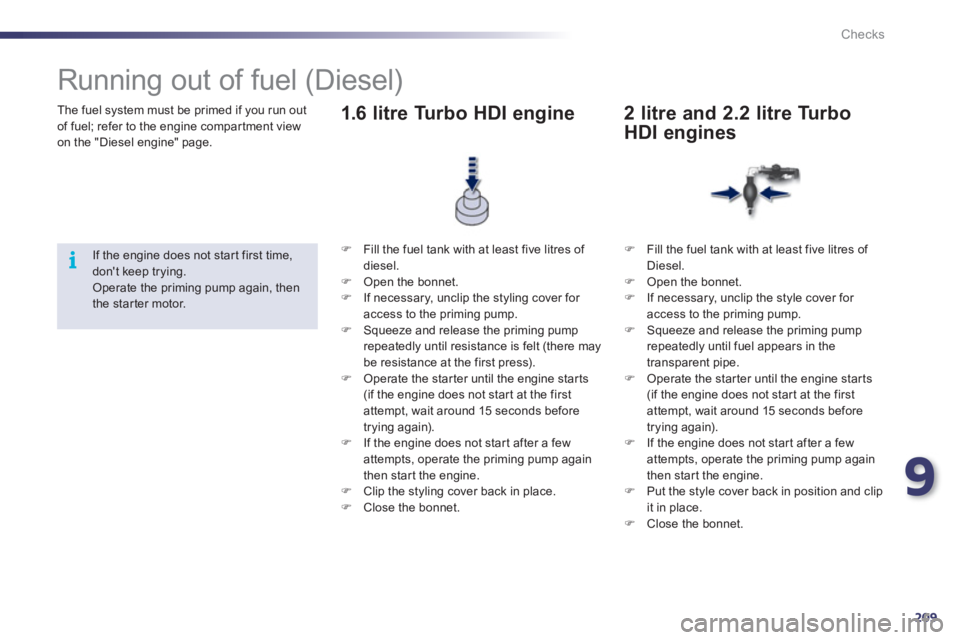
The fuel system must be primed if you run out
of fuel; refer to the engine compar tment view
on the "Diesel engine" page.
Running out of fuel (Diesel)
If the engine does not star t first time,
don't keep trying.
Operate the priming pump again, then
the star ter motor.
)
Fill the fuel tank with at least five litres of
diesel.
)
Open the bonnet.
)
If necessary, unclip the styling cover for
access to the priming pump.
)
Squeeze and release the priming pump
repeatedly until resistance is felt (there may
be resistance at the first press).
)
Operate the star ter until the engine star ts
(if the engine does not star t at the first
attempt, wait around 15 seconds before
trying again).
)
If the engine does not star t after a few
attempts, operate the priming pump again
then star t the engine.
)
Clip the styling cover back in place.
)
Close the bonnet.
1.6 litre Turbo HDI engine
)
Fill the fuel tank with at least five litres of
Diesel.
)
Open the bonnet.
)
If necessary, unclip the style cover for
access to the priming pump.
)
Squeeze and release the priming pump
repeatedly until fuel appears in the
transparent pipe.
)
Operate the star ter until the engine star ts
(if the engine does not star t at the first
attempt, wait around 15 seconds before
trying again).
)
If the engine does not star t after a few
attempts, operate the priming pump again
then star t the engine.
)
Put the style cover back in position and clip
it in place.
)
Close the bonnet.
2 litre and 2.2 litre Turbo
HDI engines
Page 218 of 340
216
i
Checks
Checks
Unless other wise indicated, check these components in accordance with the Maintenance and Warranty Guide and according to your engine.
Other wise, have them checked by a PEUGEOT dealer or a qualified workshop.
Battery
The battery does not require any
maintenance.
However, check that the terminals
are clean and correctly tightened,
particularly in summer and winter.
When carrying out work on the battery, refer to the "Practical
information" section for details of the precautions to be taken
before disconnecting the battery and following its reconnection.
Refer to the Maintenance and
Warranty Guide for details of the
replacement inter vals for these
components.
Depending on the environment (e.g. dusty
atmosphere) and the use of the vehicle
(e.g. city driving), replace them twice as often
if necessary
(refer to the "Engines" section).
A clogged passenger compar tment filter may
have an adverse effect on the per formance
of the air conditioning system and generate
undesirable odours.
Air filter and passenger compartment filter
Replace the oil filter each time the
engine oil is changed.
Refer to the Maintenance and
Warranty Guide for details of
the replacement inter val for this
component.
Oil filter
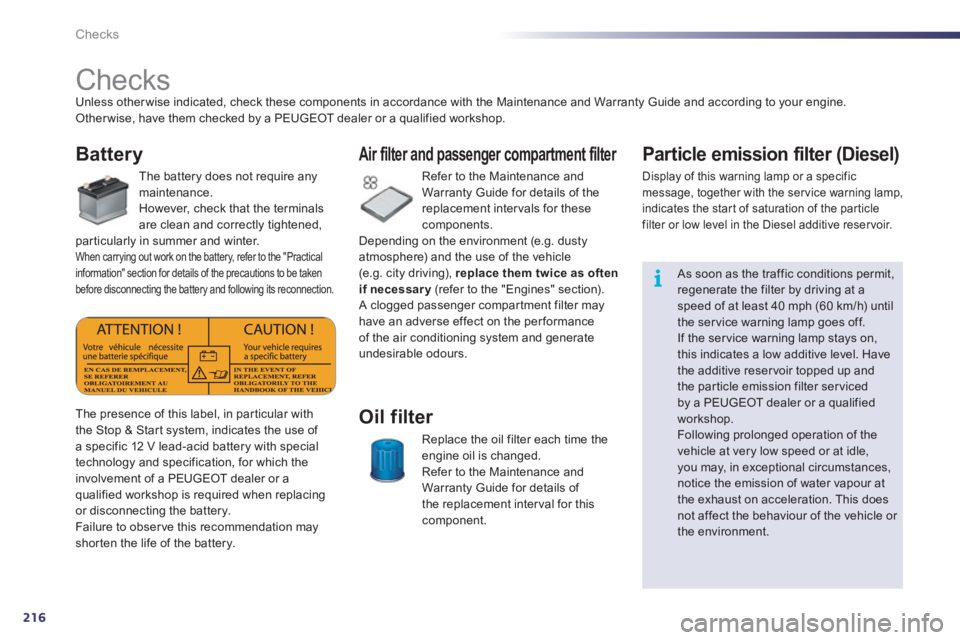
The presence of this label, in particular with
the Stop & Star t system, indicates the use of
a specific 12 V lead-acid battery with special
technology and specification, for which the
involvement of a PEUGEOT dealer or a
qualified workshop is required when replacing
or disconnecting the battery.
Failure to obser ve this recommendation may
shor ten the life of the battery.
Particle emission filter (Diesel)
Display of this warning lamp or a specific
message, together with the ser vice warning lamp,
indicates the star t of saturation of the par ticle
filter or low level in the Diesel additive reser voir.
As soon as the traffic conditions permit,
regenerate the filter by driving at a
speed of at least 40 mph (60 km/h) until
the ser vice warning lamp goes off.
If the ser vice warning lamp stays on,
this indicates a low additive level. Have
the additive reser voir topped up and
the par ticle emission filter ser viced
by a PEUGEOT dealer or a qualified
workshop.
Following prolonged operation of the
vehicle at very low speed or at idle,
you may, in exceptional circumstances,
notice the emission of water vapour at
the exhaust on acceleration. This does
not affect the behaviour of the vehicle or
the environment.
Page 232 of 340
230
EMERGENCY OR ASSISTANCE CALL
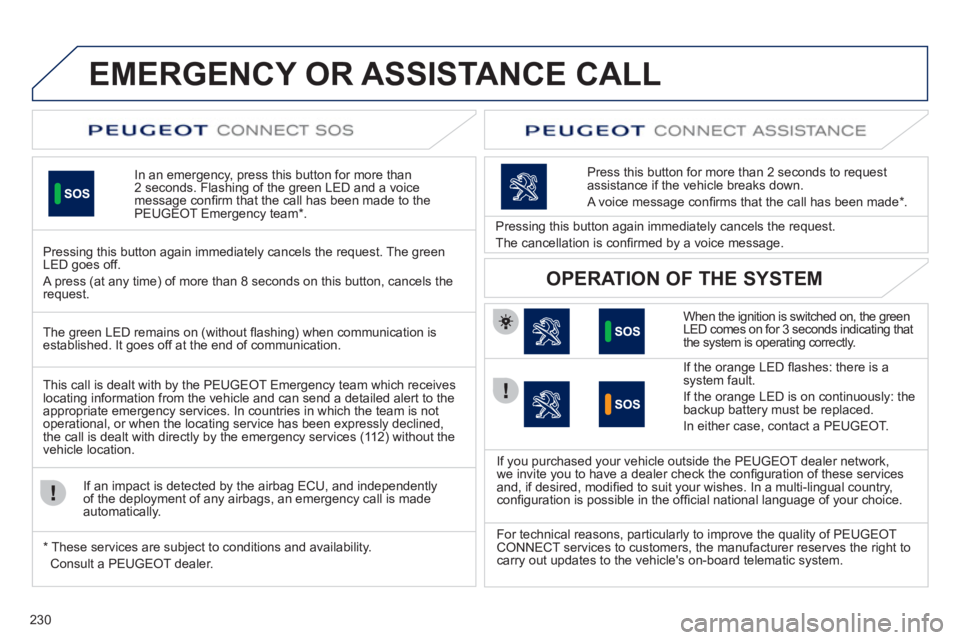
In an emergency, press this button for more than
2 seconds. Flashing of the green LED and a voice
message confi rm that the call has been made to the
PEUGEOT Emergency team * .
Pressing this button again immediately cancels the request. The green
LED goes off.
A press (at any time) of more than 8 seconds on this button, cancels the
request.
When the ignition is switched on, the green
LED comes on for 3 seconds indicating that
the system is operating correctly.
If the orange LED fl ashes: there is a
system fault.
If the orange LED is on continuously: the
backup battery must be replaced.
In either case, contact a PEUGEOT.
Pressing this button again immediately cancels the request.
The cancellation is confi rmed by a voice message.
Press this button for more than 2 seconds to request
assistance if the vehicle breaks down.
A voice message confi rms that the call has been made * .
OPERATION OF THE SYSTEM
The green LED remains on (without fl ashing) when communication is
established. It goes off at the end of communication.
This call is dealt with by the PEUGEOT Emergency team which receives
locating information from the vehicle and can send a detailed alert to the
appropriate emergency services. In countries in which the team is not
operational, or when the locating service has been expressly declined,
the call is dealt with directly by the emergency services (112) without the
vehicle location.
If an impact is detected by the airbag ECU, and independently
of the deployment of any airbags, an emergency call is made
automatically.
*
These services are subject to conditions and availability.
Consult a PEUGEOT dealer.
If you purchased your vehicle outside the PEUGEOT dealer network,
we invite you to have a dealer check the confi guration of these services
and, if desired, modifi ed to suit your wishes. In a multi-lingual country,
confi guration is possible in the offi cial national language of your choice.
For technical reasons, particularly to improve the quality of PEUGEOT
CONNECT services to customers, the manufacturer reserves the right to
carry out updates to the vehicle's on-board telematic system.
Page 235 of 340
233
The system is protected in such a way that it will only
operate in your vehicle. If it is to be installed in another
vehicle, contact a PEUGEOT dealer for confi guration of
the system.
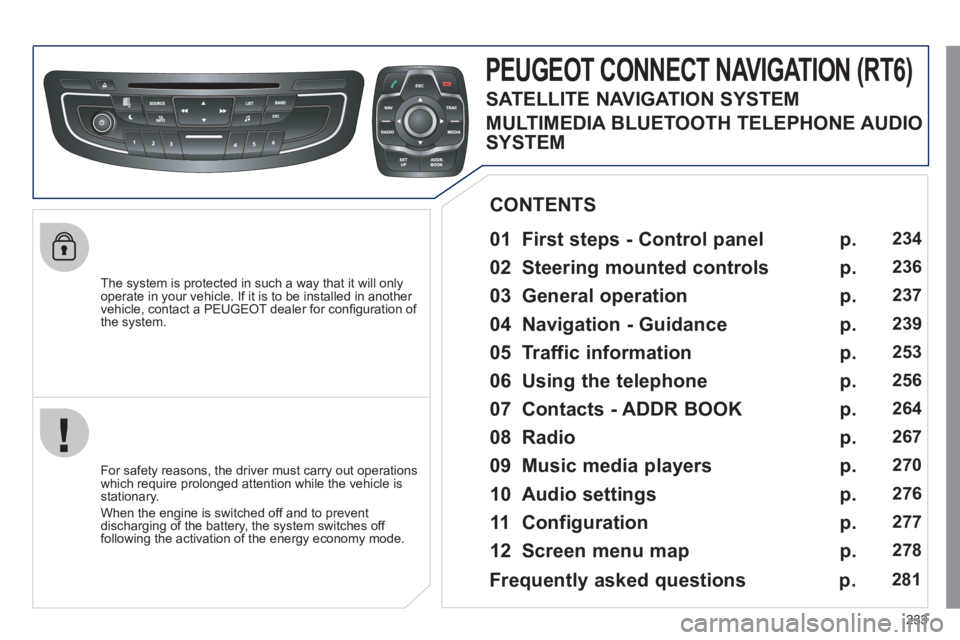
PEUGEOT CONNECT NAVIGATION (RT6)
01 First steps - Control panel
For safety reasons, the driver must carry out operations
which require prolonged attention while the vehicle is
stationary.
When the engine is switched off and to prevent
discharging of the battery, the system switches off
following the activation of the energy economy mode.
CONTENTS
02 Steering mounted controls
03 General operation
04 Navigation - Guidance
05 Traffic information
06 Using the telephone
07 Contacts - ADDR BOOK
08 Radio
09 Music media players
10 Audio settings
11 Configuration
12 Screen menu map p.
p.
p.
p.
p.
p.
p.
p.
p.
p.
p.
p.
234
236
237
239
253
256
264
267
270
276
277
278
Frequently asked questions p. 281
SATELLITE NAVIGATION SYSTEM
MULTIMEDIA BLUETOOTH TELEPHONE AUDIO
SYSTEM
Page 239 of 340
237
03
For a detailed global view of the menus available, refer to the
"Screen menu map" section.
For cleaning the screen, the use of a soft, non-abrasive cloth
(spectacles cloth) is recommended, with no additional product.
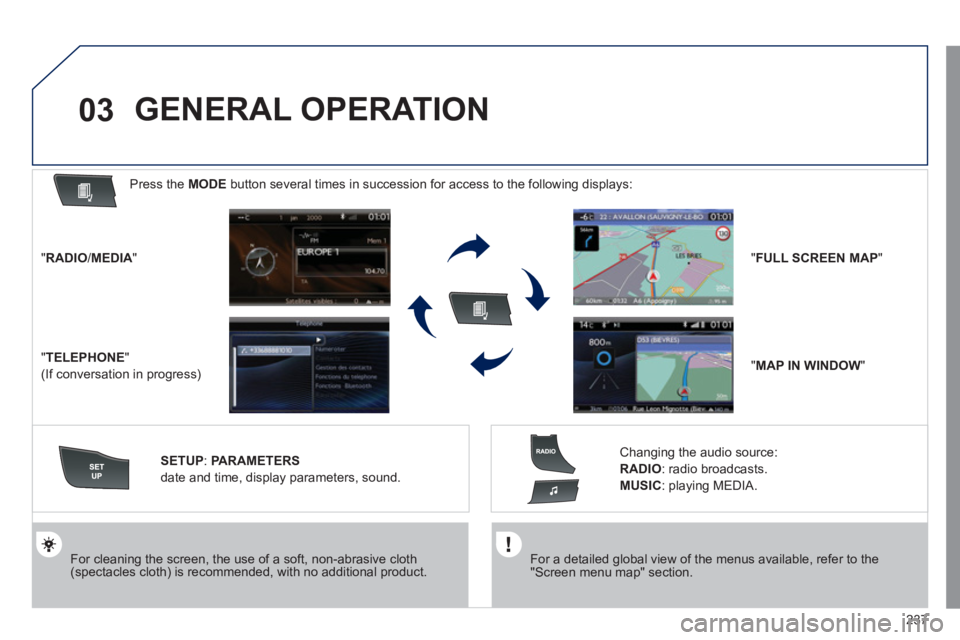
" RADIO
/ MEDIA
"
" TELEPHONE
"
(If conversation in progress)
SETUP
:
PARAMETERS
date and time, display parameters, sound.
Changing the audio source:
RADIO
:
radio broadcasts.
MUSIC
: playing MEDIA.
Press the MODE
button several times in succession for access to the following displays:
GENERAL OPERATION
" FULL SCREEN MAP
"
" MAP IN WINDOW
"
Page 242 of 340
240
04
1
2
3
4
5
7
9
10
8
6
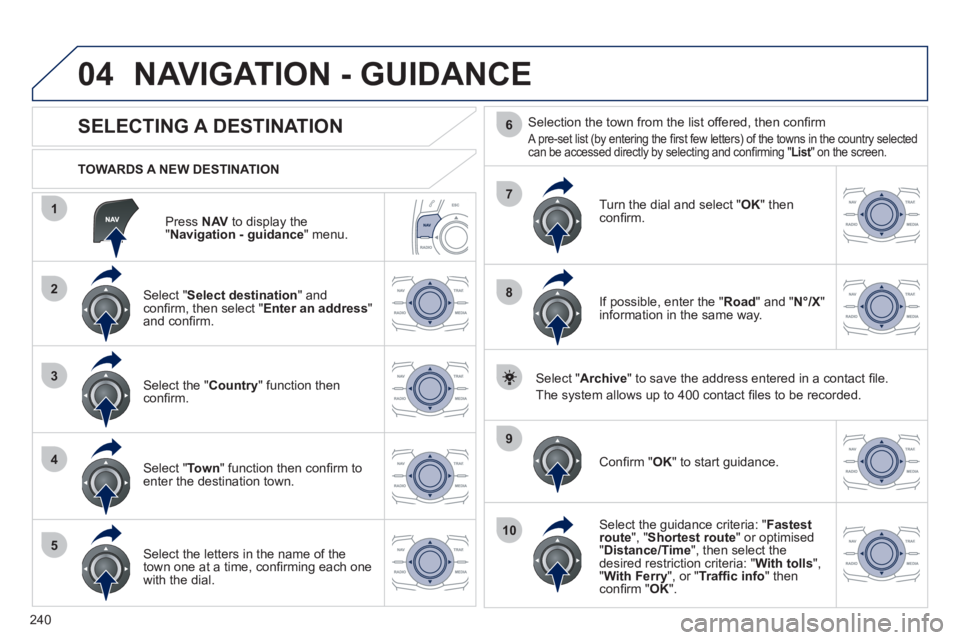
Press NAV
to display the
" Navigation - guidance
" menu.
TOWARDS A NEW DESTINATION
NAVIGATION - GUIDANCE
SELECTING A DESTINATION
Select " Select destination
" and
confi rm, then select " Enter an address
"
and confi rm.
Select the " Country
" function then
confi rm.
Select " To w n
" function then confi rm to
enter the destination town.
Select the letters in the name of the
town one at a time, confi rming each one
with the dial.
Selection the town from the list offered, then confi rm
A pre-set list (by entering the fi rst few letters) of the towns in the country selected
can be accessed directly by selecting and confi rming "List" on the screen.
Turn the dial and select " OK
" then
confi rm.
If possible, enter the " Road
" and " N°/X
"
information in the same way.
Select " Archive
" to save the address entered in a contact fi le.
The system allows up to 400 contact fi les to be recorded.
Confi rm " OK
" to start guidance.
Select the guidance criteria: " Fastest
route
", " Shortest route
" or optimised
" Distance/Time
", then select the
desired restriction criteria: " With tolls
",
" With Ferry
", or " Traffi c info
" then
confi rm " OK
".
Page 248 of 340
246
1
2
3
04 NAVIGATION - GUIDANCE
ALERT PARAMETERS
RISK AREAS
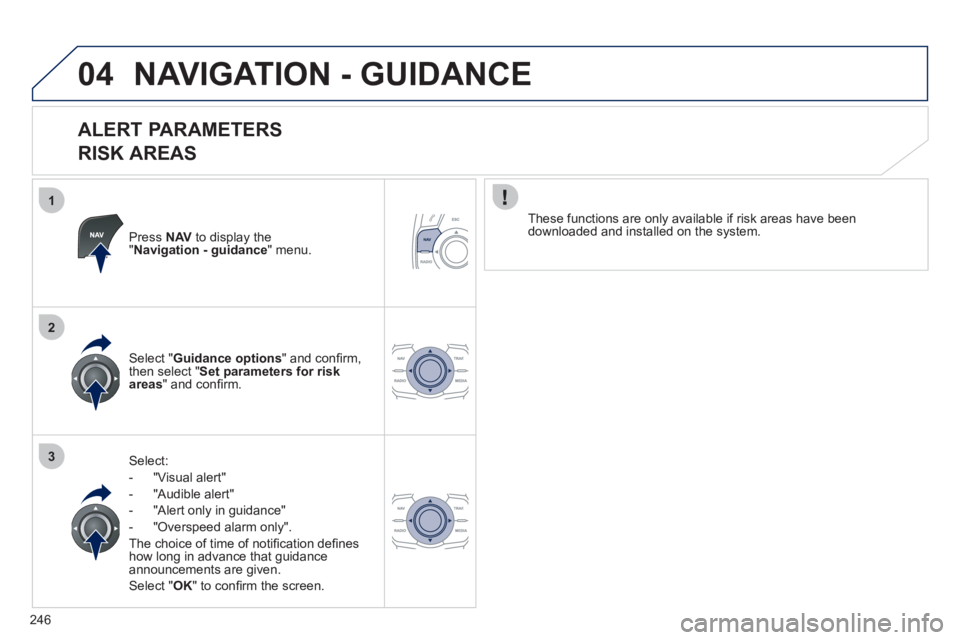
Press NAV
to display the
" Navigation - guidance
" menu.
Select:
- "Visual alert"
- "Audible alert"
- "Alert only in guidance"
- "Overspeed alarm only".
The choice of time of notifi cation defi nes
how long in advance that guidance
announcements are given.
Select " OK
" to confi rm the screen.
Select " Guidance options
" and confi rm,
then select " Set parameters for risk
areas
" and confi rm.
These functions are only available if risk areas have been
downloaded and installed on the system.
Page 250 of 340
248
04
3
4
1
2
NAVIGATION - GUIDANCE
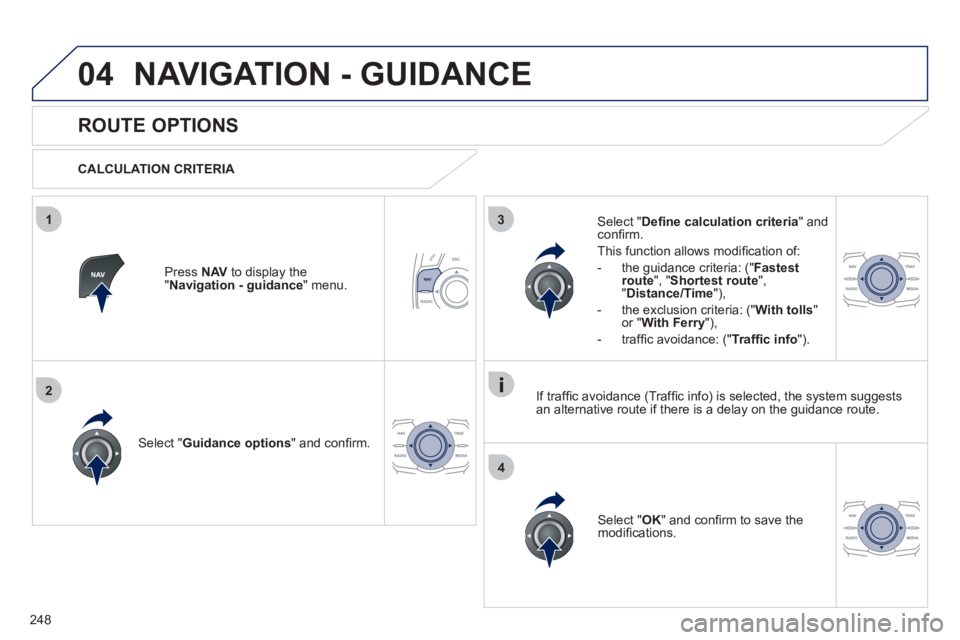
ROUTE OPTIONS
CALCULATION CRITERIA
Select " Guidance options
" and confi rm.
Select " OK
" and confi rm to save the
modifi cations.
Select " Defi ne calculation criteria
" and
confi rm.
This function allows modifi cation of:
- the guidance criteria: (" Fastest
route
", " Shortest route
",
" Distance/Time
"),
- the exclusion criteria: (" With tolls
"
or " With Ferry
"),
- traffi c avoidance: (" Traffi c info
").
Press NAV
to display the
" Navigation - guidance
" menu.
If traffi c avoidance (Traffi c info) is selected, the system suggests
an alternative route if there is a delay on the guidance route.
Page 256 of 340
254
05
1
2
3
4
TRAFFIC INFORMATION
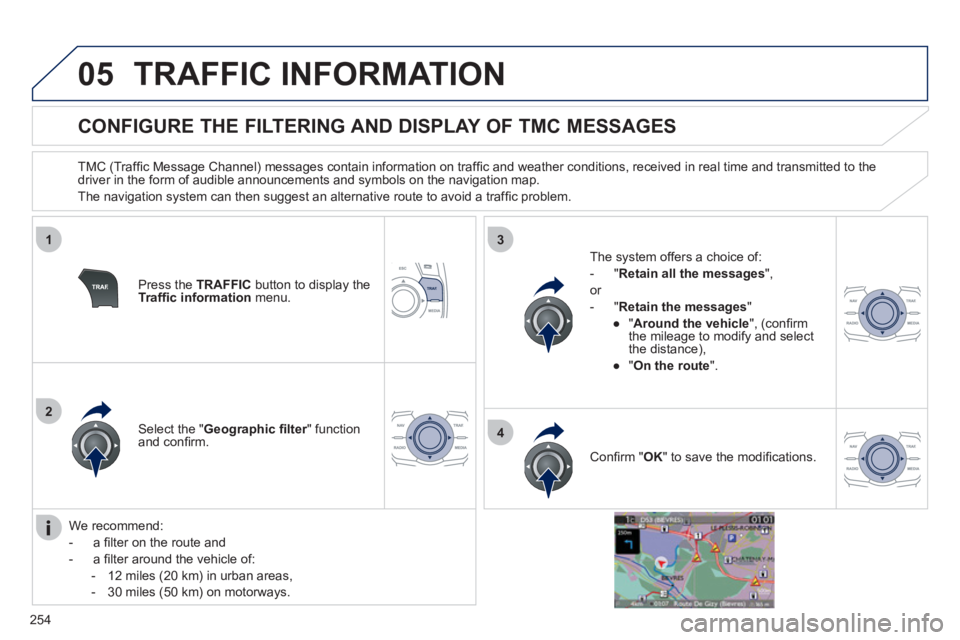
CONFIGURE THE FILTERING AND DISPLAY OF TMC MESSAGES
TMC (Traffi c Message Channel) messages contain information on traffi c and weather conditions, received in real time and transmitted to the
driver in the form of audible announcements and symbols on the navigation map.
The navigation system can then suggest an alternative route to avoid a traffi c problem.
Press the TRAFFIC
button to display the
Traffi c information
menu.
Select the " Geographic fi lter
" function
and confi rm.
The system offers a choice of:
- " Retain all the messages
",
or
- " Retain the messages
"
●
" Around the vehicle
", (confi rm
the mileage to modify and select
the distance),
●
" On the route
".
Confi rm " OK
" to save the modifi cations.
We recommend:
- a fi lter on the route and
- a fi lter around the vehicle of:
- 12 miles (20 km) in urban areas,
- 30 miles (50 km) on motorways.