start Peugeot 508 2012 Workshop Manual
[x] Cancel search | Manufacturer: PEUGEOT, Model Year: 2012, Model line: 508, Model: Peugeot 508 2012Pages: 340, PDF Size: 11.11 MB
Page 250 of 340
248
1
04
2
1
2
33
4
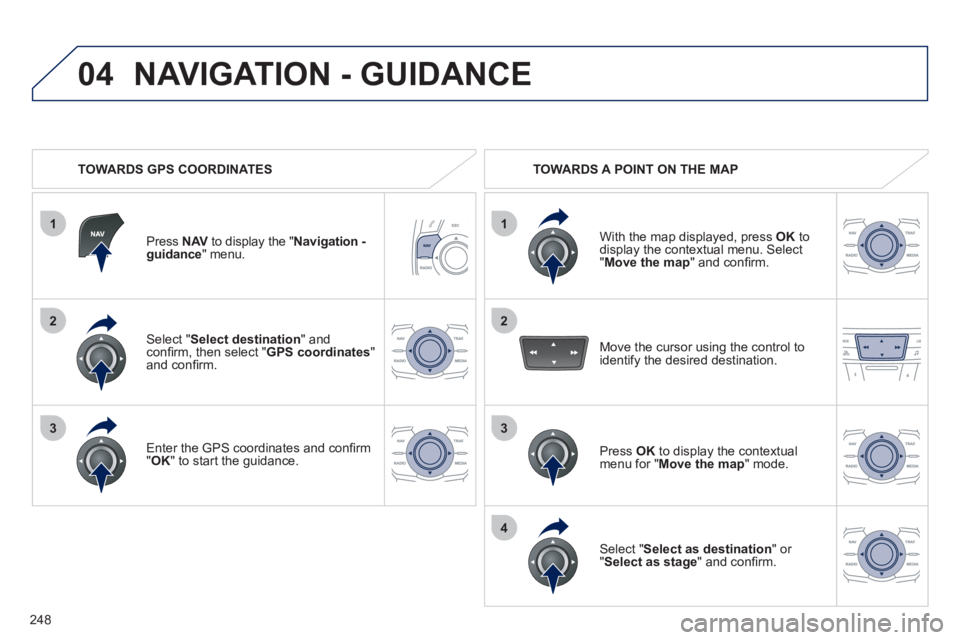
Select " Select destination " andconfi rm, then select "GPS coordinates"and confi rm.
Enter the
GPS coordinates and confi rm "OK" to start the guidance.
Press NAVto display the " VNavigation -
guidance" menu.
NAVIGATION - GUIDANCE
TOWARDS GPS COORDINATES TOWARDS A POINT ON THE MAP
With the map displa
yed, press OKto
display the contextual menu. Select"Move the map
" and confi rm.
Pr
ess OK
to display the contextual
menu for " Move the map " mode.
Select " Select as destination
" or "Select as stage" and confi rm. Move the cursor usin
g the control to
identify the desired destination.
Page 251 of 340
249
04
1
3
4
5
2
TOWARDS POINTS OF INTEREST (POI)
NAVIGATION - GUIDANCE
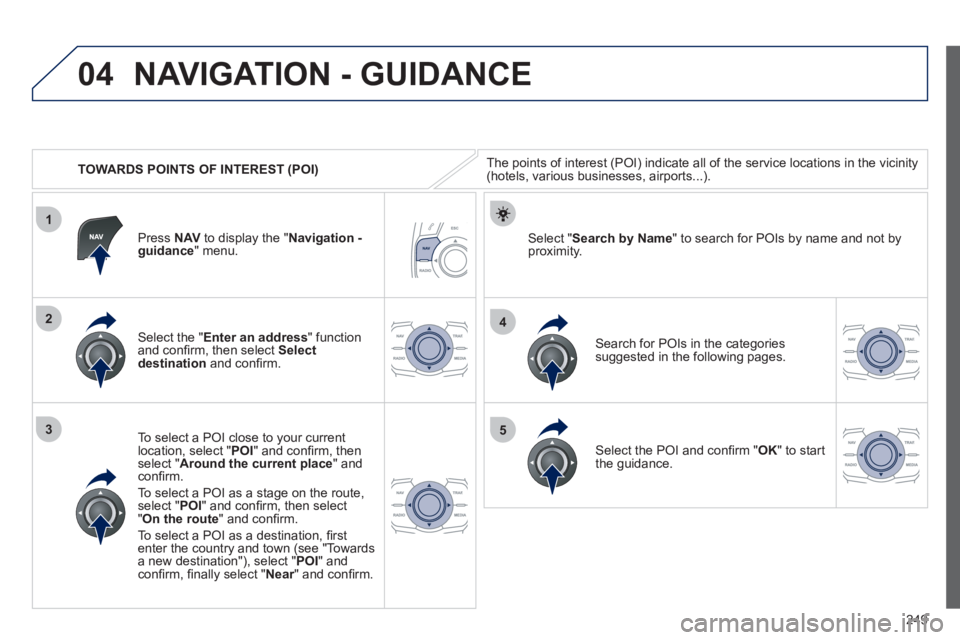
The points of interest (POI) indicate all of the service locations in the vicinity(hotels, various businesses, airports...).
Select the " Enter an address
" function
and confi rm, then select Select
destinationand confi rm.
To select a P
OI close to your currentlocation, select "POI" and confi rm, thenselect " Around the current place
" and confi rm.
To select a P
OI as a stage on the route,select " POI" and confi rm, then select"On the route
" and confi rm.
To select a P
OI as a destination, fi rst enter the country and town (see "Towards
a new destination"), select "POI" andconfi rm, fi nally select "Near" and confi rm.r
Search for POIs in the categories
suggested in the following pages.
Select " Search by Name
" to search for POIs by name and not byproximity. Press NAVto display the "Navigation -guidance" menu.
Select the POI and confi rm " OK" to start
the guidance.
Page 253 of 340
251
04
1
3
2
NAVIGATION - GUIDANCE
UPDATING THE RISK AREAS POIs
(speed camera information)
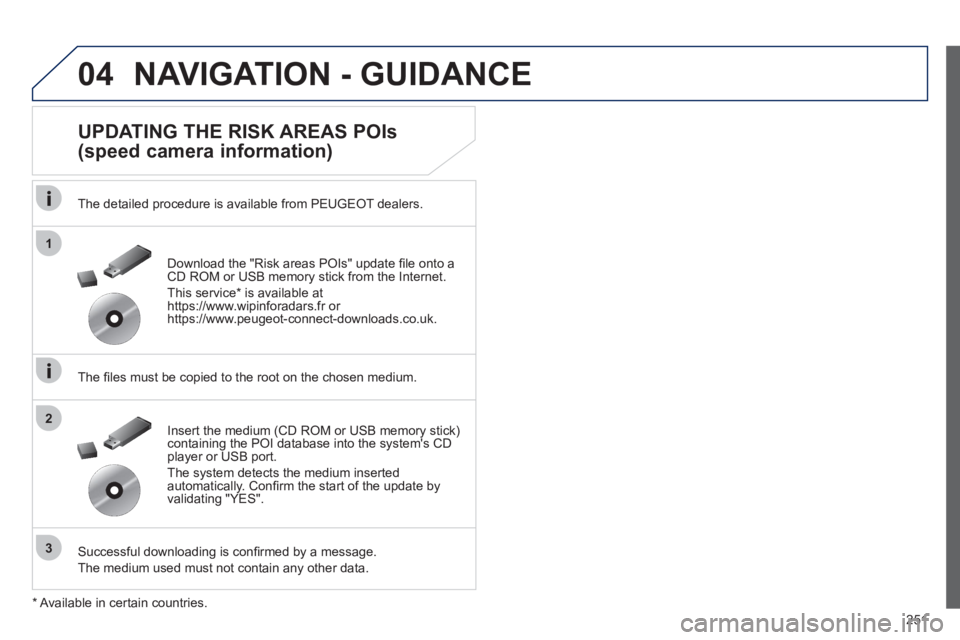
The detailed procedure is available from PEUGEOT dealers.
The fi les must be copied to the root on the chosen medium.
Successful downloadin
g is confi rmed by a message.
The medium used must not contain an
y other data. Insert the medium
(CD ROM or USB memory stick)containing the POI database into the system's CD
player or USB port.
The system detects the medium inserted automatically. Confi rm the start of the update byvalidating "YES". Download the "Risk areas P
OIs" update fi le onto aCD ROM or USB memory stick from the Internet.
Thi
s service * is available athttps://www.wipinforadars.fr orhttps://www.peugeot-connect-downloads.co.uk.
*
Av
ailable in certain countries.
Page 255 of 340
253
04
1
4
3
1
3
22
NAVIGATION - GUIDANCE
ADDING A STAGE
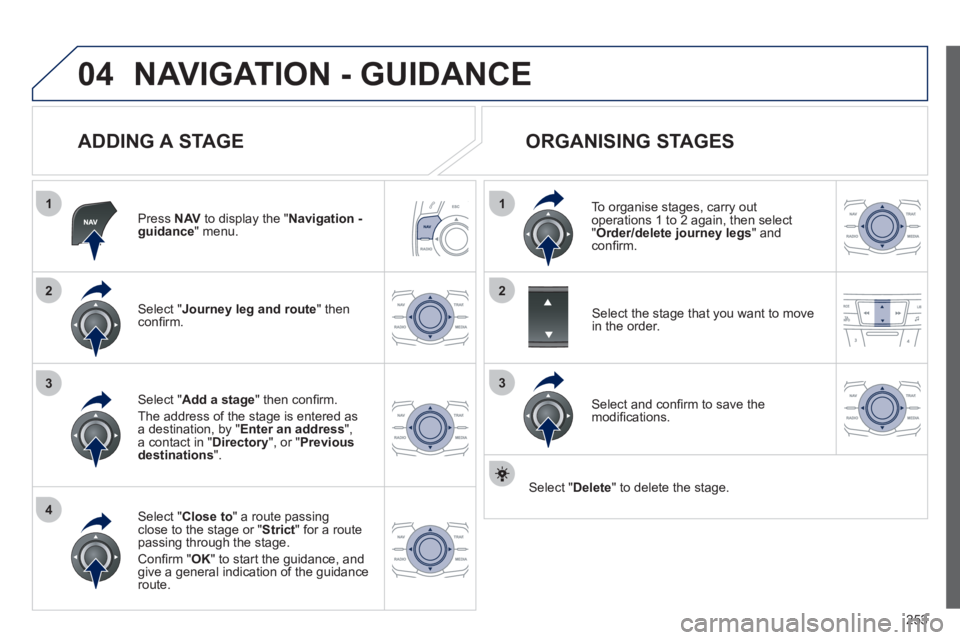
Press NAVto display the "Navigation - guidance" menu.
Select " Journey leg and route
" then confi rm.
Select " Close to
" a route passing close to the stage or "Strict
" for a routepassing through the stage.
Confi rm " OK " to start the guidance, andgive a general indication of the guidance route.
Select " Add a stage
" then confi rm.
The address o
f the stage is entered as a destination, by " Enter an address", a contact in "Directory
", or "Previous
destinations".
ORGANISING STAGES
To organise stages, carry out operations 1 to 2 again, then select"
Order/delete journey legs" andconfi rm.
Select and confi rm to save the
modifi cations.
Select the stage that you want to move
in the order.
Select "Delete
" to delete the stage.
Page 260 of 340
258
04
3
1
2
NAVIGATION - GUIDANCE
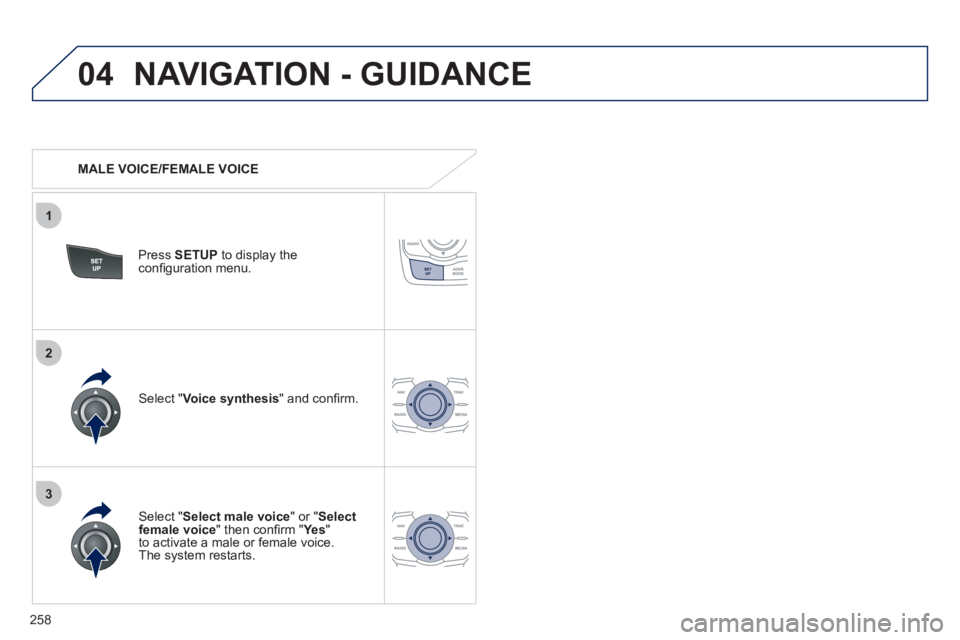
MALE VOICE/FEMALE VOICE
Press SETUP
to display theconfi guration menu.
Select "Select male voice
" or "Selectfemale voice" then confi rm " Ye s
"
to activate a male or female voice.
The system restarts.
Select "Voice synthesis
" and confi rm.
Page 264 of 340
262
06 USING THE TELEPHONE
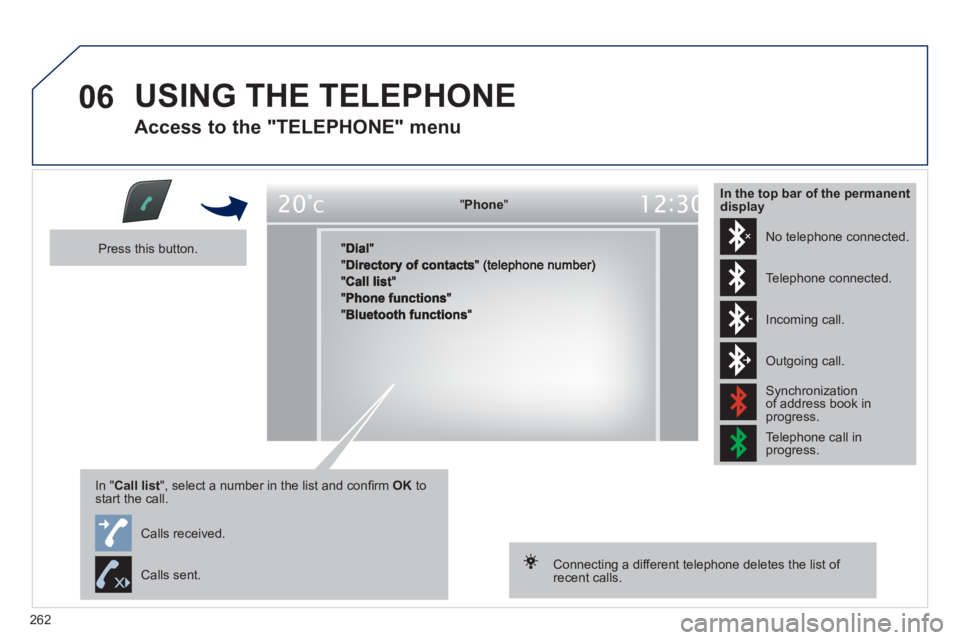
Access to the "TELEPHONE" menu
"""""""oePhonePhonePhonePhonePhonePhonePhonePhonePhonePhonePhonePhonePhonePhonePhPhPhPh"""""""
Press this button.
In "Call list
", select a number in the list and confi rm OK tostart the call.
Connecting a different telephone deletes the list of recent calls.
No telephone connected.
Telephone connected.
Incoming call.
Outgoing call.
Synchronization of address book in progress.
Telephone call in progress.
In the top bar of the permanentdisplay
Calls received.
Calls sent.
Page 266 of 340
264
8
06
7
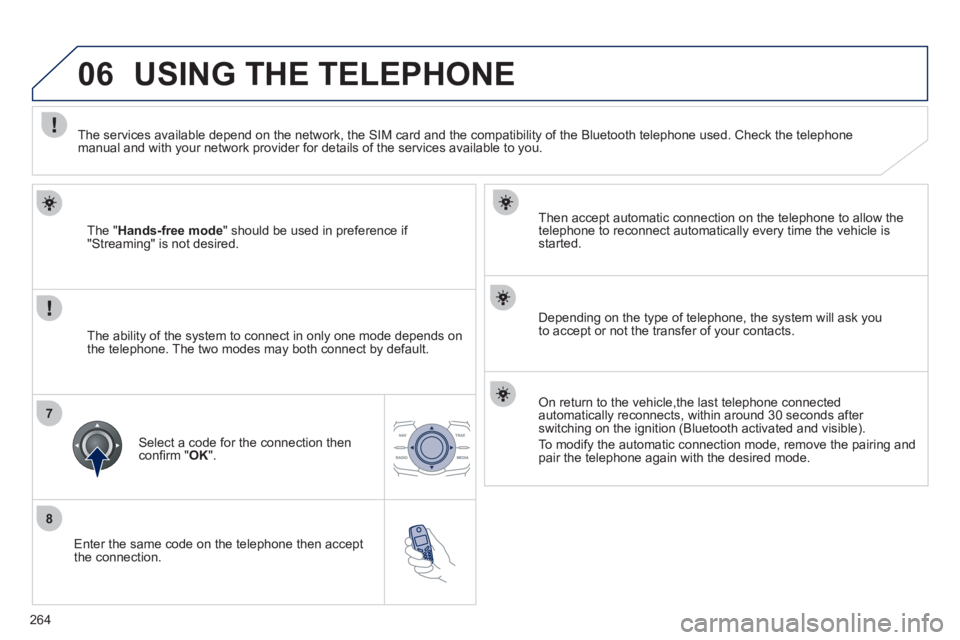
Enter the same code on the telephone then accept
the connection.
Then accept automatic connection on the telephone to allow the
telephone to reconnect automaticall
y every time the vehicle is started.
Dependin
g on the type of telephone, the system will ask you
to accept or not the transfer of your contacts.
USING THE TELEPHONE
The "Hands-free mode" should be used in preference if "Streaming" is not desired.
The services available depend on the network, the
SIM card and the compatibility of the Bluetooth telephone used. Check the telephone manual and with your network provider for details of the services available to you.
The ability o
f the system to connect in only one mode depends on
the telephone. The two modes may both connect by default.
Select a code for the connection then confi rm " OK
".
On return to the vehicle,the last telephone connected
automatically reconnects, within around 30 seconds after
switching on the ignition (Bluetooth activated and visible).
To modif
y the automatic connection mode, remove the pairing and pair the telephone again with the desired mode.
Page 267 of 340
265
1
2
2
3
1
3
4
06USING THE TELEPHONE
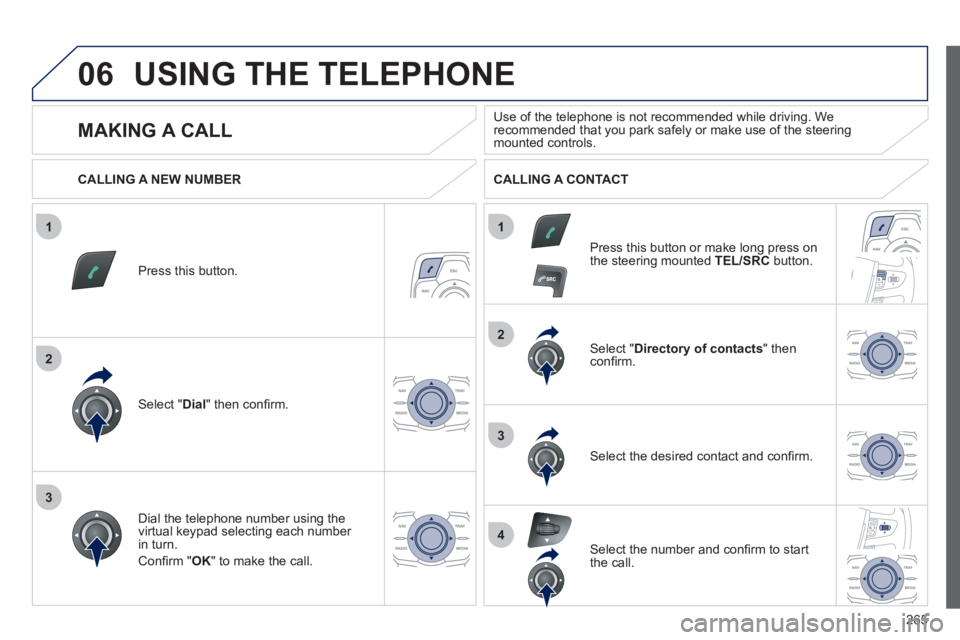
Press this button.
Select " Dial" then confi rm.
Select " Directory of contacts" thenconfi rm.
Dial the telephone number usin
g the
virtual keypad selecting each number in turn.
Confi rm " OK " to make the call.
Press this button or make lon
g press on
the steering mounted TEL/SRC
button.
CALLING A NEW NUMBER CALLING A CONTACT
Select the desired contact and confi rm.
Select the number and confi rm to start
the call.
MAKING A CALL
Use of the telephone is not recommended while driving. Werecommended that you park safely or make use of the steering mounted controls.
Page 272 of 340
270
07 DIRECTORY - ADDR BOOK
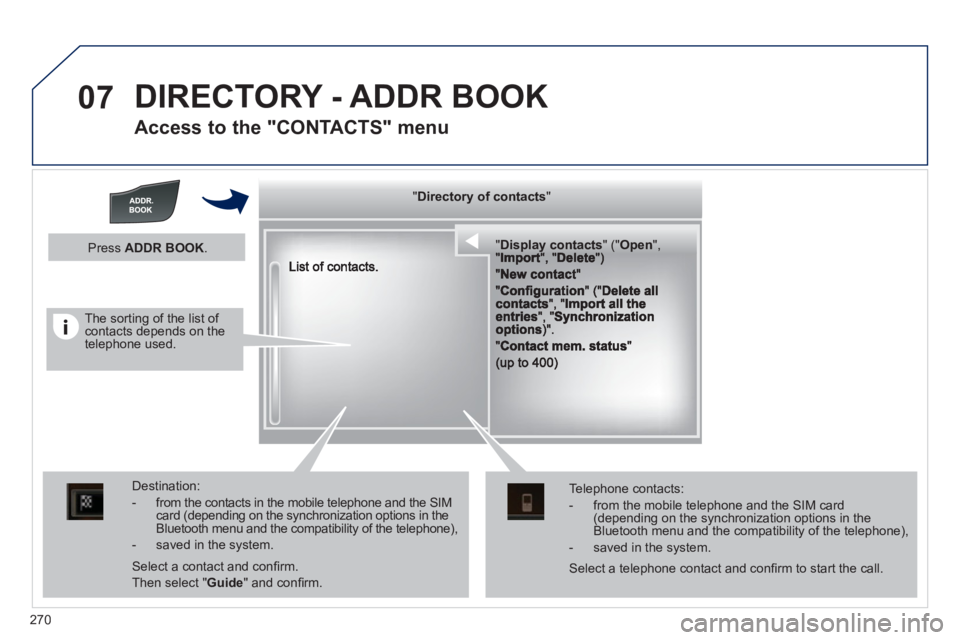
Access to the "CONTACTS" menu
""""""""yyyyyDirectory of contactsDirectory of contactsDirectory of contactsDirectory of contactsDirectory of contactsDirectory of contactsDirectory of contactsDirectory of contactsDirectory of contactsDirectory of contactsDirectory of contactsDirectory of contactsDirectory of contactsDirectory of contactsDi t f t tDi t f t tDi t f t tDi t f t tDi f """"""""
""""""""""pypypypypypypysp ay co tactsDisplay contactsDisplay contactsDisplay contactsDisplay contactsDisplay contactsDisplay contactsDisplay contactsDisplay contactsDisplay contactsDisplay contactsDisplay contactsDisplay contactsDisplay contactsDisplay contactsDisplay contactsDisplay contactsDisplay contactsDisplay contactsDisplay contactsDisplay contactsDi l t tDi l t tDi l t tDi l t tDi l t tDi l t tDi l(((((((( ( (((((((((((((((("(""(""(""(""(""(""(""(""(""("pppppppOpeOpenOpenOpenOpenOpenOpenOpenOpenOpenOpenOpenOpenOpenOpenOpenOpenOpenOpenOpenOpenOOOOOOO,,,,, , ,,,""""""""""""""ItItItIt""""""""DltDltDltDlt")")")"))
Destination:
- from the contacts in the mobile telephone and the SIMcard (depending on the synchronization options in the Bluetooth menu and the compatibility of the telephone),
- saved in the system.
Select a contact and confi rm.
Then select "Guide
" and confi rm.
Telephone contacts:
- from the mobile telephone and the SIM card(depending on the synchronization options in the Bluetooth menu and the compatibility of the telephone),
- saved in the system.
Press ADDR BOOK.
Select a telephone contact and confi rm to start the call.
The sorting of the list of contacts depends on the telephone used.
Page 280 of 340
278
09
1
2
MUSIC MEDIA PLAYERS
CD, MP3 CD, USB PLAYER
Insert the CD in the player, insert the USB memorystick in the USB player or connect the USBperipheral to the USB port using a suitable cable (not supplied)
The system builds playlists (in temporary memory),
an operation which can take from a few seconds to several minutes at the fi rst connection.
R
educe the number of non-music fi les and the number of folders to reduce the waiting time.
The playlists are updated every time the ignition isswitched off or connection of a USB memory stick. However, the system memorises these lists and
if they are not modifi ed, the loading time will be shorter.
Pla
y starts automatically after a period which
depends on the capacity of the USB memory stick.
SELECTION OF SOURCE
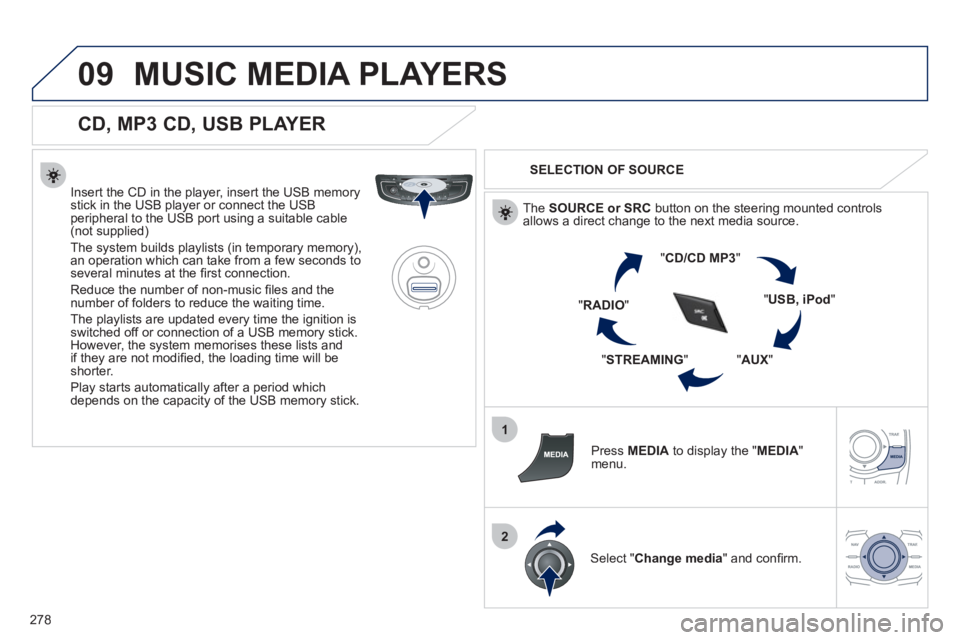
The SOURCE or SRCbutton on the steering mounted controlsallows a direct change to the next media source.
"CD/CD MP
3"
"USB, iPod"
"AUX
" "STREAMING
" "RADIO
"
Pr
ess MEDIAto display the "MEDIA
"
menu.
Select "Change media" and confi rm.