Air Peugeot 508 2012 Owner's Manual
[x] Cancel search | Manufacturer: PEUGEOT, Model Year: 2012, Model line: 508, Model: Peugeot 508 2012Pages: 340, PDF Size: 11.11 MB
Page 4 of 340
.
Contents
Instrument panel 22
Indicator and warning lamps 23
Gauges and indicators 33
Tr ip computer 38
Instruments and controlsFamiliarisation
Remote control key 41
Alarm 50
Electric windows 52
Boot 54
Motorised tailgate (SW) 55
Sunroof 58
Panoramic sunroof (SW) 60
Fuel tank 61
Diesel misfuel prevention 62
Access
Front seats 64
Rear seats 69
Mirrors 71
Steering wheel adjustment 73
Interior fi ttings 74
Boot fi ttin
gs (Saloon) 77
Boot fi ttings (SW) 78
Heating and Ventilation 83
Manual air conditioning 85
Dual-zone digital air conditioning 87
Quad-zone digital air conditioning 90
Rear screen demist - defrost 95
Programmable Heating/Ventilation 96
Comfort
Starting-switching off the engine 97
Electric parking brake 99
Manual parking brake 106
Manual gearbox 107
Gear shift indicator 108
Automatic gearbox 109
6-speed electronic gear control gearbox 113
Stop & Star t 117
Hill start assist 120
Head-up display 121
Speed limiter 124
Cruise control 126
Parking sensors 128
Parking space sensors 130
Driving
Lighting controls 132
Automatic illumination of headlamps 137
Headlamp adjustment 140
Directional lighting 141
Wiper controls 143
Automatic rain sensitive wipers 145
Cour tesy lamps 147
Interior mood lighting 148
Visibility
Eco-driving 20
Page 5 of 340
.
.
Contents
Child seats 149
ISOFIX child seats 156
Child lock 160
Child safety
Direction indicators 161
Emergency or assistance call 162
Horn 162
Tyre under-infl ation detection 163
ESC system 164
Seat belts 167
Airbags 170
Safety
Te m p o r a ry puncture repair kit 174
Changing a wheel 180
Changing a bulb 187
Changing a fuse 196
12 V battery 200
Energy economy mode 203
Changing a wiper blade 204
To w i ng the vehicle 205
To w i ng a trailer 207
Fitting roof bars 209
Accessories 210
Practical information
Opening the bonnet 213
Running out of fuel (Diesel) 214
Petrol engines 215
Diesel engines 216
Checking levels 218
Checks 221
Checks
Petrol engines 223
Petrol weights 224
Diesel en
gines 226
Diesel weights 229
Dimensions 232
Identifi cation markings 233
Technical data
Emergency or assistance 235
JBL equipment 237
Peugeot Connect Navigation (RT6) 239
Audio system 293
Audio equipment and telematics
Alphabetical index
Visual search
Page 7 of 340
.
5
Familiarisation
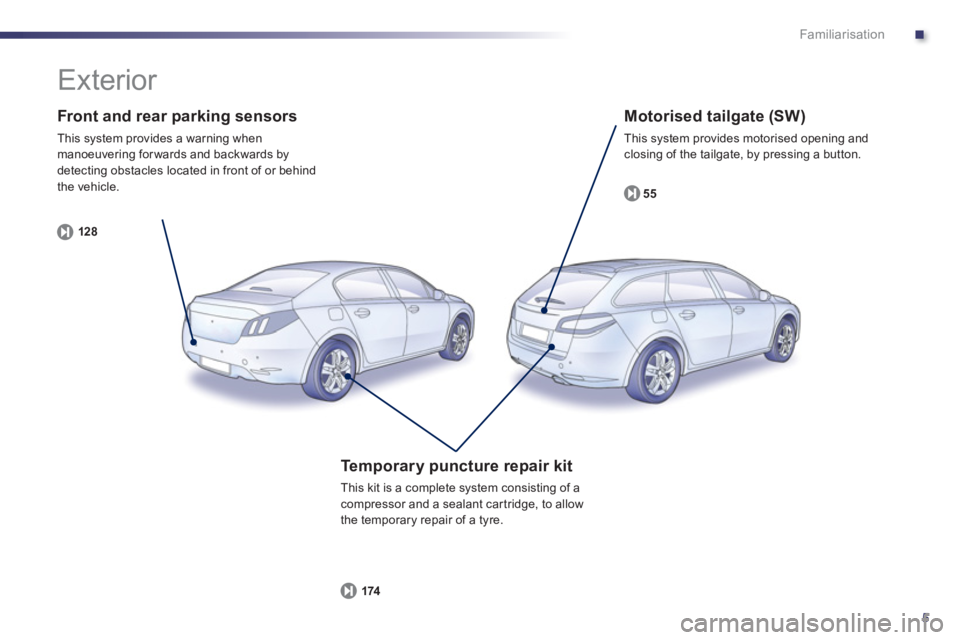
Front and rear parking sensors
This system provides a warning when manoeuvering for wards and backwards by
detecting obstacles located in front of or behind
the vehicle.
12
8
Motorised tailgate (SW)
This system provides motorised opening and closing of the tailgate, by pressing a button.
55
Te m p o r a ry puncture repair kit
This kit is a complete system consisting of acompressor and a sealant car tridge, to allow
the temporary repair of a tyre.
174
Exterior
Page 9 of 340
.
7
Familiarisation
Interior
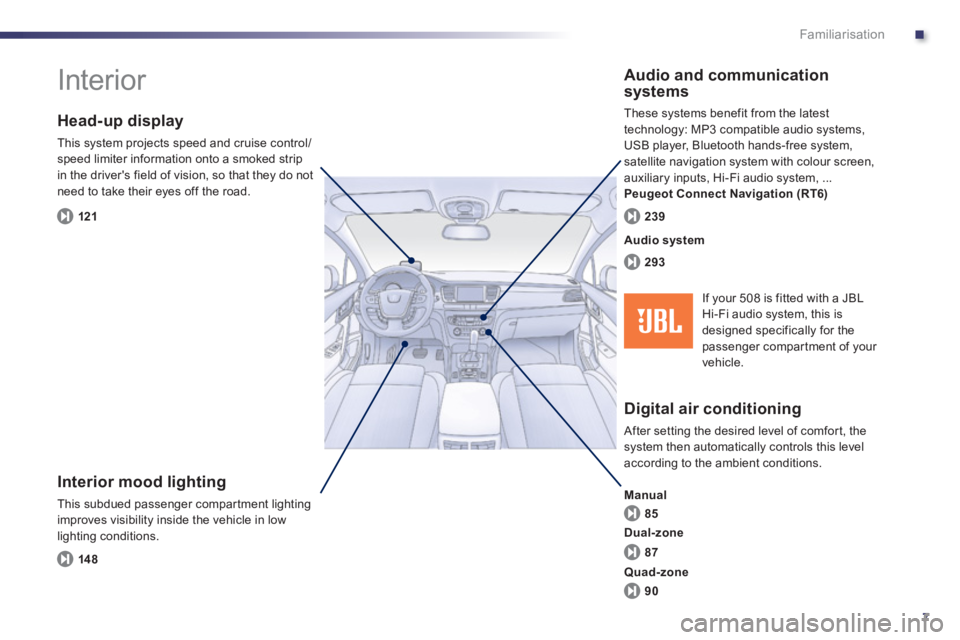
Interior mood lighting
This subdued passenger compar tment lighting
improves visibility inside the vehicle in low
lighting conditions.
Head-up display
This system projects speed and cruise control/speed limiter information onto a smoked strip
in the driver's field of vision, so that they do not need to take their eyes off the road.
Digital air conditioning
After setting the desired level of comfor t, the system then automatically controls this level
according to the ambient conditions.
Manual
Audio and communication
systems
These systems benefit from the latest
technology: MP3 compatible audio systems,
USB player, Bluetooth hands-free system,
satellite navigation system with colour screen,
auxiliary inputs, Hi-Fi audio system, ...
Peugeot Connect Navigation (RT6)
14
8
121
85
293 239
Audio system
87
90
Dual-zone
Quad-zone
If your 508 is fitted with a JBLHi-Fi audio system, this is
designed specifically for thepassenger compartment of your
vehicle.
Page 12 of 340
10
Familiarisation
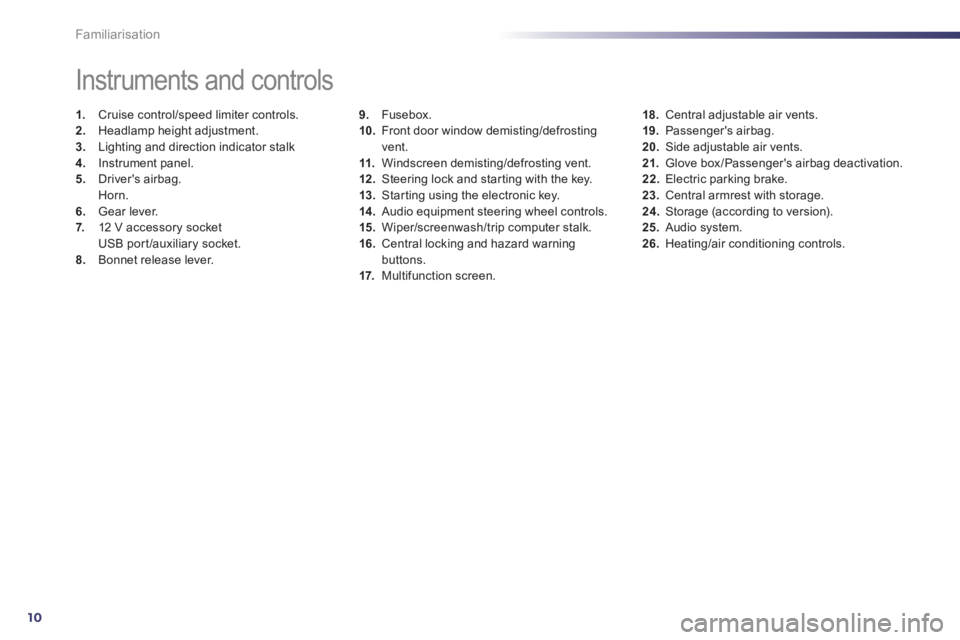
9.Fusebox.
10. Front door window demisting/defrostingvent.
11.Windscreen demisting/defrosting vent. 12 .Steering lock and star ting with the key.
13. Starting using the electronic key. 14 .
Audio equipment steering wheel controls.
15. Wiper/screenwash/trip computer stalk.
16.Central locking and hazard warningbuttons.
17. Multifunction screen.
Instruments and controls
1.
Cruise control/speed limiter controls. 2.
Headlamp height adjustment. 3.
Lighting and direction indicator stalk
4.
Instrument panel. 5.
Driver's airbag.Horn.
6.Gear lever.
7. 12 V accessory socket
USB por t/auxiliary socket.8.Bonnet release lever.
18.Central adjustable air vents.19. Passenger's airbag.20.
Side adjustable air vents.
21.Glove box/Passenger's airbag deactivation. 22.
Electric parking brake. 23.
Central armrest with storage. 24.
Storage (according to version).25.Audio system. 26.Heating/air conditioning controls.
Page 17 of 340
.
15
Familiarisation
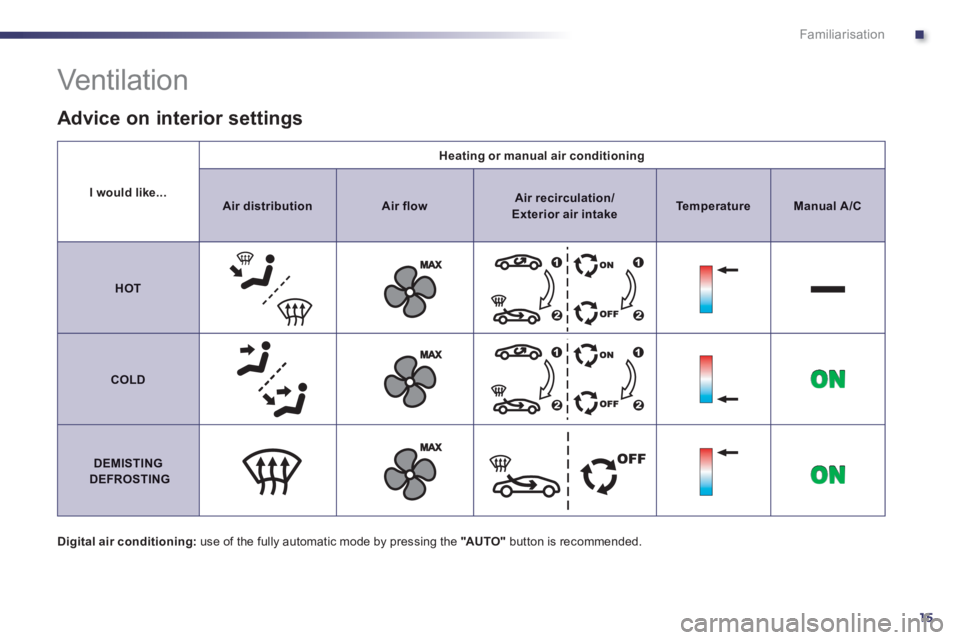
I would like...
Heating or manual air conditioning
AirdistributionAir flowAir recirculation/ Exterior air intakeTemperatureManualA/C
HOT
COLD
DEMISTINGDEFROSTING
Vent ilat ion
Digital air conditioning:use of the fully automatic mode by pressing the "AUTO"
button is recommended.
Advice on interior settings
Page 19 of 340
.
17
Familiarisation
Passenger safety
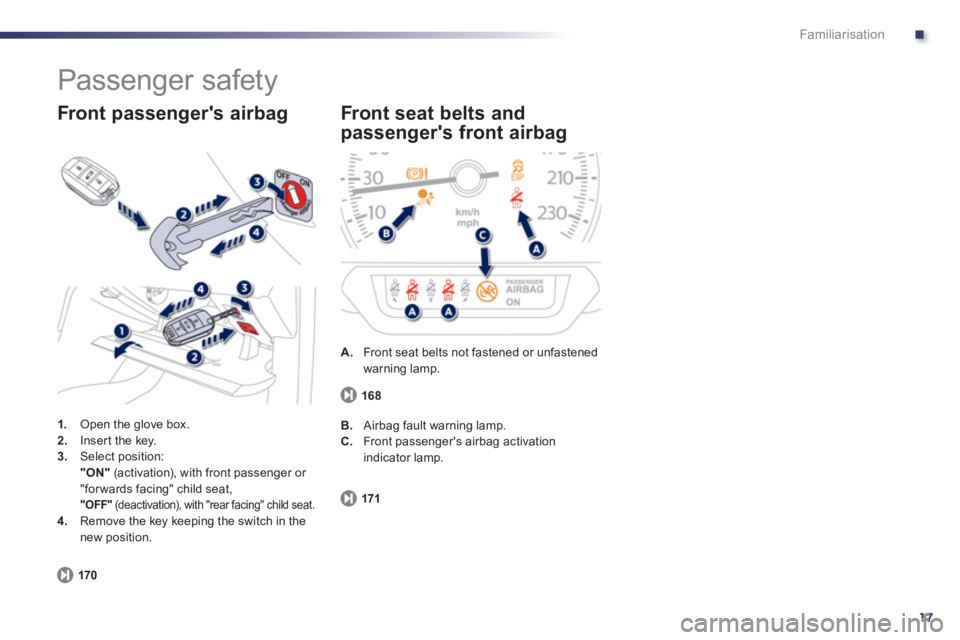
1.
Open the glove box. 2.Inser t the key. 3.Select position:"ON"(activation), with front passenger or
"for wards facing" child seat, "OFF"
(deactivation), with "rear facing" child seat. 4.
Remove the key keeping the switch in the
new position.
Front passenger's airbag
170
A.
Front seat belts not fastened or unfastenedwarning lamp.
Front seat belts and
passen
ger's front airbag
171
B. Airbag fault warning lamp.
C.
Front passenger's airbag activationindicator lamp.
168
Page 22 of 340
20
Optimise the use of your
gearbox
With a manual gearbox, move off gently,change up without waiting and drive by changing up quite soon. If your vehicle has the system, the gear shift indicator invites youto change up; it is displayed in the instrumentpanel, follow its instructions.
With an automatic or electronic gearbox, stay in Drive "D"or Auto "A" , according to the type of gearbox, without pressing theaccelerator pedal heavily or suddenly.
Drive smoothly
Maintain a safe distance between vehicles,use engine braking rather than thebrake pedal, and press the accelerator progressively. These practices contributetowards a reduction in fuel consumption andCO2emissions and also helps reduce thebackground traffic noise.
If your vehicle has cruise control, make useof the system at speeds above 25 mph (40 km/h) when the traffic is flowing well.
Control the use of your electrical equipment
Before moving off, if the passenger compartment is too warm, ventilate it byopening the windows and air vents before using the air conditioning.
Above 30 mph (50 km/h), close the windows and leave the air vents open.
Remember to make use of equipment that canhelp keep the temperature in the passenger compartment down (sun roof and windowblinds...).
Switch off the air conditioning, unless it has automatic digital regulation, as soon as thedesired temperature is attained. Switch off the demisting and defrostingcontrols, if not automatic. Switch off the heated seat as soon as possible.
Switch off the headlamps and front foglamps when the level of light does not require their use.
Avoid running the engine before moving off,
particularly in winter; your vehicle will warmup much faster while driving.
As a passenger, if you avoid connecting your multimedia devices (film, music, videogame...), you will contribute towards limitingthe consumption of electrical energy, and soof fuel.
Disconnect your por table devices beforeleaving the vehicle.
Eco-driving Eco-driving is a range of everyday practices that allow the motorist to optimise their fuel consumption and CO2emissions.
Page 23 of 340
.
21
Limit the causes of excess
consumption
Spread loads throughout the vehicle; placethe heaviest items in the bottom of the boot,as close as possible to the rear seats.Limit the loads carried in the vehicle and reduce wind resistance (roof bars, roof rack, bicycle carrier, trailer...). Use a roof box inpreference.Remove roof bars and roof racks after use.
At the end of winter, remove snow tyres and refit your summer tyres.
Observe the recommendations
on maintenance
Check the tyre pressures regularly, when cold, referring to the label in the door aper ture, driver's side.Carry out this check in par ticular:- before a long journey,- at each change of season,- after a long period out of use. Don't forget the spare wheel and the tyres onany trailer or caravan.
Have your vehicle ser viced regularly (engine oil, oil filter, air filter...) and obser ve the schedule of operations recommended by the
manufacturer.
When refuelling, do not continue after the3 rdcut-off of the nozzle to avoid any over flow.
At the wheel of your new vehicle, it is only after the first 1 800 miles (3 000 kilometres) that you will see the fuel consumption settledown to a consistent average.
Page 28 of 340
26
Instruments and controls
Warning/indicator lampStateCauseAction/Observations
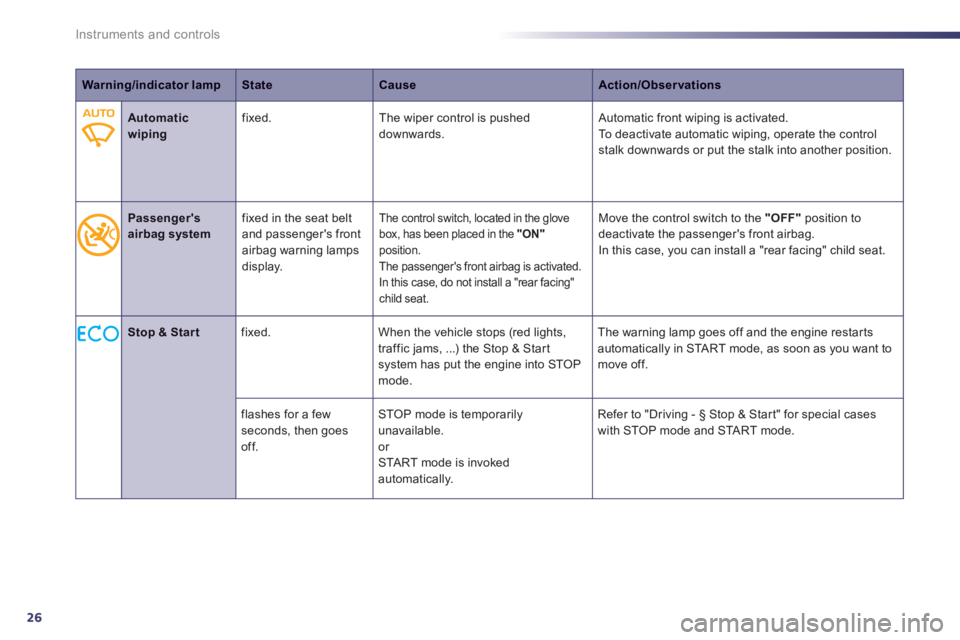
Automatic wipingfixed.The wiper control is pushed downwards. Automatic front wiping is activated. To deactivate automatic wiping, operate the controlstalk downwards or put the stalk into another position.
Passenger's
airbag systemfix
ed in the seat belt
and passenger's front airbag warning lampsdisplay.
The control switch, located in the glove
box, has been placed in the
"ON" position.
The passenger's front airbag is activated.
In this case, do not install a "rear facing"child seat.
Move the control switch to the "OFF"
position to
deactivate the passen
ger's front airbag.
In this case, you can install a "rear facing" child seat.
Stop & Start
fixed. When the vehicle stops (red lights,
traffic jams, ...) the Stop & Star t system has put the engine into STOP mode. The warnin
g lamp goes off and the engine restarts
automatically in START mode, as soon as you want to
move off.
fl
ashes for a few seconds, then goes off. STOP mode is temporaril
y unavailable.
or
STA R T mode is invoked
automatically. Refer to "Drivin
g - § Stop & Star t" for special cases
with STOP mode and STA R T m o d e .