CD player Peugeot 508 2016 User Guide
[x] Cancel search | Manufacturer: PEUGEOT, Model Year: 2016, Model line: 508, Model: Peugeot 508 2016Pages: 371, PDF Size: 12.12 MB
Page 347 of 371
345
508_en_Chap10d_RD5_ed01-2016
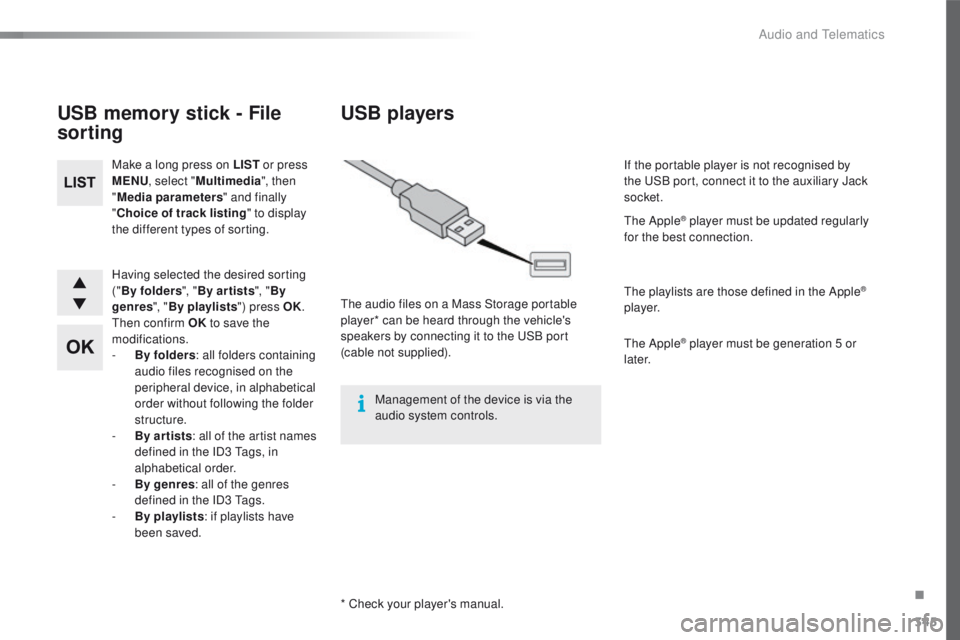
Having selected the desired sorting
("By folders ", "By ar tists ", "By
genres ", "By playlists ") press OK.
th
en confirm OK to save the
modifications.
-
B
y folders : all folders containing
audio files recognised on the
peripheral device, in alphabetical
order without following the folder
structure.
-
B
y ar tists : all of the artist names
defined in the ID3
t
a
gs, in
alphabetical order.
-
B
y genres : all of the genres
defined in the ID3
t
a
gs.
-
By
playlists : if playlists have
been saved.
Make a long press on LIST
or press
MENU , select " Multimedia ", then
" Media parameters " and finally
" Choice of track listing " to display
the different types of sorting.
USB memory stick - File
sorting
* Check your player's manual.
USB players
the audio files on a Mass Storage portable
player* can be heard through the vehicle's
speakers by connecting it to the
u
S
B port
(cable not supplied).
Management of the device is via the
audio system controls. If the portable player is not recognised by
the
u
S
B port, connect it to the auxiliary Jack
socket.
th
e Apple
® player must be updated regularly
for the best connection.
th
e playlists are those defined in the Apple
®
p l aye r.
th
e Apple
® player must be generation 5 or
later.
.
Audio and telematics
Page 348 of 371
346
508_en_Chap10d_RD5_ed01-2016
then adjust the volume of the audio
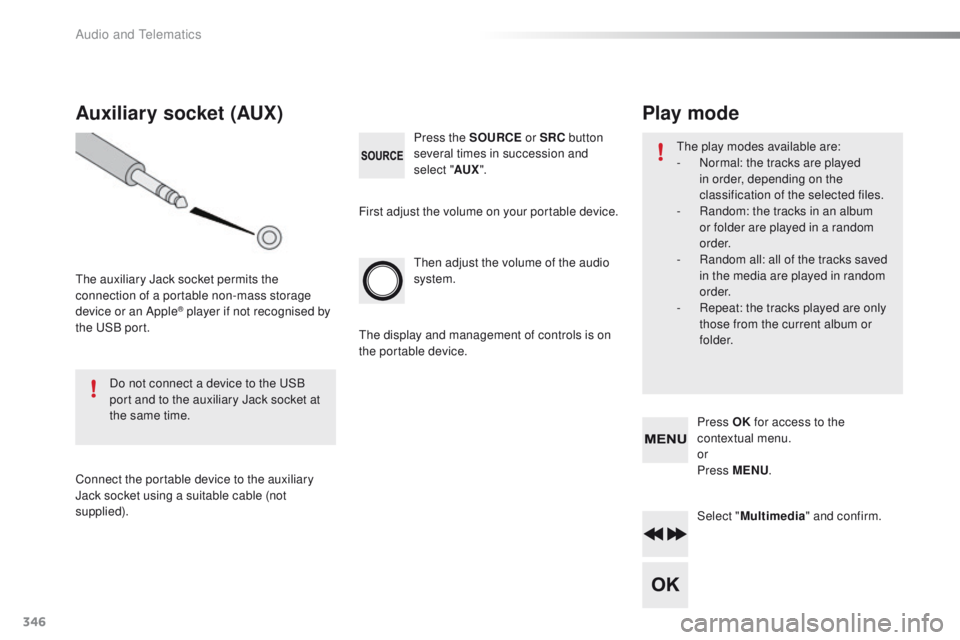
system. Press the SOURCE or SRC button
several times in succession and
select " AUX".
Auxiliary socket (AUX)
the auxiliary Jack socket permits the
connection of a portable non-mass storage
device or an Apple
® player if not recognised by
the
uS
B port.
Do not connect a device to the
u
S
B
port and to the auxiliary Jack socket at
the same time.
Connect the portable device to the auxiliary
Jack socket using a suitable cable (not
supplied). First adjust the volume on your portable device.
th
e display and management of controls is on
the portable device.
Select "Multimedia " and confirm.
Press OK
for access to the
contextual menu.
or
Press MENU .
Play mode
the play modes available are:
-
N ormal: the tracks are played
in order, depending on the
classification of the selected files.
-
R
andom: the tracks in an album
or folder are played in a random
o r d e r.
-
R
andom all: all of the tracks saved
in the media are played in random
o r d e r.
-
R
epeat: the tracks played are only
those from the current album or
f o l d e r.
Audio and telematics
Page 353 of 371
351
508_en_Chap10d_RD5_ed01-2016
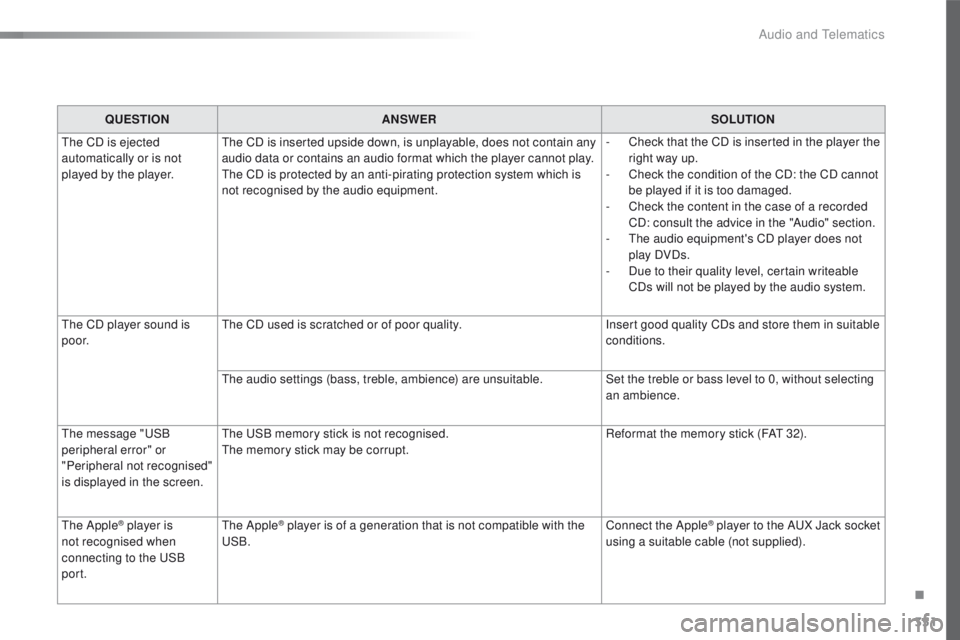
QUESTIONANSWER SOLUTION
th
e CD is ejected
automatically or is not
played by the player.
th
e CD is inserted upside down, is unplayable, does not contain any
audio data or contains an audio format which the player cannot play.
th
e CD is protected by an anti-pirating protection system which is
not recognised by the audio equipment. -
C
heck that the CD is inserted in the player the
right way up.
-
C
heck the condition of the CD: the CD cannot
be played if it is too damaged.
-
C
heck the content in the case of a recorded
CD: consult the advice in the "Audio" section.
-
t
h
e audio equipment's CD player does not
play DVDs.
-
D
ue to their quality level, certain writeable
CDs will not be played by the audio system.
th
e CD player sound is
p o o r.
th
e CD used is scratched or of poor quality. Insert good quality CDs and store them in suitable
conditions.
th
e audio settings (bass, treble, ambience) are unsuitable. Set the treble or bass level to 0, without selecting
an ambience.
th
e message "
uS
B
peripheral error" or
"Peripheral not recognised"
is displayed in the screen.
th
e u
S
B memory stick is not recognised.
th
e memory stick may be corrupt. Reformat the memory stick (FA
t
32).
th
e Apple
® player is
not recognised when
connecting to the
u
S
B
port.th e Apple® player is of a generation that is not compatible with the uS
B. Connect the Apple® player to the AuX J
ack socket
using a suitable cable (not supplied).
.
Audio and telematics
Page 358 of 371
356
508_en_Chap11_index-alpha_ed01-2016
Player, Apple® ......................................294, 345
Player, MP3 CD ............................ 292, 343, 344
Port,
u
S
B
..................................... 1
08, 292, 345
Pressures, tyres
............................................ 273
Pre-tensioning seat belts
.............................. 13 8
Priming the fuel system
................................ 228
Protecting children
................................ 13 8, 140, 143 -15 8
Puncture
........................................................ 229Reservoir, headlamp wash /
screenwash ................................................. 220
Resetting the service indicator
.......................34
Reversing camera
.........................................19 9
Reversing lamp
..................................... 24
5, 246
Risk areas (update)
.......................................307
Roof bars
....................................................... 2
12
Roof, opening
........................................104, 10 6
Running out of fuel (Diesel)
..........................2
28
Safety, children
................................13 8, 140, 143 -15 8
Saturation of the particle filter (Diesel)
.........2
21
Screen, cold climate
.....................................204
Screen, touch
...............................
.................271
Screen, instrument panel
..........................28, 39
Screen menu map
...............282, 284, 286, 296,
298, 302, 310, 320, 322
Screen, multifunction (with audio system)
............................340, 348
Screenwash, front/rear
.................................128
SCR (Selective Catalytic Reduction)
............223
Seat belts
............................................... 13
6 -13 8
Seats, front
...............................
.................75 -77
Seats, heated
..................................................78
Seats, rear
.....................................................109
Serial number, vehicle
.................................. 2
73
Service indicator
.............................................33
Service warning lamp
.....................................20
Servicing
...............................
..........................11
Settings, system
......................................28, 310
Sidelamps
.....................117, 125, 242, 245, 246
ta
ble of weights
...................................26
5, 268
tab
les of engines
..................................264, 267
ta
bles of fuses ..............................................249
ta
nk, AdBlue
® additive .................................2 23t
a n k , f u e l
....................................................... 200
te
chnical data
............................................... 264
te
lephone
..................................................... 320
te
mperature, coolant
...................................... 30
th
ird brake lamp
........................................... 248
S
T
Side repeater .............................. ..................244
Ski flap .............................. ............................111
Snow chains
.................................................. 20
3
Socket, 12 V accessory
................1
0 1, 1 0 8 , 111
Sockets, audio
.....................108, 292, 345, 346
Speed limiter
......................................... 188, 192
Spotlamps, side
.................................... 125, 24 4
Stability control (DSC)
............................18, 13 3
Starting the engine
...............................161, 165
Starting using another battery
...................... 25
4
Station, radio
........................................ 2
88, 340
Steering mounted controls, audio
.......280, 339
Steering wheel, adjustment
............................79
Stop & Start
.................... 17, 42, 89, 92, 96, 180,
200, 214, 221, 253, 256
Storage
.............................. 9 9 , 1 0 1, 1 0 7, 111 -113
Storage wells
................................................ 113
Storing driving positions
.................................77
Stowing rings
........................................ 112 , 113
Sun visor
....................................................... 101
Switching off the engine
....................... 16
1, 165
Synchronising the remote control
.............54, 63
Radio
.................................................... 288, 340
Radio, digital (Digital Audio Broadcasting - DAB)
................................... 290
Range, AdBlue
.......................................... 35, 36
RDS
....................................................... 2 8 9 , 3 41
Rear screen, demisting
................................... 96
Recharging the battery
................................. 25
5
Reduction of electrical load
.......................... 261
Regeneration of the particle filter
.......................................... 221
Reinitialising the remote control
............... 5
4, 63
Reminder, lighting on
.................................... 11 9
Remote control
.................................... 4
9, 55, 69
Removing a wheel
........................................ 238
Removing the battery .................................... 257
Removing the mat
......................................... 10 0
Replacing bulbs
............................................ 242
Replacing fuses
..............................
.............. 249
Replacing the air filter
................................... 221
Replacing the oil filter
................................... 2
21
Replacing the passenger compartment filter
...................................... 221
R
Alphabetical index