direction indicator Peugeot 508 2016 User Guide
[x] Cancel search | Manufacturer: PEUGEOT, Model Year: 2016, Model line: 508, Model: Peugeot 508 2016Pages: 371, PDF Size: 12.12 MB
Page 58 of 371
56
508_en_Chap02_ouvertures_ed01-2016
Selective unlocking
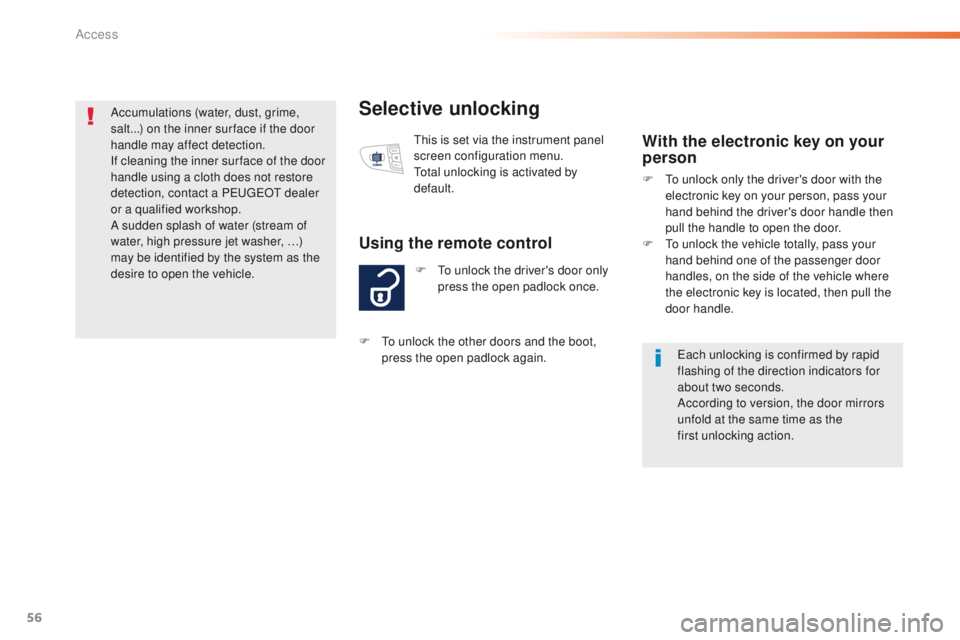
F to unlock the driver's door only press the open padlock once.
Using the remote control
this is set via the instrument panel
screen configuration menu.
to
tal unlocking is activated by
default.With the electronic key on your
person
F to unlock only the driver's door with the electronic key on your person, pass your
hand behind the driver's door handle then
pull the handle to open the door.
F
t
o u
nlock the vehicle totally, pass your
hand behind one of the passenger door
handles, on the side of the vehicle where
the electronic key is located, then pull the
door handle.
ea
ch unlocking is confirmed by rapid
flashing of the direction indicators for
about two seconds.
According to version, the door mirrors
unfold at the same time as the
first
unlocking action.
F
t
o u
nlock the other doors and the boot,
press the open padlock again.
Accumulations (water, dust, grime,
salt...) on the inner sur face if the door
handle may affect detection.
If cleaning the inner sur face of the door
handle using a cloth does not restore
detection, contact a Pe
ugeOt
dealer
or a qualified workshop.
A sudden splash of water (stream of
water, high pressure jet washer, …)
may be identified by the system as the
desire to open the vehicle.
Access
Page 60 of 371
58
508_en_Chap02_ouvertures_ed01-2016
Normal locking
Using the remote control
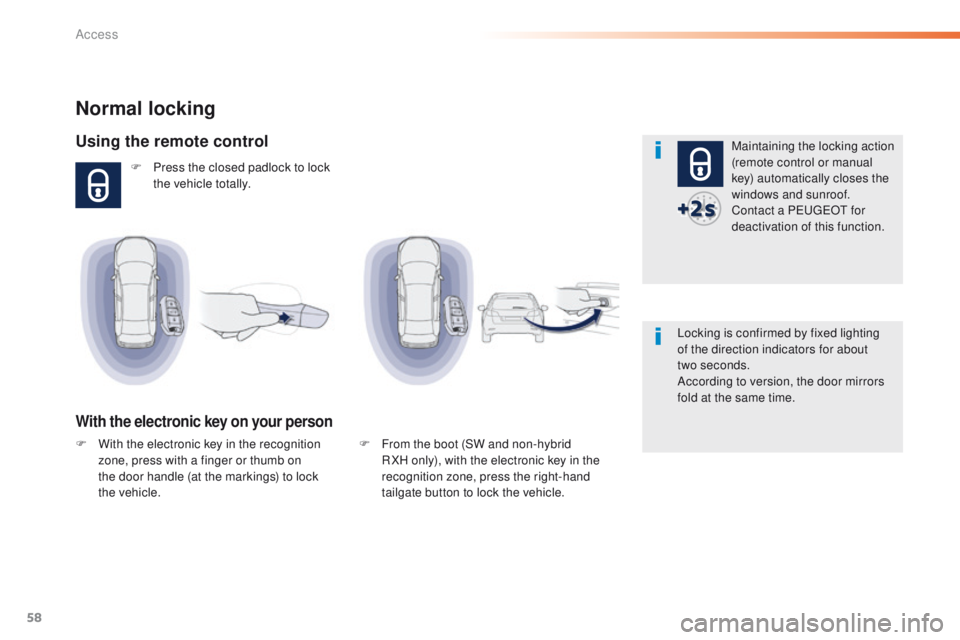
F Press the closed padlock to lock the vehicle totally.
With the electronic key on your person
Maintaining the locking action
(remote control or manual
key) automatically closes the
windows and sunroof.
Contact a P
e
uge
Ot
for
deactivation of this function.
Locking is confirmed by fixed lighting
of the direction indicators for about
two
seconds.
According to version, the door mirrors
fold at the same time.
F
F
rom the boot (SW and non-hybrid
R XH only), with the electronic key in the
recognition zone, press the right-hand
tailgate button to lock the vehicle.
F
W
ith the electronic key in the recognition
zone, press with a finger or thumb on
the door handle (at the markings) to lock
the
vehicle.
Access
Page 62 of 371
60
508_en_Chap02_ouvertures_ed01-2016
Deadlocking
Deadlocking renders the exterior and
interior door controls inoperative.
It also deactivates the manual central
locking button.
You should therefore never leave
anyone inside the vehicle when it is
deadlocked.Using the remote control
F Press the closed padlock to lock the vehicle totally or press
the closed padlock for more
than two
seconds to close the
windows automatically in addition
to locking.
With the electronic key on your
person
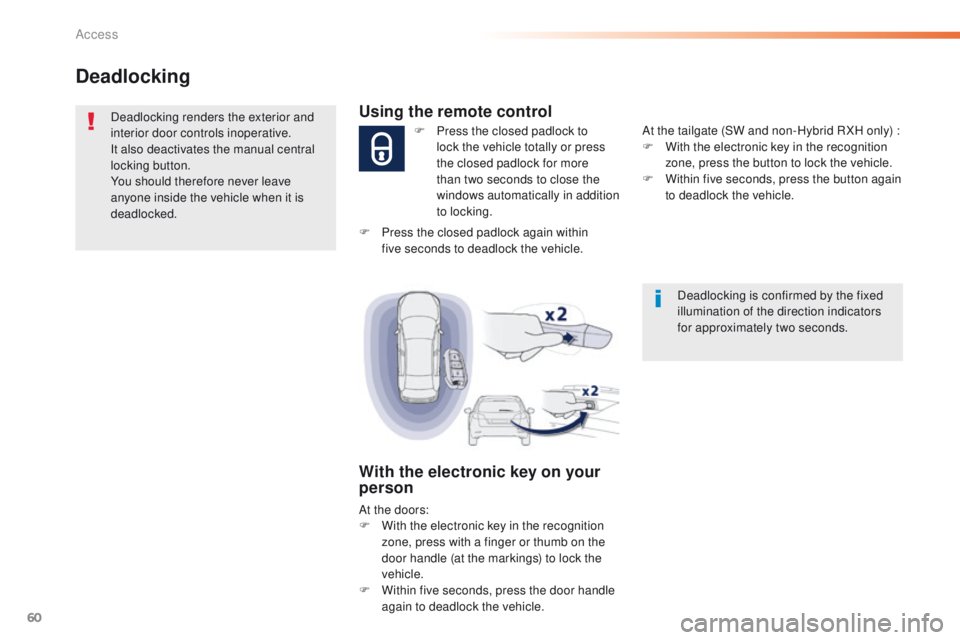
At the doors:
F W ith the electronic key in the recognition
zone, press with a finger or thumb on the
door handle (at the markings) to lock the
vehicle.
F
W
ithin five seconds, press the door handle
again to deadlock the vehicle. At the tailgate (SW and non-Hybrid R XH only) :
F
W
ith the electronic key in the recognition
zone, press the button to lock the vehicle.
F
W
ithin five seconds, press the button again
to deadlock the vehicle.
F
P
ress the closed padlock again within
five
seconds to deadlock the vehicle.
Deadlocking is confirmed by the fixed
illumination of the direction indicators
for approximately two seconds.
Access
Page 63 of 371
61
508_en_Chap02_ouvertures_ed01-2016
F Press the closed padlock to locate your locked vehicle in
a
car park.
Locating your vehicle
this is indicated by lighting of the courtesy
lamps and flashing of the direction indicators
for a few seconds.
Anti-theft protection
Electronic engine immobiliser
the key contains an electronic chip which has
a special code. When the ignition is switched
on, this code must be recognised in order for
starting to be possible.
th
is electronic engine immobiliser locks the
engine management system a few moments
after the ignition is switched off and prevents
starting of the engine by anyone who does not
have the key.
In the event of a fault, you are
informed by illumination of this
warning lamp, an audible signal and
a message in the screen.
In this case, your vehicle will not start; contact
a P
e
uge
Ot
dealer as soon as possible.
Keep safely, away from your vehicle,
the label attached to the keys given to
you on acquisition of the vehicle.
2
Access
Page 74 of 371
72
508_en_Chap02_ouvertures_ed01-2016
Triggering of the alarm
this is indicated by sounding of the siren
and flashing of the direction indicators for
thirty
seconds.
th
e monitoring functions remain active until
the alarm has been triggered eleven times in
succession.
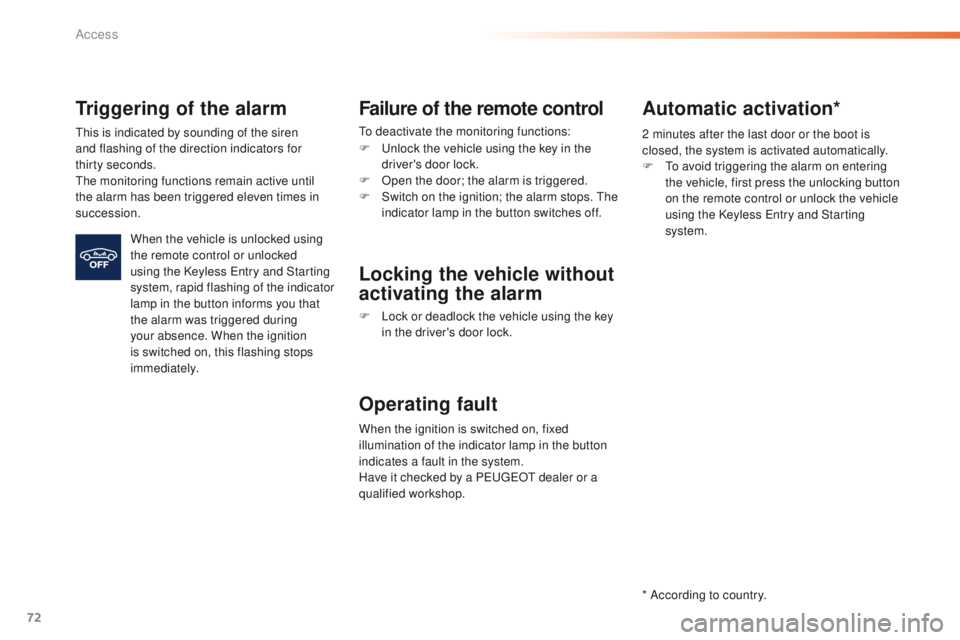
When the vehicle is unlocked using
the remote control or unlocked
using the Keyless
e
n
try and Starting
system, rapid flashing of the indicator
lamp in the button informs you that
the alarm was triggered during
your absence. When the ignition
is switched on, this flashing stops
immediately.
Failure of the remote control
to deactivate the monitoring functions:
F
u
n
lock the vehicle using the key in the
driver's door lock.
F
O
pen the door; the alarm is triggered.
F
S
witch on the ignition; the alarm stops. t
h
e
indicator lamp in the button switches off.
Locking the vehicle without
activating the alarm
F Lock or deadlock the vehicle using the key in the driver's door lock.
Operating fault
When the ignition is switched on, fixed
illumination of the indicator lamp in the button
indicates a fault in the system.
Have it checked by a P
e
uge
Ot
dealer or a
qualified workshop.
* According to country.
Automatic activation*
2 minutes after the last door or the boot is
closed, the system is activated automatically.
F t
o a
void triggering the alarm on entering
the vehicle, first press the unlocking button
on the remote control or unlock the vehicle
using the Keyless
e
n
try and Starting
system.
Access
Page 122 of 371
120
508_en_Chap04_eclairage-et-visibilite_ed01-2016
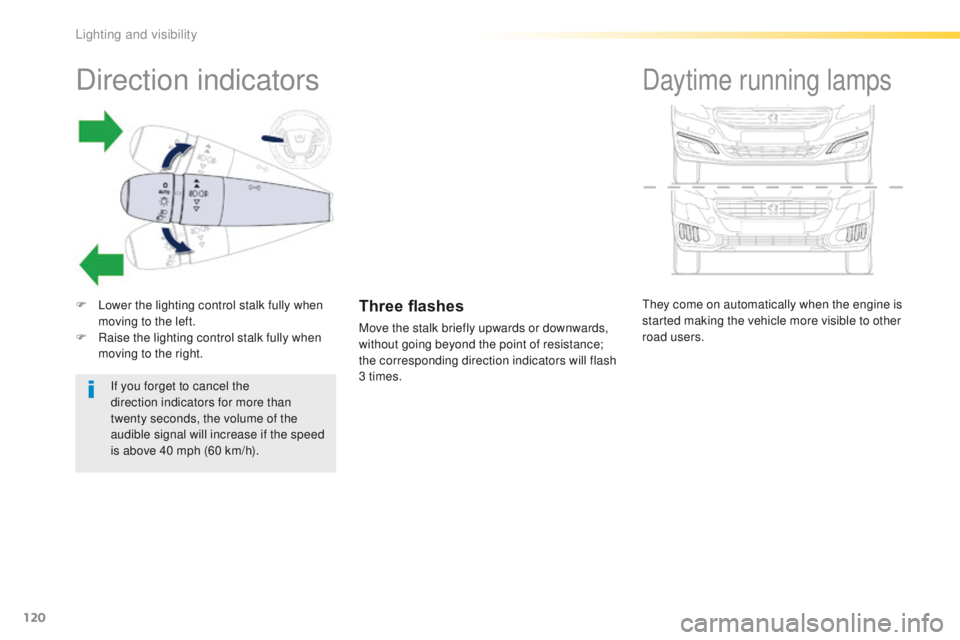
they come on automatically when the engine is
started making the vehicle more visible to other
road users.
Daytime running lampsDirection indicators
F Lower the lighting control stalk fully when moving to the left.
F
R
aise the lighting control stalk fully when
moving to the right.Three flashes
Move the stalk briefly upwards or downwards,
without going beyond the point of resistance;
the corresponding direction indicators will flash
3 times.
If you forget to cancel the
direction indicators for more than
twenty
seconds, the volume of the
audible signal will increase if the speed
is above 40 mph (60 km/h).
Lighting and visibility
Page 125 of 371
123
508_en_Chap04_eclairage-et-visibilite_ed01-2016
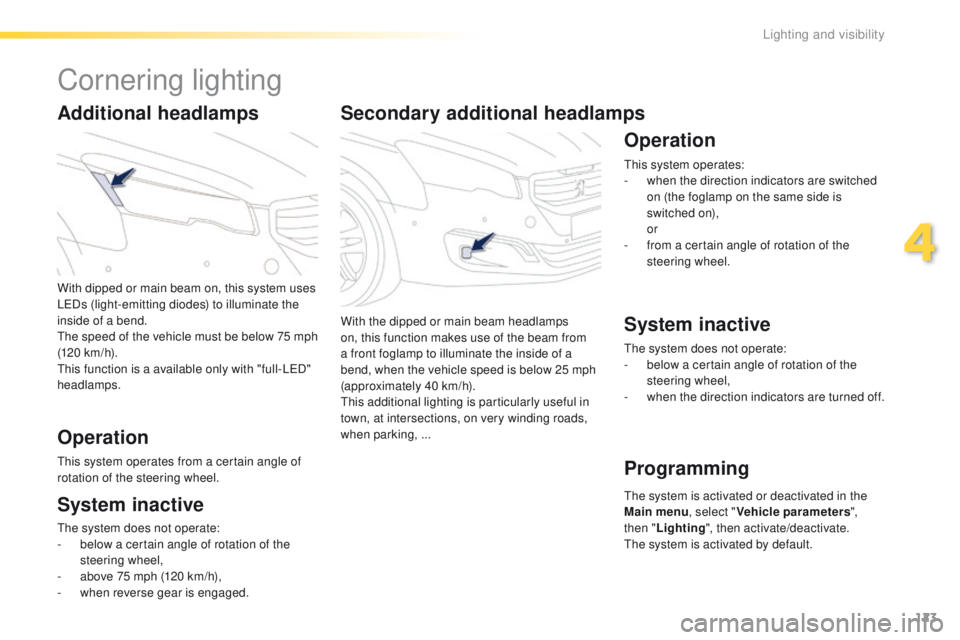
Secondary additional headlamps
With the dipped or main beam headlamps
on, this function makes use of the beam from
a front foglamp to illuminate the inside of a
bend, when the vehicle speed is below 25 mph
(approximately 40 km/h).
th
is additional lighting is particularly useful in
town, at intersections, on very winding roads,
when parking,
...
Operation
this system operates:
- w hen the direction indicators are switched
on (the foglamp on the same side is
switched on),
or
-
f
rom a certain angle of rotation of the
steering wheel.
System inactive
Programming
the system does not operate:
- b elow a certain angle of rotation of the
steering wheel,
-
w
hen the direction indicators are turned off.
th
e system is activated or deactivated in the
Main menu , select "Vehicle parameters ",
then " Lighting ", then activate/deactivate.
th
e system is activated by default.
With dipped or main beam on, this system uses
L
eD
s (light-emitting diodes) to illuminate the
inside of a bend.th
e speed of the vehicle must be below 75
m
ph
(120 km/h).
th
is function is a available only with "full-L
eD
"
headlamps.
Additional headlamps
Operation
this system operates from a certain angle of
rotation of the steering wheel.
System inactive
the system does not operate:
- b elow a certain angle of rotation of the
steering wheel,
-
a
bove 75 mph (120 km/h),
-
w
hen reverse gear is engaged.
Cornering lighting
4
Lighting and visibility
Page 127 of 371
125
508_en_Chap04_eclairage-et-visibilite_ed01-2016
Exterior welcome lighting
Remote switching on of the lighting makes your
approach to the vehicle easier in poor light. th e
lighting comes on or not depending on the the
level of ambient light detected by the sunshine
sensor.
Switching off
the exterior welcome lighting
switches off automatically after a set
time, when the ignition is switched on
or on locking the vehicle.
Door mirror spotlamps
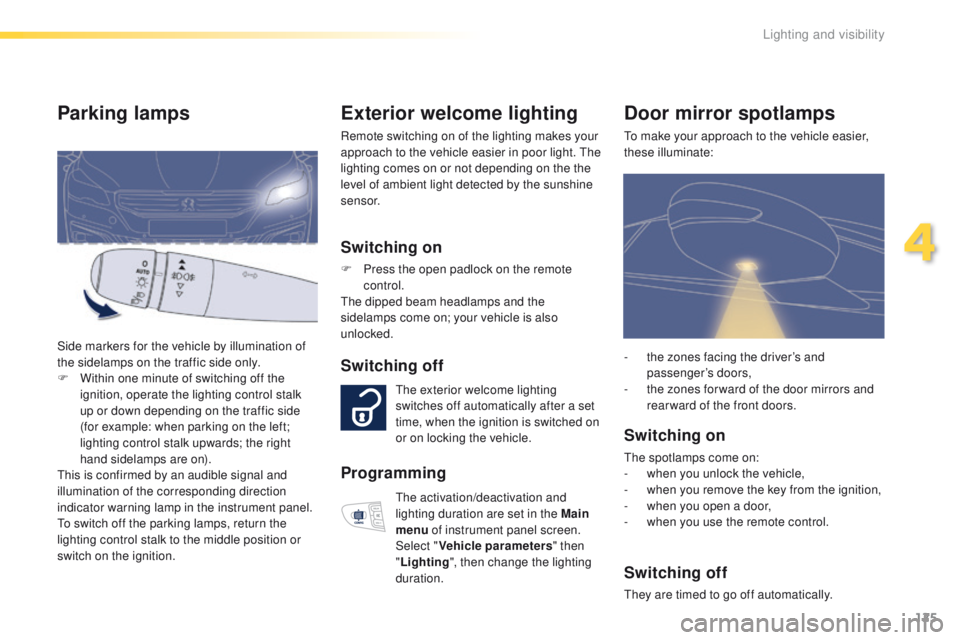
to make your approach to the vehicle easier,
these illuminate:
Switching on
the spotlamps come on:
- w hen you unlock the vehicle,
-
w
hen you remove the key from the ignition,
-
w
hen you open a door,
-
w
hen you use the remote control.
Switching off
they are timed to go off automatically. -
t
he zones facing the driver’s and
passenger’s doors,
-
t
he zones for ward of the door mirrors and
rear ward of the front doors.
Switching on
F Press the open padlock on the remote control.
th
e dipped beam headlamps and the
sidelamps come on; your vehicle is also
unlocked.
Parking lamps
Side markers for the vehicle by illumination of
the sidelamps on the traffic side only.
F
W
ithin one minute of switching off the
ignition, operate the lighting control stalk
up or down depending on the traffic side
(for example: when parking on the left;
lighting control stalk upwards; the right
hand sidelamps are on).
th
is is confirmed by an audible signal and
illumination of the corresponding direction
indicator warning lamp in the instrument panel.
to s
witch off the parking lamps, return the
lighting control stalk to the middle position or
switch on the ignition.
Programming
the activation/deactivation and
lighting duration are set in the Main
menu of instrument panel screen.
Select " Vehicle parameters " then
" Lighting ", then change the lighting
duration.
4
Lighting and visibility
Page 134 of 371
132
508_en_Chap05_securite_ed01-2016
Hazard warning lamps
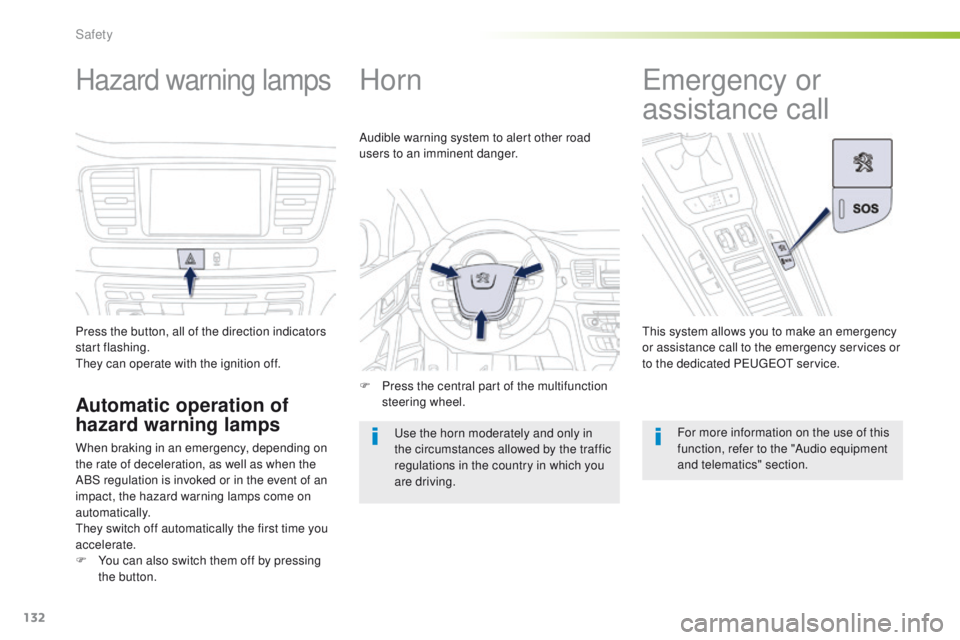
Press the button, all of the direction indicators
start flashing.
th
ey can operate with the ignition off.
Automatic operation of
hazard warning lamps
When braking in an emergency, depending on
the rate of deceleration, as well as when the
ABS regulation is invoked or in the event of an
impact, the hazard warning lamps come on
automatically.
th
ey switch off automatically the first time you
accelerate.
F
Y
ou can also switch them off by pressing
the button.
Horn
F Press the central part of the multifunction steering wheel.
Audible warning system to alert other road
users to an imminent danger.
us
e the horn moderately and only in
the circumstances allowed by the traffic
regulations in the country in which you
are driving.
emergency or
assistance call
this system allows you to make an emergency
or assistance call to the emergency services or
to the dedicated P
e
uge
Ot
service.
For more information on the use of this
function, refer to the "Audio equipment
and telematics" section.
Safety
Page 246 of 371
244
508_en_Chap08_en-cas-de-pannes_ed01-2016
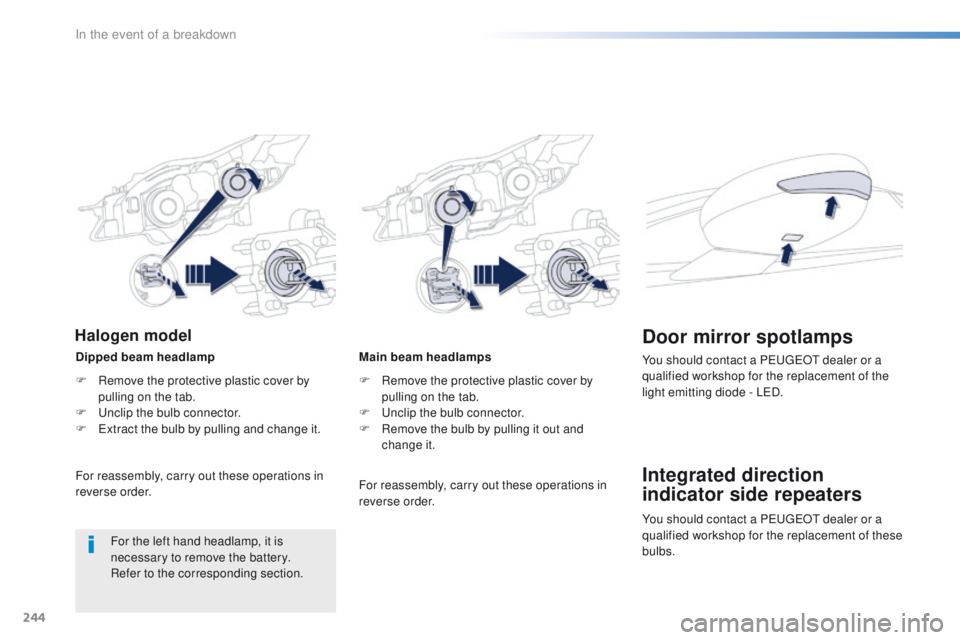
Main beam headlamps
F
R
emove the protective plastic cover by
pulling on the tab.
F
u
n
clip the bulb connector.
F
R
emove the bulb by pulling it out and
change it.
Integrated direction
indicator side repeaters Door mirror spotlamps
You should contact a Pe ugeOt dealer or a
qualified workshop for the replacement of the
light emitting diode - L
eD
.
For reassembly, carry out these operations in
reverse order.
Dipped beam headlamp
Halogen model
F Remove the protective plastic cover by
pulling on the tab.
F
u
n
clip the bulb connector.
F
e
x
tract the bulb by pulling and change it.
For reassembly, carry out these operations in
reverse order.
For the left hand headlamp, it is
necessary to remove the battery.
Refer to the corresponding section. You should contact a P
e
uge
Ot
dealer or a
qualified workshop for the replacement of these
bulbs.
In the event of a breakdown