audio Peugeot 508 2016 Owner's Guide
[x] Cancel search | Manufacturer: PEUGEOT, Model Year: 2016, Model line: 508, Model: Peugeot 508 2016Pages: 371, PDF Size: 12.12 MB
Page 278 of 371
276
508_en_Chap10b_JBL_ed01-2016
JBL eQuIPMeNt
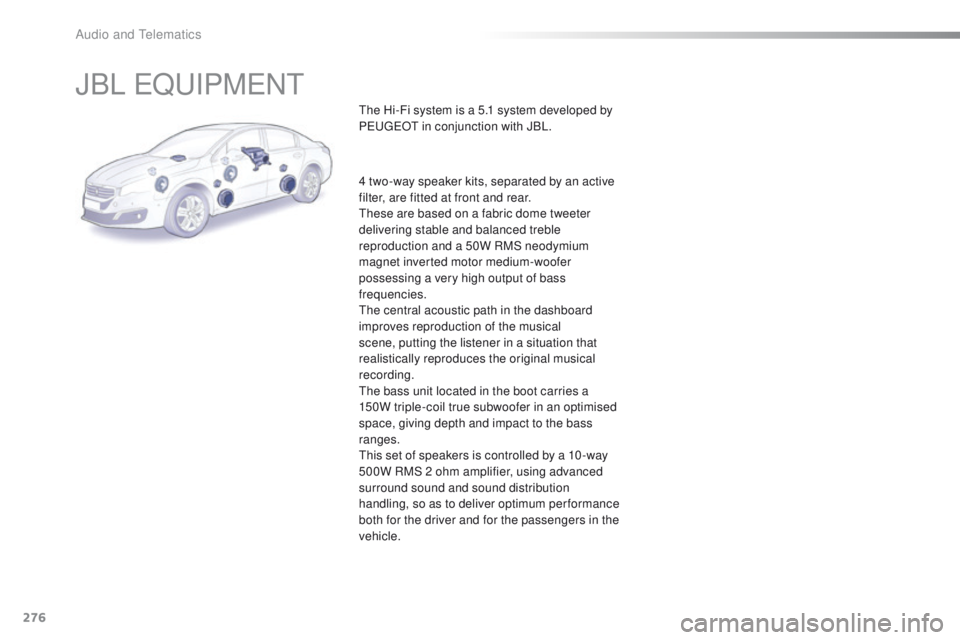
the Hi-Fi system is a 5.1 system developed by
PeugeOt in conjunction with JBL.
4 two-way speaker kits, separated by an active
filter, are fitted at front and rear.
th
ese are based on a fabric dome tweeter
delivering stable and balanced treble
reproduction and a 50W RMS neodymium
magnet inverted motor medium-woofer
possessing a very high output of bass
frequencies.
th
e central acoustic path in the dashboard
improves reproduction of the musical
scene, putting the listener in a situation that
realistically reproduces the original musical
recording.
th
e bass unit located in the boot carries a
150W triple-coil true subwoofer in an optimised
space, giving depth and impact to the bass
ranges.
th
is set of speakers is controlled by a 10 -way
500W RMS 2 ohm amplifier, using advanced
surround sound and sound distribution
handling, so as to deliver optimum performance
both for the driver and for the passengers in the
vehicle.
Audio and telematics
Page 279 of 371
277
508_en_Chap10c_SMegplus_ed01-2016
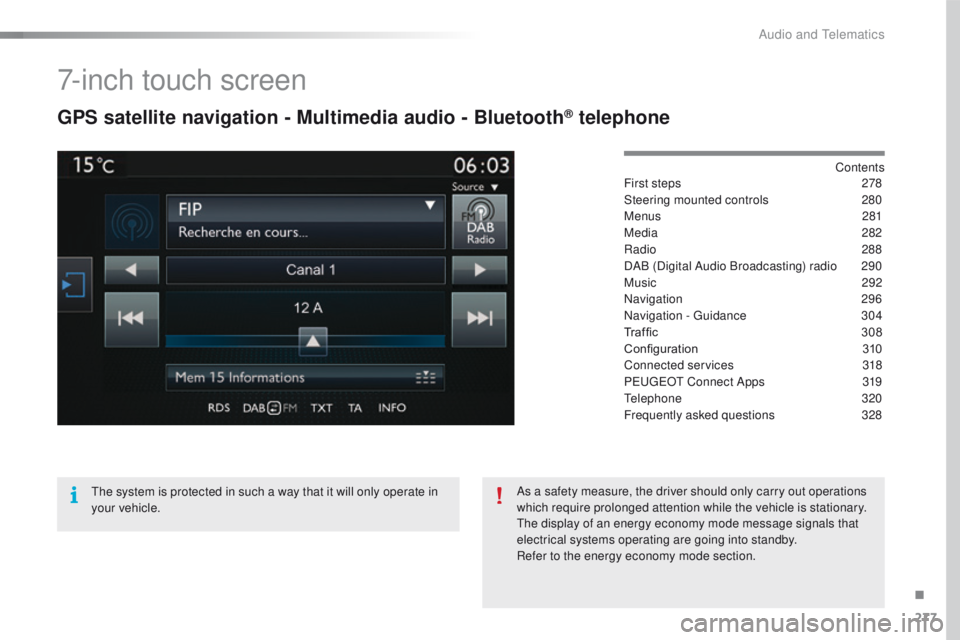
7-inch touch screen
GPS satellite navigation - Multimedia audio - Bluetooth® telephone
Contents
First steps
2 78
Steering mounted controls
2
80
Menus
281
Media
282
Radio
288
DAB (Digital Audio Broadcasting) radio
2
90
Music
292
Navigation
296
Navigation -
g
u
idance
3
04
Traffic
3
08
Configuration
3
10
Connected services
3
18
P
e
uge
Ot
Connect Apps
3
19
te
lephone
320
Frequently asked questions
3
28
th
e system is protected in such a way that it will only operate in
your vehicle. As a safety measure, the driver should only carry out operations
which require prolonged attention while the vehicle is stationary.
th
e display of an energy economy mode message signals that
electrical systems operating are going into standby.
Refer to the energy economy mode section.
.
Audio and telematics
Page 280 of 371
278
508_en_Chap10c_SMegplus_ed01-2016
First steps
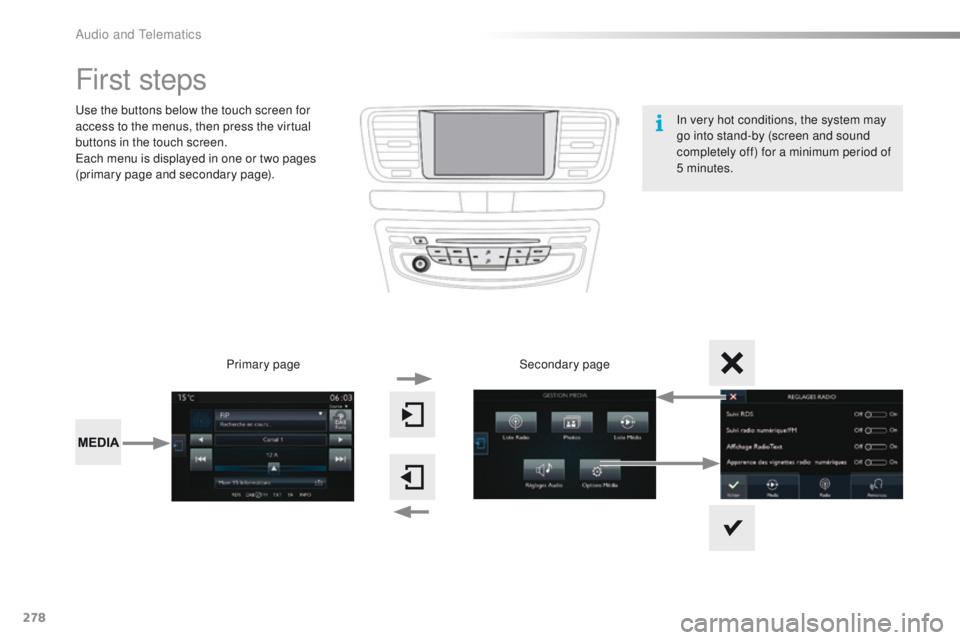
use the buttons below the touch screen for
access to the menus, then press the virtual
buttons in the touch screen.
ea
ch menu is displayed in one or two pages
(primary page and secondary page).
Secondary page
Primary page In very hot conditions, the system may
go into stand-by (screen and sound
completely off) for a minimum period of
5 minutes.
Audio and telematics
Page 281 of 371
279
508_en_Chap10c_SMegplus_ed01-2016
With the engine running, press to
mute the sound.
With the ignition off, press to switch
the system on.
Volume adjustment (each source
is independent, including t
r
affic
announcements (
tA
) and navigation
instructions).
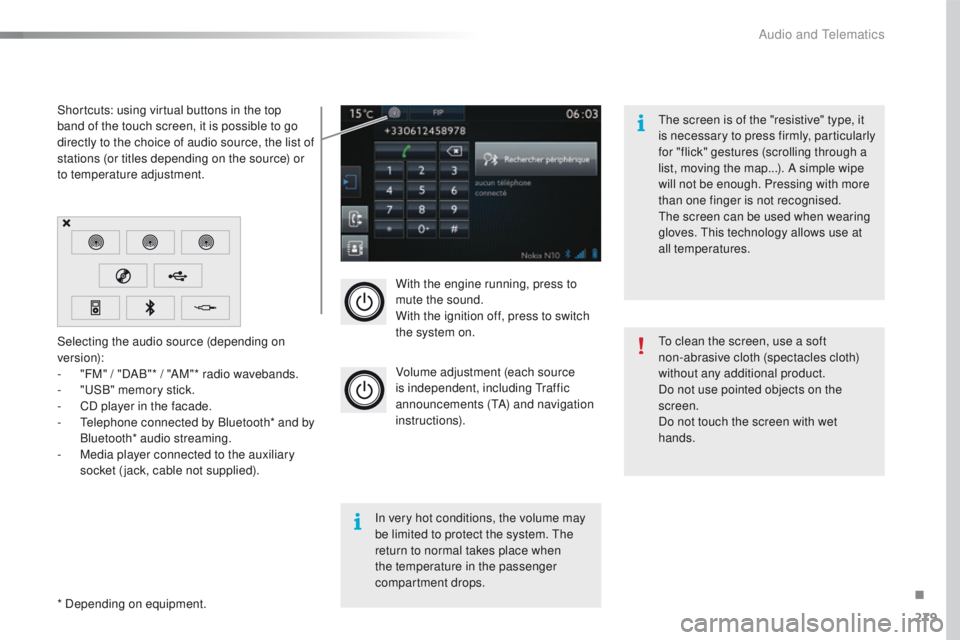
Selecting the audio source (depending on
version):
-
"
FM" / "DAB"* / "AM"* radio wavebands.
-
"uS
B" memory stick.
-
C
D player in the facade.
-
t
e
lephone connected by Bluetooth* and by
Bluetooth* audio streaming.
-
M
edia player connected to the auxiliary
socket (jack, cable not supplied).
* Depending on equipment. Shortcuts: using virtual buttons in the top
band of the touch screen, it is possible to go
directly to the choice of audio source, the list of
stations (or titles depending on the source) or
to temperature adjustment.
th
e screen is of the "resistive" type, it
is necessary to press firmly, particularly
for "flick" gestures (scrolling through a
list, moving the map...). A simple wipe
will not be enough. Pressing with more
than one finger is not recognised.
th
e screen can be used when wearing
gloves. t
h
is technology allows use at
all temperatures.
In very hot conditions, the volume may
be limited to protect the system. t
h
e
return to normal takes place when
the temperature in the passenger
compartment drops.
to c
lean the screen, use a soft
non-abrasive cloth (spectacles cloth)
without any additional product.
Do not use pointed objects on the
screen.
Do not touch the screen with wet
hands.
.
Audio and telematics
Page 282 of 371
280
508_en_Chap10c_SMegplus_ed01-2016
Steering mounted controls
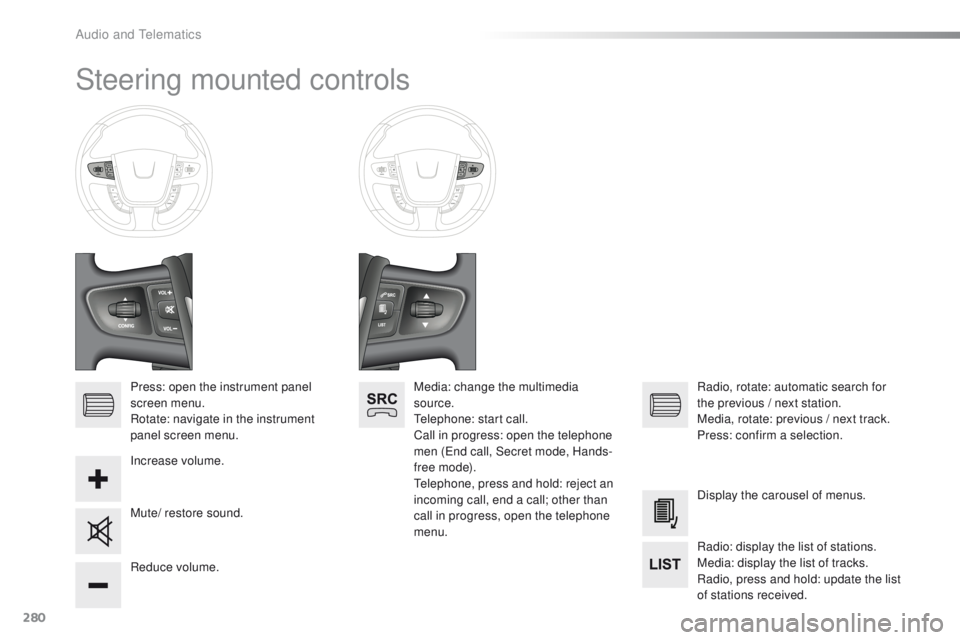
Press: open the instrument panel
screen menu.
Rotate: navigate in the instrument
panel screen menu.
Increase volume.
Reduce volume.Media: change the multimedia
source.
te
lephone: start call.
Call in progress: open the telephone
men (
en
d call, Secret mode, Hands-
free mode).
te
lephone, press and hold: reject an
incoming call, end a call; other than
call in progress, open the telephone
menu. Radio, rotate: automatic search for
the previous
/ next station.
Media, rotate: previous
/ next track.
Press: confirm a selection.
Mute/ restore sound. Display the carousel of menus.
Radio: display the list of stations.
Media: display the list of tracks.
Radio, press and hold: update the list
of stations received.
Audio and telematics
Page 283 of 371
281
508_en_Chap10c_SMegplus_ed01-2016
Menus
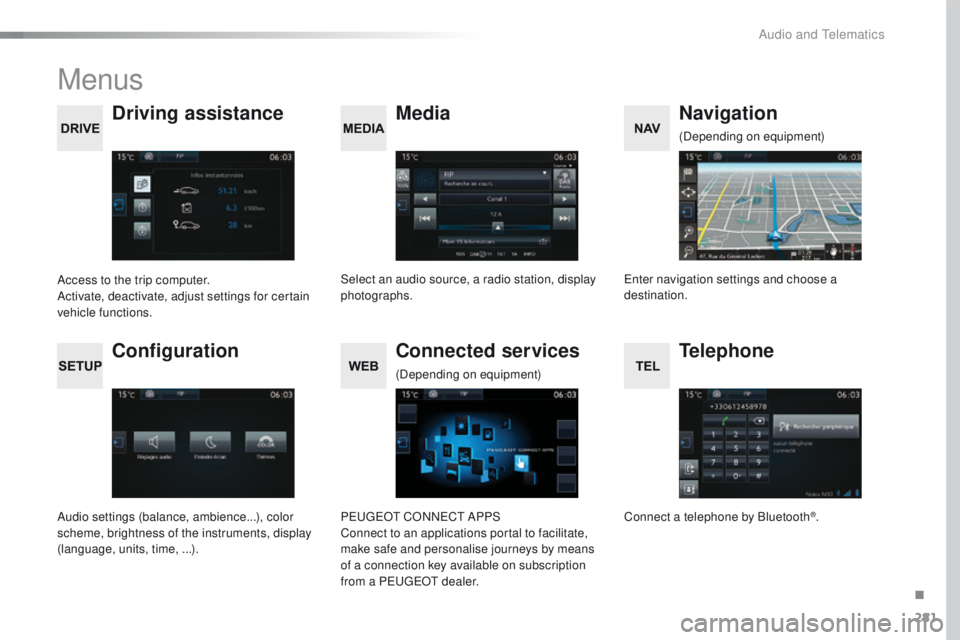
Media
Driving assistance Navigation
Select an audio source, a radio station, display
photographs.
Access to the trip computer.
Activate, deactivate, adjust settings for certain
vehicle functions.en
ter navigation settings and choose a
destination. (Depending on equipment)
Configuration
Audio settings (balance, ambience...), color
scheme, brightness of the instruments, display
(language, units, time, ...).
Connected services
PeugeOt C
ONNeCt A PPS
Connect to an applications portal to facilitate,
make safe and personalise journeys by means
of a connection key available on subscription
from a P
e
uge
Ot
dealer.
(Depending on equipment)
Telephone
Connect a telephone by Bluetooth®.
.
Audio and telematics
Page 284 of 371
282
508_en_Chap10c_SMegplus_ed01-2016
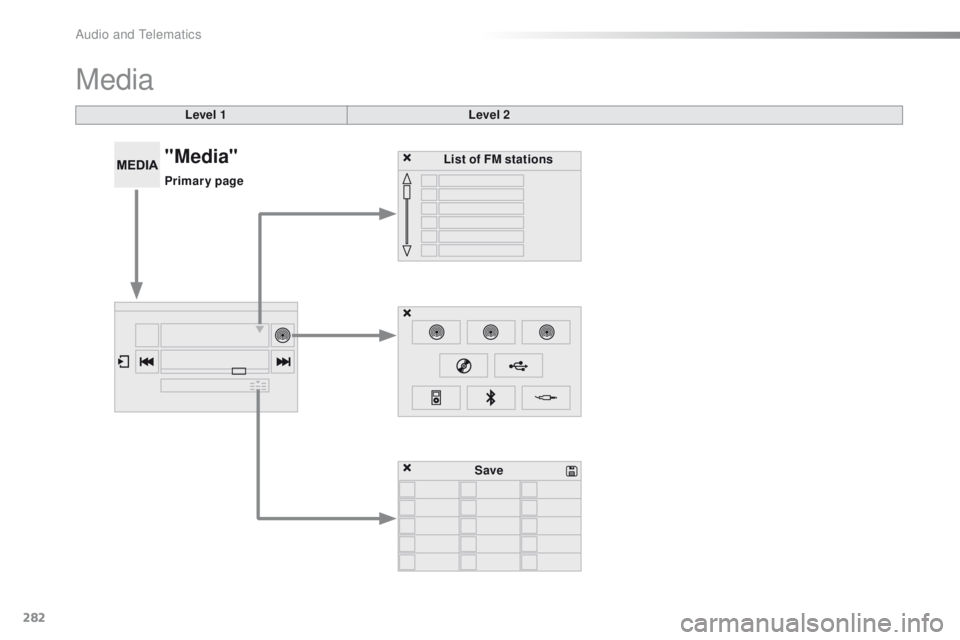
Media
Level 1Level 2
List of FM stations
Save
"Media"
Primary page
Audio and telematics
Page 285 of 371
283
508_en_Chap10c_SMegplus_ed01-2016
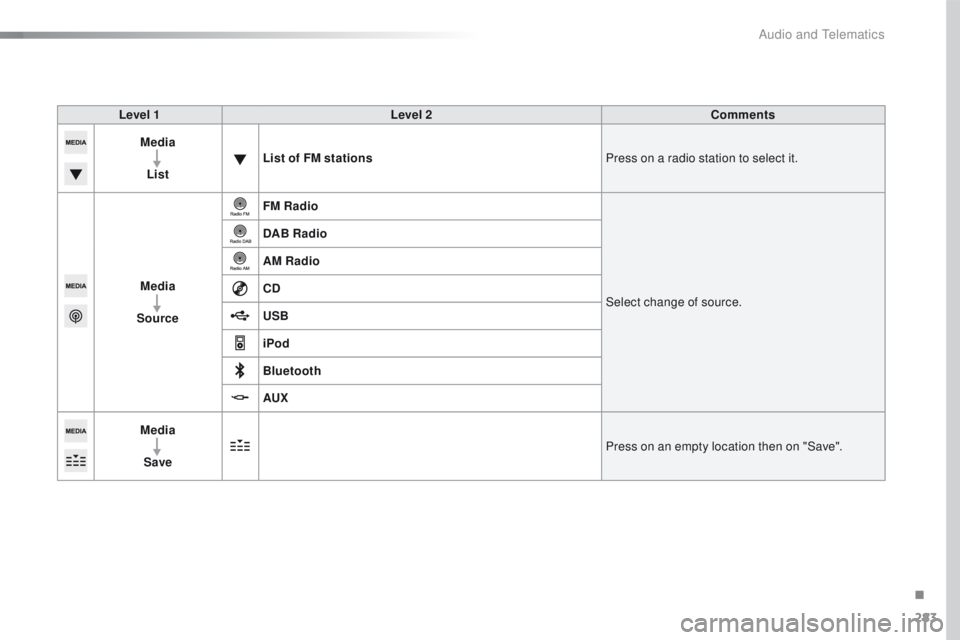
Level 1Level 2 Comments
Media
List List of FM stations
Press on a radio station to select it.
Media
Source FM Radio
Select change of source.
DAB Radio
AM Radio
CD
USB
iPod
Bluetooth
AUX
Media
Save Press on an empty location then on "Save".
.
Audio and telematics
Page 286 of 371
284
508_en_Chap10c_SMegplus_ed01-2016
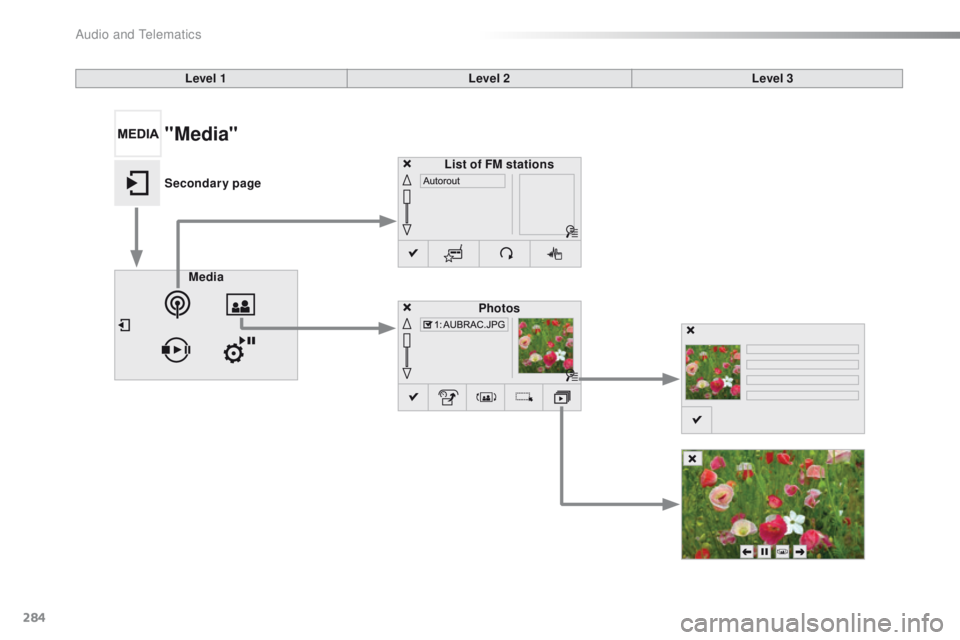
Level 1Level 2Level 3
Media Photos
List of FM stations
"Media"
Secondary page
Audio and telematics
Page 287 of 371
285
508_en_Chap10c_SMegplus_ed01-2016
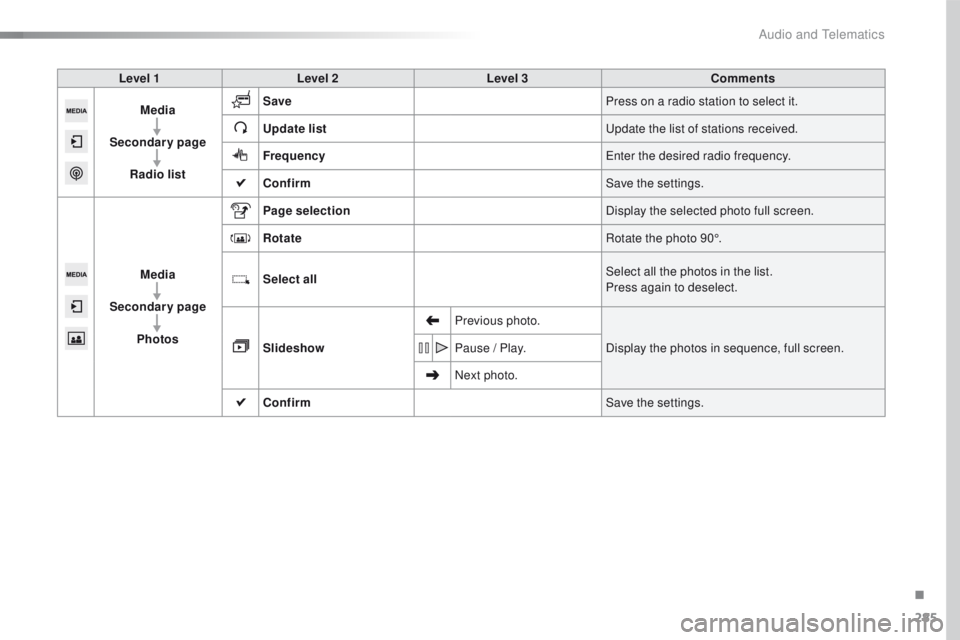
Level 1Level 2 Level 3 Comments
Media
Secondary page Radio list Save
Press on a radio station to select it.
Update list
up
date the list of stations received.
Frequency
en
ter the desired radio frequency.
Confirm Save the settings.
Media
Secondary page Photos Page selection
Display the selected photo full screen.
Rotate Rotate the photo 90°.
Select all Select all the photos in the list.
Press again to deselect.
Slideshow Previous photo.
Display the photos in sequence, full screen.
Pause
/ Play.
Next photo.
Confirm Save the settings.
.
Audio and telematics