ignition Peugeot 508 2018 Owner's Guide
[x] Cancel search | Manufacturer: PEUGEOT, Model Year: 2018, Model line: 508, Model: Peugeot 508 2018Pages: 320, PDF Size: 10.09 MB
Page 81 of 320
79
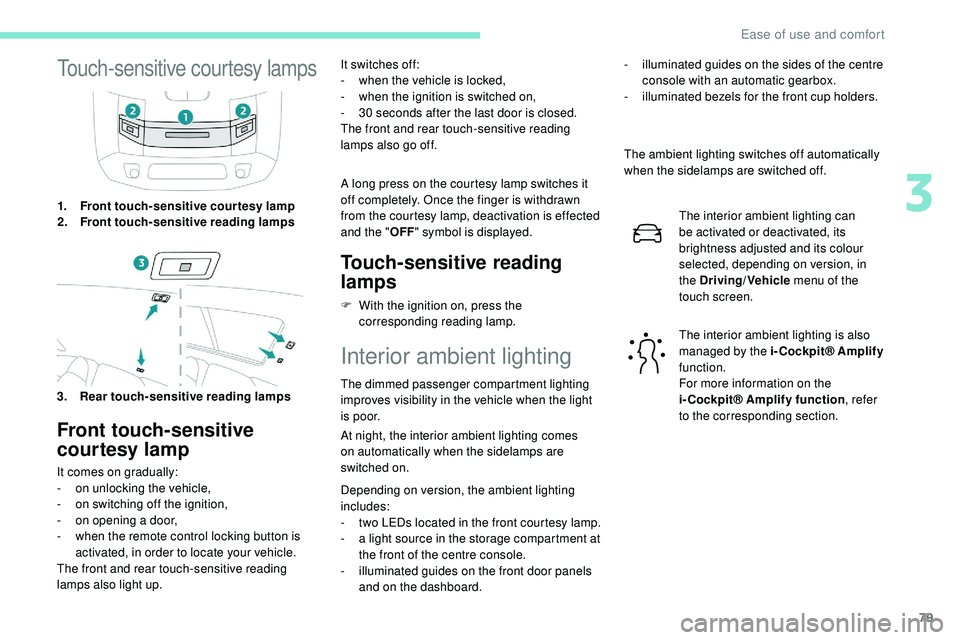
Touch-sensitive courtesy lamps
1.Front touch-sensitive courtesy lamp
2. Front touch-sensitive reading lamps
3. Rear touch-sensitive reading lamps
Front touch-sensitive
courtesy lamp
It comes on gradually:
- o n unlocking the vehicle,
-
o
n switching off the ignition,
-
o
n opening a door,
-
w
hen the remote control locking button is
activated, in order to locate your vehicle.
The front and rear touch-sensitive reading
lamps also light up. It switches off:
-
w
hen the vehicle is locked,
-
w
hen the ignition is switched on,
-
3
0 seconds after the last door is closed.
The front and rear touch-sensitive reading
lamps also go off.
A long press on the courtesy lamp switches it
off completely. Once the finger is withdrawn
from the courtesy lamp, deactivation is effected
and the " OFF" symbol is displayed.
Touch-sensitive reading
lamps
F With the ignition on, press the
corresponding reading lamp.
Interior ambient lighting
The dimmed passenger compartment lighting
improves visibility in the vehicle when the light
i s p o o r.
At night, the interior ambient lighting comes
on
automatically when the sidelamps are
switched on.
Depending on version, the ambient lighting
includes:
-
t
wo LEDs located in the front courtesy lamp.
-
a l
ight source in the storage compartment at
the front of the centre console.
-
i
lluminated guides on the front door panels
and on the dashboard. The ambient lighting switches off automatically
when the sidelamps are switched off.
The interior ambient lighting can
be activated or deactivated, its
brightness adjusted and its colour
selected, depending on version, in
the Driving/Vehicle menu of the
touch screen.
The interior ambient lighting is also
managed by the i-Cockpit® Amplify
function.
For more information on the
i-Cockpit® Amplify function , refer
to the corresponding section.
-
i
lluminated guides on the sides of the centre
console with an automatic gearbox.
-
i
lluminated bezels for the front cup holders.
3
Ease of use and comfort
Page 86 of 320
84
Row 2
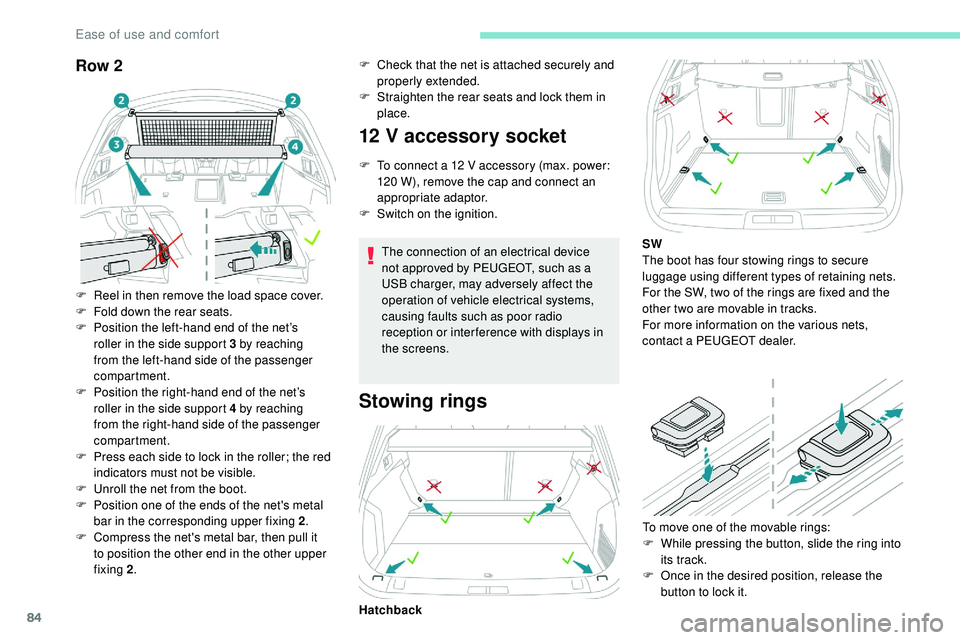
F Reel in then remove the load space cover.
F F old down the rear seats.
F
P
osition the left-hand end of the net’s
roller in the side support 3 by reaching
from the left-hand side of the passenger
compartment.
F
P
osition the right-hand end of the net’s
roller in the side support 4 by reaching
from the right-hand side of the passenger
compartment.
F
P
ress each side to lock in the roller; the red
indicators must not be visible.
F
U
nroll the net from the boot.
F
P
osition one of the ends of the net's metal
bar in the corresponding upper fixing 2 .
F
C
ompress the net's metal bar, then pull it
to position the other end in the other upper
fixing 2 .
12 V accessory socket
F To connect a 12 V accessory (max. power:
120 W), remove the cap and connect an
appropriate adaptor.
F
S
witch on the ignition.
The connection of an electrical device
not approved by PEUGEOT, such as a
USB charger, may adversely affect the
operation of vehicle electrical systems,
causing faults such as poor radio
reception or inter ference with displays in
the screens.
Stowing rings
Hatchback To move one of the movable rings:
F
W
hile pressing the button, slide the ring into
its track.
F
O
nce in the desired position, release the
button to lock it.
F
C
heck that the net is attached securely and
properly extended.
F
S
traighten the rear seats and lock them in
place.
SW
The boot has four stowing rings to secure
luggage using different types of retaining nets.
For the SW, two of the rings are fixed and the
other two are movable in tracks.
For more information on the various nets,
contact a PEUGEOT dealer.
Ease of use and comfort
Page 87 of 320
85
Do not confuse the stowing rings with the
bag hooks or the Top Tether fixings.
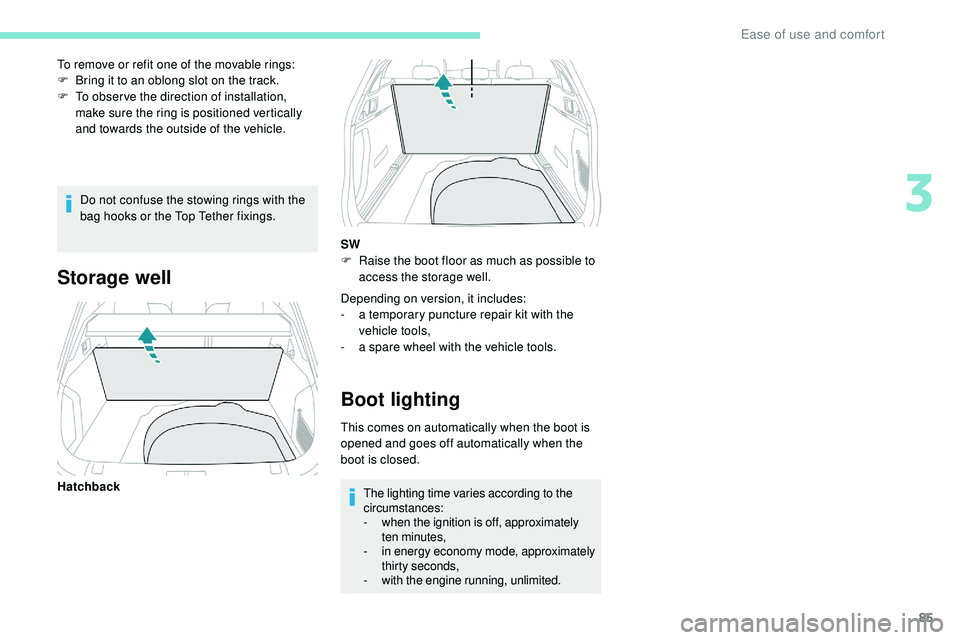
To remove or refit one of the movable rings:
F
B
ring it to an oblong slot on the track.
F
T
o obser ve the direction of installation,
make sure the ring is positioned vertically
and towards the outside of the vehicle.
Storage well
Depending on version, it includes:
- a t emporary puncture repair kit with the
vehicle tools,
-
a s
pare wheel with the vehicle tools.
Boot lighting
This comes on automatically when the boot is
opened and goes off automatically when the
boot is closed.The lighting time varies according to the
circumstances:
-
w
hen the ignition is off, approximately
ten minutes,
-
i
n energy economy mode, approximately
thirty seconds,
-
w
ith the engine running, unlimited.
Hatchback SW
F
R
aise the boot floor as much as possible to
access the storage well.
3
Ease of use and comfort
Page 89 of 320
87
Switching off of the lamps when the
ignition is switched off
On switching off the ignition, all of the
lamps turn off instantly, except when
automatic guide-me-home lighting is
activated.
Switching on the lighting after the
ignition is switched off
To reactivate the lighting control, set
the ring to "AUTO", then to the desired
position.
On opening the driver's door, a temporary
audible signal warns the driver that the
lighting is on.
It switches off automatically after a period
of time that depends on the state of charge
in battery (entering energy economy mode).
In some weather conditions (e.g. low
temperature or humidity), the presence
of misting on the internal sur face of the
glass of the headlamps and rear lamps is
normal; it disappears after the lamps have
been on for a few minutes.
Never look too closely at the luminous
beam of "Full LED" headlamps: risk of
serious eye injury. Travelling abroad
If using your vehicle in a country that
drives on the other side of the road, the
headlamps must be adjusted to avoid
dazzling oncoming drivers.
Contact a PEUGEOT dealer or a qualified
workshop.
Daytime running lamps/
Sidelamps
The front and rear lamps light up automatically
when the engine starts.
They provide the following functions:
-
D
aytime running lamps (lighting control
stalk at position " AUTO" with adequate light
level).
-
S
idelamps (lighting control stalk at " AUTO"
position with low light levels or "Sidelamps
only” or "Dipped/main beam headlamps").
The LEDs are brighter when operating as
daytime running lamps.
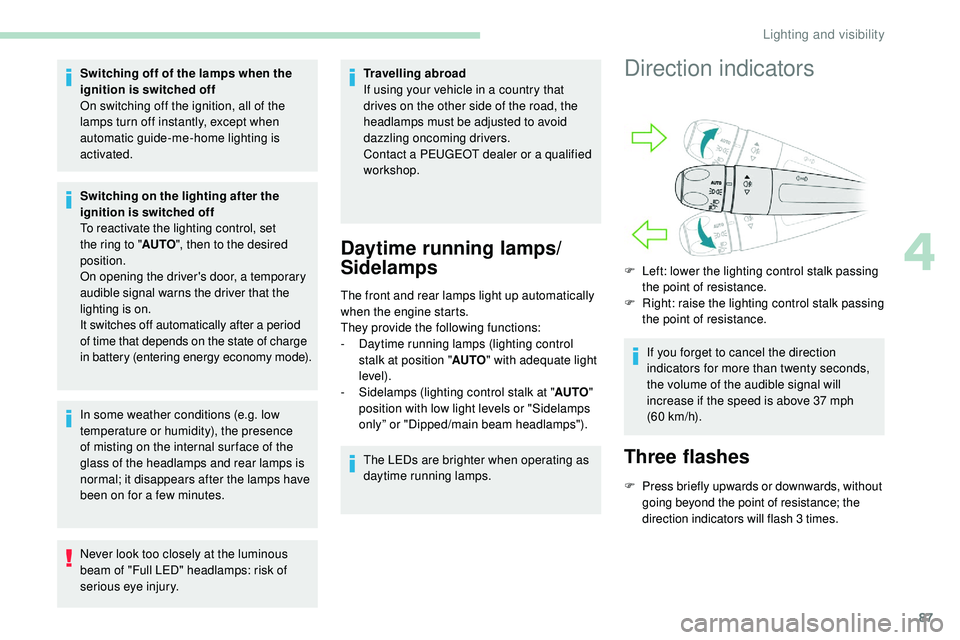
Direction indicators
F Left: lower the lighting control stalk passing the point of resistance.
F
R
ight: raise the lighting control stalk passing
the point of resistance.
If you forget to cancel the direction
indicators for more than twenty seconds,
the volume of the audible signal will
increase if the speed is above 37 mph
(60
km/h).
Three flashes
F Press briefly upwards or downwards, without going beyond the point of resistance; the
direction indicators will flash 3 times.
4
Lighting and visibility
Page 90 of 320
88
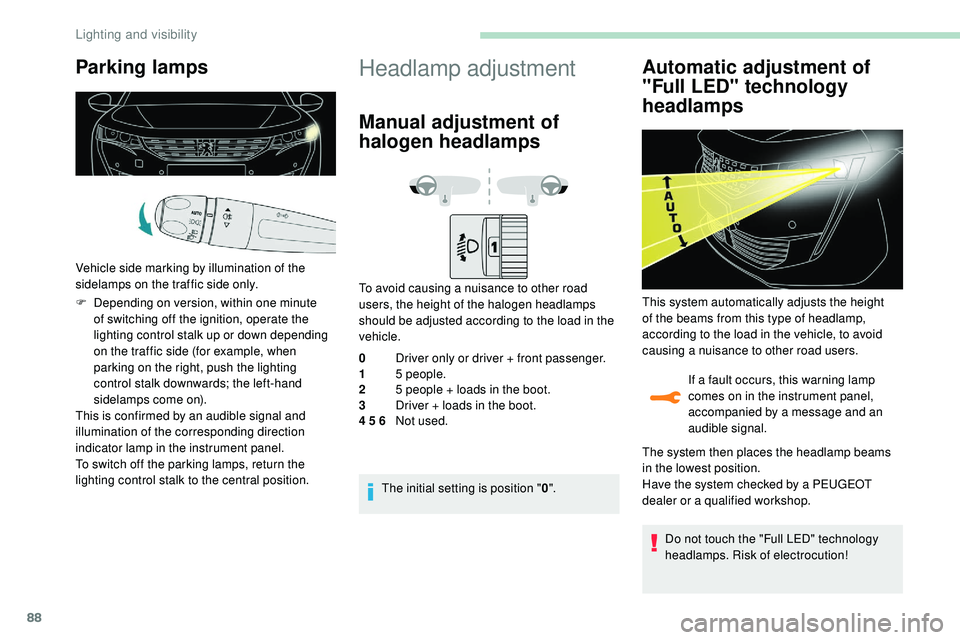
Parking lamps
Vehicle side marking by illumination of the
sidelamps on the traffic side only.
F
D
epending on version, within one minute
of switching off the ignition, operate the
lighting control stalk up or down depending
on the traffic side (for example, when
parking on the right, push the lighting
control stalk downwards; the left-hand
sidelamps come on).
This is confirmed by an audible signal and
illumination of the corresponding direction
indicator lamp in the instrument panel.
To switch off the parking lamps, return the
lighting control stalk to the central position.
Headlamp adjustment
Manual adjustment of
halogen headlamps
To avoid causing a nuisance to other road
users, the height of the halogen headlamps
should be adjusted according to the load in the
vehicle.
0 Driver only or driver + front passenger.
1 5 people.
2 5 people + loads in the boot.
3 Driver + loads in the boot.
4 5 6 Not used.
The initial setting is position " 0".
Automatic adjustment of
"Full LED" technology
headlamps
If a fault occurs, this warning lamp
comes on in the instrument panel,
accompanied by a message and an
audible signal.
This system automatically adjusts the height
of the beams from this type of headlamp,
according to the load in the vehicle, to avoid
causing a nuisance to other road users.
The system then places the headlamp beams
in the lowest position.
Have the system checked by a PEUGEOT
dealer or a qualified workshop.
Do not touch the "Full LED" technology
headlamps. Risk of electrocution!
Lighting and visibility
Page 91 of 320
89
Automatic illumination of
headlamps
When the ring is at the "AUTO" position and
a low level of ambient light is detected by a
sunshine sensor, the number plate lamps,
side
lamps and dipped beam headlamps are
switched on automatically, without any action
on the part of the driver. They can also come
on if rain is detected, at the same time as
automatic operation of the windscreen wipers.
As soon as the brightness returns to a
sufficient level or after the windscreen wipers
are switched off, the lamps are switched off
automatically.
Operating fault
In the event of a malfunction of the
sunshine sensor, the lighting comes
on, this warning lamp is displayed in
the instrument panel accompanied by
an audible signal and/or a message.
Contact a PEUGEOT dealer or a
qualified workshop.
Do not cover the sunshine sensor,
combined with the rain sensor and located
at the top centre of the windscreen behind
the rear view mirror; the associated
functions would no longer be controlled. In fog or snow, the sunshine sensor may
detect sufficient light. In this case, the
lighting will not come on automatically.
Guide-me-home lighting
Automatic
With the ring in the "
AUTO" position, if the
brightness is low, the dipped beam headlamps
come on automatically when the ignition is
switched off.
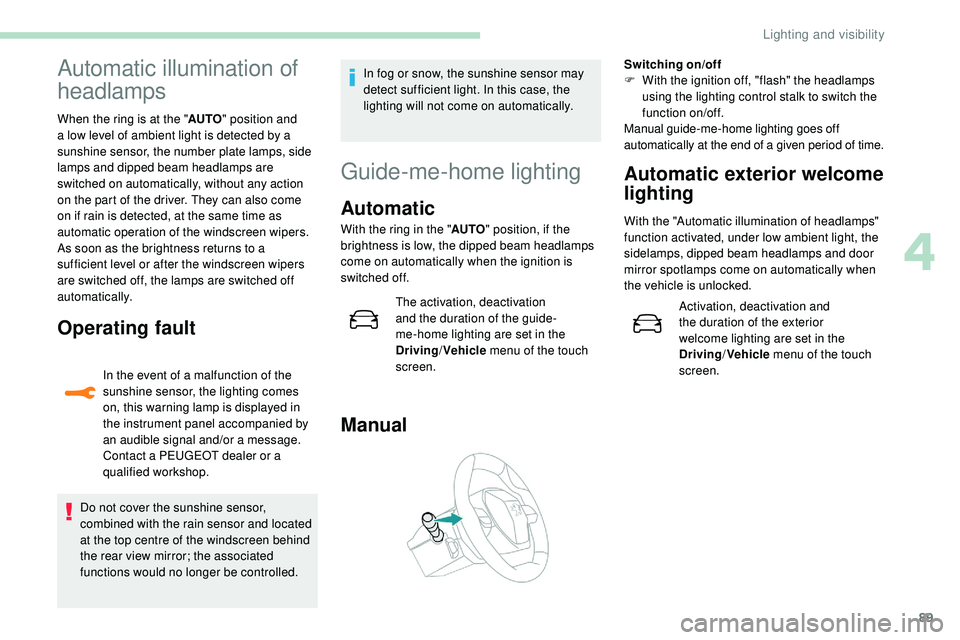
Manual
Switching on/off
F W ith the ignition off, "flash" the headlamps
using the lighting control stalk to switch the
function on/off.
Manual guide-me-home lighting goes off
automatically at the end of a given period of time.
Automatic exterior welcome
lighting
With the "Automatic illumination of headlamps"
function activated, under low ambient light, the
sidelamps, dipped beam headlamps and door
mirror spotlamps come on automatically when
the vehicle is unlocked.
Activation, deactivation and
the duration of the exterior
welcome lighting are set in the
Driving/Vehicle menu of the touch
screen.
The activation, deactivation
and the duration of the guide-
me-home lighting are set in the
Driving
/Vehicle menu of the touch
screen.
4
Lighting and visibility
Page 93 of 320
91
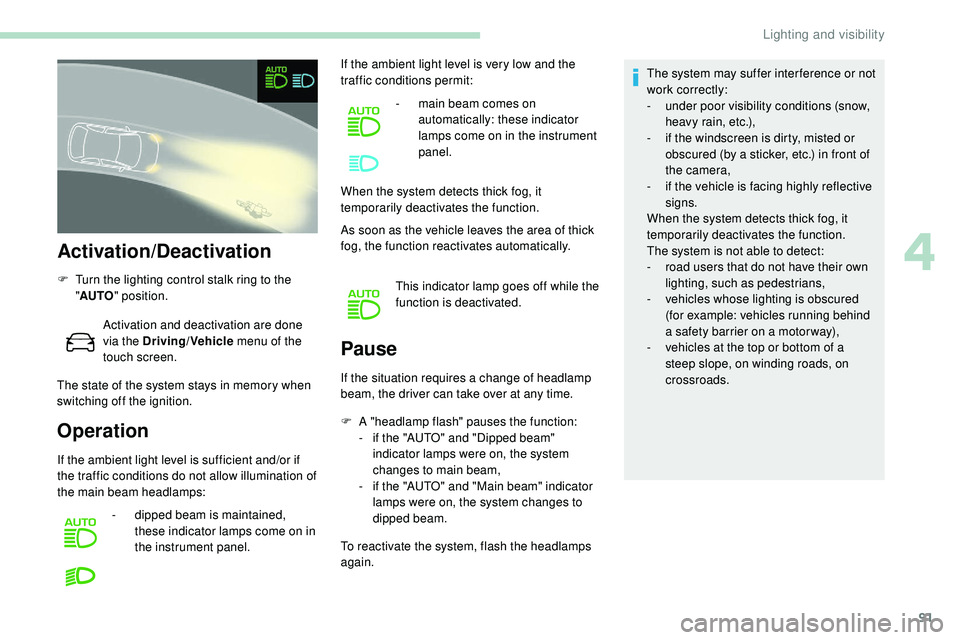
Activation/Deactivation
F Turn the lighting control stalk ring to the "AUTO " position.
Activation and deactivation are done
via the Driving/Vehicle menu of the
touch screen.
The state of the system stays in memory when
switching off the ignition.
Operation Pause
If the situation requires a change of headlamp
beam, the driver can take over at any time.
F
A
"headlamp flash" pauses the function:
-
i
f the "AUTO" and "Dipped beam"
indicator lamps were on, the system
changes to main beam,
-
i
f the "AUTO" and "Main beam" indicator
lamps were on, the system changes to
dipped beam.
To reactivate the system, flash the headlamps
again. The system may suffer inter ference or not
work correctly:
-
u
nder poor visibility conditions (snow,
heavy rain, etc.),
-
i
f the windscreen is dirty, misted or
obscured (by a sticker, etc.) in front of
the camera,
-
i
f the vehicle is facing highly reflective
signs.
When the system detects thick fog, it
temporarily deactivates the function.
The system is not able to detect:
-
r
oad users that do not have their own
lighting, such as pedestrians,
-
v
ehicles whose lighting is obscured
(for example: vehicles running behind
a safety barrier on a motor way),
-
v
ehicles at the top or bottom of a
steep slope, on winding roads, on
crossroads.
If the ambient light level is sufficient and/or if
the traffic conditions do not allow illumination of
the main beam headlamps: -
d
ipped beam is maintained,
these indicator lamps come on in
the instrument panel. If the ambient light level is very low and the
traffic conditions permit:
-
m
ain beam comes on
automatically: these indicator
lamps come on in the instrument
panel.
When the system detects thick fog, it
temporarily deactivates the function.
As soon as the vehicle leaves the area of thick
fog, the function reactivates automatically.
This indicator lamp goes off while the
function is deactivated.
4
Lighting and visibility
Page 95 of 320
93
Animals less than 0.50 m tall are not detected.
T he instrument panel must be in "Night Vision"
display mode for the infrared camera image to
be displayed constantly.
The constant display disappears upon
switching off the ignition or if the conditions are
not met.
Operation
Activation/deactivation of the function
is done in the Driving/Vehicle menu
of the touch screen.
If all the operating conditions are
met, this indicator lamp comes on in
green: the display in the instrument
panel (with "Night Vision" mode
selected) and triggering of alerts are
available.
If certain operating conditions (speed
or temperature) are not met, the
indicator lamp comes on in orange:
only the display in the instrument
panel is available (in "Night Vision"
m o d e).
Whilst the exterior light is too bright
or the dipped beam headlamps have
not been switched on, the alerts are
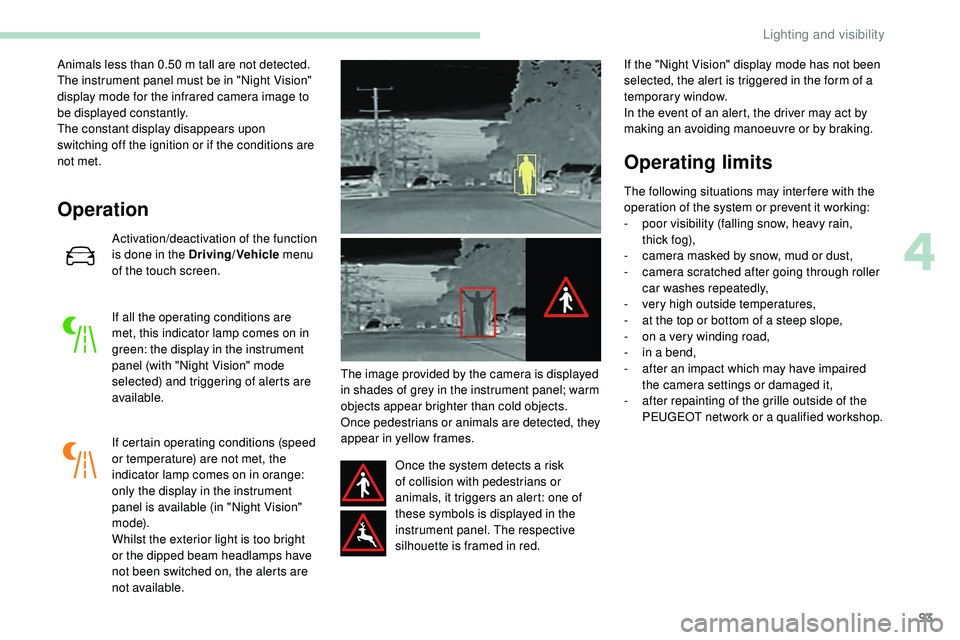
not available. The image provided by the camera is displayed
in shades of grey in the instrument panel; warm
objects appear brighter than cold objects.
Once pedestrians or animals are detected, they
appear in yellow frames.
Once the system detects a risk
of collision with pedestrians or
animals, it triggers an alert: one of
these symbols is displayed in the
instrument panel. The respective
silhouette is framed in red. If the "Night Vision" display mode has not been
selected, the alert is triggered in the form of a
temporary window.
In the event of an alert, the driver may act by
making an avoiding manoeuvre or by braking.
Operating limits
The following situations may inter fere with the
operation of the system or prevent it working:
-
p
oor visibility (falling snow, heavy rain,
t hi c k
fo g),
-
c
amera masked by snow, mud or dust,
-
c
amera scratched after going through roller
car washes repeatedly,
-
v
ery high outside temperatures,
-
a
t the top or bottom of a steep slope,
-
o
n a very winding road,
-
i
n a bend,
-
a
fter an impact which may have impaired
the camera settings or damaged it,
-
a
fter repainting of the grille outside of the
PEUGEOT network or a qualified workshop.
4
Lighting and visibility
Page 96 of 320
94
Recommendations on care
The infrared camera has a wash nozzle
connected to the vehicle’s front screenwash
system.
This nozzle operates every 5th use of the
screenwash.
Regularly check that the camera is clean.
In bad weather, or in wintry conditions, ensure
that the camera is not covered with mud, ice
or snow.
Malfunction
An orange warning lamp coming on
whilst all the operating conditions
have been met, accompanied by
a message, indicates a system
malfunction.
Contact a PEUGEOT dealer or a qualified
workshop.
Wiper control stalk
Programming
You can activate automatic wiping for the front
wipers.
On the SW, you can also configure rear wiping
on engaging reverse gear. In wintry conditions, remove snow, ice or
frost present on the windscreen, around
the wiper arms and blades and the
windscreen seal, before operating the
wipers.
Do not operate the wipers on a dry
windscreen. Under extremely hot or cold
conditions, ensure that the wiper blades
are not stuck to the windscreen before
operating the wipers.
Windscreen wipers
After switching off the ignition, a slight
movement of the windscreen wipers being
stored under the bonnet may occur.
Each time the ignition has been switched
off for more than a minute, regardless of
the previous wiper control stalk position,
it is necessary to reactivate the wiping by
operating the control.
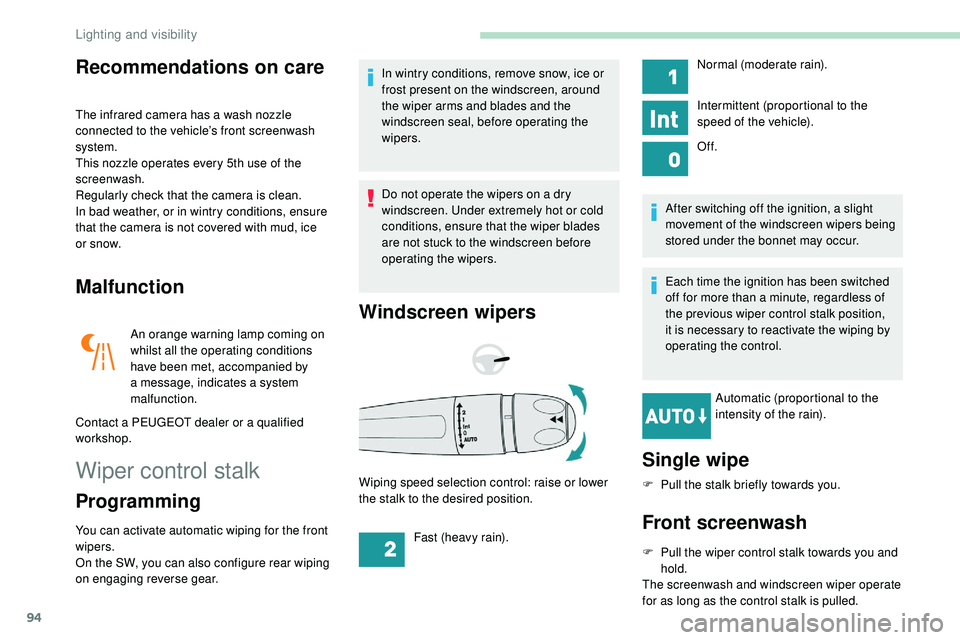
Automatic (proportional to the
intensity of the rain).
Wiping speed selection control: raise or lower
the stalk to the desired position.
Single wipe
F Pull the stalk briefly towards you.
Front screenwash
F Pull the wiper control stalk towards you and hold.
The screenwash and windscreen wiper operate
for as long as the control stalk is pulled. Normal (moderate rain).
Intermittent (proportional to the
speed of the vehicle).
Of f.
Fast (heavy rain).
Lighting and visibility
Page 98 of 320
96
Before removing a front wiper
blade
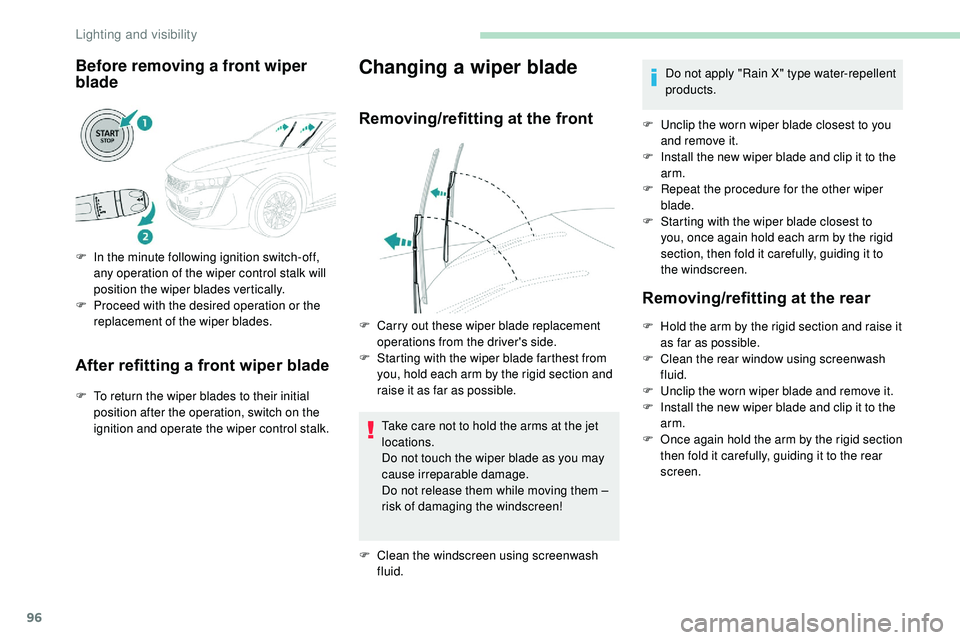
F In the minute following ignition switch-off, any operation of the wiper control stalk will
position the wiper blades vertically.
F
P
roceed with the desired operation or the
replacement of the wiper blades.
After refitting a front wiper blade
F To return the wiper blades to their initial position after the operation, switch on the
ignition and operate the wiper control stalk.
Changing a wiper blade
Removing/refitting at the front
Take care not to hold the arms at the jet
locations.
Do not touch the wiper blade as you may
cause irreparable damage.
Do not release them while moving them –
risk of damaging the windscreen!
F
Cl
ean the windscreen using screenwash
fluid. Do not apply "Rain X" type water-repellent
products.
F
U
nclip the worn wiper blade closest to you
and remove it.
F
I
nstall the new wiper blade and clip it to the
arm.
F
R
epeat the procedure for the other wiper
blade.
F
S
tarting with the wiper blade closest to
you, once again hold each arm by the rigid
section, then fold it carefully, guiding it to
the windscreen.
Removing/refitting at the rear
F Hold the arm by the rigid section and raise it as far as possible.
F
C
lean the rear window using screenwash
fluid.
F
U
nclip the worn wiper blade and remove it.
F
I
nstall the new wiper blade and clip it to the
arm.
F
O
nce again hold the arm by the rigid section
then fold it carefully, guiding it to the rear
screen.
F
C
arry out these wiper blade replacement
operations from the driver's side.
F
S
tarting with the wiper blade farthest from
you, hold each arm by the rigid section and
raise it as far as possible.
Lighting and visibility