ignition Peugeot 508 2018 Repair Manual
[x] Cancel search | Manufacturer: PEUGEOT, Model Year: 2018, Model line: 508, Model: Peugeot 508 2018Pages: 320, PDF Size: 10.09 MB
Page 140 of 320
138
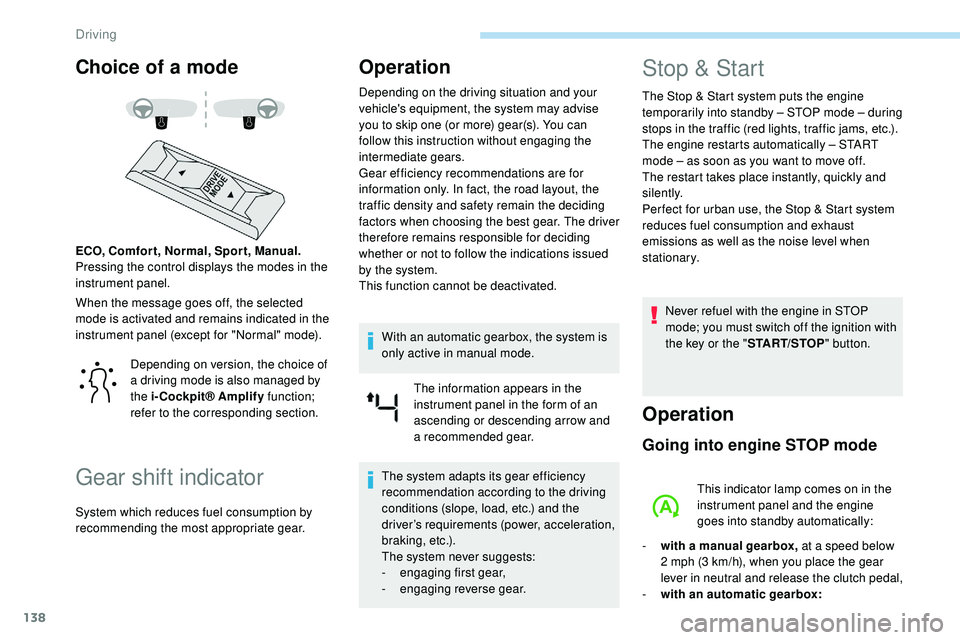
Choice of a mode
When the message goes off, the selected
mode is activated and remains indicated in the
instrument panel (except for "Normal" mode). ECO, Comfor t, Normal, Spor t, Manual.
Pressing the control displays the modes in the
instrument panel.
Gear shift indicator
Operation
Depending on the driving situation and your
vehicle's equipment, the system may advise
you to skip one (or more) gear(s). You can
follow this instruction without engaging the
intermediate gears.
Gear efficiency recommendations are for
information only. In fact, the road layout, the
traffic density and safety remain the deciding
factors when choosing the best gear. The driver
therefore remains responsible for deciding
whether or not to follow the indications issued
by the system.
This function cannot be deactivated.With an automatic gearbox, the system is
only active in manual mode. The information appears in the
instrument panel in the form of an
ascending or descending arrow and
a recommended gear.
The system adapts its gear efficiency
recommendation according to the driving
conditions (slope, load, etc.) and the
driver’s requirements (power, acceleration,
b r a k i n g , e t c .) .
The system never suggests:
-
e
ngaging first gear,
-
enga
ging reverse gear.
Stop & Start
The Stop & Start system puts the engine
t emporarily into standby – STOP mode – during
stops in the traffic (red lights, traffic jams, etc.).
The engine restarts automatically – START
mode – as soon as you want to move off.
The restart takes place instantly, quickly and
silently.
Per fect for urban use, the Stop & Start system
reduces fuel consumption and exhaust
emissions as well as the noise level when
stationary.
Never refuel with the engine in STOP
mode; you must switch off the ignition with
the key or the " START/STOP" button.
Operation
Going into engine STOP mode
This indicator lamp comes on in the
instrument panel and the engine
goes into standby automatically:
-
w
ith a manual gearbox, at a speed below
2 mph (3
km/h), when you place the gear
lever in neutral and release the clutch pedal,
-
w
ith an automatic gearbox:
Depending on version, the choice of
a driving mode is also managed by
the i-Cockpit® Amplify
function;
refer to the corresponding section.
System which reduces fuel consumption by
recommending the most appropriate gear.
Driving
Page 141 of 320
139
A time counter calculates the time spent in
STOP mode during the journey. It is reset to
zero every time the ignition is switched on with
the "START/STOP " button.
For your comfort, during parking
manoeuvres, STOP mode is not available
for a few seconds after coming out of
reverse gear or turning the steering wheel.
The Stop & Start does not affect the
operation of vehicle systems, such as
braking, etc.
Special cases: STOP mode not
available
STOP mode is not activated when:
- t he vehicle is on a steep slope
(rising
or
falling),
-
t
he driver's door is open,
-
t
he driver's seat belt is not fastened,
-
t
he vehicle has not exceeded 6 mph
(10
km/h) since the last engine start,
-
t
his is necessary to maintain a comfortable
In this case, this indicator lamp flashes
for a few seconds, then goes off.
Going into engine START mode
This indicator lamp goes off and the
engine restarts automatically:
-
w
ith a manual gearbox , when you fully
depress the clutch pedal,
-
w
ith an automatic gearbox:
•
g
ear selector in mode D or M , when you
release the brake pedal,
•
o
r gear selector in mode N and brake
pedal released, when you place the gear
selector in mode D or M ,
•
o
r when you engage reverse.
Special cases: START mode
activated automatically
As a safety measure or to maintain comfort
levels in the vehicle, START mode is activated
automatically when:
-
y
ou open the driver's door,
-
y
ou unfasten the driver's seat belt,
-
w
ith a manual gearbox, the vehicle speed
exceeds 2.5 mph (4
km/h),
-
w
ith an automatic gearbox in mode N , the
vehicle speed exceeds 0.6 mph (1
km/h),
-
w
ith an automatic gearbox in mode D ,
release the brake pedal,
-
s
ome special conditions (battery charge,
engine temperature, braking assistance,
air conditioning setting, etc.) make this
necessary to ensure control of a system or
the vehicle.
In this case, this indicator lamp flashes
for a few seconds, then goes off.
Deactivation/Reactivation
In certain cases, such as the need to maintain
a comfortable temperature in the passenger
compartment, it may be useful to deactivate the
Stop & Start system.
This operation is perfectly normal.
This operation is perfectly normal.
•
a
t a speed below 12 mph (20
km/h)
for BlueHDi versions, or below 1 mph
(1
km/h) for the PureTech 180 and 225
versions, when you brake hard with the
gear selector in mode D ,
•
w
ith the vehicle stationary, when you
place the gear selector in position N .temperature in the passenger compartment,
-
d
emisting is active,
-
t
he exterior temperature is below 0°C or
above +35°C,
-
s
ome temporary conditions (battery charge,
engine temperature, braking assistance,
altitude, etc.) make this necessary to ensure
control of a system.
6
Driving
Page 142 of 320
140
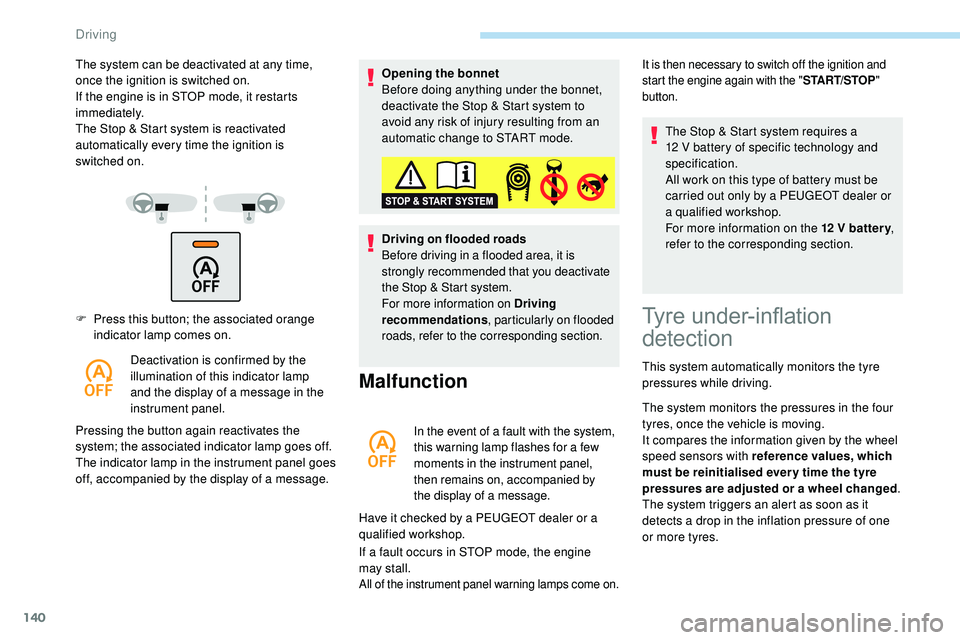
F Press this button; the associated orange indicator lamp comes on.
Deactivation is confirmed by the
illumination of this indicator lamp
and the display of a message in the
instrument panel.
Pressing the button again reactivates the
system; the associated indicator lamp goes off.
The indicator lamp in the instrument panel goes
off, accompanied by the display of a message. Opening the bonnet
Before doing anything under the bonnet,
deactivate the Stop & Start system to
avoid any risk of injury resulting from an
automatic change to START mode.
Driving on flooded roads
Before driving in a flooded area, it is
strongly recommended that you deactivate
the Stop & Start system.
For more information on Driving
recommendations
, particularly on flooded
roads, refer to the corresponding section.
Malfunction
In the event of a fault with the system,
this warning lamp flashes for a few
moments in the instrument panel,
then remains on, accompanied by
the display of a message.
Have it checked by a PEUGEOT dealer or a
qualified workshop.
If a fault occurs in STOP mode, the engine
may
stall.
All of the instrument panel warning lamps come on.
The system can be deactivated at any time,
once the ignition is switched on.
If the engine is in STOP mode, it restarts
immediately.
The Stop & Start system is reactivated
automatically every time the ignition is
switched
on.It is then necessary to switch off the ignition and
start the engine again with the " START/STOP"
button.
Tyre under-inflation
detection
This system automatically monitors the tyre
pressures while driving.
The system monitors the pressures in the four
tyres, once the vehicle is moving.
It compares the information given by the wheel
speed sensors with reference values, which
must be reinitialised ever y time the tyre
pressures are adjusted or a wheel changed .
The system triggers an alert as soon as it
detects a drop in the inflation pressure of one
or more tyres. The Stop & Start system requires a
12
V battery of specific technology and
specification.
All work on this type of battery must be
carried out only by a PEUGEOT dealer or
a qualified workshop.
For more information on the 12 V batter y
,
refer to the corresponding section.
Driving
Page 148 of 320
146
This function is a driving aid that cannot,
in any circumstances, replace the driver’s
own vigilance nor compliance with the
highway code.
The actual signs always take priority over
the display by the system.
The signs must comply with the Vienna
Convention on road signs.
Speed limiter
This system prevents the vehicle
from exceeding the speed
programmed by the driver.
The speed limiter is switched on manually.
The minimum programmed speed is 19 mph
(30 km/h).
The programmed speed value remains in
the
system memory when the ignition is
switched off.
The speed limiter is a driving aid that
cannot, in any circumstances, replace the
need to obser ve speed limits or the need
for vigilance on the part of the driver.
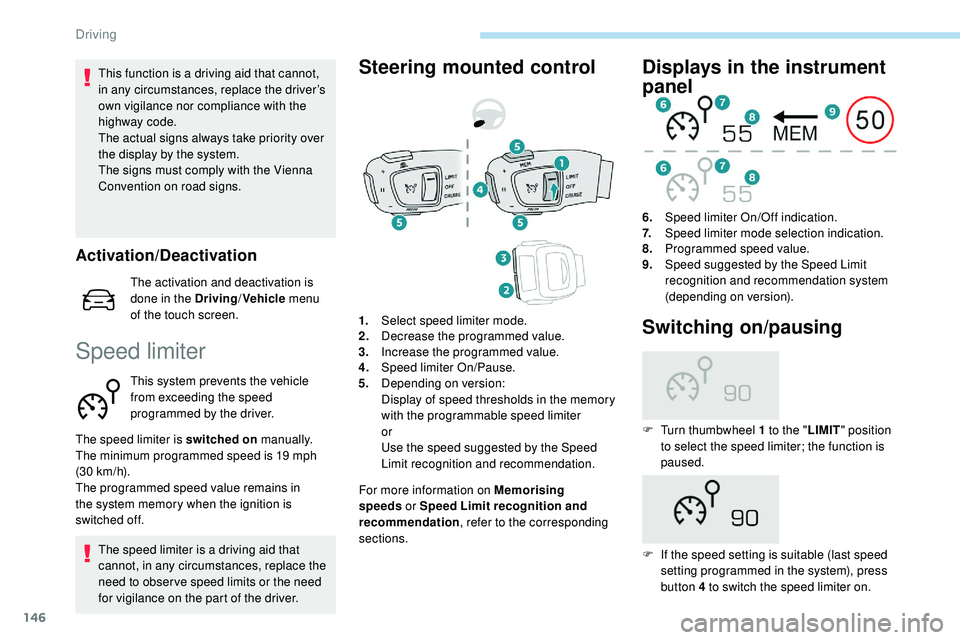
Steering mounted control
For more information on Memorising
speeds or Speed Limit recognition and
recommendation , refer to the corresponding
sections.
Displays in the instrument
panel
6. Speed limiter On/Off indication.
7. Speed limiter mode selection indication.
8. Programmed speed value.
9. Speed suggested by the Speed Limit
recognition and recommendation system
(depending on version).
1. Select speed limiter mode.
2. Decrease the programmed value.
3. Increase the programmed value.
4. Speed limiter On/Pause.
5. Depending on version:
Display of speed thresholds in the memory
with the programmable speed limiter
or
Use the speed suggested by the Speed
Limit recognition and recommendation.
Switching on/pausing
F Turn thumbwheel 1 to the " LIMIT" position
to select the speed limiter; the function is
paused.
F
I
f the speed setting is suitable (last speed
setting programmed in the system), press
button 4 to switch the speed limiter on.
Activation/Deactivation
The activation and deactivation is
done in the Driving /Vehicle menu
of the touch screen.
Driving
Page 150 of 320
148
The use of mats not approved by
PEUGEOT may inter fere with the
operation of the speed limiter.
To avoid any risk of jamming of the pedals:
-
e
nsure that the mat is positioned
c o r r e c t l y,
-
n
ever fit one mat on top of another.
Programmable cruise
control
System which automatically
maintains the cruising speed of the
vehicle at a setting programmed by
the driver, without any action on the
accelerator pedal. The cruise control remains active after
changing gear, regardless of the gearbox
type, on vehicles fitted with Stop & Start.
The operation of the cruise control can be
temporarily interrupted (pause):
-
b
y pressing control 4 or by pressing the
brake pedal,
-
a
utomatically, if operation of the dynamic
stability control system is triggered.
Switching off the ignition cancels any
programmed speed setting.
The cruise control system is a driving aid
that cannot, in any circumstances, replace
the need to obser ve speed limits, nor the
need for vigilance on the part of the driver.
As a safety measure, you are advised to
keep your feet near the pedals at all times.
With a manual gearbox, it requires the
engagement of third gear or higher.
With an automatic gearbox, it requires the
engagement of the selector in mode D or of
second gear or higher in mode M
.
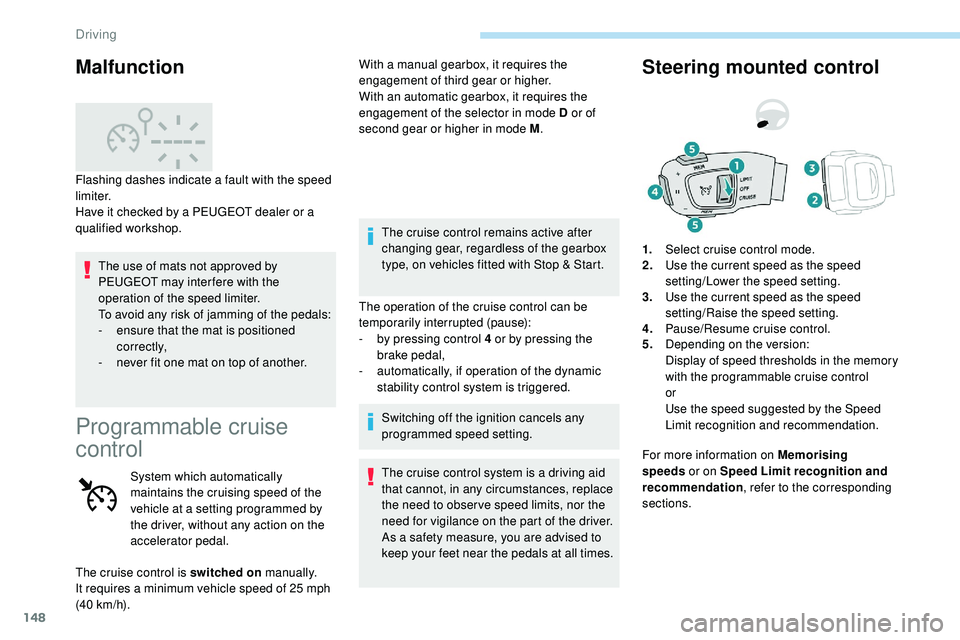
Steering mounted control
For more information on Memorising
speeds or on Speed Limit recognition and
recommendation , refer to the corresponding
sections. 1. Select cruise control mode.
2. Use the current speed as the speed
setting/Lower the speed setting.
3. Use the current speed as the speed
setting/Raise the speed setting.
4. Pause/Resume cruise control.
5. Depending on the version:
Display of speed thresholds in the memory
with the programmable cruise control
or
Use the speed suggested by the Speed
Limit recognition and recommendation.
Malfunction
Flashing dashes indicate a fault with the speed
limiter.
Have it checked by a PEUGEOT dealer or a
qualified workshop.
The cruise control is switched on manually.
It requires a minimum vehicle speed of 25 mph
(40
km/h).
Driving
Page 156 of 320
154
When the cruise control is paused, it
can only be reactivated when all of the
safety conditions are met. The "Activation
denied, conditions unsuitable" message is
displayed if reactivation is not possible.
Reactivating the function
With a manual gearbox
To reactivate the function, the driver must
accelerate to reach at least 19 mph (30 km/h),
then press one of the buttons 2, 3 or 4. the driver must confirm the vehicle restart by
pressing button 4 or the accelerator pedal.
If the driver takes no action following this
immobilisation, the electric parking brake is
applied automatically after a while (approx. five
minutes).
As a safety measure, wait until the current
speed approaches the speed setting
to reactivate the function by pressing
button 4 .
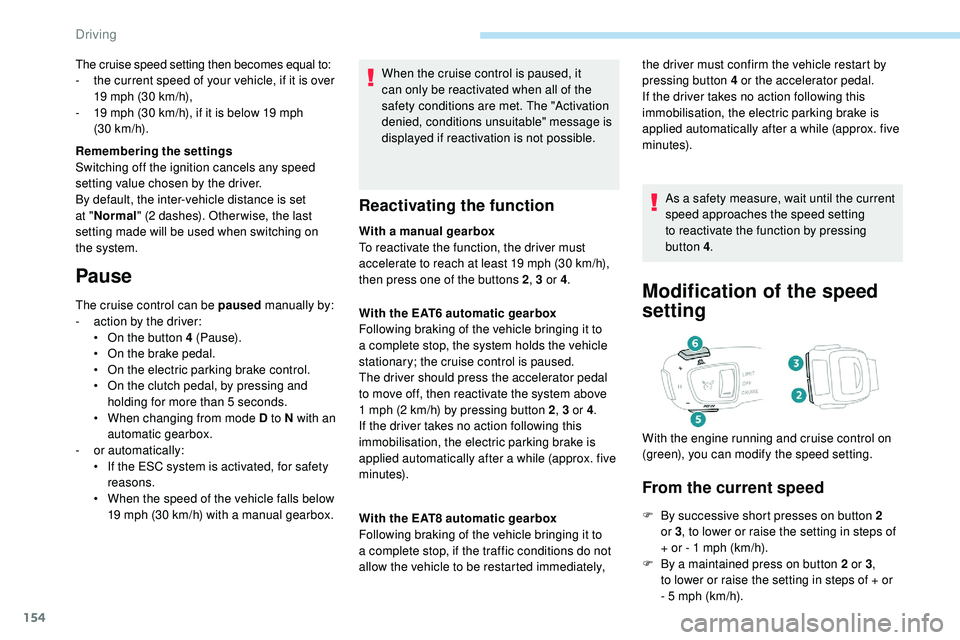
Modification of the speed
setting
From the current speed
F By successive short presses on button 2
or 3, to lower or raise the setting in steps of
+ or - 1 mph (km/h).
F
B
y a maintained press on button 2 or 3 ,
to
lower or raise the setting in steps of + or
-
5 mph (km/h).
With the EAT6 automatic gearbox
Following braking of the vehicle bringing it to
a complete stop, the system holds the vehicle
stationary; the cruise control is paused.
The driver should press the accelerator pedal
to move off, then reactivate the system above
1
mph (2
km/h) by pressing button 2
, 3 or 4.
If the driver takes no action following this
immobilisation, the electric parking brake is
applied automatically after a while (approx. five
minutes).
With the EAT8 automatic gearbox
Following braking of the vehicle bringing it to
a complete stop, if the traffic conditions do not
allow the vehicle to be restarted immediately, With the engine running and cruise control on
(green), you can modify the speed setting.
The cruise speed setting then becomes equal to:
-
t
he current speed of your vehicle, if it is over
19 mph (30 km/h),
-
1
9 mph (30
km/h), if it is below 19 mph
(30
km/h).
Remembering the settings
Switching off the ignition cancels any speed
setting value chosen by the driver.
By default, the inter-vehicle distance is set
at " Normal " (2 dashes). Other wise, the last
setting made will be used when switching on
the system.
Pause
The cruise control can be paused manually by:
- a ction by the driver:
•
O
n the button 4 (Pause).
•
O
n the brake pedal.
•
O
n the electric parking brake control.
•
O
n the clutch pedal, by pressing and
holding for more than 5
seconds.
•
W
hen changing from mode D to N with an
automatic gearbox.
-
o
r automatically:
•
I
f the ESC system is activated, for safety
reasons.
•
W
hen the speed of the vehicle falls below
19 mph (30 km/h) with a manual gearbox.
Driving
Page 157 of 320
155
Take care: pressing and holding button 2
or 3 results in a rapid change in the speed
of your vehicle.
From the Speed Limit recognition
and recommendation system
F The suggested speed is displayed in the instrument panel.
F
M
ake an initial press on button 5 ; a
message is displayed to confirm the
memorisation request.
F
P
ress button 5 again to save the suggested
speed.
The speed displays immediately in the
instrument panel as the new speed setting.
For more information on the Speed Limit
recognition and recommendation , refer to
the corresponding section.
As a precaution, it is recommended
that you select a cruise speed close to
the current speed of your vehicle, so
as to avoid any sudden acceleration or
deceleration of the vehicle.
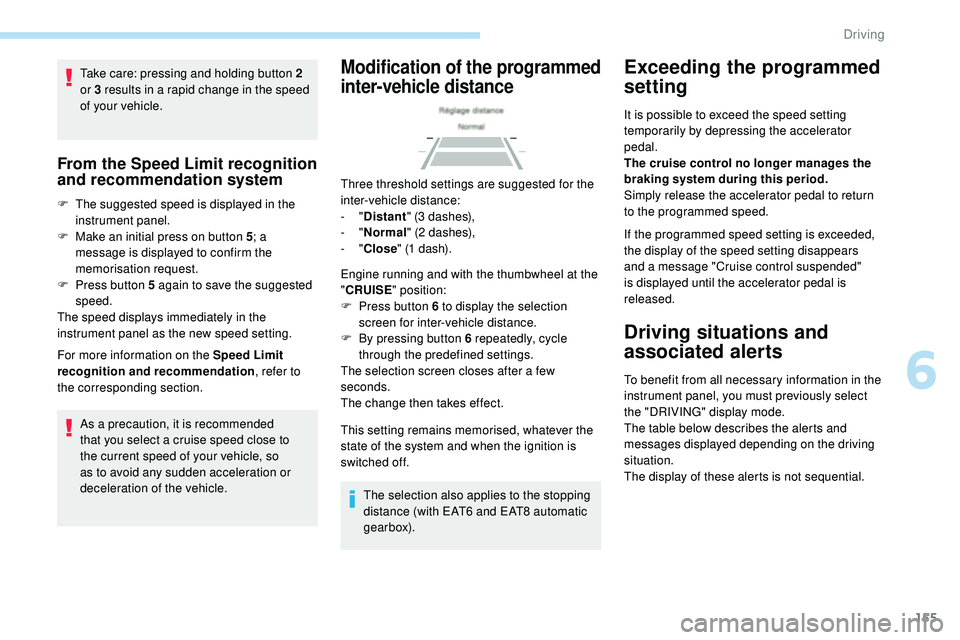
Modification of the programmed
inter-vehicle distance
Three threshold settings are suggested for the
inter-vehicle distance:
- "Distant " (3 dashes),
-
"Normal " (2 dashes),
-
"Close " (1 dash).
Engine running and with the thumbwheel at the
" CRUISE " position:
F
P
ress button 6 to display the selection
screen for inter-vehicle distance.
F
B
y pressing button 6 repeatedly, cycle
through the predefined settings.
The selection screen closes after a few
seconds.
The change then takes effect.
This setting remains memorised, whatever the
state of the system and when the ignition is
switched off.
The selection also applies to the stopping
distance (with EAT6 and EAT8 automatic
gearbox).
Exceeding the programmed
setting
It is possible to exceed the speed setting
temporarily by depressing the accelerator
pedal.
The cruise control no longer manages the
braking system during this period.
Simply release the accelerator pedal to return
to the programmed speed.
If the programmed speed setting is exceeded,
the display of the speed setting disappears
and a message "Cruise control suspended"
is displayed until the accelerator pedal is
released.
Driving situations and
associated alerts
To benefit from all necessary information in the
instrument panel, you must previously select
the "DRIVING" display mode.
The table below describes the alerts and
messages displayed depending on the driving
situation.
The display of these alerts is not sequential.
6
Driving
Page 163 of 320
161
If the front bumper is to be repainted or
retouched, contact a PEUGEOT dealer
or a qualified workshop. Certain types of
paint could inter fere with the operation of
the radar.
Malfunction
If the cruise control
malfunctions, dashes are
displayed instead of the
cruise control speed setting.
If this warning lamp comes
on, accompanied by an alert
message and an audible
signal, this confirms a
malfunction.
The adaptive cruise control deactivates
automatically if the use of a "space-saver"
type spare wheel is detected or if there is
a malfunction on the lateral brake lamps or
trailer brake lamps (for approved trailers).
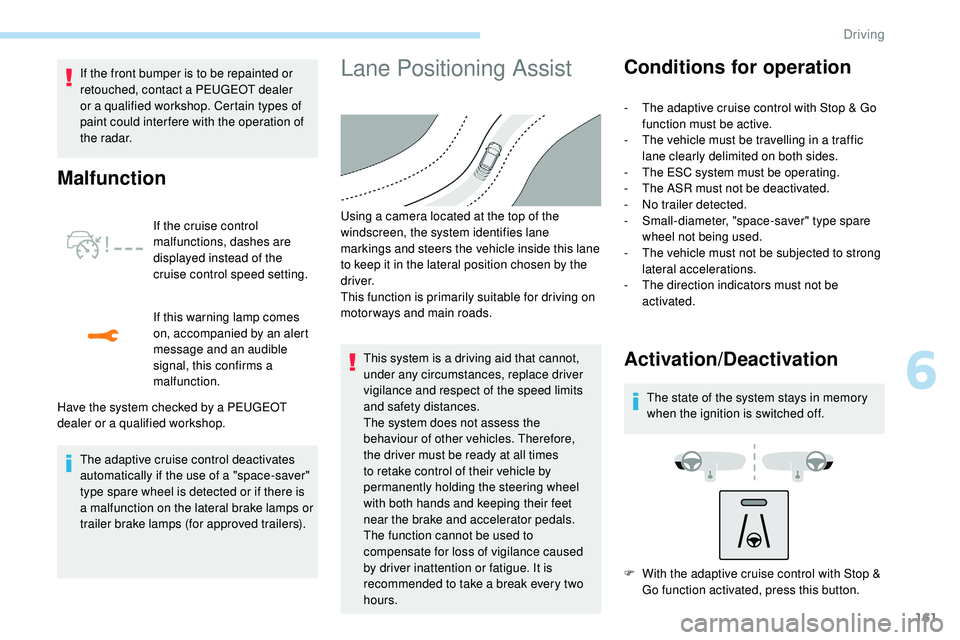
Lane Positioning Assist
Have the system checked by a PEUGEOT
dealer or a qualified workshop. Using a camera located at the top of the
windscreen, the system identifies lane
markings and steers the vehicle inside this lane
to keep it in the lateral position chosen by the
driver.
This function is primarily suitable for driving on
motor ways and main roads.
This system is a driving aid that cannot,
under any circumstances, replace driver
vigilance and respect of the speed limits
and safety distances.
The system does not assess the
behaviour of other vehicles. Therefore,
the
driver must be ready at all times
to retake control of their vehicle by
permanently holding the steering wheel
with both hands and keeping their feet
near the brake and accelerator pedals.
The function cannot be used to
compensate for loss of vigilance caused
by driver inattention or fatigue. It is
recommended to take a break every two
hours.
Conditions for operation
- The adaptive cruise control with Stop & Go function must be active.
-
T
he vehicle must be travelling in a traffic
lane clearly delimited on both sides.
-
T
he ESC system must be operating.
-
T
he ASR must not be deactivated.
-
N
o trailer detected.
-
S
mall-diameter, "space-saver" type spare
wheel not being used.
-
T
he vehicle must not be subjected to strong
lateral accelerations.
-
T
he direction indicators must not be
activated.
Activation/Deactivation
The state of the system stays in memory
when the ignition is switched off.
F
W
ith the adaptive cruise control with Stop &
Go function activated, press this button.
6
Driving
Page 169 of 320
167
In the following cases, deactivating the system
via the vehicle's configuration menu is advised:
-
t
owing a trailer,
-
c
arrying long objects on roof bars or roof
rack,
-
w
ith snow chains fitted,
-
b
efore using an automatic car wash, with
the engine running,
-
b
efore placing the vehicle on a rolling road
in a workshop,
-
t
owed vehicle, engine running,
-
f
ollowing impact to the windscreen close to
the detection camera.
The system is automatically deactivated
after detecting the use of certain "space-
saver" type spare wheels (smaller
diameter).
The system is automatically deactivated
after detecting a fault with the brake pedal
switch or with at least two brake lamps.
It is possible that warnings are not given,
are given too late or seem unjustified.
Consequently, always stay in control of
your vehicle and be prepared to react at
any time to avoid an accident. After an impact, the function automatically
stops operating. Contact a PEUGEOT
dealer or a qualified workshop to have the
system checked.
If the front bumper is to be repainted or
retouched, contact a PEUGEOT dealer
or a qualified workshop. Certain types of
paint could inter fere with the operation of
the radar.
Distance Alert
It warns the driver if their vehicle is at risk of
collision with the vehicle in front, a pedestrian
or a cyclist present in their traffic lane.
Modifying the alert trigger
threshold
This threshold determines how you wish to
be alerted of the presence of a moving or
stationary vehicle in front of you, a pedestrian
or a cyclist present in your traffic lane.
The current threshold can be
modified via the touch screen’s
Driving/Vehicle menu. You can select one of three predefined
thresholds:
-
"
Distant ",
- "
Normal ",
- "
Close ".
The last threshold selected is memorised when
the ignition is switched off.
Operation
Depending on the degree of risk of collision
detected by the system and the alert threshold
chosen by the driver, different levels of
alert can be triggered and displayed in the
instrument panel.
They take account of the vehicle dynamics, the
speed of your vehicle and the one in front, the
environmental conditions, the operation of the
vehicle (cornering, actions on the pedals, etc.)
to trigger the alert at the best moment.
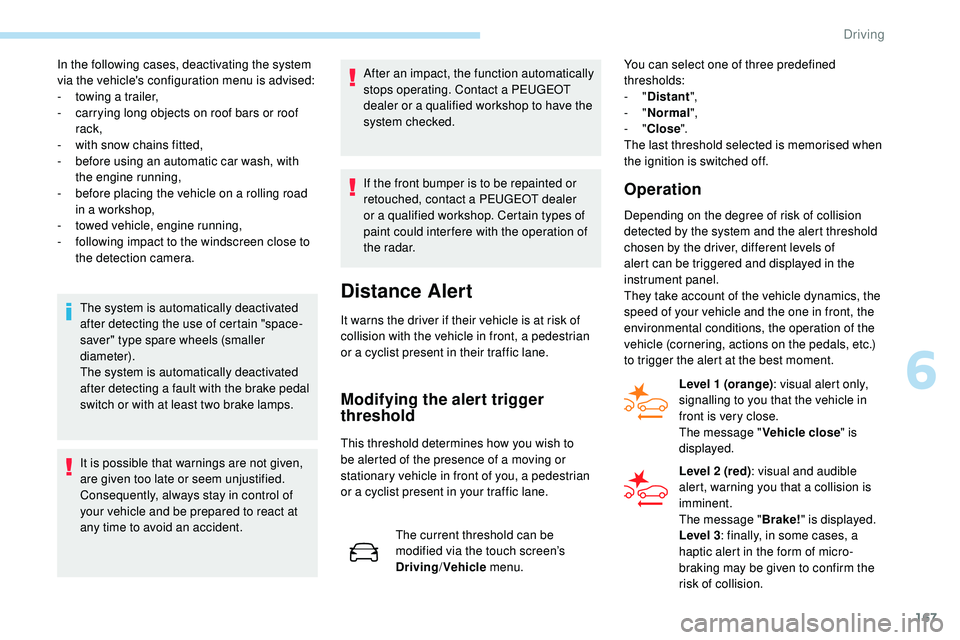
Level 1 (orange) : visual alert only,
signalling to you that the vehicle in
front is very close.
The message " Vehicle close" is
displayed.
Level 2 (red) : visual and audible
alert, warning you that a collision is
imminent.
The message " Brake!" is displayed.
Level 3 : finally, in some cases, a
haptic alert in the form of micro-
braking may be given to confirm the
risk of collision.
6
Driving
Page 171 of 320
169
Malfunction
In the event of a fault with the system,
you are alerted by the continuous
illumination of this warning lamp,
accompanied by the display of a
message and an audible signal.
Fatigue detection system
Take a break as soon as you feel tired or at
least every two hours.
The function comprises the "Driver Attention
Warning" system combined with the "Driver
Attention Alert".These systems cannot in any circumstances
replace the need for vigilance on the part of
the driver who must remain in control of their
decisions. In no case can these systems
keep the driver awake or prevent them from
falling asleep at the wheel.
It is the driver’s responsibility to stop if they
feel tired.
Activation/Deactivation
These functions are activated and
deactivated in the Driving /Vehicle
menu of the touch screen.
The state of the system is memorised when the
ignition is switched off.
Driver Attention Warning
The system triggers an alert once it
detects that the driver has not taken
a break after two hours of driving at
a speed above 40 mph (65
km/h).
This alert is issued via the display of a
message encouraging you to take a break,
accompanied by an audible signal.
If the driver does not follow this advice, the
alert is repeated hourly until the vehicle is
stopped.
The system resets itself if one of the following
conditions is met:
-
e
ngine running, the vehicle has been
stationary for more than 15 minutes,
-
t
he ignition has been switched off for a few
minutes,
-
t
he driver's seat belt is unfastened and their
door is open. As soon as the speed of the vehicle drops
below 40 mph (65
km/h), the system goes
into standby.
The driving time is counted again once the
speed is above 40 mph (65 km/h).
Driver Attention Alert
This system is particularly suited to fast roads
(speed higher than 40 mph (65
km/h)).
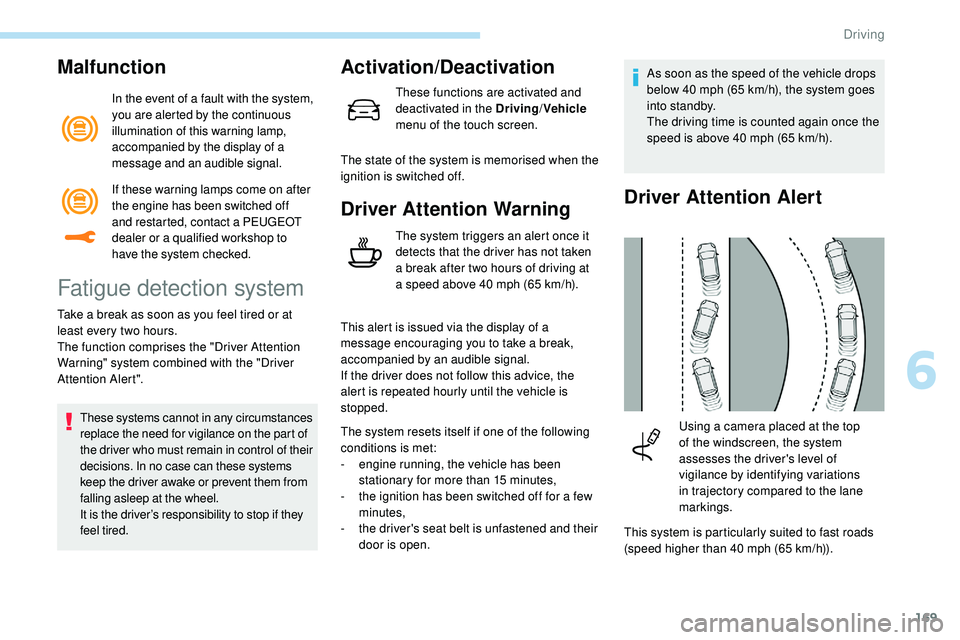
Using a camera placed at the top
of the windscreen, the system
assesses the driver's level of
vigilance by identifying variations
in trajectory compared to the lane
markings.
If these warning lamps come on after
the engine has been switched off
and restarted, contact a PEUGEOT
dealer or a qualified workshop to
have the system checked.
6
Driving