buttons Peugeot 508 2019 User Guide
[x] Cancel search | Manufacturer: PEUGEOT, Model Year: 2019, Model line: 508, Model: Peugeot 508 2019Pages: 320, PDF Size: 10.09 MB
Page 72 of 320
70
Mono-zone/Dual-zone
The passenger temperature setting can be
linked to the driver's setting (mono-zone
function).
It is available in the secondary page by
pressing the "OPTIONS" button.
F
P
ress button 8 to activate the " MONO"
function; its status is displayed as " ON".
The function is automatically deactivated if the
passenger uses their temperature adjustment
buttons (dual-zone function).
Ventilation with the ignition on
When the ignition is switched on, you can use
the ventilation system to adjust the air flow 2
and air distribution 3 settings in the passenger
compartment, for a period which depends on
the battery charge.
This function does not allow the operation of
the air conditioning system.
System switch-off
F Press button 14 .
Its indicator lamp comes on and all other
indicator lamps for the system go off.
This action deactivates all functions of the air
conditioning system.
By reducing the air flow 2 to a minimum, you
are stopping ventilation.
Temperature is no longer regulated. A slight air
flow can still be felt however, resulting from the
for ward movement of the vehicle. Avoid driving for too long with the ventilation
off or the system deactivated – risk of
misting and deterioration of the air quality!
Pressing any button reactivates the system
with the settings that were previously in use.
Recirculation of the
interior air
The intake of exterior air prevents the formation
of mist on the windscreen and the side windows.
The recirculation of the interior air isolates the
passenger compartment from exterior odours
and fumes.
This function also allows the desired
temperature in the passenger compartment to
be reached in the shortest time.
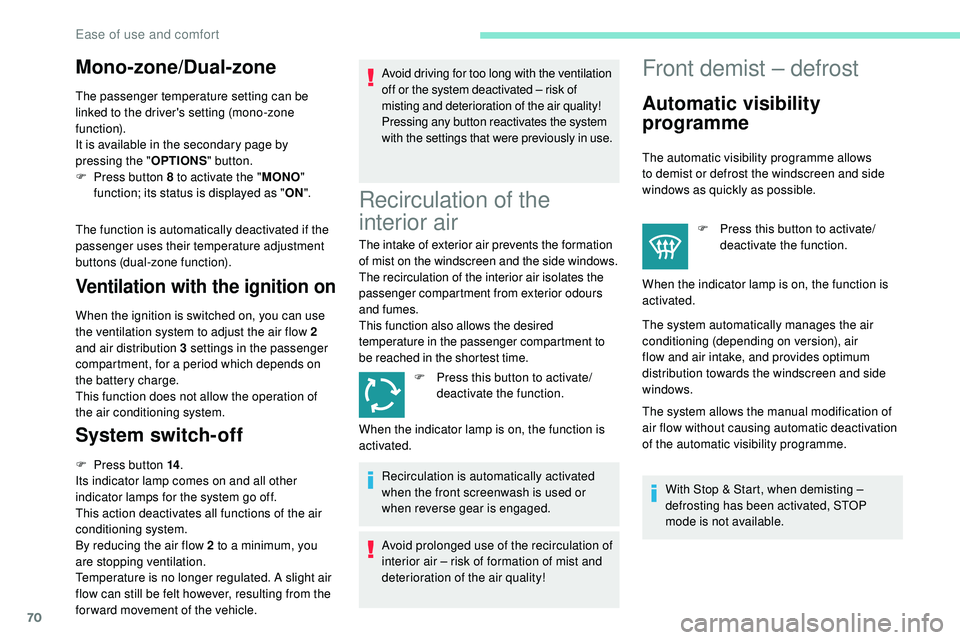
F
P
ress this button to activate/
deactivate the function.
Recirculation is automatically activated
when the front screenwash is used or
when reverse gear is engaged.
Avoid prolonged use of the recirculation of
interior air – risk of formation of mist and
deterioration of the air quality!
Front demist – defrost
Automatic visibility
programme
The automatic visibility programme allows
to demist or defrost the windscreen and side
windows as quickly as possible. F
P
ress this button to activate/
deactivate the function.
When the indicator lamp is on, the function is
activated.
The system automatically manages the air
conditioning (depending on version), air
flow and air intake, and provides optimum
distribution towards the windscreen and side
windows.
The system allows the manual modification of
air flow without causing automatic deactivation
of the automatic visibility programme.
With Stop & Start, when demisting –
defrosting has been activated, STOP
mode is not available.
When the indicator lamp is on, the function is
activated.
Ease of use and comfort
Page 102 of 320
100
The system’s fault does not prevent the
vehicle from being driven.
Peugeot Connect
Assistance
** According to the geographic coverage of "Peugeot Connect SOS", "Peugeot
Connect Assistance" and the official national
language chosen by the owner of the vehicle.
The list of countries covered and PEUGEOT
CONNECT services is available from dealers
or on the website for your country. Press this button for more than
2
seconds to request assistance
if the vehicle breaks down.
A voice message confirms that the call has
been made**.
Geolocation
To reactivate geolocation, simultaneously press
the "Peugeot Connect SOS" and "Peugeot
Connect Assistance" buttons again, followed
by a press on "Peugeot Connect Assistance"
to confirm. If you purchased your vehicle outside the
PEUGEOT dealer network, we invite you
to have a dealer check the configuration of
these ser vices and, if desired, modify it to
suit your wishes. In a multilingual country,
configuration is possible in the official
national language of your choice.
For technical reasons and, in particular,
to improve the quality of PEUGEOT
CONNECT ser vices to customers, the
manufacturer reser ves the right to carry
out updates to the vehicle's on-board
telematic system. If you benefit from the Peugeot Connect
Packs offer with the SOS and assistance
pack included, there are additional
ser vices available to you in your personal
space, via the website for your country.
Pressing this button again immediately cancels
the request.
The cancellation is confirmed by a voice
message.
Electronic stability control
(ESC)
Definitions
You can deactivate geolocation by
simultaneously pressing the "Peugeot Connect
SOS" and "Peugeot Connect Assistance"
buttons, followed by pressing "Peugeot
Connect Assistance" to confirm. Electronic stability control comprising the
following systems:
-
A
nti-lock Braking System (ABS) and
Electronic Brake Force Distribution (EBFD).
-
E
mergency braking assistance (EBA).
-
A
nti-slip regulation (ASR).
-
D
ynamic stability control (DSC).
-
T
railer stability assist (TSA).
Anti-lock braking system (ABS)
and electronic brake force
distribution (EBFD)
These systems improve the stability and
manoeuvrability of your vehicle when braking
and contribute towards improved control in
corners, in particular on poor or slippery road
surfaces.
The ABS prevents wheel lock in the event of
emergency braking.
The EBFD manages the braking pressure
wheel by wheel.
Safety
Page 155 of 320
153
Steering mounted control
For more information on Speed Limit
recognition and recommendation,
refer
to
the corresponding section.
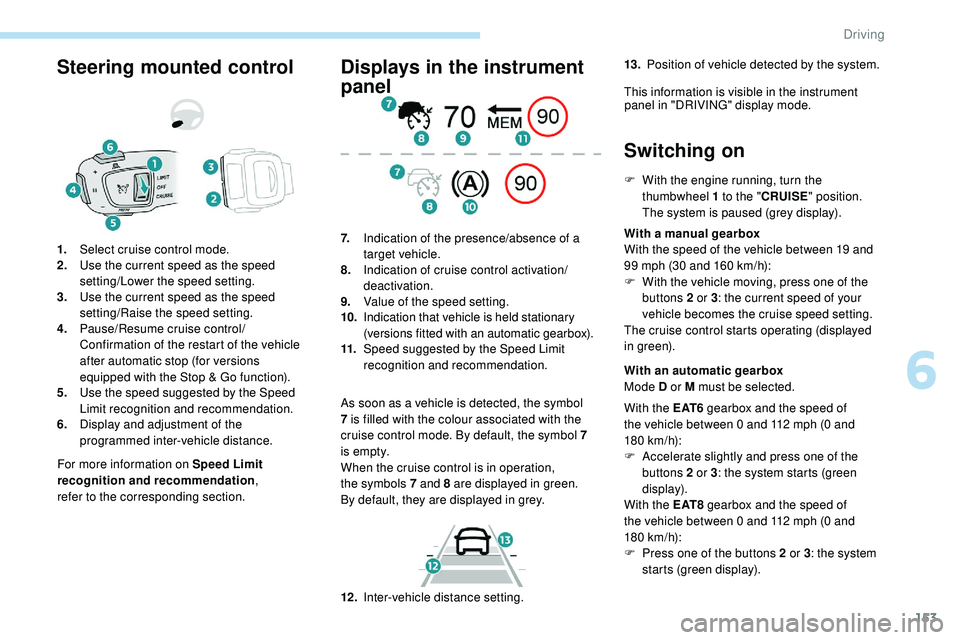
1.
Select cruise control mode.
2. Use the current speed as the speed
setting/Lower the speed setting.
3. Use the current speed as the speed
setting/Raise the speed setting.
4. Pause/Resume cruise control/
Confirmation of the restart of the vehicle
after automatic stop (for versions
equipped with the Stop & Go function).
5. Use the speed suggested by the Speed
Limit recognition and recommendation.
6. Display and adjustment of the
programmed inter-vehicle distance.
Displays in the instrument
panel
As soon as a vehicle is detected, the symbol
7
is filled with the colour associated with the
cruise control mode. By default, the symbol 7
i s e m pt y.
When the cruise control is in operation,
the
symbols 7 and 8 are displayed in green.
By
default, they are displayed in grey.
7.
Indication of the presence/absence of a
target vehicle.
8. Indication of cruise control activation/
deactivation.
9. Value of the speed setting.
10. Indication that vehicle is held stationary
(versions fitted with an automatic gearbox).
11. Speed suggested by the Speed Limit
recognition and recommendation.
Switching on
F With the engine running, turn the
thumbwheel 1 to the "CRUISE" position.
The system is paused (grey display).
With a manual gearbox
With the speed of the vehicle between 19 and
99 mph (30 and 160
km/h):
F
W
ith the vehicle moving, press one of the
buttons 2 or 3 : the current speed of your
vehicle becomes the cruise speed setting.
The cruise control starts operating (displayed
in green).
12 . Inter-vehicle distance setting. With an automatic gearbox
Mode D or M must be selected.
With the E AT 6 gearbox and the speed of
the vehicle between 0 and 112 mph (0
and
180
km/h):
F
A
ccelerate slightly and press one of the
buttons 2 or 3 : the system starts (green
display).
With the E AT 8 gearbox and the speed of
the vehicle between 0 and 112 mph (0
and
180
km/h):
F
P
ress one of the buttons 2 or 3 : the system
starts (green display).
13.
Position of vehicle detected by the system.
This information is visible in the instrument panel in "DRIVING" display mode.
6
Driving
Page 156 of 320
154
When the cruise control is paused, it
can only be reactivated when all of the
safety conditions are met. The "Activation
denied, conditions unsuitable" message is
displayed if reactivation is not possible.
Reactivating the function
With a manual gearbox
To reactivate the function, the driver must
accelerate to reach at least 19 mph (30 km/h),
then press one of the buttons 2, 3 or 4. the driver must confirm the vehicle restart by
pressing button 4 or the accelerator pedal.
If the driver takes no action following this
immobilisation, the electric parking brake is
applied automatically after a while (approx. five
minutes).
As a safety measure, wait until the current
speed approaches the speed setting
to reactivate the function by pressing
button 4 .
Modification of the speed
setting
From the current speed
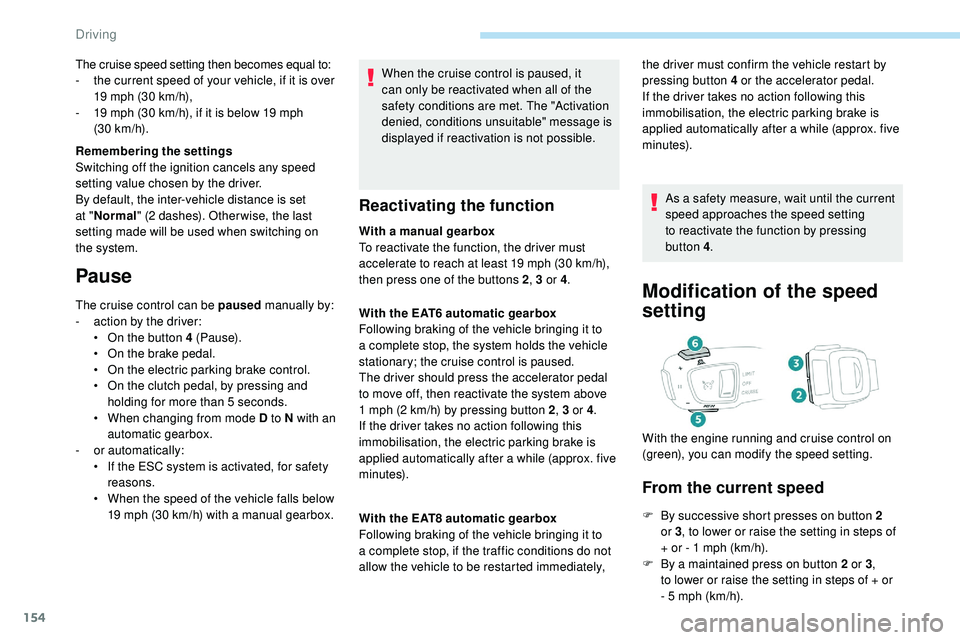
F By successive short presses on button 2
or 3, to lower or raise the setting in steps of
+ or - 1 mph (km/h).
F
B
y a maintained press on button 2 or 3 ,
to
lower or raise the setting in steps of + or
-
5 mph (km/h).
With the EAT6 automatic gearbox
Following braking of the vehicle bringing it to
a complete stop, the system holds the vehicle
stationary; the cruise control is paused.
The driver should press the accelerator pedal
to move off, then reactivate the system above
1
mph (2
km/h) by pressing button 2
, 3 or 4.
If the driver takes no action following this
immobilisation, the electric parking brake is
applied automatically after a while (approx. five
minutes).
With the EAT8 automatic gearbox
Following braking of the vehicle bringing it to
a complete stop, if the traffic conditions do not
allow the vehicle to be restarted immediately, With the engine running and cruise control on
(green), you can modify the speed setting.
The cruise speed setting then becomes equal to:
-
t
he current speed of your vehicle, if it is over
19 mph (30 km/h),
-
1
9 mph (30
km/h), if it is below 19 mph
(30
km/h).
Remembering the settings
Switching off the ignition cancels any speed
setting value chosen by the driver.
By default, the inter-vehicle distance is set
at " Normal " (2 dashes). Other wise, the last
setting made will be used when switching on
the system.
Pause
The cruise control can be paused manually by:
- a ction by the driver:
•
O
n the button 4 (Pause).
•
O
n the brake pedal.
•
O
n the electric parking brake control.
•
O
n the clutch pedal, by pressing and
holding for more than 5
seconds.
•
W
hen changing from mode D to N with an
automatic gearbox.
-
o
r automatically:
•
I
f the ESC system is activated, for safety
reasons.
•
W
hen the speed of the vehicle falls below
19 mph (30 km/h) with a manual gearbox.
Driving
Page 160 of 320
158
After braking causing the vehicle to stop completely, if the vehicle in front restarts almost immediately, the system restarts the vehicle gradually,
keeping the safety distance as programmed up to the speed setting.
If the vehicle is immobilised for more than 3 seconds, simply press button 4 or the accelerator pedal to restart as soon as traffic conditions allow.
The vehicle will accelerate gradually up to the speed setting.
If the vehicle continues to be immobilised, the electric parking brake is applied automatically after a while (approx. five minutes). To restart the vehicle,
the driver must press the accelerator pedal. Following braking of the vehicle bringing it to a complete stop, the system holds the vehicle stationary; the cruise control is paused.
The driver should press the accelerator pedal to move off, then reactivate the system by pressing one of buttons 2 , 3 or 4. If the driver takes no action
following this immobilisation, the electric parking brake is applied automatically after a while (approximately 5 minutes).
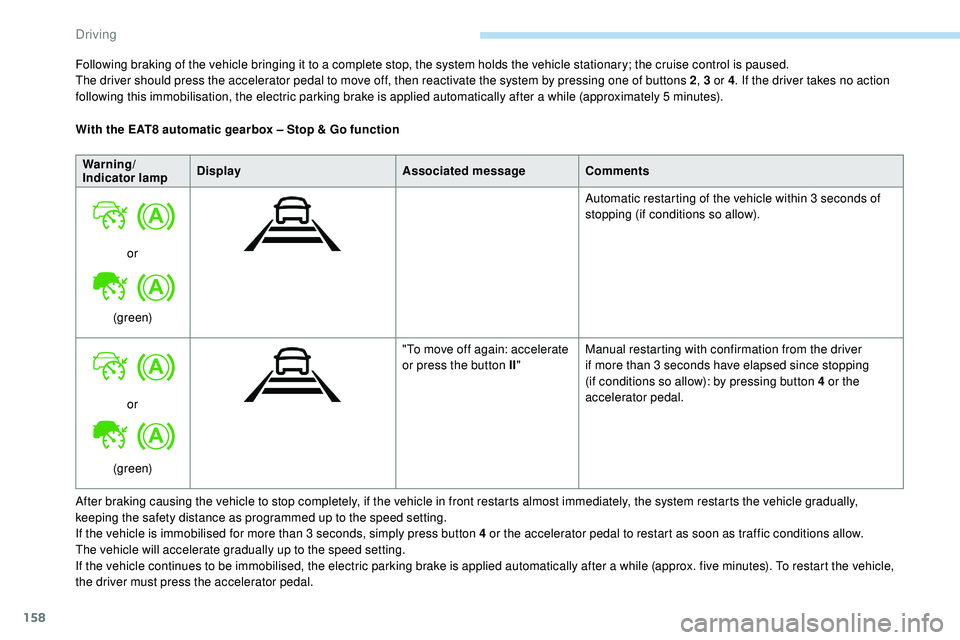
With the EAT8 automatic gearbox – Stop & Go function
Warning/
Indicator lamp Display
Associated messageComments
or
(green) Automatic restarting of the vehicle within 3 seconds of
stopping (if conditions so allow).
or
(green) "To move off again: accelerate
or press the button II
"Manual restarting with confirmation from the driver
if more than 3 seconds have elapsed since stopping
(if conditions so allow): by pressing button 4 or the
accelerator pedal.
Driving
Page 248 of 320
2
First steps
With the engine running, a press
mutes the sound.
With the ignition off, a press turns
the system on.Certain information is displayed permanently
in
the upper banner of the touch screen:
-
R
epeat of the air conditioning information
(depending on version), and direct access
to
the corresponding menu.
-
R
eminder of the Radio Media and
Telephone menu information.
-
R
eminder of the privacy information.
-
A
ccess to the Settings of the touch screen
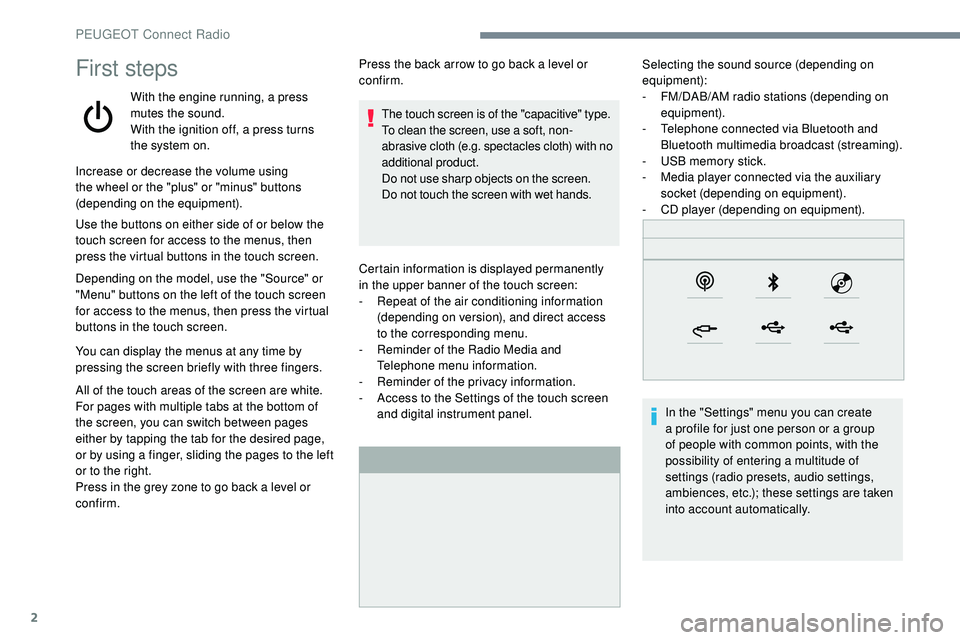
and digital instrument panel. Selecting the sound source (depending on
equipment):
-
F M/DAB/AM radio stations (depending on
equipment).
-
T
elephone connected via Bluetooth and
Bluetooth multimedia broadcast (streaming).
-
U
SB memory stick.
-
M
edia player connected via the auxiliary
socket (depending on equipment).
-
C
D player (depending on equipment).
In the "Settings" menu you can create
a profile for just one person or a group
of people with common points, with the
possibility of entering a multitude of
settings (radio presets, audio settings,
ambiences, etc.); these settings are taken
into account automatically.
Increase or decrease the volume using
the wheel or the "plus" or "minus" buttons
(depending on the equipment).
Use the buttons on either side of or below the
touch screen for access to the menus, then
press the virtual buttons in the touch screen.
Depending on the model, use the "Source" or
"Menu" buttons on the left of the touch screen
for access to the menus, then press the virtual
buttons in the touch screen.
You can display the menus at any time by
pressing the screen briefly with three fingers.
All of the touch areas of the screen are white.
For pages with multiple tabs at the bottom of
the screen, you can switch between pages
either by tapping the tab for the desired page,
or by using a finger, sliding the pages to the left
or to the right.
Press in the grey zone to go back a level or
confirm. Press the back arrow to go back a level or
confirm.
The touch screen is of the "capacitive" type.
To clean the screen, use a soft, non-
abrasive cloth (e.g. spectacles cloth) with no
additional product.
Do not use sharp objects on the screen.
Do not touch the screen with wet hands.
PEUGEOT Connect Radio
Page 249 of 320
3
In very hot conditions, the volume may
be limited to protect the system. It may go
into standby (screen and sound off) for at
least 5 minutes.
The return to normal takes place when
the temperature in the passenger
compartment has dropped.
Steering mounted controls
Steering mounted controls
– Type 1
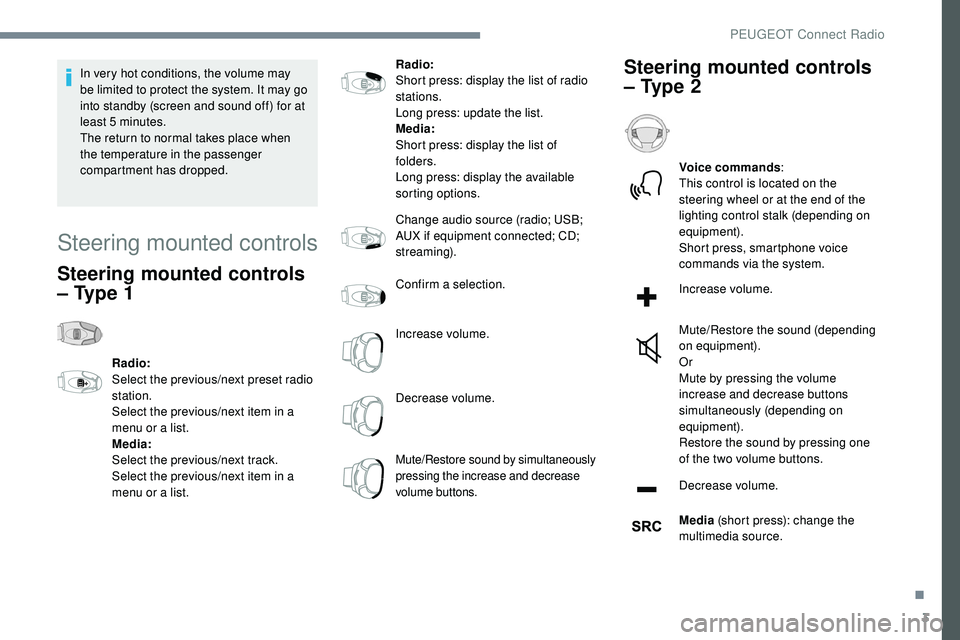
Radio:
Select the previous/next preset radio
station.
Select the previous/next item in a
menu or a list.
Media:
Select the previous/next track.
Select the previous/next item in a
menu or a list.Radio:
Short press: display the list of radio
stations.
Long press: update the list.
Media:
Short press: display the list of
folders.
Long press: display the available
sorting options.
Change audio source (radio; USB;
AUX if equipment connected; CD;
streaming).
Confirm a selection.
Increase volume.
Decrease volume.
Mute/Restore sound by simultaneously
pressing the increase and decrease
volume buttons.
Steering mounted controls
– Type 2
Voice commands
:
This control is located on the
steering wheel or at the end of the
lighting control stalk (depending on
equipment).
Short press, smartphone voice
commands via the system.
Increase volume.
Mute/Restore the sound (depending
on equipment).
Or
Mute by pressing the volume
increase and decrease buttons
simultaneously (depending on
equipment).
Restore the sound by pressing one
of the two volume buttons.
Decrease volume.
Media (short press): change the
multimedia source.
.
PEUGEOT Connect Radio
Page 252 of 320
6
Managing messages
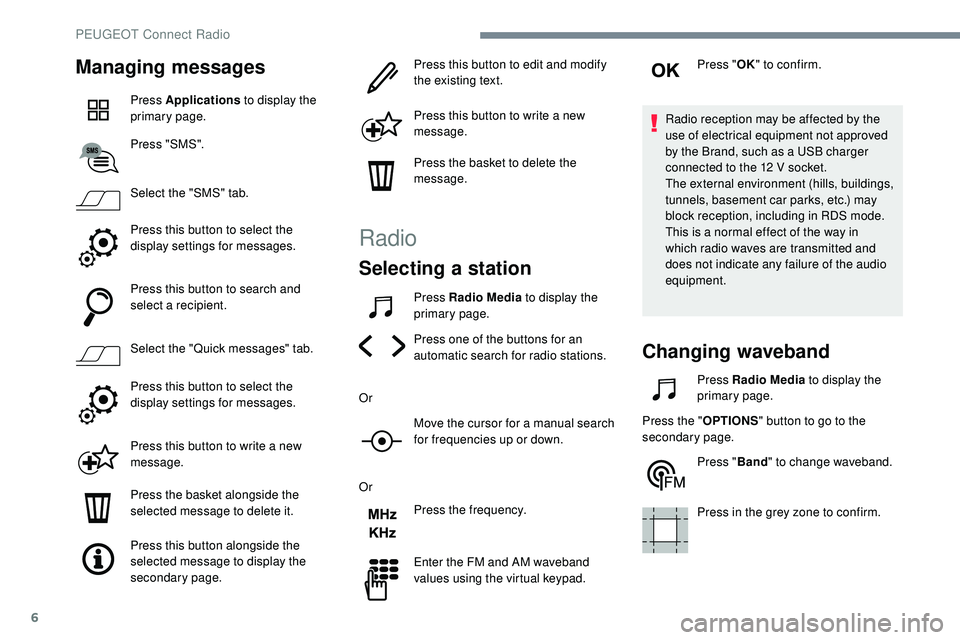
Press Applications to display the
primary page.
Press "SMS".
Select the "SMS" tab.
Press this button to select the
display settings for messages.
Press this button to search and
select a recipient.
Select the "Quick messages" tab.
Press this button to select the
display settings for messages.
Press this button to write a new
message.
Press the basket alongside the
selected message to delete it.
Press this button alongside the
selected message to display the
secondary page. Press this button to edit and modify
the existing text.
Press this button to write a new
message.
Press the basket to delete the
message.
Radio
Selecting a station
Press Radio Media
to display the
primary page.
Press one of the buttons for an
automatic search for radio stations.
Or Move the cursor for a manual search
for frequencies up or down.
Or Press the frequency.
Enter the FM and AM waveband
values using the virtual keypad. Press "
OK" to confirm.
Radio reception may be affected by the
use of electrical equipment not approved
by the Brand, such as a USB charger
connected to the 12 V socket.
The external environment (hills, buildings,
tunnels, basement car parks, etc.) may
block reception, including in RDS mode.
This is a normal effect of the way in
which radio waves are transmitted and
does not indicate any failure of the audio
equipment.
Changing waveband
Press Radio Media to display the
primary page.
Press the " OPTIONS" button to go to the
secondary page.
Press "Band" to change waveband.
Press in the grey zone to confirm.
PEUGEOT Connect Radio
Page 253 of 320
7
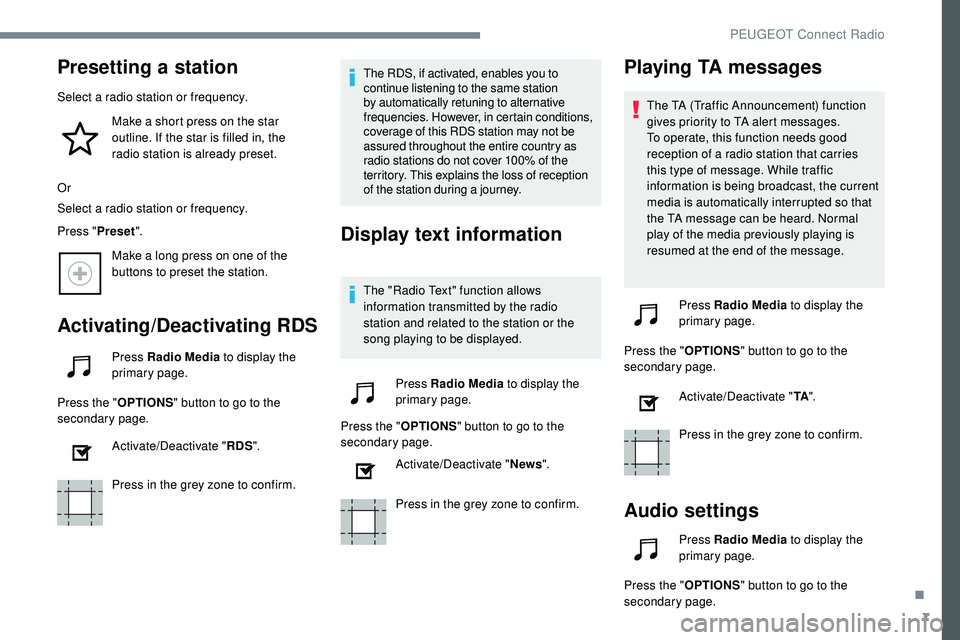
Presetting a station
Select a radio station or frequency.Make a short press on the star
outline. If the star is filled in, the
radio station is already preset.
Or
Select a radio station or frequency.
Press " Preset".
Make a long press on one of the
buttons to preset the station.
Activating/Deactivating RDS
Press Radio Media to display the
primary page.
Press the " OPTIONS" button to go to the
secondary page.
Activate/Deactivate " RDS".
Press in the grey zone to confirm. The RDS, if activated, enables you to
continue listening to the same station
by automatically retuning to alternative
frequencies. However, in certain conditions,
coverage of this RDS station may not be
assured throughout the entire country as
radio stations do not cover 100% of the
territory. This explains the loss of reception
of the station during a journey.
Display text information
The "Radio Text" function allows
information transmitted by the radio
station and related to the station or the
song playing to be displayed.
Press Radio Media to display the
primary page.
Press the " OPTIONS" button to go to the
secondary page.
Activate/Deactivate " News".
Press in the grey zone to confirm.
Playing TA messages
The TA (Traffic Announcement) function
gives priority to TA alert messages.
To operate, this function needs good
reception of a radio station that carries
this type of message. While traffic
information is being broadcast, the current
media is automatically interrupted so that
the TA message can be heard. Normal
play of the media previously playing is
resumed at the end of the message.
Press Radio Media to display the
primary page.
Press the " OPTIONS" button to go to the
secondary page.
Activate/Deactivate " TA".
Press in the grey zone to confirm.
Audio settings
Press Radio Media to display the
primary page.
Press the " OPTIONS" button to go to the
secondary page.
.
PEUGEOT Connect Radio
Page 255 of 320
9
Media
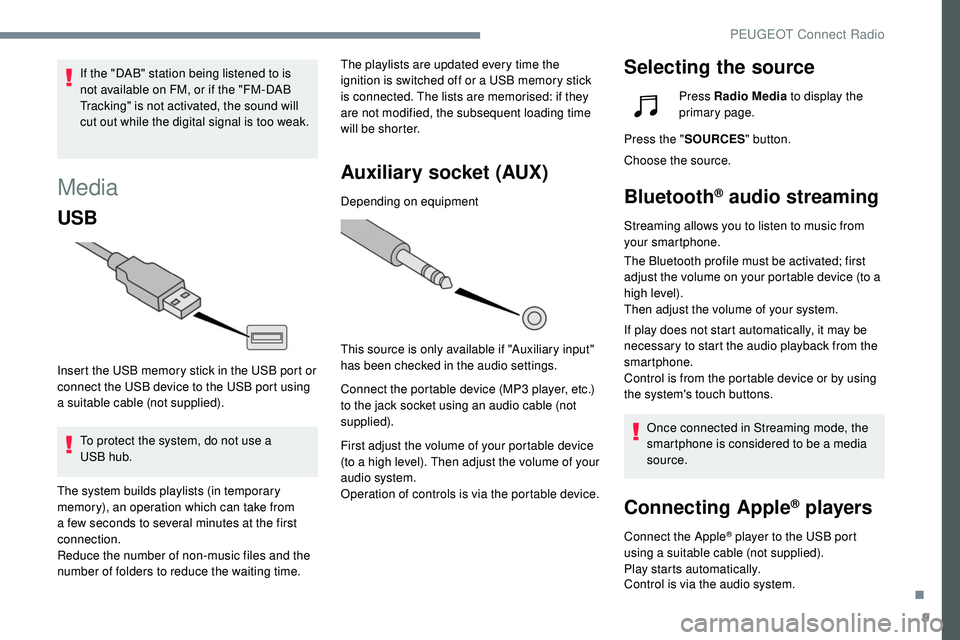
USB
Insert the USB memory stick in the USB port or
connect the USB device to the USB port using
a suitable cable (not supplied).To protect the system, do not use a
USB
hub. The playlists are updated every time the
ignition is switched off or a USB memory stick
is connected. The lists are memorised: if they
are not modified, the subsequent loading time
will be shorter.
Auxiliary socket (AUX)
Depending on equipment
This source is only available if "Auxiliary input"
has been checked in the audio settings.
Connect the portable device (MP3 player, etc.)
to the jack socket using an audio cable (not
supplied).
First adjust the volume of your portable device
(to a high level). Then adjust the volume of your
audio system.
Operation of controls is via the portable device.
Selecting the sourceIf the "DAB" station being listened to is
not available on FM, or if the "FM-DAB
Tracking" is not activated, the sound will
cut out while the digital signal is too weak.
The system builds playlists (in temporary
memory), an operation which can take from
a few seconds to several minutes at the first
connection.
Reduce the number of non-music files and the
number of folders to reduce the waiting time. Press Radio Media
to display the
primary page.
Press the " SOURCES " button.
Choose the source.
Bluetooth® audio streaming
Streaming allows you to listen to music from
your smartphone.
The Bluetooth profile must be activated; first
adjust the volume on your portable device (to a
high level).
Then adjust the volume of your system.
If play does not start automatically, it may be
necessary to start the audio playback from the
smartphone.
Control is from the portable device or by using
the system's touch buttons.
Once connected in Streaming mode, the
smartphone is considered to be a media
source.
Connecting Apple® players
Connect the Apple® player to the USB port
using a suitable cable (not supplied).
Play starts automatically.
Control is via the audio system.
.
PEUGEOT Connect Radio