Indicator Peugeot 508 2019 Owner's Guide
[x] Cancel search | Manufacturer: PEUGEOT, Model Year: 2019, Model line: 508, Model: Peugeot 508 2019Pages: 320, PDF Size: 10.09 MB
Page 26 of 320
24
Retrieving the service
information
The ser vice information can be
accessed via the "Check/Diagnostics "
button in the Driving/Vehicle menu of
the touch screen.
Engine oil level indicator
(Depending on version.)
On versions fitted with an electric oil level
indicator, the state of the engine oil level is
displayed in the instrument panel for a few
seconds after switching the ignition on, after
the servicing information.
The level read will only be correct if the
vehicle is on level ground and the engine
has been off for more than 30 minutes.
Low oil level
This is indicated by the display of a message
prompting you to top up, accompanied by the
Service warning lamp and an audible signal.
If the low oil level is confirmed by a check using
the dipstick, the level must be topped up to
avoid damage to the engine. For more information on Checking levels
,
refer to the corresponding section.
Oil level indicator fault
This is signalled by the display of the " Oil
level measurement invalid " message in the
instrument panel.
Contact a PEUGEOT dealer or a qualified
workshop.
In the event of a fault with the electric
indicator, the oil level is no longer
monitored.
If the system is faulty, you must check the
engine oil level using the manual dipstick
located under the bonnet.
For more information on Checking levels ,
refer to the corresponding section.
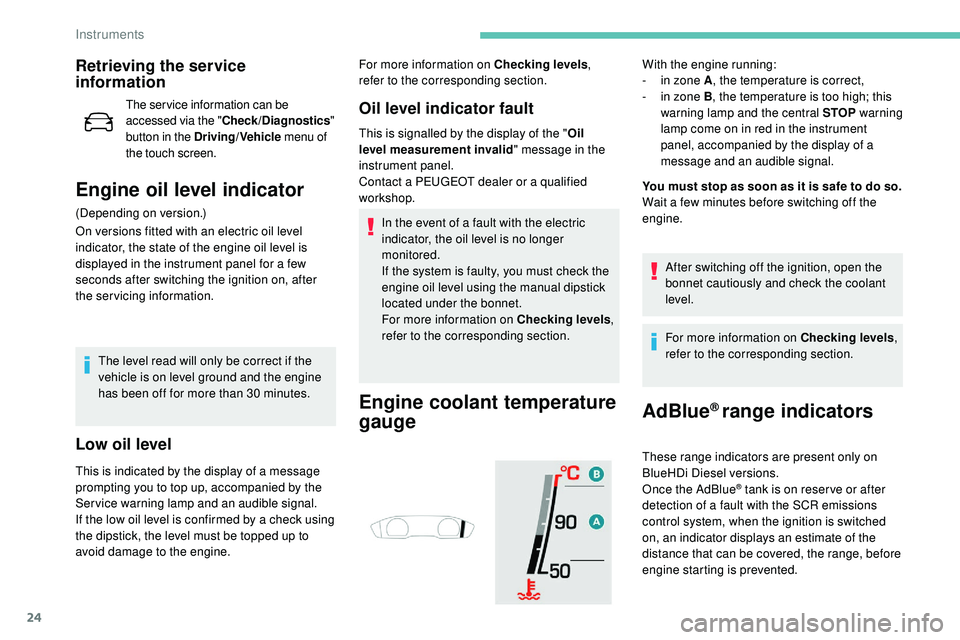
Engine coolant temperature
gauge
With the engine running:
- i n zone A , the temperature is correct,
-
i
n zone B , the temperature is too high; this
warning lamp and the central STOP warning
lamp come on in red in the instrument
panel, accompanied by the display of a
message and an audible signal.
You must stop as soon as it is safe to do so.
Wait a few minutes before switching off the
engine.
After switching off the ignition, open the
bonnet cautiously and check the coolant
level.
For more information on Checking levels ,
refer to the corresponding section.
AdBlue® range indicators
These range indicators are present only on
BlueHDi Diesel versions.
Once the AdBlue
® tank is on reser ve or after
detection of a fault with the SCR emissions
control system, when the ignition is switched
on, an indicator displays an estimate of the
distance that can be covered, the range, before
engine starting is prevented.
Instruments
Page 28 of 320
26
In the event of the detection of a faultIf it is a temporary fault, the alert
disappears during the next journey, after
self-diagnosis of the SCR system.
During the permitted driving phase (between
685 and 0 miles (1,100 and 0 km)) While driving, the message is displayed every
30 seconds while the fault with the SCR
emissions control system persists.
The alert is repeated when switching on the
ignition.
You should go to a PEUGEOT dealer or a
qualified workshop as soon as possible.
Other wise you will not be able to restart the vehicle.
Starting prevented
You have exceeded the authorised driving
limit: the starting prevention system
inhibits engine starting.
To be able to start the engine, you must call on
a PEUGEOT dealer or a qualified workshop.
These warning lamps come on, accompanied
by an audible signal and the display of the
message "Emissions fault".
The alert is triggered when driving when the
fault is detected for the first time, then when
switching on the ignition for subsequent
journeys, while the fault persists.
If a fault with the SCR system is confirmed (after
31 miles (50 km) covered with the permanent
display of the message signalling a fault), these
warning lamps come on and the AdBlue warning
lamp flashes, accompanied by
an audible signal
and the display of a message (e.g. "Emissions
fault: Starting prevented in 200 miles) indicating
the remaining range expressed in miles or
kilometres. Each time the ignition is switched on, these
warning lamps come on and the AdBlue
warning lamp flashes, accompanied by an
audible signal and the display of the message
"Emissions fault: Starting prevented".
Manual test
This function allows you to check certain
indicators and display the alerts log. It can be accessed via the Check/
Diagnostics
button in the Driving/
Vehicle menu of the touch screen.
If necessary, the following information is
displayed in the instrument panel:
-
t
he engine oil level,
-
w
hen the next ser vice is due,
-
t
he driving range for the AdBlue and the
SCR system for BlueHDi Diesel versions,
-
c
urrent alerts.
Distance recorder
The total mileage is displayed for thirty seconds
when the ignition is switched off, when the
driver's door is opened and when the vehicle is
locked or unlocked.
When travelling abroad, you may have to
change the distance units (km or miles):
the display of road speed must be in the
official units for the country (km/h or mph).
The change of units is done via the screen
configuration menu, with the vehicle
stationary. This information is also displayed
automatically every time the ignition is
switched on.
Instruments
Page 37 of 320
35
Remote control
General pointsEjecting the keyUnlocking the vehicle
Complete unlocking
F Press the button.
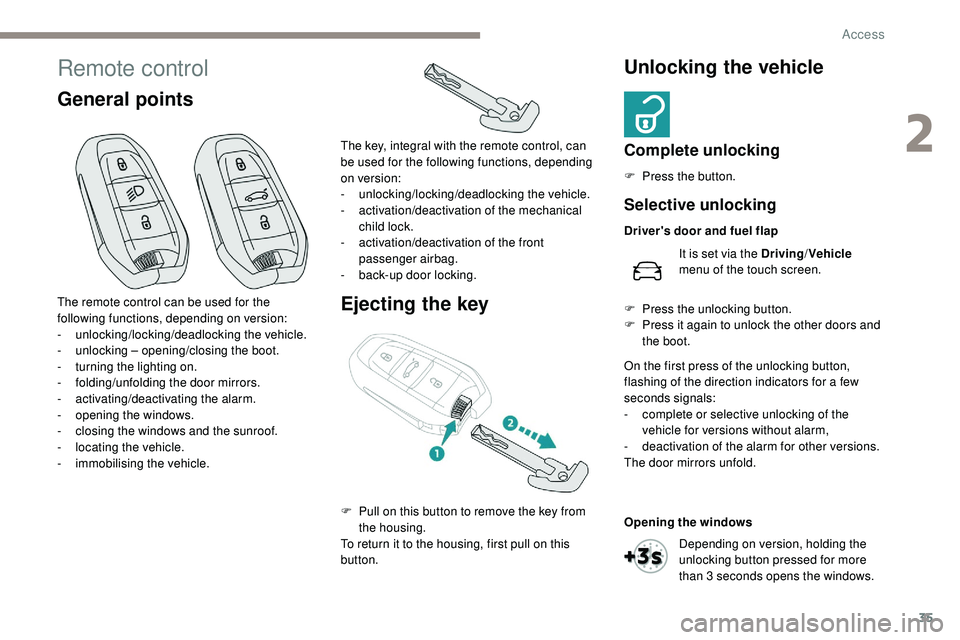
The remote control can be used for the
following functions, depending on version:
-
u
nlocking/locking/deadlocking the vehicle.
-
u
nlocking – opening/closing the boot.
-
t
urning the lighting on.
-
fo
lding/unfolding the door mirrors.
-
a
ctivating/deactivating the alarm.
-
o
pening the windows.
-
c
losing the windows and the sunroof.
-
l
ocating the vehicle.
-
i
mmobilising the vehicle. The key, integral with the remote control, can
be used for the following functions, depending
on version:
-
u
nlocking/locking/deadlocking the vehicle.
-
a
ctivation/deactivation of the mechanical
child lock.
-
a
ctivation/deactivation of the front
passenger airbag.
-
b
ack-up door locking.
F
P
ull on this button to remove the key from
the housing.
To return it to the housing, first pull on this
button.
Selective unlocking
Driver's door and fuel flap
It is set via the Driving /Vehicle
menu of the touch screen.
F
P
ress the unlocking button.
F
P
ress it again to unlock the other doors and
the boot.
On the first press of the unlocking button,
flashing of the direction indicators for a few
seconds signals:
-
c
omplete or selective unlocking of the
vehicle for versions without alarm,
-
d
eactivation of the alarm for other versions.
The door mirrors unfold.
Opening the windows
Depending on version, holding the
unlocking button pressed for more
than 3 seconds opens the windows.
2
Access
Page 38 of 320
36
Locking the vehicle
Normal locking
F Press the button.
On the first press of the locking button,
illumination of the direction indicators for a few
seconds indicates:
-
t
he locking of the vehicle for versions
without alarm,
-
t
he activation of the alarm for other
versions.
The door mirrors fold.
An improperly closed door or tailgate
prevents locking of the vehicle. However, if
your vehicle has an alarm, this will be fully
activated after about 45 seconds.
If the vehicle is unlocked inadvertently
and there is then no action on the doors
or boot, the vehicle will automatically lock
itself again after about 30 seconds. If the
alarm was previously activated, it will be
reactivated automatically. The automatic folding and unfolding of the
door mirrors with the remote control can
be set in the Driving/Vehicle menu of the
touch screen.
Deadlocking
F Within five seconds, press the locking
button again to lock the vehicle.
For versions without an alarm, deadlocking
is confirmed by illumination of the direction
indicators for few seconds on the second press
of the locking button.
Deadlocking renders the interior door
controls inoperative.
It also deactivates the interior central
locking button on the dashboard.
Therefore, never leave anyone inside the
vehicle when it is deadlocked.
Closing the windows and sunroof Ensure that no person or object could
prevent the correct closing of the windows
and sunroof.
If, on versions with alarm, you want to
leave the windows and/or sunroof partly
open, you must first deactivate the interior
volumetric alarm protection.
For more information on the Alarm
, refer
to the corresponding section.
"Peugeot Adaptive LED technology"
On versions equipped with 3D LED rear
lamps, the lamps illuminate in a scrolling
pattern upon locking and unlocking the
vehicle, as well as when the lamps are lit
remotely.
Locating your vehicle
This function allows you to identify your vehicle
from a distance, particularly in poor light. Your
vehicle must be locked.
F
P
ress this button.
This will switch on the courtesy lamps and door
mirror spot lamps and the direction indicators
will flash for around ten seconds.
The windows stop when you release the button.
Maintaining pressure on the locking
button for more than three seconds
allows the windows and, depending
on version, the sunroof to be closed
to the desired position.This operation also closes the sunroof blind.
Access
Page 40 of 320
38
Opening the windows
Flashing of the direction indicators for a few
seconds signals:
-
t
he unlocking of the vehicle for versions
without alarm,
-
t
he deactivation of the alarm for other
versions.
The door mirrors unfold.
Selective unlocking
Driver's door and fuel flap
F
P
ass your hand behind the driver’s door
handle.
F
T
o unlock the vehicle completely, pass
your hand behind the handle of one of the
passenger doors with the electronic key
close to the passenger door, or press the
tailgate opening control with the electronic
key close to the rear of the vehicle.
The setting for selective unlocking
of the driver’s door is done in the
Driving/Vehicle menu of the touch
screen. When unlocking the driver's door, flashing
of the direction indicators for a few seconds
signals:
-
s
elective unlocking of the vehicle for
versions without alarm,
-
d
eactivation of the alarm for other versions.
The door mirrors unfold.
Selective unlocking of the
tailgate
F Press the tailgate opening control to unlock just the boot.
The doors remain locked.
If selective unlocking of the tailgate is
deactivated, pressing this control also
unlocks the doors. Activation or deactivation of selective
unlocking of the tailgate is done in
the Driving/Vehicle menu of the
touch screen.
If one of the doors or the boot is still open
or if the electronic key for the Keyless
Entry and Starting system has been left
inside the vehicle, the central locking does
not take place.
However, the alarm (if fitted) will be fully
activated after about 45 seconds. If the vehicle is unlocked inadvertently and
no action is taken at the doors or boot, the
vehicle will automatically lock itself again
after about 30 seconds.
If fitted to your vehicle, the alarm will also
be reactivated automatically.
The automatic folding and unfolding of the
door mirrors with the remote control can
be set in the Driving/Vehicle menu of the
touch screen.
As a safety measure (with children on
board), never leave the vehicle without
taking the electronic key for the Keyless
Entry and Starting system with you, even
for a short period.
Be aware of the risk of theft when the
electronic key for the Keyless Entry and
Starting system is in one of the defined
zones with the vehicle unlocked.
Depending on version, keeping your
hand behind the door handle or
maintaining the press on the tailgate
control for more than three seconds
allows you to open the windows.
The windows stop when the hand is withdrawn
or the control released.
Access
Page 41 of 320
39
In order to preser ve the battery in the
electronic key and the vehicle's battery,
the "hands-free" functions are put into
long-term standby after 21 days without
use. To restore these functions, press
one of the remote control buttons or start
the engine with the electronic key in the
reader.
For more information on starting with
Keyless Entr y and Star ting, refer to the
corresponding section.
Locking the vehicle
Normal locking
Closing the windows and sunroof
Ensure that nothing could prevent the
correct closing of the windows and
sunroof.
Be particularly aware of children when
operating the windows.
Illumination of the direction indicators for a few
seconds signals:
-
t
he locking of the vehicle for versions
without alarm,
-
t
he activation of the alarm for other
versions.
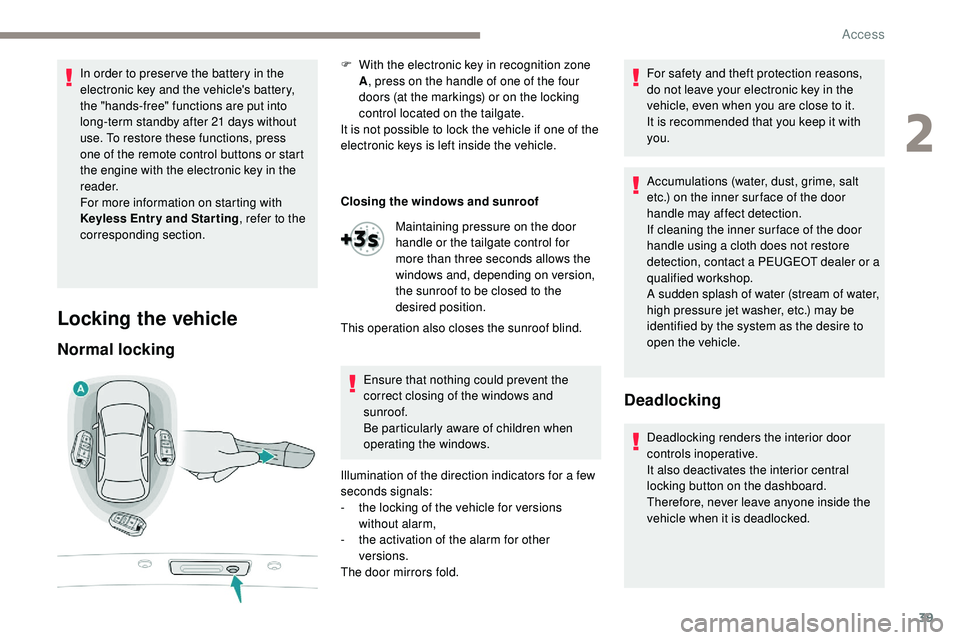
The door mirrors fold. F
W
ith the electronic key in recognition zone
A , press on the handle of one of the four
doors (at the markings) or on the locking
control located on the tailgate.
It is not possible to lock the vehicle if one of the
electronic keys is left inside the vehicle.
Maintaining pressure on the door
handle or the tailgate control for
more than three seconds allows the
windows and, depending on version,
the sunroof to be closed to the
desired position.
This operation also closes the sunroof blind. For safety and theft protection reasons,
do not leave your electronic key in the
vehicle, even when you are close to it.
It is recommended that you keep it with
you.
Accumulations (water, dust, grime, salt
etc.) on the inner sur face of the door
handle may affect detection.
If cleaning the inner sur face of the door
handle using a cloth does not restore
detection, contact a PEUGEOT dealer or a
qualified workshop.
A sudden splash of water (stream of water,
high pressure jet washer, etc.) may be
identified by the system as the desire to
open the vehicle.
Deadlocking
Deadlocking renders the interior door
controls inoperative.
It also deactivates the interior central
locking button on the dashboard.
Therefore, never leave anyone inside the
vehicle when it is deadlocked.
2
Access
Page 42 of 320
40
At the first press on one of the locking controls,
illumination of the direction indicators for a few
seconds signals:
-
t
he locking of the vehicle for versions
without alarm,
-
t
he activation of the alarm for other
versions.
The door mirrors fold. "Peugeot Adaptive LED technology"
On versions equipped with 3D LED rear
lamps, the lamps illuminate in a scrolling
pattern upon locking and unlocking the
vehicle, as well as when the lamps are lit
remotely.
Advice
Remote control
The high frequency remote control is a
sensitive system; do not operate it while
it is in your pocket as there is a possibility
that it may unlock the vehicle, without you
being aware of it.
Do not press the buttons of your remote
control out of range and out of sight of
your vehicle. It might stop working. It will
then be necessary to reinitialise it again.
Electrical interference
The Keyless Entry and Starting electronic
key may not operate if close to certain
electronic devices: telephone, laptop
computer, strong magnetic fields, etc.Anti-theft protection
Do not make any modifications to the
electronic engine immobiliser system;
this
could cause malfunctions.
Locking the vehicle
Driving with the doors locked could make
it difficult for the emergency ser vices to
enter the vehicle in an emergency.
As a safety precaution (with children on
board), take the electronic key with you when
you leave the vehicle, even for a short time.
Lost keys, remote control, electronic
key
Go to a PEUGEOT dealer with the
vehicle's registration document, your
personal identification documents and if
possible the key code label.
The PEUGEOT dealer will be able to
retrieve the key code and the transponder
code required to order a new key. Do not throw the remote control batteries
away, they contain metals which are
harmful to the environment.
Take them to an approved collection
point.
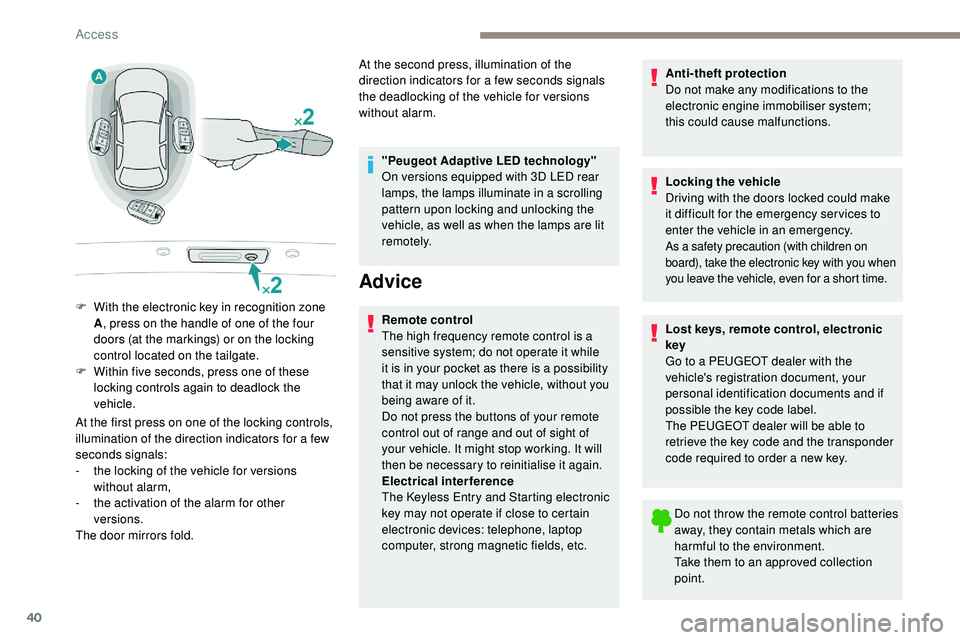
F
W
ith the electronic key in recognition zone
A , press on the handle of one of the four
doors (at the markings) or on the locking
control located on the tailgate.
F
W
ithin five seconds, press one of these
locking controls again to deadlock the
vehicle. At the second press, illumination of the
direction indicators for a few seconds signals
the deadlocking of the vehicle for versions
without alarm.
Access
Page 43 of 320
41
Back-up procedures
Complete unlocking/locking
of the vehicle with the key
These procedures should be used in the
following cases:
-
r
emote control cell battery discharged,
-
r
emote control fault,
-
v
ehicle in an area subject to strong
electromagnetic interference.
In the first case, you can also replace the
remote control cell battery.
Refer to the corresponding section.
In the second case, you can also reinitialise the
remote control.
Refer to the corresponding section. If the alarm is activated, the siren sounds
on opening the door; switch on the ignition
to stop it.
Normal locking
If your vehicle is fitted with an alarm, this
function will not be activated when locking
with the key.
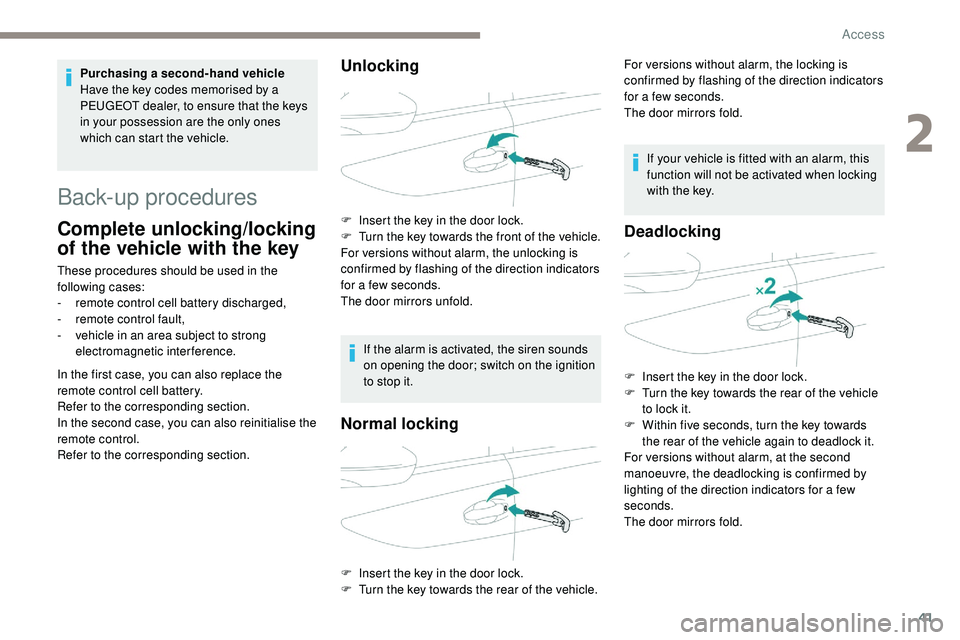
F
I
nsert the key in the door lock.
F
T
urn the key towards the rear of the vehicle.
Deadlocking
F Insert the key in the door lock.
F T urn the key towards the rear of the vehicle
to lock it.
F
W
ithin five seconds, turn the key towards
the rear of the vehicle again to deadlock it.
For versions without alarm, at the second
manoeuvre, the deadlocking is confirmed by
lighting of the direction indicators for a few
seconds.
The door mirrors fold.
Purchasing a second-hand vehicle
Have the key codes memorised by a
PEUGEOT dealer, to ensure that the keys
in your possession are the only ones
which can start the vehicle.
Unlocking
F Insert the key in the door lock.
F
T urn the key towards the front of the vehicle.
For versions without alarm, the unlocking is
confirmed by flashing of the direction indicators
for a few seconds.
The door mirrors unfold. For versions without alarm, the locking is
confirmed by flashing of the direction indicators
for a few seconds.
The door mirrors fold.
2
Access
Page 45 of 320
43
F With a manual gearbox, place the gear
lever in neutral then fully depress the clutch
pedal.
F
W
ith an automatic gearbox , from mode P,
fully depress the brake pedal.
F
S
witch on the ignition by pressing the
" START/STOP " button.
The electronic key is now fully operational
again.
If the fault persists after reinitialisation, contact
a PEUGEOT dealer or a qualified workshop
without delay.
Central locking
This function allows the doors and boot to be
locked or unlocked simultaneously from inside
the vehicle.
Manual mode
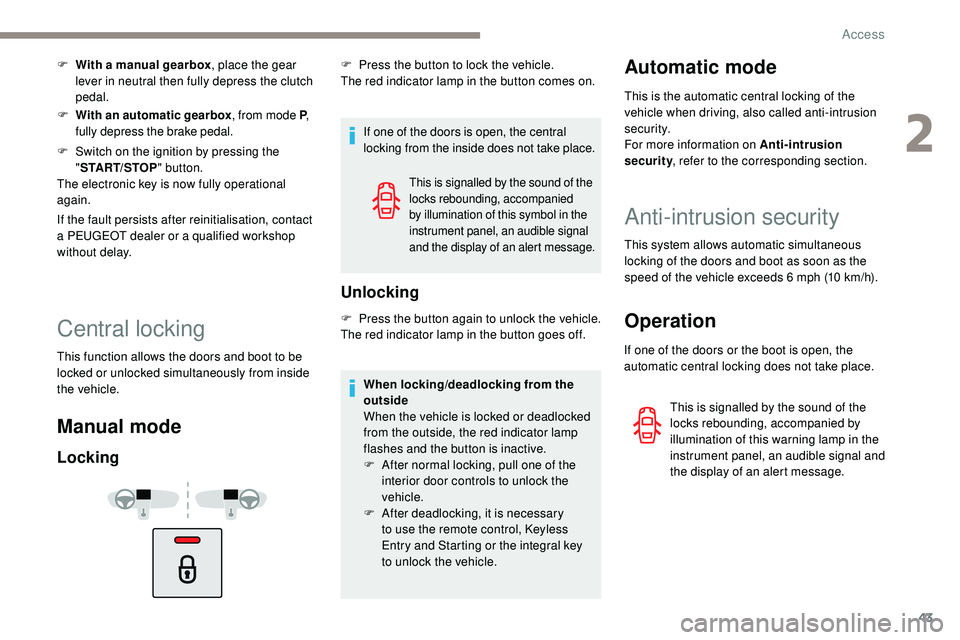
Locking
If one of the doors is open, the central
locking from the inside does not take place.
Unlocking
F Press the button again to unlock the vehicle.
The red indicator lamp in the button goes off.
This is signalled by the sound of the
locks rebounding, accompanied
by illumination of this symbol in the
instrument panel, an audible signal
and the display of an alert message.
F Press the button to lock the vehicle.
The red indicator lamp in the button comes on.
When locking/deadlocking from the
outside
When the vehicle is locked or deadlocked
from the outside, the red indicator lamp
flashes and the button is inactive.
F
A
fter normal locking, pull one of the
interior door controls to unlock the
vehicle.
F
A
fter deadlocking, it is necessary
to
use the remote control, Keyless
Entry and Starting or the integral key
to
unlock the vehicle.Automatic mode
This is the automatic central locking of the
vehicle when driving, also called anti-intrusion
s e c u r i t y.
For more information on Anti-intrusion
security, refer to the corresponding section.
Anti-intrusion security
This system allows automatic simultaneous
locking of the doors and boot as soon as the
speed of the vehicle exceeds 6 mph (10 km/h).
Operation
If one of the doors or the boot is open, the
automatic central locking does not take place.
This is signalled by the sound of the
locks rebounding, accompanied by
illumination of this warning lamp in the
instrument panel, an audible signal and
the display of an alert message.
2
Access
Page 46 of 320
44
Carrying long or voluminous objects
If you want to drive with the boot open, you
should press the central locking button
to lock the doors. Other wise, every time
the speed of the vehicle exceeds 6 mph
(10 km/h), the locks will rebound and the
alerts mentioned above will appear.
Pressing the central locking button
unlocks the vehicle.
Above 6 mph (10 km/h), this unlocking is
te m p o r a r y.
Activation/Deactivation
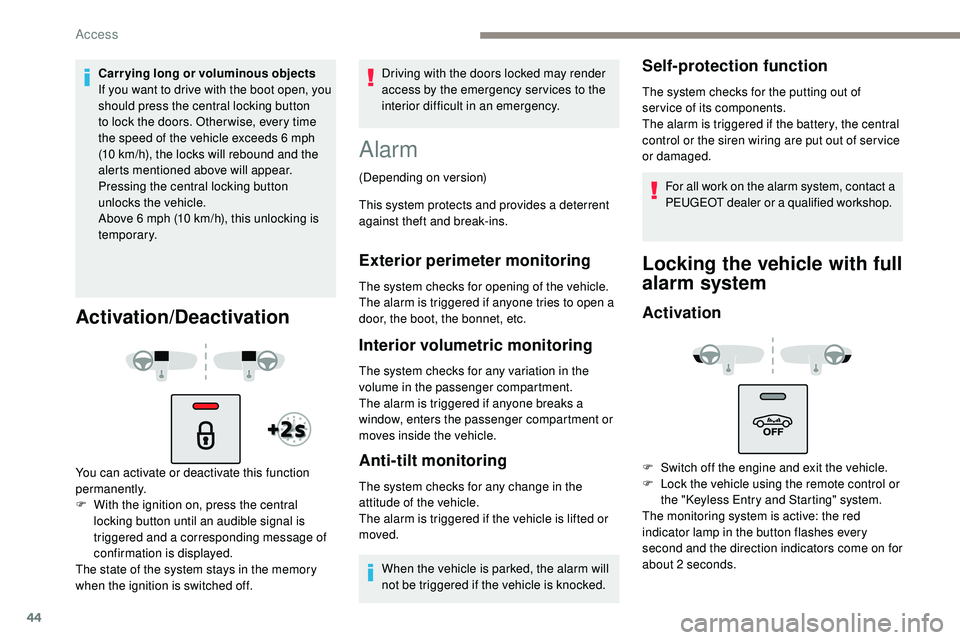
You can activate or deactivate this function
permanently.
F
W
ith the ignition on, press the central
locking button until an audible signal is
triggered and a corresponding message of
confirmation is displayed.
The state of the system stays in the memory
when the ignition is switched off. Driving with the doors locked may render
access by the emergency services to the
interior difficult in an emergency.
Alarm
(Depending on version)
This system protects and provides a deterrent
against theft and break-ins.
Exterior perimeter monitoring
The system checks for opening of the vehicle.
The alarm is triggered if anyone tries to open a
door, the boot, the bonnet, etc.
Interior volumetric monitoring
The system checks for any variation in the
volume in the passenger compartment.
The alarm is triggered if anyone breaks a
window, enters the passenger compartment or
moves inside the vehicle.
Anti-tilt monitoring
The system checks for any change in the
attitude of the vehicle.
The alarm is triggered if the vehicle is lifted or
moved.
When the vehicle is parked, the alarm will
not be triggered if the vehicle is knocked.
Self-protection function
The system checks for the putting out of
ser vice of its components.
The alarm is triggered if the battery, the central
control or the siren wiring are put out of ser vice
or damaged.For all work on the alarm system, contact a
PEUGEOT dealer or a qualified workshop.
Locking the vehicle with full
alarm system
Activation
F Switch off the engine and exit the vehicle.
F L ock the vehicle using the remote control or
the "Keyless Entry and Starting" system.
The monitoring system is active: the red
indicator lamp in the button flashes every
second and the direction indicators come on for
about 2 seconds.
Access