Information display Peugeot 508 2019 Owner's Guide
[x] Cancel search | Manufacturer: PEUGEOT, Model Year: 2019, Model line: 508, Model: Peugeot 508 2019Pages: 320, PDF Size: 10.09 MB
Page 111 of 320
109
Lateral airbags
Use only approved covers on the seats,
compatible with the deployment of the
lateral airbags. For information on the
product range of seat covers suitable for
your vehicle, contact a PEUGEOT dealer.
Do not fix or attach anything to the seat
backrests (clothes, etc.) as this could
cause injuries to the thorax or arm when
the lateral airbag is deployed.
Do not sit with the upper part of the body
any nearer to the door than necessary.
The vehicle's front door panels include
side impact sensors.
A damaged door or any unauthorised or
incorrectly executed work (modification or
repair) on the front doors or their interior
trim could compromise the operation of
these sensors – risk of malfunction of the
lateral airbags!
Such work must only be done by a
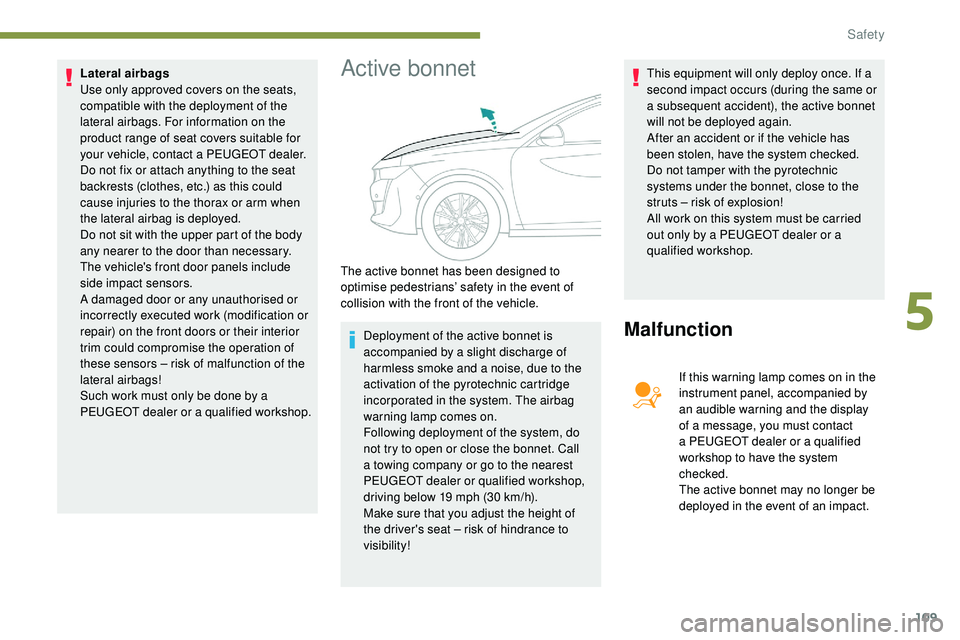
PEUGEOT dealer or a qualified workshop.Active bonnet
Deployment of the active bonnet is
accompanied by a slight discharge of
harmless smoke and a noise, due to the
activation of the pyrotechnic cartridge
incorporated in the system. The airbag
warning lamp comes on.
Following deployment of the system, do
not try to open or close the bonnet. Call
a towing company or go to the nearest
PEUGEOT dealer or qualified workshop,
driving below 19 mph (30 km/h).
Make sure that you adjust the height of
the driver's seat – risk of hindrance to
visibility! This equipment will only deploy once. If a
second impact occurs (during the same or
a subsequent accident), the active bonnet
will not be deployed again.
After an accident or if the vehicle has
been stolen, have the system checked.
Do not tamper with the pyrotechnic
systems under the bonnet, close to the
struts – risk of explosion!
All work on this system must be carried
out only by a PEUGEOT dealer or a
qualified workshop.Malfunction
If this warning lamp comes on in the
instrument panel, accompanied by
an audible warning and the display
of a message, you must contact
a PEUGEOT dealer or a qualified
workshop to have the system
checked.
The active bonnet may no longer be
deployed in the event of an impact.
The active bonnet has been designed to
optimise pedestrians’ safety in the event of
collision with the front of the vehicle.
5
Safety
Page 132 of 320
130
Special cases
In some situations, you may need to operate
the parking brake manually.
Immobilisation of the vehicle
with the engine running
To immobilise the vehicle with the engine
running, briefly pull the control lever.
Application of the parking brake is confirmed
by illumination of the braking indicator lamp
and the P indicator lamp in the control lever,
accompanied by the display of the message
"Parking brake applied".
Parking the vehicle with the
brake released
In very cold conditions (ice), it is
recommended that the parking brake not
be applied.
To immobilise your vehicle, engage a gear
or fit the chocks against one of the wheels.F
R
elease the parking brake manually by
pushing the control lever while keeping your
foot on the brake pedal.
The complete release of the parking brake is
confirmed by the braking indicator lamp and the
P indicator lamp in the control lever going off,
accompanied by the display of the message
"Parking brake released".
F
S
witch off the ignition.
With an automatic gearbox, mode P is
automatically selected when the ignition is
switched off. The wheels are blocked.
For further information on the Automatic
gearbox , particularly in relation to leaving
the vehicle in free-wheeling mode, refer to
the corresponding section.
With an automatic gearbox, when mode
N is engaged, the opening of the driver's
door will cause an audible signal to sound.
It will stop when you close the driver's
door again.
Immobilisation of the vehicle with the
parking brake released.
F
S
witch off the engine.
Illumination of the indicator lamps in the
instrument panel and control lever confirm
the application of the parking brake.
F
S
witch on the ignition again, without starting
the engine.
Deactivating automatic
operation
In some situations, for example when it is
extremely cold or during towing (caravan,
recovery), it may be necessary to deactivate
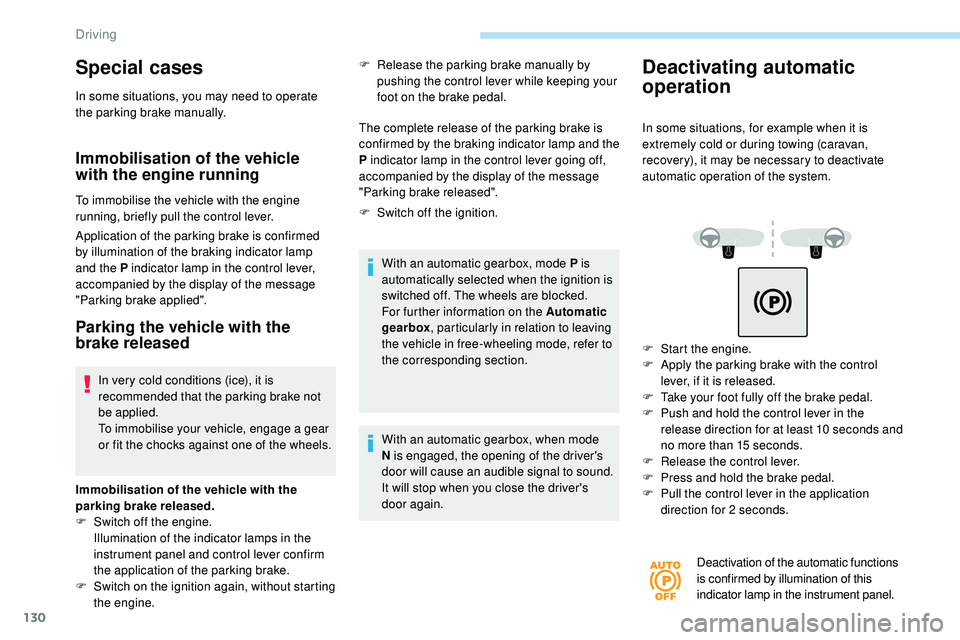
automatic operation of the system.
F
S
tart the engine.
F
A
pply the parking brake with the control
lever, if it is released.
F
T
ake your foot fully off the brake pedal.
F
P
ush and hold the control lever in the
release direction for at least 10 seconds and
no more than 15 seconds.
F
R
elease the control lever.
F
P
ress and hold the brake pedal.
F
P
ull the control lever in the application
direction for 2 seconds.
Deactivation of the automatic functions
is confirmed by illumination of this
indicator lamp in the instrument panel.
Driving
Page 140 of 320
138
Choice of a mode
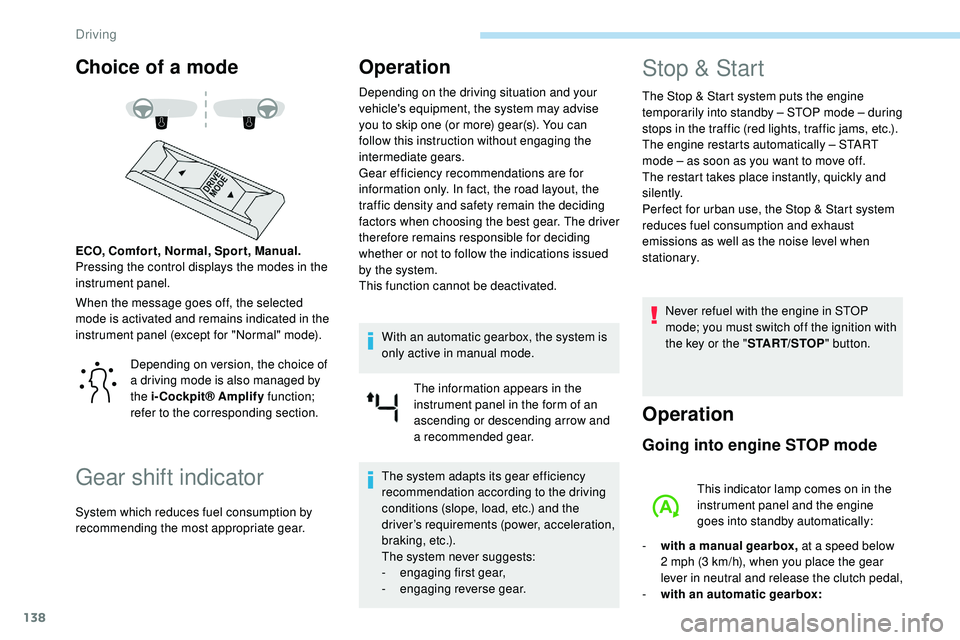
When the message goes off, the selected
mode is activated and remains indicated in the
instrument panel (except for "Normal" mode). ECO, Comfor t, Normal, Spor t, Manual.
Pressing the control displays the modes in the
instrument panel.
Gear shift indicator
Operation
Depending on the driving situation and your
vehicle's equipment, the system may advise
you to skip one (or more) gear(s). You can
follow this instruction without engaging the
intermediate gears.
Gear efficiency recommendations are for
information only. In fact, the road layout, the
traffic density and safety remain the deciding
factors when choosing the best gear. The driver
therefore remains responsible for deciding
whether or not to follow the indications issued
by the system.
This function cannot be deactivated.With an automatic gearbox, the system is
only active in manual mode. The information appears in the
instrument panel in the form of an
ascending or descending arrow and
a recommended gear.
The system adapts its gear efficiency
recommendation according to the driving
conditions (slope, load, etc.) and the
driver’s requirements (power, acceleration,
b r a k i n g , e t c .) .
The system never suggests:
-
e
ngaging first gear,
-
enga
ging reverse gear.
Stop & Start
The Stop & Start system puts the engine
t emporarily into standby – STOP mode – during
stops in the traffic (red lights, traffic jams, etc.).
The engine restarts automatically – START
mode – as soon as you want to move off.
The restart takes place instantly, quickly and
silently.
Per fect for urban use, the Stop & Start system
reduces fuel consumption and exhaust
emissions as well as the noise level when
stationary.
Never refuel with the engine in STOP
mode; you must switch off the ignition with
the key or the " START/STOP" button.
Operation
Going into engine STOP mode
This indicator lamp comes on in the
instrument panel and the engine
goes into standby automatically:
-
w
ith a manual gearbox, at a speed below
2 mph (3
km/h), when you place the gear
lever in neutral and release the clutch pedal,
-
w
ith an automatic gearbox:
Depending on version, the choice of
a driving mode is also managed by
the i-Cockpit® Amplify
function;
refer to the corresponding section.
System which reduces fuel consumption by
recommending the most appropriate gear.
Driving
Page 142 of 320
140
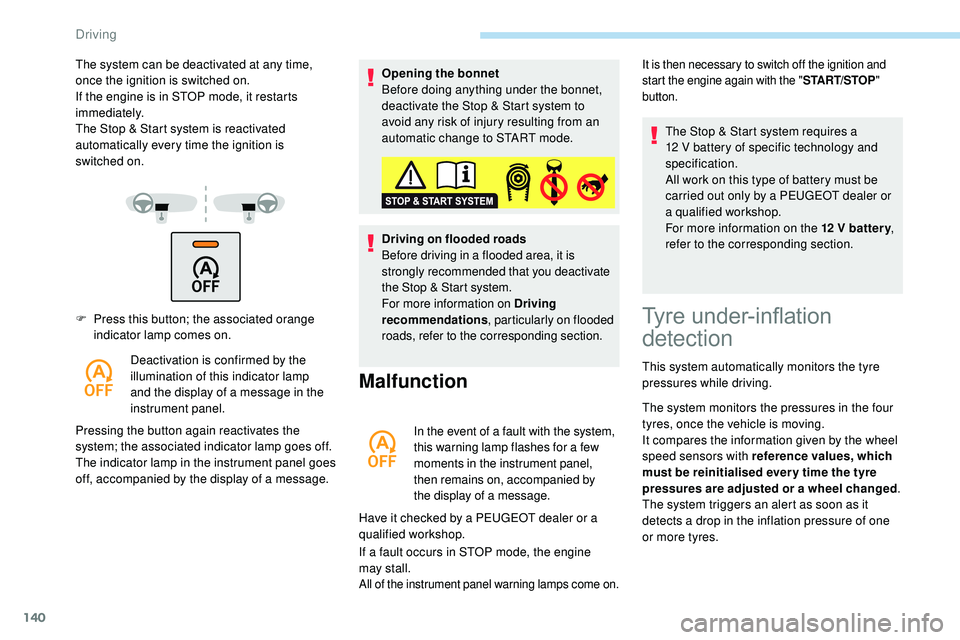
F Press this button; the associated orange indicator lamp comes on.
Deactivation is confirmed by the
illumination of this indicator lamp
and the display of a message in the
instrument panel.
Pressing the button again reactivates the
system; the associated indicator lamp goes off.
The indicator lamp in the instrument panel goes
off, accompanied by the display of a message. Opening the bonnet
Before doing anything under the bonnet,
deactivate the Stop & Start system to
avoid any risk of injury resulting from an
automatic change to START mode.
Driving on flooded roads
Before driving in a flooded area, it is
strongly recommended that you deactivate
the Stop & Start system.
For more information on Driving
recommendations
, particularly on flooded
roads, refer to the corresponding section.
Malfunction
In the event of a fault with the system,
this warning lamp flashes for a few
moments in the instrument panel,
then remains on, accompanied by
the display of a message.
Have it checked by a PEUGEOT dealer or a
qualified workshop.
If a fault occurs in STOP mode, the engine
may
stall.
All of the instrument panel warning lamps come on.
The system can be deactivated at any time,
once the ignition is switched on.
If the engine is in STOP mode, it restarts
immediately.
The Stop & Start system is reactivated
automatically every time the ignition is
switched
on.It is then necessary to switch off the ignition and
start the engine again with the " START/STOP"
button.
Tyre under-inflation
detection
This system automatically monitors the tyre
pressures while driving.
The system monitors the pressures in the four
tyres, once the vehicle is moving.
It compares the information given by the wheel
speed sensors with reference values, which
must be reinitialised ever y time the tyre
pressures are adjusted or a wheel changed .
The system triggers an alert as soon as it
detects a drop in the inflation pressure of one
or more tyres. The Stop & Start system requires a
12
V battery of specific technology and
specification.
All work on this type of battery must be
carried out only by a PEUGEOT dealer or
a qualified workshop.
For more information on the 12 V batter y
,
refer to the corresponding section.
Driving
Page 143 of 320
141
The under-inflation detection system does
not replace the need for vigilance on the
part of the driver.
This system does not avoid the need to
check the tyre pressures (including the
spare wheel) every month as well as
before a long journey.
Driving with under-inflated tyres worsens
road-holding, lengthens braking distances,
causes premature wear of the tyres,
particularly in adverse conditions (heavy
loads, high speeds, long journeys).Driving with under-inflated tyres
increases fuel consumption.
The inflation pressures defined for your
vehicle can be found on the tyre pressure
label.
For more information on the
Identification markings , refer to the
corresponding section. Checking tyre pressures
This check should be done when the tyres
are "cold" (vehicle stopped for 1 hour or
after a journey of less than 6 miles (10 km)
at moderate speeds).
Other wise, add 0.3 bar to the pressures
shown on the label.
Snow chains
The system does not have to be
reinitialised after fitting or removing snow
chains.
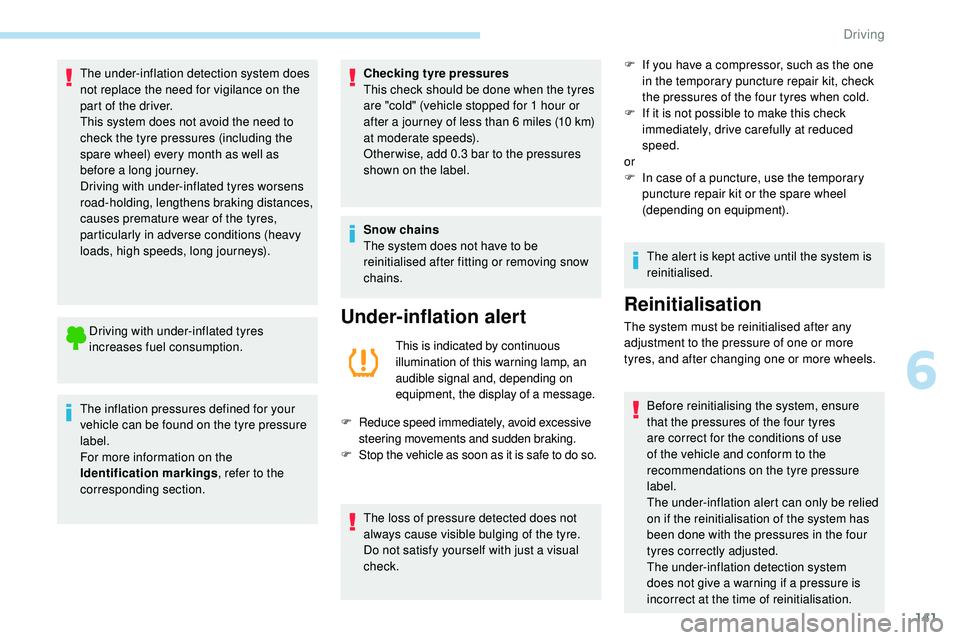
Under-inflation alert
This is indicated by continuous
illumination of this warning lamp, an
audible signal and, depending on
equipment, the display of a message.
F
R
educe speed immediately, avoid excessive
steering movements and sudden braking.
F
S
top the vehicle as soon as it is safe to do so.
The loss of pressure detected does not
always cause visible bulging of the tyre.
Do not satisfy yourself with just a visual
check. F
I
f you have a compressor, such as the one
in the temporary puncture repair kit, check
the pressures of the four tyres when cold.
F
I
f it is not possible to make this check
immediately, drive carefully at reduced
speed.
or
F
I
n case of a puncture, use the temporary
puncture repair kit or the spare wheel
(depending on equipment).
The alert is kept active until the system is
reinitialised.
Reinitialisation
The system must be reinitialised after any
adjustment to the pressure of one or more
tyres, and after changing one or more wheels.
Before reinitialising the system, ensure
that the pressures of the four tyres
are correct for the conditions of use
of the vehicle and conform to the
recommendations on the tyre pressure
label.
The under-inflation alert can only be relied
on if the reinitialisation of the system has
been done with the pressures in the four
tyres correctly adjusted.
The under-inflation detection system
does not give a warning if a pressure is
incorrect at the time of reinitialisation.
6
Driving
Page 144 of 320
142
The function is reinitialised with the
vehicle stationary via the Driving/
Vehicle menu of the touch screen.
F
I
n this menu, select the " Vehicle settings"
tab.
F
I
n the page, select the "
Under-inflation
initialisation " function.
F
Sel
ect " Ye s" to confirm.
The reinitialisation is confirmed by the display
of a message and an audible signal.
Malfunction
In this case, under-inflation monitoring of the
tyres is no longer assured.
Have the system checked by a PEUGEOT
dealer or a qualified workshop.
Before doing anything to the system,
the pressures of the four tyres must be
checked and the system reinitialised.
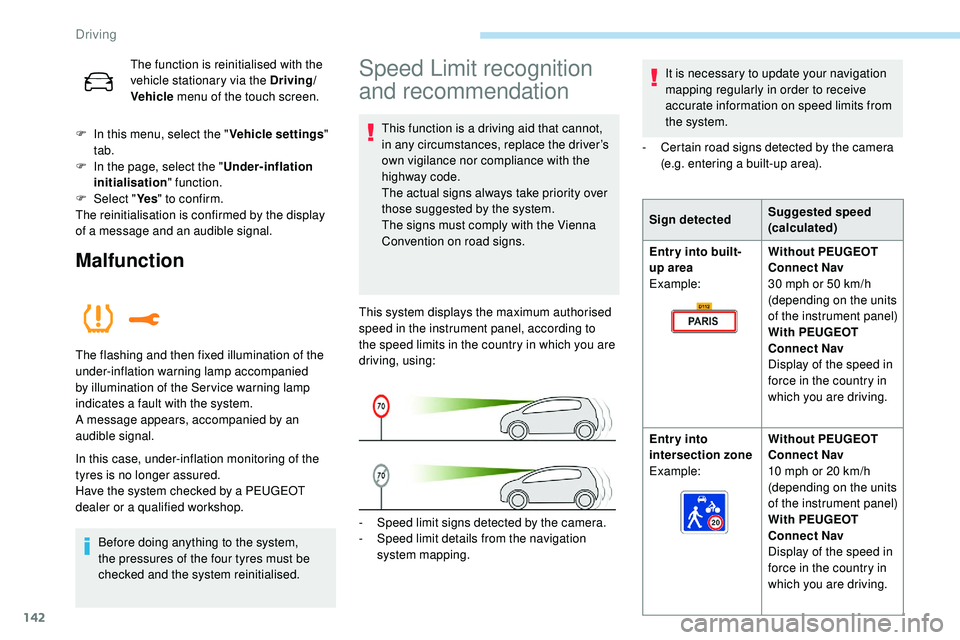
The flashing and then fixed illumination of the
under-inflation warning lamp accompanied
by illumination of the Ser vice warning lamp
indicates a fault with the system.
A message appears, accompanied by an
audible signal.
-
S
peed limit signs detected by the camera.
-
S
peed limit details from the navigation
system mapping.
This system displays the maximum authorised
speed in the instrument panel, according to
the speed limits in the country in which you are
driving, using:
Speed Limit recognition
and recommendation
This function is a driving aid that cannot,
in any circumstances, replace the driver’s
own vigilance nor compliance with the
highway code.
The actual signs always take priority over
those suggested by the system.
The signs must comply with the Vienna
Convention on road signs.
Sign detected
Suggested speed
(calculated)
Entry into built-
up area
Example: Without PEUGEOT
Connect Nav
30 mph or 50
km/h
(depending on the units
of the instrument panel)
With PEUGEOT
Connect Nav
Display of the speed in
force in the country in
which you are driving.
Entry into
intersection zone
Example: Without PEUGEOT
Connect Nav
10 mph or 20
km/h
(depending on the units
of the instrument panel)
With PEUGEOT
Connect Nav
Display of the speed in
force in the country in
which you are driving.
It is necessary to update your navigation
mapping regularly in order to receive
accurate information on speed limits from
the system.
-
C
ertain road signs detected by the camera
(e.g. entering a built-up area).
Driving
Page 146 of 320
144
To maintain correct operation of the
system: regularly clean the area in front of
the camera.
The internal sur face of the windscreen can
also become misted around the camera.
In humid and cold weather, demist the
windscreen regularly.
Specific speed limits, such as those for
heavy goods vehicles, are not displayed.
The display of the speed limit in the
instrument panel is updated as you pass
a speed limit sign intended for cars (light
vehicles).
Activation/Deactivation
By default, the system is automatically
activated at every engine start.The function is activated and
deactivated in the Driving /Vehicle
menu of the touch screen.
Displays in the instrument
panel
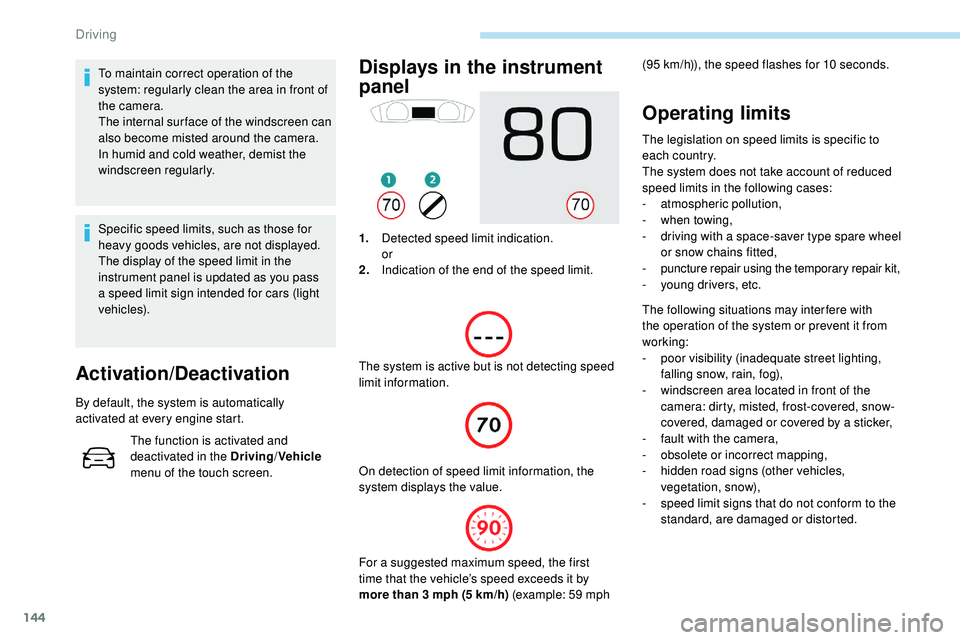
1. Detected speed limit indication.
or
2. Indication of the end of the speed limit.
The system is active but is not detecting speed
limit information. On detection of speed limit information, the
system displays the value.
Operating limits
The legislation on speed limits is specific to
each country.
The system does not take account of reduced
speed limits in the following cases:
-
a
tmospheric pollution,
-
w
hen towing,
-
d
riving with a space-saver type spare wheel
or snow chains fitted,
-
p
uncture repair using the temporary repair kit,
-
y
oung drivers, etc.
The following situations may interfere with
the operation of the system or prevent it from
working:
-
p
oor visibility (inadequate street lighting,
falling snow, rain, fog),
-
w
indscreen area located in front of the
camera: dirty, misted, frost-covered, snow-
covered, damaged or covered by a sticker,
-
f
ault with the camera,
-
o
bsolete or incorrect mapping,
-
h
idden road signs (other vehicles,
vegetation, snow),
-
s
peed limit signs that do not conform to the
standard, are damaged or distorted.
(95
km/h)), the speed flashes for 10 seconds.
For a suggested maximum speed, the first
time that the vehicle’s speed exceeds it by
more than 3 mph (5
km/h) (example: 59 mph
Driving
Page 147 of 320
145
Recommendation
For more information on the Speed
limiter, Cruise control or Adaptive
cruise control , refer to the corresponding
sections.
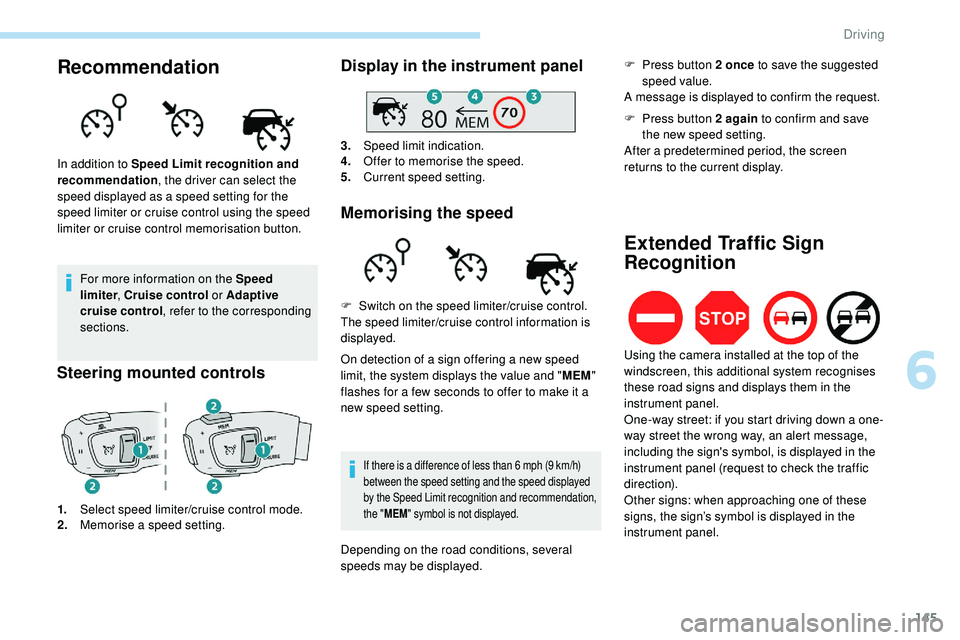
Steering mounted controls
1. Select speed limiter/cruise control mode.
2. Memorise a speed setting.
Display in the instrument panel
3.Speed limit indication.
4. Offer to memorise the speed.
5. Current speed setting.
Memorising the speed
In addition to Speed Limit recognition and
recommendation , the driver can select the
speed displayed as a speed setting for the
speed limiter or cruise control using the speed
limiter or cruise control memorisation button.
On detection of a sign offering a new speed
limit, the system displays the value and "MEM"
flashes for a few seconds to offer to make it a
new speed setting.
If there is a difference of less than 6 mph (9 km/h)
b etween the speed setting and the speed displayed
by the Speed Limit recognition and recommendation,
the " MEM " symbol is not displayed.
F Switch on the speed limiter/cruise control.
The speed limiter/cruise control information is
displayed.
Depending on the road conditions, several
speeds may be displayed. F
P
ress button 2 once
to save the suggested
speed value.
A message is displayed to confirm the request.
Extended Traffic Sign
Recognition
F Press button 2 again to confirm and save
the new speed setting.
After a predetermined period, the screen
returns to the current display.
Using the camera installed at the top of the
windscreen, this additional system recognises
these road signs and displays them in the
instrument panel.
One-way street: if you start driving down a one-
way street the wrong way, an alert message,
including the sign's symbol, is displayed in the
instrument panel (request to check the traffic
direction).
Other signs: when approaching one of these
signs, the sign’s symbol is displayed in the
instrument panel.
6
Driving
Page 148 of 320
146
This function is a driving aid that cannot,
in any circumstances, replace the driver’s
own vigilance nor compliance with the
highway code.
The actual signs always take priority over
the display by the system.
The signs must comply with the Vienna
Convention on road signs.
Speed limiter
This system prevents the vehicle
from exceeding the speed
programmed by the driver.
The speed limiter is switched on manually.
The minimum programmed speed is 19 mph
(30 km/h).
The programmed speed value remains in
the
system memory when the ignition is
switched off.
The speed limiter is a driving aid that
cannot, in any circumstances, replace the
need to obser ve speed limits or the need
for vigilance on the part of the driver.
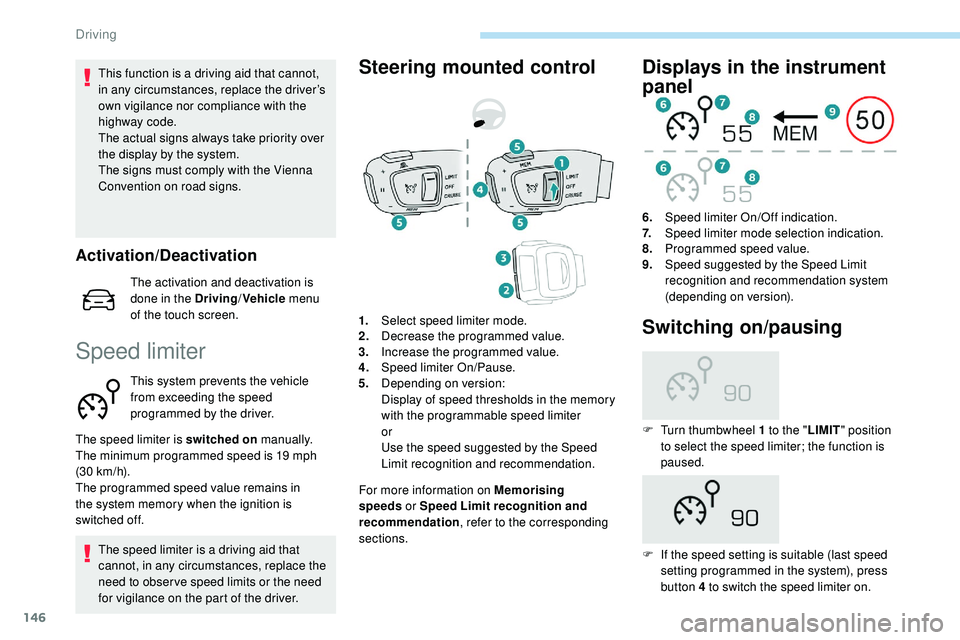
Steering mounted control
For more information on Memorising
speeds or Speed Limit recognition and
recommendation , refer to the corresponding
sections.
Displays in the instrument
panel
6. Speed limiter On/Off indication.
7. Speed limiter mode selection indication.
8. Programmed speed value.
9. Speed suggested by the Speed Limit
recognition and recommendation system
(depending on version).
1. Select speed limiter mode.
2. Decrease the programmed value.
3. Increase the programmed value.
4. Speed limiter On/Pause.
5. Depending on version:
Display of speed thresholds in the memory
with the programmable speed limiter
or
Use the speed suggested by the Speed
Limit recognition and recommendation.
Switching on/pausing
F Turn thumbwheel 1 to the " LIMIT" position
to select the speed limiter; the function is
paused.
F
I
f the speed setting is suitable (last speed
setting programmed in the system), press
button 4 to switch the speed limiter on.
Activation/Deactivation
The activation and deactivation is
done in the Driving /Vehicle menu
of the touch screen.
Driving
Page 149 of 320
147
F Pressing button 4 again temporarily interrupts the function (pause).
Adjusting the limit speed
(set ting)
You do not have to switch the speed limiter on
in order to set the speed.
To modify the limit speed setting from the
current speed of the vehicle:
F
i
n steps of +/- 1 mph (km/h), make
successive short presses on button 2 or 3 ,
F
c
ontinuously, in steps of +/- 5 mph (km/h),
press and hold button 2 or 3 .
To modify the limit speed setting using
memorised speeds and from the touch screen:
F
p
ress button 5 to display the memorised
speed settings,
F
p
ress the button for the desired speed
setting.
The selection screen closes after a few
moments.
This setting becomes the new limit speed. To modify the limit speed setting from the
speed suggested by the vehicle Speed Limit
recognition and recommendation:
F
t
he speed suggested is displayed in the
instrument panel,
F
m
ake a first press on button 5
; a message
is displayed to confirm the memorisation
request,
F
p
ress button 5 again to save the suggested
speed.
The speed displays immediately in the
instrument panel as the new speed setting.Temporarily exceeding the
programmed speed
F If you want to temporarily exceed the programmed limit speed, press firmly on
the accelerator pedal, going beyond the
point of resistance . On a steep descent or in the event of
sharp acceleration, the speed limiter will
not be able to prevent the vehicle from
exceeding the programmed speed.
You may have to brake to control the
speed of your vehicle.
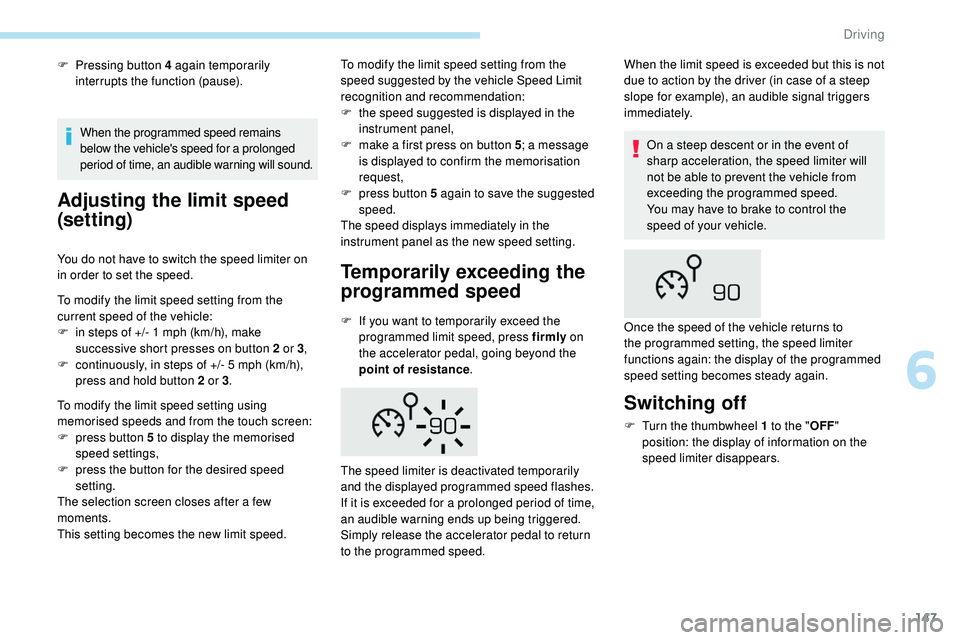
The speed limiter is deactivated temporarily
and the displayed programmed speed flashes.
If it is exceeded for a prolonged period of time,
an audible warning ends up being triggered.
Simply release the accelerator pedal to return
to the programmed speed. When the limit speed is exceeded but this is not
due to action by the driver (in case of a steep
slope for example), an audible signal triggers
immediately.
When the programmed speed remains
below the vehicle's speed for a prolonged
period of time, an audible warning will sound.
Switching off
F Turn the thumbwheel 1 to the "
OFF"
position: the display of information on the
speed limiter disappears.
Once the speed of the vehicle returns to
the programmed setting, the speed limiter
functions again: the display of the programmed
speed setting becomes steady again.
6
Driving