Mode Peugeot Boxer 2012 Owner's Manual
[x] Cancel search | Manufacturer: PEUGEOT, Model Year: 2012, Model line: Boxer, Model: Peugeot Boxer 2012Pages: 184, PDF Size: 4.88 MB
Page 4 of 184
2
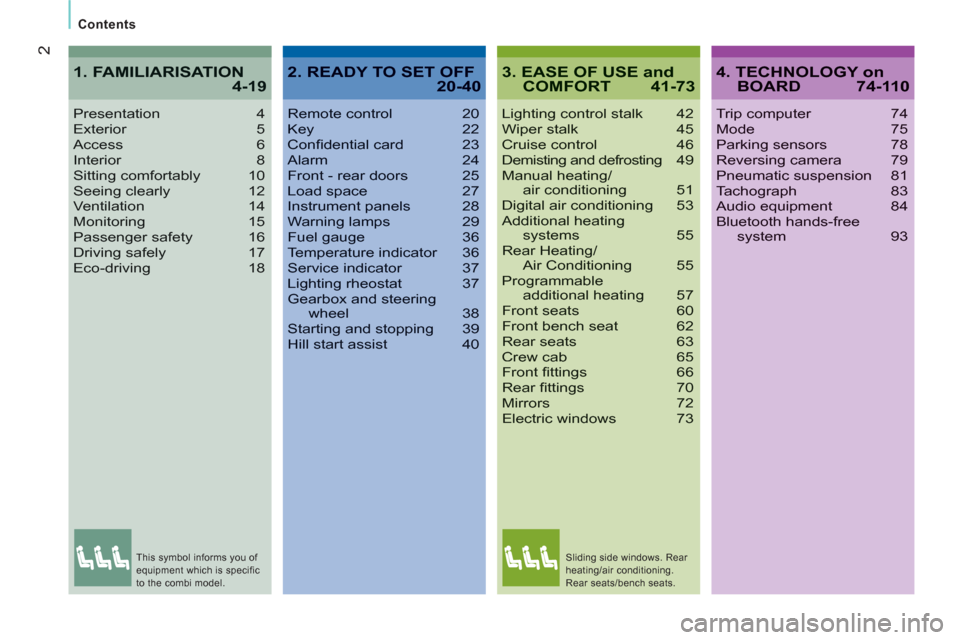
Contents
3. EASE OF USE andCOMFORT 41-73
Lighting control stalk 42Wiper stalk 45Cruise control 46Demisting and defrosting49Manual heating/air conditioning 51Digital air conditioning 53Additional heating systems 55Rear Heating/Air Conditioning 55Programmableadditional heating 57Front seats 60Front bench seat 62Rear seats 63Crew cab 65Front fi ttings 66Rear fi ttings 70Mirrors 72Electric windows 73
Presentation4Exterior 5Access6Interior 8Sitting comfortably 10Seeing clearly 12Ventilation 14Monitoring 15Passenger safety 16Driving safely 17Eco-driving 18
1. FAMILIARISATION4-194. TECHNOLOGY onBOARD 74-110
Trip computer 74Mode 75Parking sensors 78Reversing camera 79Pneumatic suspension 81Tachograph 83Audio equipment 84Bluetooth hands-free system 93
2. READY TO SET OFF20-40
Remote control 20Key 22Confi dential card 23Alarm 24Front - rear doors 25Load space 27Instrument panels 28Warning lamps 29Fuel gauge 36Temperature indicator 36Service indicator 37Lighting rheostat 37Gearbox and steeringwheel 38Starting and stopping 39Hill start assist 40
This symbol informs you of
equipment which is specific
to the combi model. Sliding side windows. Rear
heating/air conditioning.
Rear seats/bench seats.
Page 6 of 184
4
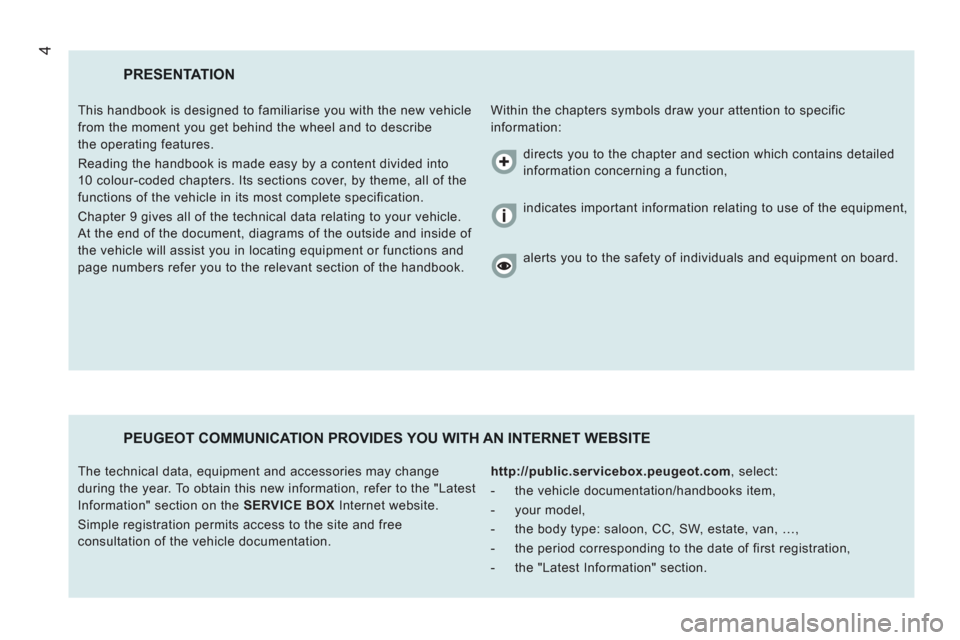
PRESENTATION
Within the chapters symbols draw your attention to specific
information: This handbook is designed to familiarise you with the new vehicle
from the moment you get behind the wheel and to describe
the operating features.
Reading the handbook is made easy by a content divided into
10 colour-coded chapters. Its sections cover, by theme, all of the
functions of the vehicle in its most complete specification.
Chapter 9 gives all of the technical data relating to your vehicle.
At the end of the document, diagrams of the outside and inside of
the vehicle will assist you in locating equipment or functions and
page numbers refer you to the relevant section of the handbook.
PEUGEOT COMMUNICATION PROVIDES YOU WITH AN INTERNET WEBSITE
http://public.servicebox.peugeot.com
, select:
- the vehicle documentation/handbooks item,
- your model,
- the body type: saloon, CC, SW, estate, van, …,
- the period corresponding to the date of first registration,
- the "Latest Information" section. The technical data, equipment and accessories may change
during the year. To obtain this new information, refer to the "Latest
Information" section on the SERVICE BOX
Internet website.
Simple registration permits access to the site and free
consultation of the vehicle documentation. directs you to the chapter and section which contains detailed
information concerning a function,
indicates important information relating to use of the equipment,
alerts you to the safety of individuals and equipment on board.
Page 10 of 184
8
Familiarisation
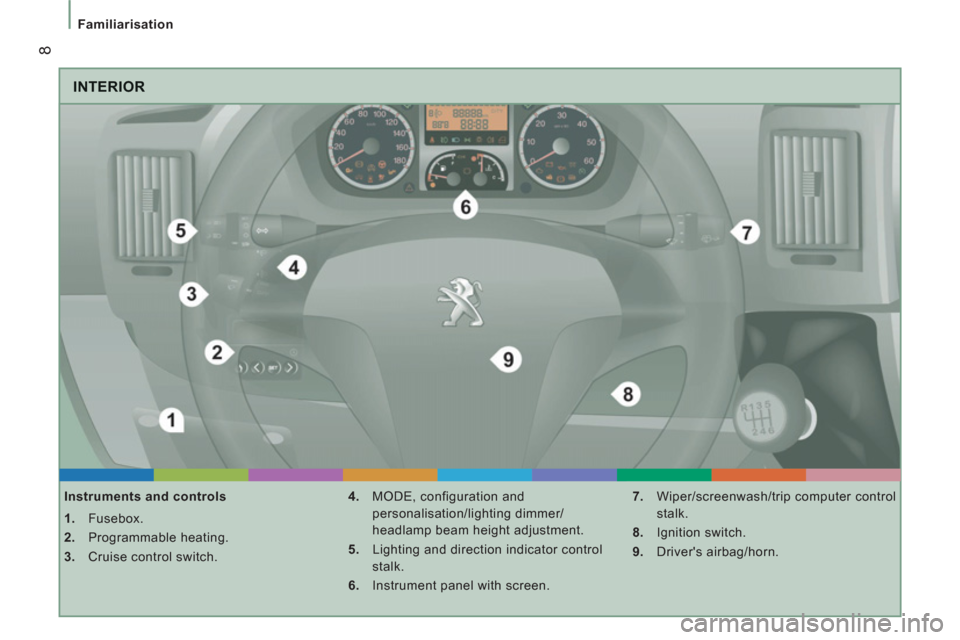
INTERIOR
Instruments and controls
1.
Fusebox.
2.
Programmable heating.
3.
Cruise control switch.
4.
MODE, configuration and
personalisation/lighting dimmer/
headlamp beam height adjustment.
5.
Lighting and direction indicator control
stalk.
6.
Instrument panel with screen.
7.
Wiper/screenwash/trip computer control
stalk.
8.
Ignition switch.
9.
Driver's airbag/horn.
Page 18 of 184
542
16
Familiarisation
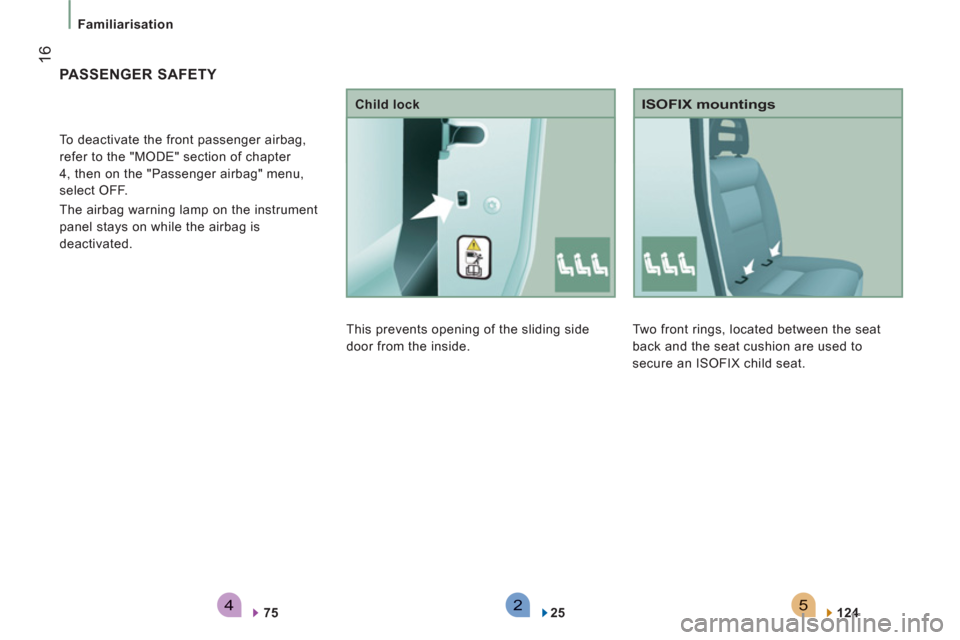
Two front rings, located between the seat
back and the seat cushion are used to
secure an ISOFIX child seat.
ISOFIX mountings
124
PASSENGER SAFETY
To deactivate the front passenger airbag,
refer to the "MODE" section of chapter
4, then on the "Passenger airbag" menu,
select OFF.
The airbag warning lamp on the instrument
panel stays on while the airbag is
deactivated.
75
This prevents opening of the sliding side
door from the inside.
Child lock
25
Page 26 of 184
24
Access
While the alarm is monitoring, any intrusion
triggers the siren for approximately
30 seconds, accompanied by lighting of the
direction indicators.
The alarm then returns to monitoring mode
but the triggering event is stored and is
indicated by rapid flashing of the LED, if the
alarm is deactivated.
The alarm is also triggered following an
electrical supply cut-off, when the supply is
restored.
Automatic activation
Depending on the country in which the
vehicle is sold: this function activates
monitoring automatically approximately
2 minutes after the last door is closed. To
avoid triggering the alarm when opening a
door, the unlocking button on the remote
control must be pressed again.
Deactivation using the key
Unlock the doors using the key and enter the
vehicle. Switch on the ignition, identification
of the key code will switch off the alarm.
Deactivation using the remote control
When this button (cab and key) is
pressed, the alarm is deactivated
when the vehicle is unlocked.
Good practice
To deactivate the siren quickly following
unwanted triggering:
- switch on the ignition, identification of
the key code will switch off the alarm,
- press the unlocking button (cab and key)
on the remote control.
To avoid setting the alarm, when washing
the vehicle for example, lock the vehicle
using the key.
Unlocking the vehicle using the remote
control deactivates the siren automatically.
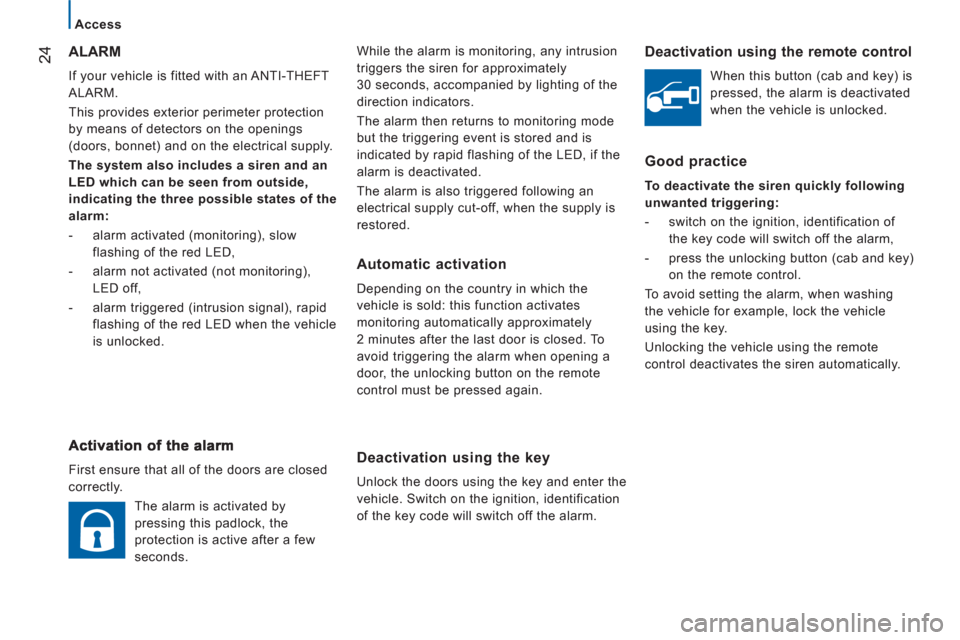
ALARM
If your vehicle is fitted with an ANTI-THEFT
ALARM.
This provides exterior perimeter protection
by means of detectors on the openings
(doors, bonnet) and on the electrical supply.
The system also includes a siren and an
LED which can be seen from outside,
indicating the three possible states of the
alarm:
- alarm activated (monitoring), slow
flashing of the red LED,
- alarm not activated (not monitoring),
LED off,
- alarm triggered (intrusion signal), rapid
flashing of the red LED when the vehicle
is unlocked.
First ensure that all of the doors are closed
correctly.
The alarm is activated by
pressing this padlock, the
protection is active after a few
seconds.
Page 29 of 184
27
2
Access
READY TO SET OFF
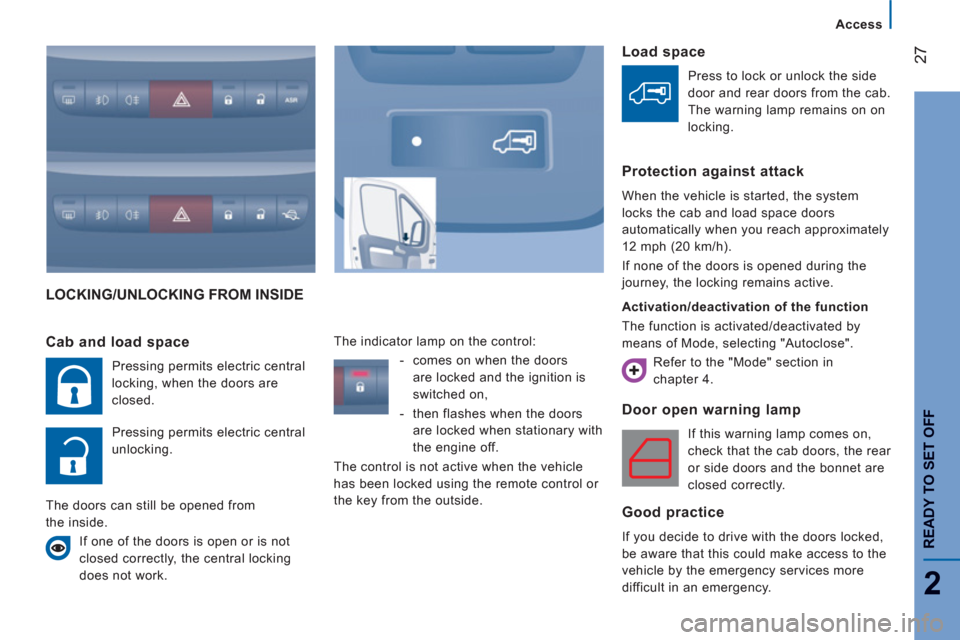
LOCKING/UNLOCKING FROM INSIDE
Door open warnin
g lamp
If this warning lamp comes on,
check that the cab doors, the rear
or side doors and the bonnet are
closed correctly.
Good practice
If you decide to drive with the doors locked,
be aware that this could make access to the
vehicle by the emergency services more
difficult in an emergency.
Cab and load space
Pressing permits electric central
locking, when the doors are
closed.
Pressing permits electric central
unlocking.
The doors can still be opened from
the inside.
If one of the doors is open or is not
closed correctly, the central locking
does not work. The indicator lamp on the control:
- comes on when the doors
are locked and the ignition is
switched on,
- then flashes when the doors
are locked when stationary with
the engine off.
The control is not active when the vehicle
has been locked using the remote control or
the key from the outside.
Load space
Press to lock or unlock the side
door and rear doors from the cab.
The warning lamp remains on on
locking.
Protection against attack
When the vehicle is started, the system
locks the cab and load space doors
automatically when you reach approximately
12 mph (20 km/h).
If none of the doors is opened during the
journey, the locking remains active.
Activation/deactivation of the function
The function is activated/deactivated by
means of Mode, selecting "Autoclose".
Refer to the "Mode" section in
chapter 4.
Page 30 of 184
28
Instruments and controls
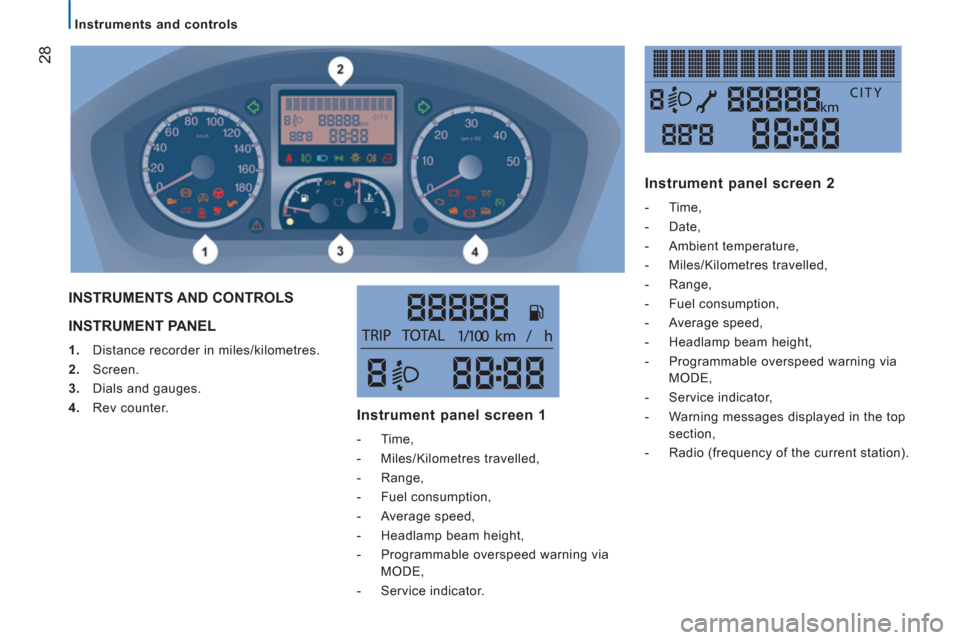
INSTRUMENT PANEL
1.
Distance recorder in miles/kilometres.
2.
Screen.
3.
Dials and gauges.
4.
Rev counter.
INSTRUMENTS AND CONTROLS
Instrument panel screen 1
- Time,
- Miles/Kilometres travelled,
- Range,
- Fuel consumption,
- Average speed,
- Headlamp beam height,
- Programmable overspeed warning via
MODE,
- Service indicator.
Instrument panel screen 2
- Time,
- Date,
- Ambient temperature,
- Miles/Kilometres travelled,
- Range,
- Fuel consumption,
- Average speed,
- Headlamp beam height,
- Programmable overspeed warning via
MODE,
- Service indicator,
- Warning messages displayed in the top
section,
- Radio (frequency of the current station).
Page 34 of 184
Instruments and controls
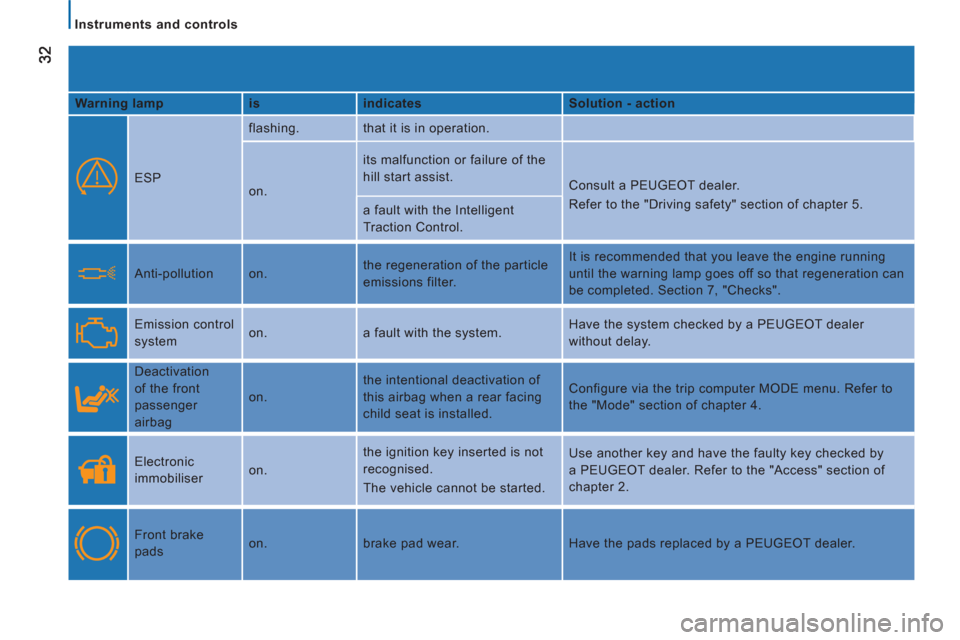
Warning lamp
is
indicates
Solution - action
ESP flashing. that it is in operation.
on. its malfunction or failure of the
hill start assist.
Consult a PEUGEOT dealer.
Refer to the "Driving safety" section of chapter 5.
a fault with the Intelligent
Traction Control.
Anti-pollution on. the regeneration of the particle
emissions filter. It is recommended that you leave the engine running
until the warning lamp goes off so that regeneration can
be completed. Section 7, "Checks".
Emission control
system on. a fault with the system. Have the system checked by a PEUGEOT dealer
without delay.
Deactivation
of the front
passenger
airbag on. the intentional deactivation of
this airbag when a rear facing
child seat is installed. Configure via the trip computer MODE menu. Refer to
the "Mode" section of chapter 4.
Electronic
immobiliser on. the ignition key inserted is not
recognised.
The vehicle cannot be started. Use another key and have the faulty key checked by
a PEUGEOT dealer. Refer to the "Access" section of
chapter 2.
Front brake
pads on. brake pad wear. Have the pads replaced by a PEUGEOT dealer.
Page 35 of 184
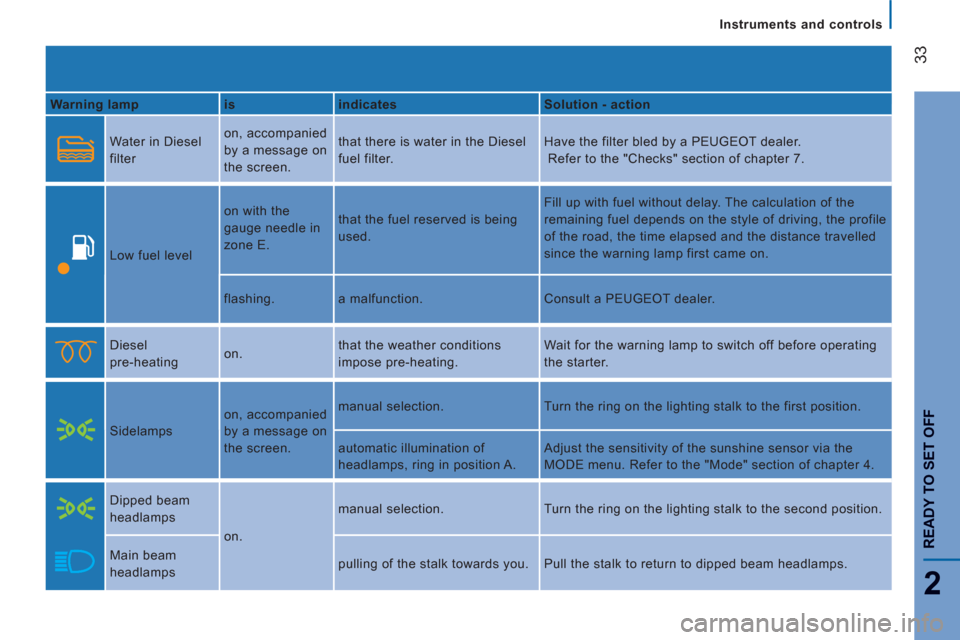
33
2
READY TO SET OFF
Instruments and controls
Warning lamp
is
indicates
Solution - action
Water in Diesel
filter on, accompanied
by a message on
the screen. that there is water in the Diesel
fuel filter. Have the filter bled by a PEUGEOT dealer.
Refer to the "Checks" section of chapter 7.
Low fuel level on with the
gauge needle in
zone E. that the fuel reserved is being
used. Fill up with fuel without delay. The calculation of the
remaining fuel depends on the style of driving, the profile
of the road, the time elapsed and the distance travelled
since the warning lamp first came on.
flashing. a malfunction. Consult a PEUGEOT dealer.
Diesel
pre-heating on. that the weather conditions
impose pre-heating. Wait for the warning lamp to switch off before operating
the starter.
Sidelamps on, accompanied
by a message on
the screen. manual selection. Turn the ring on the lighting stalk to the first position.
automatic illumination of
headlamps, ring in position A. Adjust the sensitivity of the sunshine sensor via the
MODE menu. Refer to the "Mode" section of chapter 4.
Dipped beam
headlamps
on. manual selection. Turn the ring on the lighting stalk to the second position.
Main beam
headlamps pulling of the stalk towards you. Pull the stalk to return to dipped beam headlamps.
Page 37 of 184
35
2
READY TO SET OFF
Instruments and controls
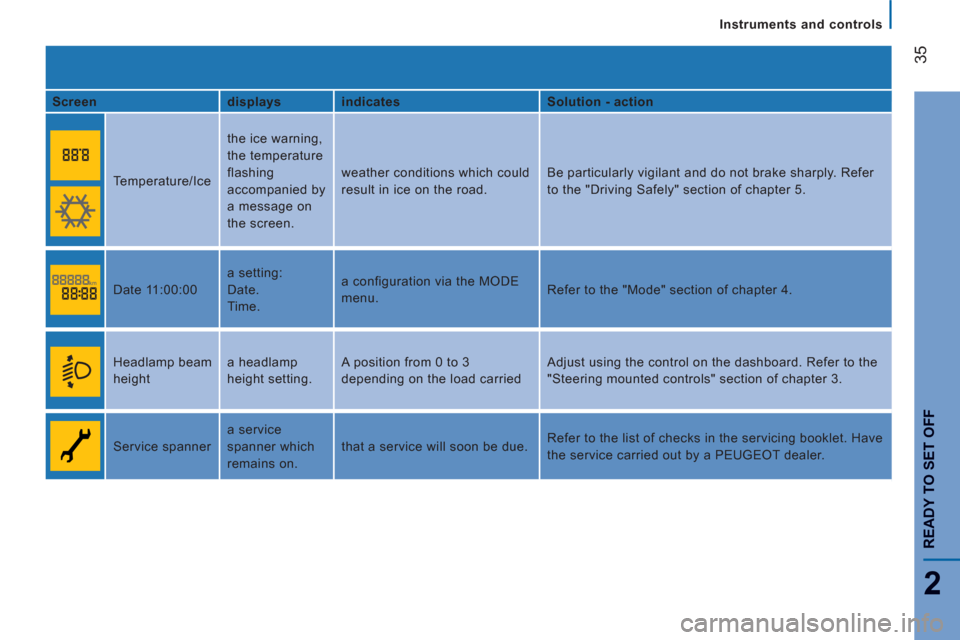
Screen
displays
indicates
Solution - action
Temperature/Ice the ice warning,
the temperature
flashing
accompanied by
a message on
the screen. weather conditions which could
result in ice on the road. Be particularly vigilant and do not brake sharply. Refer
to the "Driving Safely" section of chapter 5.
Date 11:00:00 a setting:
Date.
Time. a configuration via the MODE
menu. Refer to the "Mode" section of chapter 4.
Headlamp beam
height a headlamp
height setting. A position from 0 to 3
depending on the load carried Adjust using the control on the dashboard. Refer to the
"Steering mounted controls" section of chapter 3.
Service spanner a service
spanner which
remains on. that a service will soon be due. Refer to the list of checks in the servicing booklet. Have
the service carried out by a PEUGEOT dealer.