Ad blue Peugeot Boxer 2018 User Guide
[x] Cancel search | Manufacturer: PEUGEOT, Model Year: 2018, Model line: Boxer, Model: Peugeot Boxer 2018Pages: 232, PDF Size: 9.09 MB
Page 135 of 232
133
Keep AdBlue® out of the reach of children,
in its original container or bottle.
Never transfer AdBlue
® to another
container: it would lose its purity.
Never dilute AdBlue
® with water.
Never pour AdBlue® into the Diesel fuel
tank.
Bottles or containers are available from
a
PEUGEOT dealer or a
qualified workshop.
Recommendations on storage
AdBlue® freezes at about -11°C and
deteriorates above 25°C. It should be stored in
a
cool place and protected from direct sunlight.
Under these conditions, the fluid can be kept
for at least a
year.
If the fluid has frozen, it can be used once it has
completely thawed out at room temperature.
Never store bottles or containers of
AdBlue
® in your vehicle.
Procedure
In cold weather, before topping up, ensure that
the temperature of the vehicle is above -11°C.
Otherwise the AdBlue
® may freeze and so
cannot be poured into its tank.
Park your vehicle in a
warmer area for a few
hours to allow the top up to be carried out.
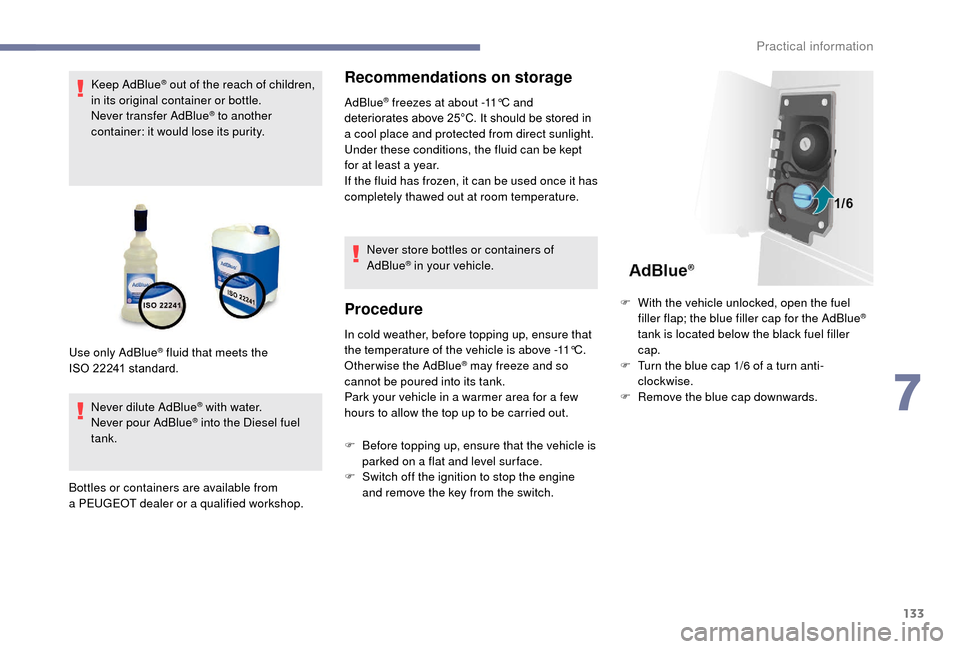
Use only AdBlue
® fluid that meets the
ISO
22241
standard.
F
B
efore topping up, ensure that the vehicle is
parked on a
flat and level sur face.
F
S
witch off the ignition to stop the engine
and remove the key from the switch. F
W
ith the vehicle unlocked, open the fuel
filler flap; the blue filler cap for the AdBlue
®
tank is located below the black fuel filler
cap.
F
T
urn the blue cap 1/6 of a turn anti-
clockwise.
F
R
emove the blue cap downwards.
7
Practical information
Page 136 of 232
134
Refilling
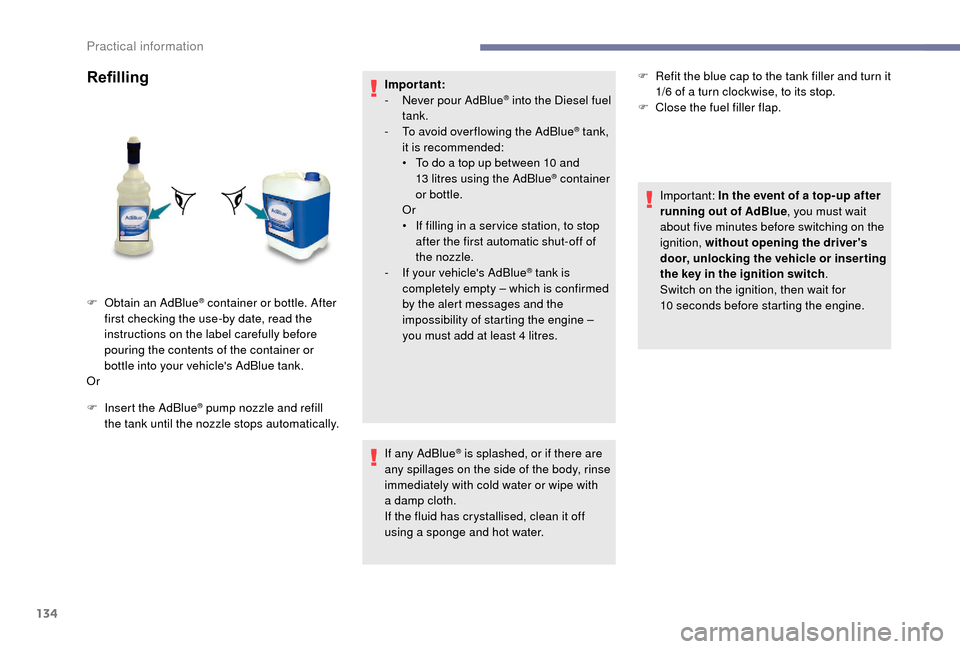
F Insert the AdBlue® pump nozzle and refill
the tank until the nozzle stops automatically. Important:
-
N
ever pour AdBlue
® into the Diesel fuel
tank.
-
T
o avoid over flowing the AdBlue
® tank,
it is recommended:
•
T
o do a
top up between 10
and
13
litres using the AdBlue
® container
or bottle.
Or
•
I
f filling in a
ser vice station, to stop
after the first automatic shut-off of
the nozzle.
-
I
f your vehicle's AdBlue
® tank is
completely empty – which is confirmed
by the alert messages and the
impossibility of starting the engine –
you must add at least 4
litres.
If any AdBlue
® is splashed, or if there are
any spillages on the side of the body, rinse
immediately with cold water or wipe with
a
damp cloth.
If the fluid has crystallised, clean it off
using a
sponge and hot water.
F
O
btain an
AdBlue
® container or bottle. After
first checking the use-by date, read the
instructions on the label carefully before
pouring the contents of the container or
bottle into your vehicle's AdBlue tank.
Or F
R
efit the blue cap to the tank filler and turn it
1/6 of a turn clockwise, to its stop.
F
C
lose the fuel filler flap.
Important: In the event of a top-up after
running out of AdBlue , you must wait
about five minutes before switching on the
ignition, without opening the driver's
door, unlocking the vehicle or inser ting
the key in the ignition switch .
Switch on the ignition, then wait for
10 seconds before starting the engine.
Practical information
Page 160 of 232
158
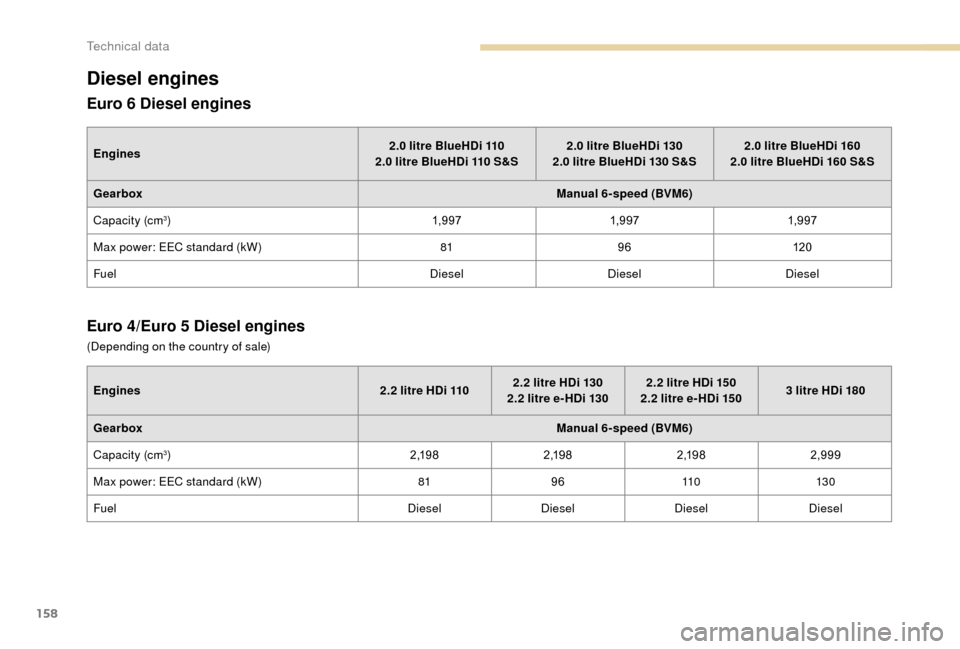
Diesel engines
Euro 6 Diesel engines
Engines 2.0 litre BlueHDi 110
2.0 litre BlueHDi 110 S&S2.0
litre BlueHDi 130
2.0 litre BlueHDi 130 S&S2.0
litre BlueHDi 160
2.0 litre BlueHDi 160 S&S
Gearbox Manual 6-speed (BVM6)
Capacity (cm
3) 1,9 971,9 971,9 97
Max power: EEC standard (kW) 8196120
Fuel DieselDieselDiesel
Euro 4/Euro 5 Diesel engines
Engines 2.2 litre HDi 1102.2 litre HDi 130
2.2 litre e- HDi 1302.2
litre HDi 150
2.2 litre e- HDi 1503
litre HDi 180
Gearbox Manual 6-speed (BVM6)
Capacity (cm
3) 2 ,1 9 82 ,1 9 82 ,1 9 8 2,999
Max power: EEC standard (kW) 819611 0 13 0
Fuel DieselDieselDiesel Diesel
(Depending on the country of sale)
Technical data
Page 187 of 232
1
Touch screen Audio-Telematic system
Multimedia audio system –
Bluetooth® telephone – GPS
navigation
Contents
First steps
1
G
lossary
2
S
teering wheel mounted controls
3
M
enus
3
R
adio
4
D
AB radio (Digital Audio Broadcasting)
5
M
edia
6
N
avigation
9
T
elephone
1
2
Vehicle information
1
4
Settings
1
4
Voice commands
1
6The system is protected in such a
way that
it will only operate in your vehicle.
For safety reasons, the vehicle must
always be stationary for the driver to
perform operations that require close
attention.
When the engine is switched off and to
prevent discharging of the battery, the
system switches off after activation of
energy economy mode.
First steps
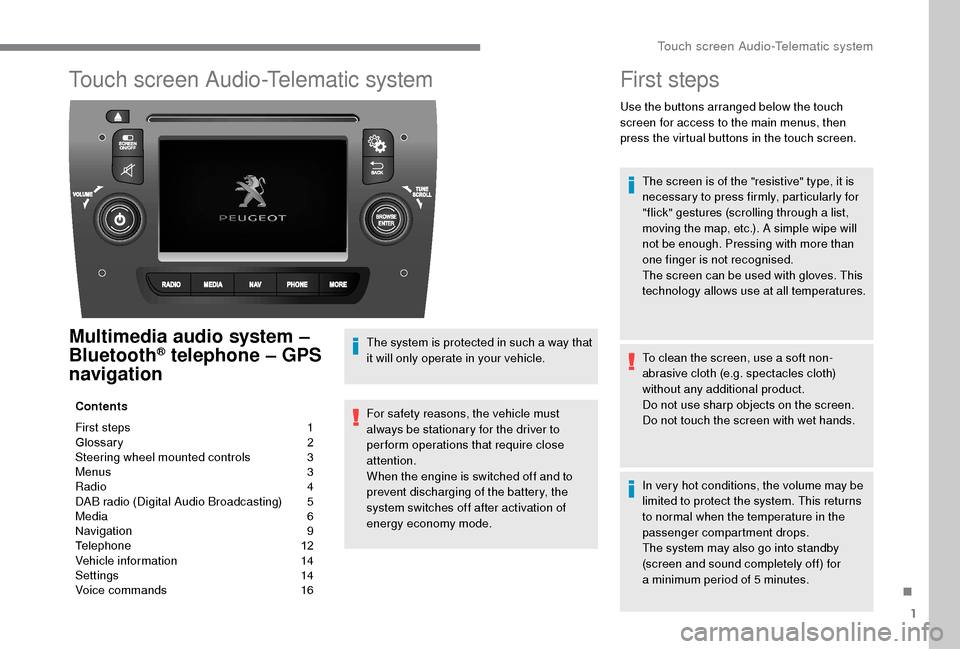
Use the buttons arranged below the touch
screen for access to the main menus, then
press the virtual buttons in the touch screen.
The screen is of the "resistive" type, it is
necessary to press firmly, particularly for
"flick" gestures (scrolling through a
list,
moving the map, etc.). A simple wipe will
not be enough. Pressing with more than
one finger is not recognised.
The screen can be used with gloves. This
technology allows use at all temperatures.
To clean the screen, use a
soft non-
abrasive cloth (e.g. spectacles cloth)
without any additional product.
Do not use sharp objects on the screen.
Do not touch the screen with wet hands.
In very hot conditions, the volume may be
limited to protect the system. This returns
to normal when the temperature in the
passenger compartment drops.
The system may also go into standby
(screen and sound completely off) for
a
minimum period of 5 minutes.
.
Touch screen Audio-Telematic system
Page 189 of 232
3
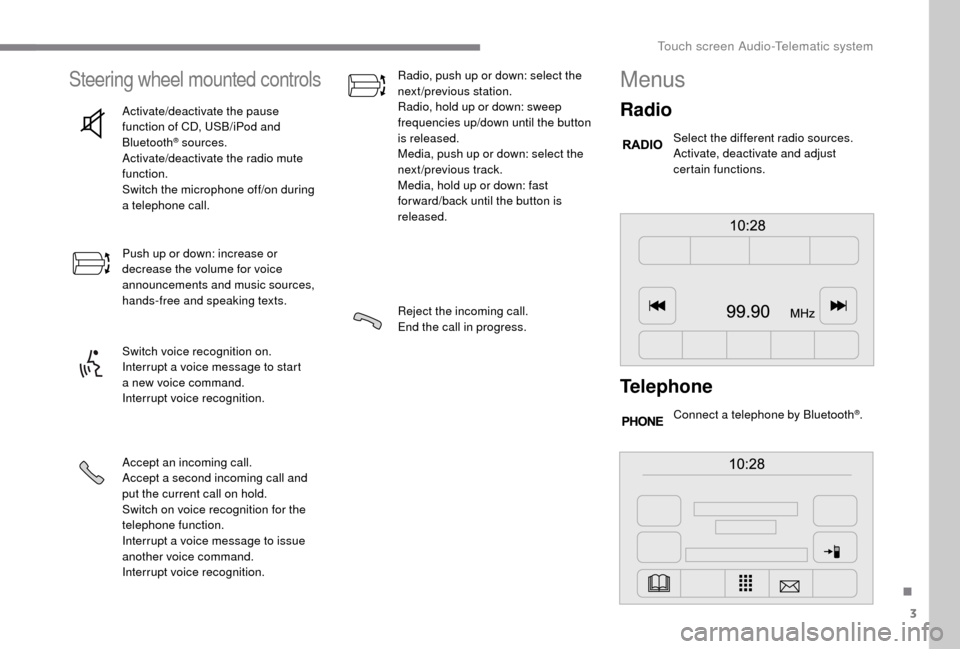
Steering wheel mounted controls
Activate/deactivate the pause
function of CD, USB/iPod and
Bluetooth
® sources.
Activate/deactivate the radio mute
function.
Switch the microphone off/on during
a
telephone call.
Push up or down: increase or
decrease the volume for voice
announcements and music sources,
hands-free and speaking texts.
Switch voice recognition on.
Interrupt a
voice message to start
a
new voice command.
Interrupt voice recognition.
Accept an incoming call.
Accept a
second incoming call and
put the current call on hold.
Switch on voice recognition for the
telephone function.
Interrupt a
voice message to issue
another voice command.
Interrupt voice recognition. Radio, push up or down: select the
next/previous station.
Radio, hold up or down: sweep
frequencies up/down until the button
is released.
Media, push up or down: select the
next/previous track.
Media, hold up or down: fast
for ward/back until the button is
released.
Reject the incoming call.
End the call in progress.
Menus
Radio
Select the different radio sources.
Activate, deactivate and adjust
certain functions.
Telephone
Connect a telephone by Bluetooth®.
.
Touch screen Audio-Telematic system
Page 192 of 232
6
Media
Press "MEDIA" to display the media
menus:
Press the 9
or: buttons to play the previous/
next track.
Press and hold the buttons for fast for ward or
rewind in the track selected.
Navigate
-
N
avigate by: Playing currently, Ar tists,
Albums, Genres, Tracks, Playlists, Audio
books, Podcasts .
Navigate and select tracks on the active
device.
The selection options depend on the device
connected or type of CD inserted.
Source
-
C
D, AUX, USB .
Select the desired audio source from those
available or insert a
device intended for
this purpose; the system starts playing the
source automatically.
-
Bl
uetooth
®.
Pair a
Bluetooth® audio device.
Info
-
I
nformation .
Display information on the track playing. Random
Press the button to play tracks on the CD, USB,
iPod or Bluetooth
® device in random order.
Repeat
Press the button to activate this function.
Audio
-
E
qualiser .
Adjust the bass, mid-range and treble.
-
B
alance/Fade .
Adjust the balance of the speakers, front
and rear, left and right.
Press the button in the middle of the arrows
to balance the adjustments.
-
V
olume/Speed .
Select the desired setting, the option is
highlighted.
-
L
oudness .
Optimise audio quality at low volume.
-
A
utomatic radio .
Adjust the radio on startup or restore the
active state the last time the ignition was
switched to STOP.
-
R
adio off delay .
Adjust the setting.
-
A
UX vol. adjustment .
Adjust the settings.
USB port
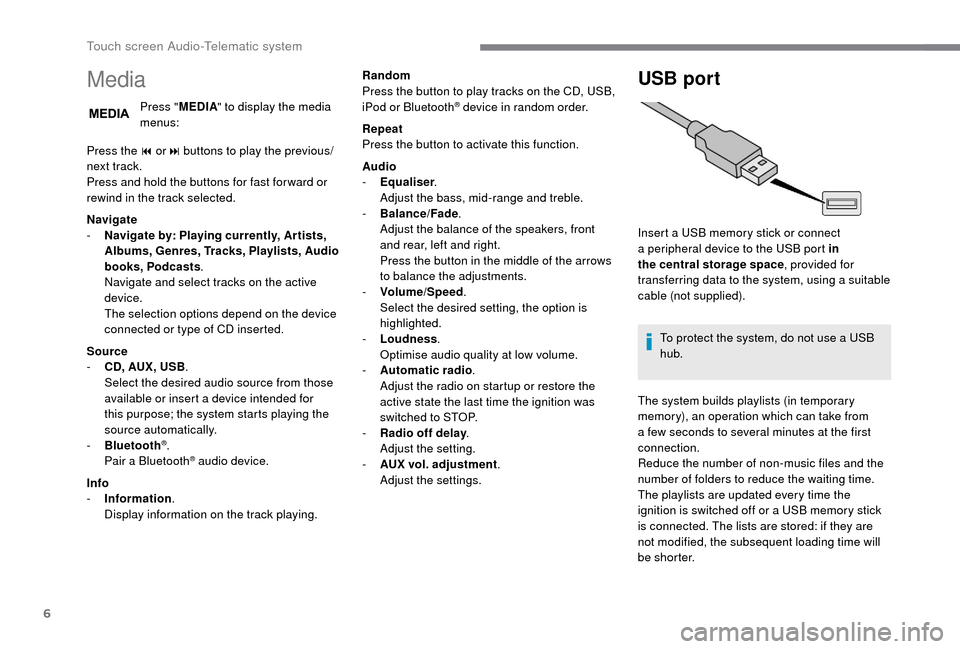
Insert a USB memory stick or connect
a peripheral device to the USB port in
the central storage space , provided for
transferring data to the system, using a
suitable
cable (not supplied).
To protect the system, do not use a
USB
hub.
The system builds playlists (in temporary
memory), an operation which can take from
a
few seconds to several minutes at the first
connection.
Reduce the number of non-music files and the
number of folders to reduce the waiting time.
The playlists are updated every time the
ignition is switched off or a
USB memory stick
is connected. The lists are stored: if they are
not modified, the subsequent loading time will
b e s h o r t e r.
Touch screen Audio-Telematic system
Page 194 of 232
8
To protect the system, do not use a USB
hub .
The system does not support the simultaneous
connection of two identical devices (two
memory sticks or two Apple
® players) but it is
possible to connect one memory stick and one
Apple
® player at the same time.
It is recommended that you use genuine
Apple® USB cables for correct operation.
Bluetooth® audio streaming
Streaming allows you to listen to audio files on
your smartphone using the vehicle's speakers.
On the peripheral device, activate the
Bluetooth
® function.
Press " MEDIA".
In case of active media source,
press the " Source" button.
Select the " Bluetooth
®" media
source then press the " Add device"
button. If no peripheral device has yet been paired with
the system, a special page is displayed in the
screen.
Select "Yes" to start the pairing procedure, and
therefore to search for the name of the system
in the device.
Select the name of the system on the device
and, when requested by the audio system,
enter the PIN number displayed in the screen
of the system or confirm in the device the PIN
displayed.
During pairing, a screen page is displayed
showing the operation progress.
In case of an error, deactivate Bluetooth
® on
your device and then activate it again.
Once the pairing procedure is complete, a
screen page appears:
-
b
y replying "Yes" to the question, the
Bluetooth
® audio device will be saved as
favourite (the device will have priority over
other devices paired later).
-
b
y replying "No", the priority will be
determined by the order of connection.
The last connected device has the highest
priority. Some Bluetooth
® devices do not allow
scanning of tracks and other information
on the telephone against the categories
present in the system.
Connecting Apple® players
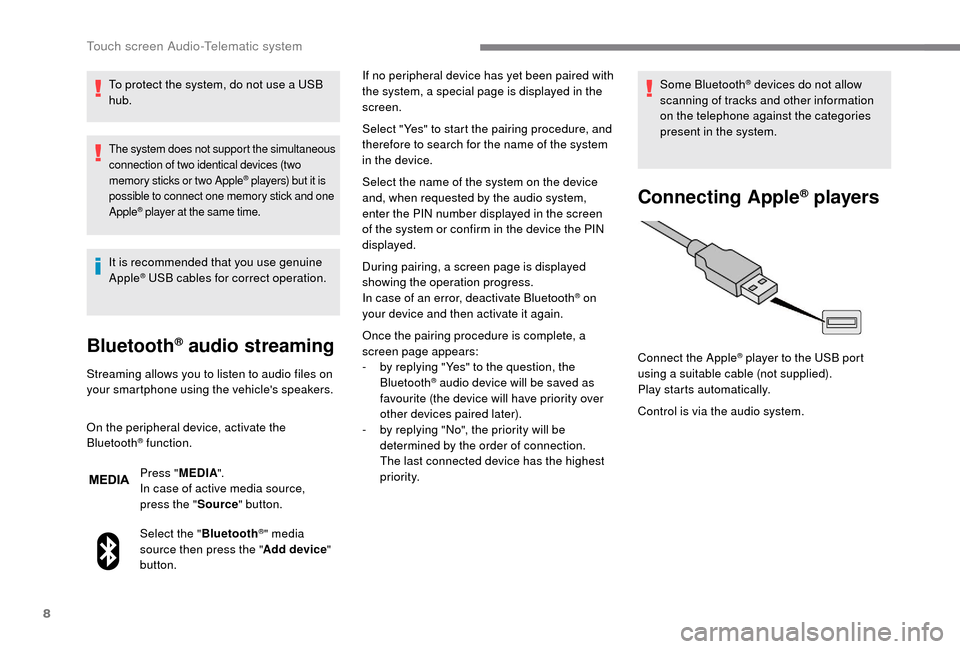
Control is via the audio system. Connect the Apple
® player to the USB port
using a
suitable cable (not supplied).
Play starts automatically.
Touch screen Audio-Telematic system
Page 198 of 232
12
If the USB device contains new software,
the system starts by updating the navigation
software. The system must restart once the
software has been updated.
F
Sel
ect "OK".
Before the system starts updating the map, it
advises you that the map will take at least thirty
minutes to install.
Do not remove the USB device or switch
off the system before updating has ended.
The system cannot be used before
updating has been completed. Start
the system update again if updating is
interrupted.
The following message appears when the map
has been updated:
" Update ended "
You can now safely remove your USB
device.
Problem solving Y ou should perhaps prepare the USB
device again.
-
T
he version of the map on the USB device
is the same as on the system or even older.
If so, download the map again onto the USB
device using "TomTom HOME".
You should perhaps prepare the USB
device again.
Telephone
Press " PHONE " to display the
phone menus:
Recent calls
-
A
ll calls, In, Out, Lost.
D
isplay and call contacts from the recent
calls log. Settings
-
T
el. connected, Add device, Audio
connect.
L
ink up to ten telephones/audio devices
to simplify and speed up access and
connection.
Transf.
-
T
ransf..
Transfer calls from the system to the mobile
phone and vice versa.
-
M
ute.
S
witches off the system microphone for
private conversations.
Pairing a Bluetooth®
telephone
For reasons of safety and because
it requires sustained attention by the
driver, the pairing of a
Bluetooth
® mobile
telephone with the hands-free system of
your audio system must be done with the
vehicle stationary .
The following problems may occur during an
update:
-
T
he map on the USB device is invalid. If
so, download the map again onto the USB
device using "TomTom HOME". -
M
obile phone
.
Display and call contacts from the mobile
phonebook.
-
P
ress the 5
or 6
buttons to scroll through
names in the phonebook.
-
G
o directly to the desired letter in the list.
The system memory contains predefined
text messages, which can be sent to reply to
a
message received or as a
new message. When a
text message is received (depending
on the telephone model), the system can also
transmit the message in question.
Dial the telephone number using the virtual
keypad in the screen.
F
C
lick on "
Close".
The new map is now available on the
system.
Touch screen Audio-Telematic system
Page 199 of 232
13
Press "PHONE ".
If no telephone has yet been paired
in the system, a special page is
displayed in the screen.
Select "Yes" to start the pairing procedure, and
search for the name of the system in the mobile
phone (other wise selecting "No" displays the
main Telephone screen page).
Select the name of the system and, depending
on the telephone, using the telephone's
keypad, enter the PIN displayed in the screen
of the system or confirm in the mobile phone
the PIN displayed.
When pairing, a screen page is displayed
showing progress in the operation.
If the operation fails, we recommend
switching the Bluetooth function
of your telephone off and then on
again. When the pairing procedure has
finished successfully, a screen page
appears:
-
b y replying "Yes" to the
question, the mobile phone
is saved as favourite (this
telephone will have priority
over other telephones paired
subsequently).
-
i
f no other device has been
paired, the system considers
the first device paired to be the
favourite.
For telephones not set as favourites,
the order of priority is determined in the
order of connection. The last telephone
connected will take higher priority.
The available ser vices depend on the network,
SIM card and Bluetooth
® device compatibility.
Consult your telephone's manual and your
operator to find out which ser vices are
available to you. To modify the automatic connection profile,
select the telephone in the list then select the
desired setting.
The profiles compatible with the system are:
HFP, OPP, PBAP, A 2DP, AVRCP, MAP.
Automatic reconnection
When the ignition is switched on, the telephone
connected when the ignition was last switched
off reconnects automatically, if this connection
mode had been set during the pairing
procedure (see previous pages).
Activate the telephone's Bluetooth function
and ensure that it is "visible to all" (telephone
configuration).
When you return to your vehicle, the last
telephone connected reconnects automatically,
within around thirty seconds of switching on the
ignition (with Bluetooth
® switched on).The connection is confirmed by the display of
a
message and the name of the telephone.
Managing paired
telephones
This function allows the connection or
disconnection of a
peripheral device as
well as the deletion of a
pairing.
Press " Settings ".
Select " Telephone/Bluetooth
®" then select the
telephone in the list of paired devices.
.
Touch screen Audio-Telematic system
Page 201 of 232
15
- Unit of measurement.
Set the units used for the display of fuel
consumption, distance and temperature.
-
T
ouch screen beep .
Activate or deactivate the audible signal
when touching a
screen button.
-
D
isplay Trip B .
Display Trip B in the driver's screen.
Voice commands
-
V
oice response time .
Set the response time for the voice system.
-
D
isplay command list .
Display suggestions with the different
options during a
voice session.
Clock and Date
-
S
et time and format .
Set the time.
-
Di
splay time mode .
Activate or deactivate display of the digital
clock in the status bar.
-
S
ync time .
Activate or deactivate the automatic display
of time.
-
S
et date .
Set the date. Safety/Help
-
R eversing camera.
Display the reversing camera.
-
C
amera delay.
Maintain the display in the screen of the
image from the reversing camera for
a
maximum of ten seconds or up to 11 mph
(18
km/h).
Lamps
-
D
aytime running lamps.
Activate or deactivate the automatic
illumination of headlamps when starting.
Doors and locking
-
A
utoclose.
Activate or deactivate the automatic locking
of doors when the vehicle is moving. -
A utomatic radio
.
Adjust the radio on startup or restore the
active state the last time the ignition was
switched to STOP.
-
R
adio off delay.
Adjust the setting.
-
A
UX vol. adjustment.
Adjust the settings.
Telephone/Bluetooth
®
- Tel. connected .
Start the Bluetooth® connection of the
device selected.
Delete the selected device.
Save the selected device in favourites.
Adjust the settings.
-
A
dd device .
Add a
new peripheral device.
-
A
udio connect .
Connect a
device in audio only.
Audio
-
E
qualiser .
Adjust the bass, mid-range and treble.
-
B
alance/Fade .
Adjust the balance of the speakers, front
and rear, left and right.
Press the button in the middle of the arrows
to balance the adjustments.
-
V
olume/Speed .
Select the desired setting, the option is
highlighted.
-
L
oudness .
Optimise audio quality at low volume. Radio settings
-
D
AB announcements .
Activate or deactivate announcements.
Activate or deactivate the options: Alarm,
Event announc., Stock market flash, News
flash, Programme info, Special event,
Sports info, Public transp. info, Alarm
announcement, Weather flash.
.
Touch screen Audio-Telematic system