switch Peugeot Boxer 2018 User Guide
[x] Cancel search | Manufacturer: PEUGEOT, Model Year: 2018, Model line: Boxer, Model: Peugeot Boxer 2018Pages: 232, PDF Size: 9.09 MB
Page 18 of 232
16
Warning/indicator lampStateCause Actions/Comments
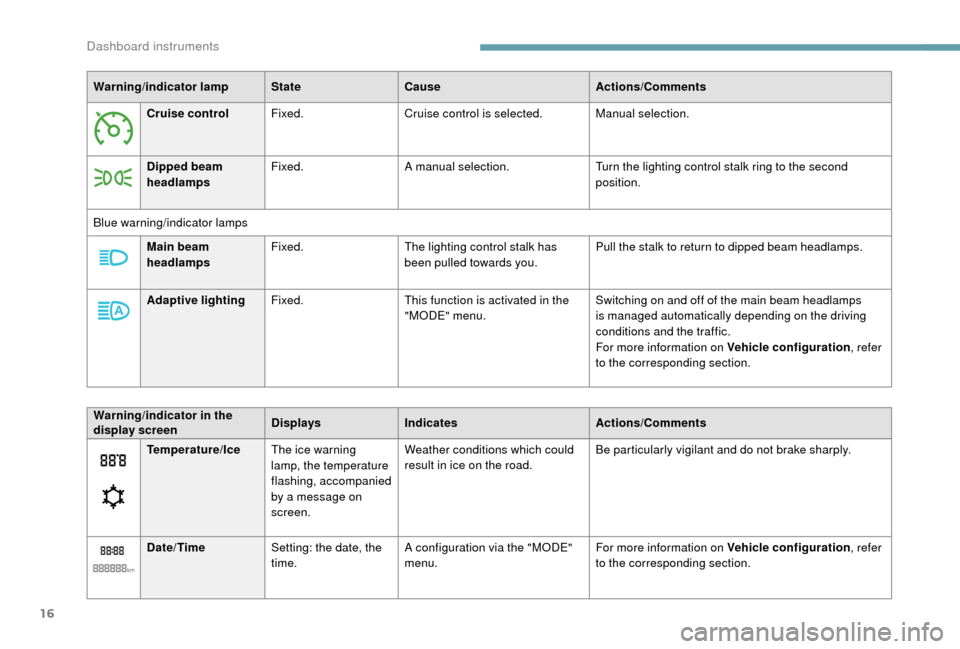
Cruise control Fixed. Cruise control is selected. Manual selection.
Dipped beam
headlamps Fixed.
A manual selection. Turn the lighting control stalk ring to the second
position.
Blue warning/indicator lamps Main beam
headlamps Fixed.
The lighting control stalk has
been pulled towards you. Pull the stalk to return to dipped beam headlamps.
Adaptive lighting Fixed. This function is activated in the
"MODE" menu. Switching on and off of the main beam headlamps
is managed automatically depending on the driving
conditions and the traffic.
For more information on Vehicle configuration
, refer
to the corresponding section.
Temperature/Ice The ice warning
lamp, the temperature
flashing, accompanied
by a
message on
screen. Weather conditions which could
result in ice on the road.
Be particularly vigilant and do not brake sharply.
Date/Time Setting: the date, the
time. A configuration via the "MODE"
menu. For more information on Vehicle configuration
, refer
to the corresponding section.
Warning/indicator in the
display screen
Displays
Indicates Actions/Comments
Dashboard instruments
Page 20 of 232
18
Indicators
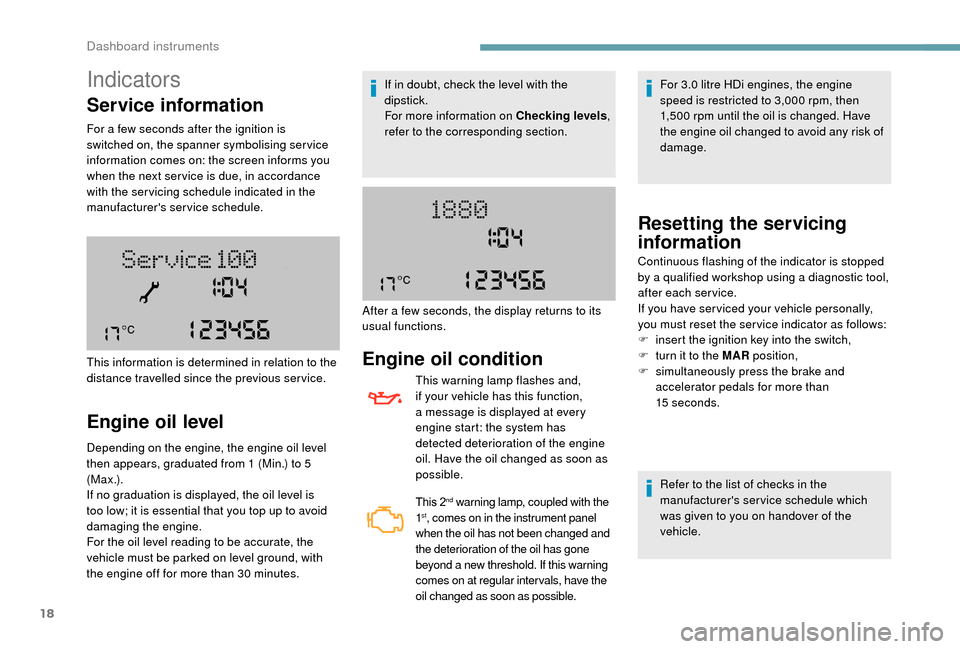
Service information
For a few seconds after the ignition is
s witched on, the spanner symbolising ser vice
information comes on: the screen informs you
when the next ser vice is due, in accordance
with the ser vicing schedule indicated in the
manufacturer's service schedule.
Engine oil level
Depending on the engine, the engine oil level
then appears, graduated from 1 (Min.) to 5
( M a x .) .
If no graduation is displayed, the oil level is
too low; it is essential that you top up to avoid
damaging the engine.
For the oil level reading to be accurate, the
vehicle must be parked on level ground, with
the engine off for more than 30
minutes.
This information is determined in relation to the
distance travelled since the previous service. If in doubt, check the level with the
dipstick.
For more information on Checking levels
,
refer to the corresponding section.
Engine oil condition
This warning lamp flashes and,
if your vehicle has this function,
a message is displayed at every
engine start: the system has
detected deterioration of the engine
oil. Have the oil changed as soon as
possible.
This 2nd warning lamp, coupled with the
1st, comes on in the instrument panel
when the oil has not been changed and
the deterioration of the oil has gone
beyond a
new threshold. If this warning
comes on at regular inter vals, have the
oil changed as soon as possible.
For 3.0 litre HDi engines, the engine
s peed is restricted to 3,000 rpm, then
1,500
rpm until the oil is changed. Have
the engine oil changed to avoid any risk of
damage.
After a
few seconds, the display returns to its
usual functions.
Resetting the servicing
information
Refer to the list of checks in the
manufacturer's service schedule which
was given to you on handover of the
vehicle.
Continuous flashing of the indicator is stopped
by a
qualified workshop using a diagnostic tool,
after each service.
If you have ser viced your vehicle personally,
you must reset the ser vice indicator as follows:
F
i
nsert the ignition key into the switch,
F
t
urn it to the MAR position,
F
s
imultaneously press the brake and
accelerator pedals for more than
15
seconds.
Dashboard instruments
Page 22 of 232
20
Coolant temperature
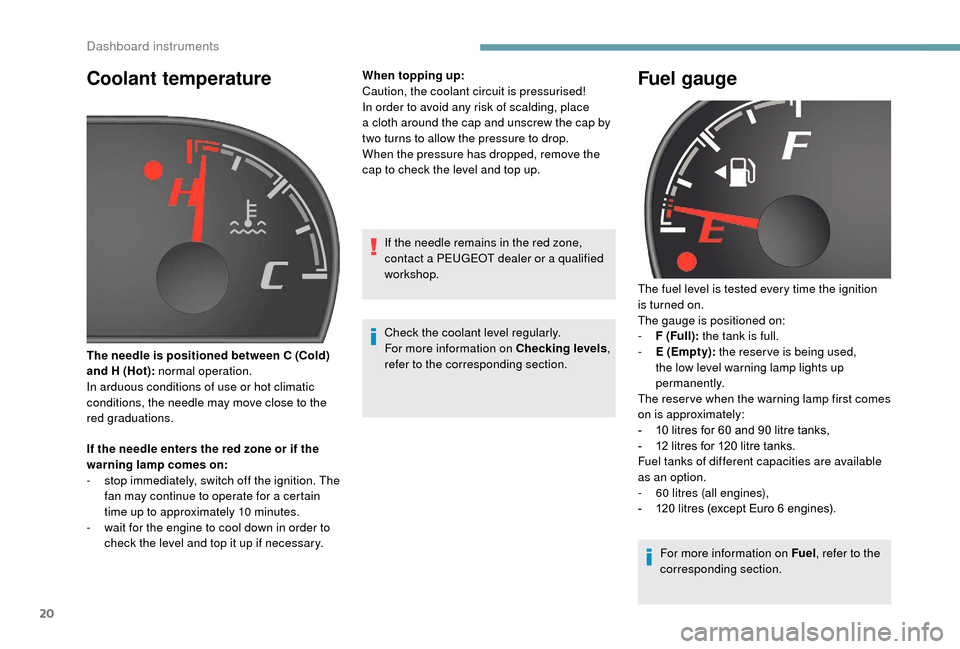
If the needle enters the red zone or if the
warning lamp comes on:
-
s
top immediately, switch off the ignition. The
fan may continue to operate for a
certain
time up to approximately 10
minutes.
-
w
ait for the engine to cool down in order to
check the level and top it up if necessary. When topping up:
Caution, the coolant circuit is pressurised!
In order to avoid any risk of scalding, place
a
cloth around the cap and unscrew the cap by
two turns to allow the pressure to drop.
When the pressure has dropped, remove the
cap to check the level and top up.
The needle is positioned between C (Cold)
and H (Hot): normal operation.
In arduous conditions of use or hot climatic
conditions, the needle may move close to the
red graduations. If the needle remains in the red zone,
contact a PEUGEOT dealer or a qualified
workshop.
Check the coolant level regularly.
For more information on Checking levels ,
refer to the corresponding section.
Fuel gauge
The fuel level is tested every time the ignition
is turned on.
The gauge is positioned on:
-
F
(Full): the tank is full.
-
E
(Empty): the reserve is being used,
the low level warning lamp lights up
permanently.
The reser ve when the warning lamp first comes
on is approximately:
-
1
0 litres for 60 and 90 litre tanks,
-
1
2 litres for 120 litre tanks.
Fuel tanks of different capacities are available
as an option.
-
6
0
litres (all engines),
-
1
20 litres (except Euro 6 engines).
For more information on Fuel , refer to the
corresponding section.
Dashboard instruments
Page 23 of 232
21
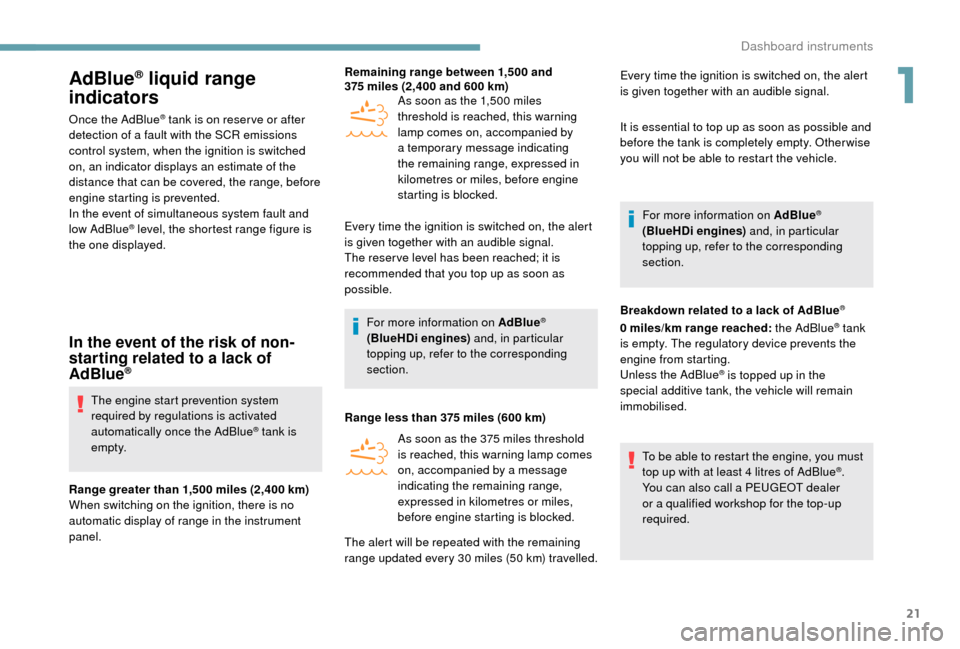
AdBlue® liquid range
indicators
Once the AdBlue® tank is on reser ve or after
detection of a
fault with the SCR emissions
control system, when the ignition is switched
on, an indicator displays an estimate of the
distance that can be covered, the range, before
engine starting is prevented.
In the event of simultaneous system fault and
low AdBlue
® level, the shortest range figure is
the one displayed.
In the event of the risk of non-
starting related to a lack of
AdBlue
®
The engine start prevention system
required by regulations is activated
automatically once the AdBlue
® tank is
e m pt y.
Range greater than 1,500
miles (2,400 km)
When switching on the ignition, there is no
automatic display of range in the instrument
panel. Remaining range between 1,500
and
375 miles (2,400 and 600 km)
As soon as the 1,500 miles
threshold is reached, this warning
lamp comes on, accompanied by
a temporary message indicating
the remaining range, expressed in
kilometres or miles, before engine
starting is blocked.
Every time the ignition is switched on, the alert
is given together with an audible signal.
The reser ve level has been reached; it is
recommended that you top up as soon as
possible.
For more information on AdBlue
®
(BlueHDi engines) and, in particular
topping up, refer to the corresponding
section.
Range less than 375
miles (600
km)
As soon as the 375 miles threshold
is reached, this warning lamp comes
on, accompanied by a
message
indicating the remaining range,
expressed in kilometres or miles,
before engine starting is blocked. Every time the ignition is switched on, the alert
is given together with an audible signal.
It is essential to top up as soon as possible and
before the tank is completely empty. Other wise
you will not be able to restart the vehicle.
For more information on AdBlue
®
(BlueHDi engines) and, in particular
topping up, refer to the corresponding
section.
Breakdown related to a
lack of AdBlue
®
0 miles/km range reached: the AdBlue® tank
is empty. The regulatory device prevents the
engine from starting.
Unless the AdBlue
® is topped up in the
special additive tank, the vehicle will remain
immobilised.
To be able to restart the engine, you must
top up with at least 4
litres of AdBlue
®.
You can also call a
PEUGEOT dealer
or a
qualified workshop for the top-up
required.
The alert will be repeated with the remaining
range updated every 30 miles (50 km) travelled.
1
Dashboard instruments
Page 24 of 232
22
For more information on AdBlue®
(BlueHDi engines) and, in particular
topping up, refer to the corresponding
section.
In the event of a fault with the
S CR emissions control system
Detection
The engine diagnostic warning lamp
comes on.
Every time the ignition is switched
on, the emissions fault is confirmed
by an audible signal and a
message.
If it is a
temporary fault, the alert disappears
as soon as the exhaust emissions return to the
levels required by the standard.
However, if the warning lamp is still on
after 30
miles (50 km) of driving, the fault
is confirmed.
An engine start prevention system
will be activated automatically after
250
miles (400 km) travelled following this
confirmation.
See a
PEUGEOT dealer or a qualified
workshop as soon as possible.
Fault confirmed
In addition to the previous signals, the
remaining range allowed will be displayed in
miles or kilometres in the instrument panel.
The alert will be repeated every 30
seconds
with an update of the driving range.
See a
PEUGEOT dealer or a qualified
workshop as soon as possible.
You risk not being able to start the engine.
Starting prevented after 250 miles
( 400 km)
At each starting attempt, the alert is
activated and the starting prevention
message is displayed.
To be able to restart the engine, you must see
a
PEUGEOT dealer or a qualified workshop.
Vehicle configuration
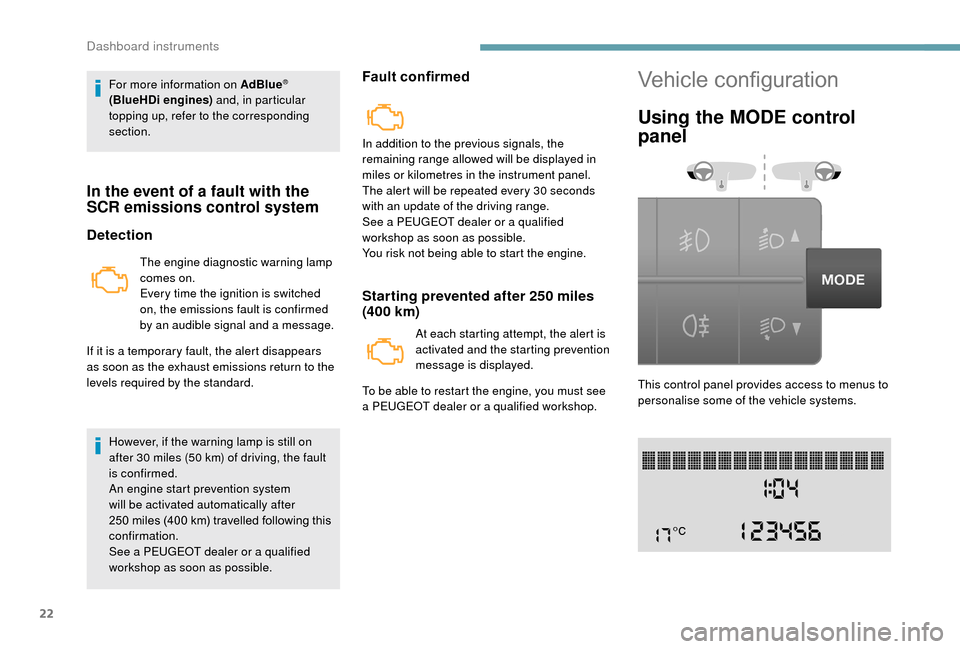
Using the MODE control
panel
This control panel provides access to menus to
personalise some of the vehicle systems.
Dashboard instruments
Page 29 of 232
27
Using the touch screen
audio system
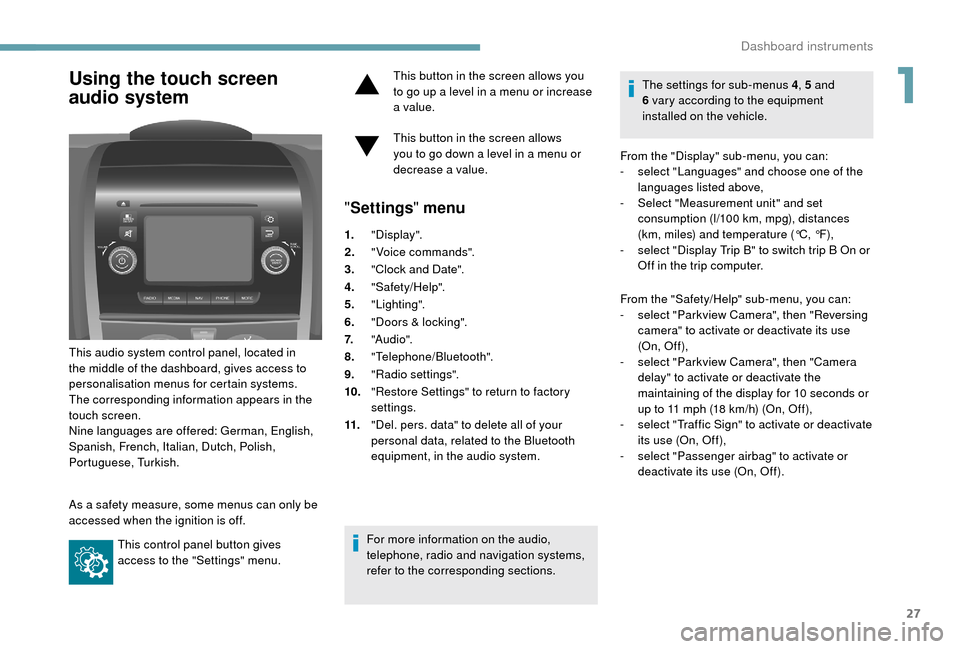
This audio system control panel, located in
the middle of the dashboard, gives access to
personalisation menus for certain systems.
The corresponding information appears in the
touch screen.
Nine languages are offered: German, English,
Spanish, French, Italian, Dutch, Polish,
Portuguese, Turkish.
As a
safety measure, some menus can only be
accessed when the ignition is off.
This control panel button gives
access to the "Settings" menu. This button in the screen allows you
to go up a
level in a menu or increase
a value.
This button in the screen allows
you to go down a level in a menu or
decrease a
value.
"
Settings " menu
1."Display".
2. "Voice commands".
3. "Clock and Date".
4. "Safety/Help".
5. "Lighting".
6. "Doors & locking".
7. "Audi o".
8. "Telephone/Bluetooth".
9. "Radio settings".
10. "Restore Settings" to return to factory
settings.
11. "Del. pers. data" to delete all of your
personal data, related to the Bluetooth
equipment, in the audio system.
For more information on the audio,
telephone, radio and navigation systems,
refer to the corresponding sections. The settings for sub-menus 4
, 5 and
6 vary according to the equipment
installed on the vehicle.
From the "Display" sub-menu, you can:
-
s
elect "Languages" and choose one of the
languages listed above,
-
S
elect "Measurement unit" and set
consumption (l/100 km, mpg), distances
(km, miles) and temperature (°C, °F),
- s elect "Display Trip B" to switch trip B On or
Off in the trip computer.
From the "Safety/Help" sub-menu, you can:
-
s
elect "Parkview Camera", then "Reversing
camera" to activate or deactivate its use
(On, Of f ),
-
s
elect "Parkview Camera", then "Camera
delay" to activate or deactivate the
maintaining of the display for 10
seconds or
up to 11
mph (18 km/h) (On, Off),
-
s
elect "Traffic Sign" to activate or deactivate
its use (On, Off),
-
s
elect "Passenger airbag" to activate or
deactivate its use (On, Off).
1
Dashboard instruments
Page 32 of 232
30
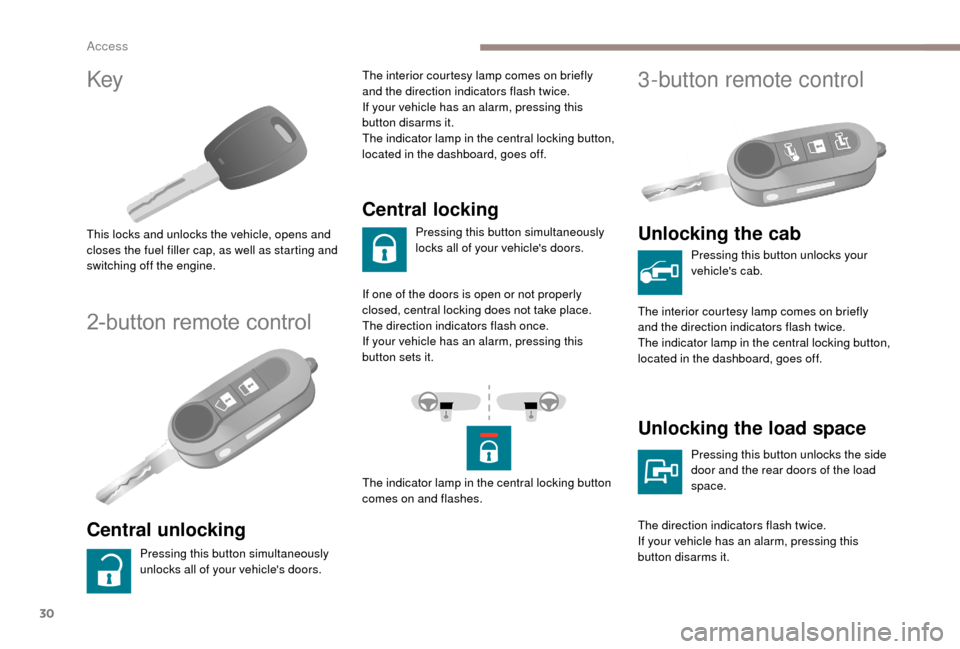
Key
This locks and unlocks the vehicle, opens and
closes the fuel filler cap, as well as starting and
switching off the engine.
2-button remote control
Central unlocking
Pressing this button simultaneously
unlocks all of your vehicle's doors.The interior courtesy lamp comes on briefly
and the direction indicators flash twice.
If your vehicle has an alarm, pressing this
button disarms it.
The indicator lamp in the central locking button,
located in the dashboard, goes off.
Central locking
Pressing this button simultaneously
locks all of your vehicle's doors.
If one of the doors is open or not properly
closed, central locking does not take place.
The direction indicators flash once.
If your vehicle has an alarm, pressing this
button sets it.
The indicator lamp in the central locking button
comes on and flashes.
3-button remote control
Unlocking the cab
Pressing this button unlocks your
vehicle's cab.
The interior courtesy lamp comes on briefly
and the direction indicators flash twice.
The indicator lamp in the central locking button,
located in the dashboard, goes off.
Unlocking the load space
Pressing this button unlocks the side
door and the rear doors of the load
space.
The direction indicators flash twice.
If your vehicle has an alarm, pressing this
button disarms it.
Access
Page 34 of 232
32
Main functions of the key
Type of keyUnlocking the cab Locking the doorsUnlocking the rear
doors
Mechanical key Turn anti-clockwise
(driver's side). Turn clockwise
(driver's side). -
Key with remote control -
Signalling
Direction indicators 2
flashes.1
flash.2
flashes.
Indicator lamp in
the central locking
control button on the dashboard Of f.
On fixed for about
3
seconds, then flashing. Flashing.
Using the mechanical key in the drivers' door lock barrel does not activate (set) or deactivate
the alarm.
Locking/Unlocking
from inside
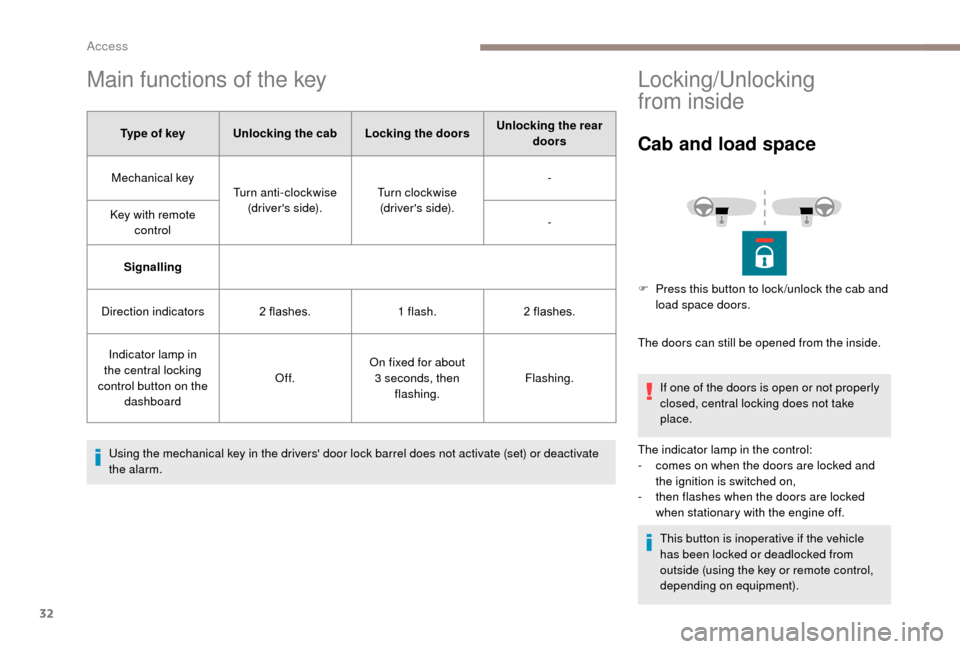
Cab and load space
The doors can still be opened from the inside. If one of the doors is open or not properly
closed, central locking does not take
place.
The indicator lamp in the control:
-
c
omes on when the doors are locked and
the ignition is switched on,
-
t
hen flashes when the doors are locked
when stationary with the engine off.
This button is inoperative if the vehicle
has been locked or deadlocked from
outside (using the key or remote control,
depending on equipment).
F
P
ress this button to lock /unlock the cab and
load space doors.
Access
Page 37 of 232
35
Opening to 180°
If your vehicle is fitted with this equipment,
a retractable check strap system permits
extending of the opening from 96° to 180°.
Closing
F To close, start with the left-hand door then close the right-hand door.
Alarm
System which protects and provides a deterrent
a gainst theft and break-ins. If your vehicle is
so equipped, it provides the following types of
monitoring:
- Perimeter monitoring
The system ensures exterior perimeter
protection by detectors on the openings (doors,
bonnet) and in the electrical power supply.
- Anti-tilt monitoring
The system checks for any change in the
attitude of the vehicle.
Activation
F Press this button on the remote control.
The protection provided by the alarm system
becomes active after a
few seconds.
Triggering of the alarm
The alarm then returns to monitoring
mode but the triggering event is
stored and is indicated by illumination
of the electronic immobiliser warning
lamp for about 10
seconds when the
ignition is switched on.
The alarm is also triggered after interruption
of the electrical supply and when it is
reconnected.
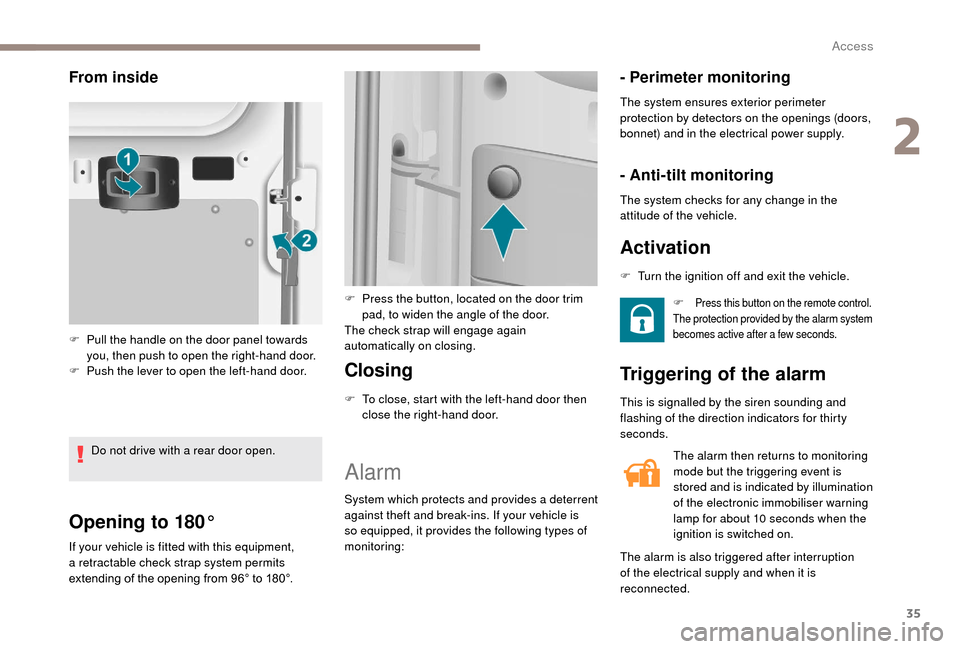
From inside
F Pull the handle on the door panel towards you, then push to open the right-hand door.
F
P
ush the lever to open the left-hand door.
Do not drive with a
rear door open. F
P
ress the button, located on the door trim
pad, to widen the angle of the door.
The check strap will engage again
automatically on closing. F
T
urn the ignition off and exit the vehicle.
This is signalled by the siren sounding and
flashing of the direction indicators for thirty
seconds.
2
Access
Page 38 of 232
36
Deactivation using the
remote control
F Press this button.
Deactivation of the anti-tilt
protection
F Press this control to deactivate the protection (when towing the
vehicle with the alarm on, for
example).
Failure of the remote
control
F Unlock the doors by using the key in the door lock; the alarm is triggered.
F
S
witch on the ignition, recognition of the key
code stops the alarm.
Deactivation occurs when the vehicle is
unlocked.
(Depending on engine).
The protection remains active until the doors
are unlocked with the central locking.
Locking the doors using the key in the
door lock does not set the alarm. To deactivate the siren quickly
following a
false alarm:
F
s
witch on the ignition, recognition of
the key code stops the alarm,
F
p
ress the unlocking button (cab and
key) on the remote control.
To avoid setting the alarm, when washing
the vehicle for example, lock the vehicle
using the key.
Unlocking the vehicle using the remote
control deactivates the siren automatically.
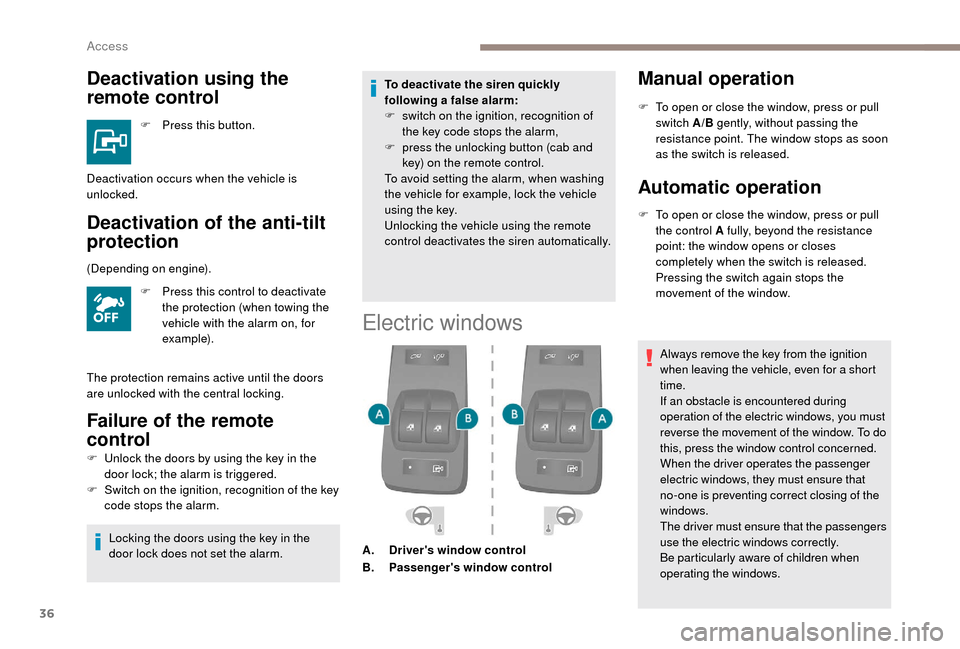
Electric windows
A. Driver's window control
B. Passenger's window control
Manual operation
F To open or close the window, press or pull
switch A/B gently, without passing the
resistance point. The window stops as soon
as the switch is released.
Automatic operation
F To open or close the window, press or pull the control A fully, beyond the resistance
point: the window opens or closes
completely when the switch is released.
Pressing the switch again stops the
movement of the window.
Always remove the key from the ignition
when leaving the vehicle, even for a
short
time.
If an obstacle is encountered during
operation of the electric windows, you must
reverse the movement of the window. To do
this, press the window control concerned.
When the driver operates the passenger
electric windows, they must ensure that
no-one is preventing correct closing of the
windows.
The driver must ensure that the passengers
use the electric windows correctly.
Be particularly aware of children when
operating the windows.
Access